


 Video Converter Ultimate
 Näytön tallennin
 Videon korjaus
[Ilmainen ja maksullinen] Hallitse MKV-muunnoksen taito AVI-muotoon
Matroska developed the MKV format to preserve files so that it can be used in the future. Basically, the file in this format is sealed individually with different codecs in it. But, in some cases they can't be played over the native media player in your PC or Mac. So, the best choice is to convert it into an AVI file format or to another feasible format. Do you want to know how to change the MKV file to AVI format? Then you must read carefully the detailed information below as we stated only the truth and nothing but the truth.

Osa 1. Kuinka muuntaa MKV AVI:ksi ilmaiseksi verkossa ja offline-tilassa
1. FVC Free Online Video Converter
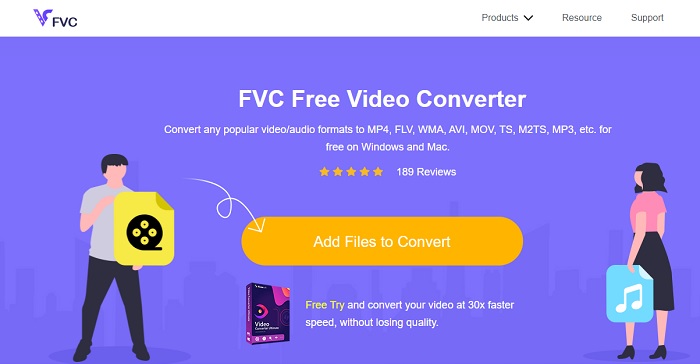
You can use this to convert MKV to AVI online with the help of the best. FVC Free Video Converter is intended to be user-friendly and no-cost as per user demand. Unlike any other tool mentioned here this tool provides a great compression on each file. You can also manipulate the bitrate, fps, codec and more in the file you want to be converted. On the contrary, all of the major features available in the premium version of this tool aren't available here. It only allows the user to have fewer formats, known as the basic format. As for now let's continue and see where the waves take us in converting videos. Follow the steps and let's start sailing the sea of conversion.
Step 1. Go to the link provided only for you to start on.
Step 2. To launch the tool, you must click the Add Files to Convert.
Lataa työpöytäversio muuntaaksesi tiedostoja erissä.
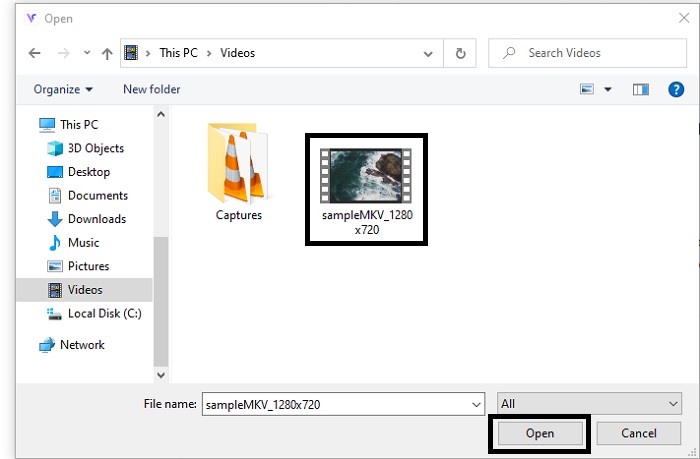
Step 3. Select the MKV file you want to be converted and click open to proceed.
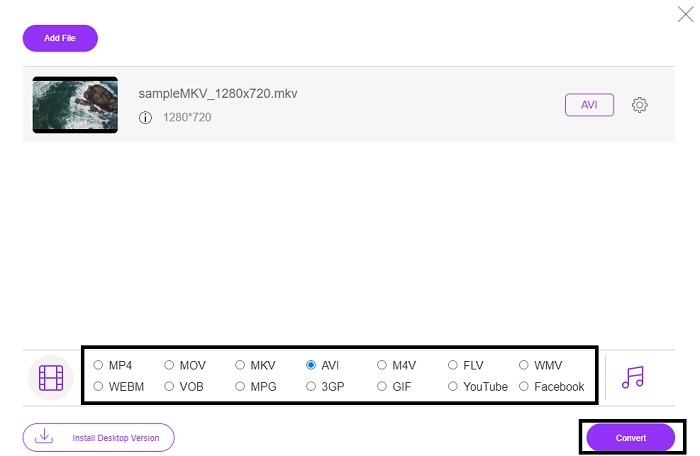
Step 4. In the interface, choose the AVI format below and select Convert to start the process.
Step 5. Wait until it is done. After a minute, clicking this folder to go to file manager will be displayed on your screen with the file you converted.

Plussat
- Latausta ei tarvita, koska voit käyttää sitä hakukoneesi kautta.
- Se tarjoaa enemmän muotoa kuin kaksi muuta alla olevaa ilmaista työkalua.
- Erinomainen myös kompressiossa.
Haittoja
- Ei tarjoa muokkausominaisuuksia, ja käytettävissä oleva muoto on rajoitettu.
- Jos yhteyttä ei ole saatavilla, et voi käyttää tätä työkalua.
2. VLC-mediasoitin
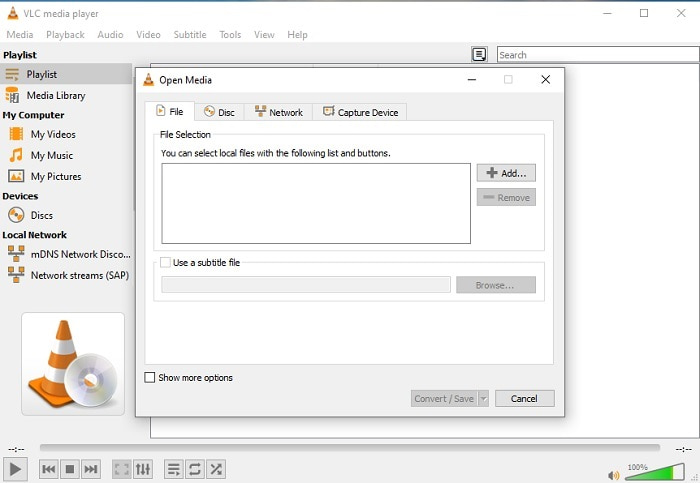
If you have a VLC then why don't you try and use it to convert. As being said, you can convert MKV to AVI on Mac using VLC. But it is not built to be the best on the job of conversion because of its limited format and other reasons. Although, this tool is infamous for being one of the outstanding media players you can use to watch and listen to. So, if you want to try using VLC as a converter then follow these steps below.
Step 1. Open VLC on your desktop.
Step 2. Click the file and locate the converter of the tool.
Step 3. Add the file you want to convert and start the process.
Plussat
- Yksi suurimmista mediasoittimista, joka tarjoaa muunnosominaisuuksia.
- Lataa ilmaiseksi.
- Tukee useimpia koodekkeja.
Haittoja
- Se ei ole aloittelijan valinta uusille muuntajille
- Vaikea lukea ja ymmärtää ohjeita.
3. Freemake
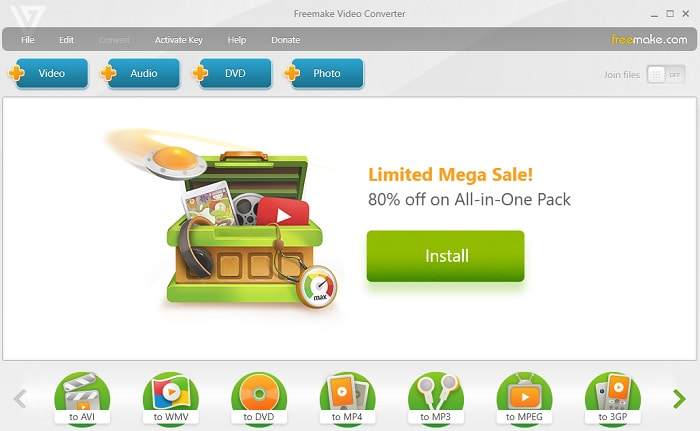
Freemake is one of the desktop tools you can use to convert MKV to AVI on Mac and PC. This tool is downloadable so you don't need internet connection to access it. The format it provides is very limited compared to the online FVC converter above. Another, the interface of the tool is outdated though it is easy to understand but boring to look at. Nevertheless, on the job of conversion you can depend on this tool. Learn how to use Freemake by following the step below.
Step 1. Download the Freemake into your computer and launch it.
Step 2. Choose the file format you want to convert.
Step 3. Wait for more than a minute to finish the conversion.
Plussat
- Sen käyttämiseen ei tarvita Internetiä.
- Käyttäjäystävällinen.
- Helppo ymmärtää käyttöliittymä.
Haittoja
- Käyttöliittymän väriyhdistelmä on hieman tylsä ja siinä on myös lapsellista tunnelmaa.
- Rajoitettu tarjoamaan muotoa ja ominaisuuksia.
Osa 2. Paras tapa muuttaa MKV-tiedosto AVI-muotoon yksityiskohtaisten vaiheiden avulla
If you want to take the converting a format to the next level then it is a must to know how to use this tool. Moreover, FVC Video Converter Ultimate provides the best conversion you want to do. Also, it allows the user to do multiple conversions at once. So, convert until you get tired of it but no need to worry because you won't get tired because of the special features it provides. For example, do you want to convert MKV to AVI and then enhance it later? By using the FVC Video Converter Ultimate you can do more. So, to know how majestic the tool is, here are the steps on how to use the unique converter feature it provides.
Step 1. Install the tool to your drive and follow the wizard setup to launch the tool.
Ilmainen latausWindows 7 tai uudempiTurvallinen lataus
Ilmainen latausMacOS 10.7 tai uudempiTurvallinen lataus
Step 2. Launch the tool after the installation. This is an example of the tool interface.
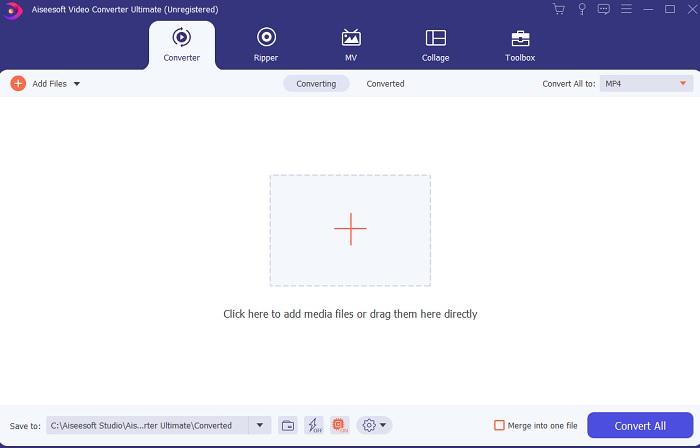
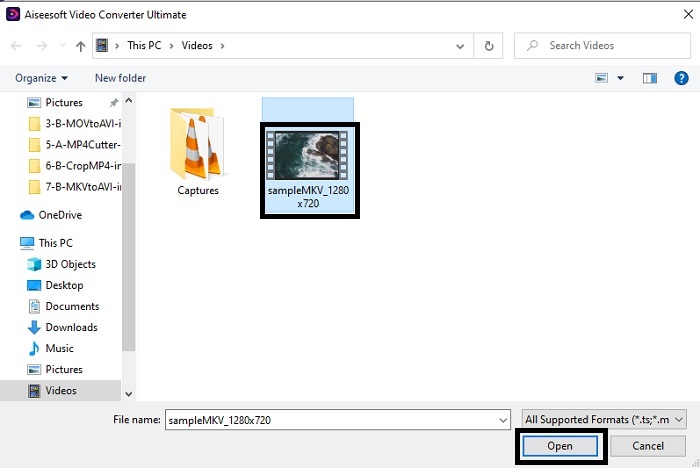
Step 3. Click the plus sign button to insert the MKV file you want to be converted. For example, if the file is more than two or three the best to insert, is to drag-and-drop it in the interface.
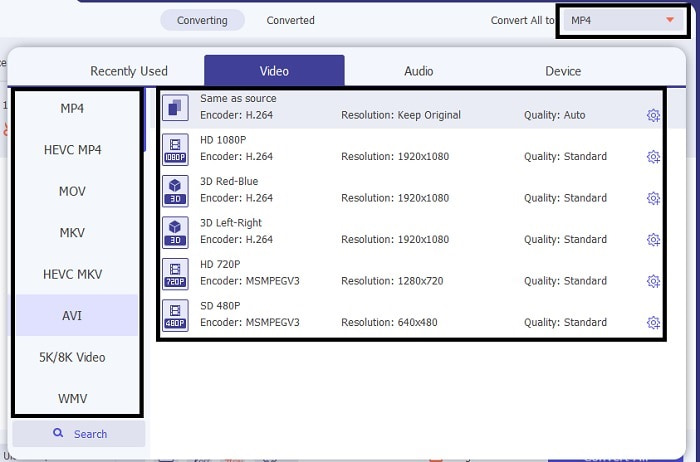
Step 4. On the drop-down menu choose what format you want it to be. Click the Convert All and wait for the conversion to be finished.
Step 5. The conversion will only take less than a second so waiting for it is not needed. After it is done, the file explorer will automatically be going to show into your screen with the file you converted. Click it and enjoy the newly converted file you just made.
Plussat
- Tarjoaa tärkeitä muokkausominaisuuksia mediatiedoston parantamiseksi.
- 30 kertaa nopeampi muunnos kuin verkkotyökalu. Ja se on 100x parempi pakkaus kuin toinen työkalu.
- Helppokäyttöinen kuin 1-2-3. Sinun ei tarvitse olla ammattilainen käyttääksesi tätä työkalua.
Haittoja
- Se on maksettava, mutta se ei ole kovin kallis.
- Sinun on ladattava työkalu työpöydällesi.
MKV vs. AVI
Vuonna 2002 julkaistu Matroska-multimediakonttiformaatti on avoimen lähdekoodin muoto, joka voi sisältää useita video-, ääni-, kuva- ja tekstitysraitoja. Joten voit käyttää sitä lyhyiden videoleikkeiden, TV-ohjelmien ja elokuvien tallentamiseen helposti. Se on melko suosittu anime-fanien tilaajissa.
Resource Interchange File Format (RIFF) -muotoon perustuvan AVI-muodon Microsoft esitteli vuonna 1992. Se voi tallentaa korkealaatuista videota/ääntä, koska se käyttää vähemmän pakkausta. Mutta tämä aiheuttaa myös AVI-tiedoston suuren tiedostokoon, mikä voi olla ongelma, kun tilaa on rajoitetusti.
Osa 3. Usein kysyttyä MKV:sta AVI:hen
Voiko käsijarru muuntaa MKV:n AVI:ksi?
Kyllä, voit käyttää käsijarrua minkä tahansa muodon muuntamiseen. Mutta tämä työkalu on rajoitettu vain Windows 10:een ja uudempiin.
Onko MKV häviöllinen vai häviötön?
MKV on häviötön pakkaus.
Mitkä ovat MKV:n haitat?
As MKV creates a new future for the format worldwide. This format is still in progress as it is mentioned earlier it can contain different codecs. So, it means it is much larger than an AVI format and more complicated as well. However, you can choose to convert MKV to MP4 to get a smaller file.
Johtopäätös
As for now, learning how to convert is essential especially to those who love watching. There are times that our file format will not be playable into our default media player because the format or codec is not supported. So, the best we can do to solve this problem is to convert it into a new format. FVC Video Converter Ultimate is the ultimate tool that gives you the greatness you want. Instead of choosing a low quality tool why don't you try to use the ultimate tool that solves any converting, enhancing, joining, creating problem you ever have.
-
 MKV MOV: ksi - Kuinka muuntaa MKV MOV: ksi
 Kuinka muuntaa MKV MOV: ksi Macissa? Voiko iMovie lukea MKV: tä? Mitä MOV-muoto tarkoittaa? Tämä viesti kertoo 2 yksinkertaista tapaa auttaa muuntaa MKV MOV: ksi ilmaisilla online- ja ammattimaisilla videomuuntimilla.
-
 Kuinka muuntaa MKV-tiedostoja toistettaviksi PS3:lla sujuvasti [Ratkaistu]
 Haluatko toistaa MKV-videoita PS3:llasi? PS3 ei kuitenkaan voi toistaa MKV-tiedostoja suoraan. Tämä artikkeli näyttää tapoja muuntaa MKV-videot PS3-tuetuiksi videoformaatiksi toistettavaksi PS3:lla ilman vaivaa.
-
 Kuinka muuntaa MKV -videot animoiduiksi GIF -tiedostoiksi ilman Photoshop/FFmpeg -tiedostoa
 Kun olet ladannut ja katsellut MKV -elokuvia tietokoneellasi, saatat haluta jakaa upeita hetkiä ystävien kanssa tai Internetissä GIF -tiedostoina. Tässä artikkelissa voit oppia kahdesta helpoimmasta tavasta muuntaa MKV GIF -muotoon.

