


 Video Converter Ultimate
 Näytön tallennin
 Videon korjaus
3 parasta muuntajaa VOB-tiedoston muuntamiseksi GIF-muotoon
VOB-tiedostot ovat DVD-levyillä yleisimmin nähtyjä tiedostoja, jotka voivat sisältää lähes kaiken datan, kuten navigoinnin, valikon, tekstityksen, videon, äänen jne. Myös tämä tiedostomuoto voi helposti tallentaa toisto-ohjelmia, mutta silti sitä on vaikea tallentaa työpöydällesi. Voit jakaa joitain VOB-muodon videon kohokohtia muille sosiaalisen median alustoille helposti ja tehokkaasti. Hienoin muoto, jota voit käyttää, on GIF-muoto, vaikka tämä muoto ei tue äänitiedostoja, se on silti paras muoto jaettavaksi maailmanlaajuisesti. Joten saadaksesi enemmän käsitystä siitä, mistä puhumme, jatkamme työkalulla, jolla voit muuntaa VOB-tiedoston GIF-muotoon, jotta voit katsella sitä ja jakaa sen maailmalle.

Osa 1. 3 eri menetelmiä VOB-tiedoston muuttamiseksi GIF-muotoon
Tapa 1. Käytä työpöytäohjelmistoa – FVC Free Video Converter
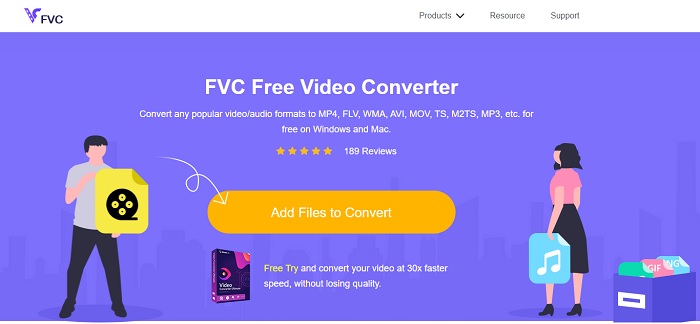
Paras verkossa toimiva muunnin VOB-tiedoston muuttamiseen GIF-muotoon on FVC:n kehittämä FVC Free Video Converter. Vaikka työkalu on ilmainen, se ei tue aivan kaikkia mahdollisia formaatteja, mutta perusmuodot löytyvät. Lisäksi tällä verkkotyökalulla voit muuttaa videotiedoston bittinopeutta, kuvanopeutta (fps) ja resoluutiota. Sen sijaan suurempia editointiominaisuuksia, kuten videon ja äänen parantamista, GIF‑animaatioiden luomista tai äänen tehostamista, ei ole tarjolla. Muunnos on kuitenkin paljon nopeampi kuin fConvertilla, ja sivulla ei ole häiritseviä mainoksia. Jos haluat tietää, miten työkalu toimii, noudata alla olevia ohjeita ja opi käyttämään yhtä parhaista ilmaisista verkkotyökaluista.
Vaiheet FVC Free Video Converter ‑verkkotyökalun käyttämiseen
Vaihe 1. Napsauta yllä olevaa hyperlinkkiä, joka vie FVC Free Video Converter ‑työkalun pääsivulle.
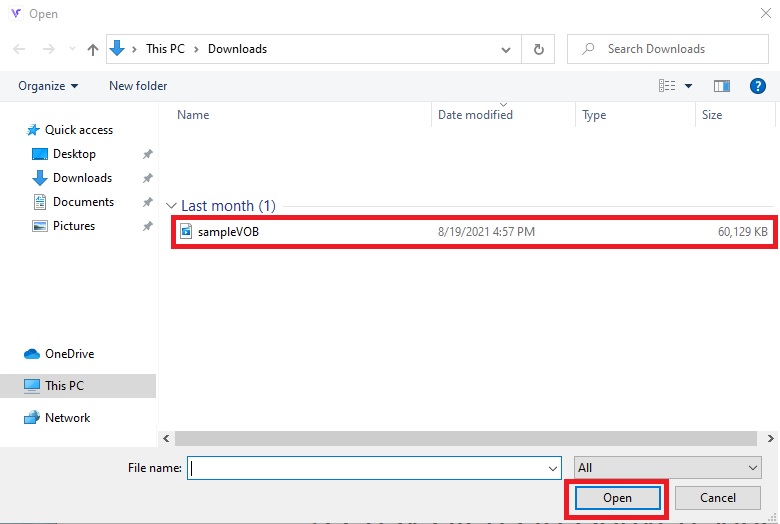
Vaihe 2. Napsauta Add Files to Convert ja etsi VOB‑tiedosto, jonka jälkeen valitse open.
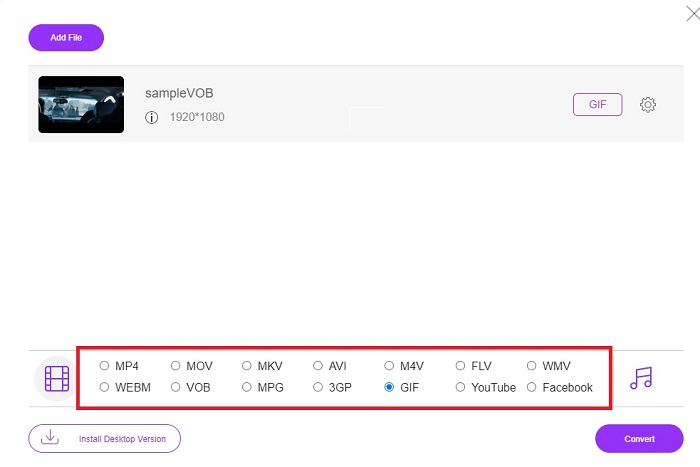
Vaihe 3. Valitse haluamasi lopputulosformaatti sivun alaosasta ja napsauta sitä.
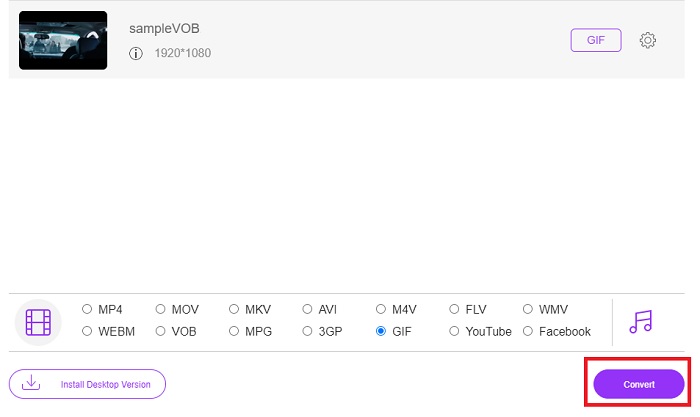
Vaihe 4. Aloita muunnos napsauttamalla Convert.
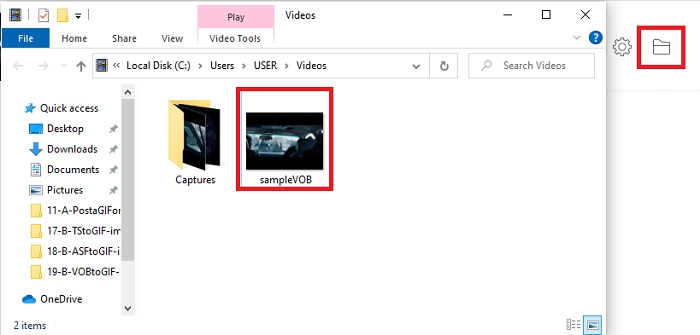
Vaihe 5. Löydät juuri muuntamasi VOB‑tiedoston napsauttamalla kansiokuvaketta, jolloin avautuu kansio, johon muunnettu tiedosto on tallennettu.
Tapa 2. Käytä ilmaisohjelmaa – FVC Free Video to GIF Maker
Jos verkkotyökalu tuntuu vaikuttavalta, opi lisäksi kuinka muuntaa .vob‑tiedosto GIF‑muotoon käyttämällä FVC Free Video to GIF Maker ‑ohjelmaa. Jos muuntaminen aiheuttaa sinulle päänvaivaa, ratkaistaan ongelma tällä ilmaisella ladattavalla työkalulla. Se tukee useampia formaatteja kuin ilmainen verkkoversio ja tarjoaa myös peruseditointiominaisuuksia. Suuritehoisia editointitoimintoja, joita FVC:n Ultimate‑muunnin tarjoaa, tästä ohjelmasta ei kuitenkaan löydy. Ultimate‑version ohella tämä ohjelma on silti yksi parhaista työkaluista turvalliseen ja tehokkaaseen muuntamiseen. Se on myös nopeampi kuin mikään selainpohjainen työkalu, jonka löydät verkosta. Jos siis haluat nopean ja tehokkaan muunnoksen, seuraa alla olevia ohjeita.
Vaiheet FVC:n ilmaisen videon käyttämiseen GIF Makeriin muuntamiseen offline-tilassa
Vaihe 1. Lataa FVC Free Video to GIF Maker PC‑ tai Mac‑tietokoneellesi. Muuta asetuksia asennusohjelmassa tarvittaessa ja napsauta lopuksi Finish tallentaaksesi muutokset.
Ilmainen latausWindows 7:lle tai uudemmalleTurvallinen lataus
Ilmainen latausmacOS 10.7:lle tai uudemmalleTurvallinen lataus
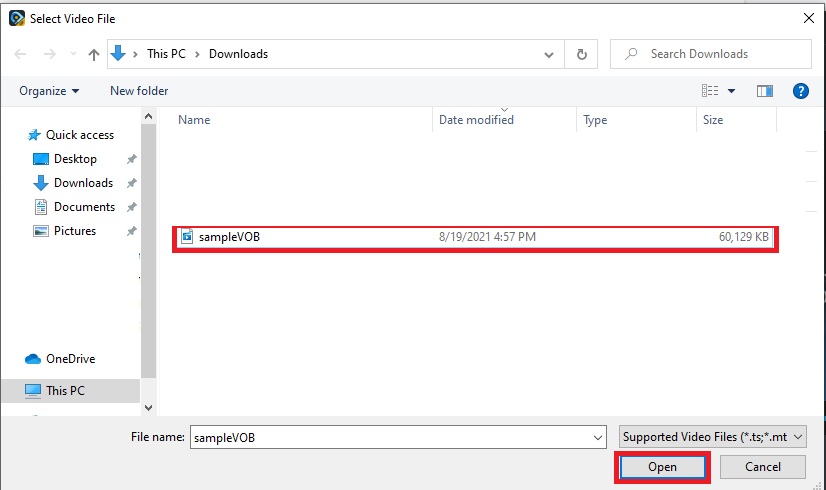
Vaihe 2. Lisää tiedostot ohjelmaan napsauttamalla käyttöliittymän vasemmassa yläkulmassa olevaa Add File ‑painiketta. Napsauta sen jälkeen open lisätäksesi VOB‑tiedoston ohjelman pääikkunaan.
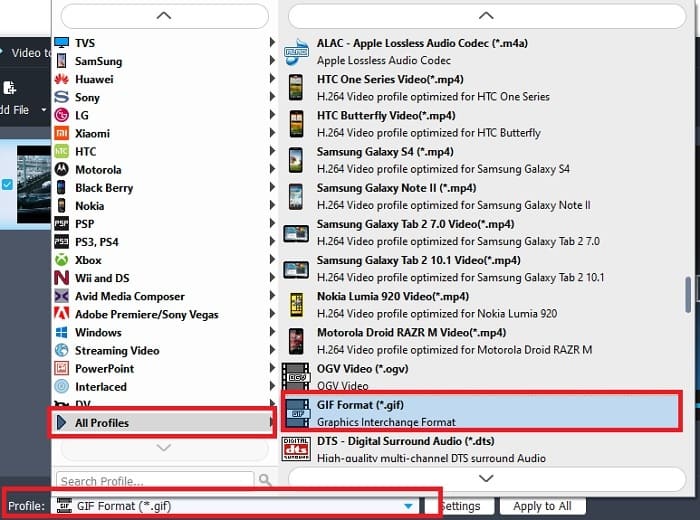
Vaihe 3. Vaihda formaattia napsauttamalla Profile‑valikkoa ja valitse haluamasi lopputulosformaatti.
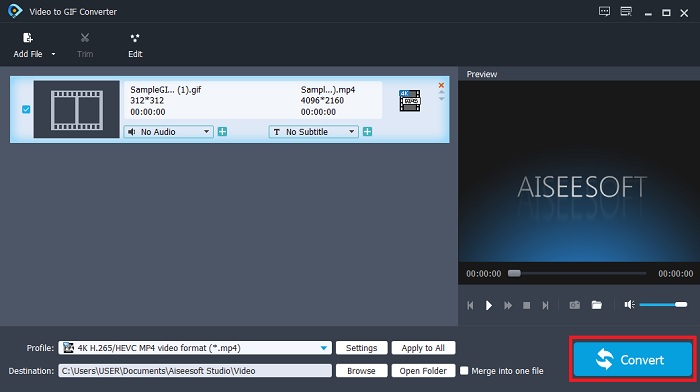
Vaihe 4. Aloita VOB‑tiedostojen muuntaminen painamalla Convert‑painiketta.
Vaihe 5. Etsi tiedosto tiedostonhallinnastasi ja toista aiemmin muuntamasi VOB‑tiedosto.
Tapa 3. Käytä online-työkalua – fConvert
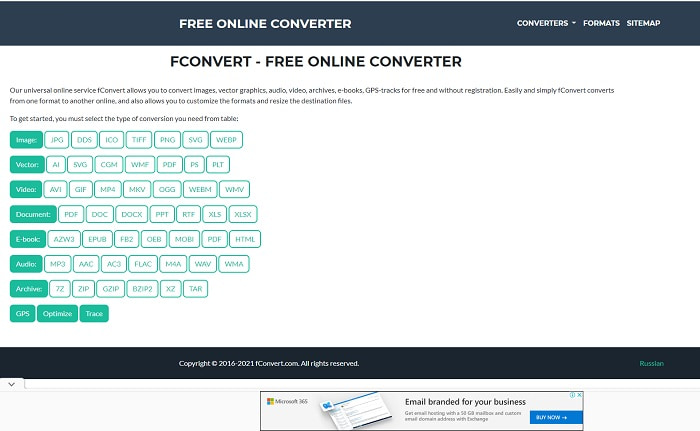
Toinen verkkotyökalu VOB‑tiedostojen muuntamiseen on fConvert. Tämän verkkotyökalun avulla käyttäjä voi muuntaa erilaisia mediaformaatteja uudempiin versioihin käytettäväksi. Sivustolla on kuitenkin häiritseviä mainoksia. Vaikka mainokset ovat vielä jotenkuten siedettäviä, pääsivun mainokset ovat ärsyttäviä. Vaikka fConvert tukee lähes kaikkia yleisiä muuntoja, se tarjoaa silti vähemmän formaatteja kuin FVC Free Video Converter. Lisäksi, kun käynnistät muunnosprosessin, mainoksia on enemmän kuin itse sivustolla, joten ole tarkkana, ettet siirry vahingossa toiselle sivulle.
Vaihe 1. Avaa hakukoneesi ja etsi työkalun virallinen sivusto.
Vaihe 2. Valitse haluamasi muunnostyyppi, joka halutaan suorittaa.
Vaihe 3. Lisää muunnettava tiedosto ja odota, kunnes muunnos on valmis.
Osa 2. Usein kysytyt kysymykset VOB:n muuntamisesta GIF-muotoon
Mikä on VOB-tiedosto?
VOB voi sisältää multiplex-stream-datalomakkeen DVD-levyille ja suurimman osan ajasta tämä muoto on myös salattu. Tästä huolimatta VOB-tiedostoja ei voida helposti kopioida DVD-levyille tämän muodon tarjoamien rajoitusten vuoksi. Jos pakotat repimään .vob-tiedoston, on mahdollista, että lopputuloksena on paljon kadonneita tietoja tai jos olet onnekas, mahdollisuus kopioida oikein on hyvin pieni. Voit kuitenkin ladata VOB-tiedostoja Internetistä, mutta et voi toistaa niitä puhelimillasi tai pöytätietokoneillasi, jos sinulla ei ole oikeaa tiedostoa. On mahdollista, että tämän tiedoston kaltaista ilmoitusta ei tueta tai tämä tiedosto on salattu, näytetään näytölläsi.
Missä voin toistaa VOB-tiedostoni muuntamatta sitä?
Tiedoston muuntaminen on toimiva ratkaisu tähän ongelmaan. Jos et kuitenkaan halua vaivautua muuntamisella, voit toistaa sen myös täällä. Tämä mediasoitin on sekin FVC:n tarjoama, ja sen avulla voit toistaa kaikki aiemmin kohtaamasi, vaikeasti toistettavat formaatit. Blu-ray Player on yksi ratkaisuja VOB‑tiedostojen toistamiseen ilman lisäohjelmistoja. Lataa työkalu napsauttamalla alla olevaa linkkiä. Lataa Blu-ray Player PC:lle Lataa Blu-ray Player Macille
Kumpi on parempi: VOB vai MP4?
Jos aiomme tallentaa tiedoston DVD- tai CD-levyille, on parempi käyttää VOB-tiedostoja kuin MP4-tiedostoja. Koska tämä tiedosto on paljon pienempi, voit tallentaa enemmän laatua menettämättä. Mutta jos haluat tallentaa sen puhelimeesi tai työpöydällesi, MP4 on paljon parempi kuin VOB-tiedosto. Jos haluat muuntaa MP4:n VOB:ksi tai päinvastoin, voit hyödyntää videonmuunnintyökalua, kuten FVC Free Video Converteria muotomuunnoksen saavuttamiseksi.
Meneekö sen laatu VOB:n muuntamisen jälkeen?
Tämä on mahdollista vain, jos käytät väärää muunninta. Vaikka muuntaminen saattaa näyttää helpolta, sopivan muuntimen valinta on luultua vaikeampaa. Jos haluat kokea poikkeuksellisen tehokkaan muunnoksen, lataa FVC Video Converter Ultimate ja kokeile sitä itse. Lataa FVC Video Converter Ultimate PC:lle Lataa FVC Video Converter Ultimate Macille
Johtopäätös
Keskustelun lopettamiseksi, jos kohtaat uudelleen VOB-tiedostoja, joita ei voi toistaa, sinun on harkittava niiden muuntamista toistettavaan muotoon. Vaikka FVC Video Converter Ultimatea ei mainita tässä, tämän työkalun tarjoama muunnosprosessi on nopea, helppo, tehokas ja tehokas toisin kuin muut. Jos haluat tutustua työkaluun, sinun on ladattava se PC- tai Mac-tietokoneellesi heti.
-
 [2 Ratkaisut] Kuinka muuntaa SWF helposti GIF -tiedostoiksi ilmaiseksi
 Kun GIF-formaatin vieminen Flash-ohjelmiston kautta epäonnistuu, voit yrittää ensin tallentaa tiedostot SWF-muodossa. Sitten voit oppia 2 helppoa tapaa muuntaa SWF GIF-tiedostoiksi tästä artikkelista.
-
 [2 ratkaisua] Kuinka muuntaa WMV-videoita GIF-tiedostoiksi ilmaiseksi
 Jos haluat leikata WMV-videoiden upeita osia ja tehdä niistä GIF-tiedostoja, voit oppia kahdesta helposta menetelmästä siirtää WMV-videoita GIF-tiedostoihin tässä artikkelissa.
-
 MOV GIF -muotoon - Kuinka muuntaa MOV -animoitu GIF -tiedosto Macilla, PC: llä ja verkossa ilmaiseksi
 Mikä on GIF? Kuinka muuntaa video GIF -muotoon? Kuinka muuttaa MOV animoituun GIF -tiedostoon verkossa? Tämä viesti kertoo 3 tapaa muuntaa MOV GIF: ksi verkossa, Mac/PC.
