


 Video Converter Ultimate
 Näytön tallennin
 Videon korjaus
 Suojattu lataus
Hanki äärimmäiset menettelyt NEF:n muuttamiseksi JPG:ksi
Kun otamme valokuvia, haluamme aina tallentaa elämämme mieleenpainuvat hetket mahdollisimman hyvälaatuisina kuvina. Siksi ihmiset ostavat erinomaisia kameroita, jotka tuottavat hyviä tuloksia. Parhaan kuvanlaadun voi kuitenkin saavuttaa tallentamalla kuvan raakatiedostona. Tämä voi kuitenkin aiheuttaa monia ongelmia. NEF tulee sanoista Nikon Electronic Format. Nikon, yksi suosituimmista kameravalmistajista, käyttää raakatiedostomuotoja. Joskus et voi tarkastella näitä tiedostoja tietokoneella. Tarvitaan ammattilaisohjelma, joka on usein kallis ja hankala käyttää. Tällaisessa tilanteessa paras ratkaisu on muuntaa NEF-tiedostot yleiseen kuvamuotoon, kuten JPG:hen. Tämän muodon joustavuus mahdollistaa kuvien katselun lähes millä tahansa laitteella. Samalla se säästää tallennustilaa. Jos haluat muuntaa tiedostosi JPG-muotoon, lue tämä opas ja tutustu parhaisiin NEF–JPG-muuntimiin, joita voit käyttää.

Osa 1. NEF vs. JPG
| Tiedosto muoto | NEF | JPG / JPEG |
| Tiedostonimen laajennus | .nef | .jpg / .jpeg |
| Koko nimi | Nikonin elektroninen muoto | Yhteinen valokuvausasiantuntijaryhmä |
| Kehittäjä | Nikon | Yhteinen valokuvausasiantuntijaryhmä |
| Kuvaus | Nikon Raw Image -tiedostot tunnetaan nimellä NEF tiedostot. Kuten muutkin RAW-kuvatiedostot, NEF-tiedostot tallentavat kaikki tiedot, jotka kamera on tallentanut ennen käsittelyä. Se sisältää metatietoja, kuten kamera- ja objektiivimallit. NEF-valokuvat tarjoavat uskomattoman korkean kuvanlaadun. | Yhteinen valokuvausasiantuntijaryhmä loi JPG Se sisältää myös kuvien tallentamisen digitaalikameroihin ja muihin toistotyökaluihin. Häviöllinen pakkausmenetelmä JPEG-tiedostot käyttävät jopa 24-bittisiä värejä ja enemmän kuvien tallennustilaa. |
| Puristus | Menetetty | Menetetty |
| Liittyvät ohjelmat / selaimet | Adobe Lightroom IrfanView Graphic Viewer Adobe Photoshop ViewNX 2 Pics.io | IrfanView Graphic Viewer Valokuvat Ohjelma Paint Adobe Photoshop Google Chrome Internet Explorer Microsoft Edge Mozilla Firefox |
Osa 2. NEF:n muuntaminen JPG:ksi verkossa
Kuinka muuntaa NEF JPG:ksi Safeimageconverterissa
Käytä Safeimageconverter-palvelua muuntaaksesi nopeasti verkossa JPF-muodosta NEF-kuvamuotoon. Tällä yksinkertaisella verkkotyökalulla voit helposti vaihtaa tiedostomuotoa. Kuvamuunnin on ilmainen, verkossa toimiva eikä vaadi asennusta, joten voit käyttää sitä niin usein kuin haluat ilman kustannuksia. Sinun tarvitsee vain ladata alkuperäinen tiedosto tähän työkaluun saadaksesi muunnetun kuvatiedoston NEF-muodossa. Työkalu on myös erittäin kätevä ja auttaa säästämään arvokasta aikaa. Voimme muuntaa nopeasti ja helposti jpg:stä NEF-muotoon. Voit muuntaa tiedostot suoraan selaimessa. Kuvia muunnettaessa näytölle ilmestyy kuitenkin paljon häiritseviä mainoksia. Lisäksi joissakin tapauksissa verkkotyökalu näyttää virheilmoituksia muunnosprosessin jälkeen. Myös internet-yhteys on suositeltava tätä verkkotyökalua käytettäessä.
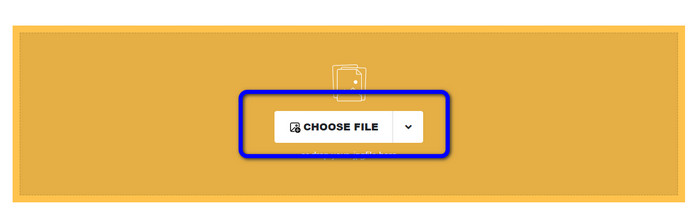
Vaihe 1. Siirry Safeimageconverter-sivustolle. Napsauta sitten Choose File -painiketta ladataksesi muunnettavaksi haluamasi NEF-tiedoston.
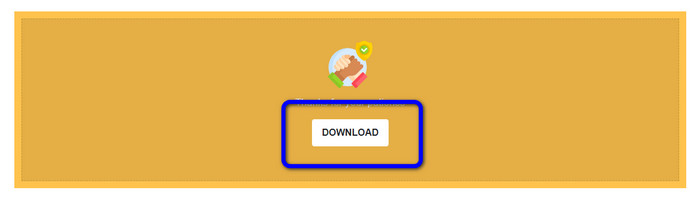
Vaihe 2. Lataamisen jälkeen kuvamuunnin muuntaa kuvatiedoston automaattisesti. Muunnosprosessin jälkeen napsauta Download-painiketta. Näin voit tallentaa muunnetun kuvan tietokoneellesi.
Osa 3. Käytännön menetelmä NEF:n muuntamiseksi JPG:ksi Macissa ja Windowsissa
Jos haluat käyttää Windowsia tai Macia NEF–JPG-muunnokseen, käytä ohjelmaa Photoshop. Adobe Photoshop ei ole ainoastaan hyvä kuvien muokkaamiseen, vaan se on myös luotettava erilaisten tiedostojen, mukaan lukien NEF, muuntamisessa. Lisäksi voit tehdä erämuunnoksen NEF–JPG Photoshopissa. Sillä on myös nopea muunnosprosessi, mikä tekee siitä sopivan kaikille käyttäjille. Lisäksi tämä offline-ohjelma säilyttää kuviesi laadun. Näin se varmistaa, että kuvan laatu on yhä tyydyttävä tiedostojen muuntamisen jälkeen. Adobe Photoshop ei kuitenkaan ole 100% ilmainen. Ohjelman käyttämiseen on ostettava tilaus. Se tarjoaa vain 7 päivän ilmaisen kokeiluversion. Lisäksi asennusprosessi on melko monimutkainen.
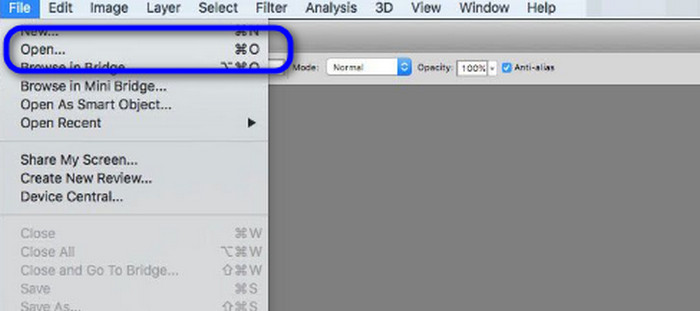
Vaihe 1. Lataa Adobe Photoshop tietokoneellesi. Kun olet asentanut ohjelman, käynnistä se nähdäksesi käyttöliittymän. Siirry sen jälkeen File-valikkoon ja valitse Open lisätäksesi NEF-kuvatiedoston.
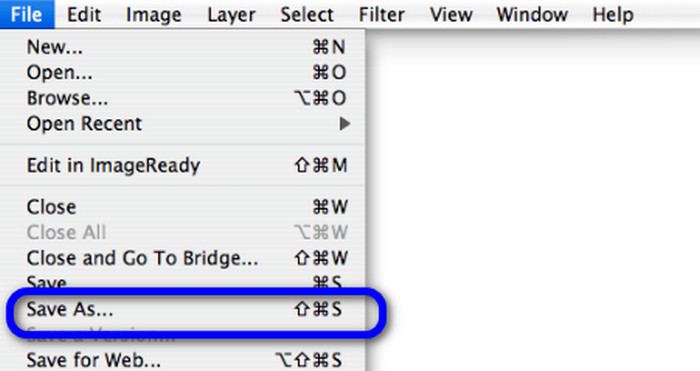
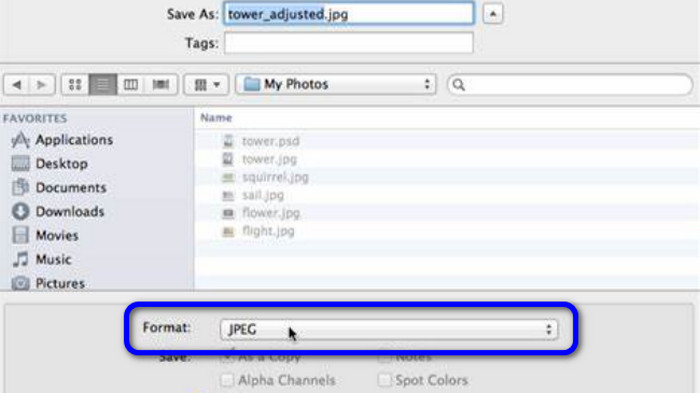
Vaihe 2. Kun olet tuonut NEF-kuvan käyttöliittymään, siirry uudelleen File-valikkoon ja valitse Save as -vaihtoehto.
Vaihe 3. Valitse sitten muodoksi JPG ja napsauta Save.
Osa 4. Suositeltu kuvanmuunnin
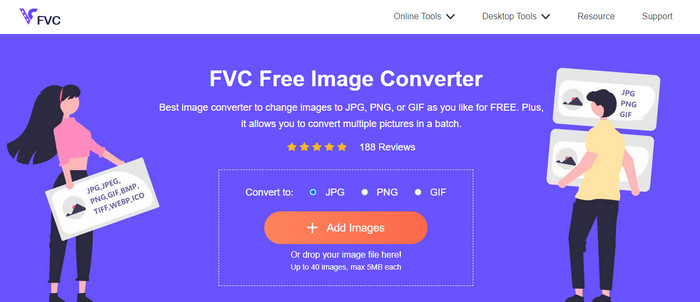
Tässä osassa, jos etsit toista kuvamuunninta muiden kuvamuotojen muuntamiseen verkossa, FVC Free Image Converter tarjoaa sinulle parhaan ratkaisun. Tämä online-kuvamuunnin voi muuntaa helposti useita eri formaatteja. FVC Free Image Converter tukee muotoja JPG, PNG, GIF, BMP, TIFF ja muita. Lisäksi voit käyttää kuvamuunninta eri selaimilla, kuten Google, Explorer, Edge, Firefox ja monet muut. Voit myös saada muunnosprosessin valmiiksi vain muutamassa sekunnissa, mikä tekee siitä kätevän kaikille käyttäjille. Lisäksi tähän verkkotyökaluun voi ladata useita kuvia. Erämuunnostoiminnon ansiosta voit ladata jopa 40 kuvaa samanaikaisesti. Lisäksi muunnetut kuvat voi ladata yhdellä napsautuksella.
Osa 5. Usein kysyttyä NEF:n muuntamisesta JPG-muotoon
1. Onko mahdollista muuntaa JPG NEF-muotoon?
Valitettavasti et voi muuntaa JPG-tiedostoa NEF-muotoon. Tämä johtuu siitä, että NEF on todellinen Nikon-kameralla otettu kuva. NEF-muotoa käytetään aina, kun valokuvaaja käyttää Nikon-kameraa ja lataa digitaalisia tiedostoja.
2. Kuinka avata NEF -tiedosto?
Voit helposti avata NEF-tiedoston, jos sinulla on oikea koodekki Windowsissa. Jos et kuitenkaan voi avata NEF -tiedostoa, tarvitset ladattavien ohjelmien apua. Voit käyttää Microsoft Camera Codec Packia, Adobe Photoshopia, Irfan Viewia, GIMPiä ja paljon muuta.
3. Miksi sinun pitäisi muuntaa NEF: stä JPG: ksi?
On välttämätöntä muuntaa NEF JPG-muotoon, koska jotkin ohjelmat ja kuvankäsittelyohjelmat eivät tue NEF-tiedostoja. Lisäksi NEF:llä on suuri tiedostokoko, joka kuluttaa liikaa tallennustilaa laitteessa. Joten paras valinta on muuttaa NEF-tiedosto JPG-muotoon.
Johtopäätös
NEF-tiedostot voivat tarjota sinulle korkealaatuisia kuvia. Jotkin selaimet ja ohjelmat eivät kuitenkaan tue tätä tiedostoa, mikä on turhauttavaa. Onneksi tässä artikkelissa esiteltiin erinomainen ratkaisu NEF–JPG-muunnokseen. Lisäksi artikkelissa esiteltiin toinen verkkopohjainen kuvamuunnin muiden kuvamuotojen muuntamiseen, eli FVC Free Image Converter. Voit käyttää tätä verkkopohjaista muunninta eri kuvamuotojen muuntamiseen.
-
 4 luotettavaa tapaa muuntaa JFIF JPG:ksi helposti
 Tämä opas kertoo sinulle kaiken JFIF:n muuntamisesta JPG:ksi verkossa ja offline-tilassa. Jos haluat oppia tehokkaimmat menetelmät, lue tämä viesti välittömästi!
-
 Kuinka muuntaa GIF JPG: ksi menettämättä laatua
 Lue ja hanki tehokkaimmat menetelmät GIF:n muuntamiseen JPG:ksi ammattimaisesti. Opit muuntamaan kuvatiedostoja täydellisten kuvanmuuntimien oppaan avulla
-
 Helposti noudatettavat menetelmät kuvien muuntamiseksi vektoriksi
 Tässä on joitain merkittäviä tapoja vektorisoida kuva. Lisäksi saat riittävästi tietoa käytettävästä kuvanmuuntimesta.
