


 Video Converter Ultimate
 Näytön tallennin
 Videon korjaus
 Suojattu lataus
Korjaa kuvan häiriöt alle sekunnissa parhaiden ratkaisujen avulla [Online & Offline]
Kuvakohina on muodostunut suureksi ongelmaksi kaikille, jotka ottavat valokuvia, ja tarvitsetkin kuvankohinanpoisto-työkalun sen korjaamiseen. Tätä epätäydellisyyttä aiheuttaa kameran kenno tai kameran sisäinen käsittely, minkä seurauksena kuvasta tulee rakeinen eikä sen laatu ole paras mahdollinen. Jälkikäsittelyn osana tarvitset kohinanpoisto-ohjelman, joka auttaa poistamaan tai vähentämään kuvasi kohinaa. Aloita lukemalla tämä artikkeli ja siirry suoraan viiteen verkosta löytämäämme kuvankohinanpoistajaan, joiden avulla voit ratkaista ongelman heti pahentamatta sitä.

Osa 1. Mikä aiheuttaa kuvakohinaa valokuvassasi
Ennen kuin tiedämme, mitä kuvakohina on, sinun on ensin tiedettävä, että kuvassasi tapahtuu kahden tyyppistä kohinaa. Nämä ovat sisäinen ja häiriökohina. Mutta mitä nämä kaksi ovat, ja mitkä ovat sen syyt jokaisessa ottamamme kuvassa? Kaivataanpa syvällisemmin, kun selitämme tärkeitä tietoja alla.
Sisäinen melu
On yleistä, että jokaisessa ottamamme kuvassa esiintyy kohinanvaimennusta, etenkin hämärässä, kun ISO-arvoa painetaan. Kun valokuvat ovat ylijännitettyjä, näet jokaisen aallon heilahtelun heijastuneen tuloksen. Sähkö, lämpö ja anturi Valaistustasot ovat kolme asiaa, jotka aiheuttavat kuvien sisäistä kohinaa.
Häiriökohina
Tämän kaltaiset äänet voidaan nähdä kuvion kaltaisena kuvan päällä. Toisin kuin sisäinen kohina, häiriökohinaa esiintyy ajoittain, ja se tapahtuu yleensä silloin, kun kuvan lähetysalueella on voimakas lähetys. Aiemmin mainitsemamme kuvio on todennäköisimmin lähetyksen aallonpituus, joka tunnetaan elektronisena kohinana.
Ovatko nämä äänet vältettävissä? Kyllä, mutta ei koko ajan. Entä jos kuvassasi on kohinaa ja haluat poistaa sen? Mitä sinun pitäisi tehdä? Seuraavat tiedot, jotka lisäämme, on luettelo parhaista kuvan vaimentimista, joiden avulla voit helposti poistaa kohinan kuvastasi. Voit ladata ohjelmiston heidän kotisivuiltaan tai käyttää sitä verkossa.
Osa 2. 4 suosituinta Image Denoiseria, jonka voit ladata tai käyttää verkossa [Maksullinen ja ilmainen]
FVC Free Image Upscaler
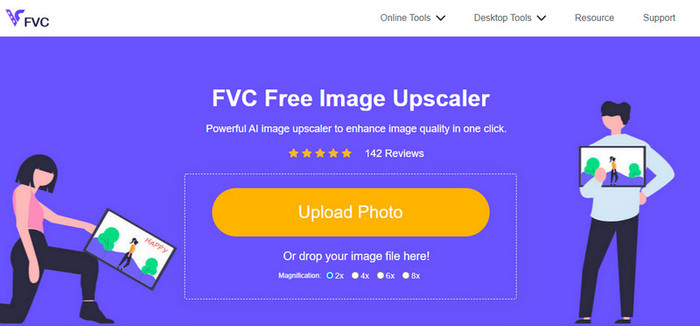
FVC Free Image Upscaler on käyttäjien suosima ratkaisu, jolla voit poistaa kohinaa kuvista verkossa. Vaikka ohjelma onkin verkkotyökalu, sen suorituskyvystä ei tarvitse huolehtia, sillä se on yksi parhaista ilmaiseksi käytettävistä, tekoälyllä toimivista kuvankäsittelyohjelmista. Se pystyy korjaamaan monenlaisia kuvasi puutteita, kuten kohinaa, epäselvyyttä, kontrastia, kirkkautta, puuttuvia pikseleitä jne. Intuitiivisen käyttöliittymän ansiosta jokainen ensikertalainenkin kokee, kuin olisi käyttänyt työkalua jo pitkään. Suorituskyvyn osalta harva työkalu ylittää sen tekoälyteknologian ja laadukkaan jälkikäsittelyn, jota se tarjoaa.
Voit saada parhaan tuloksesi käyttämällä tätä verkkotyökalua juuri nyt.
Plussat
- Se on täydellinen AI-pohjainen kuvankäsittelyohjelma, jota tulet koskaan tarvitsemaan.
- Se tukee monien valokuvamuotojen, kuten JPEG, PNG, BMP, SVG jne., muokkaamista.
- Sinun ei tarvitse tehdä säätämistä, koska se voi havaita virheitä algoritmissa ja korjata ne välittömästi.
- Saat tyydyttävän tuloksen, kun poistat kohinan jokaisesta valokuvasta, joka sinulla on tällä työkalulla.
- Siinä on ennen ja jälkeen -ruutu, jolla voit verrata lataamasi kuvan laatua.
Haittoja
- Se ei tue kuvaasetusten manuaalista säätämistä.
- Tarvitset Internetin käyttääksesi sitä.
AI Image Denoiser
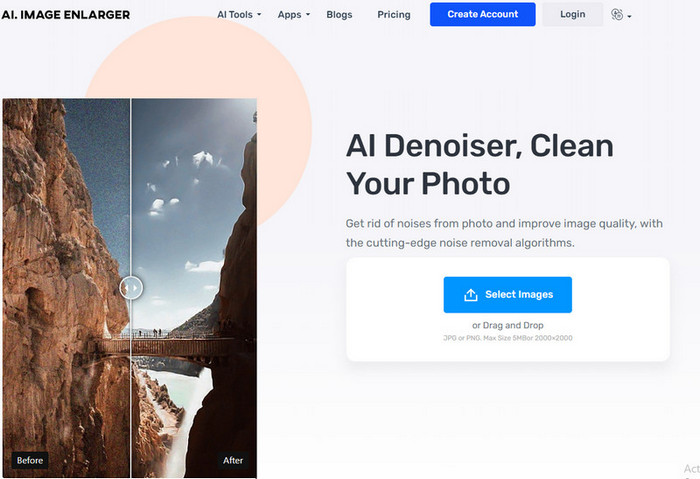
AI Image Denoiser on toinen verkossa käytettävä tekoälypohjainen kuvankohinanpoistotyökalu. Se tarjoaa sujuvan ja helpon tavan korjata kuviesi epätäydellisyyksiä, kun lataat ne palveluun. Kuten ensimmäisessä ohjelmassa, täällä ei tarvitse säätää monia asetuksia, koska työkalu käyttää automaattista muokkaustoimintoa. Vaikka ohjelmaa on helppo käyttää ja siinä hyödynnetään tekoälyä, siitä puuttuu silti joitakin lisäominaisuuksia, joilla voisit korjata kuviesi kohinaa entistä kattavammin. Jos kuitenkin päätät käyttää tätä työkalua, voit vierailla sen virallisella verkkosivustolla ja ryhtyä korjaamaan ongelmaa lataamalla kuvasi sinne.
Plussat
- Se tukee helposti ymmärrettävää käyttöliittymää.
- Uusilla käyttäjillä ei olisi vaikeuksia häivyttää valokuvaustaan.
- Sen tarjoama tulos on yhtä odottamattoman hyvä.
Haittoja
- Siinä ei ole lisäominaisuuksia ja -toimintoja.
- Kuvan kokoa ja kokoa on rajoitettu.
- Mainoksia verkkosivuilla.
TopazLabs Denoise AI
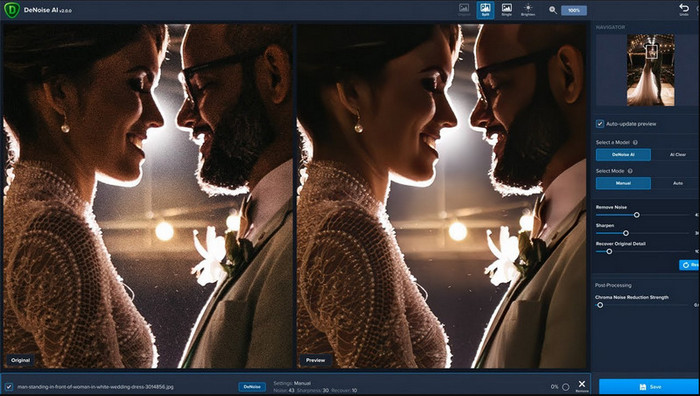
TopazLabs Denoise AI on tehokas, ladattava kuvankohinanpoisto-ohjelma tietokoneelle. Kuten muutkin verkkotyökalut, myös tämä perustuu tekoälyyn. Se tunnistaa tarkasti, mikä kuvassasi on pielessä, ja parantaa sitä, jotta lopputulos olisi mahdollisimman laadukas ja yksityiskohtainen. Monet käyttäjät ovat ladanneet tämän ohjelman tietokoneelleen sen tehokkuuden vuoksi – tulokset ovat vaikuttavia. Edistyneiden kuvankäsittelyominaisuuksiensa ansiosta ohjelma on kuitenkin ostettava TopazLabsilta, jotta voit hyödyntää tämän kohinanpoiston täyden tehon.
Plussat
- Voit ladata tämän ohjelmiston ilmaiseksi työpöydällesi.
- Se tukee asiantuntevia muokkausominaisuuksia ja toimintoja täydellisen kuvan saamiseksi.
- Siinä on tekoäly, joka tukee melun poistamista lataamistasi kuvista.
Haittoja
- Tämä työkalu voi olla hieman epämukava uudelle.
- Hinta on korkeampi.
SoftOrbits Easy Photo Denoise
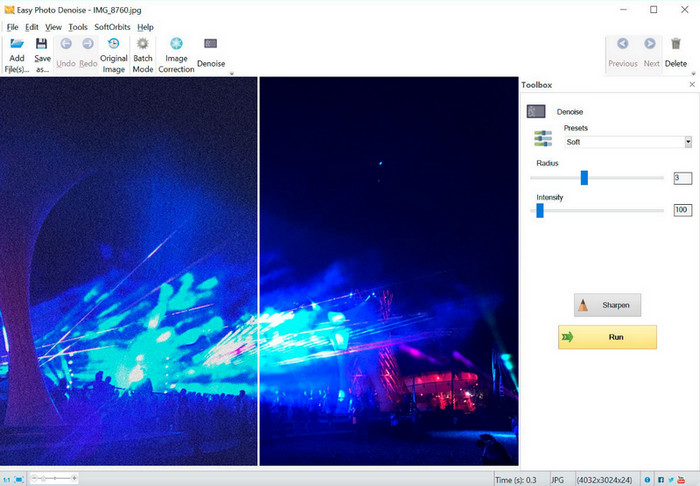
Nimensä mukaisesti SoftOrbits Easy Photo Denoise on yksi aloittelijaystävällisimmistä työkaluista, joilla voi poistaa kohinaa kuvista. Vaikka tämä ohjelma ei tue tekoälyä kuten kolme edellistä esittelyssä ollutta työkalua, sitä on silti varsin helppo käyttää. Toisin kuin monissa monimutkaisissa ohjelmissa, voit säätää vain muutamia parametreja ja nähdä tuloksen heti kuvassasi. Sinun ei tarvitse syvällistä kuvankäsittelyosaamista, kunhan olet ladannut ohjelman tietokoneellesi. Se, että ohjelmaa on helppo käyttää, ei tarkoita, että se olisi ilmainen, mutta sen hinta on huomattavasti alhaisempi kuin TopazLabsin tuotteiden. Toisaalta sen ominaisuudet eivät ole yhtä kattavat kuin ammattilaistason editoreissa, joita voit ladata.
Plussat
- Siinä on ytimekäs käyttöliittymä, joten voit oppia käyttämään sitä nopeasti.
- Voit ladata useita kuvia tänne ja muokata niitä.
- Säädä parametria vapaasti poistaaksesi kohinan nopeammin.
Haittoja
- Esiasetuksissa on bugeja.
- Siinä ei ole syvyysominaisuuksia.
Osa 3. Webin parhaan kuvan kohinanvaimennusohjelmiston käyttäminen
Opastaaksemme sinua kuvakohinan vähentämisessä FVC Free Image Upscaler -työkalulla, voit noudattaa alla olevia vaiheita. Seuraa niitä järjestyksessä poistaaksesi kohinan valokuvastasi.
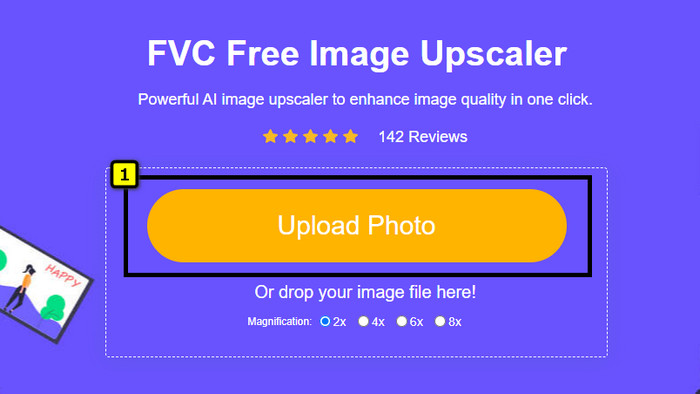
Vaihe 1. Avaa verkkotyökalu napsauttamalla tätä linkkiä; uusi välilehti avautuu suoraan selaimeesi.
Vaihe 2. Paina Upload Image lisätäksesi kuvan, jonka haluat suurentaa ja josta haluat poistaa kohinan.
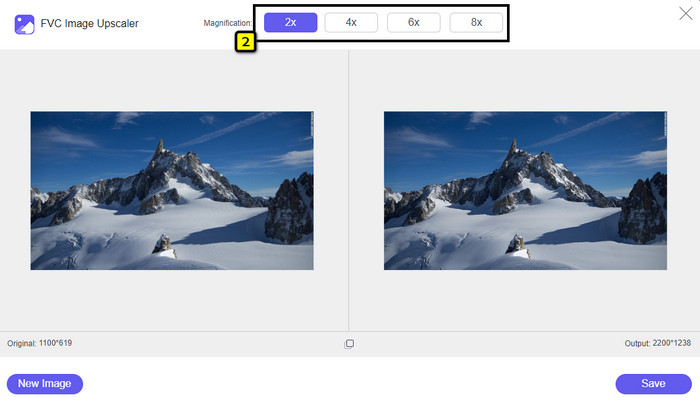
Vaihe 3. Tekoäly suurentaa kuvan automaattisesti; voit valita yläosasta muita vaihtoehtoja, kuten 2x, 4x, 6x tai 8x.
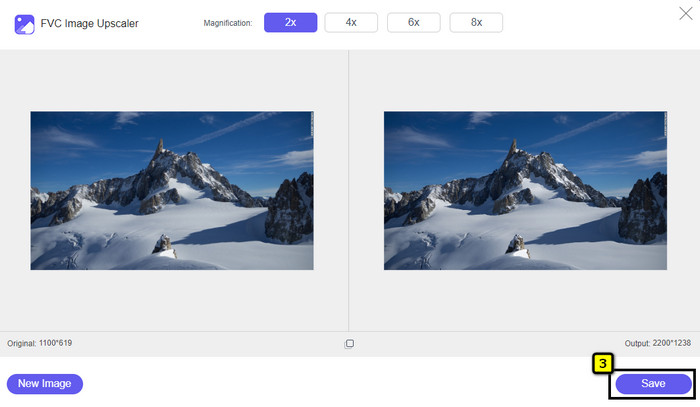
Vaihe 4. Kun kaikki on valmista, napsauta Save-painiketta ladataksesi kuvan ilman kohinaa.
Osa 4. Usein kysytyt kysymykset Image Denoisersista
Mikä aiheuttaa kohinaa valokuvauksessani?
Jos kamerasi on asetettu tai siinä on korkea ISO-herkkyys, pieni kamerakenno, suljinaika ja paljon muuta, tämä voi aiheuttaa kohinaa kuvaasi. Onko se vältettävissä? Kyllä, jos käytät vakiovarusteita tai -varusteita.
Tarvitsenko kuvan vaimentimen poistaakseni kuvan kohinan?
Kyllä, tarvitset luotettavan kuvan kohinan vaimentaaksesi kuvan kohinan. Voit luottaa verkkotyökaluun, jonka esittelemme ensin, ja seurata vaihetta, jonka lisäämme osaan 3.
Miten voin terävöittää kuvia helposti?
Jos haluat tietää, miten kuvia terävöitetään verkossa ja offline-tilassa, voit klikata tätä linkkiä ja lukea esittelemämme ohjelmat, joiden avulla voit terävöittää valokuvia helposti.
Johtopäätös
Lopuksi toivomme, että kuvankohinanpoistotarpeesi ratkeavat tämän artikkelin avulla, sillä olemme koonneet sinulle tosiasiat ja valinneet parhaista parhaat vaihtoehdot. Käyttäjille, jotka eivät halua ladata ohjelmia tietokoneelleen, suosittelemme aloittamaan FVC Free Image Upscaler -työkalun käytön – anna sen hoitaa tehtäväsi ja saada ne nopeasti valmiiksi.
-
 Kuvan koon muuttaminen – Adobe Muuta kuvan kokoa [online ja offline]
 Jos etsit Adobe-kuvan kokoa, meillä on ratkaisu sinulle. Katso tämä viesti perusteellisesti oppiaksesi kuinka muuttaa kuvien kokoa Adoben avulla tietokoneellasi.
-
 Kuinka muuttaa valokuvan kokoa Facebookille [nopeat ja helpot vaiheet]
 Jos sinulla on ongelmia suuren kuvan lataamisessa Facebookiin, meillä on sinulle ratkaisu. Viimeistele tämä artikkeli oppiaksesi kuinka muuttaa kuvien kokoa Facebookia varten.
-
 Parhaat online- ja offline-valokuvien kokoamissovellukset tietokoneille
 Etsitkö parhaita valokuvien koon muuttamissovelluksia työpöydällesi? Luettelimme tehokkaimmat online- ja offline-valokuvien koon muuttamissovellukset, joita sinun kannattaa kokeilla.
