


 Video Converter Ultimate
 Näytön tallennin
 Videon korjaus
 Suojattu lataus
Muuta kuvan koko 20 kt: 3 tehokasta pakkausmenetelmää [2024]
On todella ärsyttävää, kun lähetät kuvatiedostoja tai lataat niitä vain huomataksesi, että niitä ei voida käsitellä niiden suuren tiedostokoon vuoksi. On ymmärrettävää, että useimmat valokuvat ovat nykyään suuria korkean resoluution ja laadun vuoksi, mutta se ei tarkoita, että meidän pitäisi vain hyväksyä tämä vaiva.
In this article, we’ll help you solve this problem. We have prepared three effective methods to easily resize an image to 20KB. Whether you are dealing with personal photos or professional graphics, these techniques will help you compress your images without significant loss in quality. So, let’s dive into these methods and make your file-sharing and uploading experience much smoother.

Osa 1. Muuta kuvan koko 20 kilotavuun yhdellä napsautuksella [Nopea ja helppo]
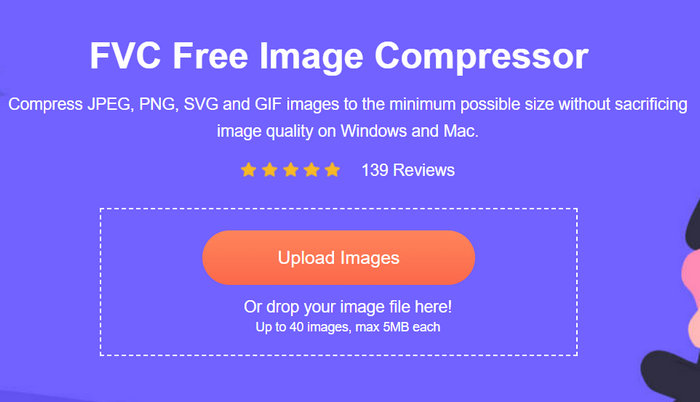
FVC Free Image Compressor is a free online image compressor tool available for both Mac and Windows. With this tool, users can easily resize image to 20KB in just one click. They only need to upload their photos, and the tool will automatically compress them. Moreover, compressed photos are almost maintained at their best quality because of the tool’s optimization and compression algorithms.
Supported image formats: JPEG, PNG, SVG photos and animated GIFs
Batch compression limit: Can batch-compress up to 40 photos simultaneously
Compression ratio: Maintains the original ratio of the photo.
Size limit: Can compress photos up to 5MB
Here’s how to resize image to 20KB using FVC Free Image Compressor
Step 1. On your browser, search for the FVC Free Image Compressor.
Step 2. Once you’ve accessed their website, on their main interface, click Upload Images to import the photos you want to resize to 20KB. After that, it will automatically compress your photos.
Step 3. After compressing the photos, you can preview the new file size of your compressed photo and check if the photo was resized to 20KB. Lastly, click Download All to save your image.
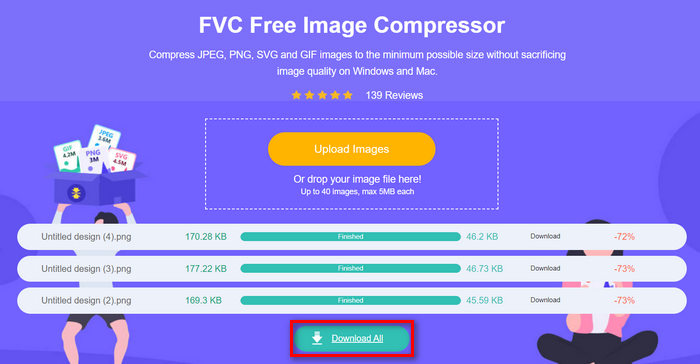
With the FVC Free Image Compressor, you can easily reduce an image to 20KB because of its very user-friendly and intuitive interface. Also, resized photos are compressed with the best optimization and compression algorithms, which can preserve the photo's best quality resolution. Lastly, this photo resizer is free which makes it the most preferred image compression tool among others because it can perform well just like other dedicated tool that requires subscription.
Osa 2. Muuta kuvaksi 20 kt mukautetuilla asetuksilla
Duplichecker on työkalu sinulle, jos tarvitset mukautettuja laatuvaihtoehtoja kuvan pakkaamiseen. Se tarjoaa nopean ja vaivattoman ratkaisun kuvien koon muuttamiseen 20 kilotavuun säilyttäen samalla visuaalisen eheyden. Virtaviivaisen käyttöliittymän ansiosta se tarjoaa käyttäjille nopean ja tehokkaan tavan vähentää kuvatiedostoja. Lopuksi tämä työkalu on täysin ilmainen käyttää.
Supported image formats: JPEG, PNG, and GIF formats.
Batch compression limit: Can batch-compress up to 10 photos simultaneously
Compression ratio: Maintains the original ratio of the photo.
Size limit: Can compress photos up to 5MB
Here’s how to resize image to 20KB Duplichecker
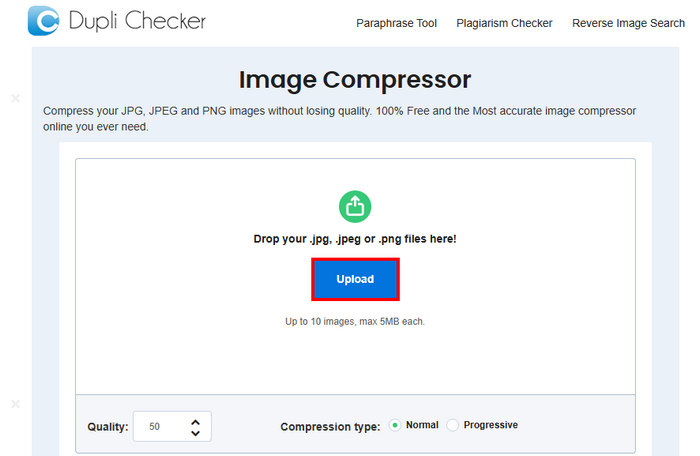
Step 1. To upload the image that you want to reduce to 20KB, Click on the Upload button.
Step 2. Next, you’ll see the Quality option below in the left corner. Choose or type in your desired compressed quality. By this time, type in 20.
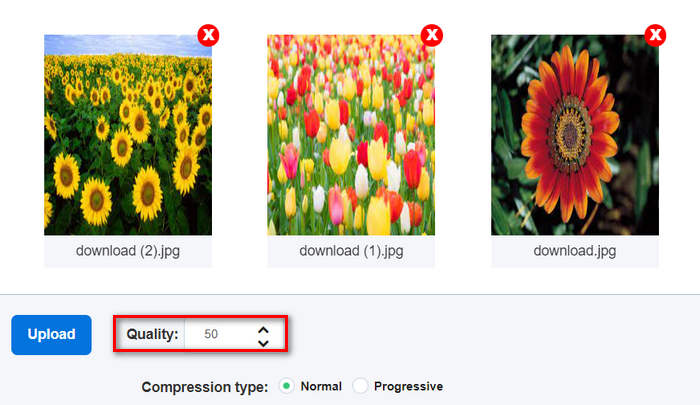
Tämä kuvanlaatu on kilotavuina tai kilotavuina.
Vaihe 3. Kun olet valinnut laadun, voit valita haluamasi pakkauksen tyypin.
Step 4. Once set, scroll down a bit and click on the Compress Image button to reduce your images to 20KB.
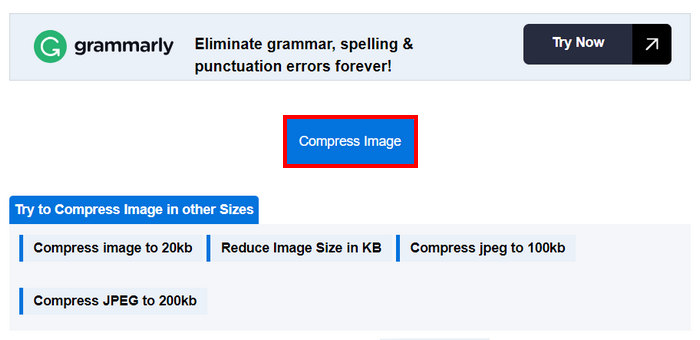
Vaihe 5. Lopuksi, tallentaaksesi pakatut kuvat, napsauta Download All -painiketta tallentaaksesi ne kaikki. Tiedostot tallennetaan suoraan laitteellesi.
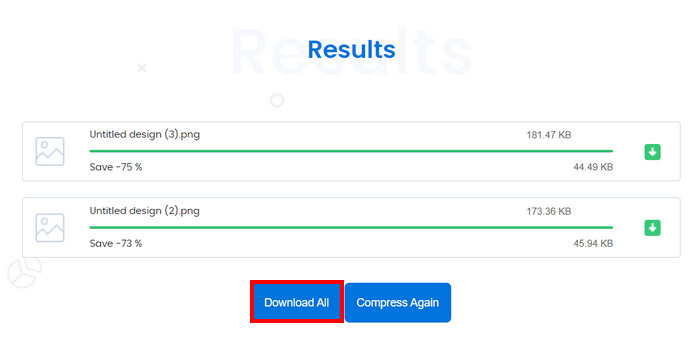
Joten jos haluat muuttaa kuvan kokoa 20 kilotavuun samalla kun hallitset sen asetuksia, se ei kuitenkaan ole ihanteellinen, jos pakkaat yli kymmenen valokuvaa kerralla. Lisäksi useita tiedostoja pakattaessa esiintyy joitain viiveongelmia.
Osa 3. Muuta rajoittamaton kuvien koko kerralla 20 kilotavuun
Bulk Image Compressor -työkalu on online-pakkaustyökalu, jonka avulla voit muuttaa kuvien kokoa rajattomasti 20 kilotavuun kerralla.
Supported image formats: JPG, JPEG, PNG, and BMP images.
Batch compression limit: Can batch compress unlimited photos when subscribed to their lifetime premium. If not, you can still simultaneously compress 150 images in one click.
Compression ratio: Maintains the original ratio of the photo.
Size limit: Can compress photos up to 5MB
Here’s how to resize image to 20KB Bulk Image Compressor
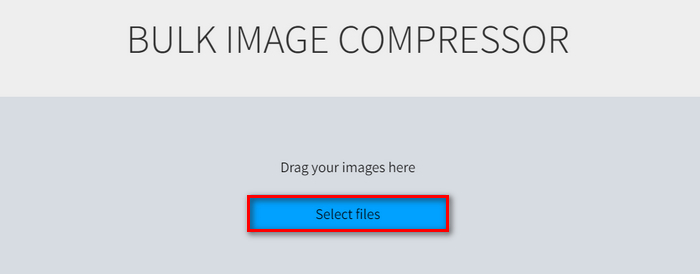
Step 1. Drag the image files that you want to resize to 20KB or just easily click the Select Files button.
Step 2. Now, you can adjust the Quality by moving the slide bar to your preferred percentage. Also, you can set a new width and height by adjusting them below the Maximum size.
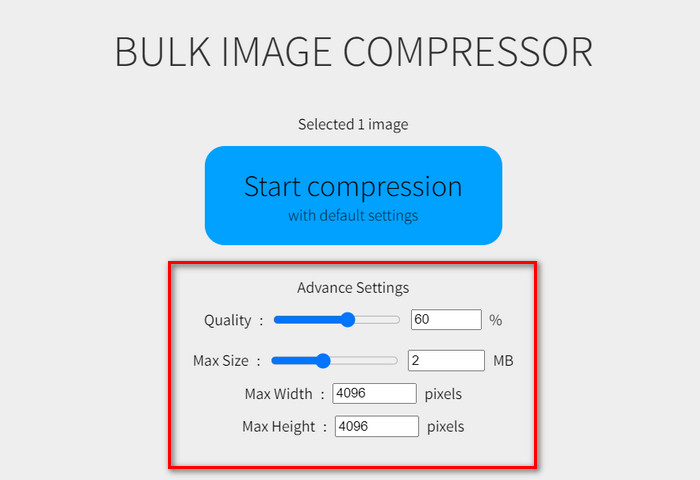
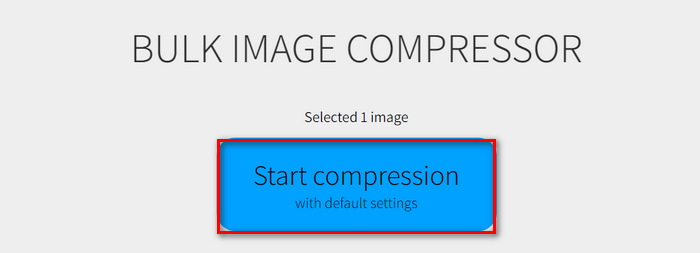
Step 3. After adjusting your preferred setting, click the Start Compression button.
Tämä kuvanpakkaustyökalu on ihanteellinen rajoittamattomien kuvien koon muuttamiseen 20 kilotavuun. Sinun on kuitenkin käytettävä heidän yhden maksun palkkiota nauttiaksesi tästä.
Osa 4. Usein kysyttyä kuvan koon muuttamisesta 20 kilotavuun
Onko turvallista käyttää JPEG-verkkokompressoria arkaluontoiselle sisällölle?
Online-JPEG-kompressorin käyttäminen arkaluontoiselle sisällölle voi olla turvallista, mutta on tärkeää varmistaa, että käyttämässäsi työkalussa on luotettavat tietosuojakäytännöt. Etsi kompressoreja, jotka eivät tallenna kuviasi palvelimilleen käsittelyn jälkeen.
Kuinka pakkaan PNG-tiedoston 20 kilotavuun?
Voit pakata PNG-tiedoston 20 kilotavuun käyttämällä online-työkaluja, kuten FVC Free Image Compressor, Duplichecker tai Bulk Image Compressor. Nämä työkalut antavat sinulle mahdollisuuden muuttaa PNG-kuvan kokoa 20 kilotavuun säilyttäen samalla laadun. Noudata kunkin työkalun antamia ohjeita halutun tiedostokoon saavuttamiseksi.
Mikä on 20 kt pikseleinä?
Tiedoston koko 20 kilotavua ei suoraan korreloi tiettyyn pikselimittaan, sillä kilotavuina ilmoitettuun kokoon vaikuttavat kuvan resoluutio, värisyvyys ja pakkaustaso. Esimerkiksi 20 kt:n kuvalla voi olla eri mitat sen mukaan, miten se on pakattu. Yleensä kuvan mittojen pienentäminen ja pakkaaminen auttavat pienentämään tiedostokokoa, mutta 20 kt:lle ei ole kiinteää pikselimittausta.
Voinko muuttaa animoitujen GIF-tiedostojen kokoa 20 kt:ksi?
Yes, you can resize animated GIFs to 20KB using tools like FVC Free Image Compressor, which supports GIF format compression. Simply upload your GIF, and the tool will automatically compress it.
Vaikuttaako kuvien pakkaaminen 20 kilotavuun niiden laatuun?
Kuvien pakkaaminen 20 kilotavuun voi vaikuttaa niiden laatuun, mutta kehittyneiden pakkaustyökalujen, kuten FVC Free Image Compressor, käyttö voi auttaa säilyttämään visuaalisen eheyden. Tämä työkalu käyttää optimointialgoritmeja minimoimaan laadun heikkenemisen pakkaamisen aikana.
Johtopäätös
Resizing images to 20KB is easy with the right tools. FVC Free Image Compressor, Duplichecker, and Bulk Image Compressor allow you to quickly reduce your image sizes without losing much quality. Try these methods today to make sharing and uploading images hassle-free. Give one of these tools a try now!
-
 Canve Image Enhancer: uusi kuvanlaadun tehostin? [Arvostelu]
 Tutustu miten Canve Image Enhancer voi viedä valokuvasi uudelle tasolle. Katso yksityiskohtainen katsaus, joka kattaa kaikki tämän työkalun ominaisuudet, edut ja haitat.
-
 Taustan poistaminen kuvasta GIMP:n avulla
 Aloita GIMP:n käyttö ja vaiheittainen prosessi taustan poistamiseksi kuvista. Löydä tehokkaita tapoja luoda läpinäkyviä kuvia GIMPillä jo tänään!
-
 Kuinka suurentaa kuvan kokoa verkossa ja offline-tilassa
 Löydä helpoin tapa suurentaa kuvakokoa laadun heikkenemättä. Katso koonmuutostyökalumme ja ohjelmistomme varmistaaksesi kuviesi optimaalisen laadun.
