


 Video Converter Ultimate
 Näytön tallennin
 Videon korjaus
Kuinka muuntaa VOB MOV: ksi kokeneimmilla työkaluilla [ilmainen ja helppo]
DVD-levyllä VOB-tiedosto on elokuvadatatiedosto, joka sijaitsee tyypillisesti levyn juurihakemistossa VIDEO_TS-kansiossa. Se sisältää suuren osan levylle tallennetusta materiaalista, kuten video- ja äänitiedostot sekä tekstitykset, DVD-valikot ja muun navigointisisällön. QuickTime-tiedostomuoto (QTFF) taas on multimedian säiliötiedostomuoto, jota voidaan käyttää MOV-tiedoston tallentamiseen. Mediadataa – mukaan lukien video, ääni ja teksti – voidaan tallentaa yhdelle tai useammalle raidalle (tekstitykset). MOV-tiedostoja käytetään usein videotiedostojen tallentamiseen. Jos muutat mielesi tämän videotiedoston muodosta ja haluat tietää siitä kaiken tai kuinka muuntaa sen muihin videoformaatteihin erilaisten muuntimien avulla, tämä on sinulle oikea artikkeli: se esittelee parhaat ja helpoimmat tavat muuntaa VOB MOV-muotoon.

Osa 1. Mitä ovat VOB ja MOV?
Suurin osa DVD-levyn tiedoista on tässä tiedostomuodossa, joka sisältää digitaalisen videon, äänen, navigointisisällön, DVD-valikot ja tekstitykset. VOB-tiedostot tallennetaan VIDEO TS -kansioon ja ovat minkä tahansa DVD-videon ydin. Tämä on elokuvan tiedot. MP2-, DTS-, AC3- ja MPEG-2-videovirrat ovat kaikki peräisin tästä paikasta. VOB-muotoon tallennetut tiedostot on saatettu salata. VOB on videotiedostotyyppi, joka on paljon WMV:tä. VOB-tiedostotunnistetta käytetään VOB-tiedostoille. Esimerkiksi VOB-muoto perustuu MPEG-ohjelmavirtamuotoon, mutta se sisältää lisärajoituksia ja kriteerejä yksityisellä sektorilla.
Mac-käyttöjärjestelmän QuickTime-kehyksessä MOV-tiedostopääte ilmaisee Applen kehittämän QuickTime-videoformaatin. Myös Windows-alusta tukee tämän multimediakontin kykyä tallentaa useita raitoja, joista jokainen sisältää tietyn tyyppistä dataa (ääni, video, tekstitykset). Mediadatasta erillään pidettävät mediaosoitteet, abstraktit viittaukset dataan ja raidan editointilistat ovat erittäin hyödyllisiä videoeditointiohjelmille. MOV-videokontti on suosittu valinta elokuvien ja videoiden jakamiseen internetissä.
| Tiedostopääte | VOB | MOV |
| Tiedostotyyppi | DVD-videoobjektitiedosto | Apple QuickTime Movie |
| Kehittäjä | Ei käytössä | Omena |
| Plussat | Korkealaatuinen; Siitä voi tehdä DVD-levyjä. | Erinomainen videolaatu; sopii verkkolähetyksiin; pääelementtien selkeä erottelu |
| Haittoja | 4,7 Gt 2 tunnin elokuvaa varten, mikä on paljon tilaa | Tämän muodon tiedostokoko on suurempi kuin muilla suosituilla suoratoistomuodoilla. |
Osa 2. VOB:n muuntaminen MOV:ksi [Mac ja Windows]
Aloitetaan VOB-tiedoston muuntamisesta MOV-muotoon offline-tilassa: tämä paras työkalu on luotettavin monien eri formaattien palauttamisessa. Video Converter Ultimate voi muuntaa VOB-tiedoston MOV-muotoon mahdollisimman nopeasti. Lisäksi voit muuttaa videon lähtölaadun ennen tiedoston lataamista. Tässä muuntimessa on myös erilaisia työkaluja, joiden avulla voit parantaa videotiedostoasi seuraavalle tasolle. Koska se tukee valtavaa määrää videoformaatteja, sinun ei tarvitse huolehtia tuntemattomien videoformaattien muuntamisesta haluamaasi muotoon. Nyt kun olet tutustunut tähän parhaaseen muuntimeen, voit oppia alla annetut vaiheet:
Vaihe 1. Aloita napsauttamalla alla olevaa Free Download -painiketta ladataksesi ohjelman. Voit valita lataatko ohjelmiston Windowsille vai Macille. Kun lataus on valmis, asenna ohjelma tietokoneellesi ja napsauta Start Now aloittaaksesi.
Ilmainen latausWindows 7 tai uudempiTurvallinen lataus
Ilmainen latausMacOS 10.7 tai uudempiTurvallinen lataus
Vaihe 2. Käynnistä ladattu sovellus. Kun avaat ohjelman ensimmäisen kerran, näytölle tulee ikkuna, jossa näkyy Converter-käyttöliittymä. Täällä lisäät videotiedoston ja aloitat muuntamisen.
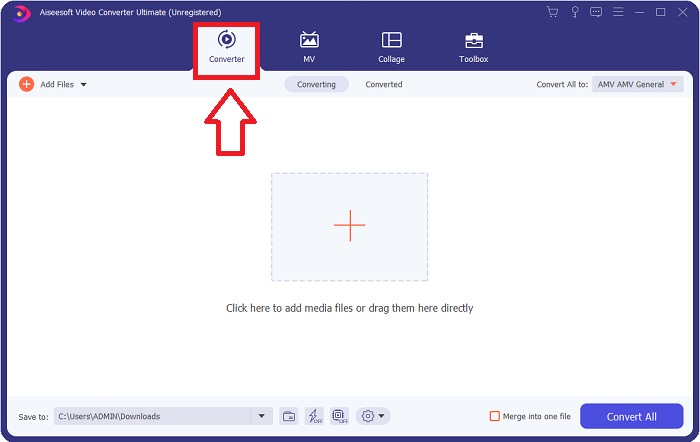
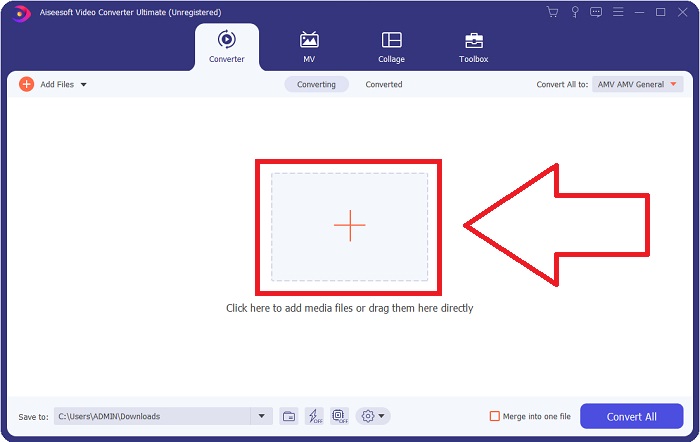
Vaihe 3. Tuo tiedostosi muuntimeen, jotta muunnos voi alkaa. Vedä ja pudota muunnettava videotiedosto + -kuvakkeen päälle.
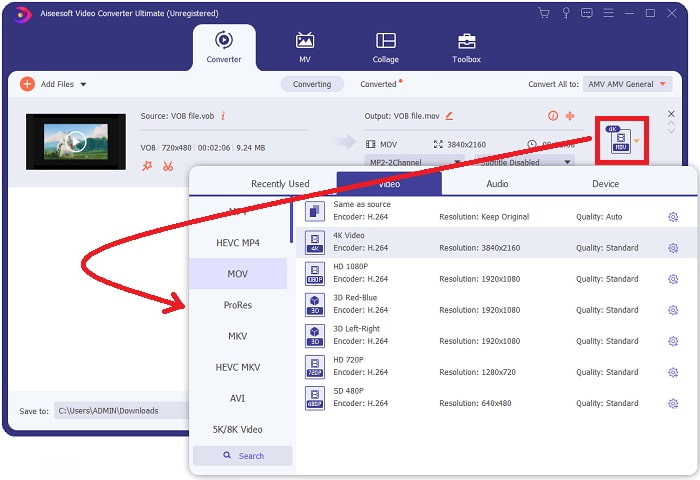
Vaihe 4. Valitse videomuoto luettelosta näytön oikeassa yläkulmassa. Etsi ja valitse MOV-tiedostotyyppi avattavasta valikosta. Kun olet valinnut MOV-muodon, käytettävissä on useita videonlaatuvaihtoehtoja. Jos kuitenkin haluamaasi videolähtöä ei ole luettelossa, voit muuttaa laatuasetuksia tarpeidesi mukaan. Voit säätää näytön tarkkuutta, kuvanopeutta ja jopa äänenlaatua napsauttamalla hammasrataskuvaketta. Tallenna muutokset napsauttamalla Luo uusi-painiketta.
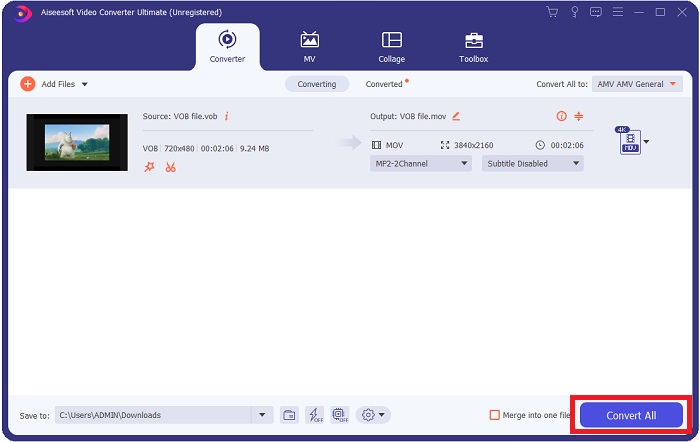
Vaihe 5. Kun videon muokkaus on valmis ja se on valmis muunnettavaksi, napsauta Convert All aloittaaksesi muunnosprosessin ja tallentaaksesi sen tietokoneellesi.
Osa 3. Kuinka muuntaa VOB MOV:ksi [Online]
Jos sinulla ei ole aikaa ladata Video Converter Ultimate -ohjelmaa, voit käyttää myös tämän ohjelmiston online-versiota. Free Video Converter Online on paras verkossa käytettävissä oleva työkalu, joka voi muuntaa monia erilaisia formaatteja nopeasti. Toisin kuin monet muut verkkopohjaiset muuntimet, tämä muunnin ei rajoita tukemiaan formaatteja. Siksi sen käyttöä suositellaan erityisesti aloittelijoille. Jos haluat tietää lisää tästä verkkotyökalusta, alla on esitetty siihen liittyvät vaiheet.
Vaihe 1. Siirry tämän online-muuntimen pääsivulle napsauttamalla tätä linkkiä.
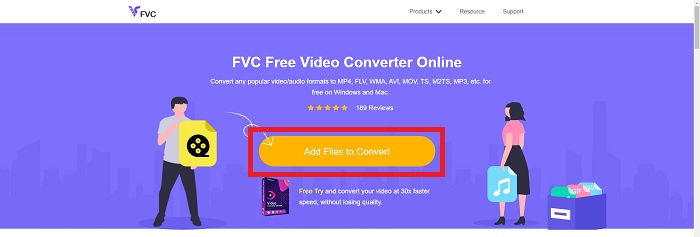
Vaihe 2. Jos käytät sitä ensimmäistä kertaa, napsauta Add Files to Convert -painiketta ladataksesi käynnistysohjelman tietokoneellesi. Se käynnistyy automaattisesti, kun se on ladattu uudelleen. Valitse tiedosto kansiostasi ja napsauta Avaa, kun se on latautunut uudelleen.
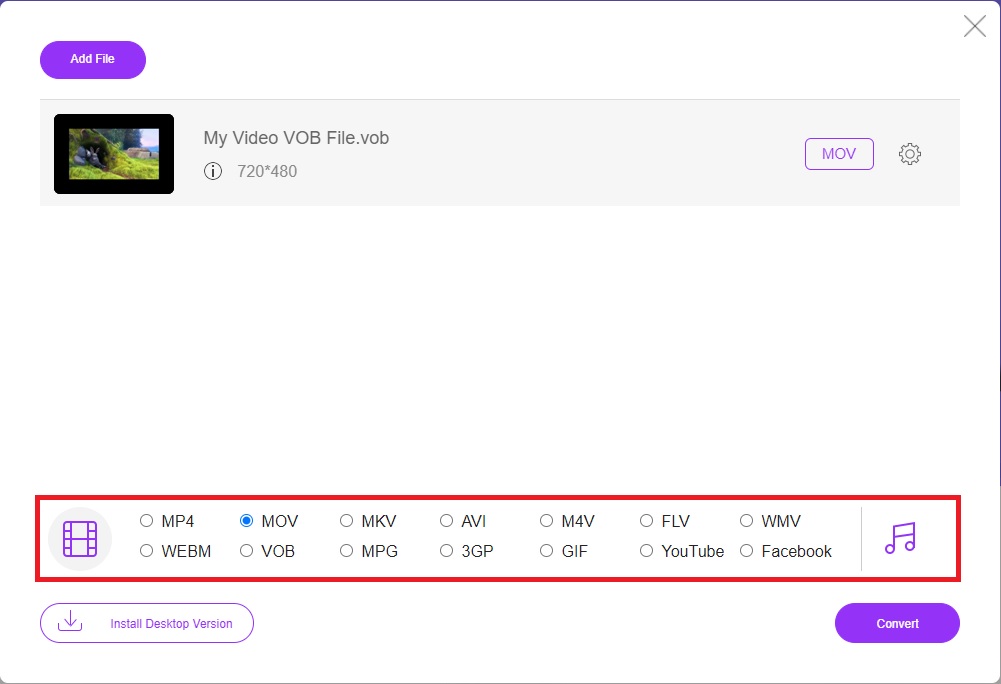
Vaihe 3. Ennen muunnosprosessin alkamista valitse MOV-muoto alla olevasta Video-luokkalistasta napsauttamalla sitä.
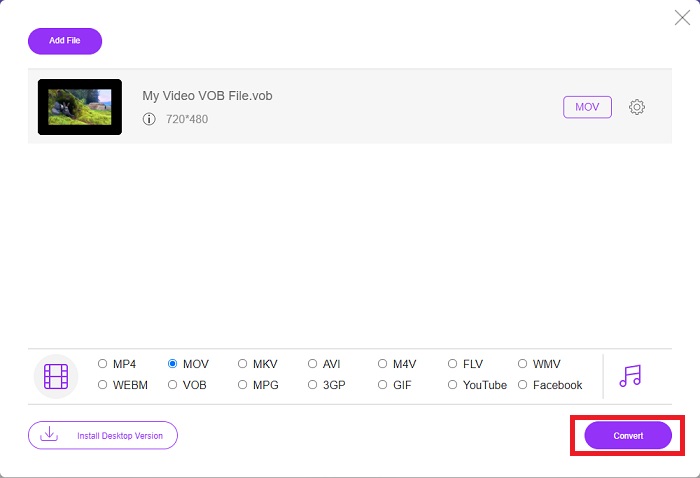
Vaihe 4. Muodon valinnan jälkeen napsauta Convert aloittaaksesi muuntoprosessin toiseen formaattiin.
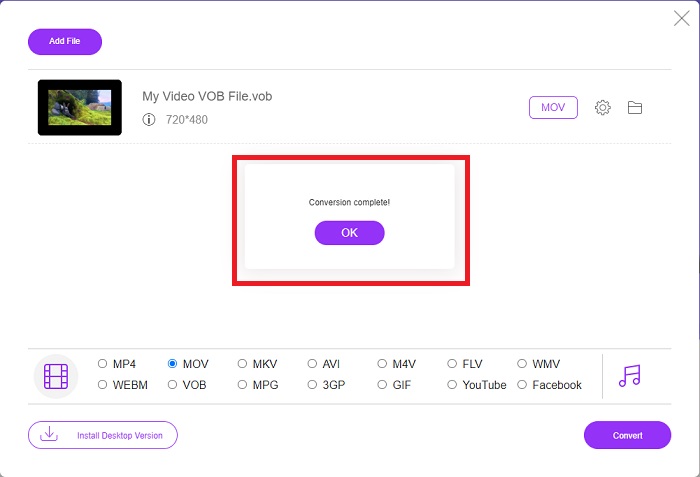
Vaihe 5. Muutaman minuutin kuluttua avautuu kansio, joka sisältää muunnetun tiedoston; aloita sen katselu napsauttamalla sitä.
Osa 4. Usein kysyttyä VOB:n muuntamisesta MOV:ksi
Miksi VOB-tiedostot ovat niin suuria?
Suurille latausmäärille ei ole muuta syytä kuin itse videot (ääni mukaan lukien). Koska videokoodekit käyttävät muuttuvan bittipituuden koodausta, niiden pituus vaihtelee. Siksi on mahdollista koodata sama määrä kuvia monen eri kokoisiin tiedostoihin. Napsauta tästä saadaksesi lisätietoja siitä, miten voit pakata suuria VOB-tiedostoja.
Onko VOB sama kuin DVD?
Videoobjekteille DVD-Video-media käyttää VOB:ta (lyhenne sanoista videoobjekti). Tekstitykset, DVD-valikot ja navigointitiedot voidaan sisällyttää VOB-tiedostoon, joka on monimuotoinen tiedosto. VOB-tiedostojen salaus on mahdollista.
Mitä MOV-tiedosto sisältää?
MOV-tiedostoja voidaan käyttää useiden mediamuotojen, kuten videon, äänen, aikakoodin ja tekstin, tallentamiseen ja synkronoimiseen. On olemassa useita koodekkeja, joita voidaan käyttää tietyn sisällön koodaamiseen. Pakkaamisessa MOV-tiedostot käyttävät yleensä MPEG-4-koodekkia.
Johtopäätös
Yhteenvetona voidaan todeta, että edellä mainittujen ohjelmiston ja verkkopohjaisen muuntimen väliset erot ovat selkeitä, ja molemmissa on sekä heikkouksia että vahvuuksia. Jos kuitenkin haluat käyttää erittäin ammattimaista ja käyttäjäystävällistä muunninta, ohjelmisto Video Converter Ultimate on suositeltavin vaihtoehto. Kuten artikkelissa todettiin, muut kilpailijat eivät yllä tämän ohjelmiston saavuttamalle tasolle. Ne eivät pääse lähellekään sitä, kuinka erinomainen tämä ohjelmisto on.
-
 8 parasta MOV-pelaajaa toistamaan QuickTime MOV -tiedostoja alkuperäisellä laadulla
 Vain lisätietoja 8 parhaasta MOV-soittimesta, jotka ovat käytettävissä sekä Windowsissa että Macissa. Voit valita haluamasi ja sopivan toistamaan MOV-tiedostoja alkuperäisellä laadulla.
-
 MKV MOV: ksi - Kuinka muuntaa MKV MOV: ksi
 Kuinka muuntaa MKV MOV: ksi Macissa? Voiko iMovie lukea MKV: tä? Mitä MOV-muoto tarkoittaa? Tämä viesti kertoo 2 yksinkertaista tapaa auttaa muuntaa MKV MOV: ksi ilmaisilla online- ja ammattimaisilla videomuuntimilla.
-
 FLV to MOV - Kuinka muuntaa FLV MOV: ksi Mac / PC / Online Free -sovelluksessa
 Miten muuntaa FLV MOV: ksi? Kuinka muuntaa FLV MOV: ksi Macissa? Onko olemassa mitään ilmaista tapaa muuntaa YouTube FLV MOV: ksi verkossa? Tämä viesti jakaa 3 FLV-MOV-muunninta vaihtamaan FLV-tiedostot MOV: ksi.
