


 Video Converter Ultimate
 Näytön tallennin
 Videon korjaus
Kuinka muuntaa AVI MP3:ksi alla olevilla ilmaisilla opetusohjelmilla
Kuten sanottu, AVI-tiedostot tallentavat parhaan video- ja äänenlaadun, jota olet koskaan toivonut. Valitettavasti tämän huono puoli on valtava tiedostokoko. Siihen tallennetun mediatiedoston 3-4 minuutin välein tiedoston koko voi nousta 3-4 gigaan. Mikä on ylivoimaista AVI-muodon käyttäjänä. Ennen kuin aloit tuntea surua tai turhautumista, nyt on tapa tallentaa laadukas AVI-ääni tietokoneellesi. Menettämättä sen laatua ja se on muuntaa. Jos haluat tietää kuinka muuntaa AVI MP3:ksi, olet oikealla tiellä. Koska aiomme käsitellä muuntamista ja muita käytettävissä olevia muuntimia, joita voit käyttää korkealaatuisen MP3-äänen tuottamiseen. Jos jatkat tämän artikkelin lukemista, ymmärrät muunnosprosessin, josta puhumme.

Osa 1. Kuinka muuntaa AVI MP3:ksi verkossa
1. FVC Free MP3 Converter
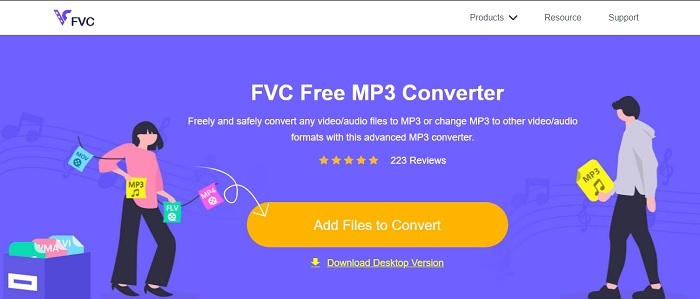
Jos haluat tietää, mikä on paras ilmainen AVI–MP3-muunnin verkossa, niin tämä on se. FVC:n tarjoama työkalu on esimakua sen äärimmäisestä muuntimesta, joka on FVC Free MP3 Converter. Tämä verkkotyökalu antaa sinulle suurimman edun etenkin, kun teet tiedostomuunnoksia. Jos rankkaisimme kaikki tässä esitellyt työkalut, tämä pysyisi ykkösenä. Sen lisäksi, että se tarjoaa turvallisen pakkauksen, se tekee myös erittäin nopean muunnoksen. Haluatko tietää, kuinka nopea muunnosprosessi on? Seuraa alla olevia ohjeita ja testaa itse, niin yllätyt.
Vaihe 1. Napsauta tätä linkkiä siirtyäksesi työkalun pääsivulle.
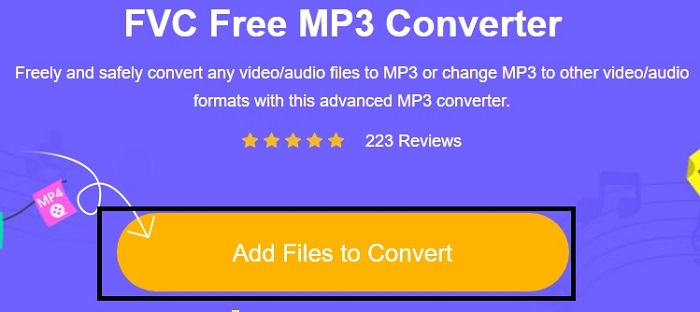
Vaihe 2. Paina Add Files to Convert -painiketta ja valitse Allow käynnistääksesi työkalun.
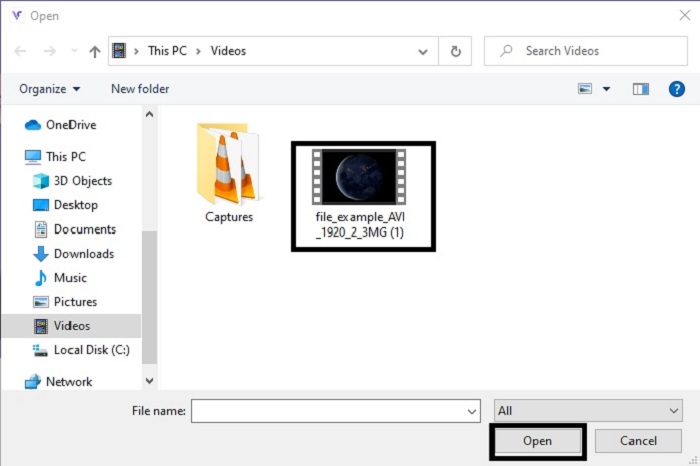
Vaihe 3. Valitse tiedosto, jonka haluat muuntaa. Valinnan jälkeen napsauta Open jatkaaksesi.
Vaihe 4. Vaihda AVI-tiedosto MP3-äänimuotoon tai mihin tahansa muotoon, johon haluat sen muuntaa.
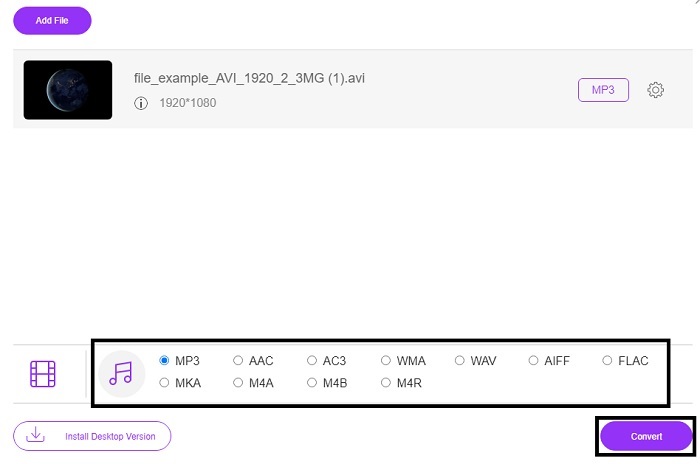
Vaihe 5. Aloita prosessi napsauttamalla Convert ja odota muutama minuutti, kunnes muunnos on valmis. Kun se on valmis, voit tarkistaa kansiosi myöhemmin.
2. Convertio
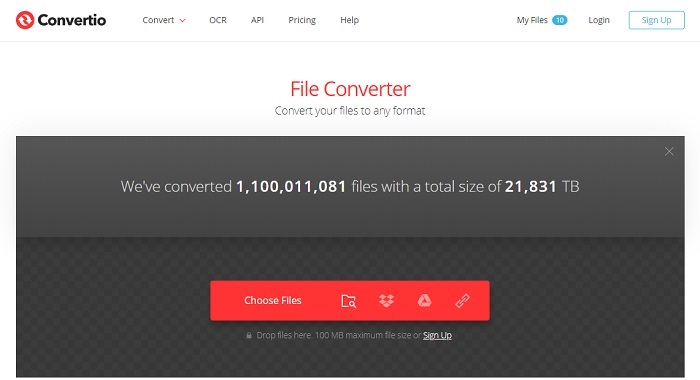
Jos puhutaan siitä, miten muuntaa AVI MP3:ksi Macissa ilmaiseksi, niin Convertio tulee apuun. Tämä työkalu tarjoaa laadukkaan pakkauksen ja muunnoksen myös Windowsille. Toisin kuin FVC Free MP3 Converter, tämä työkalu muuntaa myös asiakirjoja, e-kirjoja, vektorigrafiikkaa ja paljon muuta. Et kuitenkaan voi muuttaa bittinopeutta, fps:ää tai koodekkeja kuten ensimmäisellä työkalulla. Vaikka muunnosprosessi on täällä nopea ja tehokas, yllä mainittu ensimmäinen työkalu on silti tätä parempi. Tätä kannattaa kuitenkin kokeilla, koska se on yksinkertainen ja erittäin helppokäyttöinen. Siksi se sopii sekä aloittelijoille että kokeneille käyttäjille.
Vaihe 1. Siirry Convertio-verkkosivustolle.
Vaihe 2. Valitse tiedosto, jonka haluat muuntaa, ja lisää se palveluun.
Vaihe 3. Valitse MP3-muoto ja napsauta Convert aloittaaksesi.
3. Zamzar
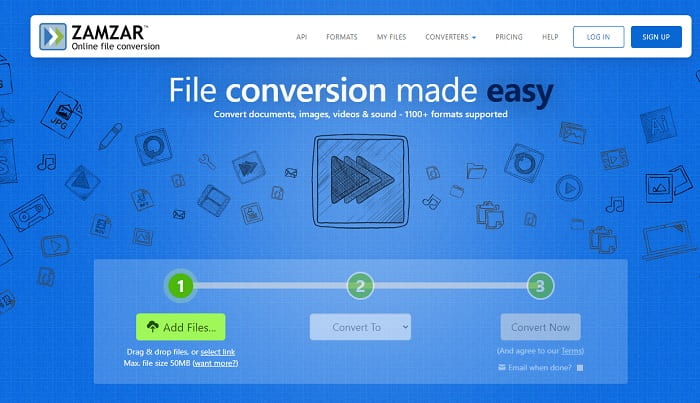
Käytä palvelua Zamzar, jos haluat muuntaa AVI-tiedostoja MP3:ksi verkossa. Lisäksi tämä työkalu tarjoaa yksinkertaisen, mutta perinteisen muuntimen, jota olet todennäköisesti jo käyttänyt tai kokeillut. Vähemmän miellyttävää on se, että kaikki formaatit – ääni, kuvat, video ja muut – ovat yhdessä pudotusvalikossa. Siksi halutun formaatin löytäminen on hieman vaivalloista, mutta kuitenkin täysin mahdollista. Muista, että tämä työkalu hyväksyy vain enintään 50 Mt:n tiedostoja ja tekee yhden muunnoksen kerrallaan. Haluatko tietää, miten Zamzaria käytetään? Seuraa sitten alla olevia ohjeita.
Vaihe 1. Hae Zamzarin virallinen verkkosivu. Napsauta Add File valitaksesi tiedoston, jonka haluat muuntaa.
Vaihe 2. Valitse lopullinen muoto, johon haluat tiedoston muunnettavan, Convert to -alavalikosta.
Vaihe 3. Napsauta Convert Now aloittaaksesi prosessin.
Osa 2. Paras AVI-MP3-muunnin PC:llä ja Macilla
Kaikesta tästä verkossa toimivien AVI–MP3-muunninohjelmien loistosta huolimatta FVC Video Converter Ultimate on silti koko verkon muunnosten kuningas. Oletko koskaan miettinyt, että tiedoston muuntaminen voidaan viedä aivan uudelle tasolle? Tarkemmin sanottuna, kun käytät tätä henkilökohtaisena muuntimeksi, voit tehdä paljon muutakin kuin pelkkää muuntamista.
Toisin kuin yllä oleva online-työkalu, tämä ohjelmisto on erikoistunut paitsi muuntamiseen, myös leikkaamiseen, parantamiseen, äänenvoimakkuuden lisäämiseen jne. Miksi et kokeilisi käyttää tätä työkalua yllä olevan ensimmäisen työkalun sijaan? Sen avulla jatkamme nyt kuinka tehdä täydellinen muunnos AVI-tiedostostasi ja tuoda eloa MP3-muotoon. Seuraa alla olevia ohjeita saadaksesi paremman käsityksen tämän työkalun muuntamisprosessista.
Vaihe 1. Lataa FVC:n virallinen Ultimate-työkalu napsauttamalla latauspainiketta. Seuraa asennusohjeita ja napsauta Finish tallentaaksesi asetukset.
Ilmainen latausWindows 7 tai uudempiTurvallinen lataus
Ilmainen latausMacOS 10.7 tai uudempiTurvallinen lataus
Vaihe 2. Tämän jälkeen ohjelmisto avautuu automaattisesti näytöllesi. Tältä se näyttää.
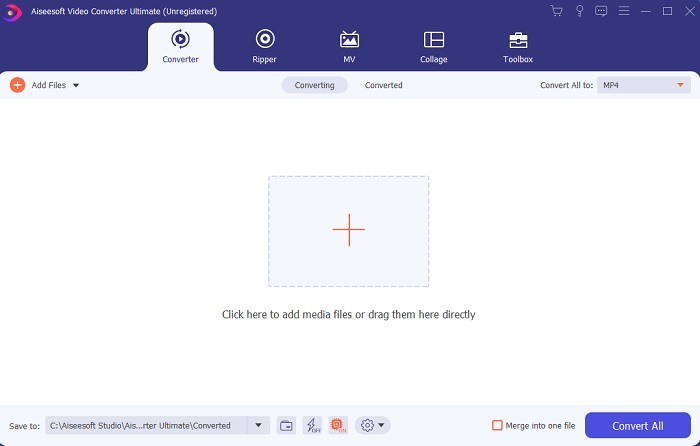
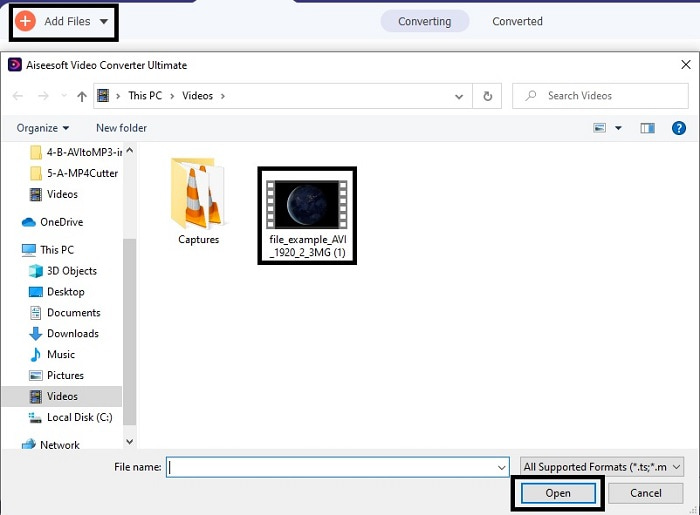
Vaihe 3. Pääkäyttöliittymässä valitse nyt AVI-tiedosto, jonka haluat muuntaa, napsauttamalla Add Files -painiketta. Lisävinkkinä: jos tiedostoja on paljon, voit yksinkertaisesti vetää ja pudottaa ne.
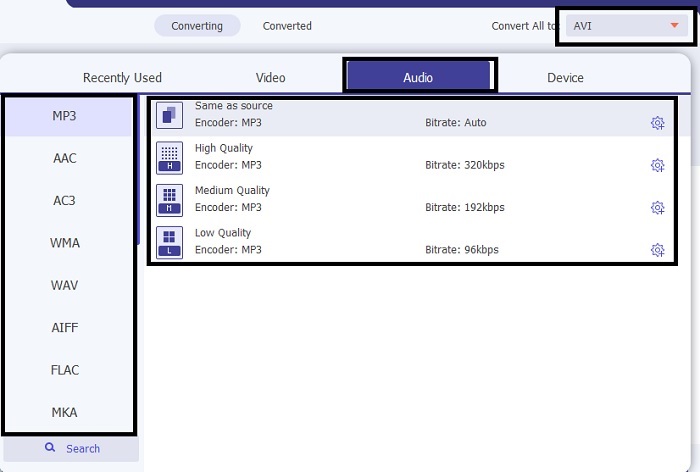
Vaihe 4. Näet oikeassa yläkulmassa pienen alavalikon, jota napsautat. Valitse MP3-muoto tai mikä tahansa muu ääni- tai videomuoto, johon haluat muuntaa. Valinnan jälkeen napsauta Convert All aloittaaksesi prosessin, joka käynnistyy pian.
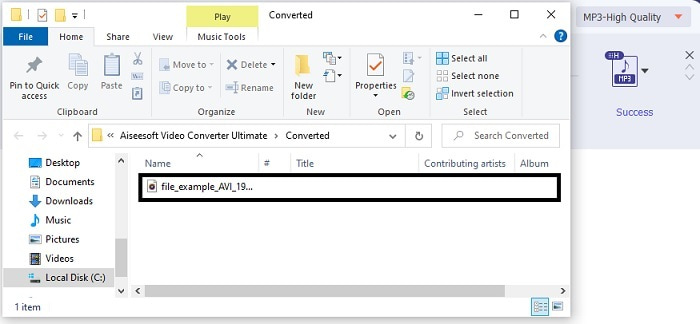
Vaihe 5. Muunnos vie vain hetken, ja kun se on valmis, näytölle avautuu heti tiedostonhallintaikkuna. Napsauta muunnettua tiedostoa kuunnellaksesi sitä, ja jos haluat parantaa äänenlaatua, voit käyttää myöhemmin työkalupalkin säätimiä.
Lisäksi tällä työkalulla voit muuntaa myös WMV:n MP3:ksi tai MOV:n MP3:ksi.
Osa 3. Usein kysytyt kysymykset AVI:sta MP3:ksi
Mikä on MP3?
MP3 tallentaa korkealaatuisen ääniformaatin. Siitä on tullut erittäin suosittu nykyään, koska se on yleisimmin käytetty äänimuoto. Parhaita esimerkkejä MP3:sta ovat kappaleet, äänitykset ja monet muut.
Onko MP3 häviöllinen vai häviötön?
MP3 on esimerkki häviöllisestä tiedon pakkaamisesta. Mikä on hienoa äänidatan tallentamiseen verrattuna muihin pakkaamattomiin, kuten aiemmin mainittuun AVI: hen.
Voiko MP3 tallentaa videotiedostoja?
Vastaus on ei. MP3 on tarkoitettu vain äänitiedostojen tallentamiseen. Mutta voit lisätä videotiedostoja MP3:n parannetussa versiossa, joka on MP4, joka tunnetaan myös yleisenä multimediamuotona. Napsauta tästä nähdäksesi erot MP3:n ja MP4:n välillä.
Johtopäätös
Nyt se on selkeämpi, AVI-ääniformaatin sijaan on parempi muuntaa se MP3-muotoon. Yllä oleva luettelo kertoo muuntamisesta ja muista tarpeisiisi sopivista vaihtoehdoista. Mutta silti FVC Video Converter Ultimatessa on ominaisuus muiden lueteltujen joukossa. Ehkä ajattelet, että haluat vain yksinkertaisen muuntimen ilman muokkausominaisuuksia, mikä on kunnossa. Mutta pitkällä aikavälillä tunnet siitä puuttuvan jotain, mitä et löydä luettelon muuntimesta. Sen sijaan, että odottaisit tämän tapahtuvan, miksi et käytä tätä ja valmistaudu tulevaisuuteen. Joten varmistaaksesi tulevan muuntuksesi sinun on hankittava paras työkalu valmistautuaksesi.
-
 4 100%-työmenetelmää FLV-videotiedostojen muuntamiseksi MP3-muotoon
 Kuinka muuntaa FLV MP3-tiedostoksi? Sinun tarvitsee vain lukea tämä artikkeli huolellisesti, löytää suosikkimenetelmäsi ja seurata vaiheittaista opasta saadaksesi haluamasi.
-
 4 parasta tapaa muuntaa OGG MP3: ksi menettämättä laatua
 Kuinka muuntaa OGG-tiedostosi MP3-muotoon kuunneltavaksi tietokoneella tai mobiililaitteella? Täällä jaamme 5 helpoin tapa tehdä se työpöydällä tai verkossa.
-
 Kuinka muuntaa M4A MP3: ksi 4 ilmaisella äänimuuntimella
 Etkö voi toistaa M4A:ta ja se on muutettava MP3-muotoon? Onko olemassa ilmaista tapaa muuntaa M4A MP3:ksi verkossa? Tämä viesti jakaa 4 ilmaista tapaa, joiden avulla voit muuntaa M4A:n MP3:ksi iTunesin, online- ja ammattimaisten äänimuuntimien avulla.
