


 Video Converter Ultimate
 Näytön tallennin
 Videon korjaus
Valitse paras muunnin muuntaaksesi MKV-videotiedoston MP3-muotoon online- ja offline-tilassa
MKV on edistyksellisin formaatti, jota voit käyttää tiedostojen tallentamiseen. Sen futurististen tallennusominaisuuksien takia formaatin tiedostokoko voi kuitenkin olla hyvin suuri. Tällaisen tiedoston käsittelemiseksi sinun täytyy ladata pakkausohjelma, mutta jos valitset väärän pakkausohjelman, voit odottaa, että osa tämän tiedoston tiedoista katoaa. Tätä voi kuitenkin muuttaa vaihtamalla formaatin MP3:ksi. Lisäksi MP3:aa tukevat kaikki alustat, joten se on paras formaatti, johon voit muuntaa. Käytetään siis tätä artikkelia karttana, jonka avulla tutkimme, miten muuntaa MKV MP3:ksi menettämättä yhtäkään tiedostoa.

Osa 1. 3 parhaista ilmaisista verkkopohjaisista MKV-MP3-muuntimista
1. FVC Free Audio Converter
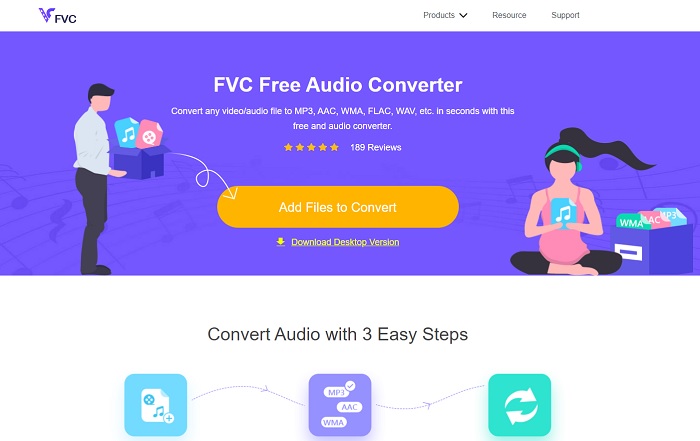
Jos haluat tietää, miten muuntaa MKV‑videotiedosto MP3:ksi verkossa, pysy paikallasi, sillä aiomme käsitellä parasta verkkotyökalua. FVC Free Audio Converter on FVC:n kehittämä esiversio heidän premium-työkalustaan. Vaikka se on ilmainen, tämä työkalu ei ole samanlainen kuin muut täällä esitellyt verkkotyökalut. Minkä tahansa formaatin muuntaminen on hyvin helppoa ja aina turvallista, mutta et voi muuntaa useita tiedostoja samanaikaisesti. Lisäksi tuetut formaatit ovat rajallisia, eikä siinä ole muokkausominaisuuksia kuten premium-versiossa. Haluatko nähdä, kuinka nopeasti muunnos tapahtuu FVC Free Audio Converter -ohjelman avulla? Silloin sinun on noudatettava annettuja vaiheita, jotta onnistut varmasti.
Vaihe 1. Napsauta yllä olevaa hyperlinkkiä, jonka FVC on tarjonnut sinulle.
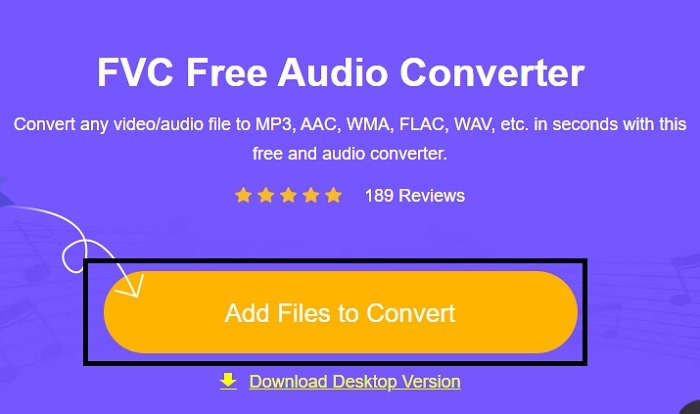
Vaihe 2. Kun olet nyt pääsivulla, klikkaa Add Files to Convert -painiketta käynnistääksesi työkalun.
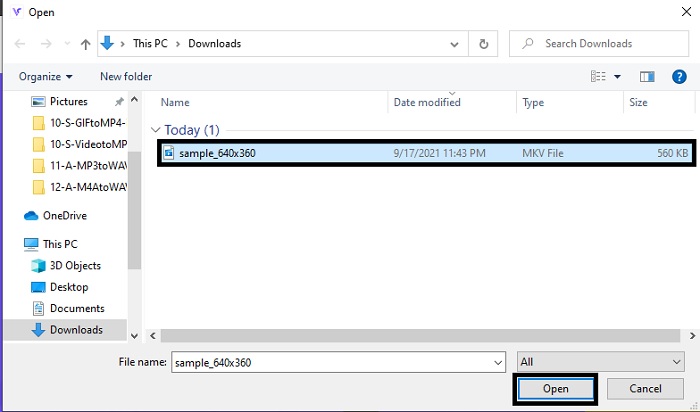
Vaihe 3. Näytöllesi avautuu kansio, valitse MKV-tiedosto, jonka haluat muuntaa, ja klikkaa sitten Open.
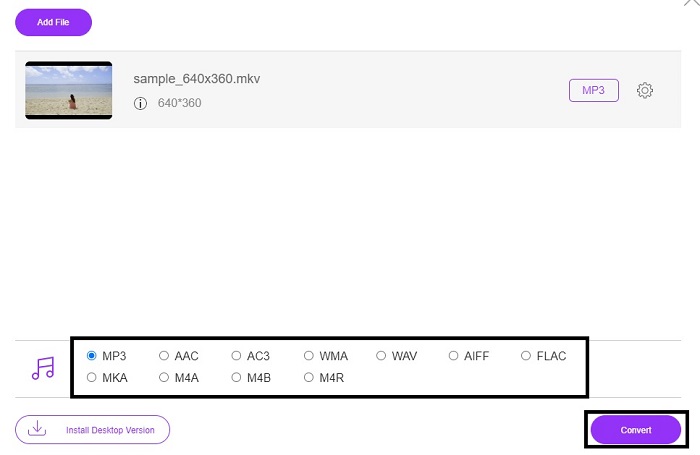
Vaihe 4. Vaihda MKV MP3-formaattiin alla tai mihin tahansa muuhun haluamaasi äänimuotoon. Kun kaikki tämä on tehty, aloitetaan MKV-formaatin muuntaminen klikkaamalla Convert-painiketta.
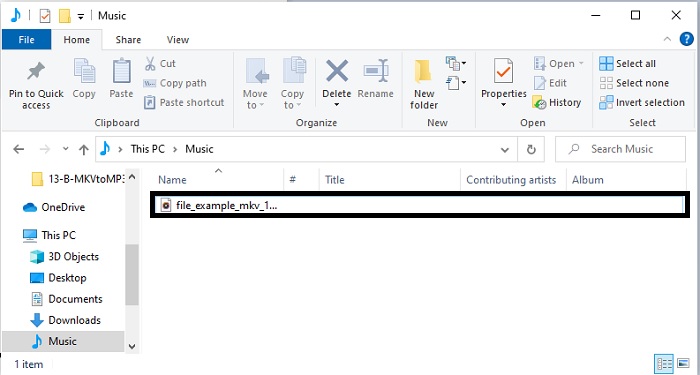
Vaihe 5. Etsi tiedostonhallinnasta tiedosto, jonka juuri muunsit, klikkaa sitä ja kuuntele tiedoston uutta formaattia.
2. Muunninsovellus
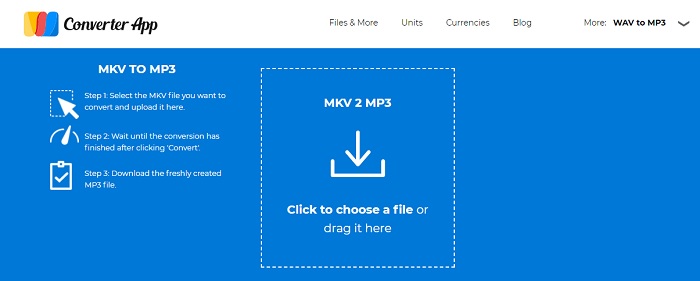
Yksi parhaista ilmaisista MKV–MP3-muuntimista verkossa on Converter App. Jos muuntaminen on ongelmasi, voit käyttää tätä, sillä se on helppokäyttöinen ja täsmällinen. Toisin kuin ensimmäisessä työkalussa, Converter App -sivustolla on kuitenkin paljon häiritseviä mainoksia sivun ympärillä. Lisäksi kun lataat tiedoston, jonka haluat muuntaa, joudut odottamaan ainakin minuutin tai kaksi, ennen kuin se lisätään. Muunnosprosessi on erillinen, mikä on hankalaa meille, jotka haluamme turvallisen ja nopean muunnoksen.
3. Aconvert.com
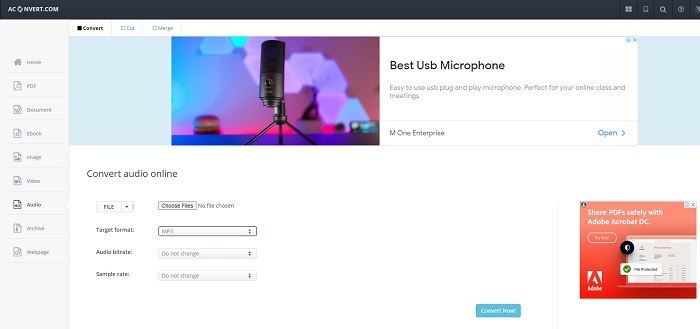
Muunna ääni, video, asiakirjat, saavutukset, PDF ja paljon muuta Aconvert.comin avulla. Koska tämä työkalu voi muuntaa minkä tahansa mediatiedoston, mikä on paras ominaisuus, jonka voit tehdä täällä. Voit myös muuttaa tiedoston bittinopeutta hyvän muunnetun tiedoston saavuttamiseksi. Vaikka se on hyvä työkalu muuntamiseen, mainokset tappavat tämän verkkotyökalun. Koska jokaisessa työkalua testaamassamme toiminnassa näkyy aina mainos, joka näkyy tyhjästä. Joten varo, ettei sinua ohjata toiselle verkkosivustolle, koska on mahdollista, että virus hyökkää järjestelmääsi.
Osa 2. All-in-One Desktop-pohjainen muunnin, jota käytetään muuttamaan MKV MP3:ksi ilman laadun heikkenemistä
Valitse FVC Video Converter Ultimate, sillä se hallitsee selvästi muita verkko- ja offline-muuntimia. Sitä pidetään parhaana offline MKV–MP3-muunnosohjelmana. Tämä johtuu sen erittäin nopeasta muunnosnopeudesta ja mainitsemisen arvoisista muokkausominaisuuksista. Jos haluat parantaa ääntä, voit siirtyä työkalupalkkiin ja klikata audio booster -toimintoa. Jos sinulla on ongelmia, koska video ja ääni eivät ole synkassa, voit myös korjata sen tällä työkalulla. Lisäksi, jos puhumme muista erikoisominaisuuksista, joita tämä työkalu tarjoaa, tarvittaisiin enemmän kuin kaksi tai kolme artikkelia, jotta kaikki saataisiin käytyä läpi. Jatkaessamme annamme vaiheet tämän hämmästyttävän muuntimen käyttöön; se tukee kaikkia tunnettuja ja tuntemattomiakin formaatteja.
Vaihe 1. Ennen kuin voit muuntaa MKV:n MP3:ksi, sinun täytyy ensin ladata ohjelma. Muuta työkalun asetuksia ja paina sitten Finish käynnistääksesi sen.
Ilmainen latausWindows 7 tai uudempiTurvallinen lataus
Ilmainen latausMacOS 10.7 tai uudempiTurvallinen lataus
Vaihe 2. Siirry kohtaan Add Files tai klikkaa plus-merkkiä valitaksesi MKV-tiedoston, jonka haluat muuntaa MP3-muotoon.
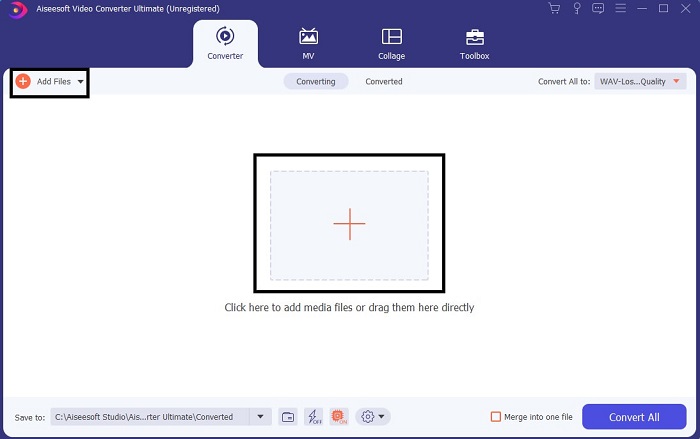
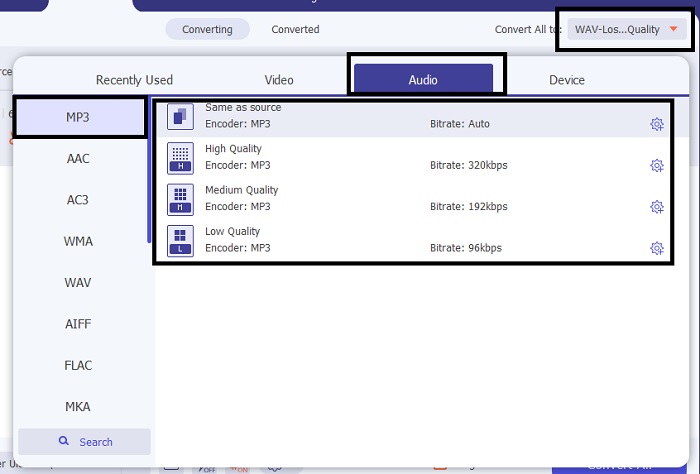
Vaihe 3. Siirry sitten Convert All to -vaihtoehdon alavalikkoon ja vaihda formaatiksi MP3 tai jokin muu haluamasi ääniformaatti.
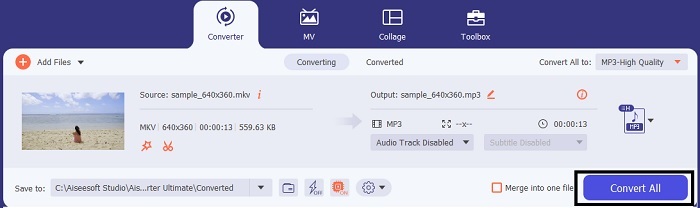
Vaihe 4. Klikkaa Convert All aloittaaksesi muunnoksen. Sinun ei tarvitse odottaa kovin kauan, sillä tämä on jopa 30 kertaa nopeampi kuin sen oma verkkoversio ja 100 kertaa nopeampi kuin muut muuntimet.
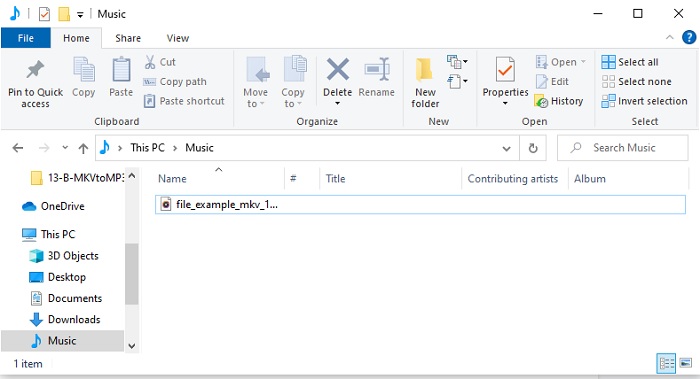
Vaihe 5. Kun prosessi on valmis, näytöllesi avautuu automaattisesti kansio. Klikkaa muunnettua MKV-tiedostoa ja kuuntele sitä. Jos haluat tehdä muutoksia tai parannuksia, tarkista työkalupalkki myöhemmin.
Osa 3. Usein kysyttyä MKV:n muuntamisesta MP3:ksi
Miksi en voi toistaa MKV-videoita tietokoneellani?
Tämä ongelma on hyvin yleinen, erityisesti koska MKV on vielä kehitysvaiheessa. Tämä tarkoittaa, että kaikki mediasoittimet eivät tue tätä formaattia, kuten esimerkiksi käyttöjärjestelmäsi oma soitin. Jotta voisit toistaa MKV-tiedoston, sinun täytyy käyttää tätä MKV-mediasoitinta verkossa. Tämä työkalu tukee laajaa valikoimaa formaatteja, sekä tuttuja että tuntemattomia. Mitä siis odotat? Klikkaa linkkiä ja katso tiedosto korkealaatuisella videolla ja äänellä.
Mitä yhtäläisyyksiä MKV:lla ja AVI:lla on?
MKV ja AVI ovat molemmat pakkaamattomia tiedostoja, mikä tarkoittaa, että jos tallennat tiedoston tietokoneellesi tai laitteillesi, odotat suuren tiedostokoon. Mutta MKV on monimutkaisempi kuin AVI, jos aiomme vertailla.
Onko MKV häviöllinen vai häviötön?
MKV-tiedosto on pakkaamaton häviötön muoto.
Johtopäätös
Kun päätämme tekemämme tutkimusmatkan, meidän täytyy arvostaa jokaisen muuntimen vahvuuksia, joita matkan varrella löysimme. Mutta on yksi, jota voimme kutsua jalokiveksi, ja se on FVC Video Converter Ultimate, tai voisimmeko sanoa kadonnut aarre. Tämä artikkeli oli kartta matkallasi aarteen löytämiseen, mutta nyt se on löytynyt. Tämä työkalu tarjoaa monia ominaisuuksia, joita voidaan käyttää tulevaisuudessa tai vaikka heti. Lataa siis nyt FVC Video Converter Ultimate, sillä se on oikea työkalu MKV-tiedostojen muuntamiseen mihin tahansa haluamaasi formaattiin, kuten MKV MP4:ksi, MKV AVI:ksi, MKV AAC:ksi, MKV GIF:ksi jne. tulevaisuudessa.
-
 4 parasta tapaa muuntaa MOV MP3-tiedostoiksi Windowsissa ja Macissa helposti
 Kun haluat purkaa MP3-äänitiedostot MOV-tiedostoista, voit oppia lisää 4 tehokkaimmasta MOV-MP3-muuntimesta saadaksesi haluamasi tiedostot artikkelista.
-
 M4V to MP3 Converter - 4 parasta tapaa purkaa MP3 M4V-tiedostoista
 Kun haluat purkaa MP3-äänen M4V-videoista helposti, voit oppia lisää 4 parhaasta M4V-MP3-muuntimesta saadaksesi haluamasi äänitiedostot artikkelista.
-
 [2025] Kuusi parasta ilmaista ja online-tapaa muuntaa M2TS MP3:ksi
 Voiko M2TS-tiedoston muuntaa MP3-tiedostoksi? Tässä viestissä olemme listanneet kuusi parasta ilmaista ja online-tapaa, joilla voit muuntaa M2TS: n MP3-, AAC-, AIFF- ja muiksi äänimuodoiksi.
