


 Video Converter Ultimate
 Näytön tallennin
 Videon korjaus
 Suojattu lataus
Mitkä ovat kaikkien ohjelmistojen parhaat QuickTime-korvaukset (ilmaiset ja maksulliset)
QuickTime Player on Mac-järjestelmän paikallinen mediasoitin. Se on epäilemättä Applen paras ilmainen mediasoitin, mutta sen käytettävyys ei ulotu muihin käyttöjärjestelmiin, kuten Windowsiin ja vastaaviin. Siksi Mac-käyttäjillä on vaikeuksia valita, mikä olisi paras QuickTime Playerin korvike. Ilman turhaa viivyttelyä tämä kirjoitus tarjoaa sinulle riittävästi näyttöä itse työkaluista ja kertoo, mitä muita vaihtoehtoja voit käyttää katselemiseen yhtä tehokkaasti kuin QuickTime. Jatka lukemista, niin saat lisätietoja näistä mediasoittimista.

Osa 1. Paras QuickTime-korvaus verkossa
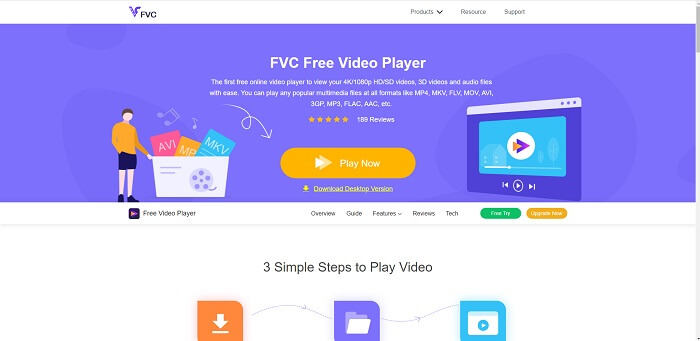
Jos etsit parasta QuickTime Playerin vaihtoehtoa verkossa, tämä on sinua varten. Sinun ei tarvitse rekisteröityä, kirjautua sisään tai maksaa. Upeaa on myös se, että voit käyttää sitä milloin ja missä tahansa internetyhteyden avulla ilman ärsyttäviä robottivarmistuksia ja kuvien klikkailuja (paloposti, autot, bussit, suojatiet jne.). FVC Free Video Player mullistaa tapasi katsoa suosikkivideoitasi ja kuunnella äänitiedostojasi verkossa. Se on kuin QuickTime Player, mutta selaimessa. Mitään ei tarvitse ladata, eikä sinun tarvitse huolehtia – se on haittaohjelmista vapaa.
Plussat
- QuickTimen online-korvaustyökalu, jota voit käyttää verkon kautta.
- Paras valinta tallennin verkossa. Sinun ei myöskään tarvitse ladata työkalua. Käynnistä se, aseta se ja katso sitä.
- Turvallinen haittaohjelmille, ei mainoksia verkossa ja pelaamisen aikana.
Haittoja
- Internetistä riippuvainen.
- Jos internet on epävakaa, et voi nauttia tiedoston katselusta.
Osa 2. Prime Elite QuickTime Player -vaihtoehto Macille ja Windows 10:lle
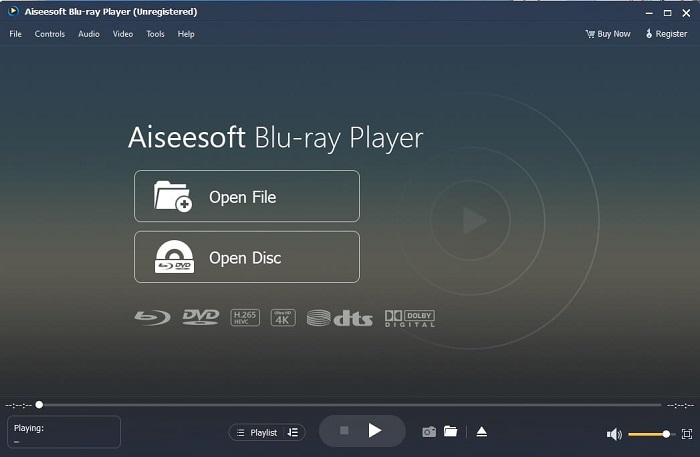
Jos ilmainen verkkotyökalu tarjoaa sinulle jo hyvää laatua videoiden katseluun ja musiikin kuunteluun, tämä työkalu vie kaiken vielä pidemmälle. Jos olet etsinyt kauan kätkettyä aarretta, nyt etsiminen on ohi – olet löytänyt sen. Tämä työkalu on paras QuickTime Playerin vaihtoehto Windows 10:lle ja Macille, koska se suoriutuu paremmin ja tukee useampia tiedostomuotoja. Blu-ray Player on tuo kadonnut aarre. Jos etsit mediasoitinta, joka tarjoaa erinomaisen katselu- ja kuuntelukokemuksen suosikkivideoillesi ja -kappaleillesi, tämä on oikea valinta. Usein ajatellaan, että jokaisesta aarteesta täytyy maksaa korkea hinta, ja siksi voisi luulla, että näin tehokas työkalu on kallis – varsinkin kun se on parempi kuin QuickTime itse. Näin ei kuitenkaan ole. Rehellisesti sanottuna tämä työkalu on paljon parempi kuin muut mediasoittimet, joihin törmäät tässä artikkelissa tai verkossa yleensä. Se on ehdottomasti kokeilemisen arvoinen, jos haluat elokuvateatteritasoisen katselukokemuksen.
Ilmainen latausWindows 7 tai uudempiTurvallinen lataus
Ilmainen latausmacOS 10.7 tai uudempiTurvallinen lataus
Plussat
- S-luokan mediasoitin.
- Toimii hyvin ilman nettiyhteyttä.
- Se tukee kaikkia alustoja, joita tiedät ja joita et tiedä. Paremmalla video- ja äänenlaadulla.
Haittoja
- Se on ladattava PC- tai Mac-tietokoneellesi.
- Se maksaa sinulle $36,00.
Osa 3. 4 muuta hyödyllistä QuickTime Player -vaihtoehtoa
Alla oleva luettelo on esimerkkejä, joita saatat haluta käyttää tai kohdata verkossa, jos etsit korvaavaa QuickTimea. Koska aiemmin sanottiin, että QuickTime on oletusmediasoitin Mac OS:lle. Lue muut Macin ja Windowsin QuickTime Playerin vaihtoehdot, joita saatat käyttää videoiden katseluun, jos QuickTimea ei tueta alustallasi.
1. VLC Media Player
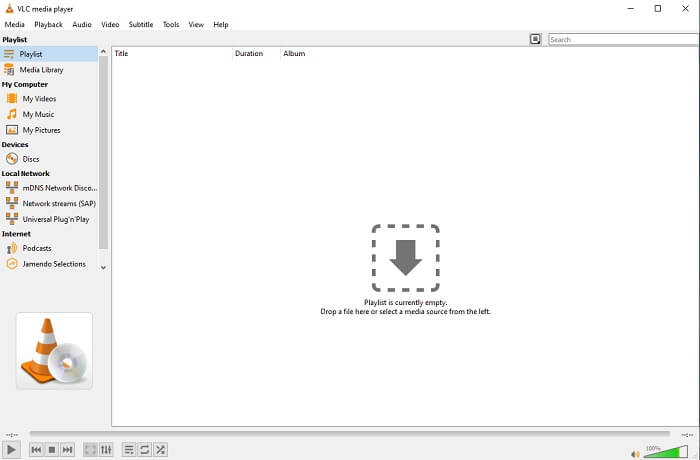
Tämä työkalu rakentaa nimensä parhaana mediasoittimena koko verkossa. Helppokäyttöisyyden vuoksi useimmat käyttäjät käyttävät tätä ensimmäisenä valintana. Se voi myös toistaa DVD-, VCD-, CD- ja paljon muuta lisäämättä koodekkeja. Yksinkertaiseksi se on nopea ja A-luokan pelaaja.
Plussat
- Yksi parhaista mediasoittimista.
- Yksinkertainen käyttöliittymä.
- Offline-työkalut on ladattava.
Haittoja
- Joitakin formaatteja ei voi toistaa.
- Kohtaat virheitä, joita ei ole vielä korjattu.
2. KM Player
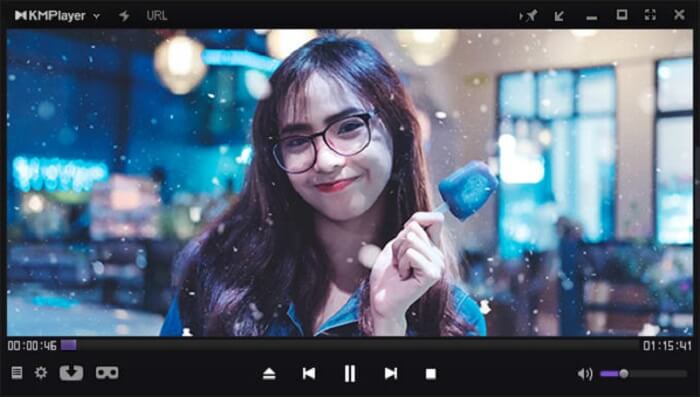
QuickTime-korvike Windowsille ja Macille, jonka avulla voit toistaa useita erilaisia tiedostomuotoja korkealla laadulla. Toisin kuin VLC Media Playerissa, WMV-toisto toimii vaivatta KM Playerilla. Lisäksi se tukee 3D-videotoistoa ja tarjoaa joitakin muokkaustoimintoja.
Plussat
- Yleisimmin käytetty mediasoitin.
- Tunnettu laitteistokiihtyvyydestään.
- 3D-videon toisto.
Haittoja
- Se on vakoiluohjelma/mainosohjelma.
- Se voi hidastaa järjestelmääsi sen suorittaman väistämättömän asennuksen vuoksi. joten ole varovainen, jos haluat ladata tämän ohjelmiston.
3. MPlayer
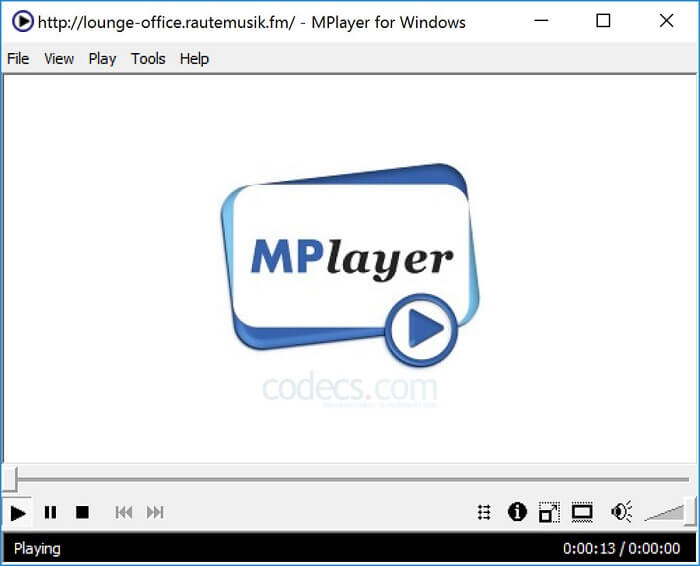
Tämän työkalun avulla käyttäjä voi työskennellä kahdessa erillisessä ikkunassa. Esimerkiksi videon toistoikkuna on erotettu pääkäyttöliittymästä. MPlayer pystyy toistamaan useita eri formaatteja. Lisäksi se tukee erityisesti tiedostoja, jotka on tallennettu Ffmpegillä.
Plussat
- Spot-on työkalu.
- ylimääräistä koodekkia ei tarvita.
- Pikanäppäimet.
Haittoja
- Joissakin tapauksissa toisella mediasoittimella toistettavat tiedostot ovat toistettavissa, mutta jos käytät tätä, on mahdollista, että se ei toistu. Se on edelleen tuntemattomista syistä.
- Hakemiston toiston puute.
4. Perian
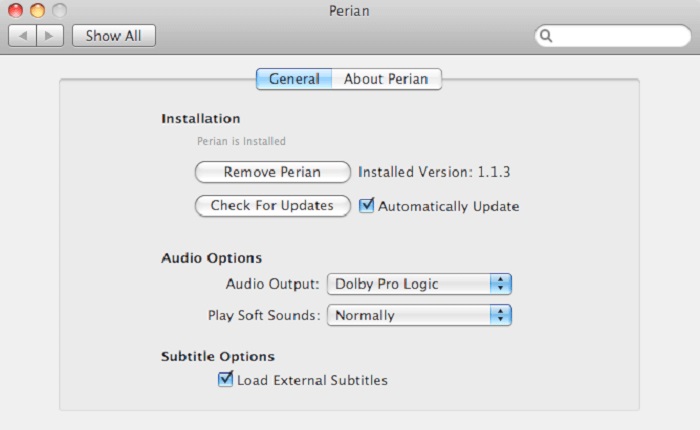
Jos sinulla on vanhentunut QuickTime, mutta haluat silti tietää, mitä muita vaihtoehtoja on olemassa, tämä sopii sinulle. Perian tunnetaan Mac-käyttöjärjestelmän “Sveitsin armeijan linkkarina”. Jos QuickTimen vanha versio ei pysty toistamaan haluamaasi formaattia, voit käyttää Periania, sillä sen avulla voit toistaa useampia tiedostomuotoja QuickTime Playerissa.
Plussat
- Toimii edelleen jopa vanhentuneella QuickTimella.
- Tukee enemmän toistoa QuickTimen vanhemmille versioille.
- QuickTimen SSA- ja SRT-tekstitysmuotoja tuetaan edelleen.
Haittoja
- Se ei toimi QuickTime 10:n nykyaikaisessa versiossa.
- Jos käytät QuickTimen versiota vuodelta 2012, tätä ei tarvitse käyttää. Koska QuickTime voi tarjota sen, mitä tämä työkalu voi tarjota vielä enemmän.
Osa 4. QuickTime Playerin usein kysytyt kysymykset
Mitä muuta voin tehdä kuin toistaa videota QuickTimessa?
QuickTimessa on myös muita ominaisuuksia, kuten tallennus, muokkaus ja leikkaus, järjestyksen muuttaminen, kääntö sekä videoiden ja kuvien jakaminen.
Onko QuickTimesta pro-versiota?
Kyllä, siitä on myös pro-versio. Kuten tavallista, pro-versio tarjoaa enemmän ominaisuuksia kuin ilmainen versio.
Onko olemassa tiedostomuotoa, jota ei voi toistaa, jos käytät QuickTimea?
Joissain tapauksissa MOV- ja MP4-tiedostoja ei voi toistaa, koska ne käyttävät monimutkaisia koodekkeja. Tätä esiintyy erityisesti, jos QuickTime-versiosi on vanha. Paras ratkaisu on siis muuntaa MOV MP4-muotoon.
Johtopäätös
Nyt kun tiedät, mitä työkaluja voit käyttää, jos haluat QuickTimen kaltaisen mediasoittimen, on selkeämpää, että näillä eri työkaluilla on omat vahvuutensa, yhteiset piirteensä sekä ominaisuudet, jotka erottavat ne muista mediasoittimista. Silti on entistä ilmeisempää, että paras QuickTime Playerin korvike – tai tarkemmin sanottuna työkalu, joka pystyy päihittämään QuickTimen – on Blu-ray Player. Se päihittää QuickTimen kaikilla osa-alueilla, erityisesti saatavuudessa ja muussa toiminnallisuudessa. Ehkä mietit yhä, miksi sinun pitäisi ostaa tämä työkalu. Ainoa syy on se, että se on huomattavasti parempi kuin muut työkalut, joita löydät verkosta tai muista artikkeleista. Mitä siis vielä odotat? Katso kuin pomo käyttämällä tätä henkilökohtaisena mediasoittimenasi.
-
 Paras 1080p HD -videosoitin Windowsille/Macille/iOS:lle/Androidille vuonna 2025 kommenttisyöte
 Jos etsit videosoittinta katsomaan 1080p: n teräväpiirtovideoita tietokoneellasi, tarkista suosikkimme parhaista 1080p HD -videosoittimista Macille, Windows PC: lle, iOS: lle ja Androidille.
-
 5 toimivaa tapaa korjata QuickTime ei voi avata MOV-tiedostojen kommenttisyötettä
 MOV -muoto luodaan pääasiassa toistoa varten QuickTime Playerissa. Joskus saatat kuitenkin huomata, että he eivät pelaa siinä. Opi korjaamaan QuickTime ei toista MOV -tiedostoja tästä viestistä.
-
 Kuinka muuntaa MKV-tiedostoja toistettaviksi PS3:lla sujuvasti
 Haluatko toistaa MKV -videoita PS3: lla? PS3 ei kuitenkaan voi toistaa MKV -tiedostoja suoraan. Tämä artikkeli näyttää tapoja muuntaa MKV -videot PS3 -tuetuiksi videoformaateiksi toistettavaksi PS3: lla ilman vaivaa.
