


 Video Converter Ultimate
 Näytön tallennin
 Videon korjaus
4 helpointa tapaa muuntaa F4V-tiedosto AVI-mediatiedostomuotoon
Macromedia esitteli F4V:n, ja myöhemmin Adobe kehitti sen kilpailemaan nykyaikaisen korkealaatuisen videotallennustilan kanssa. Lisäksi se on luotu FLV:n korvikemuodoksi, koska FLV:llä on rajoituksia. Lisäselitys on, että F4V-tiedosto käyttää ISO-perusmediatiedostomuotoa H.264-koodekilla tiedoston koon pienentämiseksi. Vaikka formaatti sisältää korkealaatuista tulostusta, F4V:n yhteensopivuus on heikompi kuin toisella formaatilla. Eikä vain sitä, vaan tämä muoto on myös poistettu käytöstä, koska Adobe Flash Player on jo eläkkeellä.
Joten jos sinulla on sama ongelma kuin muilla, eli heidän .f4v-tiedostonsa eivät toistu mediasoittimella, jatka lukemista. Olemme koonneet erilaisia työkaluja, jotka auttavat sinua toistamaan toistokelvottoman .f4v-tiedoston muuntamalla sen AVI-muotoon. Siirrytään nyt eteenpäin ja katsotaan, miten muuntaa F4V AVI-muotoon verkko- ja työpöytätyökaluilla.

Osa 1. Opi muuttamaan F4V AVI:ksi ilmiömäisellä F4V to AVI -muuntimella
Jos etsit parasta muunninta, joka auttaa sinua ongelmassasi, niin FVC Video Converter Ultimate on oikea apu. Testasimme työkalun itse ja luimme useita kommentteja; ”ultimate” ei ole vain nimi, vaan myös ohjelmiston suorituskyky ja ominaisuudet ovat huippuluokkaa. Yksi vaikuttavimmista ominaisuuksista on myös nopea muunnos sekä laitteistokiihdytys, jotta ohjelman käyttäjien ei tarvitse odottaa pitkään.
Lisäksi jos haluat luoda GIF-animaatioita, nopeuttaa tai hidastaa videoita, toistaa ne takaperin, vahvistaa ääntä jne., tämä työkalu tarjoaa edistyneitä toimintoja. Sinun täytyy silti maksaa siitä ennen käyttöä, mutta ei huolta – hinta ei ylitä sataa dollaria. Jos olet yhä harkintavaiheessa ostaessasi tätä työkalua, lue alla olevat vaiheet ja muunna F4V-tiedosto AVI-muotoon noudattamalla niitä.
Vaihe 1. Ennen kuin voit käyttää tätä tehokasta työkalua, lataa se ensin tietokoneellesi. Asenna se ja suorita nopea käyttöönotto, napsauta sitten Start Now avataksesi ohjelman.
Ilmainen latausWindows 7 tai uudempiTurvallinen lataus
Ilmainen latausMacOS 10.7 tai uudempiTurvallinen lataus
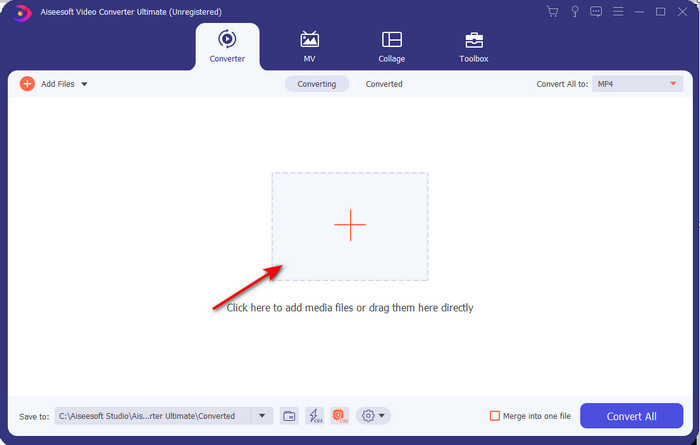
Vaihe 2. Kun työkalu on auki, siirry kohtaan Add Files tai napsauta +-painiketta. Tällöin avautuu kansio; etsi .f4v-tiedostopääte ja napsauta Open.
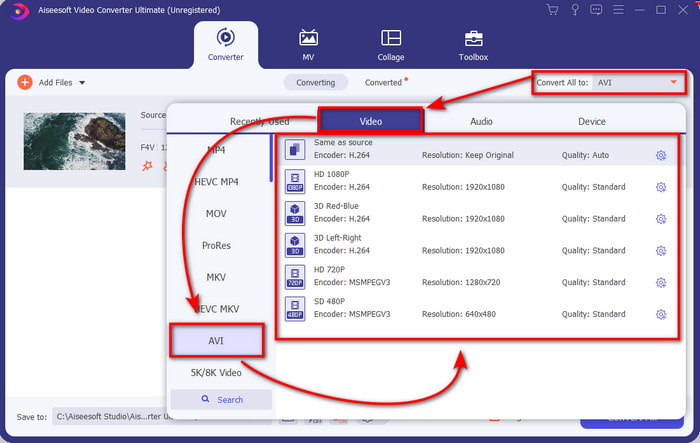
Vaihe 3. Tiedoston lisäämisen jälkeen napsauta käyttöliittymän oikeassa yläkulmassa olevaa Convert All to -vaihtoehtoa ja valitse AVI-muoto.
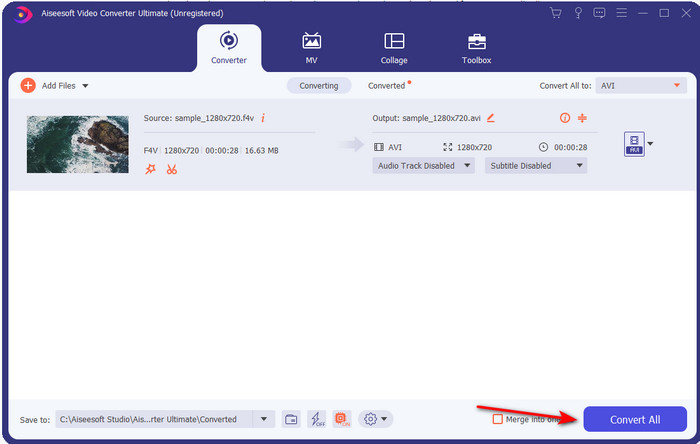
Vaihe 4. Aloita muunnosprosessi napsauttamalla Convert All. Odota muutama minuutti, jotta muunnos F4V:stä AVI:ksi valmistuu.
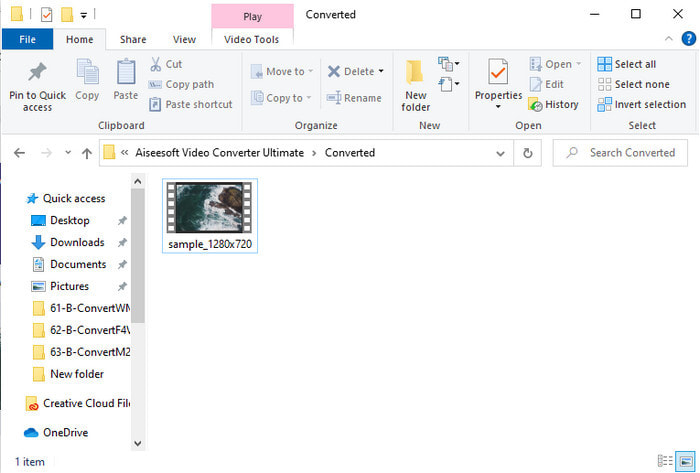
Vaihe 5. Tietokoneellesi avautuu automaattisesti kansio, jossa on täällä muuntamasi .f4v-tiedosto. Napsauta videotiedostoa katsoaksesi aiemmin toistokelvottoman videon tietokoneellasi tai siirrä se puhelimeesi, jos haluat.
Osa 2. Opi muuttamaan F4V AVI Online -muotoon 3 saatavana olevan Web Converterin avulla
1. FVC Free Video Converter Online
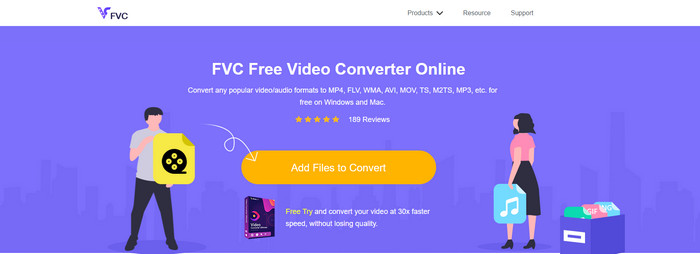
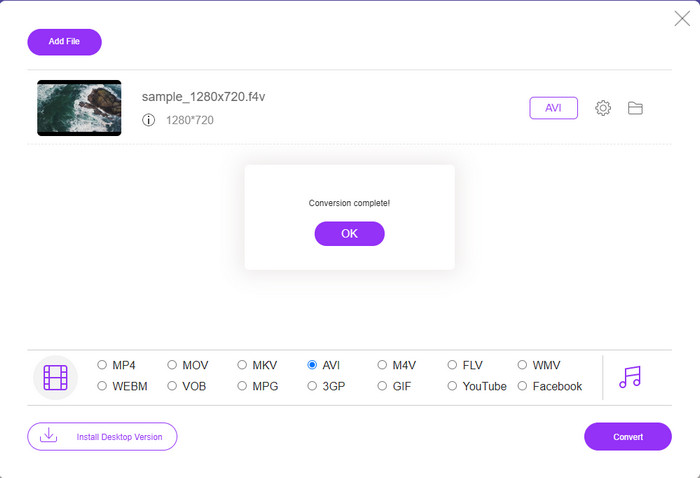
Jos haluat tietää, mikä verkkopohjainen muunnin on paras, FVC Free Video Converter Online saattaa olla se. Kaikki ominaisuudet, joista pitäisit, ovat täällä käytettävissä: voit muuttaa videon bittinopeutta ja kuvanopeutta (fps) tehdäksesi siitä laadukkaamman ennen muuntamista. Miljoonat internetin käyttäjät ovat jo kiittäneet tämän verkkotyökalun kokonaissuorituskykyä. Lisäksi tämä työkalu tukee keskilaajaa valikoimaa eri formaatteja, joita voit valita ja ladata. Et kuitenkaan voi viimeistellä videota näyttämään yhtä hienolta kuin Ultimate-työkalulla. Siitä huolimatta, jos haluat kokeilla ja muuntaa F4V AVI-muotoon, noudata seuraavia ohjeita.
Vaihe 1. Napsauta tätä linkkiä siirtyäksesi sivulle FVC Free Video Converter Online.
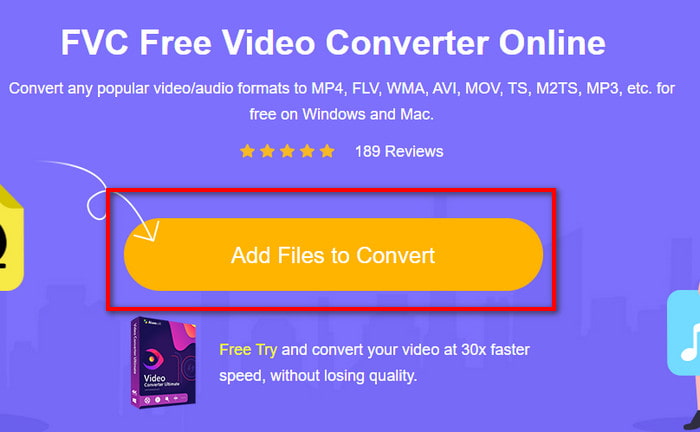
Vaihe 2. Paina Add Files to Convert käynnistääksesi työkalun ja valitse kansiosta tiedosto, jonka haluat muuntaa uuteen formaattiin, napsauttamalla Open.
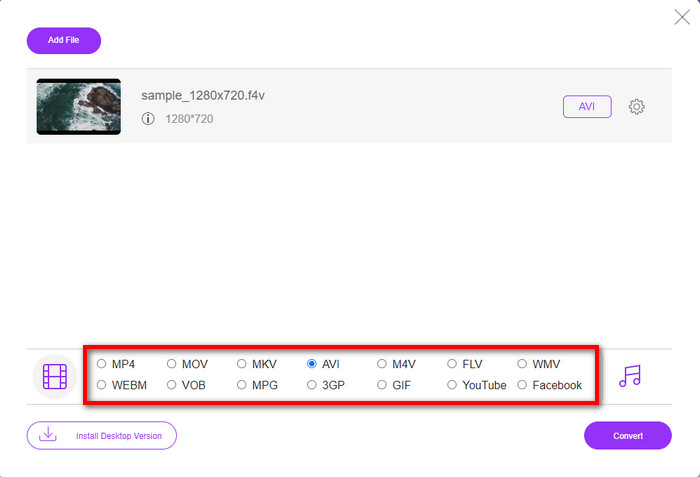
Vaihe 3. Kun tiedosto on lisätty, valitse AVI-muoto alareunasta niistä formaateista, joihin haluat sen muunnettavan.
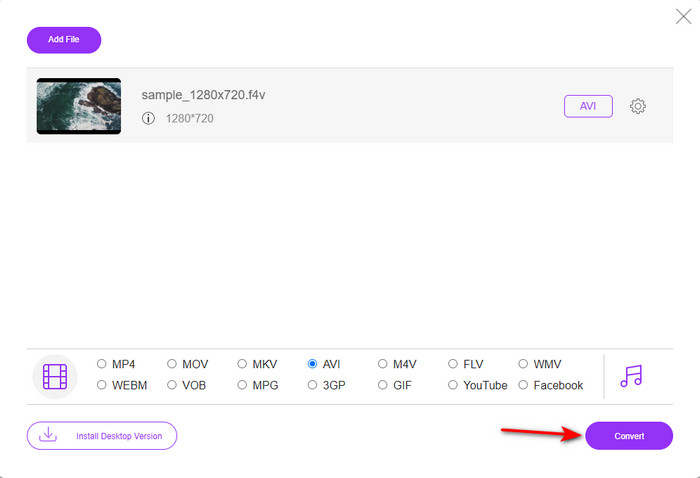
Vaihe 4. Kun olet valinnut AVI-muodon, on aika aloittaa muunnos napsauttamalla Convert-painiketta.
Vaihe 5. Odota muutama minuutti, kunnes tiedosto latautuu, ja sitten avautuu kansio, jossa on muunnettu tiedosto.
2. Zamzar
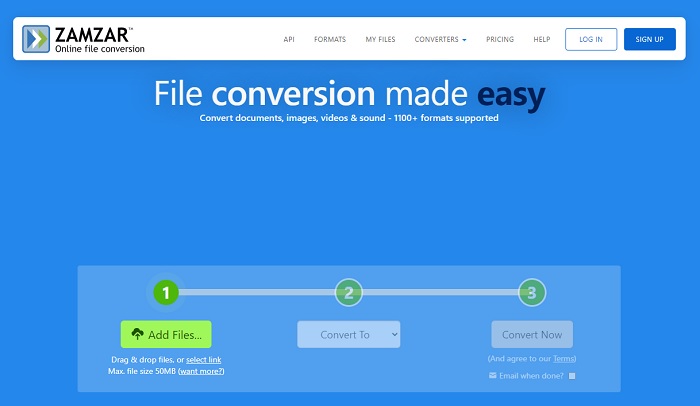
Toinen verkossa käytettävä vaihtoehtoinen muunnin on Zamzar. Kuten mikä tahansa muunnin, tämä työkalu tarvitsee toimiakseen internetyhteyden. Kaikki tässä esitellyt verkkotyökalut tarvitsevat internetiä muunnosprosessin tueksi. Koska monet käyttäjät hyödyntävät tätä, Zamzar on tullut suosituksi, sillä se tukee monia eri formaatteja, joista voit valita. Lisäksi se on maksuton, mutta muunnettavan tiedoston koolle on rajoitus. Jos .f4v-tiedostosi on yli 50 Mt, et voi muuntaa sitä täällä, kuten alla mainitaan. Jos tiedostosi on sitä pienempi, voit yrittää muuntaa F4V-tiedoston AVI-muotoon verkossa seuraamalla alla olevaa ohjetta.
Vaihe 1. Avaa verkkoselain ja etsi Zamzar.
Vaihe 2. Paina Add Files ja etsi muunnettava tiedosto. Valitse sitten AVI-muoto kohdasta Convert to ja napsauta sen jälkeen Convert.
Vaihe 3. Odota prosessin valmistumista; uusi näkymä avautuu, ja napsauta Download tallentaaksesi tiedoston.
3. Muunna tiedostot
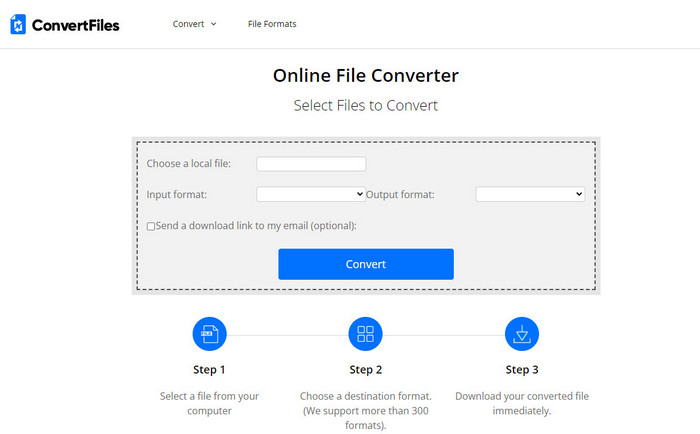
Jos haluat yksinkertaisemman muunnosprosessin, joka vie vain muutamia minuutteja, kokeile ConvertFiles-palvelua. Työkalu toimii hyvin sekä muunnoksen aikana että sen jälkeen. Mainokset kuitenkin heikentävät käyttökokemusta, sillä niitä on käyttöliittymässä paljon. Lisäksi prosessi kestää pidempään kuin muissa verkko- ja työpöytämuuntimissa. Täällä sallittu tiedostokoko on kuitenkin suurempi kuin Zamzarissa. Jos siis haluat käyttää tätä työkalua F4V-tiedoston muuntamiseen AVI-muotoon, noudata näitä ohjeita.
Vaihe 1. Avaa verkkoselain, etsi Convert Files ja avaa sivusto.
Vaihe 2. Napsauta Choose a Local File avataksesi kansion ja etsi muunnettava tiedosto, valitse sitten kohdasta Output Format AVI. Napsauta lopuksi Convert aloittaaksesi muunnoksen.
Vaihe 3. Muunnoksen jälkeen napsauta sinisellä korostettua URL-osoitetta, joka vie sinut uudelle sivulle. Napsauta kyseistä linkkiä ladataksesi muunnetun tiedoston.
Osa 3. Mikä muoto on parempi; F4V vs. AVI
No, F4V ja AVI tekevät työnsä parhaimmillaan konttina. Näitä muotoja on kuitenkin monia yhteisiä, eikä niiden tarkoitus ole sama. Jos esimerkiksi haluat tallentaa korkealaatuisen videon pieneen tiedostokokoon ja säilyttää ja suojata DRM MPEG-4 -videodataa, F4V on paras valinta. Mutta oletetaan, että haluat tallentaa korkealaatuisen videon, joka tukee synkronoitua mediatoistoa. Siinä tapauksessa sinun on valittava AVI-muoto, koska sillä on eri säilö sekä äänelle että videolle. Siitä huolimatta AVI-tiedoston koko on liian suuri käsitellä monilla laitteilla ja jopa pöytäkoneilla, koska se on pakkaamaton.
Osa 4. Usein kysytyt kysymykset F4V:n muuntamisesta AVI:ksi
Alentaako F4V:n muuntaminen resoluutiota muuntamisen jälkeen?
Videon resoluution on säilytettävä alkuperäinen laatu myös sen jälkeen, kun olet muuntanut sen uuteen muotoon. Joissakin tapauksissa monet käyttäjät kokevat, että heidän F4V:n laatu on heikentynyt. Yhtenä syynä on oltava se, että asettamasi laatutaso on alhainen tai käyttämäsi työkalu ei tue 1080- tai 4k-videoita.
Miksi F4V:tä ei voi toistaa mediasoittimellani?
Tämä formaatti toimii useilla mediasoittimilla, mutta kaikki mediasoittimet eivät tue sitä. Jos siis haluat katsoa videota tässä muodossa, paras vaihtoehto on muuntaa se toiseen muotoon tai etsiä uusi kolmannen osapuolen mediasoitin F4V-videoiden katseluun.
Pitääkö minun pakata F4V, jotta se pienenee?
F4V-tiedoston koko ei ole kovin suuri verrattuna AVI-muotoon. Jos yrität pakata tämän säiliömuodon edelleen, on olemassa riski, että videon laatu heikkenee. Täältä voit oppia, miten pakata F4V-videoita.
Johtopäätös
Kun lopetamme tämän artikkelin, meillä on nyt käsitys siitä, mitä F4V on ja miksi sinun on muutettava se. Kaikki tässä artikkelissa mainitut online- ja offline-ohjelmistot toimivat hyvin. Vaikka kaikki työkalut ovat loistavia, FVC Video Converter Ultimate erottuu silti muista. Koska tämä ohjelmisto toimii hyvin, sinulla ei ole Internet-yhteyttä, ja tämä työkalu voi päättää muunnosprosessin silmänräpäyksessä. Joten nyt, jos haluat kokea ilmiömäisen muuntamisen, josta puhumme, lataa se nyt.
-
 Kuinka muuntaa TS AVI: ksi / MKV: ksi / MOV / WMV: ksi verkossa ja ilmaiseksi Win / Macissa
 Haluatko muuntaa TS-tiedostot nopeasti AVI / MKV / MOV / WMV-tiedostoiksi? Tässä artikkelissa esitetään online- ja offline-videomuuntimet täydellisellä oppaalla. Ehkä saat parhaan ilmaisen TS-muuntimen täältä.
-
 [Ilmainen ja online] 7 tapaa muuntaa MTS AVI:ksi Mac-/Windows-tietokoneessa
 Kuinka muuntaa MTS AVI: ksi helposti? Tästä oppaasta löydät 7 ilmaista ja helppoa tapaa muuntaa MTS-tiedostot AVI: ksi Windowsissa tai Macissa ilman laadun heikkenemistä.
-
 Opetusohjelma MP4: n muuntamiseksi AVI-tiedostoiksi 7 ilmaisella videomuuntimella
 Haluatko saada kaikki ilmaiset tavat muuntaa AVI MP4-videoksi? Sinun ei pitäisi missata tätä artikkelia. Tässä on 7 tapaa muuntaa AVI-tiedostoja MP4-muotoon ilmaiseksi Windowsissa, Macissa, iPhonessa, Androidissa ja verkossa.
