


 Video Converter Ultimate
 Näytön tallennin
 Videon korjaus
Hallitse OGV-tiedoston muuntamisen taito AVI-muotoon online- ja offline-tilassa
OGV files is an open-source made by Xiph.org that has the same structure as OGG Vorbis. Also, this format can contain one or more codecs to suppress the video streams. However, playing the .ogv file on Windows Media Player or Quicktime doesn't support the codecs like Theorec, Daala, or Diarac. In this case, you aren't able to play the video because of compatibility reasons. The solution to solve this problem is to convert the file into a much-supported format like AVI. This article states the converters you can use and how to convert OGV files to AVI.
Osa 1. OGV ja AVI - Yleiskatsaus
Kuten tiedoissa aiemmin todetaan, OGV on avoimen lähdekoodin tiedostoja, jotka tallentavat korkealaatuisia videovirtoja. Mutta jos haluat synkronoida mediatiedostojen toiston, AVI:n on oltava valinta. Vaikka nämä kaksi säiliötä ovat edelleen hienoja käyttää edelleen, niillä on tarkoituksensa. Määritetään niiden tarkoitus kaivamalla lisätietoja kahdesta formaatista.
OGV
Toinen OGV:n tarkoitus on toistaa videoita HTML 5:llä, koska se on yksi parhaista patentoimattomista muodoista, joita voit lisätä verkkoon. Kun päivitetty HTML 5 on tehty, et tarvitse laajennusta videoiden toistamiseen verkossa. Lisäksi tämä muoto antaa web-suunnittelijalle, joka tukee multimediaa ja mukavuutta. Vaikka OGV-tiedostot tukevat videoiden suoratoistoa HTML 5 -muodossa, muoto ei silti tue muita mediasoittimia tämän muodon toistamiseen.
AVI
Sillä välin AVI-muoto saa jo laajan tuen kaikilta mediasoittimista ja editoijilta OGV:hen verrattuna. Ja sen pakkaamattoman muodon vuoksi tähän muotoon tallennettu tiedostokoko on paljon suurempi kuin muussa mediamuodossa. Vaikka tiedostot ovat laajempia, voit silti käyttää eri koodekkityyppejä tämän muodon pakkaamiseen ja pienentämiseen. Jos kuitenkin puristat tiedoston tähän muotoon, voit odottaa, että videon laatu muuttuu.
Ja nyt kun meillä on taustaa näistä kahdesta formaatista, on nyt oikea aika muuntaa OGV AVI:ksi Linuxissa, PC:ssä ja Macissa. Jos haluat toistaa sen paikallisella mediasoittimella tai muokata alla olevaa videota, tiedosto on muunnettava AVI:ksi.
Osa 2. Paras vaihtoehto offline-muunnin OGV:n muuntamiseksi AVI:ksi
FVC Video Converter Ultimate
Do you want to know which is the best OGV to AVI converter that provides the fastest and secured conversion process? If so, FVC Video Converter Ultimate is a choice. For all of the converters we searched and tried over the internet, this tool is incomparable and does provide phenomenal output. This software offers many advanced features on the toolbox like the editor, merging, compressing, and more. Also, the conversion process is 30x faster because this software uses hardware acceleration and faster conversion than the other converters available online or offline don't have.
Lisäksi, jos haluat tehdä erämuunnoksen, voit tehdä sen helposti täällä ilman hikoilua. Lisäksi käyttöliittymä ja lisäominaisuudet ovat saatavilla sekä Windows- että Mac-käyttäjille. Joten nyt siirrytään vaiheisiin muuntaaksesi OGV-tiedostosi uuteen AVI-muotoon muutamassa sekunnissa seuraamalla alla olevia ohjeita.
Step 1. Before you can convert OGV to AVI on Windows or Mac, you must download the software first. Install the software on your computer drive and click Start Now to run the software on the system.
Ilmainen latausWindows 7 tai uudempiTurvallinen lataus
Ilmainen latausMacOS 10.7 tai uudempiTurvallinen lataus
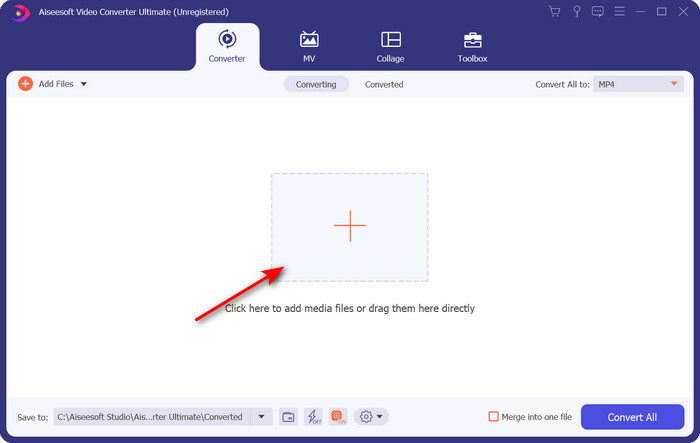
Step 2. Upload the .ogv file by clicking the + button; a file folder will show where you can locate the file, and then click Open.
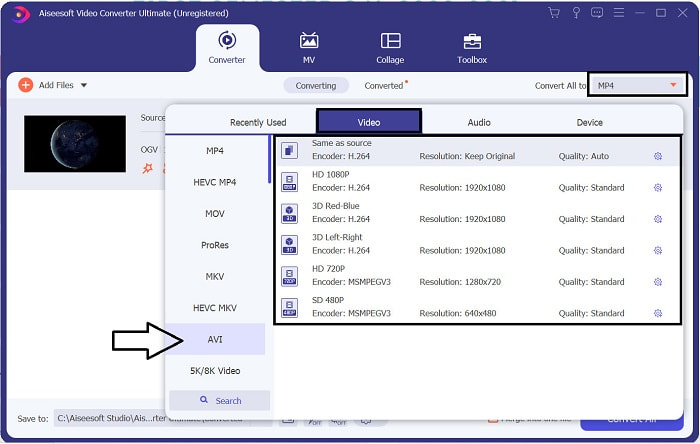
Step 3. Once the file is uploaded, click Convert All to, choose the AVI format or the other format you want the final output would you want it to turn.
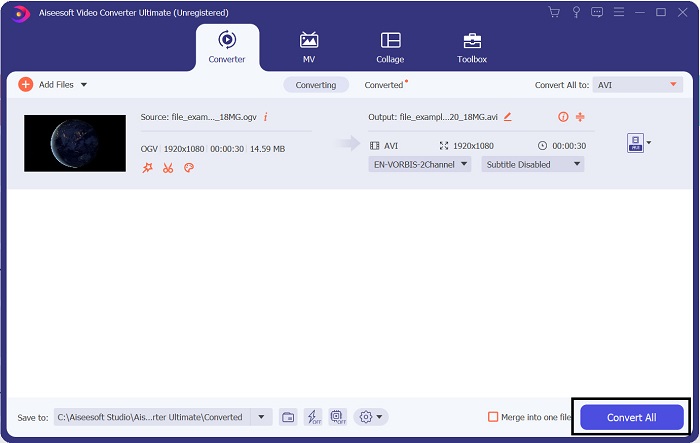
Step 4. Click Convert All to start the conversion process; this process will only take a few seconds because of the fast conversion this tool supports.
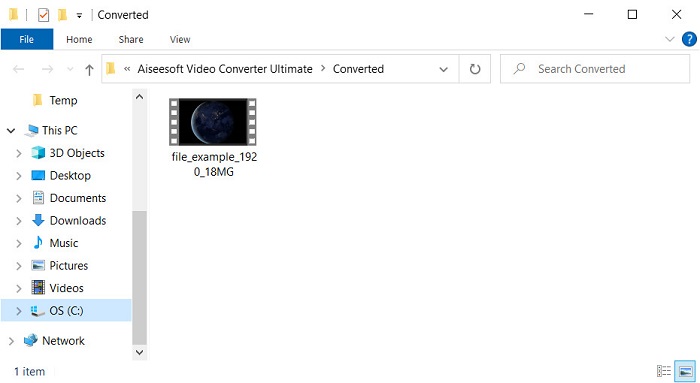
Step 5. After the conversion, a file folder will show on your screen containing the .avi file; click the file to watch it on your media player.
Osa 3. Paras ilmainen verkossa saatavilla oleva OGV-AVI-muunnin
FVC ilmainen videomuunnin verkossa
Don't want to download a converter on your drive; instead, convert OGV to AVI online for free? Then FVC Free Video Converter Online is the best pick-up. Nowadays, converting can be done online and by searching for a web tool that will help you. However, not all of the web tools support format like the .ogv file. Although there are some trusted converters, this online converter is the safest, has no ads, and is everyone's favorite. To proceed, if you want to convert your OGV files without downloading any converter and with no limitation, then follow these steps.
Step 1. Go to the official website of FVC Free Video Converter Online by clicking this link.
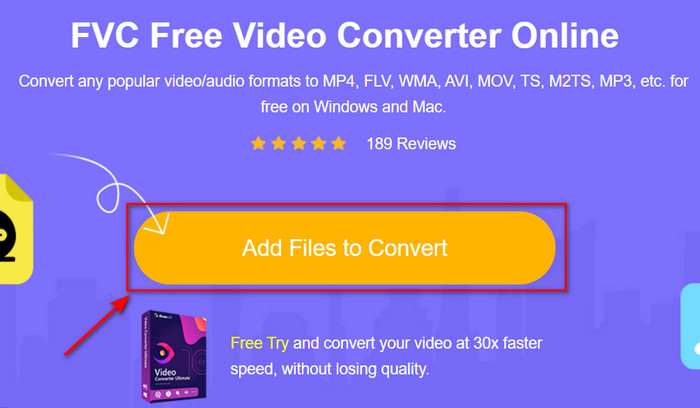
Step 2. Once the website is open, click the Add Files to Convert to download the launcher. Press it again to open a folder to see the .ogv files, then click Open to upload. Additional information, although you can convert without limit here, you still can't do batch conversion.
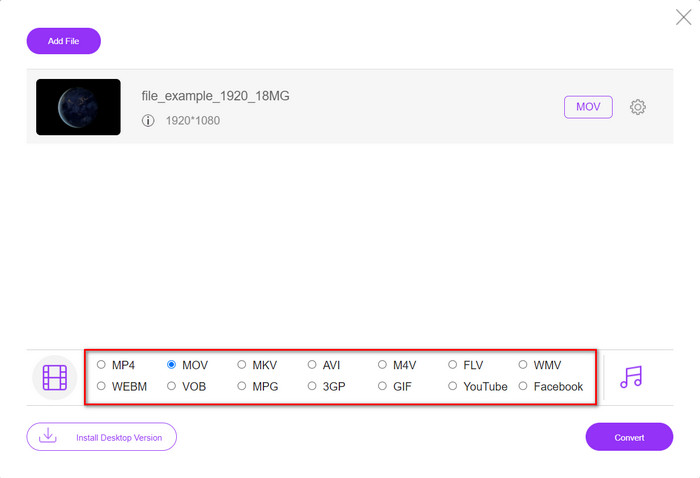
Step 3. Choose the AVI format on the submenu and click it.
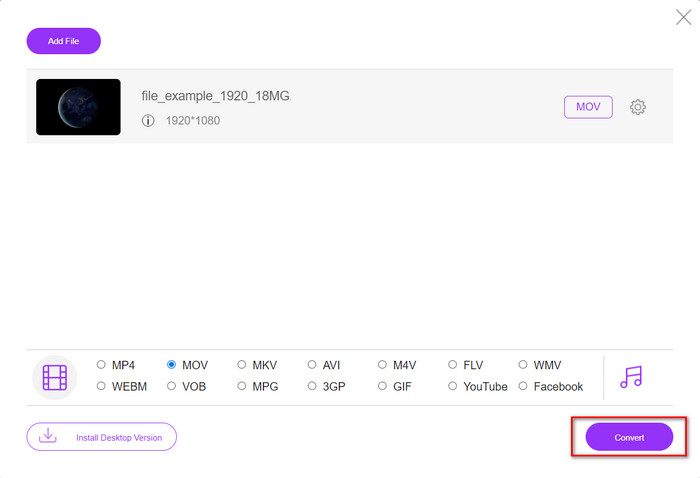
Step 4. Let's start now converting the OGV format to AVI by clicking the Convert button.
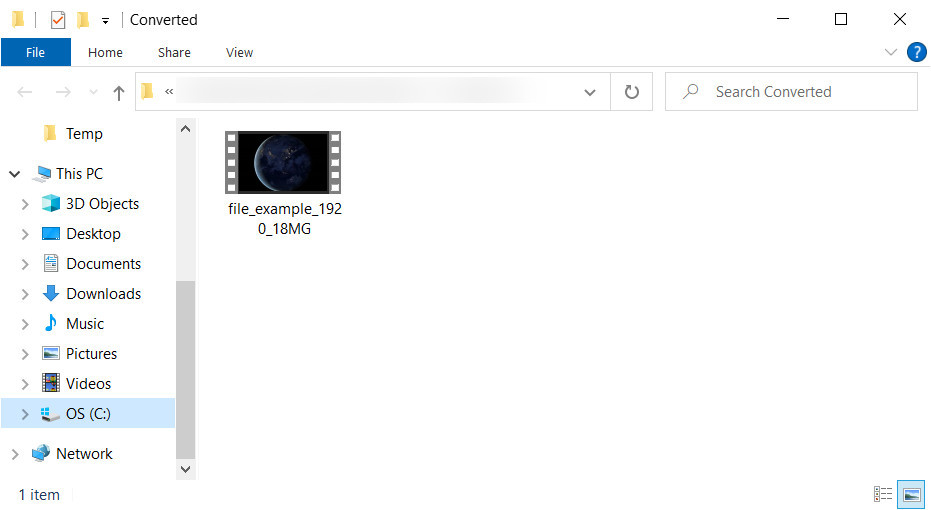
Step 5. Converting the file will end shortly; a folder will show with the .avil file.
Osa 4. Usein kysytyt kysymykset OGV:n muuntamisesta AVI:ksi
Voinko pelata .ogv:tä VLC:llä?
Yes, you can play the .ogv video file on your VLC Player as quickly as that, and it is one of the most prominent media players you can download for free. But if you want to know the 5 best alternatives for VLC, click this link to have an idea about the other media player you can use on PC and Mac.
Ovatko OGG ja OGV samat?
Xiph.org perusti OGG:n ja OGV:n yhdeksi parhaista käytettävissä olevista formaateista, jotka käyttävät koodekkeja, kuten Vorbis ja Theora. Vaikka .ogg voi sisältää videota ja ääntä, se sopii silti parhaiten äänelle videoon verrattuna. Sitä vastoin .ogv on paras muoto sekä video- että äänitiedostoille.
Heikkeneekö laatu .ogv:n muuntamisen jälkeen?
It depends on what converters you will use because some OGV converters don't provide high-quality output. Unlike FVC Video Converter Ultimate, this tool lets you manipulate the quality into low, middle, or high to make your output better in quality and smaller in size.
Johtopäätös
All of the mentioned converters in this article convert the OGV to AVI format without losing its quality. It is best to choose the perfect converter that provides the most efficient way of converting the format. If you want to convert a single file without spending a penny, use the FVC Free Video Converter Online. But suppose you're going to do batch conversion easily and without any trouble looking for an internet connection; you must download the FVC Video Converter Ultimate.
-
 Toinen RMVB-tiedoston AVI-muuntimen parhaimmista vaihtoehdoista [Online & Offline]
 Etkö tiedä kuinka muuntaa RMVB AVI:ksi? Tämä artikkeli keskittyy muuntimiin, joiden avulla voit muuntaa RMVB:n AVI:ksi joko online- tai offline-tilassa.
-
 Kuinka muuntaa XviD AVI:ksi menettämättä videon laatua [2025]
 Haluatko muuntaa XviD-tiedoston AVI:ksi? Jos näin on, lue tämä artikkeli, kun puhumme enemmän XviD:stä ja XviD-tiedoston muuntamisesta AVI-muotoon.
-
 Paras strategia DV-tiedoston muuntamiseksi AVI-muotoon yksityiskohtaisilla vaiheilla
 Haluatko muuntaa DV-tiedoston AVI:ksi? Lue sitten tämä artikkeli saadaksesi tietoa ainutlaatuisesta työkalusta, jolla voit muuntaa, ja mediasoittimen DV:n toistamiseen PC- tai Mac-tietokoneellasi.
