


 Video Converter Ultimate
 Näytön tallennin
 Videon korjaus
Opi 3 tapaa muuntaa VOB AVI:ksi online- ja offline-tilassa
VOB-tiedostoja käytetään yksityisten streamien tallentamiseen, ja se käyttää häviöllistä videopakkausta, kuten MPEG-2. Lisäksi niillä on melkein sama rakenne, jos vertaamme näitä kahta. .vob-tiedostoilla on kuitenkin rajoituksia ja määrityksiä, ennen kuin voit edes käyttää niitä. Ja siksi et voi helposti toistaa VOB-tiedostoa paikallisella mediasoittimellasi. Joten nyt, säästääksesi aikaasi sen avaamisen etsimisessä, suosittelemme, että sinun on muutettava se valitsemalla muuntimen alla. Siinä tapauksessa esittelemme sinulle parhaan mahdollisen muuntimen ja opimme muuttamaan VOB: ksi AVI:ksi online- tai offline-tilassa luettelossa olevien työkalujen avulla.
Osa 1. Kuinka muuntaa VOB AVI Onlineksi
Jos budjettisi on tiukka, suosittelemme, että käytät ilmaista työkalua. Kun etsimme internetistä, huomasimme, että on olemassa työkalu, jota pidetään parhaana verkkopohjaisena muuntimena, ja se on FVC Free Video Converter. Lisäksi tämä työkalu on hyvin helppokäyttöinen jokaiselle käyttäjälle, joka on sitä jo kokeillut, ja kaikki ovat olleet vaikuttuneita siitä, kuinka hyvin se toimii. Jos siis haluat itsekin vaikuttua tämän muuntimen toimivuudesta, kokeile muuntaa VOB-tiedosto AVI-muotoon seuraamalla alla annettuja ohjeita.
Vaihe 1. Siirry suoraan muuntimen sivustolle napsauttamalla tätä linkkiä.
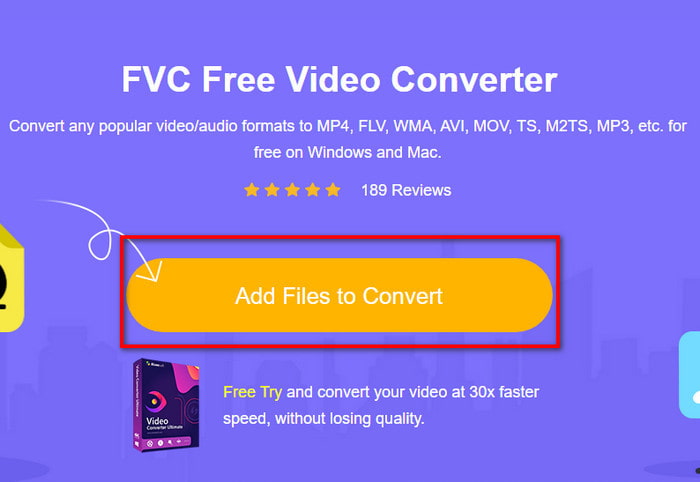
Vaihe 2. Sivustolla napsauta kohtaa Add Files to Convert ladataksesi asennusohjelman. Ei syytä huoleen, se on vain muutaman kilotavun kokoinen. Napsauta sen jälkeen painiketta uudelleen käynnistääksesi työkalun ja etsi tiedosto kansiosta. Kun olet löytänyt sen, napsauta seuraavaksi Open.
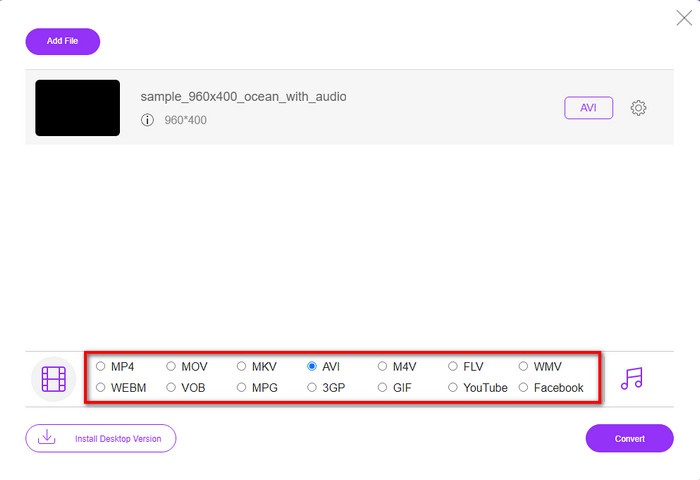
Vaihe 3. Näytöllesi avautuu uusi FVC-käyttöliittymä. Valitse alapuolella olevasta luettelosta AVI-muoto tai mikä tahansa muu muoto, johon haluat tiedoston muunnettavan.
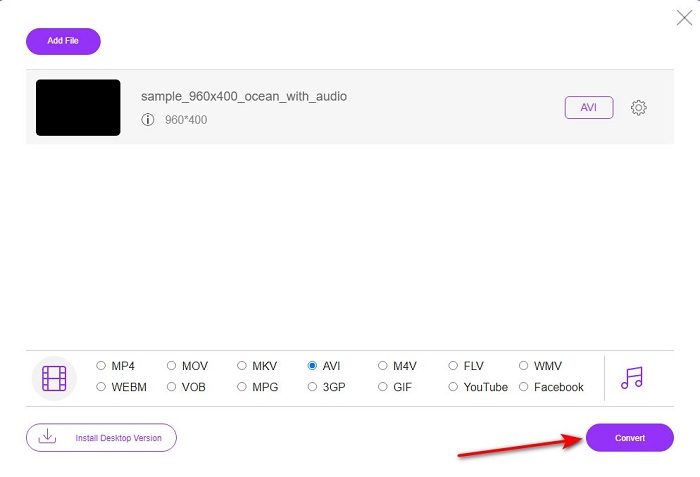
Vaihe 4. Kun olet valinnut muodon, aloita tiedoston muuntaminen napsauttamalla Convert.
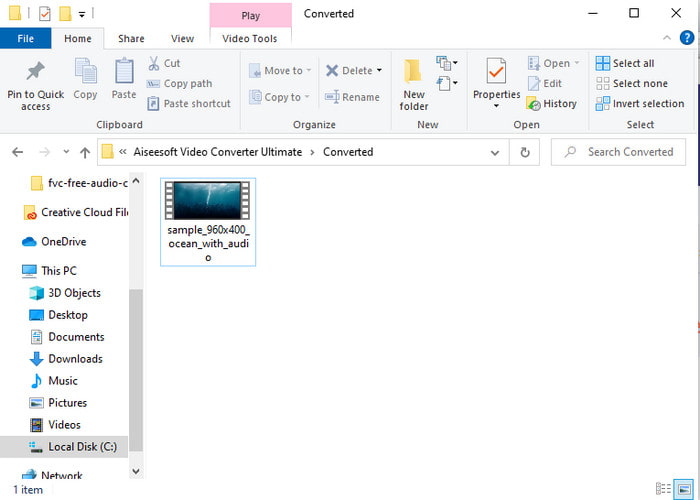
Vaihe 5. Tämä kestää arviolta alle minuutin. Kun muunnosprosessi on valmis, avautuu kansio, jossa on juuri muunnettu tiedosto.
Osa 2. VOB:n muuntaminen AVI:ksi Windowsissa ja Macissa
Käytä Phenomenal Converter: FVC Video Converter Ultimate
Jos aiot ladata VOB to AVI -muuntimen, tämän on oltava paras parhaista vaihtoehdoista, jonka haluaisit tehdä. FVC Video Converter Ultimate on aina nimensä mukainen äärimmäisenä työkaluna, joka ratkaisee kaikki mahdolliset äärimmäiset tilanteet, erityisesti muuntamisen yhteydessä. Tämä ohjelmisto eroaa paljon mainituista kahdesta työkalusta. Ehkä mietit miksi, ja se johtuu vain siitä, että se sopii täydellisesti kenelle tahansa, olitpa ammattilainen tai aloittelija. Yleinen suorituskyky, jonka koemme kokeillessamme tätä työkalua, on jo hämmästyttävä, ja olemme vaikuttuneita siitä, kuinka nopeasti muunnos voidaan tehdä. Ja nyt, jos haluat kokea ilmiömäisen muuntamisen, josta puhumme, noudata alla olevia ohjeita.
Vaihe 1. Ennen kuin voit käyttää työkalua, sinun täytyy ladata se. Asenna se sitten, kun lataus on valmis, tee perusasetukset ja napsauta Start Now.
Ilmainen latausWindows 7 tai uudempiTurvallinen lataus
Ilmainen latausMacOS 10.7 tai uudempiTurvallinen lataus
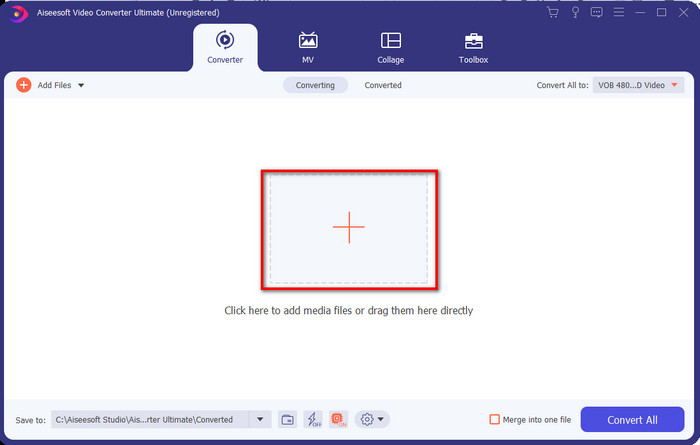
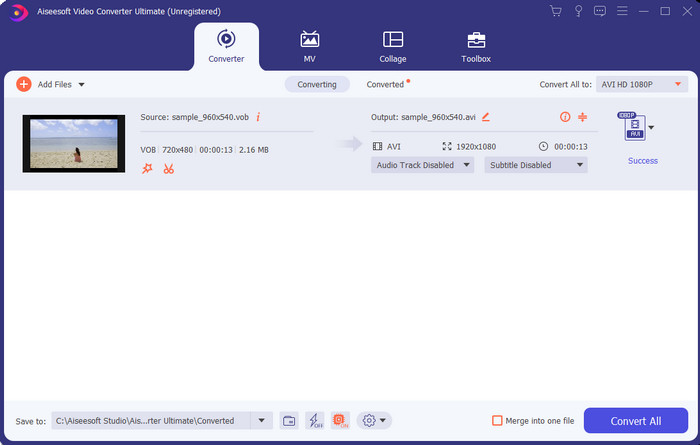
Vaihe 2. Kun asennus on valmis, avaa ohjelmisto. Näytöllesi tulee tällainen käyttöliittymä. Napsauta käyttöliittymän keskiosassa olevaa + -painiketta, jolloin näytölle avautuu kansio. Napsauta Open jatkaaksesi prosessin seuraavaan vaiheeseen.
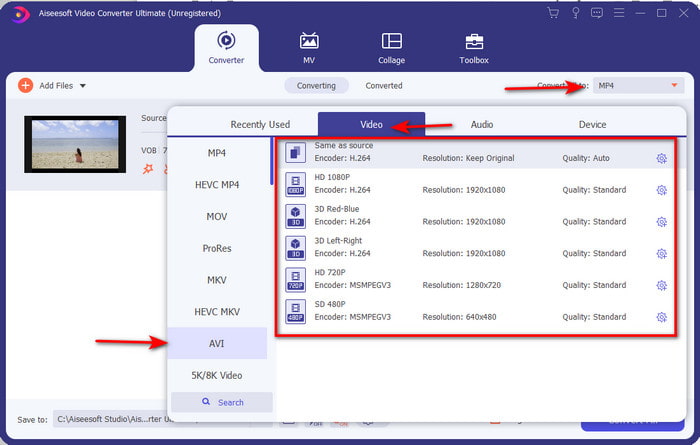
Vaihe 3. Napsauta käyttöliittymän vasemmasta yläkulmasta painiketta Convert All to ja valitse Videot-kategoriasta AVI-muoto.
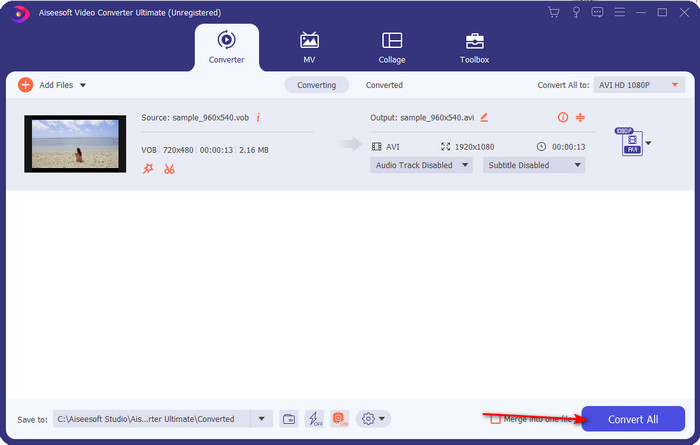
Vaihe 4. Kun olet valinnut haluamasi muodon, napsauta Convert All aloittaaksesi muunnoksen.
Vaihe 5. Sinun ei tarvitse huolehtia pitkästä odotusajasta, koska muunnos valmistuu muutamassa sekunnissa. Tämän jälkeen näyttöön avautuu automaattisesti kansio, jossa on juuri muuntamasi mediatiedosto. Napsauta sitä katsoaksesi ja nauttiaksesi .vob-tiedostosi uudesta versiosta.
Käytä ilmaista työkalua: Käsijarru
Jos etsit ilmaista työkalua, HandBrake on siihen hyvä vaihtoehto, eikä sen käyttö edellytä jatkuvaa internet-yhteyttä – aivan kuten FVC Video Converter Ultimate. Sen voi lisäksi ladata ja käyttää maksutta kuka tahansa, jolla on pöytäkone kotona, työpaikalla tai missä tahansa. Huomaa kuitenkin, että ennen kuin voit käyttää työkalua, sinun on ladattava erillinen tiedosto nimeltä .NET 5.0. Jotkut käyttäjät pitävät tätä hieman ärsyttävänä, koska työkalun lataamisen jälkeen täytyy ladata vielä toinenkin tiedosto. Jos kuitenkin haluat tehokkaan ja ilmaisen muunnosprosessin, kokeile HandBrake VOB to AVI -muunnosta ja noudata alla olevia ohjeita.
Vaihe 1. Asenna työkalu ensin tietokoneesi levylle.
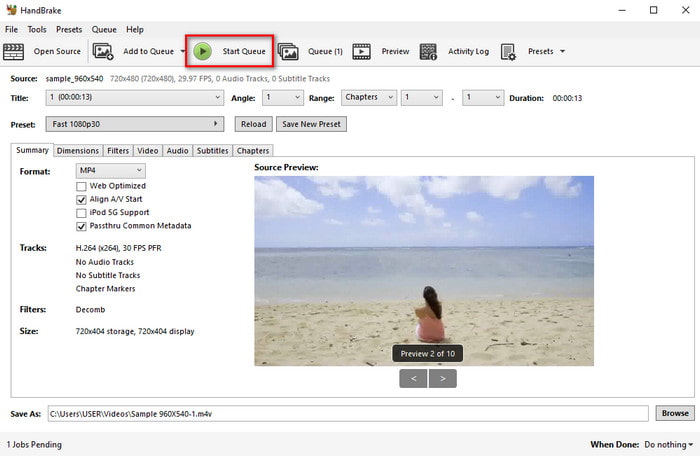
Vaihe 2. Napsauta File ja etsi .vob-tiedosto kansiostasi.
Vaihe 3. Napsauta Format ja valitse luettelosta haluamasi muoto, sitten napsauta Start Queue.
Osa 3. Mikä on paras muunnin VOB-tiedostojen muuntamiseen AVI-muotoon
| Ominaisuudet | FVC Free Video Converter | FVC Video Converter Ultimate | Käsijarru |
| Muunnetaan muotoa |  | | |
| Laitteisto- ja muunnoskiihdytys |  | | |
| Internet-yhteys | | | |
| Videon tehostin tai editointi | | | |
| Ohjelma tuettu | Web-pohjainen työkalu | Työpöytäpohjainen työkalu | Työpöytäpohjainen työkalu |
Osa 4. Usein kysytyt kysymykset VOB:sta ja AVI:sta
Mitä muita tiedostoja VOB voi sisältää?
VOB on monipuolinen DVD-formaatti ja siksi se voi sisältää videon ja äänen lisäksi myös tekstityksiä, navigointisisältöä ja valikkoa.
Miksi en voi toistaa VOB-tiedostoja mediasoittimellani?
Yksi syy siihen, miksi VOB ei toistu mediasoittimessasi, on se, että tätä muotoa tuetaan mediasoittimissa vain melko rajallisesti. Voit napsauttaa tästä löytääksesi saatavilla olevia VOB-soittimia. Jos ongelma jatkuu, yksi toimiva ratkaisu on muuntaa VOB jokin yllä esitellyistä muuntimista käyttäen.
Miksi VOB-tiedostot ovat liian suuria?
Ainoa syy, miksi tämä formaatti on niin suuri, on se, että se sisältää erilaisia tietoja, joita DVD:llä pitäisi olla. Emme myöskään voi jättää huomiotta videon pituuden mahdollisuutta. Tai napsauta tätä saadaksesi lisätietoja VOB-tiedostojen pakkaamisesta.
Johtopäätös
Joten nyt, jos haluat muuntaa VOB-tiedoston, se voidaan tehdä helposti yllä olevien työkalujen avulla. Muuten FVC Video Converter Ultimate on muunnin, joka todella erottuu muista mainituista online- ja offline-työkaluista. Koska voit muuntaa VOB: n AVI: ksi Windowsissa ja jopa Macissa helposti. Jos sinulla ei vieläkään ole aavistustakaan, mitä käyttää, suosittelemme, että sinun täytyy ladata ilmiömäinen työkalu kokeaksesi selkeän tuloksen ja hämmästyäksesi.
-
 VOB MP4: ksi - 3 tapaa muuntaa VOB-tiedostot MP4: ksi ilmaiseksi irtotavarana
 Tässä artikkelissa esitellään 3 ilmaista VOB MP4 -muuntimeen ja siihen liittyviä oppaita. Voit vapaasti muuntaa VOB: n MP4-tiedostoiksi ilmaiseksi Windows / Mac / verkossa helposti.
-
 Parhaat tavat muuntaa VOB FLV:ksi [ilmainen ja online mukana]
 Haluatko muuntaa VOB-tiedoston FLV-tiedostoksi? Voit suorittaa tehtävän helposti joko työpöydällä tai verkossa olevilla muuntimilla. Lue tämä opas ja opi muuttamaan VOB FLV: ksi helposti ja nopeasti.
-
 Mikä on VOB -tiedosto ja kuinka muuttaa VOB -tiedosto ilmaiseksi GIF -muotoon
 Haluatko tietää lisää VOB-tiedostoista ja niiden jakamisesta kopioinnin jälkeen? tai Miksi sinun on muutettava VOB GIF-muotoon? Lue sitten tämä artikkeli huolellisesti.
