


 Video Converter Ultimate
 Näytön tallennin
 Videon korjaus
Yksityiskohtaisissa katsauksissa 3 Web- ja työpöytämuuntimesta, joita käytetään WMV-tiedostojen muuntamiseen AVI:ksi
There will be a time that you want to convert your file into a new one because they aren't playable. An excellent example in this situation is the WMV format. If you are a Windows user, you have already heard of this format. It stores different video and audio files in one container. However, this format doesn't gain support from most of the media players. So the best way to watch the video file stored in the file extension of .wmv is to convert. If you're asking the same question as others, can you convert WMV to AVI? Then try to proceed below as we accumulate different web tools you can use with the steps provided.
Osa 1. 3 parasta muuntaa ilmaiseksi Muunna WMV AVI Online
Suosituin 1. Ilmainen FVC-videomuunnin verkossa
Converting can be quickly done if you have internet access and use this FVC Free Video Converter Online. This software supports a much faster and better conversion, unlike other webtool. Also, you will not need to wait for the file to upload because this tool doesn't want you to wait for too long. Another good thing about this web tool is the built-in converted video library this tool provides. To access the video or audio, you convert efficiently and effectively. However, if you don't have internet access, you can't use this just like the other web tool below. Moreover, if you want to try this tool, then here are some provided steps you can follow to convert WMV to AVI for free online.
Step 1. First, go to the main website of the FVC by clicking this link.
Step 2. Then click Add Files to Convert to install the launcher of the web tool. No need to worry because it is only just a few bytes, and it is safe also. If the installer is on your drive, re-click the Add Files to Convert, choose the .wmv format on the folder, and click Open.
Lataa työpöytäversio muuntaaksesi tiedostoja erissä.
Step 3. Once the WMV file is on the interface, you must now choose the AVI format on the options available below.
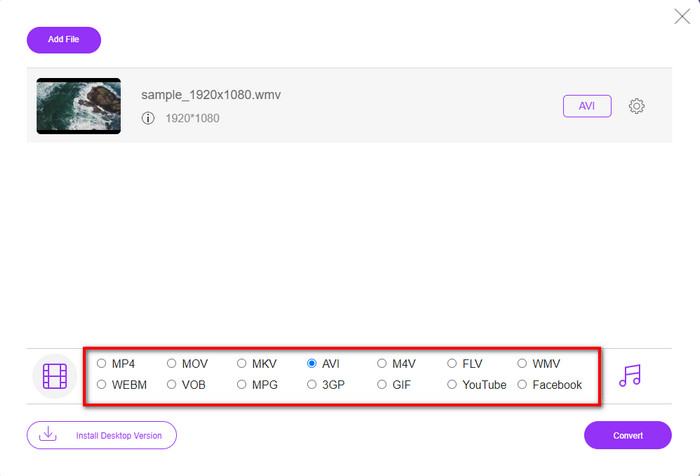
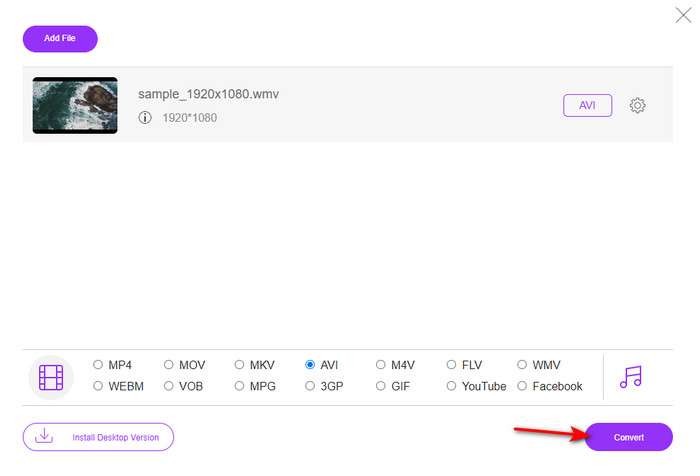
Step 4. After selecting the format, it is now the right time to convert it by clicking Convert.
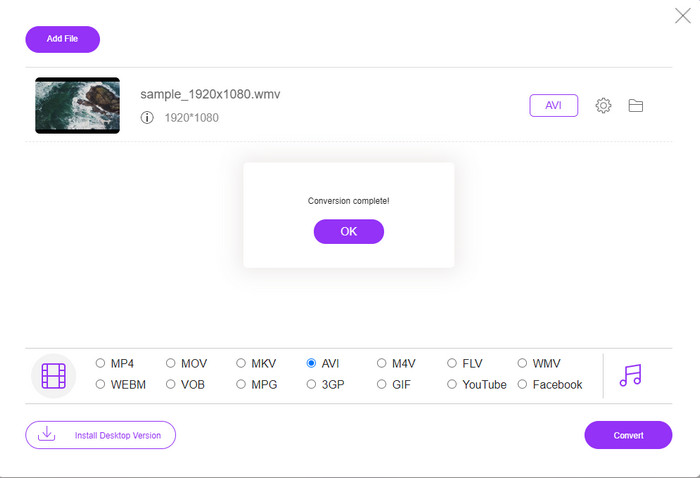
Step 5. Wait for a few minutes for the process to end, and if it is a folder containing your converted file will show on your screen. Then click it to watch the new WMV format you've made with this tool.
Top 2. Convertio
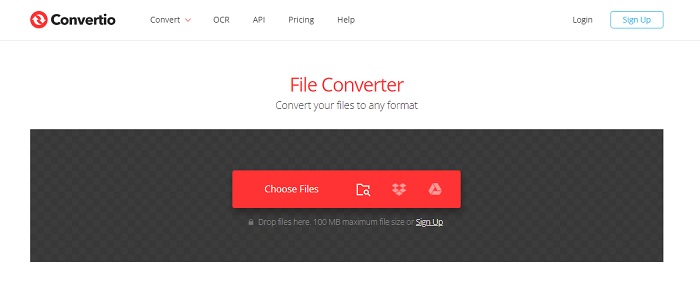
Another online converter you can use to convert WMV files to AVI for free is the Convertio. Unlike the web tool mentioned first, you will not need a launcher to use it. Also, you can convert PDFs, images, audio, and more in this tool. However, the major drawback is that uploading and downloading files will take a lot of time. Also, it doesn't have a built-in library containing all the converted files you've made. So now, if you want to use this as your converter, then follow these steps.
Step 1. Go to your favorite browser and search Convertio.io.
Step 2. Click Choose File and locate the WMV file you want to convert to the folder. Then click the drop-down button and choose AVI.
Step 3. The uploading process will take your time, and click Download to save the converted format.
Top 3. CloudConvert
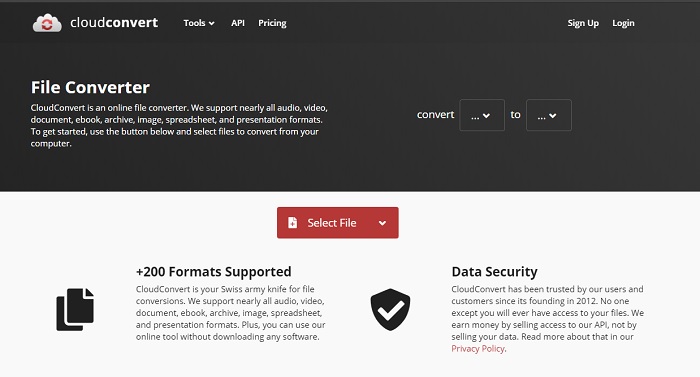
CloudConvert supports small-scale formats you can choose to convert on. Also, the conversion process here is safe and doesn't keep a record of your converting process. Just like the Convertio, this tool doesn't have a library as well. And the process of converting format here is so much slower as it doesn't support hardware acceleration to boost the conversion speed. Moreover, if you want to experience a free convert WMV to AVI online, copy the steps below.
Step 1. Open your web browser and search the Cloud Convert.
Step 2. Press Select File, then search for the .wmv file on the folder that will show on your screen.
Step 3. Click Convert to, choose the AVI format, click the Convert button, click Download after the conversion.
Osa 2. WMV:n muuttaminen AVI:ksi Macissa ja PC:ssä Lightning Speed Converterilla
The online software mentioned above can't copy what FVC Video Converter Ultimate provides to its customers. If you are looking for a multi-purpose tool, this must be the best choice. Also, you can use this software as a converter, editor, GIF maker, and more. Moreover, this software is more than expected on what it can do and how fast it can finish. The overall performance of this tool amazes us and if you want to be surprised too, then download this phenomenal converter on your desktop. And now, let's proceed with converting WMV to AVI on Mac and PC by following the step-by-step procedure we made below.
Step 1. Before you can access the tool, you will need to download it first and choose which platform you are currently using. Then install the software on your desktop and so the quick set-up takes less than a minute.
Ilmainen latausWindows 7 tai uudempiTurvallinen lataus
Ilmainen latausMacOS 10.7 tai uudempiTurvallinen lataus
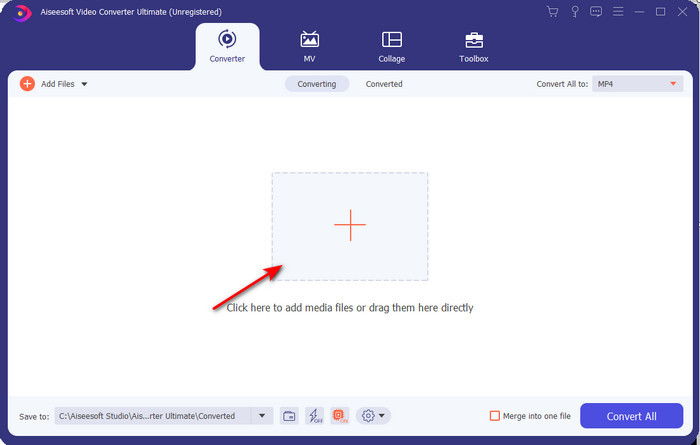
Step 2. Open the software to proceed to the next step; after launching it, you will see a + sign; click it to add the files, then select Open.
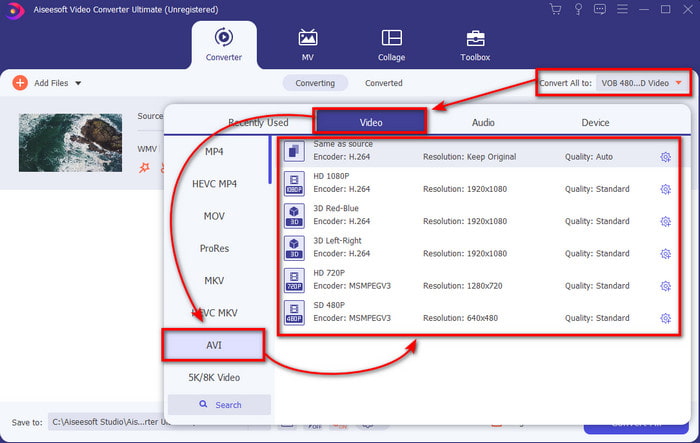
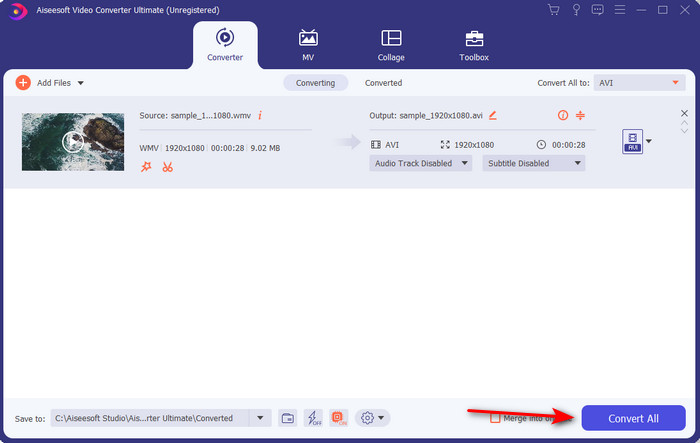
Step 3. To change the format, click the drop-down menu of Convert All to and choose AVI on the submenu.
Step 4. So now, to convert the WMV file to AVI successfully, click Convert All and wait for several seconds for the process to be done.
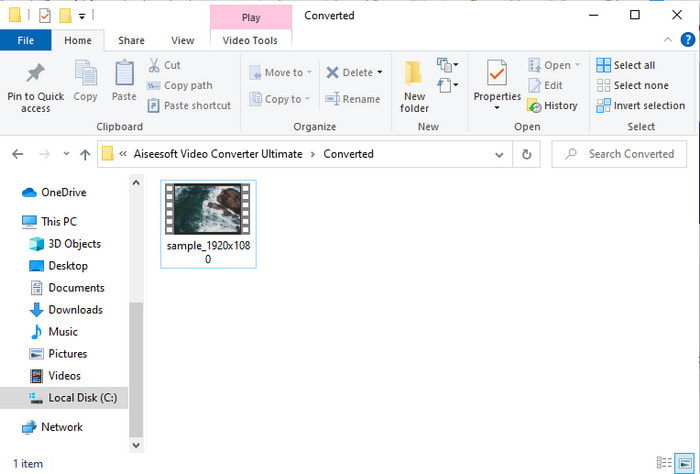
Step 5. After converting, a folder will show on your screen with the converted file you made a few seconds ago. To watch it click the video file and enjoy your converted WMV file without losing the quality.
Osa 3. WMV VS AVI; Mikä muoto toimii parhaiten
WMV ja AVI ovat huippuluokan videotiedostosäiliöitä, joita haluaisit käyttää. Mainitut kaksi formaattia voivat sisältää korkealaatuista videokuvaa ja ääntä, mutta nyt selvitetään niiden erot lukemalla tämä vertailutaulukko.
| WMV | AVI | |
| Tunnetaan myös | Windows Media Video | Audio Video Interlevance |
| Paras käyttötarkoitus | Se muutti aiemmin suuren tiedoston pienemmäksi hyvin jäsenneltyä videon suoratoistoa varten. | Käytetään videon ja äänen tallentamiseen erikseen ja niiden toistamiseen samanaikaisesti ilman viiveitä. |
| Kehittäjä | Microsoft | Microsoft |
| Formaatin haitat | Se saa vähemmän huomiota ja tukea mediasoittimista. | Se tarvitsee koodekin pakatakseen tämän suuren tiedoston paljon pienempään, mutta tietyn rajan sisällä. |
WMV vs. AVI
Microsoftin tuottama WMV oli yksi yleisimmistä videoformaateista 2000-luvulla. Se voidaan nähdä verkossa ja toistaa useilla Windowsin mediasoittimilla. Ja se on myös Windows Media Playerin oletusvideotiedostomuoto. Mutta sen ovat ottaneet muut muodot viime aikoina.
Resource Interchange File Format (RIFF) -muotoon perustuvan AVI-muodon Microsoft esitteli vuonna 1992. Se voi tallentaa korkealaatuista videota/ääntä, koska se käyttää vähemmän pakkausta. Mutta tämä aiheuttaa myös AVI-tiedoston suuren tiedostokoon, mikä voi olla ongelma, kun tilaa on rajoitetusti.
Osa 4. Usein kysyttyä WMV- ja AVI-muodosta
Vaikuttaako WMV:n muuttaminen AVI:ksi laatuun?
WMV-tiedoston laatu ei saa muuttua, kun se muutetaan AVI:ksi. Oletetaan kuitenkin, että WMV muuttuu ja laatu heikkenee. Siinä tapauksessa käyttämäsi muunnin ei tue videosi korkealaatuista pikseliä.
Muuttuuko WMV:ni koko muuntamisen jälkeen?
WMV:n tiedostokoko saattaa olla hieman erilainen kuin alkuperäinen tiedostokoko. On syy miksi se muuttuu. Yksi syy on se, että pakattu tiedosto muuttuu pakkaamattomaksi, joten tiedoston koko muuttuu. Mutta muutosten on oltava lähellä alkuperäistä tiedostokokoa, eivätkä ne saa olla niin suuria tai suuria.
Voinko käyttää WMV:tä videon liittämiseen sähköpostiin?
Kyllä, on ihanteellista käyttää WMV-muotoa ja liittää video sähköpostiin, koska se tukee Microsoftin mukaan parempaa ja nopeampaa pakkausta kuin MPEG-4. Se tunnetaan myös pienoismuotona, koska tiedostokoko voi olla pieni. Videon laatu kuitenkin säilyy.
Johtopäätös
Kun lopetamme, meidän on helpompi ymmärtää, että kaikki alustat ja ohjelmistot eivät tue WMV:tä. Lisäksi web-työkalu toimii hyvin, mutta on yksi työkalu, joka voi muuntaa erätiedostoja paljon nopeammin ja helpommin: FVC Video Converter Ultimate. Oletetaan, että haluat kokea tämän ohjelmiston tarjoaman ilmiömäisen muuntamisen. Siinä tapauksessa sinun on ladattava tämä nyt työpöydällesi ja käytettävä sitä.
-
 Kuinka muuntaa WMV MP4:ksi ilmaiseksi ja verkossa [Ratkaistu]
 Kuinka muuntaa WMV-tiedostot MP4iksi? Tässä on 4 helppoa tapaa muuntaa WMV MP4: ksi Macissa ja Windowsissa yksinkertaisilla vaiheilla.
-
 WMV MP3:ksi – Videon muuntaminen ääneksi ilmaiseksi [ Työpöytä / Online]
 Kun katsot WMV-videota, löydät ääniosan kiehtovana. Siksi haluat toistaa sen MP3-soittimellasi. Mutta selvästikään soittimesi ei tue WMV-muotoa. Tämä saa sinut miettimään, onko olemassa tapaa muuntaa WMV MP3:ksi.
-
 2 helpinta tapaa muuntaa WMV-tiedostot FLV-muotoon PC / Mac-tietokoneella
 Kuinka voit muuntaa WMV: n FLV: ksi? Ensinnäkin sinun on luettava suosittelumme ja löydettävä suosikkimenetelmäsi ja noudatettava sitten oppaamme tehdäksesi työn nopeasti.

