


 Video Converter Ultimate
 Näytön tallennin
 Videon korjaus
Luotettavin MP4-metadataeditori MP4-metatietojen lisäämiseen, muokkaamiseen ja poistamiseen helposti
MP4-tunnisteet voivat auttaa sinua järjestämään ja hallinnoimaan tiedostoja lajittelemalla ne metatietojen mukaan. Juuri tästä syystä monet käyttäjät etsivät täydellistä metatietoeditoria hoitamaan tämän tehtävän vaivattomasti. Onneksi olemme tänään seuloneet esiin parhaat tunnisteeditorit, joita voit käyttää MP4-tiedostoillesi. Syvällisen tutkimuksen avulla katsotaan, mitä MP4-metatietoeditoria sinun kannattaa käyttää tiedostojen järjestämiseen.

Osa 1. 4 parasta ilmaista MP4-tunnisteeditoria, joka on saatavilla verkossa ja offline-tilassa
VLC-mediasoitin
Saatavilla: Windows, Mac ja Linux
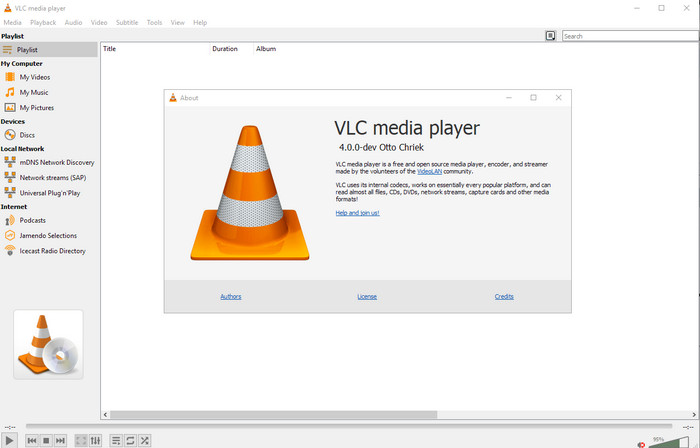
Ensimmäisenä listallamme on paras videosoitin, mutta jos haluat ilmaisen mp4-metatietoeditorin, saatat tarvita juuri tämän. VLC Media Player antaa sinulle maksuttoman tavan muokata tai poistaa MP4-tiedostoihisi liitettyjä tunnisteita. Tällä työkalulla voit helposti muokata tiedoston metatietoja, kuten nimeä, tekijänoikeuksia, genreä, esittäjää, päivämäärää, aikaa ja paljon muuta. Vaikka monet käyttäjät sanovat, että metatietojen muokkaaminen on täällä helppoa, osa on eri mieltä. He kokevat sen sekavaksi ja tehottomaksi verrattuna muihin tunnisteeditoreihin. Jos kuitenkin haluat turvallisen, paljon käyttäjien keskuudessa jo todistetusti toimivan työkalun, kokeile tätä ohjelmaa.
Amvidia Tag Editor
Saatavilla: Mac
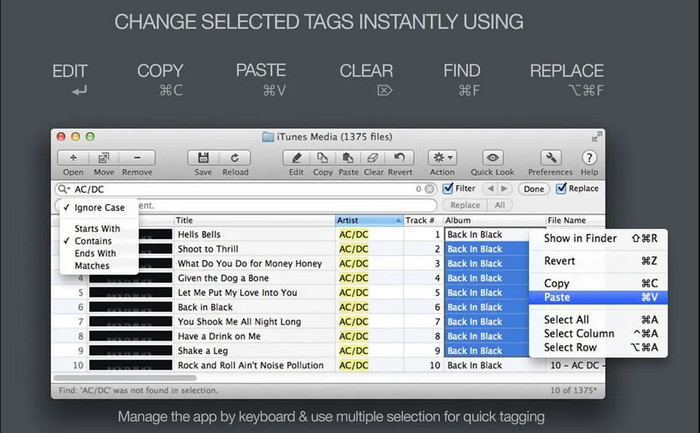
Toinen MP4-metatietoeditori Macille on Amvidia Tag Editor. Jos sinun täytyy lisätä metatietoja, kansikuvia, tunnisteita iTunesissa tai muuttaa tiedoston nimeä, voit tehdä kaiken tämän tällä ohjelmalla; jos tarvitset erämerkintää (batch tagging), tästä työkalusta on apua. Lisäksi tämä ilmaiseksi ladattava ohjelmisto tukee suurta määrää eri mediaformaatteja, jotka voit ladata työkaluun, mutta se on ensin asennettava. Yksityiskohtaisten ominaisuuksiensa takia aloittelijoilta voi kuitenkin kulua aikaa työkalun käytön opetteluun, sillä metatietojen lisääminen vaatii useita vaiheita. Myös sen käyttöliittymä on vanhanaikainen, kuten VLC:ssä.
TigoTago
Saatavilla: Windows
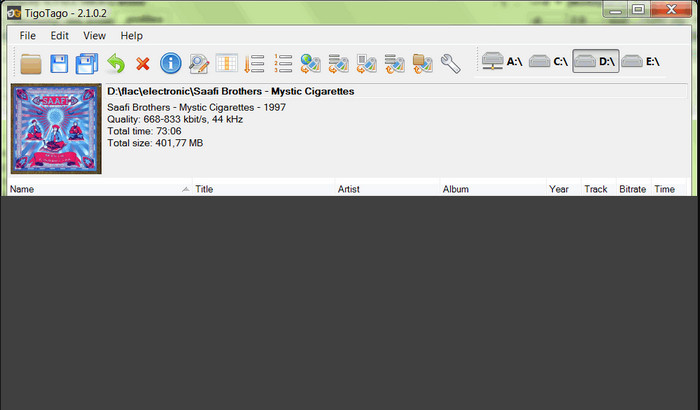
TigoTago on toinen MP4-metatietotägääjä, jota voit käyttää ilmaiseksi Windowsissa. Jos siis haluat muokata MP4-tiedostosi tiettyjä tietoja tai tunnisteita, lataa työkalu ja muokkaa MP4-tunnisteita helposti yksi kerrallaan. Tällä ohjelmalla voit täyttää tiedostolle tyypilliset perustunnisteet, kuten nimi, albumi, kappaleet ja esittäjä, mutta lisätä myös kehittyneempiä tunnisteita, kuten sanoituksia, kommentteja jne. Jos vertaamme tätä työkalua VLC:hen, voimme sanoa, että tämä on huomattavasti parempi, koska se keskittyy nimenomaan tunnisteiden muokkaamiseen. Vaikka se onkin mediasoitinta parempi tähän tarkoitukseen, se kaipaa silti parannuksia, muun muassa käyttöliittymäänsä ja muihin ominaisuuksiinsa.
InstantD3 - ilmainen online ID3-tunnisteeditori
Saatavilla: verkossa
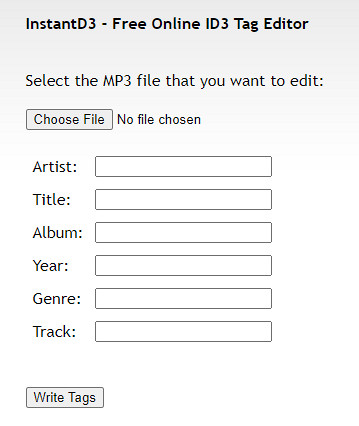
Jos et halua ladata ohjelmistoja, voit käyttää tätä online-MP4-videotunnisteiden muokkausohjelmaa, InstantD3 - Free Online ID3 Tag Editor -ohjelmaa. Vaikka työkalu on saatavilla verkosta, se ei voi etsiä metadataa verkosta lisätäkseen tarvitsemasi tunnisteet MP4:ään automaattisesti. Työkalu tarjoaa intuitiivisen käyttöliittymän, jonka avulla käyttäjät voivat kokea helpon tavan lisätä tunnisteita äänitiedostoihinsa. Koska työkalu on ilmainen, mainoksia on verkkosivustolla, mutta meidän on varoitettava, että sen verkkosivustolla olevat mainokset eivät sovellu alle 18-vuotiaille. Käytä työkalua myös omalla vastuullasi; Kun olet käyttänyt työkalun verkkosivustoa, Internet-yhteytesi ei ole suojattu.
Osa 2. Paras valinta -videoeditori metatietojen lisäämiseen, muokkaamiseen ja poistamiseen Windowsissa ja Macissa
Saatavilla: Windows, Mac ja Linux
Edellä mainitut MP4-metatietoeditorit ovat hyviä, mutta FVC Video Converter Ultimate on tehokas metatietoeditori, jota tarvitset metatietojen muokkaamiseen tai poistamiseen. Tämä työkalu tarjoaa erinomaiset, helposti käytettävät muokkaustoiminnot, mutta tuottaa silti ammattitasoisen lopputuloksen. Toisin kuin yllä mainitut työkalut, jotka tukevat rajallista määrää mediaformaatteja, tällä ohjelmalla voit ladata MP4-, MOV-, MKV-, FLV-, AVI- ja yli 1000 muuta formaattia ja muuttaa niiden metatietoja nopeasti. Eikö olekin vaikuttavaa, mihin tämä työkalu pystyy? Kun näet, mitä kaikkea ohjelma voi tehdä, voit helposti seurata tarjoamaamme vaiheittaista ohjetta MP4-tiedostojesi tunnisteiden muokkaamiseen, lisäämiseen ja poistamiseen.
Vaihe 1. Paina ensin latauspainiketta ladataksesi MP4-tunnisteeditorin Macille tai Windowsille. Seuraa asennusohjetta napsautettuasi tiedostoa ja avaa ohjelma.
Ilmainen latausWindows 7 tai uudempiTurvallinen lataus
Ilmainen latausMacOS 10.7 tai uudempiTurvallinen lataus
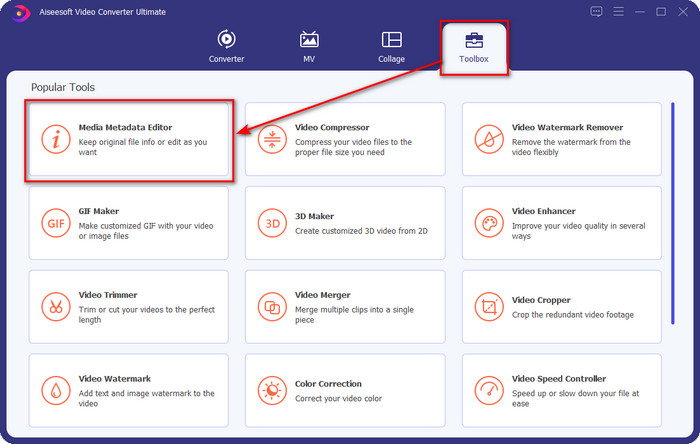
Vaihe 2. Nyt kun olet avannut editorin, valitse kolmesta osiosta Toolbox-välilehti; sen alta napsauta Media Metadata Editor.
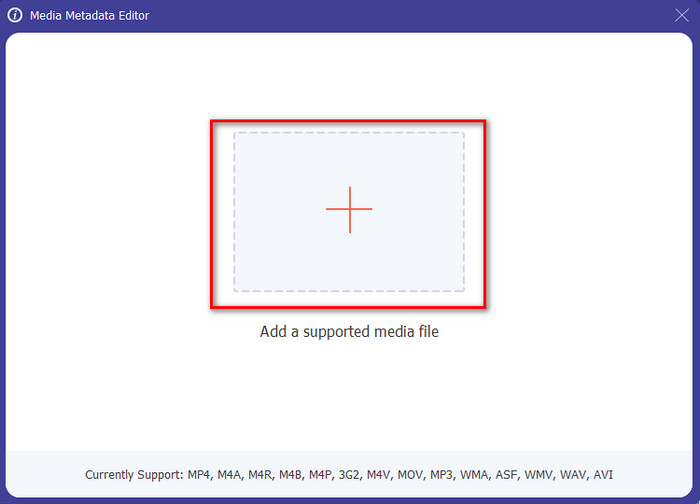
Vaihe 3. Lataa MP4-tiedosto napsauttamalla +-painiketta, etsi avautuvasta kansiosta .mp4-tiedosto ja paina Open lisätäksesi sen onnistuneesti.
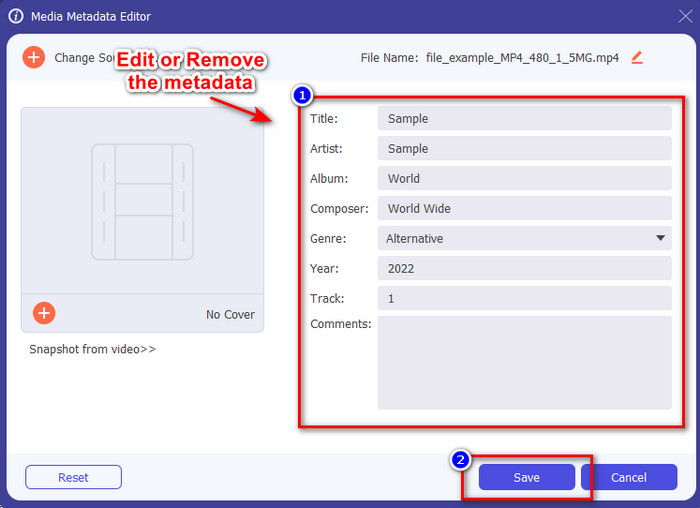
Vaihe 4. Lisää, poista ja muokkaa tietoja näytöllesi avautuvassa textbox-kentässä; täytä kentät haluamallasi tavalla. Tallenna MP4-tunnisteeseen tekemäsi muutokset napsauttamalla Save-painiketta. Voit todeta, että tehtävä on äärimmäisen helppo, jos valitset tämän ultimate-editorin.
Aiheeseen liittyvää:
Paras musiikin tunnisteeditori
Paras äänikirjojen tunnisteeditori
Osa 3. Usein kysyttyä MP4 Tag Editorista
Kuinka tarkistaa MP4-metatiedot Windowsissa?
Jos haluat tarkistaa MP4-tiedostosi metatiedot, noudata näitä ohjeita. Etsi ensin .mp4-tiedosto, napauta hiiren kakkospainikkeella painiketta, siirry Ominaisuudet-kohtaan ja napsauta lopuksi Tiedot. Tässä luettelossa on kaikki tiedot, joita tarvitset metatiedoistasi. Joten jos haluat muokata niitä toiveidesi mukaan, valitse yllä oleva työkalu, jota sinun tulee käyttää.
Missä voin katsella MP4-tiedostoja?
Useimmat mediasoittimet tukevat MP4-tiedostoja, koska se on yleinen videomuoto. Mutta missä voit katsoa korkearesoluutioisia MP4-videoita? Siinä tapauksessa sinun kannattaa napsauttaa tätä linkkiä. Kaikki, mitä sinun tarvitsee tietää, löytyy tästä artikkelista.
Kuinka valita paras MP4-tunnisteeditori?
Sinun on muistettava muutama seikka ennen kuin valitset käyttämäsi MP4-metatietoeditorin. Jos et tiedä, mitä nämä ovat, voit luottaa näihin standardeihin. Varmista ensin, että metatietoeditori tukee käyttämääsi muotoa; kaikki editorit eivät tue laajaa muotovalikoimaa. Sellaisen metatietoeditorin käyttäminen, joka ei tue muotoasi, olisi hyödytöntä. Toiseksi varmista, että työkalu on helppokäyttöinen; Jos olet uusi metatietojen muokkaamisessa, varmista, että valitsemasi työkalu ei ole liian jäykkä oppimista varten. Varmista lopuksi, että se on turvallista käyttää; jos se on ladattavissa tai verkossa, sinun on tiedettävä, onko se turvallista käyttää. Varmista, että ennen kuin käytät editoria, sinun on noudatettava kaikkia näitä yksinkertaisia standardeja saadaksesi vain parhaat.
Johtopäätös
Tässä artikkelissa esittelemämme MP4-metatietoeditorit auttavat sinua nopeasti muokkaamaan, lisäämään tai poistamaan MP4-tiedostojesi metatietoja. Kirjoittamiemme osuvien arvostelujen avulla voimme nyt vertailla työkaluja ja nähdä, mikä niistä vastaa parhaiten tarpeitamme MP4-tunnisteiden muokkauksessa. Jos et ole vielä päättänyt, mitä niistä käyttäisit, tarjoamme sinulle listan parhaan vaihtoehdon: FVC Video Converter Ultimate. Tämä loistava työkalu vastaa tarpeitasi – ainoa tapa saada se on ladata ohjelma. Napsauta siis latauspainiketta, seuraa antamiamme ohjeita ja nauti tunnisteiden muokkaamisesta ilman stressiä.
-
 5 helpointa tapaa poistaa metatiedot kaikista mediatiedostoista
 Kuinka poistaa metatiedot? Onko vaikea tehdä se? Pitääkö minun ostaa tai käyttää ilmaista työkalua tunnisteiden poistamiseen? Kaikkiin näihin kysymyksiin löytyy vastaus tässä artikkelissa.
-
 5 parasta metatietojen purkuohjelmaa, jotka ovat saatavilla verkossa ja offline-tilassa [2025]
 Markkinoilta löytyy useita metatiedonpoimijoita, mutta tänään valitsemme vain viisi eniten valittua tunnistepoimijaa yleisön mukaan.
-
 Vuoden 2025 viisi parasta videon sisällönkuvaustietojen muokkaajaa [Puolueeton arvostelu]
 Haluatko tarkastella videosi metatietoja? Jos näin on, lue alla olevat tiedot ymmärtääksesi aiheen täysin ja tietääksesi, mikä työkalu sopii sinulle parhaiten.
