


 Video Converter Ultimate
 Näytön tallennin
 Videon korjaus
 Suojattu lataus
Helppoja tapoja poistaa Coubin vesileima verkossa ja offline-tilassa
Coub on verkkosivusto, jota käytetään videoiden jakamiseen verkossa. Se on suosittu sivusto, jonka avulla käyttäjät voivat luoda ja jakaa jopa kymmenen sekunnin pituisia videoita. Toisin kuin GIF‑animaatioissa, Coub‑videoissa on korkealaatuiset äänet, minkä vuoksi ne ovat monien suosiossa. Kun kuitenkin tallennat tai lataat videoita Coubista, video sisältää vesileiman. Jos siis haluat poistaa Coub‑vesileiman, sinun on käytettävä työkalua, joka pystyy poistamaan vesileimoja. Tässä artikkelissa esitellään parhaat työkalut, joilla voit helposti poistaa Coub‑vesileimat videoistasi.

Osa 1. 4 tapaa poistaa Coubin vesileima
Monet ihmiset ovat nyt kiinnostuneita Coub-videoiden katselusta ja lataamisesta verkossa. Mutta kun lataat videoita coubista, se sisältää vesileiman. Tiedät kuinka poistaa Coub-vesileima käyttämällä näitä neljää helppoa tapaa.
FVC Video Converter Ultimate
FVC Video Converter Ultimate on työpöytäsovellus, joka voi poistaa minkä tahansa vesileiman videoistasi. Tämä työkalu on käyttäjäystävällinen, koska sen käyttöliittymä on selkeä ja ohjelma on helppo ladata. Lisäksi tiedostomuotojen kanssa ei tule ongelmia, sillä se tukee lukuisia formaatteja, kuten MP4, MKV, AVI, MOV, M4V, WEBM, FLV ja yli 1000 muuta muotoa.
Siinä on myös edistyneitä muokkausominaisuuksia, kuten median metatietojen editori, videon yhdistäminen, videopakkaus ja paljon muuta työkalupakkista. Ja kun poistat vesileiman videostasi, voit määrittää poistettavan alueen koon. Näet myös esikatseluvideon tiedostostasi, jotta voit tarkistaa videosi tulosteen. Jos haluat käyttää tätä muuntajaa Coub-vesileiman poistamiseen, noudata alla olevia ohjeita.
Vaihe 1. Lataa FVC Video Converter Ultimate tietokoneellesi napsauttamalla alla olevaa Download-painiketta. Seuraa asennusohjeita ja käynnistä sitten sovellus.
Ilmainen latausWindows 7 tai uudempiTurvallinen lataus
Ilmainen latausMacOS 10.7 tai uudempiTurvallinen lataus
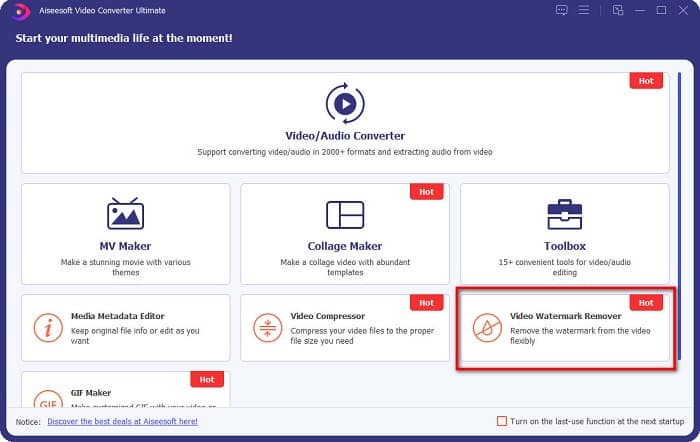
Vaihe 2. Siirry sen jälkeen ohjelman ensimmäisessä näkymässä kohtaan Video Watermark Remover. Jos et löydä sitä ensimmäiseltä käyttöliittymältä, napsauta Toolbox.
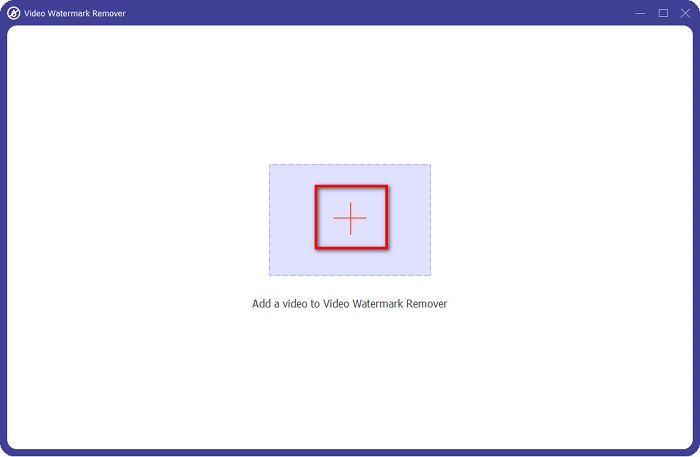
Vaihe 3. Napsauta seuraavassa näkymässä +-painiketta ladataksesi Coub‑videosi. Tietokoneesi tiedostoikkuna avautuu; valitse video ja napsauta Open.
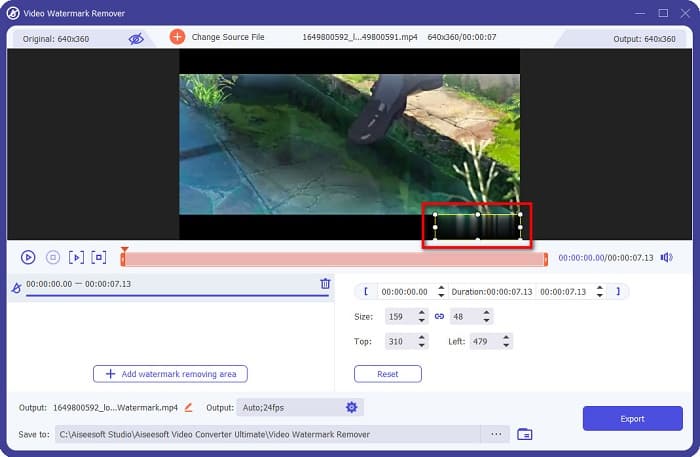
Vaihe 4. Napsauta seuraavaksi Add watermark removing area -painiketta, jotta poistettava alue tulee näkyviin. Siirrä sitten laatikko Coub‑vesileiman päälle. Näet, että valitsemasi alue muuttuu sumeaksi.
Vaihe 5. Lopuksi napsauta Export-painiketta poistaaksesi Coub‑vesileiman; tulostiedosto tallentuu automaattisesti tietokoneesi kansioihin.

Helppoa, eikö? Noudattamalla yllä olevia yksinkertaisia vaiheita voit poistaa Coub‑vesileiman videostasi. Napsauta tästä oppiaksesi, miten voit poistaa TikTok‑vesileiman.
Hitpaw Watermark Remover
Hitpaw Watermark Remover on yksi suosituista ladattavista vesileimanpoistotyökaluista, jonka avulla voit helposti poistaa Coub‑vesileiman videostasi. Jos haluat Coub‑videon ilman vesileimaa, voit käyttää tätä työkalua sen poistamiseen. Lisäksi työkalun käyttöliittymä on yksinkertainen, joten sitä on helppo käyttää.
Voit myös helposti poistaa vesileiman tietystä videon osasta liikuttamalla liukusäätimiä. Lisäksi se mahdollistaa tasaisen täytön, kun poistat vesileiman. Se on myös ilmainen ladata lähes kaikille medialaitteille.
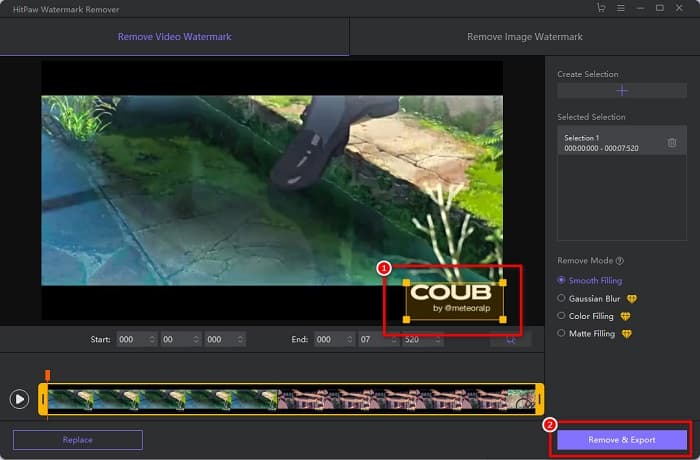
Vaihe 1. Lataa ensin Hitpaw Watermark Remover, seuraa asennusohjeita ja käynnistä sovellus.
Vaihe 2. Napsauta sitten ohjelman päänäkymässä Choose File -painiketta ladataksesi Coub‑videosi. Tietokoneesi tiedostoikkuna avautuu, jossa voit avata Coub‑videosi.
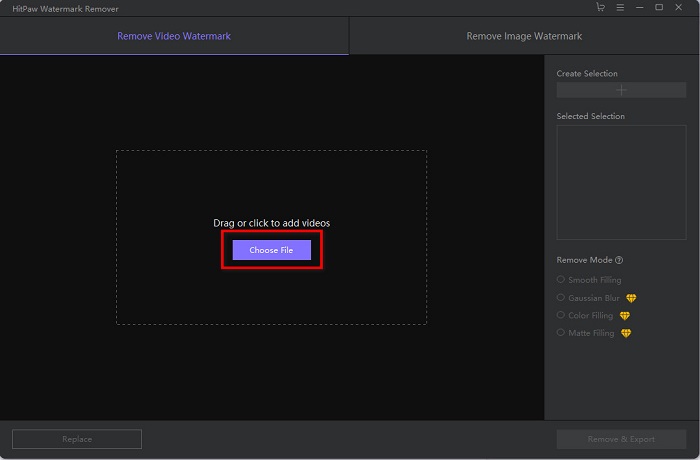
Vaihe 3. Siirrä poistettava alue Coub‑vesileiman päälle ja napsauta sitten käyttöliittymän oikeassa alakulmassa olevaa Remove & Export -painiketta poistaaksesi vesileiman pysyvästi.
Media.io
Media.io on videoiden vesileiman poistamiseen tarkoitettu verkkotyökalu. Tällä online‑työkalulla voi poistaa vesileimoja, kuten logoja, tekstejä ja leimoja. Jos käytät vesileimanpoistajaa ensimmäistä kertaa, tämän käyttäminen on helppoa, sillä se on hyvin selkeä. Lisäksi se tukee yleisimpiä videoformaatteja, kuten MP4, MKV, AVI, FLV, MOV ja muita. Voit myös valita videotiedostoja Dropboxista, Google Drivesta ja YouTubesta. Lisäksi se on turvallinen ja ilmainen käyttää. Media.io toimii kaikissa verkkoselaimissa, kuten Googlessa, Firefoxissa ja Safarissa.
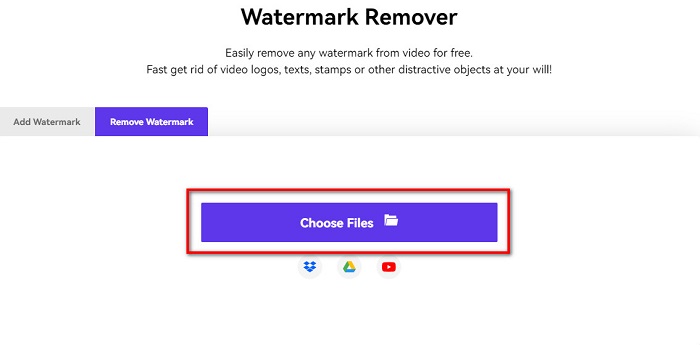
Vaihe 1. Avaa käyttämäsi selain, etsi Media.io ja siirry sen verkkosivulle. Napsauta ohjelman päänäkymässä Choose Files -painiketta.
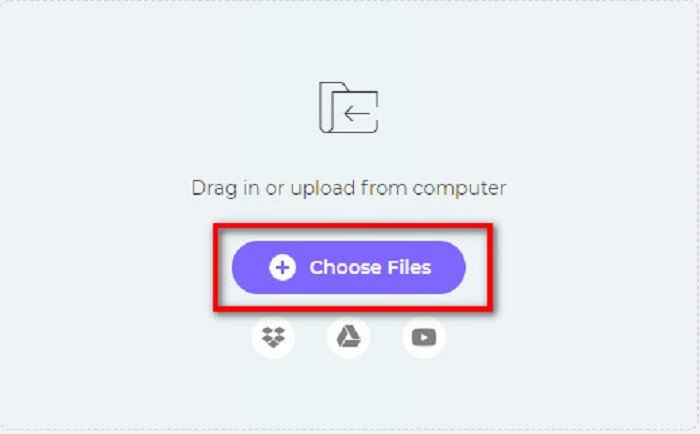
Vaihe 2. Uusi näkymä avautuu, jossa voit napsauttaa Choose Files -painiketta tai vetää ja pudottaa Coub‑videosi ohjelman ikkunaan. Odota, että videosi latautuu, ja siirry sitten seuraavaan vaiheeseen.
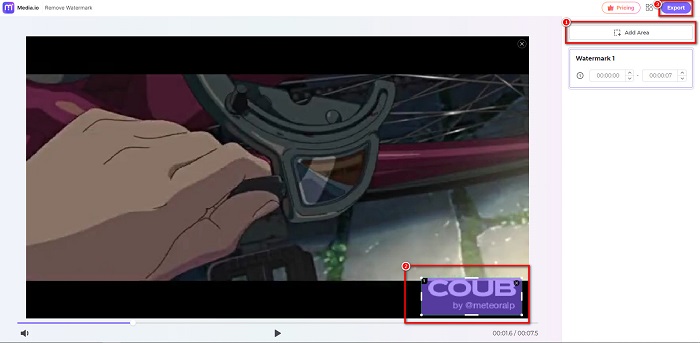
Vaihe 3. Napsauta sitten käyttöliittymän vasemmasta reunasta Add Area ja siirrä poistettava alue Coub‑vesileiman päälle. Napsauta Export-painiketta vesileiman poistamiseksi, ja tiedostosi tallentuu automaattisesti laitteellesi. Voit käyttää tätä tapaa myös poistaaksesi videon vesileiman.
BeeCut
BeeCut on toinen tapa poistaa Coub‑vesileimoja verkossa. Tämä työkalu on erittäin kätevä, sillä mitään ei tarvitse ladata laitteellesi. Lisäksi se on ilmainen ja turvallinen käyttää. Mielenkiintoista kyllä, tämä työkalu tukee lukuisia tiedostomuotoja, kuten MP4, AVI, MKV, FLV ja muita yleisiä formaatteja.
Lisäksi se on aloittelijaystävällinen työkalu, koska siinä on helppokäyttöinen käyttöliittymä. Saatat kuitenkin kokea hidasta toimintaprosessia, kun Internet-yhteytesi on hidas, koska se on Internet-riippuvainen. Voit poistaa coub-vesileiman BeeCutilla noudattamalla alla olevaa yksinkertaista ohjetta.
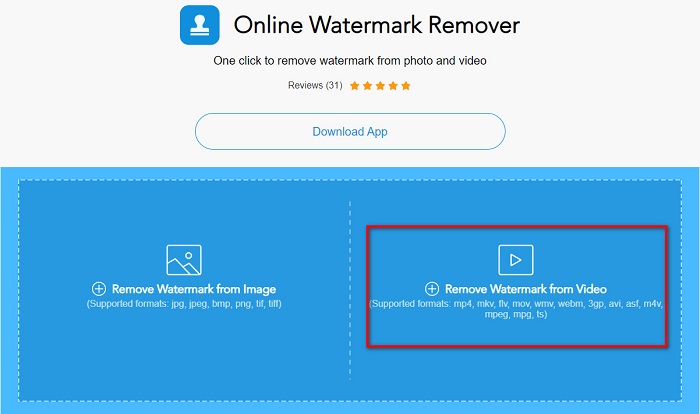
Vaihe 1. Etsi BeeCut selaimellasi ja napsauta sitten ohjelman päänäkymässä kohtaa Remove Watermark from Video. Lataa videosi avaamalla se tietokoneesi tiedostoista.
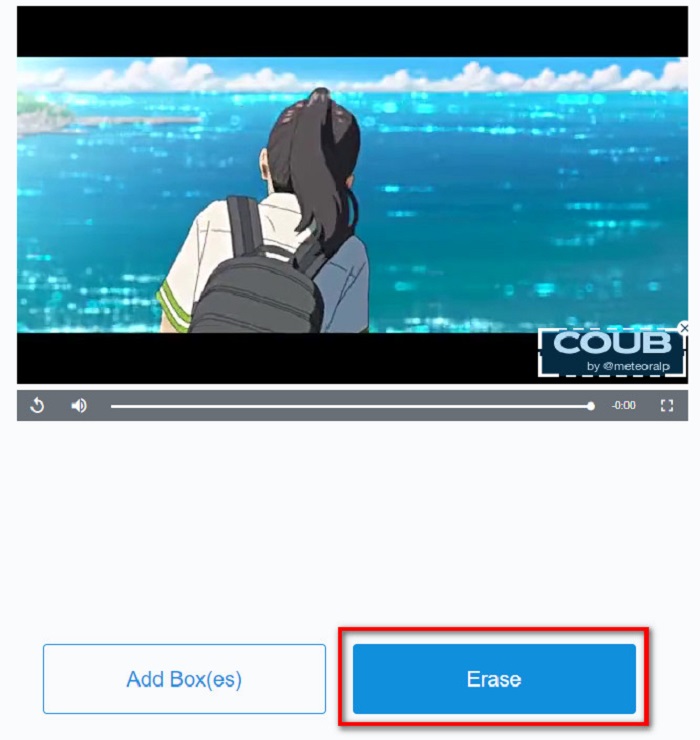
Vaihe 2. Siirrä seuraavassa näkymässä poistettava alue sen Coub‑vesileiman päälle, jonka haluat poistaa. Jos videossasi on muita vesileimoja, logoja tai leimoja, voit lisätä uusia poistobokseja napsauttamalla Add Box(es).
Vaihe 3. Napsauta lopuksi Erase-painiketta poistaaksesi Coub‑vesileiman videostasi. Näet tulostiedostosi tietokoneesi kansioissa.
Osa 2. Usein kysyttyä Coubin vesileiman poistamisesta
Voitko saada coub-videoita ilman vesileimaa?
Valitettavasti ei ole olemassa erityisiä tapoja tai työkaluja coub-videon lataamiseen ilman vesileimaa. Vesileimanpoistoaineet auttavat kuitenkin luomaan coub-videon ilman vesileimaa.
Vähentääkö vesileiman poistaminen videosi tiedostokokoa?
Ei. Vesileiman poistaminen videosta ei vaikuta videon tiedostokokoon.
Miksi vesileima-alueella on epäselvyyttä sen poistamisen jälkeen?
Poistamallasi vesileima-alueella on epäselvyys, koska sillä tavalla työkalut poistavat vesileiman kuvistasi tai videoistasi.
Johtopäätös
Coub‑vesileiman poistaminen videoista saattaa kuulostaa monimutkaiselta. Kun kuitenkin käytät yllä esiteltyjä työkaluja, voit helposti poistaa Coub‑vesileimat videostasi. Jos taas haluat vesileimanpoistajan, joka käsittelee videot nopeasti ja tarjoaa runsaasti ominaisuuksia, lataa FVC Video Converter Ultimate.
-
 4 parasta tapaa poistaa vesileima GIF:stä [Online & Offline]
 Haluatko poistaa vesileiman GIF-tiedostosta? Tämän artikkelin työkalulla opit eri tyylejä alustallasi saatavilla olevien vesileimanpoistoaineiden kanssa.
-
 Erinomainen Photobucket Watermark Remover verkossa ja offline-tilassa
 Opi poistamaan Photobucket-vesileima valokuvistasi käyttämällä tätä hämmästyttävää Photobucket-vesileimanpoistoainetta. Lue tämä artikkeli oppiaksesi tapoja.
-
 Poista vesileima PDF-tiedostosta helposti yksinkertaisilla vaiheilla
 Poista vesileima PDF-tiedostosta noudattamalla näitä yksinkertaisia ohjeita. Opi poistamaan vesileimat helposti PDF-tiedostostasi näiden uskomattomien työkalujen avulla.
