


 Video Converter Ultimate
 Näytön tallennin
 Videon korjaus
Syvä ymmärrys viidestä saatavilla olevasta Slow Motion -videoeditorista
Pidätkö vauhdikkaista lyönti- ja nopeuslajeista, kuten autourheilusta, nyrkkeilystä, pesäpallosta, lentopallosta ja monista muista? Kaikki mainitut lajit vaativat nopean kameran pelkän liikeanalyysin tekemiseen. Jos siis haluat analysoida jokaisen urheilijan jokaisen liikkeen, lue esittely parhaista hidastusvideon tekijöistä, joita voit käyttää. Lisäksi alla olevan työkalun ansiosta et tarvitse mitään ylimääräistä laitteistoa pöytätietokoneen, internet-yhteyden tai puhelimen lisäksi. Jatkaessasi lukemista tutustu työkaluihin huolellisesti ja valitse, mikä niistä sopii sinulle parhaiten.

Osa 1. 3 Paras Slow Motion Video Maker Windows PC, Mac ja Online
1. Video Converter Ultimate
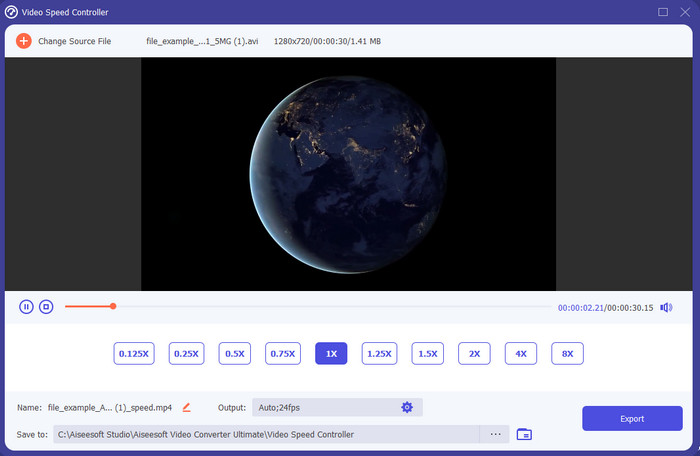
Haluatko tietää, mikä näistä hidastusvideoeditoreista on paras, kun haluat muuttaa toiston hidastukseksi? Kokeile silloin ohjelmaa Video Converter Ultimate, sillä tämä työkalu ei ole vain paras, vaan suorastaan ilmiömäinen. Ohjelmassa on jo valmiiksi paljon edistyneitä ominaisuuksia, joista pidät, vaikka et olisi ammattilainen editoinnissa. Vaikka olisitkin pro, tämä ohjelmisto on erinomainen valinta, olipa editointitaitosi millä tasolla tahansa. Lisäksi voit lisätä hidastustehosteet videoosi nopeasti ilman käyttöohjeiden lukemista tai opastusvideoiden katsomista, koska ohjelma tarjoaa paljon yksinkertaisemmat ohjeet kuin alla oleva työkalu. Vaikka ohjelma on maksullinen, hinta ei silti ole kovin korkea. Jos haluat tietää lisää tästä työkalusta, lue sen avainominaisuudet alta.
Video Converter Ultimaten tärkeimmät ominaisuudet:
◆ Edistynyt hidastusvideon tekosovellus yksinkertaisilla ohjeilla.
◆ Käyttäjäystävällinen työkalukäyttöliittymä.
◆ Säädä videon nopeutta helposti Video Speed Controller -säätimellä.
◆ Tukee yli 200 video- ja äänimuotoa.
◆ Se voidaan ladata ja käyttää PC- ja Mac-käyttöjärjestelmissä.
Ilmainen latausWindows 7 tai uudempiTurvallinen lataus
Ilmainen latausMacOS 10.7 tai uudempiTurvallinen lataus
2. Boris Continuum Time Unit
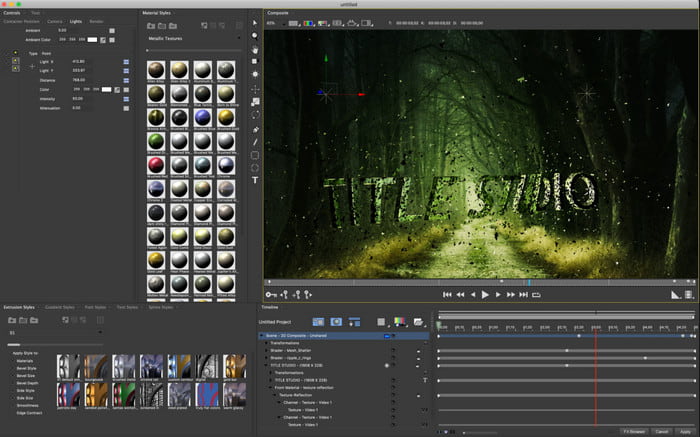
Boris Continuum Time Unit on paras valinta, jos haluat raskaan sarjan hidastusvideon tekosovelluksen. Mikään muu työkalu ei pysty tarjoamaan vastaavaa, kun tavoitteena on ammattitasoinen lopputulos. Lisäksi tässä työkalussa on parhaat yksityiskohtaiset editointiominaisuudet, joita haluat varmasti kokeilla. Vaikka työkalu onkin parempi kuin muut, se on myös kirjaimellisesti todella kallis. Jos haluat kokeilla tätä työkalua, tarvitset lisäksi tehokkaan pöytäkoneen, sillä vanhemmilla koneilla et pysty käyttämään sitä.
Plussat
- Paras työkalu raskaaseen editointiin.
- Se on yhteensopiva kaikkien alustojen kanssa.
- Työkalun käyttöliittymä näyttää enemmän ammattityökalulta.
Haittoja
- Tämä ohjelmisto on kallein tässä kirjoituksessa.
- Tarvittiin korkealaatuinen järjestelmäyksikkö.
- Ei paras valinta aloittelijalle, jolla ei ole editointitaustaa.
3. VEED.IO
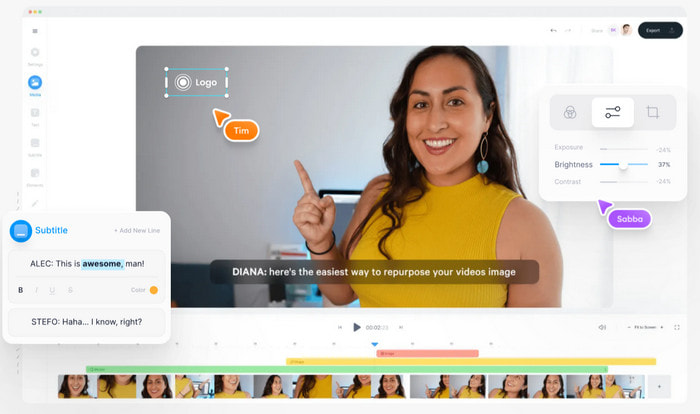
Jos et halua käyttää rahaa ja sinulla on internet-yhteys, kokeile palvelua VEED.IO. Tämä on paras ohjelmisto hidastusvideoiden tekemiseen verkossa, koska se on yksinkertainen ja helppokäyttöinen. Työkalun käyttöliittymä on kokonaisuudessaan hyvin selkeä, ja ohjeet ovat suoraviivaiset, joten se on erittäin kätevä kaikille. Voit kuitenkin ladata vain alle 50 Mt:n tiedostoja, ja jos haluat lisätä suurempia tiedostoja, työkalu vaatii sinua päivittämään version. Lisäksi, jos et osta maksullista versiota, lopulliseen videoon tulee vesileima.
Plussat
- Voidaan helposti käyttää kuka tahansa, jolla on Internet-yhteys.
- Ei ärsyttäviä mainoksia sivustolla.
- Muokkauksen aloittelijoiden on helppo käsitellä.
Haittoja
- Työkalun ominaisuudet ovat hyvin rajalliset työkalun ilmaisessa versiossa.
- Internetistä riippuvainen. Joten jos Internet on hidas, odota hidasta latausta, lataamista ja muokkaamista. Et myöskään voi käyttää tätä työkalua, jos sinulla ei ole Internet-yhteyttä.
Parhaan hidastetun videosovelluksen osa 2. 2 Android- ja iOS-laitteissa
1 SloPro
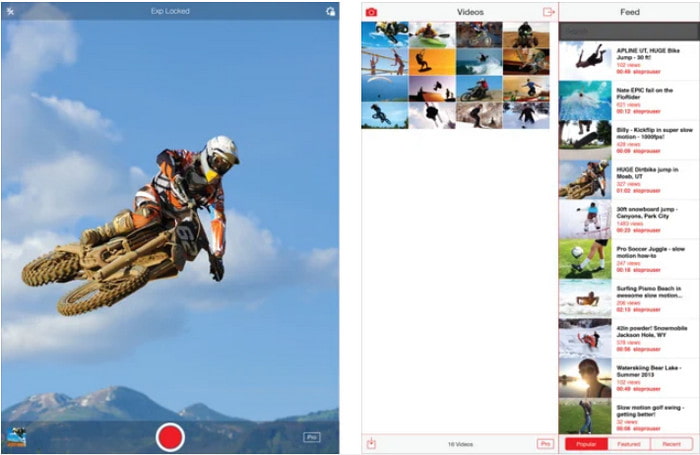
SloPro on paras hidastusvideosovellus, jonka voit ladata ilmaiseksi iOS:lle. Sovellus pystyy toistamaan hidastusvideota jopa 500–1000 fps:n nopeudella. Lisäksi voit muuntaa videon toiston nopeasta hitaaseen tai päinvastoin. Vaikka työkalu onkin varteenotettava vaihtoehto, siinä on silti useita puutteita. Esimerkiksi video tallentuu sovelluksen omaan galleriaan eikä puhelimen kameran rullaan. Lisäksi, jos yrität käyttää 1000 fps:n nopeutta, video alkaa käyttäjäkokemusten mukaan pätkiä. Kaikesta huolimatta työkalu on silti erinomainen, koska se on ilmainen ja videon hidastaminen on siinä helppoa.
Plussat
- Paras hidastettu toisto, jota voit käyttää iOS:ssä ilmaiseksi.
- Se on jo saanut kohtuullisen arvosanan ja 3,3 tähden.
- Yksinkertainen ja helppokäyttöinen.
Haittoja
- Lopullista tulosta ei tallenneta suoraan galleriaan.
- Kaikki SloPro-galleriaan tallennetut videot ovat satunnaisia, eikä niitä ole luokiteltu oikein.
- Jos käytät 1000 fps, odota buginen videolähtö.
2. Slow Motion Video Maker
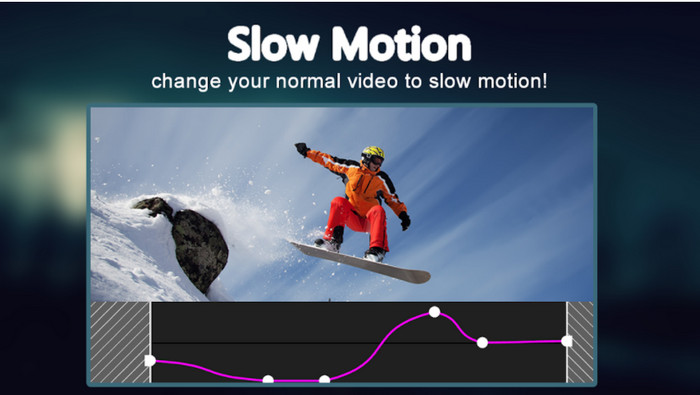
Yksi parhaista hidastusvideon tekijöistä, jonka voit ladata ilmaiseksi Android-puhelimeesi, on Slow Motion Video Maker. Tämän sovelluksen avulla voit helposti toistaa videoitasi sekä nopeutettuna että hidastettuna. Sovelluksessa on kuitenkin paljon ärsyttäviä, yllättäen ilmestyviä mainoksia. Lisäksi hidastuksen voi tehdä vain kertoimella 0,5. Kaiken kaikkiaan sovellus on kuitenkin hyvä videon hidastamiseen Androidilla, mutta mainokset heikentävät kokemusta merkittävästi.
Plussat
- Sovellus on ladattavissa ilmaiseksi Play Kaupasta.
- Sitä on hienoa käyttää videon hidastamiseen sujuvasti.
- Sovellusta on helppo hallita.
Haittoja
- Siinä on paljon ärsyttäviä mainoksia, jotka näkyvät tyhjästä.
- Videon lataaminen voi viedä paljon aikaa, koska sillä ei ole nopeutettua käsittelyä.
Osa 3. Usein kysytyt kysymykset Slow Motion Video Makerista
Mikä on FPS:n rooli?
Sitä käytetään näyttöpaneelissasi näkyvien peräkkäisten kehysten sarjan laskemiseen. Tämä näkyy yleisimmin jokaisessa liikekaappauksessa, kuten videopeleissä, kameroissa, elokuvissa, ja jopa silmämme näkevät 30-60 fps.
Mikä on paras FPS-nopeus hidastuksessa?
Ihanteellinen FPS, jolla voit katsoa videota hidastettuna, on 120-240 fps. Joten jos haluat yksityiskohtaisemman hidastetun toiston, tee FPS korkeammaksi.
Kuinka toistaa videota nopeassa toistossa?
Jos haluat saada käsityksen siitä, miten videota toistetaan nopeutettuna, klikkaa tätä linkkiä. Opi, mitkä ovat 5 parasta työkalua videon nopeuttamiseen.
Johtopäätös
Yhteenvetona kaikki tässä esitellyt työkalut ovat parhaita hidastusvideon tekijöitä, joita voit verkosta löytää. Tämä artikkeli on myös jo auttanut sinua ja tehnyt hakemisesta aiempaa helpompaa. On kuitenkin yksi erityinen työkalu, jota saatat haluta käyttää, jotta videostasi tulisi entistä parempi – Video Converter Ultimate. Kaikki sen tarjoamat edistyneet ominaisuudet ovat poikkeuksellisen hyviä ja silti helppokäyttöisiä. Jos et vieläkään ole vakuuttunut, lataa työkalu ja kokeile itse.
-
 Paras Android -sovellus MOV -tiedostojen toistamiseen matkapuhelimellasi
 Onko sinulla vaikeuksia, koska MOV-tallennustasi ei voitu toistaa Androidillasi? Joten tässä tapauksessa etsit parasta MOV-soitinta Androidille.
-
 5 tehokasta AVI-soitinta AVI-tiedostojen katseluun ja toistamiseen [Web & Desktop]
 Opi, millä AVI-soittimilla voit toistaa ja katsella .avi-tiedostoja. Jatka lukemista alla ja valitse mikä on parempi mediasoitin kuin toinen.
-
 Tehokkaita tapoja MKV -tiedostojen muokkaamiseen Xbox One S 2021: ssä
 Löydä tapoja, joilla voit toistaa MKV-tiedostoja Xbox One S -laitteellasi parhailla muuntimilla.
