


 ממיר וידאו אולטימטיבי
 מקליט מסך
 תיקון וידאו
 הורדה מאובטחת
8 מצלמות הרשת הטובות ביותר עבור Windows ו-Mac
מקליטי מצלמת רשת הם כלי מצוין ללכידת הסרטונים שלך תוך כדי צילום הבעות הפנים. למרות שלמחשבים ניידים רבים כיום יש מצלמת רשת מובנית, למכשירים האלה אין הרבה פונקציות שיכולות לשפר את הקלטת הווידאו שלך. משום כך, אנשים רבים מחפשים את מקליט מצלמת האינטרנט הטוב ביותר עם יכולות עריכה מתקדמות. אם ברצונך לדעת מהם מקליטי מצלמת הרשת הטובים ביותר, קרא את המאמר הזה.

חלק 1. 5 מצלמות הרשת הטובות ביותר עבור Windows
אתה יכול למצוא הרבה כלים שיעזרו לך לבצע הקלטת מצלמת אינטרנט. עם זאת, לא לכל הכלים יש תכונות נהדרות ויכולים להפיק סרטון באיכות גבוהה. לאחר קריאת חלק זה, תכיר את חמשת מצלמות הרשת הטובות ביותר שתוכל להוריד במכשיר Windows שלך.
מקליט מסך Aiseesoft
מחיר: $47.20 (רישיון לכל החיים)
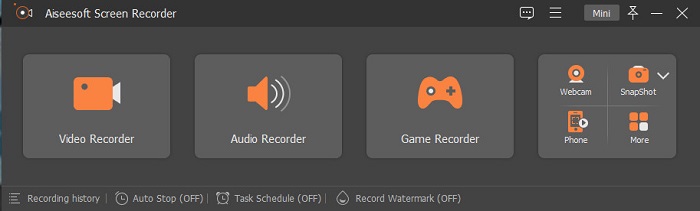
Aiseesoft Recorder הוא כלי הקלטת וידאו ממצלמת אינטרנט שניתן להוריד עבור Windows. מקליט מסך זה יכול לעזור לך לבצע הקלטה ממצלמת הרשת בכמה שלבים פשוטים. בנוסף, יש לו ממשק משתמש אינטואיטיבי והוא חינמי לשימוש. ואם אתה מחפש מקליט מסך שמאפשר לך ללכוד רק חלקים מסוימים מהמסך, לכלי הזה יש את הפונקציה הזו. יתרה מזאת, יש לו פונקציות מתקדמות שבאמצעותן תוכל להקליט את רגעי הניצחון שלך במשחק באמצעות מקליט המשחק המובנה. למקליט המסך הזה יש גם מתזמן משימות שמאפשר לקבוע לוח זמנים להקלטה בזמן שאתה רחוק מהמחשב. משתמשים רבים עושים בו שימוש משום שהוא כולל גם מקליט וידאו וגם מקליט אודיו.
יתרונות
- יש לו ממשק תוכנה קל לשימוש.
- זה מאפשר לך להקליט את המסך, האודיו והמשחק שלך.
- זה מאפשר לך להקליט סימני מים וליצור לוח זמנים להקלטה שלך.
- זמין להורדה בכל פלטפורמות המדיה, כולל Windows ו-Mac.
חסרונות
- עליך לרכוש את האפליקציה לפני השימוש בתכונות הייחודיות שלה.
בנדיקם
מחיר: $39.95
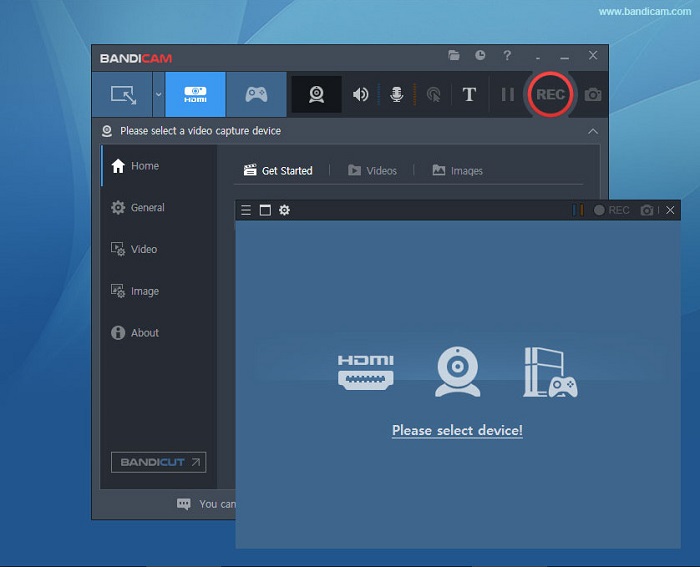
Bandicam הוא תוכנת הקלטת מצלמת רשת שבה משתמשים אנשי מקצוע רבים. Bandicam מאפשרת לך להקליט את מצלמת הרשת ואת האודיו מהמכשיר שלך. בנוסף, ניתן למזג שני קובצי וידאו ולבחור אזורים מסוימים במסך להקלטה. כמו כן, היא מפיקה סרטונים באיכות גבוהה שנשמרים כסיומות קבצים .avi ו‑.mp4. ואם אתה מחפש מקליט מסך עם מיקסר סאונד, Bandicam היא הכלי המתאים ביותר. עם זאת, הכלי הזה אינו ידידותי למתחילים משום שממשק המשתמש שלו מורכב להפעלה. למרות זאת, שווה ללמוד לעבוד איתו כיוון שהוא יכול להפיק תוצרים שנראים מקצועיים.
יתרונות
- לקבצי המקליט יש גודל קובץ קטן בהרבה מאשר תוכנות אחרות.
- זה מאפשר לך להקליט סרטונים דו-ממדיים ותלת-ממדיים באיכות גבוהה.
- יש לו מקליט מצלמת אינטרנט ומקליט אודיו מובנה.
חסרונות
- יש לו ממשק תוכנה קשה לשימוש.
- זה לא יכול לפעול בסרטונים בשידור חי.
חינוך חינוך
מחיר: $7.5-$10
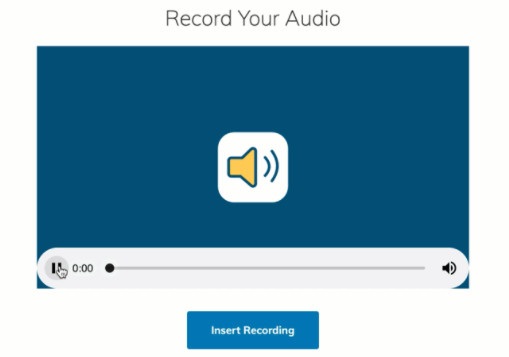
Schoology הוא מקליט מצלמת רשת מבוסס HTML5, מה שאומר שתוכל להקליט את סרטוני ה‑HTML5 שלך. מקליט מצלמת רשת זה משמש בעיקר להרצאות, מצגות וסרטונים הקשורים לבית הספר. בנוסף, הכלי מאפשר לך להקליט את האודיו והווידאו מהמכשיר שלך. מה שעוד מרשים בכלי הזה הוא שהוא גם מרכז תקשורת המשמש כפלטפורמה מקוונת לתלמידים כדי שיוכלו ליצור אינטראקציה. יש לו גם ממשק משתמש פשוט שהופך אותו לכלי ידידותי למשתמש.
יתרונות
- אתה יכול להוריד את פלט ההקלטה שלך גם ללא גישה לאינטרנט.
- יש לו GUI פשוט.
- זהו מרכז תקשורת לתלמידים ולמורים.
חסרונות
- יש לו תכונות עריכה מוגבלות לשימוש.
ManyCam
מחיר: $99 (גרסת פרימיום)
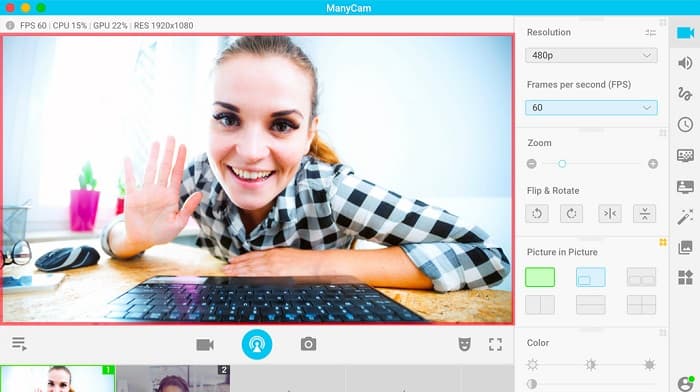
ManyCam הוא מקליט מסך ומצלמת רשת עבור Windows 10. הוא מקליט סרטונים חלקים ובאיכות טובה שניתן ליצור בקלות. זהו כלי ידידותי למשתמש משום שיש לו ממשק משתמש פשוט. אנשים משתמשים במקליט מצלמת רשת זה לסטרימינג חי, לשיעורים ולהרצאות. נוסף על כך, הוא יכול גם להזרים וידאו ב‑4K ויש לו יכולת שידור מסך (סקרינקאסט). אם אתה מחפש כלי עם הגדרות בקרה על המצלמה בזמן אמת, לכלי הזה יש את הפונקציה הזו. עם זאת, רוב הפונקציות שבו מופעלות באופן ידני.
יתרונות
- זה מאפשר לך להזרים סרטוני 4K ולהקליט את האיכות הגבוהה שלהם.
- הוא אינו מכיל סימן מים גם בעת שימוש בגרסת הניסיון החינמית.
- זהו כלי קל לשימוש.
חסרונות
- עליך לרכוש את האפליקציה לפני גישה לתכונות המיוחדות שלה.
YAWCAM
מחיר: חינם
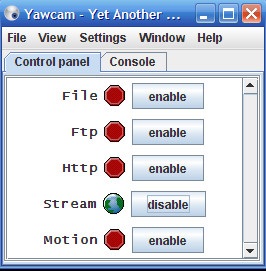
מקליט מצלמת הרשת האחרון שכדאי לך להכיר הוא YAWCAM. מקליט מצלמת רשת זה יכול להזרים ולהקליט סרטונים לשימוש אישי ותומך ברוב פורמטי הקבצים הסטנדרטיים, כולל PNG, JPG, GIF ו‑MJPEG. הכלי הזה ידוע בכך שיש לו את אחד מממשקי המשתמש הפשוטים ביותר למקליטי מצלמת רשת. לכן, אם אתה מתחיל ורוצה אפליקציה קלה במיוחד לשימוש, כדאי לך לנסות את הכלי הזה.
יתרונות
- הוא תומך בפורמטים הנפוצים ביותר של קבצים, כמו PNG, JPG, GIF ו-MJPEG.
- יש לו GUI פשוט.
- זה לא מייצר פלטי סימן מים.
חסרונות
- יש לו מעט תכונות עריכה ואפקטי מעבר.
חלק 2. 3 מקליטי הרשת הטובים ביותר עבור Mac
בשנים האחרונות, תוכנת עריכת הווידאו עבור Mac לא השתנתה כל כך. עם זאת, ל-Mac אין מקליט מצלמת אינטרנט מובנה. אבל בחלק זה, תכיר את מקליטי הרשת הטובים ביותר עבור משתמשי Mac.
iMovie
מחיר: חינם (Mac)
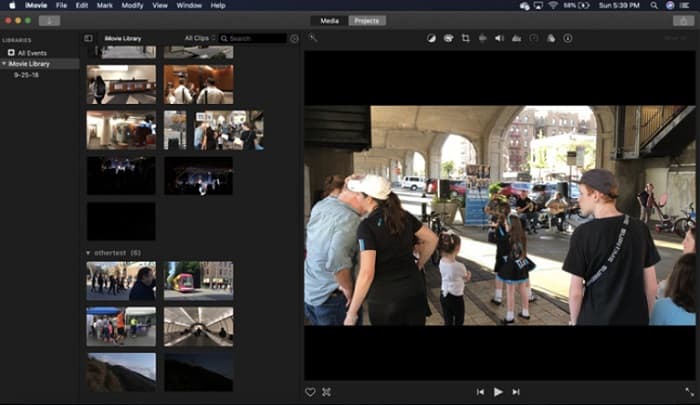
iMovie היא תוכנת עריכת וידאו מובנית עבור Mac. זוהי אפליקציית עריכת הווידאו הפופולרית ביותר בקרב משתמשי Mac משום שיש לה שלל פונקציות מרשימות. ואם אתה מחפש דרך להקליט את מצלמת הרשת שלך ב‑Mac, אז iMovie היא בדיוק האפליקציה המתאימה. יש לה גם ממשק נקי שבו ניתן לעבוד בקלות. נוסף על כך, יש לה יכולות רבות, כמו הוספת פסקול, חיתוך או קרופ של וידאו/אודיו, שכבות טקסט ועוד.
יתרונות
- יש לו ממשק משתמש אינטואיטיבי.
- יש לו תכונות עריכה רבות, כולל פיצול, חיתוך, חיתוך וכו'.
- הוא תומך בסרטוני HD ו-4k.
חסרונות
- הוא תומך בפחות יציאות וידאו ויש לו בעיה עם תאימות MP4.
- תואם רק ב-Mac.
מקליט מצלמת אינטרנט של CamWiz
מחיר: $9.99 (גרסת Pro)
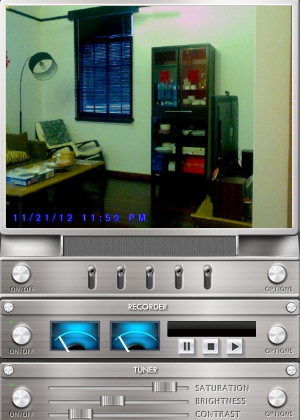
CamWiz Webcam Recorder הוא מקליט וידאו ממצלמת רשת שניתן להוריד עבור Mac. מקליט מצלמת רשת זה מאפשר גם להקליט את מערכת האודיו שלך. בנוסף, אפשר להשתמש בכלי כדי לצפות, להקליט ולהשמיע מחדש סרטונים ממצלמת הרשת. ואם אתה רוצה כלי שמאפשר לבחור את איכות קובץ הפלט, זה הכלי שאתה מחפש. יתרה מזאת, אם אתה מקליט בחדר חשוך או בלילה, לתוכנה הזו יש “מצב ראיית לילה” שיעזור לך לראות את הקלטת מצלמת הרשת גם במקום חשוך.
יתרונות
- יש לו מודול טיונר מובנה כדי להתאים את הניגודיות והבהירות של הווידאו.
- יש לו מצב ראיית לילה.
- יש לו ממשק תוכנה קל לשימוש.
חסרונות
- יש לו תכונות עריכה מוגבלות לשימוש.
- יש לו בעיות באגים.
סטודיו OBS
מחיר: חינם
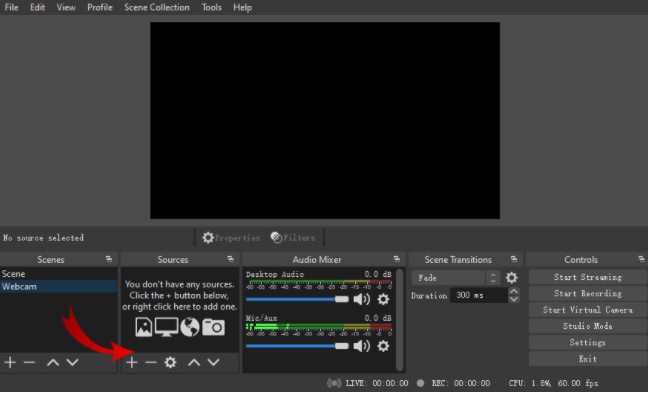
מקליט מסך ומצלמת רשת נוסף שניתן להשתמש בו הוא OBS Studio. מקליט מצלמת הרשת בקוד פתוח הזה הוא תוכנה פופולרית עבור Mac. הסיבה שאנשים רבים משתמשים בו היא שהוא חינמי להורדה. נוסף על כך, הוא מאפשר להקליט אזור מסוים מהמסך. גם אנשי מקצוע רבים משתמשים במקליט הזה כדי להפיק וידאו ברמת תעשייה.
יתרונות
- יש לו תכונות עריכה מתקדמות לשימוש.
- יש לו ממשק משתמש אינטואיטיבי.
חסרונות
- מכיוון שמדובר באפליקציה בקוד פתוח, היא נוטה לקריסות.
קשור:
חלק 3. טבלת השוואה על מקליטי הרשת
עדיין מתלבטים באיזה מקליט מצלמת אינטרנט תשתמש? אנו נעזור לך להחליט באיזו אפליקציה להשתמש. בחלק זה תכירו מאפיינים ותכונות מפורטים יותר שיש לכל כלי. קרא בצורה מקיפה, ואנו מקווים שתוכל להחליט באיזה כלי הכי טוב להשתמש בסוף.
| תכונות | מקליט מסך Aiseesoft | בנדיקם | חינוך חינוך | ManyCam | YAWCAM | iMovie | מקליט מצלמת אינטרנט של CamWiz | סטודיו OBS |
| מאפשר לך להקליט את מערכת השמע שלך |  | | | | | | | |
| ממשק תוכנה קל לשימוש | |  | | | | | | |
| מערכת נתמכת | זמין בכל פלטפורמות המדיה, כולל Windows, Mac ולינוקס | זמין ב-Windows | זמין ב-Windows וב-Mac | זמין במערכת Windows | זמין ב-Windows וב-Mac | זמין ב-Mac | זמין ב-Windows וב-Mac | זמין ב-Windows, Mac ולינוקס |
| בעל תכונות עריכה | | | | | מוגבל | | מוגבל | |
| הפקת תפוקות באיכות גבוהה | | | | | | | | |
חלק 4. שאלות נפוצות על מקליטי הרשת הטובים ביותר
אם אתה מקליט מצלמת אינטרנט, האם זה מקליט את מערכת השמע?
כן. אם אתה מבצע הקלטת מצלמת אינטרנט, היא מגיעה עם השמע ממצלמת האינטרנט שלך. עם זאת, אם אתה מבצע הקלטת מסך, כלים מסוימים אינם מקליטים את השמע בו זמנית.
באיזה פורמט נעשה שימוש נפוץ להקלטת מצלמת אינטרנט?
רוב מצלמות הרשת מייצרות הקלטת מצלמת אינטרנט עם פורמט פלט MP4.
עד כמה מצלמת אינטרנט של מחשב נייד יכולה להגיע?
בהגדרה הגבוהה ביותר של מצלמת אינטרנט למחשב נייד שהיא 10 מגה פיקסל, היא יכולה לראות טווח של 10-15 רגל.
סיכום
כפי שאתה יכול לראות, ישנם מקליטים רבים של מצלמת אינטרנט שבהם אתה יכול להשתמש כדי לבצע הקלטת מצלמת אינטרנט. עם זאת, לא לכל מצלמות הרשת יש את אותן התכונות והמחיר. לכן, אם אתם מחפשים מקליט מצלמת אינטרנט ששווה את המחיר ויש לו את התכונות הטובות ביותר לשימוש, הורד את מקליט המסך של Aiseesoft ותחווה את האיכות הנהדרת שהכלי הזה מציע.
-
 7 של מקליט הקול המפואר נגיש בכל הפלטפורמות
 האם אתה רוצה ללמוד איך לעשות הקלטת אודיו? לאחר מכן, עבור למאמר זה כאשר אנו מדברים על מקליט האודיו הטוב ביותר שיכול להתאים לצרכים שלך.
-
 4 תוכנות הקלטת אודיו החדשות ביותר הזמינות ב-Windows ו-Mac
 זקוק לתוכנת הקלטת אודיו על שולחן העבודה שלך? במקרה כזה, מאמר זה מלא ברעיונות על הטובים ביותר ועוד. אז אם אתה צריך אחד קרא את המאמר הזה.
-
 5 אפליקציות מקליט האודיו המובחרות ביותר באנדרואיד ו-iOS [2022 עודכנו]
 לא יודע באיזו אפליקציית מקליט אודיו כדאי להשתמש? אם כן, מאמר זה יעזור לך לבחור איזו אפליקציה תעזור לך במשימת הקלטת האודיו שלך.
