


 ממיר וידאו אולטימטיבי
 מקליט מסך
 תיקון וידאו
כיצד להשתמש ב-GIMP הסרת רקע מתמונות בצורה חלקה
בחקר העולם העצום של עריכת תמונות, GIMP מתגלה ככלי חזק ורב-תכליתי, המתגאה בתכונות רבות, בעיקר ביכולת להסיר רקעים בצורה חלקה. הסרת רקע מתמונות הייתה חלק מתהליך היצירה; זה חיוני כשעובדים עם תמונות וחומרים חזותיים. כתוצאה מכך, מאמר זה מנווט דרך השלבים המהירים והפשוטים להשגת תוצאות מלוטשות ומקצועיות עם GIMP.
Furthermore, for those desiring an alternative approach, we'll introduce how GIMP removes backgrounds from images as well as free and alternative options for removing a background from your images. Continue reading this article to find out how GIMP software works on removing backgrounds from images and FVC as an alternative tool.
חלק 1. כיצד להסיר רקע מתמונה ב-GIMP
GIMP, או תוכנית GNU Image Manipulation, עומדת בתור תוכנה מרכזית להסרת רקע בעריכת תמונות. בתור תוכנת קוד פתוח, היא הייתה ידועה בתור תמונת ייצוא GIMP עם רקע שקוף. זה מעצים מעצבים גרפיים, צלמים וחובבים עם סט רב-תכליתי של תכונות. על ידי היכרות עם היכולות של GIMP, אתה פותח פלטפורמה חזקה שמאפשרת לא רק הסרת רקעים אלא גם שיפור ומניפולציה של חזותיים.
Fuzzy Select Tool A handy option in GIMP for removing backgrounds. It works by selecting parts of an image with similar colors. It's crucial to pick a good starting point to ensure accurate background selection, as an incorrect choice may yield undesired results. Below are the steps to utilize the tool to remove backgrounds from your images.
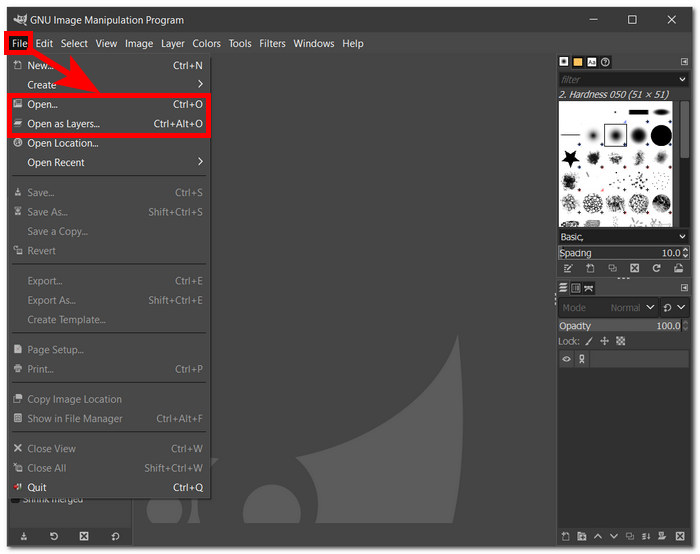
Step 1. Download GIMP software from your local browser. Once installed, open the software and begin by importing your image into the software.
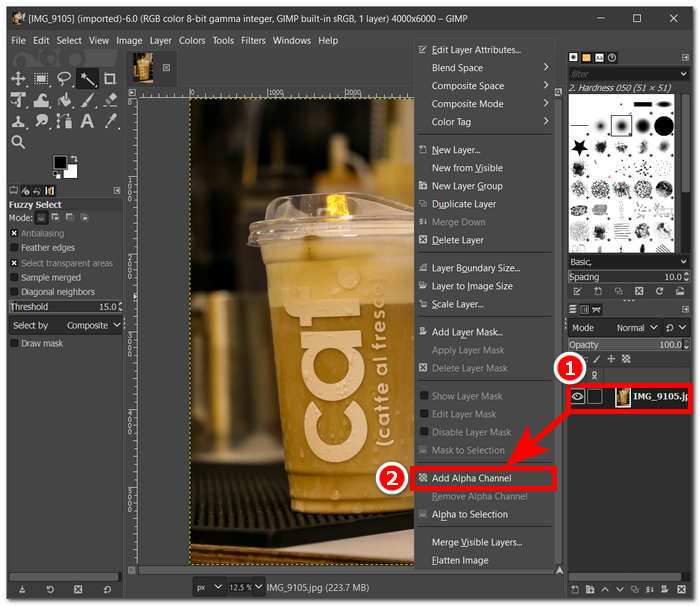
Step 2. Once your image loads in the software, go to the bottom-right side and select the layer. Right-click on it and select Add Alpha Channel in the settings.
Step 3. Click on Fuzzy Select from your tools located in your upper-left corner and once selected, click and drag the tool on the image to have this selection area in which GIMP will remove.
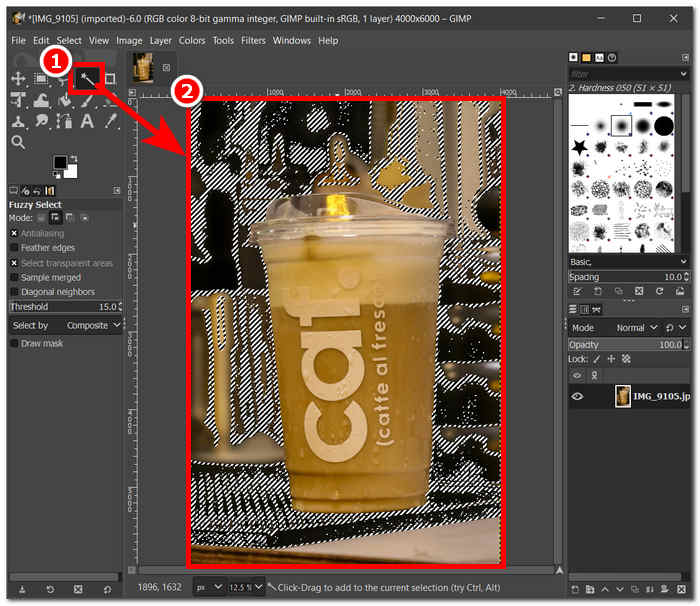
Step 4. A dotted outline will then appear on the area. Just click the Delete button from your keyboard to remove the background from your image finally. Once satisfied, locate Save from the File section in your upper-left to download your image on your desktop.
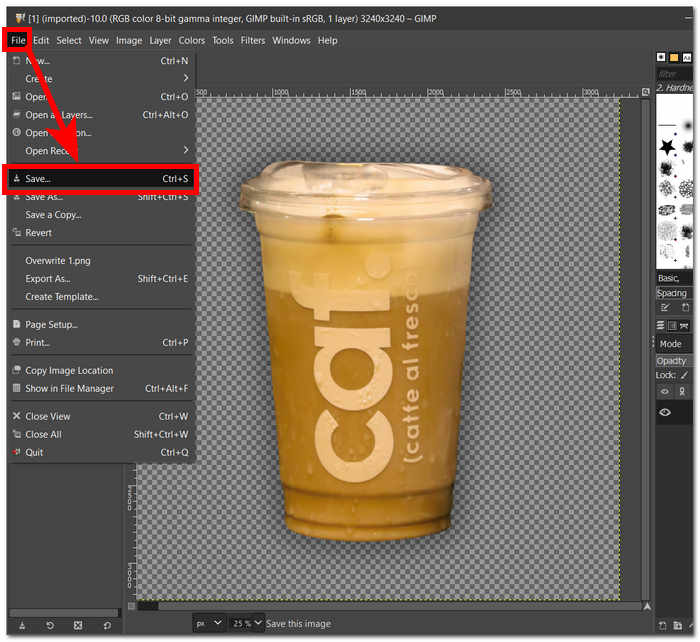
To sum up, GIMP, with its user-friendly interface and robust toolkit, stands as an essential resource for both seasoned professionals and aspiring enthusiasts alike. Whether you're well-versed in image editing or just starting, GIMP's intuitive design facilitates a seamless experience. The software's powerful tools empower users to achieve refined and professional-looking results, offering a versatile platform for creative endeavors. With GIMP, the learning curve is accessible, making it an ideal choice for individuals looking to remove image watermarks, edit a photo, and more.
חלק 2. חלופה חינם ל-GIMP להסרת רקע תמונה
FVC Free Background Remover stands out as an efficient solution for effortlessly eliminating backgrounds from your images or creating a transparent backdrop. This user-friendly tool is web-based, meaning you have access to its features through your local browser for free, unlike software tools like GIMP that require you to download and install to be able to use its features, allowing FVC Free Background Remover for automatic removal or customization of specific areas in an instant.
בנוסף, התכונות הפשוטות של התוכנה בהסרת רקע מתמונות הופכות אותה לקלה לשימוש. בניגוד לתוכנה, יש להם חבורה של כלים לכל משימה שיכולה להוביל לבלבול של המשתמשים שלה לגבי מה לעשות. לשתי התוכנות עשוי להיות אותו פלט בכל הנוגע לדיוק בהסרת הרקע. ובכל זאת, ההבדל ביניהם הוא ביעילות, חיסכון בזמן ויצירת ממשקים. להלן השלבים להסרת רקע מתמונות באמצעות FVC Free Background Remover.
Step 1. Visit the FVC Free Background Remover website and load the image you want to edit in the Upload Image field located on the website.
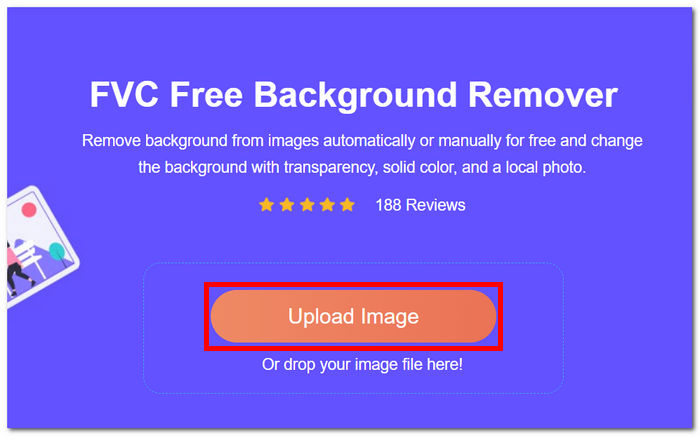
Step 2. The tool uses AI to detect and automatically remove the background from your image.
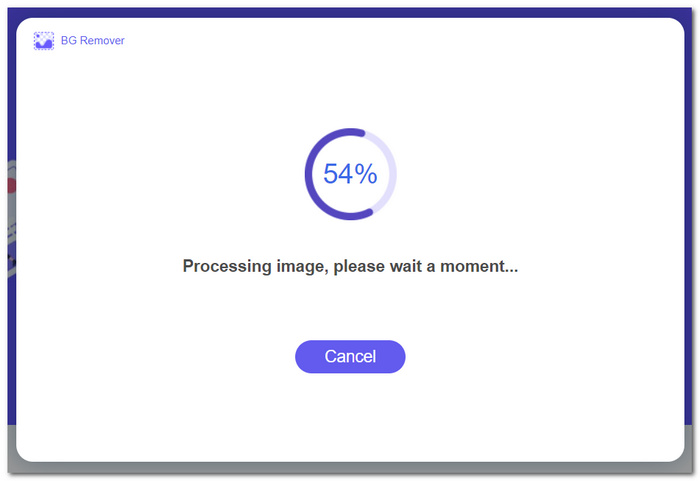
Step 3. Once the process is complete, download the edited image with the background removed by clicking on the Download button.
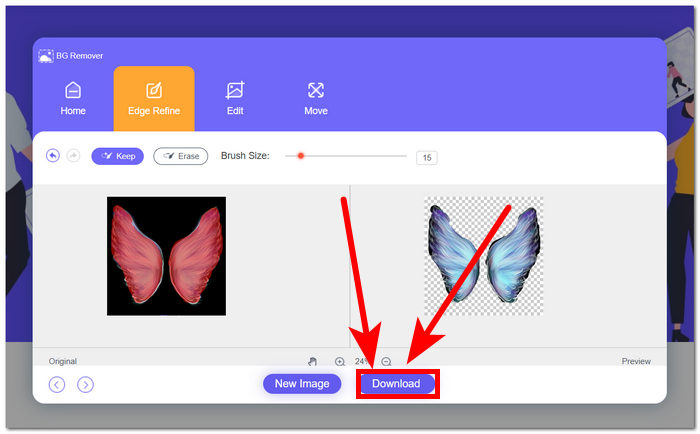
That is to say, for those seeking an alternative approach to background removal, especially those who find GIMP software a tad bit difficult to use, FVC online background remover offers a convenient and free option, simplifying the process through intuitive steps and providing users with flexibility in their editing endeavors. Moreover, it lets you add background to a photo.
חלק 3. שאלות נפוצות על האופן שבו GIMP מסיר רקע מתמונות
כיצד נוכל למחוק את הרקע מחוץ לאובייקט נבחר GIMP?
ב-GIMP, הסרת הרקע מחוץ לאובייקט שנבחר מושגת באמצעות התכונה Layer Mask. לאחר בחירת השכבה הרצויה, פשוט הוסף מסיכה והשתמש בכלי הציור כדי לחשוף או להסתיר חלקים ספציפיים מהתמונה. שיטה זו מאפשרת שליטה מדויקת על תהליך הסרת הרקע תוך שמירה על התמונה המקורית שלמה.
האם GIMP עובד על Mac?
כן, GIMP תואם באופן מלא למערכות ההפעלה של Mac. הורדה והתקנה של GIMP במחשב ה-Mac שלך מעניקה לך גישה לחבילה האיתנה של יכולות עריכת תמונות, מה שמאפשר לך לשפר ולתפעל חזותיים בקלות.
איך מנקים בחירה להיות שקופה ב-GIMP?
ב-GIMP, ניקוי בחירה לשקיפות הוא תהליך פשוט. כל שעליך לעשות הוא להשתמש בפקודה נקה, שנמצאת מתחת לסעיף עריכה, או לחץ על מקש Delete. פעולה זו הופכת למעשה את האזור הנבחר לשקוף, ומאפשרת שילוב חלק בהרכבי עיצוב שונים.
מדוע מחיקת שקופה לא עובדת ב-GIMP?
כדי להשיג הסרת רקע מוצלחת ב-GIMP, ודא שהשכבה הנכונה נבחרה וודא שאין שכבות נעולות שמפריעות לתהליך העריכה. אשר את נוכחותו של ערוץ אלפא בתמונה שלך, מכיוון שהוא חיוני לשמירה על שקיפות באזורים המיועדים לכך. בדיקות פשוטות אלו יתרמו לחוויה חלקה ויעילה של הסרת רקע בתוך GIMP.
כיצד אוכל לשנות את האטימות של בחירה ב-GIMP?
כדי להתאים את האטימות של בחירה ב-GIMP, נווט אל תיבת הדו-שיח 'שכבות' והשתמש במחוון האטימות. פשוט בחר את השכבה שמקיפה את התמונה שלך, ולאחר מכן כוונן עדין את הגדרת האטימות כדי להגיע לרמת השקיפות הרצויה לך. תהליך פשוט זה מאפשר שליטה מדויקת על הנראות של האלמנטים שנבחרו בקומפוזיציה שלך.
סיכום
לסיכום, הבנת הסרת הרקע מתמונות מתגלה כישרון רב ערך עבור אנשים העוסקים בעיצוב גרפי או צילום. בין אם ההעדפה שלך נוטה ליכולות המקיפות של GIMP או ל-FVC Free Background Remover הידידותי למשתמש, שתי השדרות מציעות שיטות מהירות ונגישות, המבטיחות תוצאות בעלות מראה מקצועי ללא סיבוכים מיותרים.
-
 כיצד לשנות גודל תמונה בפוטושופ: מדריך חובה לדעת
 למד את התהליך שלב אחר שלב כיצד לשנות גודל תמונה בפוטושופ. עקוב אחר המדריך הזה כדי לשנות ביעילות את גודל התמונות שלך בקלות ובאיכות!
-
 כיצד להגדיל את גודל התמונה באופן מקוון ולא מקוון
 גלה את הדרך הקלה ביותר להגדיל את גודל התמונה מבלי לאבד איכות. ראה את הכלים והתוכנה שלנו לשינוי גודל כדי להבטיח איכות אופטימלית לתמונות שלך.
-
 כיצד להשתמש ב-GIMP כדי לשנות את גודל התמונות: תהליך שלב אחר שלב
 אם אתה רוצה לשנות את גודל התמונה שלך, אתה יכול להשתמש ב-GIMP כדי לעשות זאת. קרא את פוסט המדריך הזה ביסודיות כדי ללמוד כיצד להשתמש ב-GIMP כדי לשנות את גודל התמונה באופן מקוון במחשב האישי שלך.
