


 ממיר וידאו אולטימטיבי
 מקליט מסך
 תיקון וידאו
 הורדה מאובטחת
3 שיטות להפעלת וידאו MKV בנגן המדיה של Windows עם ה- Codec הנכון
MKV, מייצג Matroska Multimedia Container, הוא פורמט קובץ מיכל חינמי ופתוח המכיל מספר מסלולי וידאו, שמע, תמונה וכתוביות בקובץ אחד. קבצי MKV משמשים בדרך כלל לאחסון קטעי וידאו, סרטים ותוכניות טלוויזיה. חלק ממשתמשי Windows 8/7 מתלוננים כי אינם יכולים להפעיל את וידאו MKV בנגן הווידאו המוגדר כברירת מחדל - Windows Media Player.
האמת היא ש- Windows Media Player אינו תומך בפיצול (פתיחה) של מכלי MKV. ובכן, אם אתה עדיין רוצה להפעיל קטעי וידאו MKV בנגן המדיה של Windows, עליך להתקין את ה- codec MKV הנכון עבור Windows Media Player. במאמר זה אנו אגיד לך היכן ניתן למצוא רכיבי codec של MKV עבור Windows Media Player ודרכים אחרות להפעלת קטעי וידאו של MKV ב- Windows Media Player.

חלק 1. היכן להוריד את MKV Codec עבור Windows Media Player
אם ברצונך להפעיל קובצי וידאו MKV ב-Windows Media Player, עליך להתקין את הקודק התואם. להלן 3 חבילות קודקים פופולריות עבור Windows Media Player. באפשרותך להוריד ולהתקין את קודק ה‑MKV עבור Windows Media Player.
1. Media Player Codec Pack
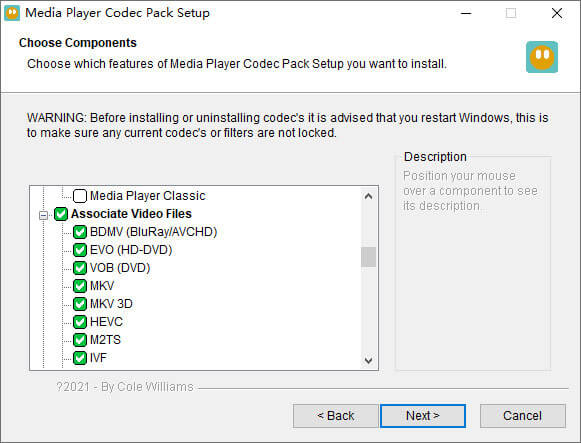
חבילת Codec Media Player היא חבילת Codec רב-תכליתית עבור Windows Media Player. הוא משמש להכיל קבצי וידאו ושמע מודרניים. זה תואם ל- Microsoft Windows 10, 8.1, 8, 7, Vista, XP, 2000, 2008, 2003. אתה יכול להוריד את Media Player Codec Pack ולקבל את ה- codecs כמו MKV, XviD, VOB, EVO, HEVC, M2TS, IVF, BDMV, MP4, MOV, WEBM, FLV וכו 'עבור Windows Media Player 12, 11 או 10.
2. CCCP (Combined Community Codec Pack)
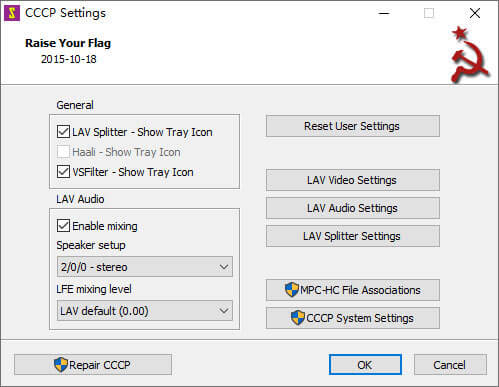
חבילת Codec Community משולבת היא חבילת השמעה עבור Windows. הוא מספק קבוצה מקיפה של רכיבי codec שיכולים לנגן כל סוג של קבצי וידאו כמו MKV, MP4, MOV, VOB וכו 'בנגן המדיה של Windows. זה תואם ל- Windows 10/8/7, WindowsVista, Windows XP, Windows 2000. אתה יכול להוריד יישום זה בקלות מהאתר הרשמי בחינם.
3. ffdshow
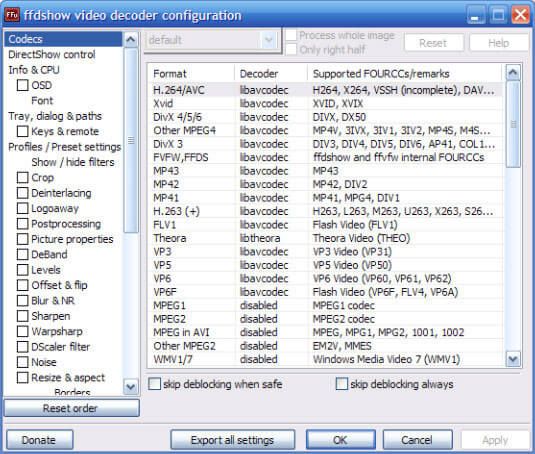
Ffdshow היא חבילת השמעה מתקדמת עבור רכיבי codec של Windows התומכת ברוב פורמטי האודיו והווידאו. ניתן להתקין את ה- Codec הנכון עבור h.264, MPEG-4, H.263, VP3, Theora, SVQ3, MP3, AC3, DTS, AAC, ועוד. הוא גם מספק פילטרים לשינוי גודל, דה-פרסום והצגת כתוביות וכו '. אתה יכול להוריד את ה- ffdshow ולהתקין את ה- Codec הנכון של MKV עבור Windows Media Player.
חלק 2. המרת MKV להפעלה בנגן המדיה של Windows
למרות ש־Windows Media Player אינו תומך בווידאו בפורמט MKV, באפשרותך להמיר את הווידאו מ־MKV לפורמטים שנתמכים על‑ידי Windows Media Player. כידוע, ל־Windows Media Player 12 יש תמיכה מובנית ברוב פורמטי הווידאו והאודיו כמו MPEG, WMV, AVCHD, WMA, AAC, 3GP ועוד. בעזרת Video Converter Ultimate תוכל להמיר וידאו בפורמט MKV לכל פורמט וידאו/אודיו, כולל MP4, AVI, MOV, WMV, MKV, MPEG, MP3, FLAC ועוד.
הורדה חינמיתל-Windows 7 ומעלההורדה מאובטחת
הורדה חינמיתל-MacOS 10.7 ומעלההורדה מאובטחת
שלב 1. לחץ על כפתור ההורדה כדי להוריד את Video Converter Ultimate למחשב שלך. הפעל ממיר MKV זה ולחץ על כפתור Add Files כדי להוסיף את קובצי ה‑MKV לתוך התוכנה.
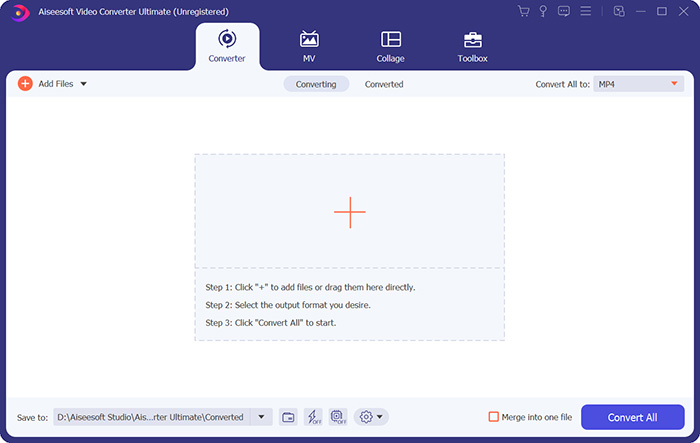
שלב 2. לחץ על החץ הנפתח שליד Convert All to, ובחר MP4 או פורמטים אחרים מכרטיסיית Video.

שלב 3. לאחר מכן באפשרותך לעבור לאזור Save to שבתחתית כדי לבחור נתיב עבור קובץ ה‑MKV שהומר. לבסוף, לחץ על כפתור Convert All כדי להתחיל להמיר MKV ל‑MP4 במחשב שלך.

לאחר סיום ההמרה, תוכלו להפעיל את סרטון ה- MKV שהומר ב- Windows Media Player. אם ברצונך ללטש עוד את סרטון ה- MKV שלך לפני ההמרה, תוכל ללחוץ על סמל העריכה בממשק הראשי כדי לסובב, לחתוך, לסמן מים לסרטון MKV, להוסיף כתוביות ולהחיל פילטרים אחרים.
חלק 3. הפעל MKV עם חלופת נגן המדיה של חלונות
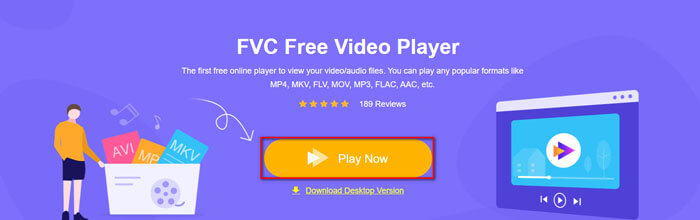
מה קורה אם Windows Media Player אינו פועל למרות שכבר המרת את קובץ ה‑MKV? גורמים שונים יכולים למנוע את ניגון ה‑MKV ב‑Windows Media Player. אם אינך רוצה להתקין קודק מסוים עבור Windows Media Player, תוכל לנסות נגן MKV אחר במקום זאת. FVC Free Video Player הוא נגן MKV מקוון שעוזר לך להפעיל כל קובצי המולטימדיה בכל הפורמטים כמו MKV, MP4, FLV, MOV, AVI, 3GP, MP3, AAC ועוד. בהתבסס על טכנולוגיית HTML 5, נגן MKV זה תומך בניגון חלק של כל קובצי ה‑MKV בדפדפן שלך. אין צורך בהורדת חבילות נוספות, ברכישה או ברישום.
שלב 1. עבור לדף האינטרנט הרשמי של FVC Free Video Player. לחץ על כפתור Play Now כדי להוריד ולהתקין את המשגר במחשב שלך.
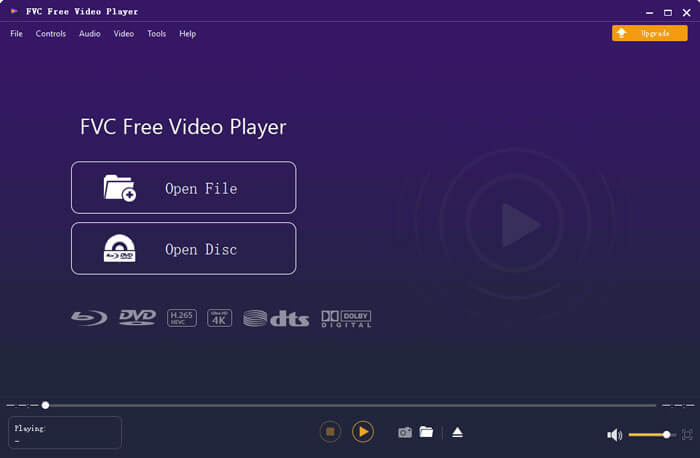
שלב 2. באפשרותך ללחוץ על כפתור Open File בממשק הראשי כדי להוסיף את קובץ ה‑MKV לחלופה של Windows Media Player.
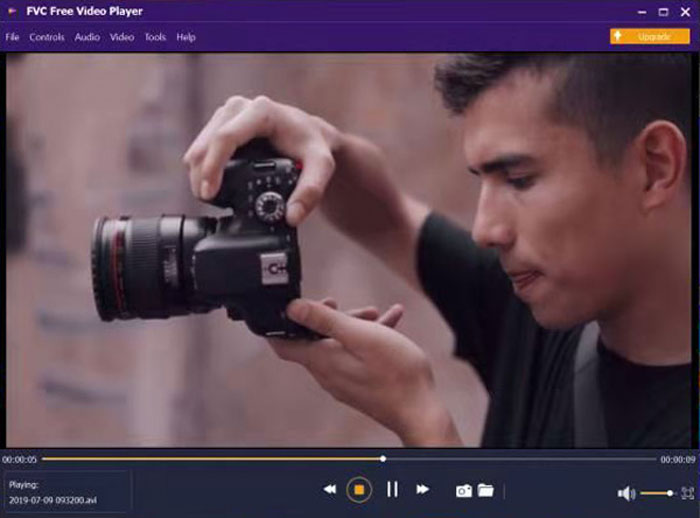
שלב 3. לאחר שייבאת את וידאו ה‑MKV, הוא ינוגן אוטומטית במחשב שלך. במהלך הניגון תוכל לעבור לכרטיסיית Control כדי לנגן, לעצור, להעביר קדימה או אחורה את ניגון הווידאו בפורמט MKV.
אל תפספס: כיצד לנגן DVD ב‑Windows Media Player?
חלק 4. שאלות נפוצות של MKV Codec עבור נגן המדיה של Windows
איזה נגן מדיה יכול לשחק ב- MKV codec?
ישנם נגנים רבים התומכים ב- MKV codec, כולל נגן מדיה VLC, נגן מדיה קלאסי, KMPlayer, נגן MX, MKPlayer, נגן זום, נגן 5K, נגן GOM וכו '.
האם קבצי MKV קטנים מ- MP4?
לקובץ MKV בדרך כלל גודל קובץ גדול יותר מ- MP4, מכיוון שרצועת השמע המרובה, רצועות הכתוביות ותכונות אחרות. למרות שקובץ MP4 נשמר בגודל קטן, הוא שומר על האיכות הגבוהה כ- MKV. הסיבה לכך היא ששני פורמטים המיכלים MKV ו- MP4 יכולים להכיל את אותו הווידאו והשמע.
האם נגן המדיה של VLC מנגן קבצי MKV?
כן. נגן המדיה של VLC יכול לזהות ולהשמיע כמעט את כל פורמטי הווידאו והשמע, כולל MKV. אם קבצי MKV נכשלים בנגן VLC Media Player, אתה יכול להתקין את ה- codec MKV או לנסות במקום זאת נגני MKV אחרים כמו FVC Free Video Player.
סיכום
קבצי MKV יכולים לתמוך באיכות ללא אובדן ולהכיל תמונות, קטעי וידאו ושמע ללא הגבלה. זה מעצבן ש- MKV לא יכול לשחק ב- Windows Media Player 12, נגן המדיה המוגדר כברירת מחדל עבור Windows. אתה יכול לנסות להתקין את ה- codec של MKV להפעלה חלקה, או להמיר את ה- MKV לפורמטי וידאו אחרים. אם נמאס לכם מנגן המדיה של Windows, תוכלו לנסות נגן וידאו אחר של MKV כמו FVC Free Video Player. מקווה שהבעיה שלך נפתרה בצורה מושלמת.
-
 נגן VLC לא ישמיע MKV, כיצד לתקן את זה
 האם נגן VLC תומך בקבצי MKV? מדוע VLC לא ישמיע MKV? פוסט זה משתף 4 טיפים שימושיים לתיקון נגן VLC לא ישמיע קבצי MKV.
-
 כיצד לנגן קבצי MKV ב- iPad 2021
 איך מנגנים קבצי MKV באייפד 2? האם אוכל להמיר MKV ל MP4 למשחק ב- iPad Pro / Air / 2? פוסט זה חולק שתי דרכים קלות לשחק ב- MKV ב- iPad.
-
 נגן המדיה של Windows לא משחק MP4? 5 דרכים יעילות לתקן את זה
 נכשלת הפעלת MP4 בנגן המדיה של Windows? למידע נוסף על הסיבות והפתרונות האולטימטיביים להפעלת MP4 בנגן המדיה של Windows במחשב Windows 10.
