


 ממיר וידאו אולטימטיבי
 מקליט מסך
 תיקון וידאו
 הורדה מאובטחת
סקירה אולטימטיבית על ממיר HEIC שאתה יכול להשתמש בו ללא מאמץ
יש יותר מ-4.5 מיליארד תמונות שצולמו מדי יום ברחבי העולם. באופן קבוע אדם לקח כמעט 20 צילומים ביום כממוצע. עם ההשפעה העצומה שלה ברחבי העולם, רובנו עשינו צעד נוסף כדי לאחסן את התמונה באיכות טובה יותר, כמו שאפל עשתה כששינו את פורמט התמונה הסטנדרטי ל-HEIC. פורמט תמונה זה יכול להכיל תמונה באיכות גבוהה אך בגודל קטן יותר מ-JPG או PNG. לפיכך, עם הדחיסה המשופרת שלו, רבים מאיתנו יכולים לחסוך יותר מקום בכונן iOS שלנו אם קובץ התמונה הוא בפורמט זה. כתוצאה מכך, הפורמט הפך לפופולרי בכל iOS 11 ו-macOS High Sierra.
בלי קשר לכמה שהתצורה טובה, כנראה שלא תפתח את הקובץ אם תעביר אותו למכשירים אחרים. במצב כזה, ממיר פורמטים יהיה בדרך‑כלל שימושי יותר. כדי לפתור את הבעיה הזו, המשך לקרוא את המאמר שבו אנו מציגים חמישה ממירי HEIC שתוכל להשתמש בהם בחינם או לרכוש בגרסאות המלאות. המשך הלאה כדי לקבל את כל המידע שתצטרך כדי לפתור את זה בפחות מ‑7 דקות.

חלק 1. 3 ממירי HEIC בחינם הזמינים באינטרנט
ממיר HEIC ל- JPG ללא FVC
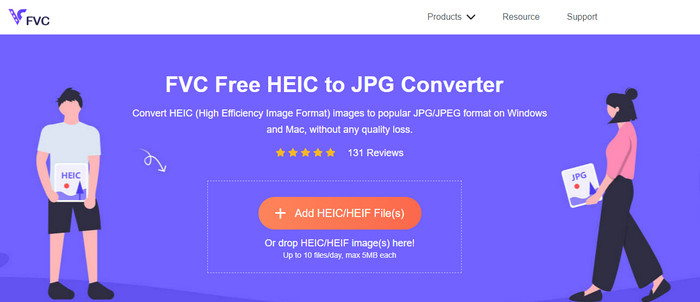
FVC Free HEIC to JPG Converter מציע ממיר HEIC חינמי, פשוט ויעיל שאפשר להשתמש בו אונליין. בעזרת כלי אינטרנט זה, ניתן לגרור ולשחרר את הקובץ ישירות לאתר כדי להעלותו – אין צורך להפעיל ידנית את תהליך ההמרה, משום שהוא מתחיל באופן אוטומטי. למרות שכלי מבוסס‑דפדפן זה אינו תומך בהמרה בקבוצות (batch), הוא עדיין נחשב לאחד מממירי האונליין המובילים שכדאי להכיר. בניגוד לממירים אחרים שמורידים את איכות התמונה שאתה ממיר אצלם, הכלי הזה אינו פוגע באיכות קובץ ה‑HEIC שלך, והוא שומר על אותה רמת איכות גם לאחר שתבצע המרה ל‑JPG.
אולי אתה תוהה אם אתה משתמש בכלי זה, האם אתה צריך להוריד קבצים נוספים, כמו תוכנית ההתקנה? למרבה המזל, בזמן השימוש בזה, לא תצטרך להוריד את תוכנית ההתקנה בכונן שלך ולהשתמש בו במקום. אין צורך בהגדרה מכיוון שהכלי נגיש בדפדפן המועדף עליך, בניגוד לממירים האחרים הקיימים בשוק. למרות שהכלי עובד בצורה חלקה מצוין על קובץ ה-HEIC שלך, יש פונקציונליות מוגבלת; זה מספק על גודל והמרה מדי יום. נניח שהחלטת להשתמש בממיר המקוון. לחץ על הקישור למעלה כדי לראות את הניקיון שלו ואת התחזית הכללית.
JPGHEIC.com
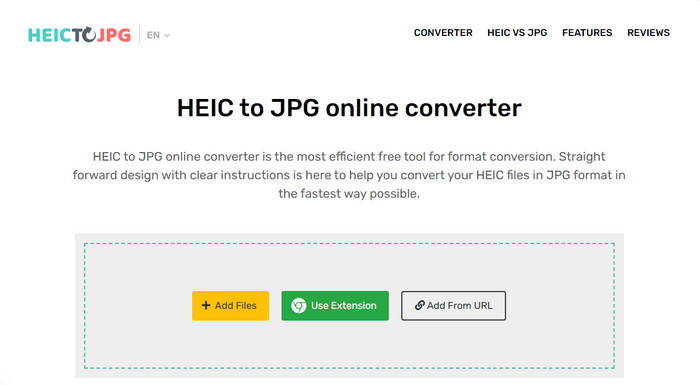
האתר JPGHEIC.com פועל באופן דומה לממיר תמונות HEIC שהצגנו קודם. אבל מה שהופך את הכלי למרשים הוא שאין הגבלה במספר הפעמים שניתן להשתמש בו או בגודל הקובץ. בעזרת הכלי אפשר להוסיף קובצי מדיה בקלות באמצעות גרירה ושחרור אל דף הבית של האתר. בנוסף, ניתן להשתמש ב‑URL כדי להעלות קישור לתמונת HEIC שברצונך להמיר לפורמט JPG. למרות שלכלי יש אתר רשמי, ניתן גם להשתמש בתוסף Chrome כדי לגשת אליו בצורה נוחה יותר מאשר לבקר באתר עצמו. הפונקציות והתכונות של ממיר האינטרנט ושל התוסף כמעט זהות.
למרות היותו ממיר חינמי, יש כמה מודעות מעצבנות שעלולות ללחוץ עליהן ולפתוח אותן בטעות. לכן, ודא שאתה נמנע ללחוץ עליהם כדי למנוע פתיחת המודעות שעלולות להכיל וירוסים. לאחר השימוש בכלי זה, הקובץ שהעלית לכאן יימחק לאחר שעה. אתה יכול לגשת אליהם לפני שהקובץ יימחק לחלוטין בכלי אינטרנט זה.
Freeconvert.com
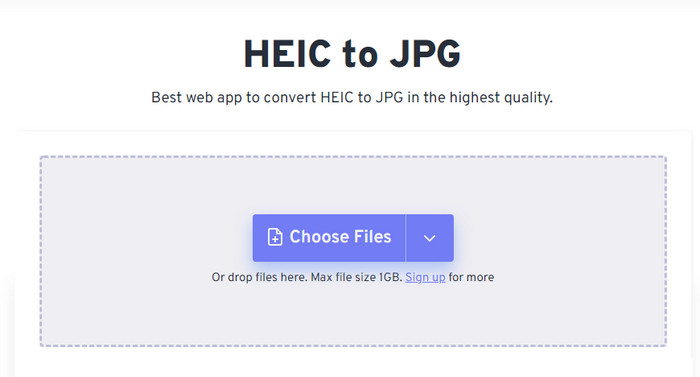
האתר Freeconvert.com הוא ממיר HEIC נוח לשימוש שתוכל להפעיל בדפדפן האהוב עליך, ותומך בגרירה ושחרור של קובצי HEIC לצורך הוספה מהירה. בניגוד לממיר האונליין שהצגנו קודם, הכלי הזה תומך בפלט תמונה מעבר ל‑JPG בלבד; אפשר גם לייצא כ‑BMP, PNG, TIFF, WebP ועוד. למרות שהכלי המקוון נראה מצוין, יש מגבלות מסוימות שעלולות להיות מטרידות, במיוחד לגבי גודל הקובץ. עם זאת, מגבלת הגודל היא 1GB, שגדולה בהרבה מזו של כלים מקוונים אחרים שניתן למצוא ברשת או שהוזכרו במאמר זה.
בנוסף לגודל הקובץ הנתמך וההמרה שלו, אתה יכול לשנות את הממד, הדחיסה ולהסיר את המטא נתונים בקובץ HEIC שלך. זהו אחד היתרונות של השימוש בכלי; חשוב מכך, אם אתה רוצה לתפעל אותם באופן ידני. למרות שיש לו תכונות נוספות שהופכות אותו לטוב יותר, מהירות ההמרה של הכלי הזה אינה מהירה כפי שציפינו.
חלק 2. 2 ממירי HEIC בתשלום המובילים להורדה ב-Windows וב-Mac
ממיר HEIC של Aiseesoft - ממיר HEIC הטוב ביותר ב-Windows וב-Mac
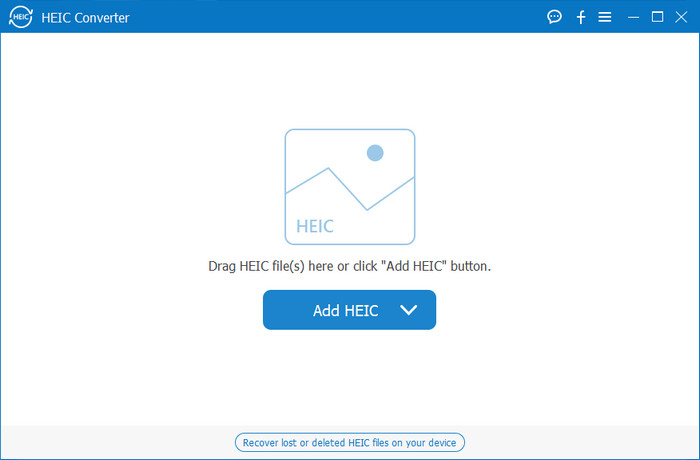
הכול יכול להתנהל בצורה חלקה ככל האפשר עם ממיר HEIC מקצועי ל‑Windows 10/11 ול‑Mac, כמו Aiseesoft HEIC Converter. זהו הממיר המומלץ ביותר עבור שני מערכות ההפעלה. על‑ידי מנוי לתוכנה, תוכל ליהנות מתהליך המרה ייחודי ומהיר במיוחד שלא חווית כמוהו. לאחר שתעלה את קובץ ה‑HEIC שלך, לא תבחין כמעט בהבדל לאחר שהפורמט יומר ל‑JPG. בין אם אתה משתמש מתקדם ובין אם לא, זהו הכלי המושלם שתוכל לסמוך עליו לצורך המרת קובצי HEIC ולהבטיח שההצלחה בהישג יד.
בנוסף למהירות ההמרה דמוית הברק, יש לנו גם את היכולת להפחית את האיכות אם תרצה ולשמור את נתוני ה-EXIF המאוחסנים ב-HEIC שלך ל-JPG. מבחינת ביצועים, מהירות ההמרה, ממשק משתמש פשוט ופונקציות מגובשות אחרות, שום דבר לא נשאר שהכלי הזה לא תקתק לגבי המרת תמונה. לאחר שתשתמש בכלי, תוכל להעלות לכאן את כל קבצי ה-HEIC עד שתהיה מרוצה. כדי לדעת יותר על התכונות התומך הכלי הזה, קרא את התוכן שלהלן.
תכונות:
◆ הוא תומך בהמרת מספר קובצי HEIC לפורמט JPG בו זמנית.
◆ גודל הקובץ של כל קובץ תמונה אינו מהווה בעיה בכלי זה.
◆ אובדן איכות לא יהווה בעיה מכיוון שהכלי שומר על אותה איכות.
◆ עם מהירות ההמרה בגאווה, המר את הקבצים שלך תוך זמן קצר.
◆ זמינות של התוכנה ב-Windows או Mac שלך.
ממיר TunesBro HEIC
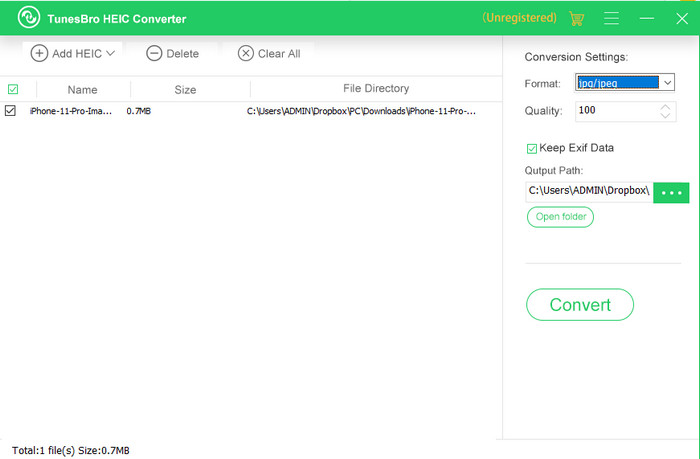
TunesBro HEIC Converter הוא ממיר HEIC מוכר שתוכל להתקין גם ב‑Windows וגם ב‑Mac. בדומה לממיר בתשלום שהצגנו, ניתן להמיר כאן קובצי HEIC מבלי לאבד את האיכות המקורית, אפילו ללא חיבור לאינטרנט. גם אם אינך מקצוען, תוכל לעבוד עם הכלי בקלות בזכות הממשק האינטואיטיבי שלו. אפילו ממירים פופולריים מסוימים אינם משתווים לפונקציונליות הכוללת ולביצועים של הכלי בהמרה. עם זאת, מחיר התוכנה גבוה יותר מזה של Aiseesoft HEIC Converter אם משווים ביניהם. אבל הוא עדיין זול יותר מממירים אחרים.
משתמשים רבים מוצאים את זה קצת יקר להשתמש כממיר אישי; הסיבה לכך שזה יקר היא בגלל שהוא תומך בתכונות שיכולות לעזור לך בהמרה. אם אתה מתכוון להמיר את ה-HEIC לפורמט סטנדרטי, אולי תרצה לבחור זאת כבחירה האחרונה עבור משתמשים עם תקציב מצומצם. אבל אם אתה רוצה לקבל ממיר אצווה ידידותי למשתמש, הורד את הכלי על שולחן העבודה שלך.
חלק 3. איזה מהם הכי טוב? טבלת השוואה עבור 5 ממירי HEIC
| מאפיינים | ממיר HEIC ל- JPG ללא FVC | JPGHEIC.com | Freeconvert.com | ממיר Aiseesoft HEIC | ממיר TunesBro HEIC |
| מהירות המרה | מָהִיר | קצת איטי | קצת איטי | הכי מהיר | מָהִיר |
| המר קובצי HEIC מרובים |  | | |  | |
| שמור מטא נתונים לאחר ההמרה | | | | | |
| ידידותי למשתמש | | | | | |
| תלוי באינטרנט | | | | | |
חלק 4. שאלות נפוצות על ממירי HEIC
מדוע המרת HEIC איטית?
אם אתה משתמש בכלי שזקוק לאינטרנט, עליך לבדוק את חיבור האינטרנט שלך, אבל אם האינטרנט שלך יציב, הבעיה היא בכלי שבו אתה משתמש. תוכל לפנות לשירות הלקוחות שהכלי בו אתה משתמש תומך. נניח שאין לו, אז אנו מציעים לך לשנות את הממיר. אבל אם זה כלי לא מקוון, אז לכלי הזה שבו אתה משתמש אין האצת חומרה או המרה מהירה. לכן, לפני בחירת ממיר לא מקוון, עליך לבדוק כמה מאמרים על המהירות והאמינות שלו.
מדוע אין תמיכה ב-HEIC?
אחת הסיבות שהוא לא נתמך באופן מקורי היא שסוג הדחיסה נמצא כעת בשימוש. הדחיסה שתומך בה HEIC היא דחיסה מודרנית עם אובדן שלא כל המכשירים תומכים בה. לכן, בחירת ממיר חשובה במיוחד במצב מסוג זה.
האם HEIC זמין רק ב-iOS?
נכון לעכשיו, פורמט תמונה זה עדכני ויהיה הפורמט הסטנדרטי לתמונה שתצלם בכל iOS 11 ומעלה. אבל בקרוב, הפורמט יהיה זמין גם באנדרואיד ובווינדוס, שכן זהו אחד הפורמטים הטובים ביותר שיכולים לאחסן תמונה באיכות גבוהה עם פחות גדלים מ-JPG.
סיכום
כולנו יכולים להסכים שבחירת ממיר HEIC היא הכרחית, במיוחד אם אתה הצד שמקבל תמונות בפורמט HEIC. קודם ציינו שהפורמט מצוין, וכעת כבר ברור שהוא בחירה טובה יותר מ‑JPG בכל הנוגע לגודל הקובץ ולאיכות. כעת, לאחר שסיימת לקרוא את המאמר, הגיע הזמן לבחור את הכלי המתאים לך – אונליין או אופליין. שני הסוגים טובים, אבל Aiseesoft HEIC Converter עדיף במובנים רבים. בדוק את הכלי על‑ידי רכישה והורדה למחשב השולחני שלך ותיהנה מכל יכולותיו.
-
 המר HEIC ל-JPG עם 6 הדרכים היעילות לא מקוונות ומקוונות
 רוצה לדעת איך להמיר HEIC ל-JPG? במקרה זה, אנו מוסיפים 6 דרכים מקוונות ולא מקוונות בהן תוכל להשתמש כדי לסיים ולטפל במשימה זו לחלוטין.
-
 5 ממירי HEIC ל-JPG הטובים ביותר בוחרים ב-2025
 עם ממיר HEIC ל-JPC תוכלו לשנות בקלות את פורמט התמונה ל-JPG נייד. רוצים לדעת מהם 5 הכלים האלה? קרא את המאמר הזה.
-
 המר HEIC ל-PDF באמצעות 4 הדרכים המשופרות המובילות ב-2025
 כדי לדעת מידע נוסף על ממיר HEIC ל-PDF הטוב ביותר, אתה יכול להוריד את זה 2025. אתה יכול לקרוא מאמר זה כפי שסיפקנו סקירה עליהם.
