


 ממיר וידאו אולטימטיבי
 מקליט מסך
 תיקון וידאו
אפליקציות לריטוש תמונות בינה מלאכותית שאסור לכם לפספס
אנשים רבים נתקלים בבעיה משום שהתמונה שברשותם באיכות נמוכה, לרוב בגלל הצורך לכוונן את ההגדרות במצלמה שלהם. ואם אתה נמנה עם האנשים הללו ואינך יודע כיצד להתאים את הגדרות המצלמה, יש לנו פתרון בשבילך. הפתרון הטוב ביותר שתוכל להשתמש בו הוא הגדלה ושיפור של התמונה לאיכות טובה יותר. ואם ברצונך לגלות מהו אפליקציית ה‑AI הטובה ביותר לריטוש תמונות, מאמר זה מיועד לך. המשך לקרוא כדי להכיר את ארבע אפליקציות ה‑ריטוש תמונות ב‑AI המובילות.
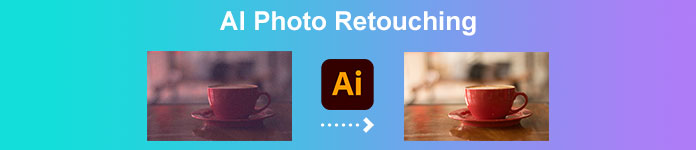
חלק 1. מהו ריטוש תמונות בינה מלאכותית
לפני שנדון בריטוש תמונות בינה מלאכותית, הבה נדון תחילה במשמעות של AI או בינה מלאכותית. כאשר אתה שומע לראשונה את המילה AI, זה עשוי להישמע טכני מדי. אבל אל תדאג; לא קשה להבין את המונח הזה ברגע שכבר הבנתם את הרעיון. בינה מלאכותית היא כינוי למכונות מחשב שנועדו לבצע משימה מסוימת ללא פעולות של אדם אמיתי. מחשבים אלה המשתמשים בטכנולוגיית AI מעבדים מידע כמו מוח אנושי אמיתי.
אבל איך AI או בינה מלאכותית חלים בריטוש תמונות?
בעת ריטוש תמונה, אתה רוצה לשפר את איכות התמונה שלך או להסיר את הפגמים בתמונה של אדם. בעריכת תמונות, AI מזהה את חלקי התמונה ברזולוציה נמוכה באופן אוטומטי ומנבא מה צריך לעשות בתמונה. יתר על כן, ישנם שני סוגים של טכנולוגיית AI: מכונות ריאקטיביות וזיכרון מוגבל.
מכונות ריאקטיביות מנתחות את ההיבטים של התמונה שלך ומפיקות באופן עקבי את אותן תוצאות. מצד שני, מכונות זיכרון מוגבלות לומדות מהפעילויות הקודמות שלך לבצע משימה. עכשיו כשאתה יודע את כל המידע הדרוש על ריטוש תמונות בינה מלאכותית, הרשו לנו להתקדם ולהכיר את יישומי ריטוש התמונות המצטיינים ביותר.
חלק 2. 4 ריטושים אולטימטיביים לתמונות שאתה חייב להשתמש בו
יש הרבה יישומי ריטוש תמונות שתוכל למצוא באינטרנט, בין אם זה מקוון או לא מקוון. עם זאת, לא לכולם יש את התכונות המדהימות ביותר שאתה צריך. אז, חיפשנו את האפליקציות הטובות ביותר לריטוש תמונות וניסינו אותן כדי לדעת על מה נמליץ. להלן ארבעת יישומי ריטוש AI הטובים ביותר.
FVC Free Image Upscaler
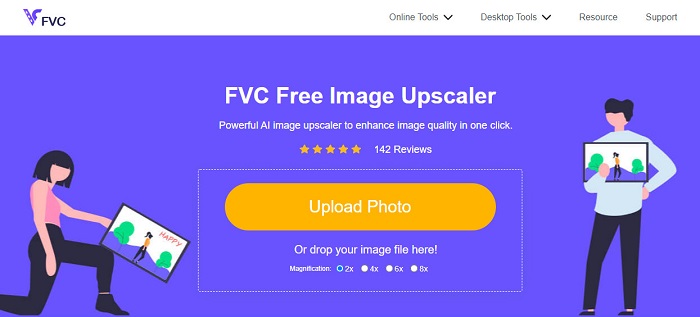
FVC Free Image Upscaler היא אחת מאפליקציות ריטוש התמונות ב‑AI הטובות ביותר שניתן להשתמש בהן בחינם. הכלי זמין אונליין וללא עלות בכל דפדפני האינטרנט, כולל Google, Firefox ו‑Safari. בנוסף, הוא משתמש בטכנולוגיית בינה מלאכותית (AI) מתקדמת כדי לזהות באופן אוטומטי את החלקים המטושטשים או באיכות הנמוכה בתמונה שלך. כמו כן, הוא מסוגל להפיק תוצאות בהגדלה של פי 2, פי 4, פי 6 ופי 8. יתרה מזאת, FVC Free Image Upscaler מפיק תוצאות ברזולוציה גבוהה. הוא גם תומך בפורמטי תמונה סטנדרטיים כמו PNG, JPG, JPEG ו‑BMP.
מה שאפילו פנטסטי בכלי הזה הוא שלמרות שמדובר באפליקציה מקוונת, יש לו תהליך שיפוץ מהיר. ואם אתה מחפש אפליקציה לריטוש עור בינה מלאכותית, הכלי הזה יעזור לך לשפר את התמונה שלך כדי להסיר את הכתם על הפנים שלך בתמונה שלך.
יתרונות
- יש לו ממשק תוכנה ידידותי למשתמש.
- זה בטוח וחינמי לשימוש.
- זה לא דורש פרסומות שעלולות להסיח את דעתך.
- נגיש בכל דפדפני האינטרנט, כולל Google, Firefox ו-Safari.
חסרונות
- זהו כלי תלוי אינטרנט.
ImagenAI
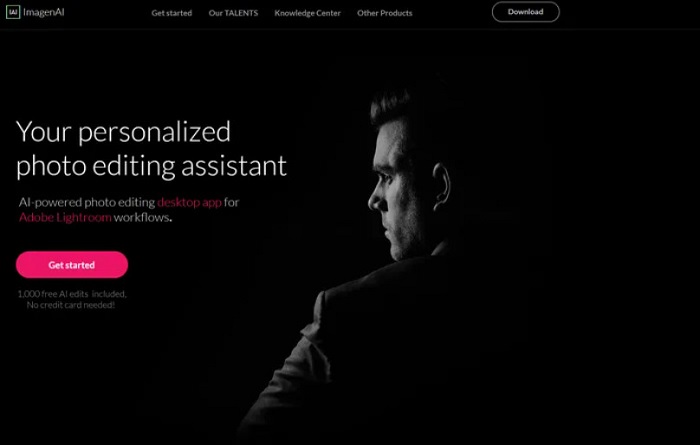
ImagenAI היא תוכנת עריכת תמונות מבוססת AI שאנשי מקצוע רבים משתמשים בה. לאפליקציית עריכת התמונות המצוינת הזו יש פונקציות רבות שבעזרתן ניתן לשפר את התמונה שלך. בשונה מאפליקציות ריטוש תמונות אחרות ב‑AI, היא לא מקבלת החלטות עצמאיות; במקום זאת, היא מחקה את הבחירות שלך באמצעות ניתוח של הפרויקטים הקודמים או ספריית התמונות שלך. בנוסף, מאחר שמדובר בכלי שפועל במצב לא מקוון, אין צורך בחיבור לאינטרנט. עם זאת, לממשק המשתמש שלה קשה לתפעול, ולכן למתחילים מורכב להשתמש בה. ובכל זאת, ניתן לחפש מדריכים כיצד להשתמש ב‑ImagenAI כדי לבצע ריטוש לתמונה שלך.
יתרונות
- יש לו תהליך ייצוא מהיר.
- יש לו תכונות עריכה מתקדמות רבות.
- ניתן להורדה בכל פלטפורמות המדיה, כמו Windows ו-Mac.
חסרונות
- זו לא אפליקציה ידידותית למשתמש.
- זה לא בחינם להורדה.
אורורה HDR
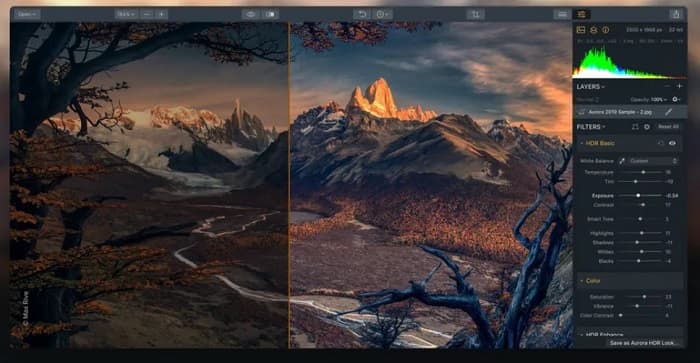
Aurora HDR היא עוד מרטשת תמונות מבוססת AI שאנשי מקצוע רבים עושים בה שימוש. צלמי נוף ואדריכלות רבים משתמשים בכלי המקצועי הזה משום שהוא עושה שימוש בעיבוד בטווח דינמי גבוה (HDR) כדי להבליט את הצללים, האזורים המוארים והגוונים הבינוניים בתמונה שלך. Aurora HDR היא גם אפליקציה טובה אם ברצונך לכוון את צבעי התמונה. נוסף על כך, היא שולטת בעצמת ה‑HDR וכך יוצרת תוצרים מצוינים ובאיכות גבוהה. ניתן להשתמש בכלי הזה כדי להמיר תמונות ברזולוציה נמוכה לגבוהה.
יתרונות
- הוא משתמש בתהליך עיבוד HDR מהיר.
- זה מייצר תמונות ברזולוציה גבוהה.
- זה יכול לשפר את הפרטים, הצללים והחדות של התמונה שלך.
חסרונות
- יש לרכוש את האפליקציה במחיר גבוה לפני השימוש בה.
Corel Paintshop Pro
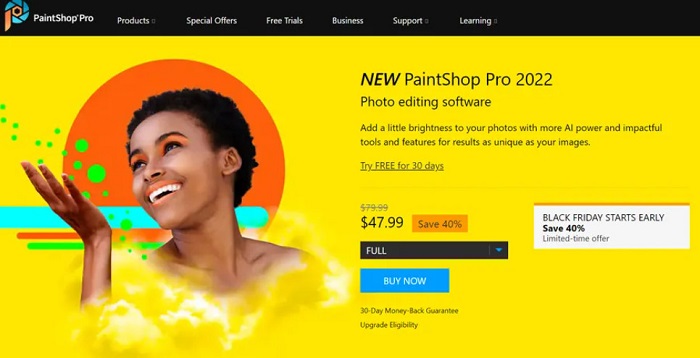
ולבסוף, אך לא פחות חשוב, Corel Paintshop Pro. תוכנת עריכת התמונות הזו בהחלט שווה ניסיון כאפליקציית ריטוש תמונות ב‑AI. יש בה גם ניתוח AI מהיר, מה שהופך אותה לנוחה לשימוש. נוסף על כך, האפליקציה מצטיינת בהגדלת תמונות ובהשבחת תמונות ברזולוציה נמוכה. יתרה מזאת, ניתן להשתמש ב‑Corel Paintshop Pro אם אתה רוצה לבצע פעולות ריטוש עור בעזרת AI בתמונה שלך. בנוסף, באמצעות כלי זה ניתן להמיר את הצילומים שלך למגוון רחב של סגנונות ומדיות בקלות. אפשר גם לייבא תמונות כמעט בכל פורמט, כמו JPG, PNG ו‑WebP.
יתרונות
- זה מייצר תפוקות באיכות גבוהה.
- זה מאפשר לך לטשטש ולהעלות תמונות יוקרתיות.
- יש לו עיבודי ציורים יפים.
חסרונות
- בלעדי רק למכשירי Windows.
חלק 3. כיצד לרטש תמונות בחינם
אם אתה רוצה לרטש את התמונה שלך, אתה לא צריך לרכוש שום דבר. אתה יכול להשתמש ב-FVC Free Image Upscaler, שהוא חינמי ובטוח. כמו כן, היתרון בשימוש בכלי מקוון הוא שאין צורך להוריד שום דבר במחשב. להלן מדריך פשוט לריטוש תמונות באמצעות FVC Free Image Upscaler.
שלב 1. פתח את הדפדפן שלך וחפש FVC Free Image Upscaler בתיבת החיפוש. תוכל ללחוץ על הקישור שסופק כדי לעבור ישירות לדף הבית שלהם.
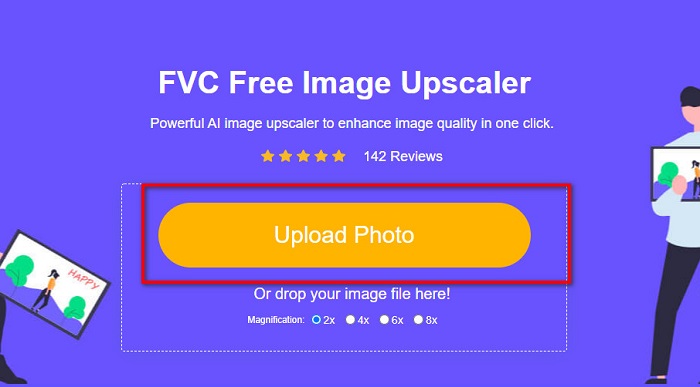
שלב 2. לאחר מכן, בממשק הראשי, לחץ על הכפתור Upload Photo כדי לייבא את התמונה שברצונך לרטש.
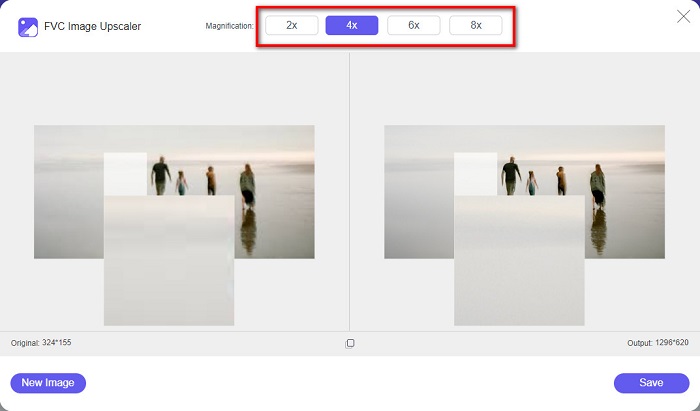
שלב 3. כעת בחר את רמת ההגדלה המועדפת עליך עבור התמונה. באפשרותך לבחור בין 2x, 4x, 6x ו‑8x.
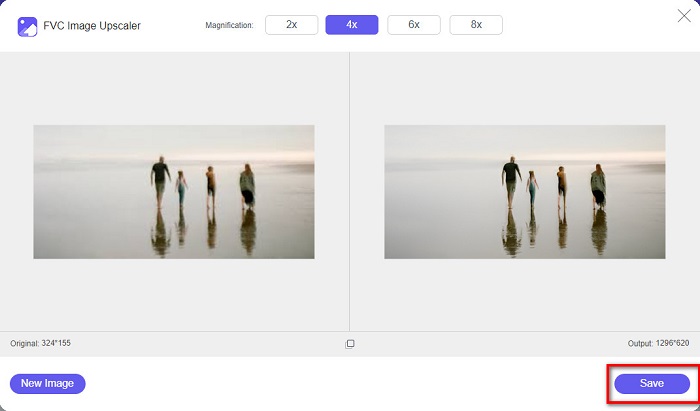
שלב 4. לאחר מכן תראה תצוגה מקדימה של התמונה שלך, ותוכל לראות שהתמונה ברזולוציה הנמוכה כעת הוגדלה ושופרה. לחץ על Save כדי לשפר את איכות התמונה ולשמור אותה במכשיר שלך.
חלק 4. שאלות נפוצות לגבי ריטוש תמונות בינה מלאכותית
האם Luminar AI יכול לשפר את התמונה שלך?
כן. Luminar AI היא גם אפליקציית ריטוש תמונות בינה מלאכותית שבה אתה יכול להשתמש אם אתה רוצה לשפר את התמונה שלך. עם זאת, עליך לרכוש את האפליקציה הזו לפני שתוכל להשתמש בה.
האם שיפור הצילום אפשרי?
עליך להשתמש בכלי לשיפור התמונות כדי להגביר את איכות התמונה שלך. כמו כן, שיפור צילום יכול להפוך אותו לתמונה באיכות גבוהה אם יש לך תמונה ברזולוציה נמוכה.
מהי הרזולוציה הגבוהה ביותר של תמונה?
רזולוציית הצילום הגבוהה ביותר שצולמה אי פעם היא 717 מיליארד פיקסלים. מהמוזיאון נמסר כי המרחק בין המצלמה לאובייקט הוא חמישה מיקרומטר בלבד.
סיכום
אפליקציות ה‑ריטוש תמונות ב‑AI שהוזכרו לעיל הן מהכלים הטובים ביותר לריטוש התמונות שלך. עם זאת, לא כל הכלים זמינים לשימוש חופשי. לכן, אם אתה רוצה לבצע ריטוש לתמונות שלך בחינם, השתמש ב‑FVC Free Image Upscaler כבר עכשיו.
-
 כיצד לתקן איכות תמונה באינטרנט וב-Adobe Photoshop
 אם יש לך תמונה באיכות נמוכה, עליך לתקן את הרזולוציה של התמונה שלך. אם אתה רוצה ללמוד כיצד לתקן איכות תמונה, קרא את המאמר הזה במלואו.
-
 6 מסירי התמונות המובילים שאתה חייב לקבל עכשיו [2022]
 צריכים מסיר פגמים כדי לקבל עור חלק? אל תדאג יותר! כאן נציג כלים שונים שיכולים לעזור למכשיר שלך.
-
 שיטות קלות כיצד להסיר סימן מים חסין ירי
 הסר סימן מים חסין ירי על ידי ביצוע השיטות הקלות הבאות. השתמש במסירי סימני מים מדהימים אלה כדי להסיר את סימן המים Shootproof מהתמונה שלך בקלות.
