


 ממיר וידאו אולטימטיבי
 מקליט מסך
 תיקון וידאו
 הורדה מאובטחת
10 יישומי Photo Resizer המצטיינים ביותר עבור מחשבים
אנשים רבים מתקשים למצוא כלי לשינוי גודל התמונות שלהם, משום שחלק מהכלים פוגעים באיכות בעת שינוי הגודל. בנוסף, רבים מעורכי התמונות רוצים לשנות את גודל התמונות שלהם כדי לשפר את האיכות או לחסוך במקום באחסון המכשיר. עם זאת, שינוי גודל תמונות עלול להיות מורכב מפני שהוא עלול להשפיע על האיכות. אבל קיימות גם תוכנות שבאמצעותן ניתן לשנות את גודל התמונות תוך שמירה על איכותן. לכן, אם אתה מחפש את אפליקציות שינוי גודל התמונות הטובות ביותר, ריכזנו אותן כאן. קרא פוסט זה כדי להכיר את שבעת המשני גודל התמונות המרשימים והחזקים ביותר.

חלק 1. שינויי צילום מקוונים הבולטים ביותר
שינוי גודל תמונה מקוון לשינוי גודל התמונה שלך הוא די יתרון אם אתה רוצה לחסוך מקום במכשיר שלך. יישומים מקוונים לא ידרשו ממך להוריד שום דבר כי בסופו של דבר תוכל להשתמש בהם בדפדפן שלך. בנוסף, יישומים מקוונים רבים הם בחינם לשימוש והם בטוחים לחלוטין. לכן, קרא את הסעיף הזה באופן מקיף כדי להכיר את ארבעת מגני התמונות המקוונים הטובים ביותר.
FVC Free Image Upscaler
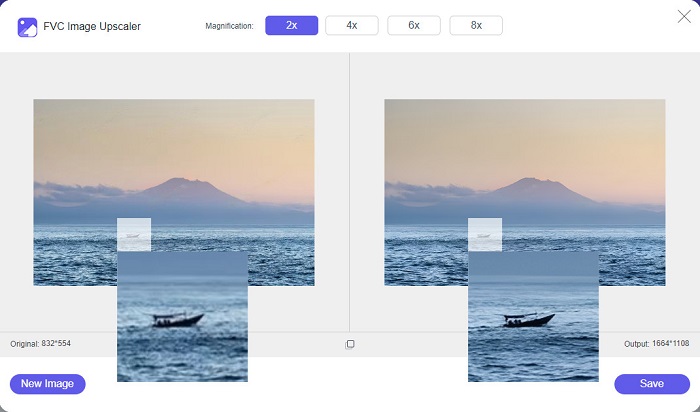
FVC Free Image Upscaler הוא משנה גודל התמונות המקוון הטוב ביותר, המאפשר לך לשנות את גודל התמונה שלך בלי לאבד מאיכותה. בנוסף, באפשרותך לשדרג את התמונה לגדלים 2x, 4x, 6x ו‑8x. יתרה מכך, הוא תומך בפורמטי התמונה הנפוצים ביותר, כמו PNG, JPG, JPEG ו‑BMP. כמו כן, יש לו ממשק ידידותי למשתמש בזכות הממשק הפשוט שלו. ואם ברצונך לשנות את גודל התמונה בלי פגיעה באיכות, אז FVC Free Image Upscaler הוא הכלי המתאים לך. נוסף על כך, הוא משתמש בטכנולוגיית בינה מלאכותית (AI), שמזהה באופן אוטומטי את החלקים נמוכי האיכות בתמונה ומשפרת אותם במהירות. ובניגוד לתוכניות מקוונות אחרות, הוא אינו מכיל פרסומות שעלולות להסיח את דעתך.
יתרונות
- זה בחינם ובטוח לשימוש.
- יש לו תהליך העלאה מהיר.
- אתה יכול לצפות בתצוגה מקדימה של הפלט שלך לפני שמירתו.
- נגיש בכל דפדפני האינטרנט, כמו גוגל, פיירפוקס וספארי.
חסרונות
- זהו כלי תלוי אינטרנט.
icons8.com
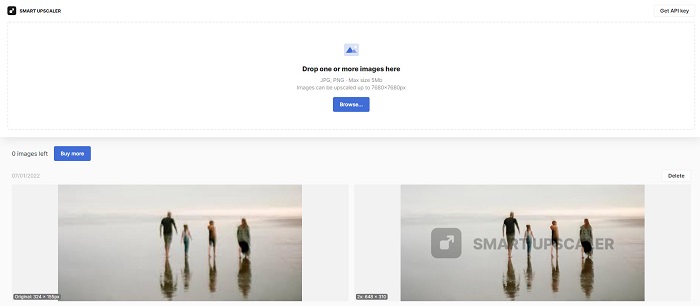
icons8.com הוא עוד משנה גודל תמונות מקוון שבו ניתן להשתמש כאשר רוצים לשנות את גודל התמונה. icons8.com יעזור לך להגיע לגודל המבוקש לתמונה שלך. בנוסף, אם אתה רוצה לשפר את איכות התמונה שלך, זוהי האפליקציה שאתה מחפש. יש בה מגדיל תמונה (image upscaler) שיסייע לך לשפר את איכות התמונה. יתרה מזאת, אפשר להשתמש בה בחינם, ללא שום מנוי. ואם אתה שואל אם היא בטוחה לשימוש – התשובה היא כן. ניתן להשתמש באפליקציה הזו בלי לדאוג לבטיחות הנתונים שלך. עם זאת, כשמשנים גודל תמונה באמצעות כלי זה, תופיע סימן מים (watermark) על התמונה.
יתרונות
- יש לו ממשק תוכנה קל לשימוש.
- הוא תומך בפורמטים הנפוצים ביותר של קבצים.
- זה יכול לשפר את התמונה שלך בקלות.
חסרונות
- השאר סימן מים על התמונה שלך כאשר אתה משנה את גודלה.
Zyro.com
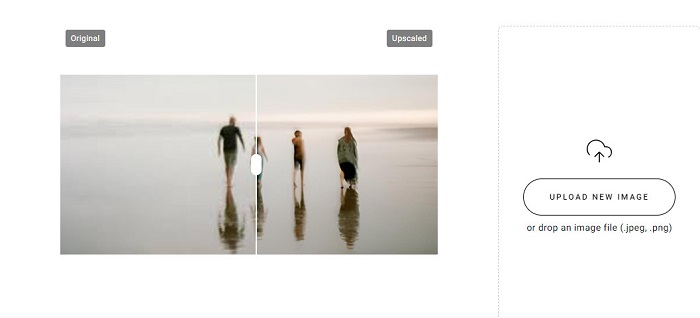
יישום מקוון נוסף שבו ניתן להשתמש לשינוי גודל התמונה הוא Zyro.com. אם ברצונך לשנות את גודל התמונה כדי לשפר את איכותה, Zyro.com הוא הכלי שאתה מחפש. בנוסף, כלי שינוי גודל התמונות החינמי הזה משתמש בטכנולוגיית בינה מלאכותית המשפרת את איכות התמונה באופן אוטומטי. אין צורך לדאוג גם לגבי הקבצים שאתה מעלה, משום שהוא תומך בפורמטי התמונה הסטנדרטיים, כמו PNG, JPG ו‑JPEG. יתרה מכך, הוא נגיש כמעט בכל הדפדפנים, כולל Google ו‑Safari.
יתרונות
- זהו כלי ידידותי למתחילים.
- זה בחינם ובטוח לשימוש.
- הוא אינו מכיל פרסומות.
חסרונות
- יש לו תהליך העלאה איטי.
Upscale.media
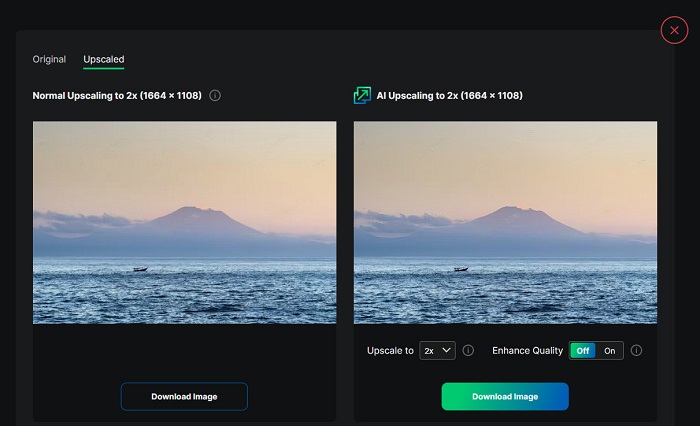
אם אתה מחפש כלי לשיפור או שינוי גודל התמונה שלך, ייתכן שתרצה להשתמש ב‑Upscale.media. גם כלי מקוון זה משתמש בטכנולוגיית בינה מלאכותית, מה שהופך אותו לנוח עבור רבים לשינוי גודל התמונות שלהם. בנוסף, הוא תומך ברוב פורמטי התמונה הסטנדרטיים, כגון JPEG, JPG, WebP, PNG ואחרים. מה שמרשים בכלי זה הוא שיש בו אפשרות לשפר את התמונה כך שתהיה באיכות טובה. ולמרות שמדובר באפליקציית אינטרנט, אין בה פרסומות שעלולות להסיח את דעתך בזמן שינוי גודל התמונה.
יתרונות
- הוא תומך במגוון רחב של פורמטים.
- יש לו ממשק עיבוד מהיר.
- זה מאפשר לך לראות את התצוגה המקדימה של הפלט שלך.
חסרונות
- יהיה לך תהליך העלאה איטי כאשר האינטרנט איטי.
ImageResizer.com
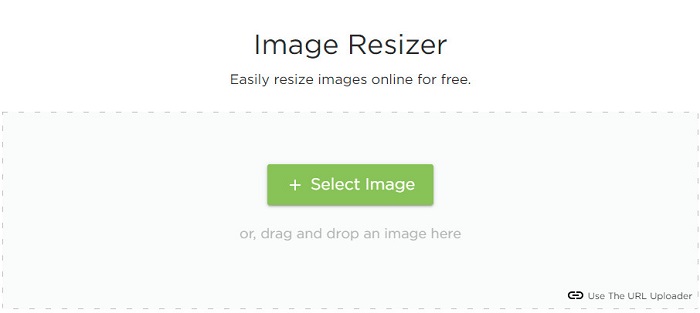
ImageResizer.com הוא גם אחד משני גודל הפיקסלים המקוונים הטובים ביותר, המאפשר לך לשנות את גודל כל תמונה. על‑ידי התאמת מספר הפיקסלים בתמונה, אפשר להפחית את גודל הקובץ. בנוסף, הוא תומך כמעט בכל פורמטי התמונה, כגון JPG, PNG ו‑WebP. למרות שהוא כלי מקוון, תהליך שינוי הגודל בו מהיר. יתרה מזאת, השימוש בו חינמי והוא בטוח לשימוש.
יתרונות
- עובד כמעט על כל דפדפני האינטרנט.
- זהו כלי ידידותי למשתמש.
חסרונות
- הוא מכיל מודעות.
חלק 2. שינויי התמונות הלא מקוונים החזקים ביותר
למרות שמכשירי צילום מקוונים נוחים מאוד, מכיוון שהם חוסכים מקום במכשיר שלך, גם כלים לא מקוונים מטילים תוצאות ויתרונות מעולים. אחד היתרונות של שימוש בסרייזר תמונה לא מקוון הוא שהם בטוחים לשימוש ולא ידרשו ממך גישה לאינטרנט. בנוסף, רוב היישומים הלא מקוונים הם עיבוד מהיר. אז, חיפשנו את מכשירי שינוי התמונות הלא מקוונים הנפוצים ביותר ובחרנו את הטובים ביותר מביניהם. להלן רשומים חמשת מגני התמונות הלא מקוונים הטובים ביותר עבור המחשב שלך.
שינוי גודל XN
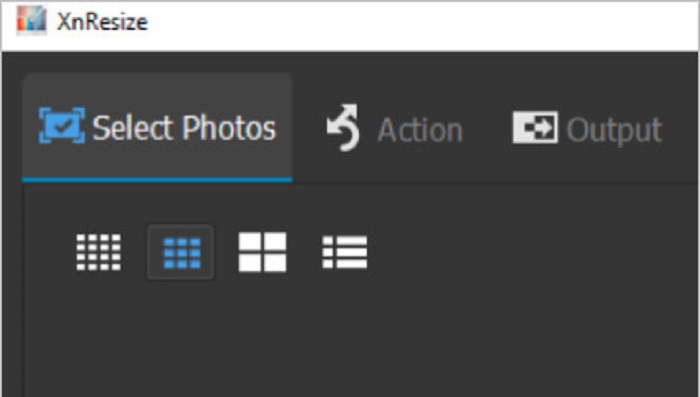
XN Resize הוא תוכנת שינוי גודל תמונות מהירה שניתן להוריד למחשב ה‑Windows שלך. כלי זה יעזור לך אם תרצה להקטין או לשפר את איכות התמונה. בימינו, אנשים רבים רוצים להעלות את התמונות שלהם לרשתות חברתיות שונות. אך כדי להעלות תמונות, גודל הקובץ חייב לעמוד במגבלות הפלטפורמות. לכן, XN Resize הוא כלי שיעזור לך לשנות את גודל התמונה כך שתקבל קובץ קטן יותר, מה שיאפשר לך להעלות את התמונה לפלטפורמות שונות. החיסרון בכלי זה הוא שהוא תומך רק במספר מצומצם של פורמטי קבצים ואין בו אפשרויות עריכה. למרות זאת, באמצעות XN Resize תוכל להתאים את גובה ורוחב התמונה בהתאם להעדפתך.
יתרונות
- אתה יכול להתאים את כיוון התמונה שלך.
- יש לו תכונה לסובב את התמונה שלך.
- יש לו ממשק קל לשימוש.
חסרונות
- יש לו תכונות מוגבלות לשימוש.
FastStone Photo Resizer
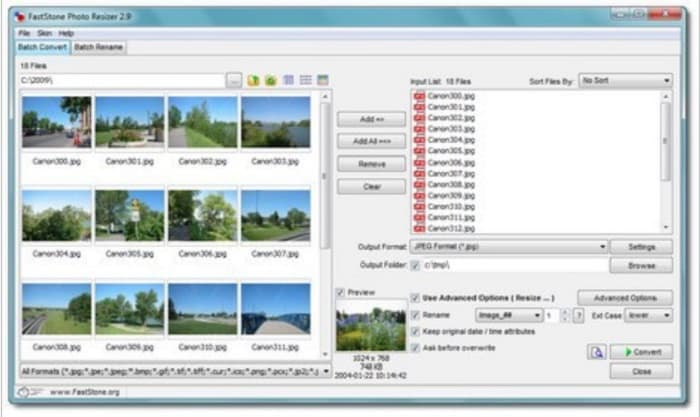
FastStone Photo Resizer הוא לא רק אפליקציה לצילומי מסך. יש בו גם אפשרות לשנות את גודל התמונה שלך. בנוסף, לאחר צילום המסך, הוא יציג מגוון כלי עריכה שתוכל להשתמש בהם, ואחד מהם הוא שינוי גודל. אם אתה רוצה להשתמש במשנה גודל תמונות שהוא גם חינמי וגם בטוח, FastStone עשוי להיות הכלי המתאים עבורך. מעבר לכך, באמצעות אפליקציה זו תוכל לשנות את שם הקבצים ולשמור אותם למכשירך במהירות. ומה שעוד נהדר ב‑FastStone Photo Resizer הוא האפשרויות להמיר, לחתוך, לסובב ולהוסיף טקסט לתמונה.
יתרונות
- תומך במבנה תיקיות או לא תיקיות.
- יש לו פונקציות גרירה ושחרור.
- זה זמין להורדה במחשב Windows.
חסרונות
- לאחר גירסת הניסיון, עליך לרכוש את האפליקציה.
Resizer תמונה באיכות גבוהה
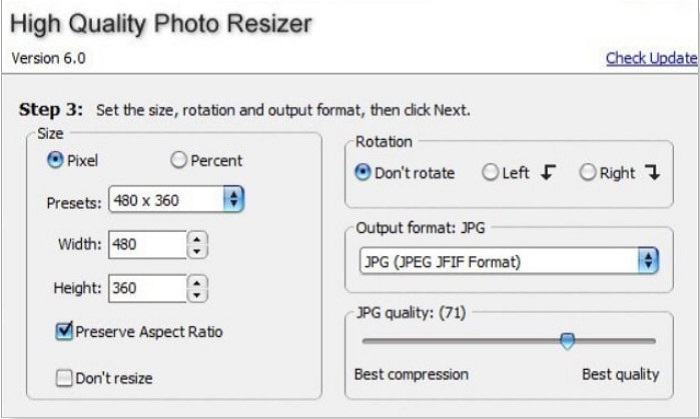
אפליקציית High Quality Photo Resizer יכולה להיות הפתרון אם אתה רוצה לשנות את גודל התמונה שלך במהירות. בעזרת אפליקציה זו ניתן לקבוע את הגודל, לסובב ואפילו לבחור את פורמט הפלט של התמונה. בנוסף, אפשר להתאים את מספר הפיקסלים בתמונה לפי העדפתך. כמו כן, היא מאפשרת לבחור בין דחיסה מיטבית לבין איכות מיטבית. כאשר בוחרים בדחיסה מיטבית, מתקבל קובץ קטן יותר אך באיכות פחות גבוהה. מצד שני, אם בוחרים באיכות מיטבית, מתקבלת תמונה באיכות גבוהה אך עם גודל קובץ גדול יותר. בנוסף, יש לה ממשק ידידותי למשתמש בזכות הפונקציות הפשוטות לניווט.
יתרונות
- הוא תומך בפורמטים שונים של תמונה, כמו BMP, GIF, JPG, JPEG ו-PNG.
- זה בחינם להורדה.
חסרונות
- הוא אינו מכיל תכונות עריכה כלשהן.
צזיום
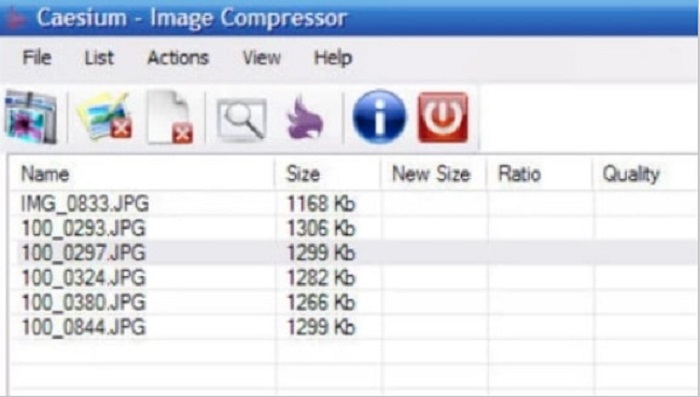
Caesium הוא גם אחד משני גודל התמונות הטובים ביותר למחשב. Caesium ידוע בפשטות ובעיבוד היעיל שלו. מקצוענים רבים משתמשים בתוכנות עריכה מוכרות כדי לדחוס או להקטין את גודל התמונות שלהם. בנוסף, ניתן להציג תצוגה מקדימה של תוצאת התמונה בזמן אמת, כדי לראות את ההבדל מהתמונה המקורית. אחד היתרונות בשימוש באפליקציה זו הוא היכולת לעבד מספר תמונות בו‑זמנית בלי לפגוע באיכותן. נוסף על כך, היא תומכת ברוב פורמטי התמונה הסטנדרטיים, כמו JPEG ו‑PNG. ועוד ידעת? Caesium חינמית לחלוטין ואינה דורשת מנוי.
יתרונות
- יש לו ממשק משתמש פשוט.
- מאפשר לך לייצא את התמונות שלך בקלות.
- אתה יכול להציג את התמונה שלך לפני שמירתה.
- ניתן להורדה בכל פלטפורמות חוצות מדיה, כמו Windows, Mac ולינוקס.
חסרונות
- לפעמים יש לו תהליך הורדה איטי.
FILEminimizer תמונות
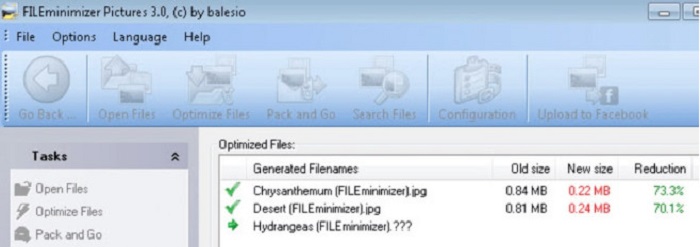
מחפש תוכנת מחשב שתעזור לך להקטין את התמונות שלך? FILEminimizer Pictures יכולה להיות התשובה לבעיה שלך. אפליקציה לא מקוונת זו מאפשרת להפחית את גודל התמונה בעד 98% באמצעות טכנולוגיית שיפור הקבצים המובנית שלה. נוסף על כך, הכלי שומר את התמונה בפורמט המקורי שלה ויכול לייצא קבצים במהירות. ומכיוון שמדובר באפליקציית שינוי גודל תמונות, היא מקטינה את גודל הקובץ על‑ידי הורדת הרזולוציה. לכן, צפה לכך שכאשר אתה משנה את גודל התמונה, גם האיכות תיפגע בהתאם.
יתר על כן, הוא מציע ארבעה תהליכי דחיסה שונים, דחיסה באצווה, אפשרות להחיל דחיסה ללא הפסדים ועוד. למרות שזה לא בחינם להשתמש באפליקציה, עדיין יש לה גרסת ניסיון בחינם שבה אתה יכול להשתמש. לכן, אם אתה מחפש שינוי גודל צילום אצווה, אתה יכול לשקול להשתמש בכלי זה.
יתרונות
- הוא תומך בפורמטים שונים, כמו JPG, BMP, GIF ו-PNG.
- אתה יכול לייצא תמונות למייל שלך.
- יש לו תהליך מהיר של שינוי גודל.
חסרונות
- לאחר תקופת הניסיון בחינם, עליך לשדרג על ידי רכישת האפליקציה.
קשור אל:
אפליקציית שינוי גודל תמונות הטובה ביותר אונליין, אופליין, לאנדרואיד ולאייפון
7 מגדילי התמונות הטובים ביותר אונליין ואופליין
חלק 3. שאלות נפוצות על מכשירי תמונה
האם יש אפליקציה לשינוי גודל תמונות באייפון?
Image Size היא אפליקציה לאייפון שתוכל להוריד בחינם. אפליקציה זו היא בין האפליקציות הטובות ביותר לשינוי גודל התמונות לאייפון.
האם אני יכול לדחוס תמונה מבלי לאבד איכות?
הקטנת גודל התמונה שלך מחייבת אותך להתאים את הרזולוציה והפיקסל שלה. לכן, כאשר אתה דוחס תמונה, צפה שהיא תהיה באיכות נמוכה יותר.
האם יש Kapwing Photo Resizer?
למרבה המזל, אתה יכול להשתמש ב-Kapwing כדי לשנות את גודל התמונה שלך. Kapwing photo resizer מאפשר לך לחתוך, לכווץ או להגדיל תמונה.
סיכום
משני גודל התמונות המופיעים למעלה הם האפליקציות המקוונות והאופליין הטובות ביותר לשינוי גודל תמונות. לכל אחד מהם יש מאפיינים ייחודיים, לכן ודא שאתה בוחר את זה שהכי מתאים לצרכים שלך. אבל אם אתה רוצה להשתמש בשינוי גודל תמונות חינמי ומדהים, אז FVC Free Image Upscaler הוא הכלי בשבילך.
מאמרים קשורים
-
 הפוך את רזולוציית התמונות של iPhone לטוב יותר עם המשפרים המובילים
 האם אתה רוצה לשפר את רזולוציית הצילום של האייפון? ובכן, במאמר זה אנו מכסים את הכלים הטובים ביותר שאתה יכול להשתמש בהם ועוד טריקים שאתה חייב לדעת!
-
 שחזור תמונה ישנה באופן מקוון ולא מקוון [שלבים קלים]
 רוצה לשחזר תמונה ישנה? עם הכלים האלה, תכיר את תהליך שחזור התמונות הישן. קרא את הפוסט הזה כדי ללמוד את השיטות הפשוטות ביותר.
-
 משפר 7 הפיקסלים המובילים עבור כל דפדפני האינטרנט שאתה חייב להשתמש בו
 אם אתה רוצה לדעת את משפרי הפיקסלים הטובים ביותר לשימוש, כדאי שתבדוק את הפוסט הזה. מאמר זה מפרט את שבעת משפרי הפיקסלים הטובים ביותר עבור כל דפדפני האינטרנט.
