


 ממיר וידאו אולטימטיבי
 מקליט מסך
 תיקון וידאו
 הורדה מאובטחת
5 נגני M4A החינמיים הטובים ביותר להשמעת קבצי M4A באנדרואיד ובמחשב
לא מצליחים לפתוח קבצי M4A ישירות בטלפון האנדרואיד שלכם? מחפשים נגן M4A לאנדרואיד או למחשב טוב?
M4A הוא פורמט שמע של אפל שניתן לנגן ישירות במחשבי Mac או במכשירי iOS כמו iPhone, iPad ו‑iPod. בתור פורמט שמע חסר אובדן (lossless), M4A עדיף על MP3 מבחינת רמת הדחיסה ואיכות הש звук. עם זאת, אנדרואיד ו‑Windows Media Player אינם תומכים ב‑M4A.

לכן אתם צריכים נגן M4A כדי לנגן קבצי שמע מסוג M4A בטלפון האנדרואיד או במחשב ה‑Windows שלכם. כאן נמליץ לכם על 5 נגני M4A חינמיים. תוכלו לבדוק את המאפיינים העיקריים של כל נגן M4A ואז לבחור את זה שמתאים לכם ביותר.
חלק 1. נגן M4A החינמי הטוב ביותר למחשב - נגן וידיאו בחינם FVC
FVC Free Video Player הוא תוכנת נגינת וידאו ושמע פופולרית מאוד, שיכולה לעזור לכם לנגן מגוון קבצי M4A הן ב‑Mac והן במחשב Windows. מעבר ל‑M4A, היא תומכת בצורה רחבה בכל פורמטי הווידאו והשמע הנפוצים, כולל MP4, MOV, AVI, MKV, FLV, RMVB, AAC, AC3, MP3, ALAC, FLAC ועוד.
הורדה חינמיתל־Windows 7 ומעלההורדה מאובטחת
הורדה חינמיתל־macOS 10.7 ומעלההורדה מאובטחת
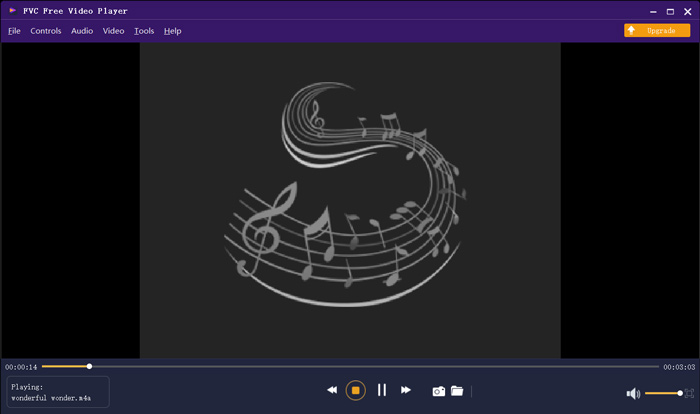
נגן M4A חינמי זה תוכנן בטכנולוגיות פענוח השמע העדכניות ביותר כמו Dolby, DTS, AAC ו- TrueHD. אתה יכול לקבל אפקט צליל נהדר כדי ליהנות מקבצי M4A שלך. כאשר ברצונך להפעיל קבצי M4A במחשב שלך, תוכל לנווט לאתר הרשמי של נגן M4A זה בחינם בכל דפדפן כמו IE, Chrome, Firefox או Safari.
חלק 2. אפליקציית נגן Android M4A בחינם - VLC לאנדרואיד
VLC Media Player הוא נגן מדיה חינמי וקוד פתוח שמאפשר לכם לנגן קבצי M4A בקלות. הוא מציע גרסאות שונות לניגון כל סוגי קובצי המדיה במחשב, במכשירי אנדרואיד ובמכשירי iOS. כשרוצים לנגן שמע בפורמט M4A בטלפון האנדרואיד, אפשר להיכנס ל‑Google Play ולהתקין בחינם את האפליקציה VLC for Android.
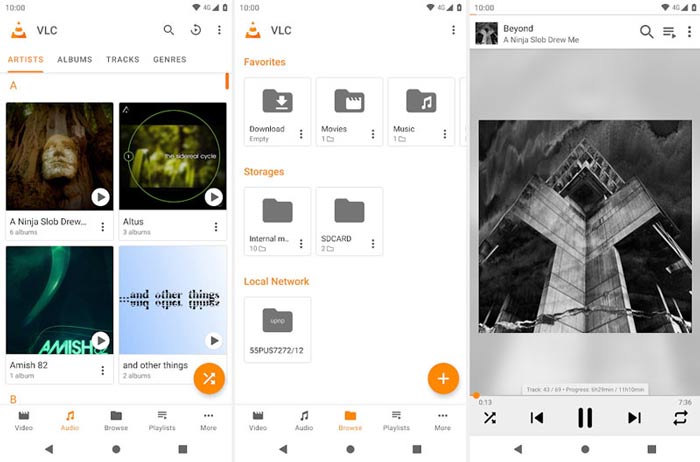
אפליקציית נגן M4A זו בחינם לאנדרואיד יכולה לנגן קבצי וידאו ושמע בכל פורמטים פופולריים כמו MP4, MOV, AVI, MP3, M4A, AAC ועוד. זה יכול לסרוק ולאתר במהירות את כל קבצי M4A במכשיר שלך, אפילו את כרטיס ה- SD. נגן מדיה VLC יכול להיות בחירה טובה בין אם ברצונך לשחק M4A ב- Android או ב- Windows PC.
חלק 3. נגן M4A ברירת מחדל עבור Mac ו- PC - iTunes
iTunes יכולה להיות אפליקציה מוכרת עבורכם אם אתם משתמשי iOS או Mac. כדאי שתדעו שכל קבצי המוזיקה והשמע שרכשתם ב‑iTunes הם בפורמט M4A. iTunes יכולה לשמש כברירת המחדל של נגן M4A ב‑Mac. iTunes מציעה גם גרסת Windows שמאפשרת לכם לנגן קבצי M4A במחשב אישי. iTunes אינה כלי ניהול נתוני iOS מושלם, אבל היא יכולה לשמש כנגן M4A חינמי גם למחשבי Mac וגם למחשבי Windows.
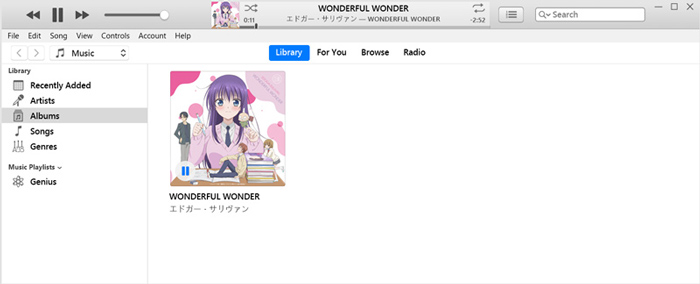
iTunes מאפשר לך לרכוש ולהאזין ישירות למוזיקת M4A מחנות iTunes. עבור קבצי M4A המקומיים, אתה יכול לגרור ולשחרר אותם ל- iTunes להפעלה. פשוט בחר באודיו M4A ופשוט לחץ על סמל ההפעלה כדי להתחיל את הנגינה.
חלק 4. נגן M4A לאנדרואיד ולווינדוס - KMPlayer
KMPlayer הוא אחד מאפליקציות נגינת המוזיקה הפופולריות ביותר, שיכולה לעזור לכם לנגן קבצי M4A בקלות. הוא מציע גם אפליקציה למחשב וגם אפליקציה לנייד לניגון שמע בפורמט M4A. כנגן M4A חינמי, הוא לא מציג פרסומות שיפריעו לניגון. מעבר ל‑M4A, KMPlayer תואם גם לפורמטי וידאו 4K, וידאו HD ורבים נוספים של שמע חסר אובדן.
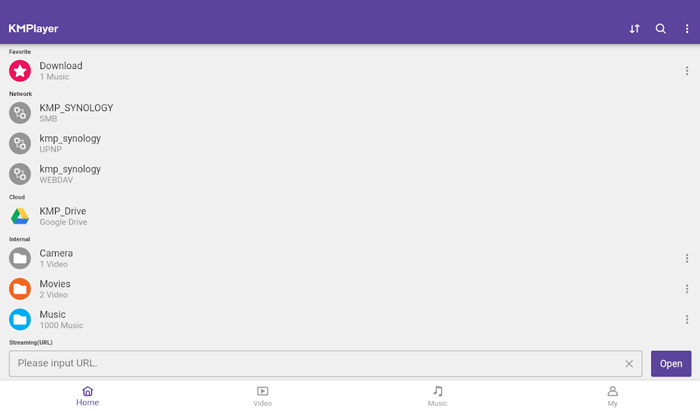
KMPlayer נותן דרך פשוטה ליצור רשימות השמעה של המוסיקה והסרטים שלך. כאפליקציית נגן M4A עוצמתית, היא מאפשרת לנגן את מוסיקת M4A ותוכן המאוחסנים ב- Google Drive. הוא תוכנן עם תכונת חיפוש נהדרת שתוכל למצוא בקלות מוסיקה ווידאו שאתה אוהב.
חלק 5. נגן M4A מקוון - נגן TimeStretch
TimeStretch Player הוא נגן שמע מקוון קל לשימוש שיכול לעזור לכם לנגן אודיו בפורמט M4A באיכות צליל גבוהה. הוא תומך בפורמטי שמע רבים, כולל MP3, M4A ו‑OGG. כנגן שמע מקוון עבור M4A, הוא מעוצב בממשק פשוט ונקי. ניתן פשוט ללחוץ על Open Track כדי לטעון את קובץ ה‑M4A לניגון.
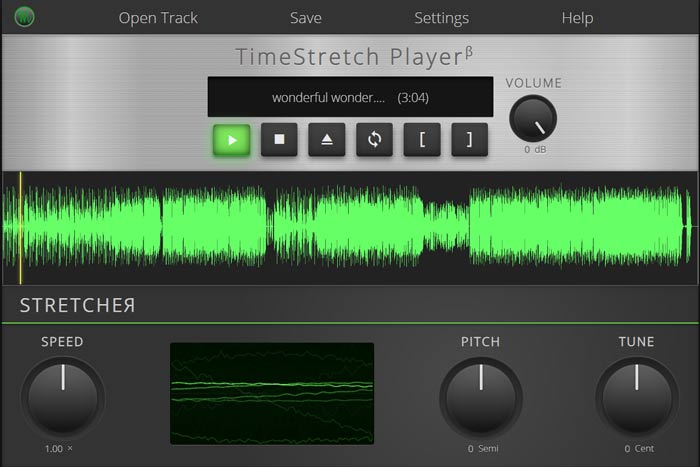
למשחק M4A, אתה מקבל את הפקדים המלאים. אתה יכול להתאים באופן חופשי את מהירות המשחק, המגרש, עוצמת הקול וכוונון בהתאם לצורך שלך. מלבד תכונת הנגינה, נגן M4A מקוון זה גם מאפשר לך להמיר קובץ שמע לפורמט פופולרי כמו MP3.
חלק 6. שאלות נפוצות של נגן M4A
שאלה 1. האם לאייפון יש אפליקציית נגן M4A מובנית?
M4A הוא פורמט האודיו המקורי למכשירי אפל. אתה יכול לפתוח ישירות את קובץ M4A באמצעות אפליקציית Music ב- iPhone שלך.
שאלה 2. כיצד להמיר חינם M4A ל- MP3?
כשרוצים להמיר M4A ל‑MP3, ניתן להיעזר בתוכנת ההמרה הפופולרית Free Online Audio Converter. היא מאפשרת לבצע המרת אודיו מ‑M4A ל‑MP3 בלי כל ירידה באיכות הצליל.
שאלה 3. האם M4A איכותי?
כן. כפורמט שמע ללא הפסד, M4A עם codec ALAC יכול להציע איכות צליל גבוהה. זה יכול לספק איכות שמע טובה יותר מ- MP3 באותו קצב סיביות.
סיכום
כמשתמשי Windows או אנדרואיד, ייתכן שתיתקלו במצב שבו לא ניתן לנגן קבצי M4A. אחרי קריאת מאמר זה, תוכלו להכיר 5 נגני M4A חינמיים מומלצים כדי ליהנות ממוזיקת ה‑M4A שלכם באיכות גבוהה. אם יש לכם המלצות לנגן M4A טוב נוסף, נשמח אם תשתפו אותו בתגובות עם שאר הקוראים.
-
 כיצד להמיר M4A ל MP3 עם 4 ממירי שמע בחינם
 לא מצליחים לנגן M4A וצריך להמיר אותו ל- MP3? האם יש דרך חופשית להמיר M4A ל- MP3 באופן מקוון? פוסט זה משתף 4 דרכים חינמיות שיעזרו לך להמיר M4A ל- MP3 עם iTunes, ממירי שמע מקוונים ומקצועיים.
-
 הורדת נגן MP3 - 10 נגני המוזיקה MP3 הטובים ביותר בחינם בשנת 2021
 מהו נגן ה- MP3 הטוב ביותר? כיצד ניתן לשים מוסיקה בנגן MP3? כיצד ניתן להוריד את נגן המוזיקה MP3? פוסט זה נותן לך סקירה מפורטת של 10 נגני MP3 הטובים ביותר בחינם עבור Windows PC ו- Mac.
-
 קבל את נגן ה- MP4 הטוב ביותר שלך להשמעת קבצי MP4 באיכות חזותית גבוהה
 קרא וקבל את נגן ה- MP4 הטוב ביותר שלך מההמלצות של 10 תוכנות נגן הווידאו MP4 האחרונות. אתה יכול לנגן קבצי וידאו MP4 ב- Windows ו- Mac בצורה חלקה ללא השהיה.
