


 ממיר וידאו אולטימטיבי
 מקליט מסך
 תיקון וידאו
 הורדה מאובטחת
5 מקליטי WebM המובילים להקלטת וידאו של WebM באיכות גבוהה
WEBM file extension is usually used by web browsers. Most of them are modern browsers like Google Chrome, Opera, Firefox, Safari, and Edge. Commonly these browsers are HTML5 Websites that support video live streaming. One good example is YouTube, Twitch, and other media platforms. This supports video resolution from 360p to the highest resolution. If we are going to compare this format, this is a compressed format similar to MKV, MOV, and MP4. The difference lies in the file content of the format. Both Windows and Mac can play this specific file provided that the player has the right codecs and plug-ins. Meanwhile, if you are looking for a better way to record or gain WebM files, check out the list of best WebM recorders below.

חלק 1. מקליט WebM הטוב ביותר: מקליט מסך FVC
קבל את הדרך הקלה ביותר לצלם תמונות, להקליט את המסך שלך ולהקליט את קובצי הווידאו של WebM בשלושה שלבים פשוטים עם מקליט מסך FVC. מקליט מסך .webm זה עבור Windows ו-Mac יכול להקליט אתרי WebM כמו YouTube, שיחות סקייפ וסטרימינג בשידור חי, ואתרים אחרים תומכים בפורמט WebM. צלם את המשחק שלך בשידור חי מבלי לפגוע באיכות הווידאו. בנוסף היכולת להקליט את הווידאו, האודיו והמיקרופון. מובטח ללא רעשי רקע מכיוון שהוא מקליט את צלילי המערכת. אז, חווה הקלטה חלקה ותכונות עריכה מצוינות עבור הדרכה וידאו שלך עם FVC הקלטת מסך. מצד שני, הנה איך אתה משתמש בכלי.
Step 1. Download FVC Screen Recorder using the download buttons below.
הורדה חינמיתעבור Windows 7 או גרסה מאוחרת יותרהורדה מאובטחת
הורדה חינמיתעבור MacOS 10.7 או גרסה מאוחרת יותרהורדה מאובטחת
Step 2. Install and Launch the app after following the set-up wizard.
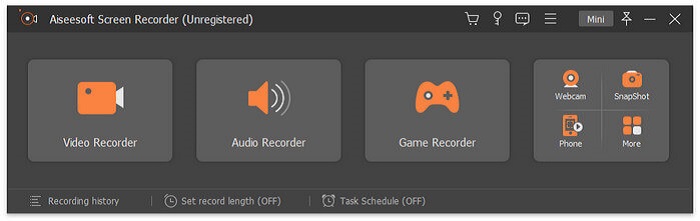
Step 3. Once the floating bar appears, click Video Recorder.
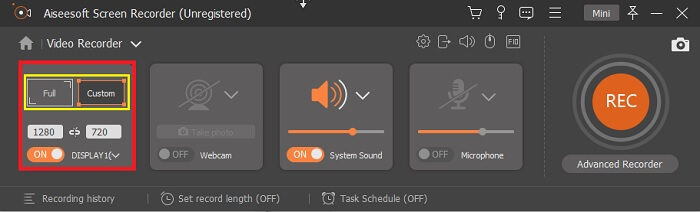
From there another window will appear. This time click the Custom or Full Screen. If you choose custom, adjust the frame size to your desired size.
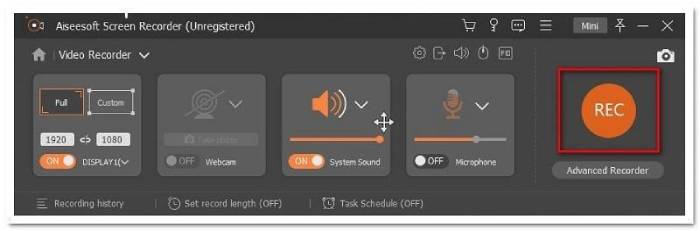
Step 4. To begin recording, click the REC button and just do the usual things you are doing.
לאחר מכן תוכל להוסיף הערות, להוסיף חיצים ולכתוב טקסט להקלטה.
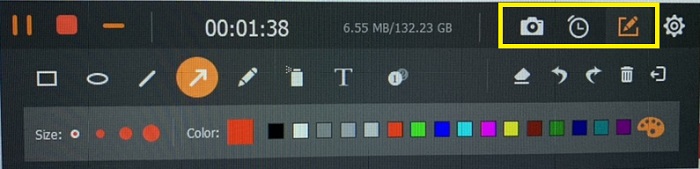
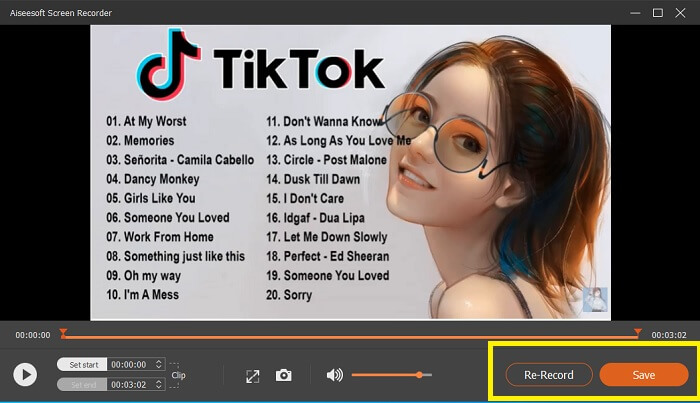
Step 5. Then, click the red square button to stop the recording. A new window will then show letting you choose between saving and re-record again. To check the recording, check the list at the bottom part of the floating bar.
חלק 2. מקליטים פופולריים אחרים של WEBM עבור המחשב שלך
1. מקליט מסך FVC חינם
Distinctive Feature: Free from Malware. 100% safe
If the first tool did not satisfy you, you might be looking for a practical one. FVC Free Screen Recorder is your go-to tool if you want to maximize great features without spending a dime. Although free tools are known to produce lower quality compared to the premium ones, this toolset the bar a little higher. This can produce high-quality videos and satisfy crystal clear audio despite it being free. On top of that, it is easy to use. Follow through the steps below to learn more about it.
Step 1. Launch the app on your PC using the web Browser. It does not matter what browser you are using, this tool is flexible enough to be accessed anywhere. Click the link to land on the official webpage directly.
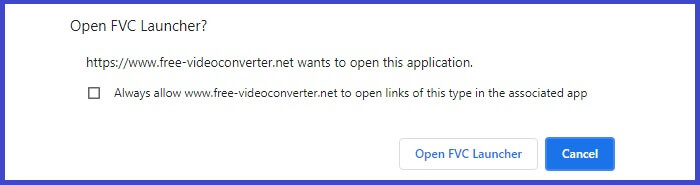
Step 2. Launch the tool by clicking the Start Recording button.
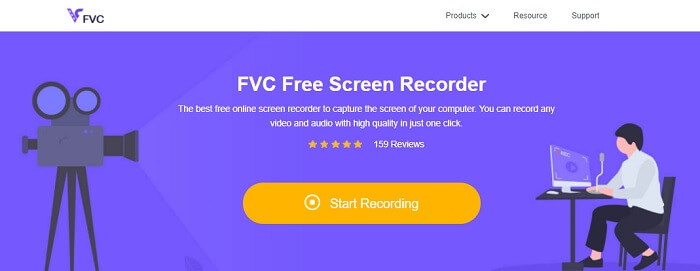
Step 3. After launching the tool, you will see the floating bar appear. Adjust the frame to resize the aspect ratio then start recording by clicking the REC button.
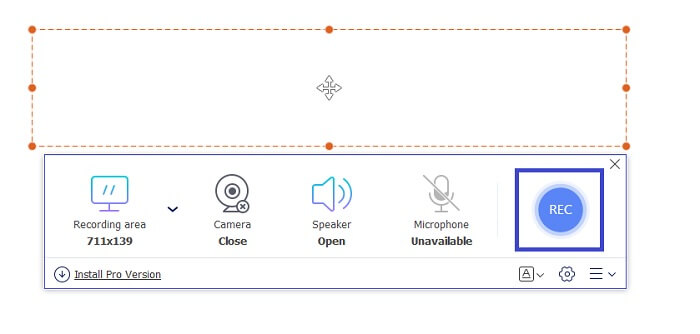
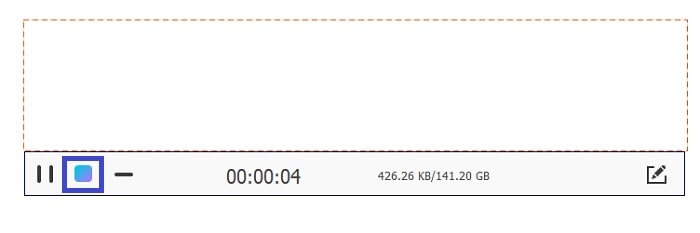
Step 4. Meanwhile, to stop recording click the square button shown in the picture below.
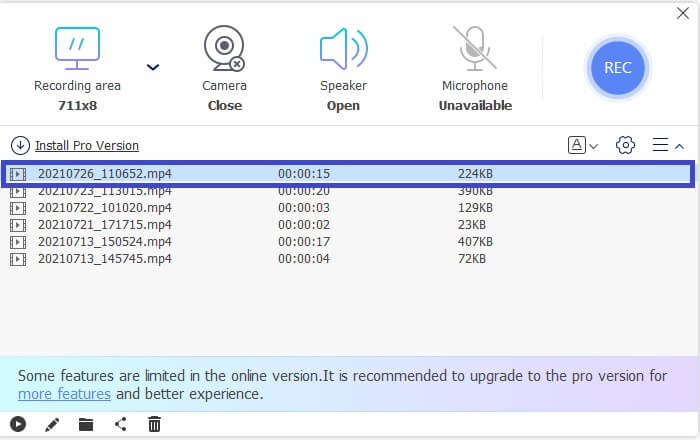
Step 5. To see the file that you recorded, check the list below the floating toolbar.
יתרונות
- 100% בטוח מפני תוכנות זדוניות.
- זה גמיש בהתאמת יחס הגובה-רוחב, קצב הסיביות וקצב המסגרת.
- תמונה בתמונה נתמכת.
חסרונות
- זה לא תומך בהאצת חומרה.
2. טייני טייק
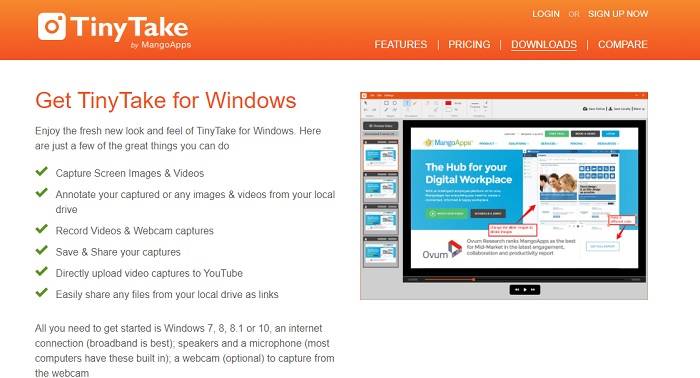
Distinctive Feature: Collaboration or remote work is supported.
TinyTake הוא כלי הקלטת וידאו ולכידת מסך בחינם שפותח על ידי Mango Apps. Tiny Take מציעה פתרונות מעולים לצילום מסך פשוט או הקלטת פגישות מקצועיות או אישיות. מה שהפך את הכלי הזה לפופולרי הוא תכונת שיתוף הפעולה שבה אתה יכול לעבוד מרחוק, לעשות שיתוף קבצים בכמות גדולה, להשתמש בתכונות הערות ואחסון לטווח ארוך, וגלריה (מקוונת).
יתרונות
- זה יכול ללכוד תמונות וסרטונים מהכונן המקומי שלך.
- שתפו אותו ישירות ביוטיוב.
- הערה בזמן ההקלטה.
חסרונות
- אין תכונה של חלון נעילה.
3. Screencast-O-Matic
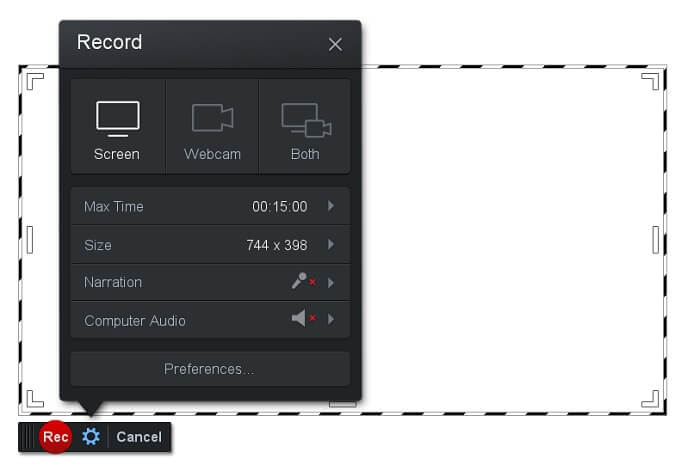
Distinctive Feature: The tool has an easy-to-use and navigate interface. Very Straightforward.
Screencast-O-Matic is one of the most commonly used software by many. What it can do is record the computer screen for free upon registration. It is recommended to create an account to use the free tool. Aside from that, the developer infused a feature where you can edit your video directly before exporting. You take refuge in the built-in stock library of the tool to gain inspiration and continue improving your videos. Also, take screenshots and share all contents with your social media account.
יתרונות
- יש לו תכונת אירוח בענן.
- העלה סרטון לעריכה.
- תוכן מארח.
חסרונות
- יש צורך בהרשמה.
4. Screencastify
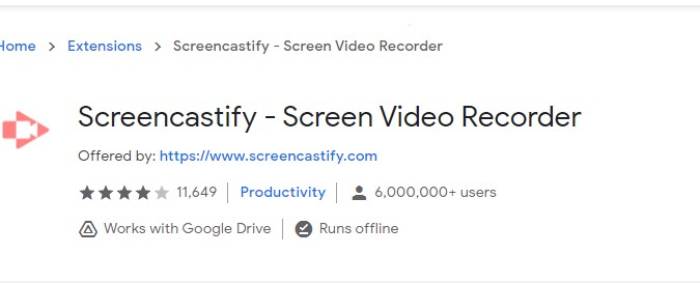
Distinctive Feature: Web browser Extension
בואו ניתן קצת גיוון לרשימה. Screencastify הוא כלי תלוי אינטרנט, במיוחד הרחבה לדפדפן Chrome. זה משמש בעיקר מחנכים ותלמידים. בעיקר בגלל הפשטות של הכלי ויכולת הביאור ששומרת על המחנך והתלמיד בפוקוס בכיתה. רוב האנשים שלומדים דרך Udemy ואתרי למידה כאלה משתמשים במקליט מסך זה. אם אתה עושה את אותו הדבר, אתה יכול לשקול להשתמש בו. בינתיים, הנה מידע מפורט יותר על הכלי.
יתרונות
- תואם לכל פלטפורמות המדיה.
- תוכן מארח.
- העלה סרטון לעריכה.
חסרונות
- למרות שזו גישה קלה מכיוון שהיא תלויה בדפדפן, היא גם יכולה להיות חסרת תועלת.
- זה צריך הרבה הרשאות כדי להשתמש בו.
חלק 3. שאלות נפוצות על מקליט WebM
מדוע קובץ ה-WebM שלי לא נפתח?
I understand the confusion, you might think that you are using a modern browser and still, it won't play. Have you tried checking if you are running the latest version of the browser? If not, please update. It is one of the most common reasons why a video won't play. But note, these are some of the supported versions by the WebM file. Chrome 6, Firefox 4, and Internet Explorer 9 and above. Or you can try using WebM players to help you open it.
למה אני לא יכול להפעיל וידאו של WebM ב-Mac שלי?
אני ממליץ בחום להוריד נגן VLC או תוסף VLC עבור Mac OS X. חייב להיות לו מעבד אינטל 64 סיביות.
חלק 4. תרשים השוואה
| תכונה | מקליט מסך FVC (פרימיום) | מקליט מסך FVC בחינם | TinyTake | ScreenCast-O-matic | ScreenCastify |
| הקלטת אודיו ווידאו |  | | | | |
| תכונת עריכת וידאו | | |  | | |
| תכונת חלון נעילה | | | | | |
| תכונת הערות | | | | | |
| WebM נתמך | | | | | |
| תוכנה זדונית בטוחה | | | | | |
| קצב סיביות ויחס רוחב-גובה מתכוונן | | | | | |
סיכום
כל כלי ההקלטה של WebM שנסקרו במאמר זה הם אמינים ויעילים. אתה רק צריך לראות איזה כלי יתאים לדרישות המחשב האישי שלך ומערכת ההפעלה שלך. רוב האנשים ילכו על קרקע בטוחה באמצעות אפליקציה מבוססת אינטרנט. אבל זו עדיין הקריאה שלך להחליט.
-
 מקליט השמע הלא משוחד של סינץ סקירה והאלטרנטיבה הטובה ביותר
 מקליט אודיו Cinch הוא הדרך הטובה ביותר להוריד מוסיקה מאתרי סטרימינג. פשוט למד עוד על הסקירה המשוחדת והאלטרנטיבה הטובה ביותר מתוך המאמר.
-
 למעלה 5 מקליטי העכבר והמקלדת הטובים ביותר עבור Windows ו- Mac
 להלן חמשת התוכניות הטובות ביותר להקליט עכבר ומקלדת שיכולות לשמור על תנועות העכבר ולחיצות המקלדת ולחזור על האירועים.
-
 למעלה 4 מקליטי מסך AVI בחינם לצילום סרטוני מסך כקבצי AVI
 כדי להקליט מסך בקבצי AVI איכותיים, המאמר מזהה ושיתף את 4 מקליטי המסך AVI החופשיים המובילים בפוסט זה. למד פרטים נוספים כדי למצוא את הרצוי בהתאם.
