


 ממיר וידאו אולטימטיבי
 מקליט מסך
 תיקון וידאו
מה המשמעות של AVI וכיצד ניתן לשחק אותו במכשירי שולחן עבודה ומכשירים ניידים
אחד מהפורמטים הלא־דחוסים המוכרים הוא AVI. הוא משמש בדרך‑כלל לצפייה מסונכרנת בווידאו ובאודיו. אם ברצונך לדעת יותר על AVI עליך להמשיך לקרוא. מטרת המאמר הזה היא להבין מהו AVI ומהו נגן המדיה שתומך בסוג קובץ זה. המשך לקרוא למטה כדי לקבל עוד מידע על הפורמט ועל נגני המדיה הזמינים.

חלק 1. מהו קובץ AVI
AVI הוצג בשוק בסוף שנת 1992 על‑ידי מיקרוסופט. המשמעות של השם AVI היא Audio Video Interleave. זהו אחד ממכלי הקבצים הפופולריים ביותר בזכות הפשטות שלו והתאימות לכל הפלטפורמות השונות. לכן, אם תרצה להקליט או להוריד וידאו או אודיו בפורמט AVI צפה לכך שהקובץ יהיה גדול בנפח כי הוא אינו דחוס. כדי להבין טוב יותר, להלן כמה מן היתרונות והחסרונות של הפורמט.
יתרונות
- זהו מיכל קבצים רב תכליתי שיכול להכיל כל קובץ.
- פורמט בשימוש נרחב לכל סרטים קצרים, פרומואים ופרסומת. בגלל האיכות שהוא מספק.
- חנויות AVI האיכותיות יוצאות דופן.
- לא תזדקק לחומרה או תוכנה ספציפית רק כדי להפעיל קבצי AVI מכיוון שהם אינם מוגבלים.
- דחס את קבצי ה- AVI בקלות מכיוון שהוא תומך בקודקים שונים כמו DivX, XviD, MPEG-1, MPEG-4 ועוד.
חסרונות
- אם אתה דוחס את קובץ AVI מעבר לגבול, יש סיכוי שקובץ 4k, HD או 1080 יפחית את האיכות.
- קובצי AVI אינם דחוסים אז צפה לגודל קובץ גדול אם אתה משתמש בפורמט מסוג זה.
- אם אתה משתמש ברכיבי codec דרך האינטרנט לדחיסת AVI זכור כי אותם קודקים חייבים להיות מותקנים בכונן שלך. התקנת רכיבי codec היא פשוטה מאוד אך קצת מפחיד לבחור רכיב codec מכיוון שחלקם אינם אמינים ואינם מאובטחים. אז היזהר אם תוריד אחד.
כעת, כשאתה כבר יודע על מה הפורמט, זה הזמן הנכון לדעת איך לנגן קובצי AVI במחשב השולחני שלך. כל הכלים המוזכרים למטה הם נגני מדיה מהטובים ביותר, שנתקלת בהם אולי בעת חיפוש ברשת ואולי לא. לכל נגן AVI מצורף תיאור ושלבים, אז קרא בעיון כדי לדעת איזה מהם הוא הטוב ביותר עבורך.
חלק 2. כיצד מנגנים קבצי AVI ב- Mac וב- Windows Media Player
1. נגן וידאו חינם ב- FVC
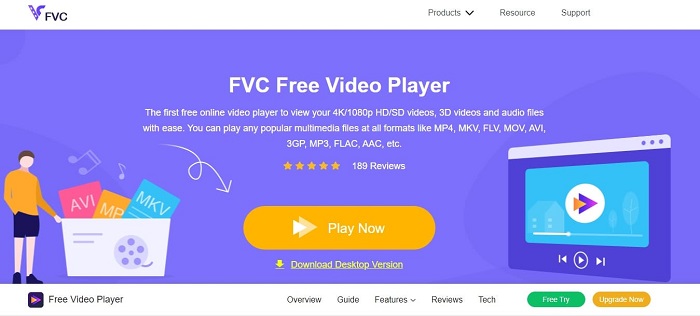
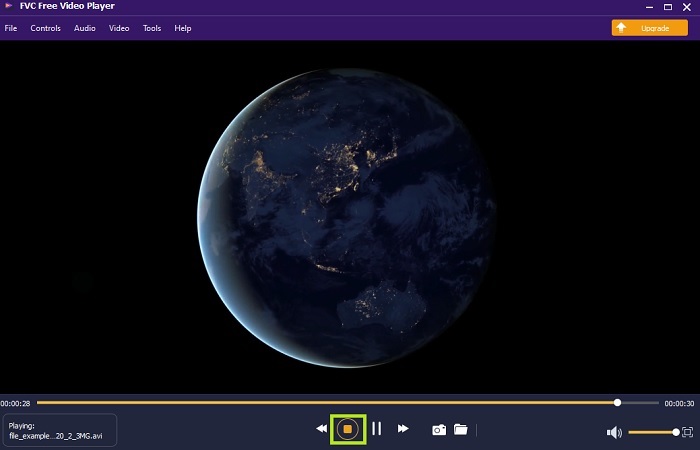
השתמש בנגן הווידאו החינמי FVC כדי לצפות בכל פורמט וידאו באמצעות האינטרנט. בניגוד לנגני מדיה אחרים המוזכרים בהמשך, הכלי הזה אינו דורש קבצים נוספים כדי לפעול. לכן, אם יש לך חיבור אינטרנט תוכל לצפות בכל זמן ובכל מקום. בנוסף, הוא מספק איכות גבוהה ולעולם אינו סובל מבאגים בעת ניגון קובצי AVI. אך זכור שאם חיבור האינטרנט שלך ייקטע, הכלי הזה ייטען או יעצור לדקה – דבר שכיח מאוד משום שהוא תלוי אינטרנט. באפשרותך גם לנגן כאן תקליטורי DVD אם תרצה. אין עוד צורך לשאול את עצמך איך לפתוח קובצי AVI כדי לצפות בהם, אם רק תעקוב אחרי השלבים למטה שנועדו במיוחד בשבילך.
שלב 1. לחץ על קישור זה כדי לעבור לדף הראשי של נגן הווידאו ל‑AVI.
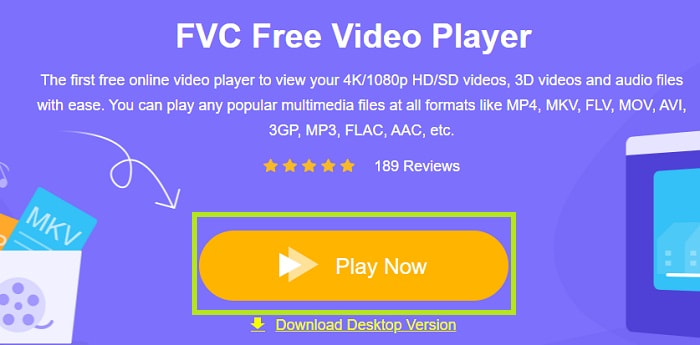
שלב 2. לחץ על Play Now כדי להפעיל את נגן ה‑AVI המקוון.
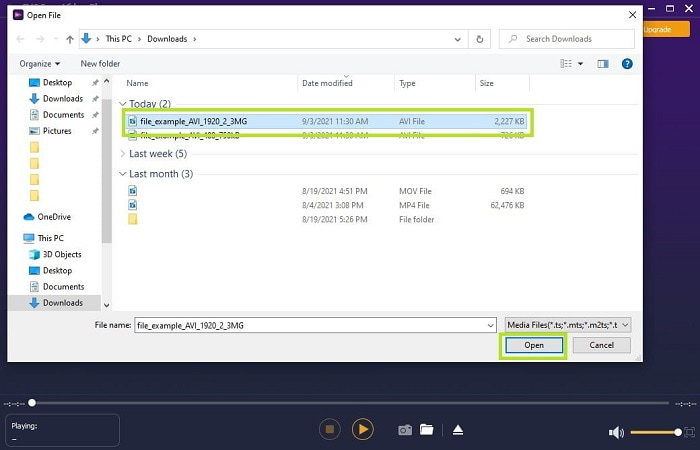
שלב 3. לאחר מכן לחץ על Open File ובחר את סרטון ה‑AVI שברצונך לצפות בו. לאחר שבחרת, לחץ על Open.
שלב 4. המתן מספר שניות עד שהווידאו ב‑AVI יתחיל להתנגן, והנה – הוא כבר מנגן. בממשק תוכל גם לבצע צילום מסך בחינם תוך כדי צפייה, אם תרצה.
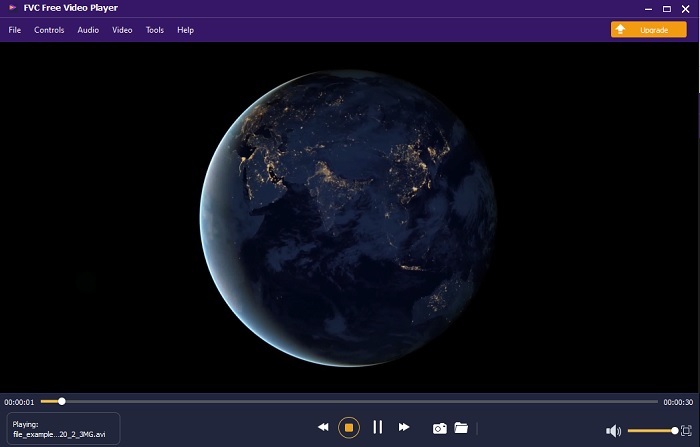
שלב 5. ואם ברצונך לסיים את הווידאו, פשוט לחץ על כפתור הריבוע כדי לעצור. חזור על אותם שלבים אם תרצה לנגן סרטון AVI נוסף או פורמט אחר.
יתרונות
- אין צורך בקובץ נוסף להפעלת הכלי.
- הוא יעיל יותר משאר הכלים להלן.
- הוא מספק ויברציות תלת -ממדיות אם אתה צופה בסרטון 4k.
חסרונות
- תלוי באינטרנט כך שאם אין לך אינטרנט, אינך יכול לגשת לזה.
- כמה תכונות עיקריות בפרמיה אינן גלויות כאן.
2. Windows Media Player
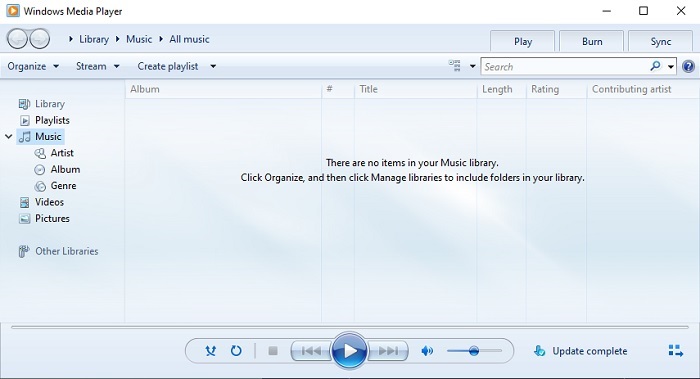
אם אתה רוצה לדעת איך לנגן קובצי AVI ב‑Windows 10 תוכל להשתמש בנגן המדיה המובנה שפותח על‑ידי מיקרוסופט עבור משתמשי Windows. אך יש מקרים שבהם תצטרך להוריד מקודד (codec) נוסף רק כדי לנגן AVI בנגן זה. זה עלול להיות מעט טרחני ומדי פעם גם מעצבן, משום שחיפוש המקודד המתאים עלול להיות מתסכל. לכן צפה לניסיונות חוזרים ולעיתים גם להורדת מקודדים שגויים. אבל אין צורך לדאוג, משום שהורדת מקודדים למחשב היא פעולה פשוטה מאוד.
יתרונות
- נגן מדיה מובנה עבור Windows.
- תומך כמעט בכל הפורמטים.
- קל לשימוש.
חסרונות
- במקרים מסוימים, יהיה עליך להוריד רכיב codec נוסף שאינו תומך בכלי זה.
- אינו מספק הזרמת חיבורי DSL איטיים.
3. נגן מדיה VLC
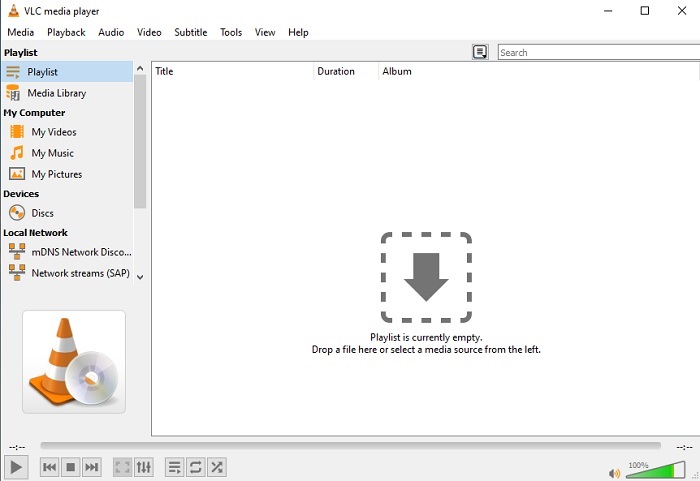
נגן המדיה הזה אינו דורש הורדה של מקודדים נוספים כדי לנגן קובצי AVI. אם אתה שואל את עצמך איך להריץ קובץ AVI בקלות, ייתכן שVLC Media Player הוא התשובה. נגן מדיה זה מסייע למיליוני משתמשים ברחבי העולם לנגן את קובצי המדיה שלהם פשוט על‑ידי פתיחת הקובץ וניגונו כאן. למרות שמיליוני משתמשים סומכים על הכלי הזה, עדיין יש בו כמה באגים וחלק מהקבצים אינם נתמכים בתוכנה. צפה לעיתים לשגיאות, אך אין צורך לדאוג – זה קורה לעתים רחוקות מאוד.
יתרונות
- אחד מנגני המדיה הטובים ביותר לכל הפלטפורמות.
- הוא יכול להפעיל וידאו גם אם עדיין לא סיים להוריד אותו. אבל לא כל הסרטון.
- גמיש בכל הפורמטים.
חסרונות
- לרוב יש כמה באגים קלים שאתה עלול להיתקל בהם בעת השימוש ב- VLC.
- זה גם מתקשה לנגן כמה פורמטים של וידאו בגלל רכיבי ה- Codec.
חלק 3. כיצד לצפות בקבצי AVI באייפון
נגני המדיה שלמעלה אינם ניתנים לשימוש ישיר במכשירים הניידים שלך. אך יש דרך לנגן AVI באייפון או באייפוד. לא רק זאת – אנחנו יודעים שקובצי AVI גדולים בנפח. לכן, אם תעביר אותם לטלפון, הם יתפסו בוודאות חלק גדול מהאחסון במכשיר. במקום להעביר את קובץ ה‑AVI הגולמי עליך להמיר אותו לפורמט חדש שניתן לנגן אותו מבלי לאבד איכות. המר AVI לפורמט המתאים בעזרת Video Converter Ultimate. לפרטים נוספים על אופן ההמרה עבור לקישור הזה: קישור.
חלק 4. שאלות נפוצות אודות AVI
מה עדיף, AVI או MP4?
AVI מציע איכות טובה יותר אך הוא לא דחוס, בעוד שקובצי MP4 תופסים פחות מקום אך גם הם באיכות טובה. אם ברצונך לדעת עוד על ההבדלים ביניהם ואיזה פורמט עדיף, עליך ללחוץ על AVI לעומת MP4.
כיצד להמיר AVI ל- MP4?
המרה היא הדרך הטובה ביותר להקטין את גודל הקובץ שלך ולהחליפו לפורמט אחר. והדרך הטובה ביותר להמיר AVI ל‑MP4 מפורטת כאן במאמר. הוא ילמד אותך את השלבים כיצד להמיר ואילו כלים שונים ניתן להשתמש בהם לצורך ההמרה.
האם QuickTime יכול לשחק AVI?
למרות שנגן המדיה של QuickTime תומך בפורמטים שונים, ישנן כמה בעיות בהפעלת AVI בנגן ברירת המחדל של Mac. בגלל מיקרוסופט הקניינית. לכן, כדי לדעת מהי החלופה הטובה ביותר עבור QuickTime עליך לקרוא מאמר זה ולבחור איזו מהן האלטרנטיבה הטובה ביותר.
מה אם קובץ AVI אינו נפתח?
ישנן כמה סיבות לכך שקבצי AVI אינם נפתחים. הראשונה היא כי הקובץ אינו שלם, פרט לכך מכיוון שהוא אינו דחוס כי קובץ כלשהו עלול ללכת לאיבוד. שנית, פורמט AVI אינו נתמך בנגן המדיה המקומי או של צד שלישי. שלישית, ראו אותו מת במיוחד אם דוחסים אותו יותר מדי עד שהוא יכול להפוך לאחד שאינו ניתן לשחק. לבסוף, ה- codec שגוי, כך שאם אתה דוחס את ה- AVI עם רכיבי codec שונים במקביל הבעיה הזו נפוצה.
סיכום
לסיכום, AVI נמצא בשימוש אצל משתמשים רבים ברחבי האינטרנט. אך הקובץ עצמו אינו דחוס, ולכן כדאי שתהיה מוכן לפנות שטח אחסון גדול בכונן אם אתה מקליט, מוריד או מעביר קובצי AVI. מעתה אין עוד צורך לשאול מהו פורמט AVI בזכות המידע שניתן לעיל וההסבר היכן ניתן לנגן אותו. אתה מוזמן להשתמש בנגן הווידאו החינמי FVC, שהוא בקוד פתוח וניתן לשימוש לכל מי שיש לו גישה לאינטרנט. באפשרותך גם לבחור בגרסת הפרימיום של הכלי, שתומכת במספר פורמטים גדול יותר מהגרסה החינמית ומציעה גם מגוון רחב של תכונות. אם ברצונך לבדוק אותה, לחץ על כפתור ההורדה כדי להתקין אותה במחשב שלך.
-
 חמשת החלופות הטובות ביותר של Windows Media Player למכשירי אנדרואיד
 מכיוון שאינך יכול להוריד את Windows Media Player עבור Android, עליך לקרוא מאמר זה וללמוד על 5 החלופות הטובות ביותר ל- Windows Media Player.
-
 חמשת נגני הווידאו הטובים ביותר לאייפון שלא כדאי לפספס בשנת 2025
 כדי להפעיל קטעי וידאו בכל הפורמטים ולחווית צפייה טובה יותר באייפון שלך, עליך לקרוא מאמר זה וללמוד על 5 נגני הווידאו הטובים ביותר לאייפון 12/11/X/8/7/6.
-
 מדריך יוצא דופן כיצד להפעיל קבצי MOV במכשירי Android ניידים
 נתקלת בבעיה מדוע קובצי MOV שלך אינם מופעלים בנגן המדיה אנדרואיד שלך? לאחר מכן, קרא מאמר זה, הוא יספק לך 2 שיטות שונות לתקן קבצי MOV ולהפוך אותן לנגינות.
