


 ממיר וידאו אולטימטיבי
 מקליט מסך
 תיקון וידאו
סקירה מלאה על איך להמיר קובץ SWF ל-AVI עם 5 הממירים
פורמט שנוצר בשיתוף פעולה בין ShockWave Flash ל‑Adobe הוא SWF. פורמט זה נועד להכיל ולהשמיע אנימציות וידאו ב‑Flash Player או בדפדפן באמצעות תוספי Flash. עם זאת, קשה מאוד לצפות בסרטונים מונפשים בפורמט SWF, משום ששום נגן מדיה אינו תומך בפורמט זה מלבד Flash Player. במצב כזה, יהיה עליך למצוא ממיר כדי לצפות בקובץ .swf על שולחן העבודה שלך. לכן, בהמשך אנו מציגים לך את הממירים שתוכל להשתמש בהם כדי להמיר SWF ל‑AVI אונליין ולא־אונליין.
חלק 1. SWF לעומת AVI: איזה מהם עדיף?
מוקדם יותר, הסברנו חלק מהנתונים שאספנו במהלך המחקר שלנו על קובצי SWF. אבל האם ידעת שהקובץ הזה משתמש בווקטור ולא בפיקסל? כדי להבין את זה טוב יותר, בואו נעמיק בזה. פיקסלים הם קופסאות זעירות שמוצגות על המסך שלך. בעיקרון, לכל הריבוע הקטנטן הזה יש צבעים שונים וכולם משולבים יחד כדי ליצור ויזואלי. עם זאת, וקטורים משתמשים במשוואות מתמטיות כדי לחשב את הצורה שתתפוס חלק בתצוגת המסך שלך. לכן, אם ננסה לצפות בסרטוני SWF אז צפו לאיכות ויזואלית טובה בהרבה מכל פורמט.
AVI הוא אחד מפורמטי הקבצים הנודעים שיש לו גודל קובץ עצום בהשוואה לשאר הפורמטים. והסיבה העיקרית לכך שגודל הקובץ של ה-AVI גדול היא רק בגלל שהוא לא דחוס. ומכיוון שהוא לא דחוס צפו שהקובץ ישמור על האיכות אבל בגודל הרבה יותר גדול.
הסיבה היחידה שתצטרך ללמוד כיצד להמיר קובץ SWF ל-AVI היא לצפות בסרטון שעדיין נמצא תחת סיומת הקובץ של .swf. יתר על כן, אנחנו כבר הופכים את החיפוש שלך להרבה יותר קל מאי פעם, מכיוון שאנו מרכיבים כלים שונים שאתה יכול לבחור. כמו כן, כל הכלים המוזכרים להלן מספקים המרה נהדרת שממש תעזור לך לפתור בעיה זו.
חלק 2. 5 מממירי SWF ל-AVI הטובים ביותר הזמינים בשולחן העבודה ובאינטרנט
1. ממיר וידאו FVC Ultimate
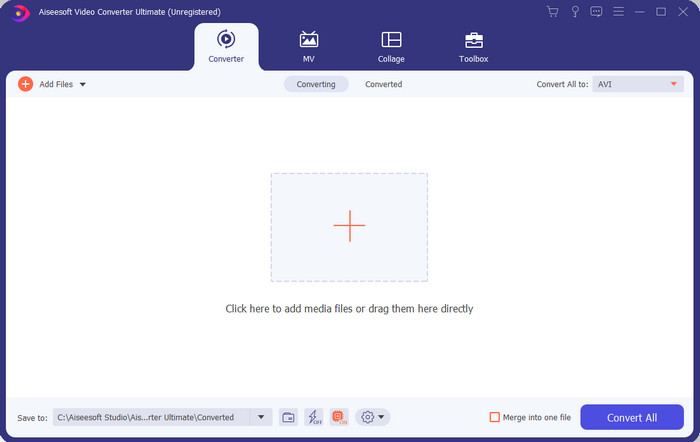
אם אתה מחפש את התוכנה האולטימטיבית והמרשימה ביותר שעליך להשתמש בה כדי להמיר קובצי .swf, אז FVC Video Converter Ultimate היא המתאימה. היא לא הייתה מוצבת במקום הראשון אילו לא הייתה מספקת המרה יוצאת מן הכלל. בנוסף, היא תומכת בלמעלה מ‑200 פורמטים המוכרים לך ואף בכאלה שלא. בניגוד לממירים המופיעים בהמשך, זהו כלי השונה בהרבה בממשק, בפונקציונליות, בפיצ’רים מתקדמים, בנגישות ועוד. אם אתה מחפש ממיר נהדר, תוכל לומר לעצמך שהחיפוש הסתיים כי מצאת אחד. יתר על כן, אם עדיין אינך משוכנע בכלי, בוא תראה בעצמך על‑ידי הורדת ממיר SWF ל‑AVI החינמי והטוב ביותר הזה תחילה.
יתרונות
- הוא תומך בהאצת חומרה ובהמרה מהירה להמרה בהרף עין.
- מגוון רחב של פורמטי קבצי מדיה נתמכים.
- תכונות העריכה זמינות לאחר הסדרת התשלום.
- המרת אצווה יכולה להיעשות בקלות.
חסרונות
- צריך לשלם תחילה לפני שתוכל להשתמש בו אבל זה מאוד זול.
- יש להוריד תחילה בכונן שלך.
2. נגן מדיה VLC
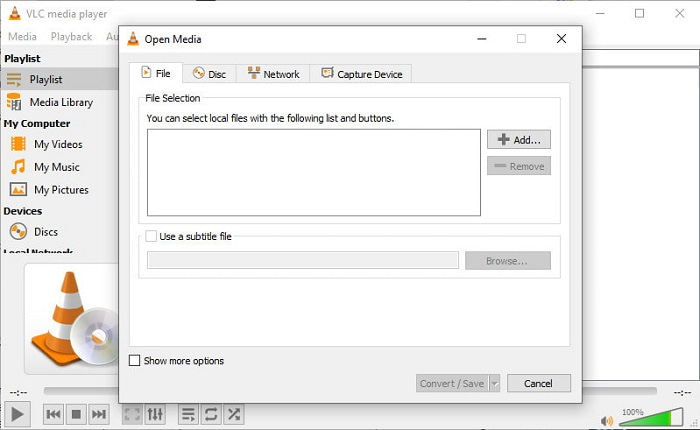
לנגן המדיה הזה יש תכונה נסתרת שתאהב להשתמש בה. VLC Media Player אינו משמש רק כנגן מדיה, אלא מספק גם ממיר. עם זאת, הפורמטים הנתמכים על‑ידי תוכנת ההמרה המובנית מעטים מאוד, ואינך יכול להגדיר את הרזולוציה. גם תהליך המרת הפורמט כאן בהחלט עלול להקשות עליך יותר מאשר הממירים האחרים. אבל אם אתה רוצה לנסות ולהשתמש בממיר SWF ל‑AVI החינמי הזה, הורד את נגן המדיה.
יתרונות
- יש לו ממיר מובנה לצד נגן המדיה.
- חינם להורדה בכל פלטפורמה.
- זה מאובטח להורדה וגם תהליך ההמרה מוגן.
חסרונות
- פורמט נמוך יותר נתמך בהשוואה לממירים האחרים הזמינים ברשימה זו.
- תהליך ההמרה צריך לעשות הרבה לפני שתוכל לבצע את ההמרה.
3. המרה
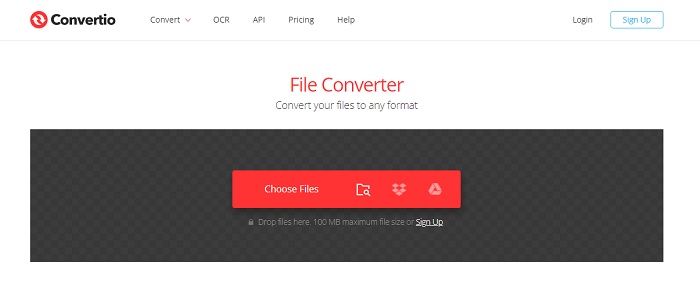
אם אתה רוצה להמיר SWF ל‑AVI אונליין, נסה את Convertio, מאחר שהוא מספק המרה פשוטה ויעילה. כמו כן, כלי אינטרנט זה בטוח לשימוש, וכל הקבצים שהומרו באמצעותו יימחקו מהאתר. תכונה מדהימה נוספת של הכלי היא שתוכל לבצע המרה בקבוצות אם תירשם. עם זאת, תהליך ההעלאה וההורדה בהחלט יגזול זמן רב, וזה מעט מסורבל עבור המשתמשים. אם אינך רוצה להוציא כסף על ההמרה, נסה להשתמש בכלי זה.
יתרונות
- אין צורך להוריד את התוכנה בכונן שלך לפני שתוכל להשתמש בה.
- זה תומך ברמה בינונית של פורמטים שאתה יכול לבחור מהם.
- ניתן להמיר 2 פורמטים של קבצים בו-זמנית.
חסרונות
- העלאה והורדה של הקובץ לאחר ההמרה ייקח הרבה מזמנך.
- תלוי באינטרנט כלומר אם האינטרנט שלך איטי אז מצפה לזמן רב.
4. OnlineConvertFree.com
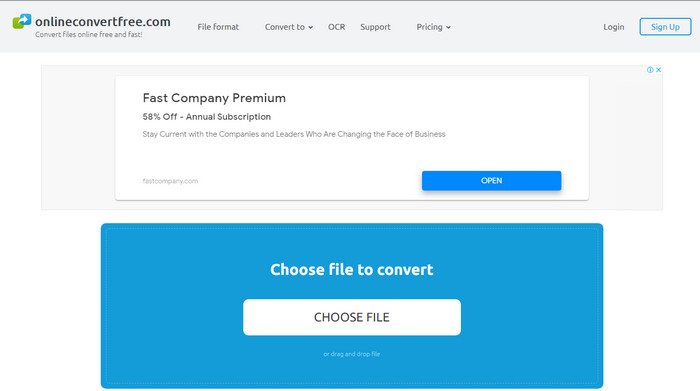
ממיר וידאו אונליין נוסף מ‑SWF ל‑AVI שתוכל להשתמש בו הוא OnlineConvertFree.com. אם הפשטות היא היופי, אז זה חייב להיות הבחירה שלך למשימת ההמרה. בניגוד לכלי האונליין שהוזכר ראשון, זהו כלי פשוט יותר, אך הוא תומך בפחות פורמטים לבחירה. בנוסף, גודל הקובץ מוגבל בתוכנת אונליין זו. לכן, אם יש לך קובץ שגודלו עולה על 20 מ״ב, צפה לכך שלא תוכל להשתמש בו עם כלי זה. עם זאת, אם אתה רוצה להשתמש בו כדי להמיר קבצים וגם לא להוציא הרבה כסף, השתמש בו.
יתרונות
- הגישה אליו היא בחינם.
- ניתן להשתמש בממיר זה אם יש לך חיבור לאינטרנט.
- הממשק הכללי נראה מסודר.
חסרונות
- לא ניתן לגשת אם האינטרנט אינו זמין.
- פרסומות הורגות את האתר.
חלק 3. 5 שלבים כיצד להמיר SWF ל-AVI ב-FVC Video Converter Ultimate
להלן השלבים המפורטים כיצד להשתמש ב-FVC Video Converter Ultimate. כל השלבים המופיעים כאן יבטיחו לכם חוויה קלה ועם זאת פנומנלית.
שלב 1. תחילה, חובה להוריד את הכלי לכונן המחשב שלך, בחר אם זה PC או Mac. לאחר מכן התקן את התוכנה על הכונן, בצע את תהליך ההתקנה בקלות, ואז לחץ על Start Now.
הורדה חינמיתל-Windows 7 ומעלההורדה מאובטחת
הורדה חינמיתל-MacOS 10.7 ומעלההורדה מאובטחת
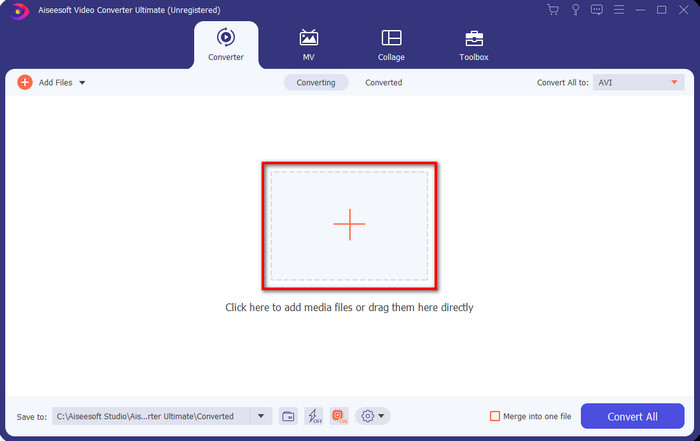
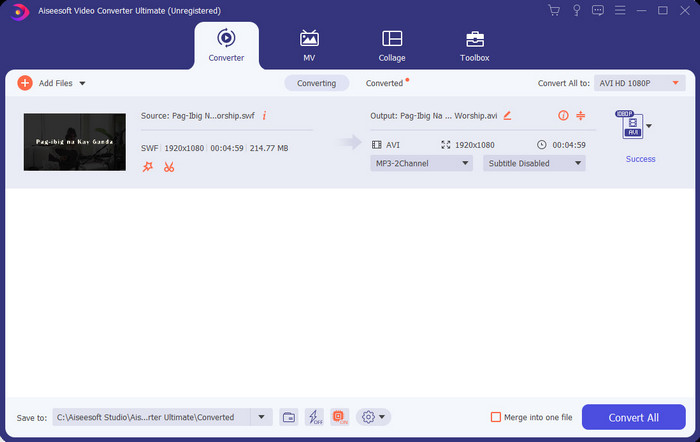
שלב 2. פתח את התוכנה שהתקנת על הכונן שלך, ולאחר מכן לחץ על כפתור ה‑+ ואז אתר את הקובץ בתיקייה שתופיע בחלון הקופץ הבא. לחץ על Open כדי להמשיך.
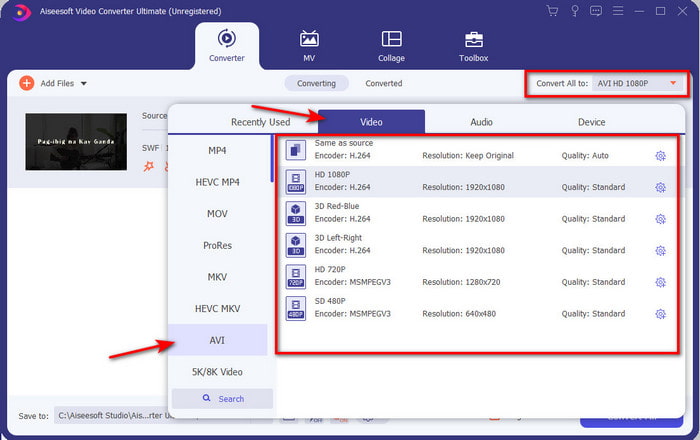
שלב 3. כדי לשנות את קובץ ה‑SWF לפורמט AVI לחץ על כפתור ה‑drop-down ובחר פורמט AVI ואז בחר את הרזולוציה.
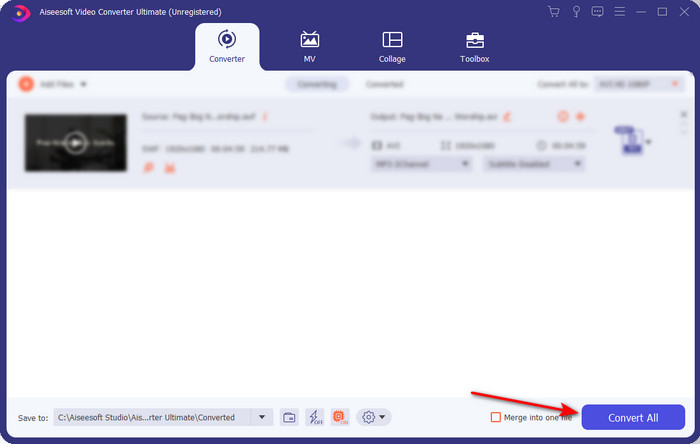
שלב 4. ואם כבר סיימת לבחור את הפורמט, לחץ על Convert All כדי להתחיל בתהליך ההמרה.
שלב 5. לאחר שההמרה הסתיימה, תופיע תיקייה עם הקובץ שהומר. לחץ על קובץ ה‑AVI החדש כדי לצפות בו ולצורך העברתו מאוחר יותר אם תרצה.
חלק 4. שאלות נפוצות לגבי SWF ו-AVI
האם אוכל להפעיל SWF בנגני המדיה האחרים?
בהחלט לא, משום שקובץ .swf אינו נתמך בנגן המדיה שלך גם אם תשתמש באפליקציית צד שלישי. והבחירה הטובה ביותר כדי לנגן .swf היא להמיר אותו לפורמט חדש כדי שתוכל לנגן אותו. אבל אם אינך רוצה להמיר אותו, עליך להשתמש ב‑Flash Player כדי לנגן את פורמט הקובץ SWF.
האם .swf קטן יותר בגודלו?
בהחלט כן; מעבר לכך שהוא קטן בנפח, הוא גם נטען מהר יותר בהשוואה לפורמטים אחרים וכן מבחינת המבנה הכולל של הפורמט עצמו. תוכל לנסות לדחוס קובצי SWF באמצעות מקטין וידאו אם הם גדולים מדי.
האם קובץ ה-SWF שלי יכול להתאים את השקיפות?
ובכן, אתה יכול להגדיר את זה להיות שקוף אם אתה רוצה או לא אם אתה לא רוצה. כמו כן, אתה יכול להוסיף ערוץ אלפא עם הצבע בתצוגה שלך או בגווני אפור כדי להגדיר אותו כשקוף.
סיכום
כשסיימנו מאמר זה, כבר גילינו מהו SWF ומהי המטרה האחרת שלו. כמו כן, למדנו שאינך יכול להשתמש בקובץ .swf אם אינך משתמש בנגן Flash ומלבד זאת אינך יכול להפעיל אותו. אז עכשיו, הפתרון הטוב ביותר להפעלת קובץ ה-SWF הוא להמיר אותו לפורמט חדש כמו AVI. יתרה מכך, כל הכלים שהוזכרו לעיל אכן מבצעים את תפקידם כממיר. אבל אין כלי שמספק פתרון הרבה יותר מהיר וקל יותר מ-FVC Video Converter Ultimate.
-
 SWF ל MP4: המרת SWF ל MP4 בחינם באינטרנט ובמחשב
 כיצד לפתוח קובץ SWF ללא Adobe Flash Player? קח את ממיר SWF ל- MP4 העליון החופשי כדי לשנות את SWF ל- MP4 באופן מקוון ובמחשב / מק תוך 3 שלבים.
-
 [2 פתרונות] כיצד להמיר קבצי SWF ל-GIF בקלות בחינם
 כאשר אינך מצליח לייצא פורמט GIF באמצעות תוכנת Flash, תוכל לנסות לשמור את הקבצים בפורמט SWF בהתחלה. אז אתה יכול ללמוד 2 דרכים קלות להמיר SWF לקבצי GIF ממאמר זה.
-
 בחירה מצוינת להמיר MKV לפורמט AVI
 אמן כיצד להמיר סרטוני MKV עם שלבים פשוטים הניתנים בלעדית עבורך. רוצה לדעת איך? לאחר מכן לחץ על קישור זה למידע נוסף.
