


 ממיר וידאו אולטימטיבי
 מקליט מסך
 תיקון וידאו
עורך מטא נתונים MP4 האמין ביותר להוספה, עריכה, הסרה של מטא נתונים MP4 בקלות
תגי MP4 יכולים לעזור לך לארגן ולנהל את הקבצים על‑ידי מיון שלהם לפי המטא־דטה. מסיבה זו, משתמשים רבים מחפשים עורך מטא־דטה מושלם שיטפל במשימה הזאת בקלות. לשמחתנו, היום סיננו עבורך את מיטב עורכי התגים שתוכל להשתמש בהם לקבצי ה‑MP4 שלך הקיימים בשוק. בעזרת מחקר מעמיק, בוא נבדוק באיזה עורך מטא־דטה ל‑MP4 כדאי לך להשתמש כדי לסדר את הקבצים בהתאם.

חלק 1. 4 עורכי תגיות MP4 הטובים ביותר הזמינים באינטרנט ובאופן לא מקוון
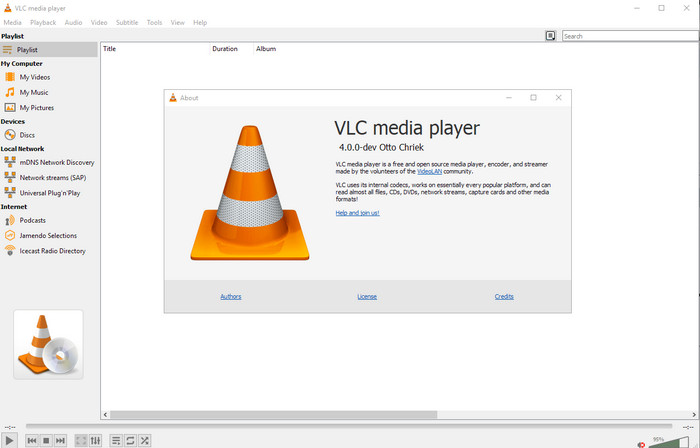
נגן מדיה VLC
זמין ב: Windows, Mac ו‑Linux
הראשון ברשימה שלנו הוא נגן הווידאו הטוב ביותר, אבל אם אתה רוצה עורך מטא־דטה ל‑MP4 שהוא חינמי, ייתכן שתצטרך דווקא אותו. VLC Media Player נותן לך חוויית שימוש חינמית לעריכה או להסרה של תגים המשויכים לקבצי ה‑MP4 שלך. בעזרת הכלי הזה באפשרותך לשנות בקלות את המטא־דטה של הקובץ, כגון כותרת, זכויות יוצרים, סגנון, אמן, תאריך, שעה ועוד. למרות שמשתמשים רבים טוענים שקל לערוך כאן את המטא־דטה, ישנם אחרים שמתנגדים לכך. הם מוצאים את התהליך מבלבל ולא אפקטיבי, בניגוד לעורכי תגים אחרים. ובכל זאת, אם אתה רוצה כלי בטוח להורדה שכבר הוכיח את עצמו אצל משתמשים רבים, כדאי לנסות להשתמש בכלי הזה.
עורך התגים של Amvidia
זמין ב: Mac
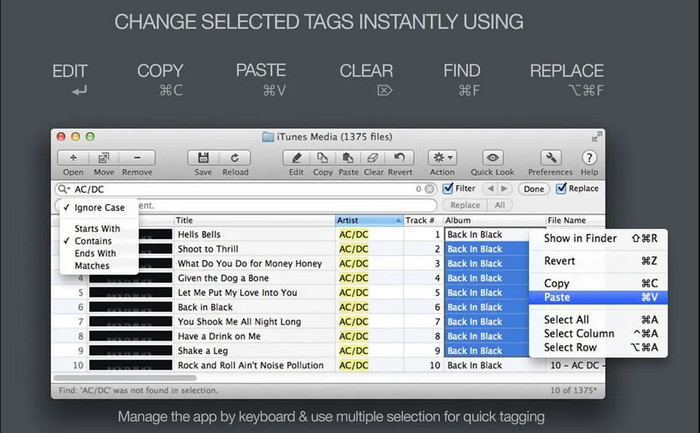
עורך מטא־דטה נוסף ל‑MP4 ב‑Mac הוא Amvidia Tag Editor. אם אתה צריך להוסיף מטא־דטה, עטיפות תמונה, תגים ב‑iTunes, או לשנות את שם הקובץ – תוכל לעשות את כל זה כאן; ואם אתה צריך תיוג בקבוצות (batch tagging), הכלי הזה יעזור לך. בנוסף, התוכנה החינמית הזאת תומכת בכמות גדולה של פורמטי מדיה שניתן להעלות אליה, אך יהיה עליך להוריד אותה למחשב. בשל הפונקציות המפורטות שהיא מציעה, למתחילים עלול לקחת זמן ללמוד להשתמש בכלי, משום שצריך לבצע לא מעט שלבים לפני הוספת המטא־דטה. כמו כן, הממשק שלה מיושן, בדומה ל‑VLC.
TigoTago
זמין ב: Windows
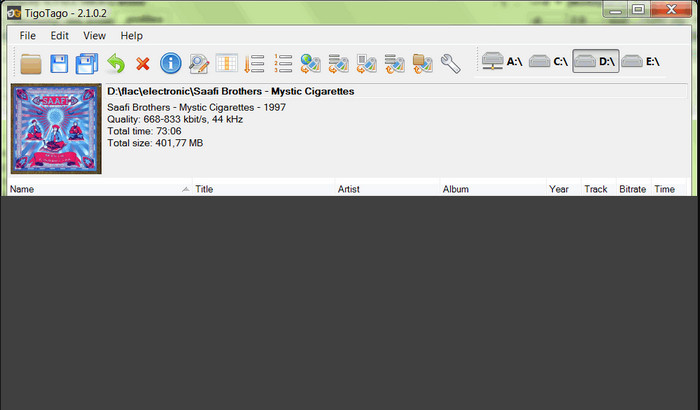
TigoTago הוא עוד מתייג מטא־דטה ל‑MP4 שניתן להשתמש בו בחינם ב‑Windows. לכן, אם אתה צריך לערוך נתונים או תגים מסוימים בקובץ ה‑MP4 שלך, הורד את הכלי וערוך בקלות את תגי ה‑MP4 אחד אחרי השני. באמצעות הכלי הזה אפשר למלא את התגים הבסיסיים שיש לקובץ, כגון כותרת, אלבום, רצועות ואמן, אך ניתן גם להוסיף תגים מתקדמים יותר כמו מילות שירים, הערות וכו'. אם נשווה את הכלי הזה ל‑VLC, אפשר לומר שהוא טוב יותר, משום שהוא נותן עדיפות לעריכת התגים. למרות שהוא מציע יותר מנגן המדיה, הוא עדיין זקוק לשיפור, כולל בממשק המשתמש (GUI) ובפונקציות אחרות.
InstantD3 - עורך תגיות ID3 באינטרנט בחינם
זמין ב: אינטרנט
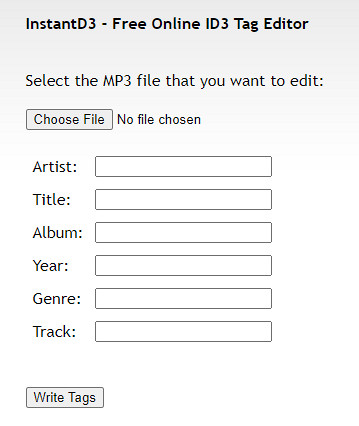
אם אינך רוצה להוריד תוכנה, תוכל לגשת לעורך תגיות וידאו MP4 מקוון זה, InstantD3 - עורך תגיות ID3 חינם באינטרנט. למרות שהכלי זמין באינטרנט, הוא לא יכול לחפש במטא נתונים באינטרנט כדי להחיל את התגים הדרושים לך על ה-MP4 שלך באופן אוטומטי. הכלי מציע ממשק אינטואיטיבי כדי לאפשר למשתמשים לחוות דרך קלה להוסיף תגים לקבצי האודיו שלהם. מכיוון שהכלי חינמי, מודעות נמצאות באתר, אך עלינו להזהיר אותך שהמודעות באתר שלו אינן מתאימות לגיל 18 מתחת. כמו כן, גישה לכלי על אחריותך בלבד; לאחר שנכנסת לאתר של הכלי, חיבור האינטרנט שלך אינו מאובטח.
חלק 2. עורך וידאו הבחירה הטובה ביותר להוספה, עריכה והסרה של מטא נתונים ב-Windows ו-Mac
זמין ב: Windows, Mac ו‑Linux
עורכי המטא־דטה ל‑MP4 שהוזכרו לעיל הם מהטובים, אך FVC Video Converter Ultimate הוא עורך המטא־דטה העוצמתי שתזדקק לו כדי לערוך או להסיר מטא־דטה. הכלי הזה מציע את פונקציות העריכה הטובות ביותר שקל להשתמש בהן, אך התוצאות מקצועיות. בניגוד לכלים שהוזכרו קודם, שתומכים במספר מוגבל של פורמטי מדיה, בעזרת הכלי הזה ניתן להעלות MP4, MOV, MKV, FLV, AVI ועוד מעל 1000 פורמטים, ולשנות במהירות את המטא־דטה של כולם. מדהים מה שהכלי הזה מסוגל לעשות, נכון? כשתראה את הכלי המרשים הזה, תוכל בקלות לעקוב אחר המדריך המדורג צעד‑אחר‑צעד שאנו מספקים כדי לערוך, להוסיף ולהסיר את התגים בקבצי ה‑MP4 שלך.
שלב 1. לחץ תחילה על כפתור ההורדה כדי להוריד את עורך תגי ה‑MP4 ב‑Mac או ב‑Windows. עקוב אחר תהליך ההתקנה לאחר לחיצה על הקובץ, ואז פתח אותו.
הורדה חינמיתל-Windows 7 ומעלההורדה מאובטחת
הורדה חינמיתל-MacOS 10.7 ומעלההורדה מאובטחת
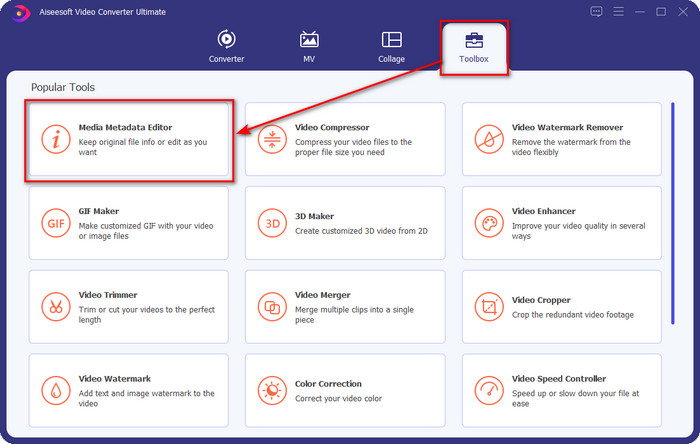
שלב 2. כעת, לאחר שפתחת את העורך, בחר ב‑Toolbox מתוך שלוש החלוקות הזמינות; תחתיה לחץ על Media Metadata Editor.
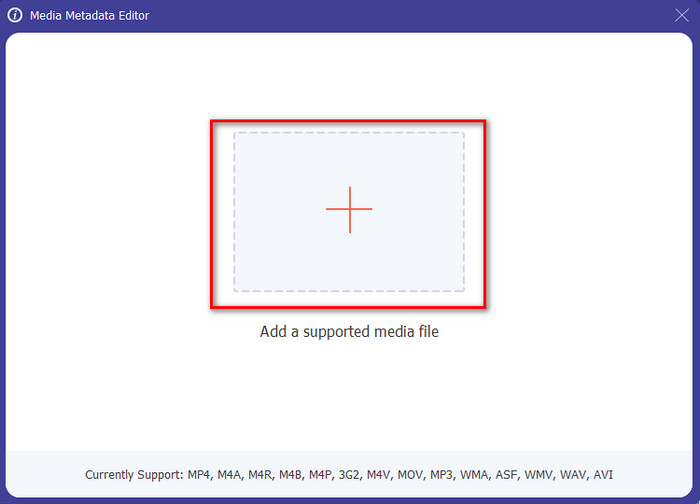
שלב 3. כדי להעלות את קובץ ה‑MP4, לחץ על כפתור ה‑+, מצא את קובץ ה‑.mp4 בתיקייה שתופיע, ולחץ על Open כדי להכניס אותו בהצלחה.
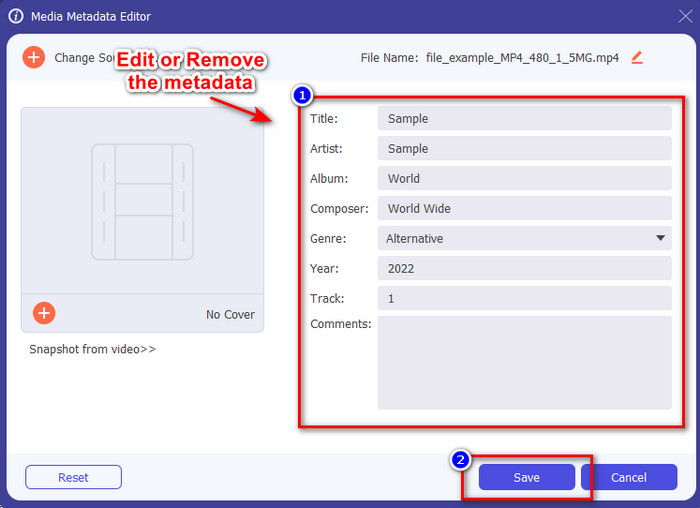
שלב 4. הוסף, הסר וערוך את המידע בתוך ה‑textbox שיופיע על המסך שלך; מלא אותו בהתאם לרצונך. כדי לשמור את השינויים שביצעת בתגי ה‑MP4, לחץ על כפתור Save. תוכל בקלות לומר שמדובר במשימה פשוטה מאוד אם תבחר בעורך האולטימטיבי.
קשור:
חלק 3. שאלות נפוצות על MP4 Tag Editor
כיצד לבדוק מטא נתונים של MP4 ב-Windows?
אם ברצונך לבדוק את המטא נתונים של קובץ ה-MP4 שלך, בצע את השלבים הבאים. ראשית, מצא את קובץ ה-.mp4, הקש על כפתור הלחיצה הימנית של העכבר, עבור אל מאפיינים, ולבסוף, לחץ על פרטים. כל המידע שתצטרך על המטא נתונים שלך נמצא ברשימה זו. אז אם אתה רוצה לערוך אותם לפי הרצונות שלך, בחר בכלי שאתה צריך להשתמש למעלה.
איפה אני יכול לצפות בקבצי MP4?
מרבית נגני המדיה תומכים בקובצי MP4 משום שזהו פורמט וידאו סטנדרטי. אבל השאלה היא, היכן ניתן לצפות בסרטוני MP4 ברזולוציה גבוהה? במקרה כזה, עליך ללחוץ על קישור זה. כל מה שאתה צריך לדעת מצוי במאמר הזה.
כיצד לבחור את עורך תגיות MP4 הטוב ביותר?
תצטרך לזכור כמה דברים לפני שתבחר את עורך המטא נתונים של MP4 שבו תשתמש; אם אתה לא יודע מה הם, אתה יכול לסמוך על הסטנדרטים האלה. ראשית, ודא שעורך המטא נתונים תומך בפורמט שיש לך; לא כל העורכים תומכים במגוון פורמטים רחב. שימוש בעורך מטא נתונים שאינו תומך בפורמט שלך יהיה חסר תועלת. שנית, ודא שהכלי קל לשימוש; אם אתה חדש בעריכת המטא נתונים, ודא שהכלי שאתה בוחר אינו נוקשה מדי ללמידה. לבסוף, ודא שהוא בטוח לשימוש; אם זה ניתן להורדה או מקוון, תצטרך לדעת אם זה בטוח לשימוש. ודא שלפני שאתה משתמש בעורך, תצטרך לפעול לפי כל הסטנדרטים הפשוטים האלה כדי לקבל רק את הטובים ביותר.
סיכום
עורכי המטא־דטה ל‑MP4 שהוספנו במאמר זה יכולים לעזור לך במהירות לערוך, להוסיף או להסיר את המטא־דטה בקובצי ה‑MP4 שלך. עם חוות הדעת הרלוונטיות שכתבנו על הכלים, אפשר כעת להשוות ביניהם ולראות איזה מהם מתאים לצרכים שלנו בכל הנוגע לעריכת תגי MP4. אם עדיין לא החלטת באיזה מהם להשתמש, אנו מציעים לך את הטוב ברשימה: FVC Video Converter Ultimate. הכלי הנהדר הזה יתאים לצרכים שלך; הדרך היחידה להשיג אותו היא להוריד אותו. לכן, לחץ על כפתור ההורדה, עקוב אחר השלבים שסיפקנו עבורך, ותהנה מעריכת התגים בלי להזיע.
-
 5 הדרכים הקלות ביותר להסיר מטא נתונים בכל קבצי מדיה
 כיצד להסיר מטא נתונים? האם זה קשה לעשות את זה? האם עלי לרכוש או להשתמש בכלי חינמי להסרת תגים? לכל השאלות הללו יש תשובות במאמר זה.
-
 חמשת מחלצי המטא נתונים המובילים הזמינים באינטרנט ובאופן לא מקוון [2025]
 אתה יכול למצוא מספר מחלצי מטא נתונים בשוק, אך כיום, אנו בוחרים רק את חמשת מחלצי התגים הנבחרים ביותר לפי הקהל.
-
 חמשת עורכי המטא-נתונים המובילים של וידאו לשנת 2025 [סקירה בלתי משוחדת]
 האם אתה רוצה להציג את המטא נתונים של הסרטון שלך? אם כן, קרא את הפרטים למטה כדי להבין את הנושא במלואו ולדעת איזה כלי מתאים לך ביותר.
