


 वीडियो कनवर्टर अंतिम
 स्क्रीन अभिलेखी
 वीडियो मरम्मत
 सुरक्षित डाउनलोड
एचईआईसी कन्वर्टर के बारे में अंतिम समीक्षा जिसे आप आसानी से उपयोग कर सकते हैं
विश्व स्तर पर प्रतिदिन 4.5 बिलियन से अधिक चित्र लिए जाते हैं। नियमित रूप से एक व्यक्ति औसतन प्रति दिन लगभग 20 स्नैप लेता है। दुनिया भर में इसके विशाल प्रभाव के साथ, हम में से अधिकांश ने छवि को बेहतर गुणवत्ता में संग्रहीत करने के लिए एक और कदम उठाया, जैसे कि Apple ने किया जब उन्होंने मानक छवि प्रारूप को HEIC में बदल दिया। इस छवि प्रारूप में उच्च गुणवत्ता वाली तस्वीर हो सकती है लेकिन जेपीजी या पीएनजी से कम आकार में। इस प्रकार, इसके बेहतर संपीड़न के साथ, यदि छवि फ़ाइल इस प्रारूप में है, तो हममें से कई लोग अपने iOS ड्राइव पर अधिक स्थान बचा सकते हैं। नतीजतन, प्रारूप प्रत्येक आईओएस 11 और मैकोज़ हाई सिएरा पर लोकप्रिय हो गया।
चाहे फ़ॉर्मेट कितना भी अच्छा क्यों न हो, अगर आप फ़ाइल को किसी और डिवाइस पर ट्रांसफ़र कर दें, तो संभव है कि आप उसे खोल ही न पाएं। ऐसी स्थिति में आम तौर पर एक कन्वर्टर ज़्यादा काम आता है। इस समस्या को हल करने के लिए आगे इस लेख को पढ़ते रहें, क्योंकि हम पाँच ऐसे HEIC कन्वर्टर्स दिखा रहे हैं जिन्हें आप मुफ़्त में भी इस्तेमाल कर सकते हैं और ज़रूरत पड़ने पर ख़रीद भी सकते हैं। पढ़ना जारी रखें ताकि आप 7 मिनट से कम समय में इसे हल करने के लिए ज़रूरी जानकारी हासिल कर लें।.

भाग 1. वेब पर उपलब्ध शीर्ष 3 मुफ़्त एचईआईसी कन्वर्टर्स
JVC कनवर्टर करने के लिए FVC मुक्त HEIC
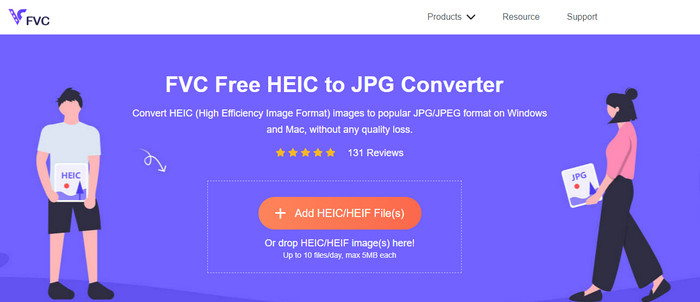
FVC Free HEIC to JPG Converter आपको एक सरल और प्रभावी फ्री HEIC कन्वर्टर प्रदान करता है जिसे आप वेब पर इस्तेमाल कर सकते हैं। इस वेब टूल की मदद से आप फ़ाइल को वेबसाइट पर बस ड्रैग और ड्रॉप करके अपलोड कर सकते हैं; आपको कन्वर्ज़न प्रक्रिया मैन्युअली शुरू करने की ज़रूरत नहीं पड़ेगी, यह अपने आप शुरू हो जाएगी। भले ही यह वेब-आधारित टूल बैच कन्वर्ज़न सपोर्ट नहीं करता, फिर भी इसे उन बेहतरीन ऑनलाइन कन्वर्टर्स में गिना जाता है जिनके बारे में आपको ज़रूर पता होना चाहिए। दूसरे उन कन्वर्टर्स के विपरीत जो आपकी इमेज की क्वालिटी गिरा देते हैं, यह टूल आपके HEIC फ़ाइल की क्वालिटी कम नहीं करता और इसे JPG में बदलने के बाद भी वही गुणवत्ता बनाए रखता है।.
हो सकता है कि आप सोच रहे हों कि क्या आप इस उपकरण का उपयोग करते हैं, क्या आपको इंस्टॉलर जैसी अतिरिक्त फ़ाइलों को डाउनलोड करने की आवश्यकता है? सौभाग्य से, इसका उपयोग करते समय, आपको अपने ड्राइव पर इंस्टॉलर डाउनलोड करने और मौके पर इसका उपयोग करने की आवश्यकता नहीं होगी। कोई सेटअप आवश्यक नहीं है क्योंकि उपकरण आपके पसंदीदा ब्राउज़र पर उपलब्ध है, बाजार में उपलब्ध अन्य कन्वर्टर्स के विपरीत। भले ही उपकरण आपकी HEIC फ़ाइल पर उत्कृष्ट रूप से काम करता है, सीमित कार्यक्षमता है; यह प्रतिदिन आकार और रूपांतरण प्रदान करता है। मान लीजिए आपने ऑनलाइन कनवर्टर का उपयोग करने का निर्णय लिया है। इसकी साफ-सफाई और समग्र दृष्टिकोण देखने के लिए ऊपर दिए गए लिंक पर क्लिक करें।
जेपीजीएचईआईसी.कॉम
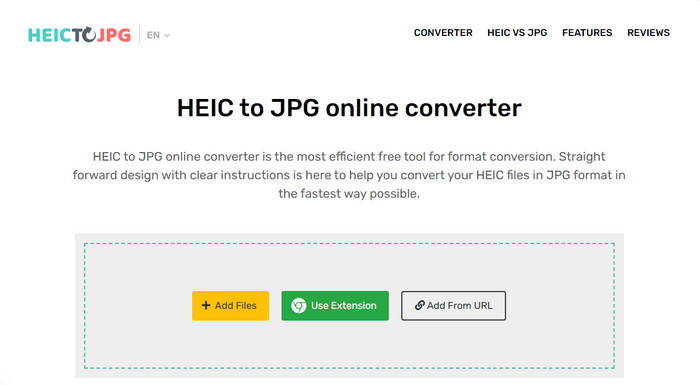
JPGHEIC.com लगभग उसी तरह काम करता है जैसे ऊपर हमने HEIC इमेज कन्वर्टर का परिचय दिया था। लेकिन इस टूल की ख़ास बात यह है कि इस वेब टूल पर आप उपयोग की संख्या और फ़ाइल साइज, दोनों पर कोई सीमा के बिना काम कर सकते हैं। इस टूल के साथ आप मुख्य वेबसाइट पर मीडिया फ़ाइल को ड्रैग और ड्रॉप करके आसानी से जोड़ सकते हैं। साथ ही, आप किसी HEIC इमेज का URL डालकर भी उसे JPG फ़ॉर्मेट में बदलने के लिए अपलोड कर सकते हैं। हालांकि इस टूल की आधिकारिक वेबसाइट है, आप चाहें तो इसका Chrome एक्सटेंशन भी इस्तेमाल कर सकते हैं, जिससे मुख्य वेबसाइट पर जाने से भी आसान पहुँच मिल जाती है। वेब कन्वर्टर और एक्सटेंशन, दोनों के फ़ंक्शन और फीचर एक-दूसरे से काफ़ी मिलते-जुलते हैं।.
एक मुफ्त परिवर्तक होने के बावजूद, कुछ कष्टप्रद विज्ञापन हैं जिन्हें आप गलती से क्लिक करके खोल सकते हैं। इसलिए, वायरस वाले विज्ञापनों को खोलने से रोकने के लिए उन पर क्लिक करने से बचना सुनिश्चित करें। इस टूल का इस्तेमाल करने के बाद आपके द्वारा यहां अपलोड की गई फाइल एक घंटे के बाद डिलीट हो जाएगी। इस वेब टूल पर फ़ाइल के पूरी तरह से मिटने से पहले आप उन तक पहुंच सकते हैं।
फ्रीकन्वर्ट.कॉम
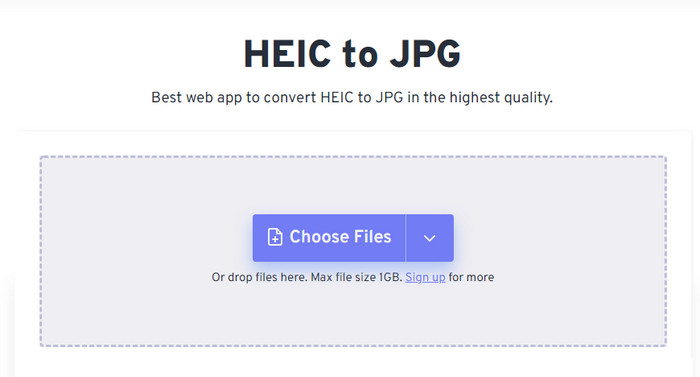
Freeconvert.com एक बिना झंझट वाला HEIC फ़ाइल कन्वर्टर है जिसे आप अपने पसंदीदा वेब ब्राउज़र पर इस्तेमाल कर सकते हैं, और जो ड्रैग और ड्रॉप फ़ंक्शन सपोर्ट करता है ताकि HEIC फ़ाइलें जोड़ना आसान हो जाए। ऊपर बताए गए ऑनलाइन कन्वर्टर के विपरीत, यह टूल इमेज आउटपुट के रूप में सिर्फ JPG ही नहीं बल्कि BMP, PNG, TIFF, WebP आदि जैसे कई फ़ॉर्मेट भी सपोर्ट करता है। हालांकि यह वेब टूल काफ़ी अच्छा है, फिर भी कुछ सीमाएँ हैं जो ख़ासकर फ़ाइल साइज को लेकर आपको परेशान कर सकती हैं। लेकिन यह टूल 1 GB तक की फ़ाइल साइज सपोर्ट करता है, जो वेब पर या इस लेख में बताए गए अन्य वेब टूल्स से कहीं ज़्यादा है।.
इसके फ़ाइल आकार समर्थित और रूपांतरण के अलावा, आप आयाम, संपीड़न को बदल सकते हैं और अपनी HEIC फ़ाइल पर मेटाडेटा को हटा सकते हैं। यह उपकरण का उपयोग करने के फायदों में से एक है; इससे भी महत्वपूर्ण बात, यदि आप उन्हें मैन्युअल रूप से हेरफेर करना चाहते हैं। भले ही इसमें अतिरिक्त विशेषताएँ हैं जो इसे बेहतर बनाती हैं, इस उपकरण की रूपांतरण गति उतनी तेज़ नहीं है जितनी हमने अपेक्षा की थी।
भाग 2. शीर्ष 2 सशुल्क एचईआईसी कन्वर्टर्स विंडोज और मैक पर डाउनलोड करने योग्य
Aiseesoft HEIC कन्वर्टर - विंडोज और मैक पर बेस्ट HEIC कन्वर्टर
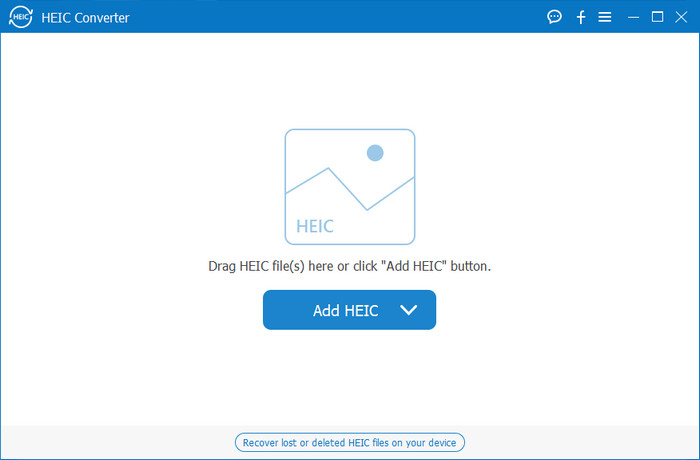
Windows 10/11 और Mac पर अगर आपके पास Aiseesoft HEIC Converter जैसा प्रोफ़ेशनल HEIC कन्वर्टर हो, तो सब कुछ जितना हो सके उतना सुचारू हो सकता है। यह दोनों ऑपरेटिंग सिस्टम के लिए वह सर्वोत्तम कन्वर्टर है जिसे आपको चुनना चाहिए। सॉफ़्टवेयर की सब्सक्रिप्शन लेकर आप सबसे अलग और सुपर-फ़ास्ट कन्वर्ज़न प्रक्रिया का अनुभव कर सकते हैं। जैसे ही आप अपनी HEIC फ़ाइल अपलोड करते हैं, फ़ॉर्मेट को JPG में बदलने के बाद भी आपको कोई अंतर नज़र नहीं आएगा। चाहे आप प्रोफ़ेशनल हों या नहीं, अपना HEIC फ़ाइल कन्वर्ट करने और सफलता सुनिश्चित करने के लिए आप इस टूल पर भरोसा कर सकते हैं।.
लाइटनिंग-बोल्ट-जैसी रूपांतरण गति के अलावा, यदि आप चाहें तो हमारे पास गुणवत्ता को कम करने और आपके HEIC पर संग्रहीत EXIF डेटा को JPG में सहेजने की क्षमता भी हो सकती है। प्रदर्शन-वार, रूपांतरण पर गति, सीधा उपयोगकर्ता इंटरफ़ेस, और अन्य ठोस कार्य, कुछ भी नहीं बचा है कि यह उपकरण छवि रूपांतरण के संबंध में टिक नहीं पाया। एक बार जब आप टूल का लाभ उठा लेते हैं, तो आप संतुष्ट होने तक सभी HEIC फाइलें यहां अपलोड कर सकते हैं। इस उपकरण द्वारा समर्थित सुविधाओं के बारे में अधिक जानने के लिए, नीचे दी गई सामग्री को पढ़ें।
विशेषताएँ:
◆ यह एकाधिक HEIC फ़ाइलों को एक साथ JPG प्रारूप में परिवर्तित करने का समर्थन करता है।
◆ प्रत्येक छवि फ़ाइल का फ़ाइल आकार इस उपकरण में कोई समस्या नहीं है।
◆ गुणवत्ता में कमी कोई समस्या नहीं होगी क्योंकि उपकरण समान गुणवत्ता बनाए रखता है।
◆ इसकी गर्व से परिवर्तित होने वाली गति के साथ, अपनी फ़ाइलों को कुछ ही समय में परिवर्तित करें।
◆ अपने विंडोज या मैक पर सॉफ्टवेयर का लाभ उठाएं।
TunesBro HEIC कन्वर्टर
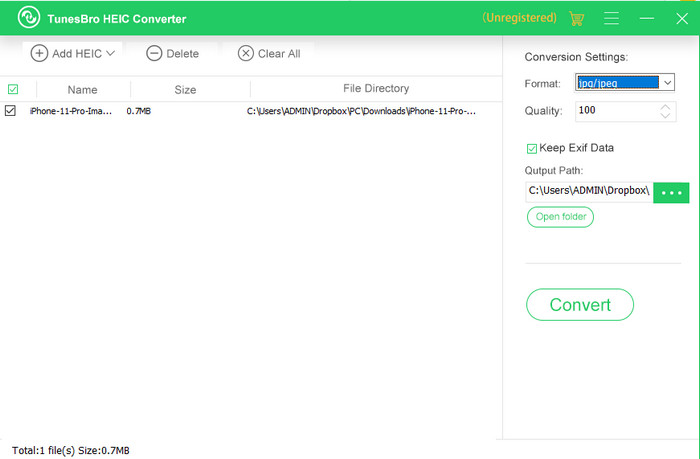
TunesBro HEIC Converter एक जाना-पहचाना HEIC कन्वर्टर है जिसे आप Windows और Mac दोनों पर डाउनलोड कर सकते हैं। जिस तरह ऊपर बताए गए पेड कन्वर्टर में, आप यहाँ भी अपनी HEIC इमेज को बिना ओरिजिनल क्वालिटी खोए कन्वर्ट कर सकते हैं, भले ही आपके पास इंटरनेट कनेक्शन न हो। चाहे आप प्रोफ़ेशनल न भी हों, इसके सहज इंटरफ़ेस की वजह से आप इस टूल को आसानी से इस्तेमाल कर सकते हैं। कुछ लोकप्रिय कन्वर्टर्स भी कन्वर्ज़न के मामले में इस टूल की पूरी फ़ंक्शनैलिटी और परफ़ॉर्मेंस की बराबरी नहीं कर पाते। हालाँकि, अगर हम इसकी कीमत की तुलना Aiseesoft HEIC Converter से करें तो यह टूल थोड़ा महंगा है, लेकिन फिर भी कई अन्य कन्वर्टर्स से सस्ता है।.
कई उपयोगकर्ताओं को व्यक्तिगत कनवर्टर के रूप में उपयोग करना थोड़ा महंगा लगता है; इसके महंगे होने का कारण यह है कि यह उन विशेषताओं का समर्थन करता है जो आपको परिवर्तित करने में मदद कर सकती हैं। यदि आप HEIC को एक मानक प्रारूप में बदलने का इरादा रखते हैं, तो आप इसे कम बजट वाले उपयोगकर्ताओं के लिए अंतिम विकल्प के रूप में चुनना चाहेंगे। लेकिन अगर आप उपयोगकर्ता के अनुकूल बैच कन्वर्टर चाहते हैं, तो अपने डेस्कटॉप पर टूल डाउनलोड करें।
भाग 3। कौन सा सबसे अच्छा है? 5 एचईआईसी परिवर्तकों के लिए तुलना चार्ट
| विशेषताएं | JVC कनवर्टर करने के लिए FVC मुक्त HEIC | जेपीजीएचईआईसी.कॉम | फ्रीकन्वर्ट.कॉम | ऐसीसॉफ्ट एचईआईसी कन्वर्टर | TunesBro HEIC कन्वर्टर |
| रूपांतरण की गति | तेज | थोड़ा धीमा | थोड़ा धीमा | सबसे तेजी से | तेज |
| एकाधिक HEIC फ़ाइल परिवर्तित करें |  | | |  | |
| कनवर्ट करने के बाद मेटाडेटा रखें | | | | | |
| यूजर फ्रेंडली | | | | | |
| इंटरनेट पर निर्भर | | | | | |
भाग 4. एचईआईसी कन्वर्टर्स के बारे में अक्सर पूछे जाने वाले प्रश्न
HEIC का रूपांतरण धीमा क्यों है?
यदि आप किसी ऐसे टूल का उपयोग कर रहे हैं जिसके लिए इंटरनेट की आवश्यकता है, तो आपको अपने इंटरनेट कनेक्शन की जांच करनी चाहिए, लेकिन यदि आपका इंटरनेट स्थिर है, तो समस्या आपके द्वारा उपयोग किए जा रहे टूल में है। आप उस ग्राहक सेवा से संपर्क कर सकते हैं जिसका आप उपयोग कर रहे उपकरण समर्थन करते हैं। मान लीजिए कि यह नहीं है, तो हमारा सुझाव है कि आप कनवर्टर को बदल दें। लेकिन अगर यह एक ऑफ़लाइन टूल है, तो आप जिस टूल का उपयोग कर रहे हैं उसमें हार्डवेयर त्वरण या तेज़ रूपांतरण नहीं है। इसलिए, ऑफ़लाइन कन्वर्टर चुनने से पहले, आपको इसकी गति और विश्वसनीयता के बारे में कुछ लेखों की जाँच करनी चाहिए।
एचईआईसी समर्थित क्यों नहीं है?
मूल रूप से समर्थित नहीं होने के कारणों में से एक यह है कि वर्तमान में संपीड़न प्रकार का उपयोग किया जाता है। संपीड़न HEIC का समर्थन करता है एक आधुनिक हानिपूर्ण संपीड़न है जो सभी उपकरणों का समर्थन नहीं करता है। इसलिए, इस प्रकार की स्थिति में एक कन्वर्टर चुनना विशेष रूप से महत्वपूर्ण है।
क्या एचईआईसी केवल आईओएस पर उपलब्ध है?
अभी के लिए, यह छवि प्रारूप वर्तमान है और आपके द्वारा प्रत्येक iOS 11 और ऊपर की छवि के लिए मानक प्रारूप होगा। लेकिन जल्द ही, प्रारूप एंड्रॉइड और विंडोज पर भी उपलब्ध होगा, क्योंकि यह सबसे अच्छे प्रारूपों में से एक है जो जेपीजी की तुलना में कम आकार वाली उच्च गुणवत्ता वाली तस्वीर को स्टोर कर सकता है।
निष्कर्ष
हम इस बात पर सहमत हो सकते हैं कि HEIC कन्वर्टर चुनना बहुत ज़रूरी है, ख़ासकर तब जब आप HEIC फ़ॉर्मेट में इमेज रिसीव करते हैं। पहले हमने कहा था कि यह फ़ॉर्मेट बेहतरीन है, और अब तक यह साबित भी हो चुका है कि फ़ाइल साइज और क्वालिटी के मामले में यह JPG की तुलना में बेहतर विकल्प है। अब जब आप यह लेख पढ़कर पूरा कर चुके हैं, तो यह समय है उस टूल को चुनने का जो आपको सूट करे—चाहे आप ऑनलाइन समाधान लें या ऑफ़लाइन। दोनों ही तरह के टूल अच्छे हैं, लेकिन कई मायनों में Aiseesoft HEIC Converter बेहतर साबित होता है। इस टूल को ख़रीदकर और अपने डेस्कटॉप पर डाउनलोड करके देखें और इसकी पूरी क्षमताओं का आनंद लें।.
-
 6 प्रभावी ऑफ़लाइन और ऑनलाइन तरीकों के साथ HEIC को JPG में बदलें
 क्या आप जानना चाहते हैं कि HEIC को JPG में कैसे बदलें? इस मामले में, हम 6 ऑनलाइन और ऑफलाइन तरीके जोड़ते हैं जिनका उपयोग आप इस कार्य को पूरी तरह से समाप्त करने और संभालने के लिए कर सकते हैं।
-
 2025 के लिए 5 सर्वश्रेष्ठ HEIC से JPG कन्वर्टर्स
 HEIC से JPC कनवर्टर के साथ आप आसानी से छवि प्रारूप को पोर्टेबल JPG में बदल सकते हैं। जानना चाहते हैं कि ये 5 उपकरण क्या हैं? इस लेख को पढ़ें।
-
 2025 तक शीर्ष 4 बेहतर तरीकों का उपयोग करके HEIC को PDF में बदलें
 सर्वश्रेष्ठ HEIC से PDF कनवर्टर के बारे में अधिक जानकारी जानने के लिए आप इस 2025 को डाउनलोड कर सकते हैं। आप इस लेख को पढ़ सकते हैं क्योंकि हमने उन पर एक समीक्षा प्रदान की है।
