


 वीडियो कनवर्टर अंतिम
 स्क्रीन अभिलेखी
 वीडियो मरम्मत
 सुरक्षित डाउनलोड
डेस्कटॉप और फोन के लिए बेहतरीन वीडियो वॉटरमार्क रिमूवर एप्लिकेशन
क्या आप अपने पीसी और फोन के लिए उत्कृष्ट वीडियो वॉटरमार्क रिमूवर एप्लिकेशन की तलाश में हैं? तो यह लेख आपके लिए उपयोगी है। आजकल लोग इंटरनेट, फोन, टीवी आदि पर फ़िल्में, वीडियो क्लिप, हाइलाइट्स, स्लाइडशो और अन्य वीडियो देखना पसंद करते हैं। लेकिन कई बार आपके कुछ पसंदीदा वीडियो पर वॉटरमार्क होता है। इसी वजह से आप अपनी पसंदीदा फ़िल्मों या वीडियो का आनंद लेने के बजाय चिड़चिड़े और निराश हो जाते हैं। साथ ही, आप अपनी स्क्रीन पर वीडियो का पूरा हिस्सा भी नहीं देख पाते। सौभाग्य से, आप अपने कंप्यूटर, iPhone और Android फोन की मदद से वीडियो से वॉटरमार्क हटाने के लिए सॉफ़्टवेयर एप्लिकेशन का उपयोग कर सकते हैं। इन एप्लिकेशन के जरिए आप अपनी स्क्रीन पर अनावश्यक चीज़ों से परेशान हुए बिना वीडियो देखने का आनंद ले सकते हैं। अगर आप अपने डिवाइस के लिए बेहतरीन और प्रभावी वीडियो वॉटरमार्क रिमूवर के बारे में जानना चाहते हैं, तो इस लेख को अंत तक पढ़ें।.

भाग 1: पीसी और मैक के लिए सर्वश्रेष्ठ वीडियो वॉटरमार्क रिमूवर
1. वीडियो कनवर्टर अल्टीमेट
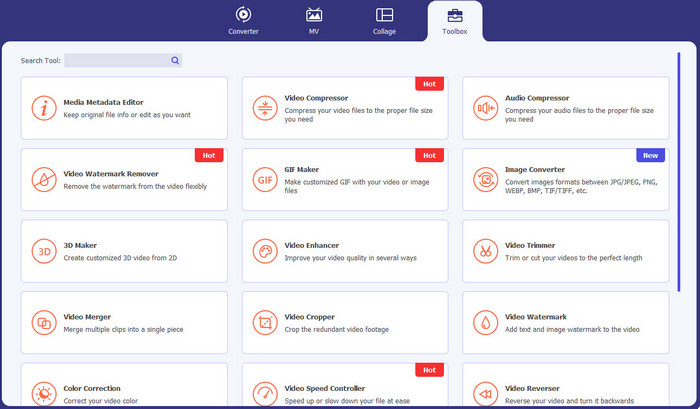
Video Converter Ultimate वह एप्लिकेशन है जिसका उपयोग आप अपने वीडियो से वॉटरमार्क, टेक्स्ट, लोगो, सिग्नेचर जैसे अनावश्यक ऑब्जेक्ट हटाने के लिए कर सकते हैं। साथ ही, यह एप्लिकेशन उन बेहतरीन वीडियो वॉटरमार्क रिमूवर ऐप्स में से एक है जिन्हें आप इस्तेमाल कर सकते हैं। इसके अलावा, आप वॉटरमार्क हटाते समय गुणवत्ता खोए बिना ऐसा कर सकते हैं। साथ ही, Video Converter Ultimate एक आसान-से-उपयोग और निःशुल्क एप्लिकेशन है। यह Mac और Windows दोनों पर उपलब्ध है, जो उपयोगकर्ताओं के लिए बहुत सुविधाजनक है। moreover, यह सॉफ़्टवेयर केवल आपके वीडियो से वॉटरमार्क हटाने में ही भरोसेमंद नहीं है। Video Converter Ultimate विभिन्न फ़ाइल फ़ॉर्मैट जैसे MP4, MKV, FLV, AVI, MOV आदि को भी सपोर्ट करता है।.
फ्री डाउनलोडWindows 7 या बाद के संस्करण के लिएसुरक्षित डाउनलोड
फ्री डाउनलोडMacOS 10.7 या बाद के संस्करण के लिएसुरक्षित डाउनलोड
पेशेवरों
- शुरुआती लोगों के लिए बिल्कुल सही।
- हटाने की प्रक्रिया सुरक्षित और तेज है।
- मैक और विंडोज पर उपलब्ध है।
- उपयोग में आसान।
- विभिन्न फ़ाइल स्वरूपों को परिवर्तित कर सकते हैं।
विपक्ष
- अधिक उन्नत सुविधाओं के लिए, सॉफ़्टवेयर खरीदें।
2. 123एपीपीएस
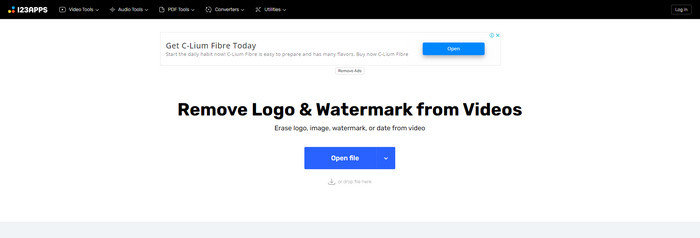
यदि आप ऑनलाइन मुफ़्त वीडियो वॉटरमार्क रिमूवर की तलाश में हैं, तो आप 123APPS का उपयोग कर सकते हैं। यह ऑनलाइन टूल आपके वीडियो से वॉटरमार्क, लोगो, टेक्स्ट आदि जैसे अनावश्यक ऑब्जेक्ट को हटा सकता है। इसके अलावा, यह एप्लिकेशन MOV, AVI, WMV, MP4 आदि जैसे विभिन्न प्रकार के फ़ाइल फ़ॉर्मैट को सपोर्ट करता है। साथ ही, 123APPS का इंटरफेस सहज है, जिसे आप आसानी से इस्तेमाल कर सकते हैं। आप कुछ ही क्लिक में वॉटरमार्क हटा सकते हैं, जो शुरुआती उपयोगकर्ताओं के लिए उपयुक्त है। moreover, इस एप्लिकेशन का वीडियो एडिटिंग टूल रिस्पॉन्सिव और तेज़ है; आपको अपने कंप्यूटर पर कुछ भी डाउनलोड करने की आवश्यकता नहीं है। सब कुछ ऑनलाइन उपलब्ध है। इसके अलावा, इसमें और भी कई फ़ीचर हैं जैसे वीडियो कनवर्टर, ऑडियो कनवर्टर, इमेज कनवर्टर, वीडियो ट्रिम करना, क्रॉप करना, रोटेट करना, वॉल्यूम बदलना, वीडियो स्पीड बदलना आदि। हालांकि, इस एप्लिकेशन की सेविंग प्रक्रिया काफ़ी धीमी है और वॉटरमार्क वाले हिस्से का क्षेत्र धुंधला हो जाता है।.
पेशेवरों
- डेटा सुरक्षा मानक है।
- उपयोगकर्ताओं के लिए सुविधाजनक।
- उपयोग में आसान।
विपक्ष
- यह इंटरनेट कनेक्शन के बिना काम नहीं कर सकता।
- बचत प्रक्रिया बहुत धीमी है।
- सीमित सुविधाएँ।
3. Apowersoft ऑनलाइन वीडियो वॉटरमार्क रिमूवर
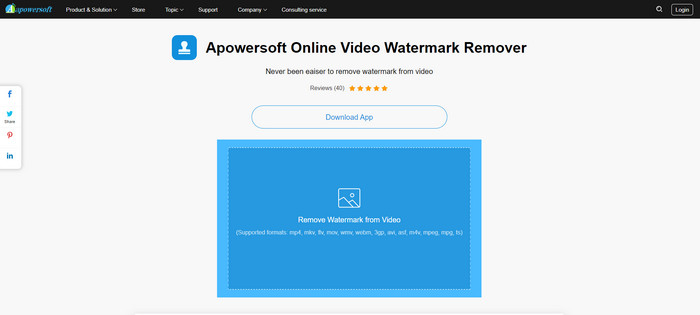
यदि आप एक और उल्लेखनीय ऑनलाइन टूल की तलाश में हैं जिसका उपयोग आप अपने वीडियो से वॉटरमार्क हटाने के लिए कर सकते हैं, तो Apowersoft Online Video Watermark Remover सर्वोत्तम एप्लिकेशनों में से एक है। इस ऑनलाइन टूल का उपयोग करके आप आसानी से अपने वीडियो से वॉटरमार्क हटा सकते हैं। इसके अलावा, यह एक सरल और उपयोग में आसान एप्लिकेशन है, जो उन शुरुआती लोगों के लिए अच्छा है जो वॉटरमार्क हटाना चाहते हैं। आप इस टूल की मदद से अपनी तस्वीरों से भी वॉटरमार्क हटा सकते हैं, जो उपयोगकर्ताओं के लिए बहुत सुविधाजनक है। यह एक ऑनलाइन टूल है, इसलिए आपको अपने कंप्यूटर पर एप्लिकेशन डाउनलोड करने की आवश्यकता नहीं है। हालांकि, इस एप्लिकेशन के मुफ़्त संस्करण में काफ़ी सीमाएँ हैं और फ़ाइल साइज की एक सीमा है, जो 50Mb है। साथ ही, वीडियो अपलोड करने और उनसे वॉटरमार्क हटाने में बहुत समय लगता है।.
पेशेवरों
- कोई गोपनीयता जोखिम नहीं।
- एक सरल इंटरफ़ेस है, जो शुरुआती लोगों के लिए अच्छा है।
विपक्ष
- सीमित सुविधाएँ।
- वॉटरमार्क अपलोड करने और निकालने में बहुत लंबा है.
4. यूनीकन्वर्टर
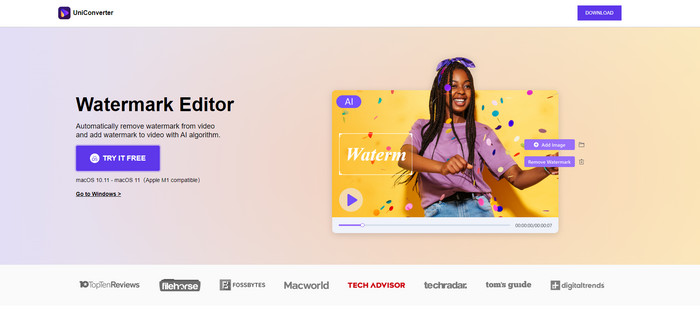
UniConverter एक और बेहतरीन वीडियो वॉटरमार्क रिमूवर सॉफ्टवेयर है जिसे आप अपने मैक और विंडोज कंप्यूटर पर इस्तेमाल कर सकते हैं। इस एप्लिकेशन का उपयोग मुफ्त में किया जा सकता है। UniConverter आपके वीडियो/मूवी पर कुछ परेशान करने वाले अंशों, जैसे लोगो, वॉटरमार्क, टेक्स्ट, और बहुत कुछ को समाप्त करने में आपकी सहायता कर सकता है। इसके अलावा, आप कुछ अद्भुत सुविधाओं का भी सामना कर सकते हैं जिनका आप उपयोग कर सकते हैं, जैसे वीडियो और ऑडियो कनवर्टर, कंप्रेसर, संपादन ऑडियो और वीडियो, मर्जिंग वीडियो, नॉइज़ रिमूवर, वीडियो पृष्ठभूमि बदलना, वॉटरमार्क संपादक, और बहुत कुछ। हालाँकि, इस एप्लिकेशन का निःशुल्क परीक्षण संस्करण सुविधाओं के संदर्भ में सीमित है। साथ ही, यदि आप सॉफ्टवेयर खरीदना चाहते हैं, तो आपको एक बड़ी राशि तैयार करनी होगी क्योंकि यह महंगा है।
पेशेवरों
- प्रयोग करने में आसान।
- अच्छा इंटरफ़ेस।
विपक्ष
- आवेदन महंगा है।
- नि: शुल्क परीक्षण के लिए सीमित सुविधाएँ।
5. मोवावी
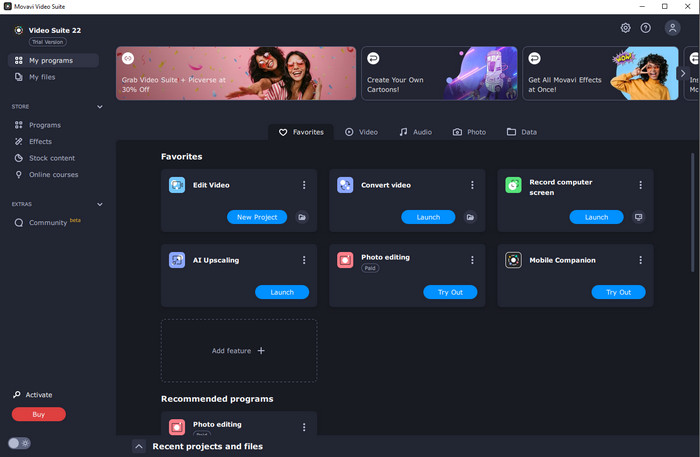
मान लीजिए कि आप एक उत्कृष्ट और भरोसेमंद एप्लिकेशन की तलाश में हैं जिसे आप वॉटरमार्क हटाने के लिए उपयोग करना और खरीदना चाहते हैं, तो आपके लिए सबसे अच्छा एप्लिकेशन Movavi है। यह एप्लिकेशन व्यावहारिक और उपयोगी है, यदि आप अपने वीडियो से वॉटरमार्क, लोगो आदि हटाना चाहते हैं। वीडियो से वॉटरमार्क हटाने के अलावा, Movavi में बेहतरीन और उल्लेखनीय एडिटिंग टूल भी हैं, जैसे वीडियो क्रॉप करना, कलर करेक्शन आदि। हालांकि, सेविंग प्रक्रिया की बात करें तो यह काफ़ी धीमी है।.
पेशेवरों
- निःशुल्क परीक्षण अवधि के दौरान सुविधाओं तक पहुंच को सीमित नहीं करता है।
- प्रयोग करने में आसान।
- उन्नत उपयोगकर्ताओं और शुरुआती के लिए उपयुक्त।
- एक सरल इंटरफ़ेस है।
विपक्ष
- धनवापसी नीति के संबंध में कुछ मुद्दे हैं।
- इसे लंबे समय तक उपयोग करने का आनंद लेने के लिए एप्लिकेशन को खरीदने की आवश्यकता है।
6. कईकैम
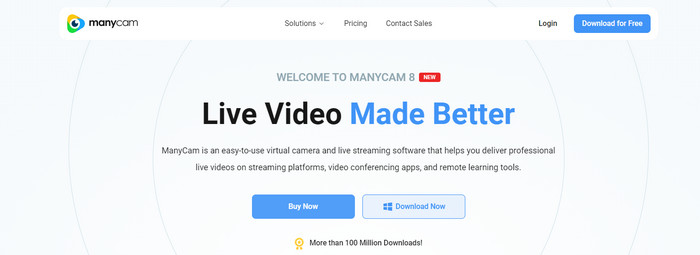
ManyCam एक और मुफ़्त वीडियो वॉटरमार्क रिमूवर सॉफ़्टवेयर है जिसे आप अपने कंप्यूटर पर उपयोग कर सकते हैं। यदि आप इस सॉफ़्टवेयर की मदद से अपने वीडियो से वॉटरमार्क हटाना चाहते हैं, तो आपको पहले ManyCam एप्लिकेशन पर सब्सक्रिप्शन खरीदना या सक्रिय करना होगा। इस तरह आप अपने वीडियो से वॉटरमार्क हटा सकते हैं। साथ ही, यदि आप ManyCam से अपने वीडियो सेव करते हैं, तो आपके वीडियो पर वॉटरमार्क नहीं आएगा। moreover, आप ManyCam का उपयोग गेम स्ट्रीम करने, ट्यूटोरियल बनाने, प्रसारण करने आदि के लिए भी कर सकते हैं।.
पेशेवरों
- वर्चुअल बैकग्राउंड, 3डी मास्क इफेक्ट आदि जैसे अन्य टूल्स की तुलना में अधिक सुविधाएं हैं।
- गेमर्स और स्ट्रीमर्स के लिए बिल्कुल सही।
- संपादन पसंद करने वाले उन्नत उपयोगकर्ताओं के लिए उपयुक्त।
विपक्ष
- सदस्यता को सक्रिय करना बहुत महंगा है।
- नौसिखियों के लिए उपयुक्त नहीं है।
- कुछ सुविधाएँ जटिल हैं, जैसे परत सेटिंग्स और प्रभाव।
भाग 2: आईओएस और एंड्रॉइड के लिए सर्वश्रेष्ठ वीडियो वॉटरमार्क रिमूवर
1. वीडियो इरेज़र - वॉटरमार्क हटाएं
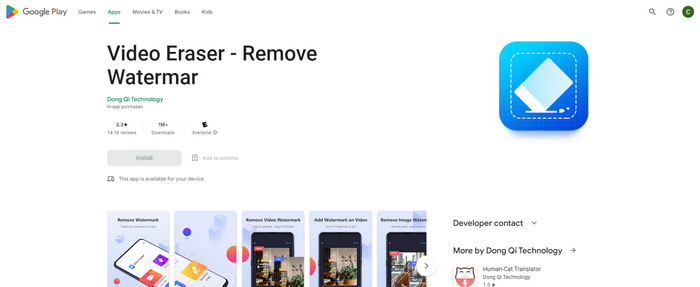
यदि आप Android के लिए सबसे विश्वसनीय और सर्वश्रेष्ठ वीडियो वॉटरमार्क रिमूवर ऐप में रुचि रखते हैं, तो आप जिस एप्लिकेशन का उपयोग कर सकते हैं वह वीडियो इरेज़र है। यह एप्लिकेशन एक शक्तिशाली वॉटरमार्क रिमूवर है। यह आपके वीडियो और छवियों से अनावश्यक वस्तुओं को मिटाने में आपकी सहायता करता है। यह उपयोग में आसान एप्लिकेशन भी है, जो शुरुआती लोगों के लिए एकदम सही है। आप वॉटरमार्क को कुछ ही चरणों में मिटा सकते हैं। इसके अलावा, वीडियो संपादन में विभिन्न टूल हैं जिनका आप उपयोग कर सकते हैं, जैसे वीडियो में टेक्स्ट और आइकन जोड़ना, वीडियो क्रॉप करना, वीडियो ट्रिम करना और बहुत कुछ। सबसे अच्छी बात यह है कि आप इस एप्लिकेशन को अपने Android डिवाइस पर मुफ्त में डाउनलोड कर सकते हैं।
पेशेवरों
- तेज और कुशल।
- उपयोग करने में सरल, जो नए उपयोगकर्ताओं के लिए उपयुक्त है।
- शानदार विशेषताएं हैं, जैसे दोनों वीडियो से वॉटरमार्क हटा रहा है और चित्र।
विपक्ष
- आपके वीडियो पर वॉटरमार्क हटाने में, क्षेत्र धुंधला हो जाएगा।
2. FDCTool - वॉटरमार्क जोड़ें और निकालें
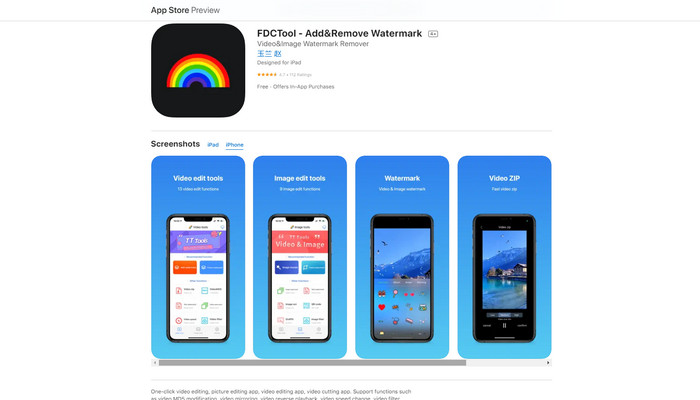
अगर आप iPhone के लिए किसी और बेहतरीन वीडियो वॉटरमार्क रिमूवर ऐप की तलाश में हैं, तो आप FDCTool का उपयोग कर सकते हैं। यह आपको आपके वीडियो, फ़िल्मों और क्लिप से वॉटरमार्क, लोगो, टेक्स्ट आदि जैसे ध्यान भटकाने वाले ऑब्जेक्ट हटाने में मदद करता है। moreover, इसमें तस्वीर एडिटिंग, वीडियो एडिटिंग, वीडियो कटिंग, वीडियो में टेक्स्ट जोड़ना आदि जैसे बेहतरीन फ़ीचर भी हैं। अंत में, इस भरोसेमंद एप्लिकेशन का उपयोग करके आप कुछ ही आसान चरणों में किसी भी वॉटरमार्क को बिना मेहनत के हटा सकते हैं।.
पेशेवरों
- नए उपयोगकर्ताओं के लिए अच्छा है।
- बचत प्रक्रिया के मामले में तेज़।
- गुणवत्ता हानि के बिना वॉटरमार्क हटाना।
विपक्ष
- इसकी सीमित विशेषताएं हैं।
भाग 3: वीडियो वॉटरमार्क रिमूवर के बारे में अक्सर पूछे जाने वाले प्रश्न
सबसे अनुशंसित वीडियो वॉटरमार्क रिमूवर क्या है?
सबसे उत्कृष्ट और अनुशंसित वीडियो वॉटरमार्क रिमूवर जो आप उपयोग कर सकते हैं, वह है Video Converter Ultimate। यह आपको लोगो, टेक्स्ट, इमेज आदि जैसे अनावश्यक ऑब्जेक्ट को हटाने की सुविधा देता है।.
क्या मैं वीडियो वॉटरमार्क रिमूवर का उपयोग करके स्टिकर हटा सकता हूँ?
हाँ बिल्कुल! आप वीडियो वॉटरमार्क रिमूवर का उपयोग करके अपने वीडियो से स्टिकर हटा सकते हैं। आपको बस इतना करना है कि वॉटरमार्क रिमूवर के साथ एक बेहतरीन एप्लिकेशन की तलाश करें और अपने वीडियो से स्टिकर हटाने के लिए इसका इस्तेमाल करें।
क्या ऑनलाइन वॉटरमार्क हटाना सुरक्षित है?
हां यह है! ऐसे ऑनलाइन टूल हैं जिन पर आप भरोसा कर सकते हैं। अधिकांश वीडियो वॉटरमार्क रिमूवर ऑनलाइन सुरक्षित और सुरक्षित हैं।
निष्कर्ष
अपने वीडियो से वॉटरमार्क हटाना दर्शकों पर सकारात्मक प्रभाव डालता है। इसलिए, हम निष्कर्ष निकाल सकते हैं कि वीडियो वॉटरमार्क रिमूवर बेहद ज़रूरी हैं। इससे आपका वीडियो देखने में और भी आकर्षक हो जाता है और आपको निराशा महसूस नहीं होती। इसके अलावा, यदि आप अपने वीडियो से वॉटरमार्क हटाना चाहते हैं, तो आपके लिए सबसे अच्छा एप्लिकेशन Video Converter Ultimate है, जिसे आप उपयोग कर सकते हैं।.
-
 टिकटोक वीडियो से टिकटॉक वॉटरमार्क हटाने के 4 प्रभावी तरीके
 क्या आपको अपने निर्यात किए गए टिकटोक वीडियो से टिकटोक वॉटरमार्क हटाने की आवश्यकता है? आप इसे यहां हमारे द्वारा प्रस्तुत टूल की सहायता से कर सकते हैं; आप इसे आसानी से कर सकते हैं।
-
 जीआईएफ से वॉटरमार्क हटाने के 4 बेहतरीन तरीके [ऑनलाइन और ऑफलाइन]
 GIF से वॉटरमार्क हटाने की आवश्यकता है? इस लेख में टूल के साथ, आप अपने प्लेटफॉर्म पर उपलब्ध विभिन्न वॉटरमार्क रिमूवर के साथ विभिन्न शैलियों को जानेंगे।
-
 वीडियो पर वॉटरमार्क क्या है और इसे कैसे जोड़ें या निकालें?
 क्या आप जानना चाहते हैं कि वॉटरमार्क क्या है, विभिन्न प्रकार के क्या हैं, और फोटोग्राफर्स इसे क्यों जोड़ते हैं? खैर, आपको बस इतना करना है कि इस लेख को पढ़ें।
