


 वीडियो कनवर्टर अंतिम
 स्क्रीन अभिलेखी
 वीडियो मरम्मत
 सुरक्षित डाउनलोड
अल्टीमेट इमेज क्वालिटी रिड्यूसर आपके पास यह 2022 होना चाहिए
विभिन्न सोशल मीडिया साइटों की मदद से, जिन्हें हम मुफ्त में एक्सेस कर सकते हैं, एक‑से‑अधिक तस्वीरें अपलोड करना और जो हमारे साथ हो रहा है उसे पूरे इंटरनेट पर साझा करना आसान हो गया है। अफ़सोस की बात है कि जब आप इन वेबसाइटों पर तस्वीरें पोस्ट करते हैं तो वे अक्सर घटिया गुणवत्ता की हो जाती हैं, खासकर तब जब आपकी मूल इमेज गुणवत्ता मानक से अधिक हो। आप शायद सीधे अपनी तस्वीर वेबसाइट पर अपलोड करने के बारे में सोच रहे हों, लेकिन ज़रा रुकिए! क्योंकि हम आपको एक ऐसा तरीका सिखाएंगे जिससे आप तस्वीर पर लागू होने वाले कम्प्रेशन को कम कर सकते हैं, और वह है उसकी गुणवत्ता को पहले ही कम कर देना। इस पोस्ट में हम कुछ बेहतरीन इमेज क्वालिटी रिड्यूसर पेश करेंगे, जिनका उपयोग कर आप इस समस्या से निपट सकते हैं। नीचे दी गई जानकारी ध्यान से पढ़ें ताकि आप अपने लिए सही टूल चुन सकें।.

भाग 1. इमेज क्वालिटी रिड्यूसर आपको इमेज क्वालिटी को आसानी से कम करने के बारे में पता होना चाहिए [समीक्षा]
ReduceImages.com
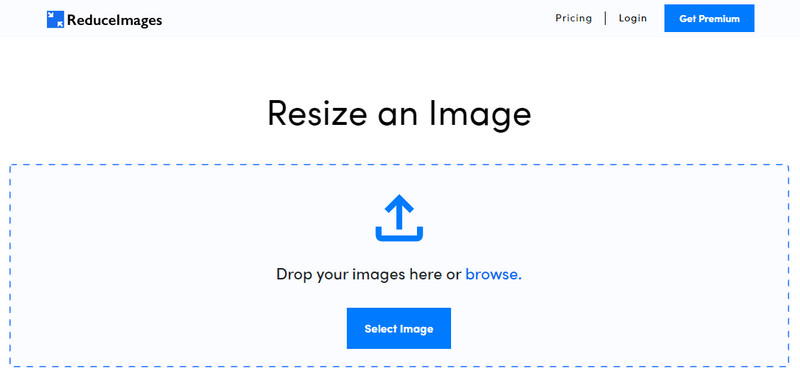
ReduceImages.com एक लोकप्रिय ऑनलाइन समाधान है, जिसकी मदद से आप इमेज की क्वालिटी घटा कर उसे वेबसाइट के मानक के अनुकूल बना सकते हैं। अच्छी बात यह है कि यह एक ऑनलाइन टूल है, इसलिए आपको कोई फाइल डाउनलोड नहीं करनी पड़ती; बस इसके नाम से सर्च कीजिए और अपने डिवाइस के किसी भी ब्राउज़र से इसे तुरंत इस्तेमाल करना शुरू कर दीजिए। साथ ही, यहां आप अपलोड की गई JPG, PNG और GIF फाइलों का आकार भी बदल सकते हैं। हालांकि यह ऑनलाइन टूल मुफ़्त है, फिर भी कुछ कमियां आपको परेशान कर सकती हैं, खासकर अगर आप बैच में काम करना चाहते हैं या विज्ञापनों से चिढ़ते हैं। अगर आपके पास थोड़ा बजट है, तो आप इसका प्लान खरीद सकते हैं; इसकी शुरुआती कीमत $ 3.99 से शुरू होती है।.
पेशेवरों
- उपयोग करने के लिए नि: शुल्क और कोई स्थापना की आवश्यकता नहीं है।
- आप चाहें तो यहां छवि का आकार बदल सकते हैं।
- पारदर्शी छवि की पृष्ठभूमि को काले और सफेद में बदलें।
- हर कोई यह पता लगा सकता है कि इसे कम समय में कैसे उपयोग किया जाए।
विपक्ष
- मुक्त संस्करण पर कुछ विज्ञापन हैं।
- यह नि: शुल्क संस्करण पर बैच प्रोसेसिंग नहीं कर सकता।
पागल
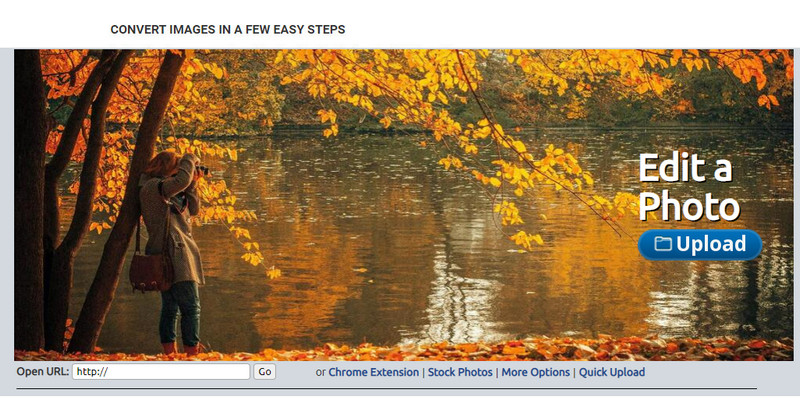
Lunapic एक इस्तेमाल में बेहद आसान टूल है, जिससे आप पेंट के GUI जैसा अनुभव लेते हुए इमेज की क्वालिटी को अपनी पसंदीदा रेज़ोल्यूशन तक घटा सकते हैं। यह ऑनलाइन टूल विंडोज़ डिवाइस पर मशहूर पेंट प्रोग्राम से मिलती‑जुलती बनावट के कारण जल्दी परिचित लगता है। हालांकि आप इस टूल पर भरोसा कर सकते हैं कि यह आपकी मनचाही इमेज क्वालिटी को ऑप्टिमाइज़ कर देगा, लेकिन इसकी कमी यह है कि यह सिर्फ JPEG फ़ॉर्मेट को ही सपोर्ट करता है, और किसी अन्य फ़ॉर्मेट को नहीं। जिस इमेज को आप एडिट करना चाहते हैं, अगर वह अभी तक डाउनलोड नहीं की गई है, तो उसका URL कॉपी करके आप उसे यहां अपलोड कर सकते हैं। पहले टूल की तरह, इस टूल को भी इस्तेमाल करने के लिए किसी इंस्टॉल करने की ज़रूरत नहीं, क्योंकि यह वेब पर उपलब्ध है।.
पेशेवरों
- सहज उपयोगकर्ता इंटरफ़ेस जो आपको गुणवत्ता में आसानी से हेरफेर करने की अनुमति देता है।
- समायोजित छवि गुणवत्ता देखने के लिए पूर्वावलोकन फलक समर्थित है।
- आप जिस छवि को अपलोड करना चाहते हैं उसका यूआरएल कॉपी और पेस्ट कर सकते हैं।
- यह मुफ़्त है, और यह प्रीमियम संस्करण का समर्थन नहीं करता।
विपक्ष
- समर्थित प्रारूप केवल जेपीईजी है।
- जीयूआई पुराना है और कुछ समायोजन की जरूरत है।
ईज़ीजीआईएफ
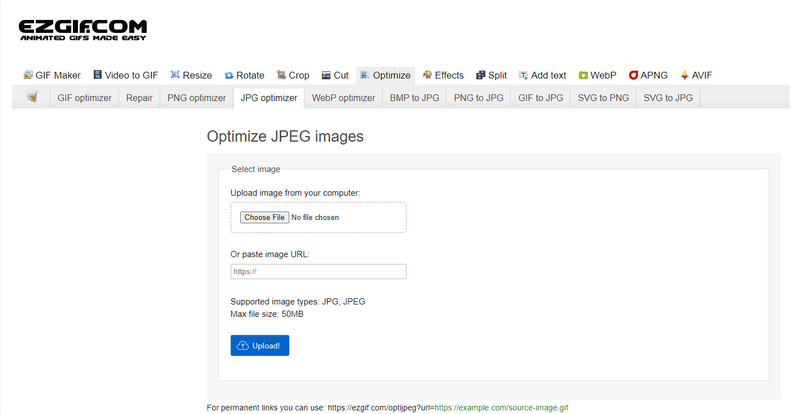
EzGIF आपका लो‑क्वालिटी इमेज मेकर बन सकता है, या सीधे कहें तो यह आपके द्वारा अपलोड की गई इमेज की क्वालिटी को ऑप्टिमाइज़ करने वाला टूल है। यह मूल रूप से GIF ठीक करने के लिए जाना जाता है, लेकिन अब इसका उपयोग JPEG, WebP और PNG की क्वालिटी बदलने के लिए भी किया जा सकता है। इंटरनेट पर लंबे समय से उपलब्ध होने और कुशलता के कारण यह ऊपर बताए गए दो टूल से ज़्यादा लोकप्रिय है। यह एक व्यावहारिक लेकिन प्रभावी समाधान देता है, जिसे आप आसानी से सीख कर अच्छी तरह उपयोग कर सकते हैं। हालांकि, इसकी सीमा यह है कि आप यहां एक साथ कई फाइलें अपलोड और प्रोसेस नहीं कर सकते, भले ही यह टूल काफी उपयोगी हो। साथ ही, आप सिर्फ JPEG या JPG, PNG, WebP और GIF (स्टैटिक या एनिमेटेड) इमेज ही अपलोड कर सकते हैं, अन्य फ़ॉर्मेट नहीं।.
पेशेवरों
- यह कई विशेषताओं का समर्थन करता है जैसे गुणवत्ता को समायोजित करना, बढ़ाना, परिवर्तित करना और बहुत कुछ।
- आप इसे विभिन्न वेब ब्राउज़रों पर स्वतंत्र रूप से एक्सेस और उपयोग कर सकते हैं।
- अपनी छवि को यहां अनुकूलित करें और निर्यात करने से पहले पूर्वावलोकन फलक पर परिणाम देखें।
- छवि की गुणवत्ता बदलने के बाद यह वॉटरमार्क नहीं जोड़ता है।
विपक्ष
- इसके ग्राफिकल यूजर इंटरफेस में कुछ सुधार की जरूरत है।
- यह बीएमपी, एसवीजी, एचईआईएफ और अन्य छवि प्रारूपों का समर्थन नहीं करता है।
- बैच इमेज अपलोड करना समर्थित नहीं है।
एडोब फोटोशॉप
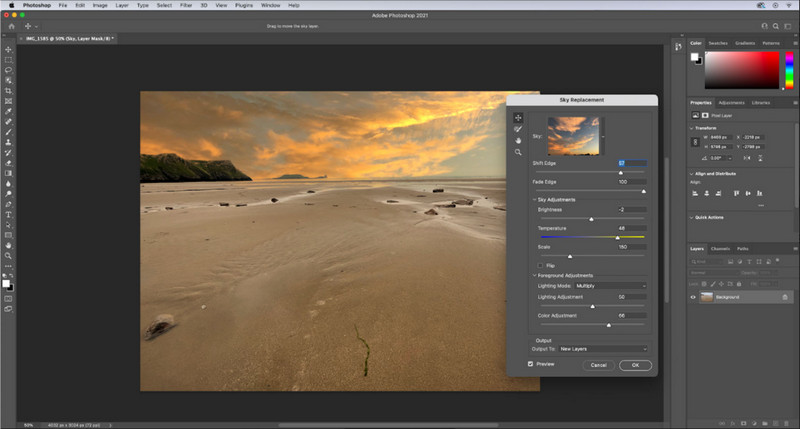
Adobe Photoshop इमेज की क्वालिटी कम करने का एक तरह से चीट कोड है, क्योंकि तस्वीरों को बदलने‑संवारने के काम में यह बेजोड़ है। इसके ज़रिए आप किसी भी फोटो को अपलोड करके उसकी प्रोसेसिंग या एल्गोरिदम से जुड़े कई पैरामीटर समायोजित कर सकते हैं। प्रोफेशनल टूल्स का इस्तेमाल सभी को पसंद आता है, क्योंकि उनमें ऐसे उन्नत फीचर होते हैं, जो आपको बाज़ार में उपलब्ध या ऑनलाइन दूसरे एडिटर्स में नहीं मिलते। एक बेहतरीन टूल और एक बस ठीक‑ठाक टूल में फर्क होता है, और यह सॉफ़्टवेयर वह फर्क साफ़ दिखा देता है। स्वाभाविक है कि इसका इंटरफेस भारी और फीचर‑समृद्ध होने के कारण कई यूज़र को इसे सीखने में दिक्कत होती है। अगर आप पहली बार इस सॉफ़्टवेयर का उपयोग कर रहे हैं, तो आपको इसे संभालने में मुश्किलें आ सकती हैं। कुल मिलाकर, यह अब तक का सबसे पेशेवर इमेज एडिटर है, जो उन पहले तीन टूल्स से कहीं आगे है जिनका हमने ऊपर ज़िक्र किया।.
पेशेवरों
- यह विशिष्ट सुविधाएँ प्रदान करता है जो अन्य ऑनलाइन छवि संपादक के पास नहीं है।
- यह विशिष्ट सुविधाएँ प्रदान करता है जो अन्य ऑनलाइन छवि संपादक के पास नहीं है।
- पेशेवर छवि संपादन करने के लिए यह अब तक का सबसे अच्छा विकल्प है।
- एक कॉम्पैक्ट और पूर्ण विशेषताओं वाला टूल जिसे आप विभिन्न उपकरणों पर डाउनलोड कर सकते हैं।
विपक्ष
- पहली बार इस्तेमाल करने वालों को इसका इस्तेमाल करने में परेशानी हो रही है।
- नि: शुल्क परीक्षण के बाद इसका उपयोग जारी रखने के लिए आपको एक योजना खरीदनी होगी।
भाग 2। बोनस: वेब पर शीर्ष छवि अपस्क्लेयर के साथ निम्न-गुणवत्ता वाली छवि को उच्च कैसे बनाएं
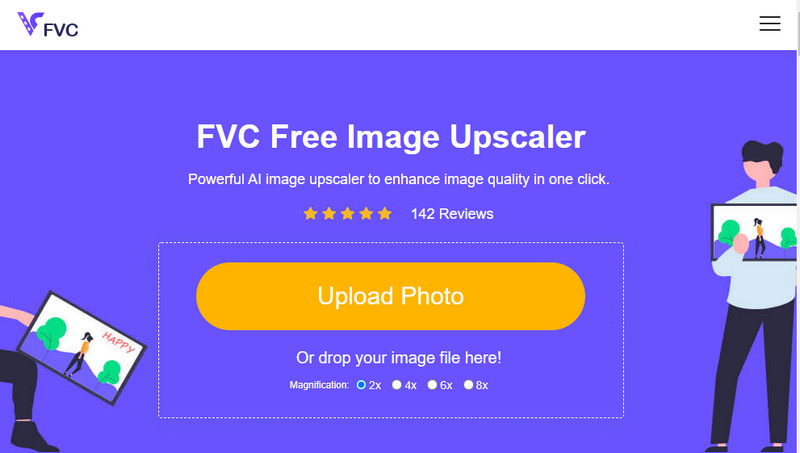
क्या आपने कभी कोई ऐसी लो‑क्वालिटी इमेज बनाई है जो पिक्सेलेटेड या धुंधली हो गई हो और आप उसे उसकी मूल क्वालिटी पर वापस लाना चाहते हों? अगर हां, तो आप FVC Free Image Upscaler का इस्तेमाल कर सकते हैं। यह ऑनलाइन समाधान इमेज के एल्गोरिदम को ट्रेस कर, क्वालिटी को समायोजित कर और AI द्वारा डिटेक्ट किए गए डेटा के आधार पर उसे अपस्केल करके आपका काम पूरा कर सकता है। इस टूल से आपको कई फायदे मिलते हैं, जैसे बेहतरीन अपस्केलिंग परफॉर्मेंस, किसी इंस्टॉल की ज़रूरत नहीं, सुरक्षित और आसान उपयोग, और 24 घंटे उपलब्ध कस्टमर सर्विस सपोर्ट जो आपकी मदद कर सके। इसके अलावा, आप यहां JPEG/JPG, PNG, BMP, SVG और कई अन्य फ़ॉर्मेट अपलोड कर सकते हैं ताकि इमेज रेज़ोल्यूशन बढ़ा सकें। साथ ही, अगर आपने पहले से इमेज की क्वालिटी कम नहीं भी की है और बस उसकी समग्र क्वालिटी सुधारना चाहते हैं, तब भी आप इस सॉफ़्टवेयर का उपयोग कर सकते हैं। इस टूल का उपयोग शुरू करने के लिए बस इसके नाम पर क्लिक करें और जिस इमेज को अपस्केल करना चाहते हैं उसे तुरंत अपलोड करें!
भाग 3. छवि की गुणवत्ता कम करने के तरीके पर अक्सर पूछे जाने वाले प्रश्न
क्या गुणवत्ता बदलने से फ़ाइल का आकार छोटा हो जाता है?
नहीं, ऐसा नहीं होगा। अगर आपने इमेज के पिक्सल घटाकर उसकी रेज़ोल्यूशन कम कर दी है, तो इमेज का लुक यानी उसकी विज़ुअल उपस्थिति ज़रूर बदलेगी, लेकिन फाइल साइज पर उसका असर नहीं पड़ेगा। यहां कुछ बेहतरीन पिक्सल एन्हांसर्स दिए गए हैं, जिन्हें आप ज़रूर आज़मा सकते हैं।.
गुणवत्ता कम करने के बाद मेरी छवि का बिटरेट क्यों बदल गया?
छवि की गुणवत्ता बदलने के बाद, आप इसे निर्यात करने के बाद बिटरेट पर एक महत्वपूर्ण बदलाव देखेंगे, विशेष रूप से छवि के रिज़ॉल्यूशन को बदलते समय।
गुणवत्ता कम करने के बाद एनिमेटेड जीआईएफ स्थिर क्यों हो जाता है?
गुणवत्ता कम करने के लिए आप जिस प्रोग्राम का उपयोग करते हैं, वह आपको एनिमेटेड जीआईएफ अपलोड करने की अनुमति देता है, लेकिन एनिमेटेड जीआईएफ निर्यात नहीं कर सकता है, इसलिए परिणाम स्थिर जीआईएफ में बदल जाएगा। छवि विस्तार जैसा है वैसा ही रहेगा, लेकिन एनिमेटेड नहीं रहेगा।
निष्कर्ष
आप हमारे द्वारा जोड़े गए चार सॉफ़्टवेयर के साथ अपनी छवि गुणवत्ता रिड्यूसर चुन सकते हैं जिन्हें आप वेब पर डाउनलोड और एक्सेस कर सकते हैं। यदि आपको इस लेख को पढ़ने में मज़ा आता है, तो हम इसकी बहुत सराहना करेंगे यदि आप इसे पाँच सितारे देते हैं।
-
 शीर्ष 7 सर्वश्रेष्ठ ऑनलाइन और ऑफलाइन फोटो बढ़ाने वाले
 अपने विंडोज या मैक डिवाइस के लिए शीर्ष प्रदर्शन करने वाले फोटो वर्धक सीखना चाहते हैं? कोशिश करने लायक बेहतरीन फोटो इज़ाफ़ा जानने के लिए इस पोस्ट को पढ़ें।
-
 टॉप 4 ऑफलाइन और ऑनलाइन जीआईएफ एनलार्जर आपको मिस नहीं करना चाहिए
 यह पोस्ट आपके लिए है यदि आप सर्वश्रेष्ठ GIF वर्धक की तलाश कर रहे हैं। हमने आपके कंप्यूटर के लिए शीर्ष प्रदर्शन करने वाले ऑनलाइन और ऑफलाइन जीआईएफ विस्तारकों को सूचीबद्ध किया है।
-
 कंप्यूटर के लिए सर्वश्रेष्ठ ऑनलाइन और ऑफलाइन फोटो रिसाइज़र ऐप्स
 अपने डेस्कटॉप के लिए सर्वश्रेष्ठ फोटो रिसाइज़र एप्लिकेशन खोज रहे हैं? हमने शीर्ष प्रदर्शन करने वाले ऑनलाइन और ऑफलाइन फोटो रिसाइज़र ऐप्स सूचीबद्ध किए हैं जिन्हें आपको आज़माना चाहिए।
