


 वीडियो कनवर्टर अंतिम
 स्क्रीन अभिलेखी
 वीडियो मरम्मत
 सुरक्षित डाउनलोड
फोटो ब्लेमिश रिमूवर आपको छवियों पर चिकनी रेशमी त्वचा पाने के लिए उपयोग करना चाहिए
क्या आप कभी यात्रा से बाहर गए हैं, यात्राओं पर जा रहे हैं, या सेल्फी लेने के लिए सिर्फ एक सामान्य दिन हैं? हम में से अधिकांश जाने के लिए और खुद को शूट करने के लिए तैयार हैं और इसे लाखों नेटिज़न्स द्वारा देखे जाने के लिए वेब पर पोस्ट करते हैं। यदि हममें दोष हैं तो कभी-कभी हम आत्मविश्वास खो देते हैं। एक त्वचा का टूटना विशिष्ट है, खासकर किशोरों के लिए। आपको इसे दुनिया को दिखाने में शर्माने की आवश्यकता नहीं होगी क्योंकि आप अकेले नहीं हैं। जाहिर है, ब्रांडेड सौंदर्य उत्पादों और सौंदर्य प्रसाधनों को खरीदने से हमें बेहतर दिखने के लिए कम से कम सैकड़ों डॉलर खर्च करने पड़ेंगे।
कॉस्मेटिक्स खरीदने के बजाय, क्यों न आप कोई फिल्टर लगाकर दाग-धब्बे हटा कर देखें? हिम्मत रखिए! क्योंकि आज हम वे बेहतरीन दाग-धब्बा फोटो रिमूवर टूल पेश करने जा रहे हैं जिन्हें आप वेब, डेस्कटॉप और यहाँ तक कि फ़ोन पर भी इस्तेमाल कर सकते हैं।.

भाग 1. बेस्ट फोटो ब्लेमिश रिमूवर आपके पास यह 2022 होना चाहिए [ऑनलाइन और ऑफलाइन]
अपने खोए हुए आत्मविश्वास को पुनः प्राप्त करने के लिए, आप जिस छवि को पोस्ट करना चाहते हैं, उस पर दोषों को दूर करने के लिए आप फोटो संपादक पर निर्भर रह सकते हैं। हम शीर्ष 5 सॉफ़्टवेयर सूचीबद्ध करते हैं जो आपकी तस्वीर को और भी सुंदर बनाने में आपकी सहायता कर सकते हैं।
FVC फ्री वॉटरमार्क रिमूवर
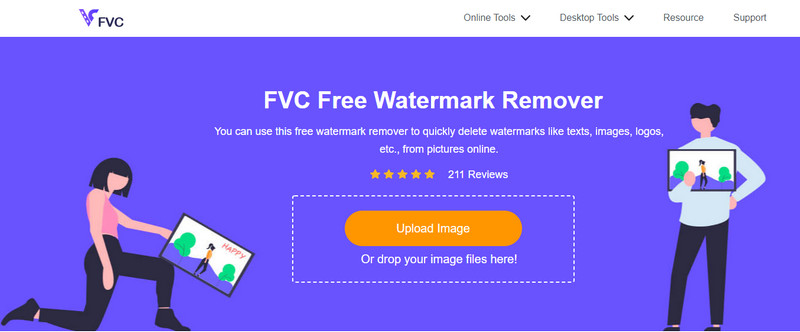
हमारी सूची में सबसे पहले है इमेज से वॉटरमार्क हटाने का बेहतरीन टूल। लेकिन यह आपकी फोटो के दाग-धब्बे भी ठीक कर सकता है, और वह है FVC Free Watermark Remover। इस टूल से आप इमेज पर मौजूद दाग-धब्बे हटाते ही तुरंत परिणाम पा सकते हैं। भले ही इसके कुछ प्रतियोगी टूल्स भी मौजूद हैं, लेकिन ऑब्जेक्ट और दाग-धब्बे हटाने में यह उनसे कहीं अधिक प्रभावी है। आपका दागदार चेहरा रेशमी और मुलायम त्वचा में बदल देना ही इस टूल की खासियत है। साथ ही, इसे इस्तेमाल करने के लिए आपको प्रोफेशनल होने की ज़रूरत नहीं, क्योंकि इसका इंटरफ़ेस बेहद यूज़र-फ्रेंडली और सहज है, जिससे हर कोई इसे आसानी से प्रयोग कर सकता है।.
मान लीजिए आप ऑनलाइन फोटो ब्लेमिश रिमूवर का उपयोग करना चाहते हैं। उस स्थिति में, आप आसानी से इसके नाम पर क्लिक कर सकते हैं, फ़ाइल अपलोड कर सकते हैं, खामियों को उजागर कर सकते हैं, उन्हें हटा सकते हैं और इसे सहेज सकते हैं।
पेशेवरों
- इस टूल को डाउनलोड करना आवश्यक नहीं है।
- वस्तुओं और दोषों को दूर करने की इसकी गति श्रेष्ठ है।
- यह उन सभी के लिए उपयोगी है जो इस ऐप को आज़माना चाहते हैं।
- जिस दोष को आप हटाना चाहते हैं, उसे हाइलाइट करने के लिए Lasso, Polygonal, या Brush का उपयोग करें।
- सिस्टम आवश्यकताओं के बिना विभिन्न ओएस पर पहुंच योग्य।
विपक्ष
- इसका उपयोग करने के लिए आपको इंटरनेट कनेक्शन की आवश्यकता होगी।
- फ़ोटो संपादन के लिए अन्य प्रीमियम सुविधाएँ उपलब्ध नहीं हैं।
- यह हाइलाइट किए गए दोषों को दूर करने का एक ही काम करता है।
एडोब फोटोशॉप
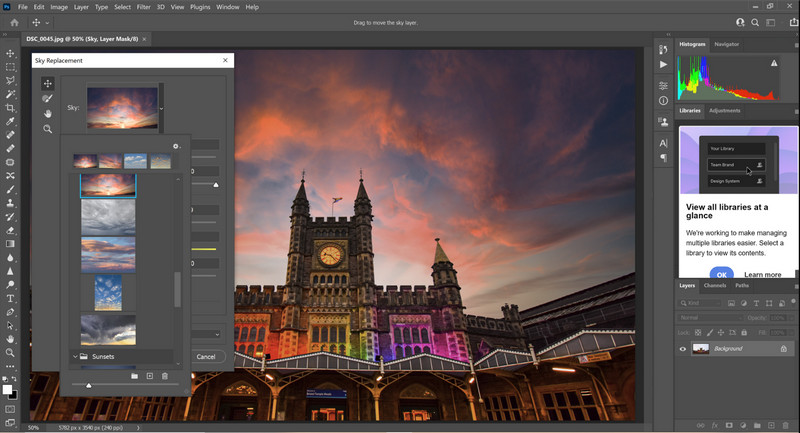
Adobe Photoshop एक फीचर-समृद्ध दाग-धब्बा हटाने वाला फोटो टूल है जिसे आप अलग-अलग प्लेटफ़ॉर्म पर डाउनलोड कर सकते हैं। बहुत‑से लोग जानते हैं कि यह टूल इमेज पर ब्यूटीफिकेशन एडजस्टमेंट करना बेहद आसान बना देता है। ज़्यादातर प्रोफेशनल्स शानदार आउटपुट तैयार करने के लिए इसी टूल को पसंद करते हैं, क्योंकि इसमें ऐसे शक्तिशाली फीचर और फ़ंक्शन्स हैं जो आपको बाज़ार के दूसरे एडिटर्स में नहीं मिलते। हालांकि, इस प्रोग्राम की तकनीकी जटिलताओं की वजह से इसे इस्तेमाल करना थोड़ा भारी पड़ सकता है। अगर आप शुरुआत कर रहे हैं और इसे उपयोग करना चाहते हैं, तो आपको इसे समझने में कुछ समय देना होगा, लेकिन यह मेहनत सार्थक साबित होगी।.
पेशेवरों
- यह एक पूर्ण विशेषताओं वाला और पैकेज डील संपादक है जिसे आप डाउनलोड कर सकते हैं।
- यह आपके संपादन को बेहतर बनाने के लिए अतिरिक्त प्लग-इन का समर्थन करता है।
- यह अन्य छवि संपादकों की तुलना में अधिक कॉम्पैक्ट है जो आप बाजार में देख सकते हैं।
- एक नि: शुल्क परीक्षण समर्थित है।
विपक्ष
- इस उपकरण को खरीदना महंगा हो सकता है।
- इसकी सिस्टम आवश्यकताएँ हैं।
- यह निम्न-अंत उपकरणों पर अनुत्तरदायी बन गया।
एडोब लाइटरूम
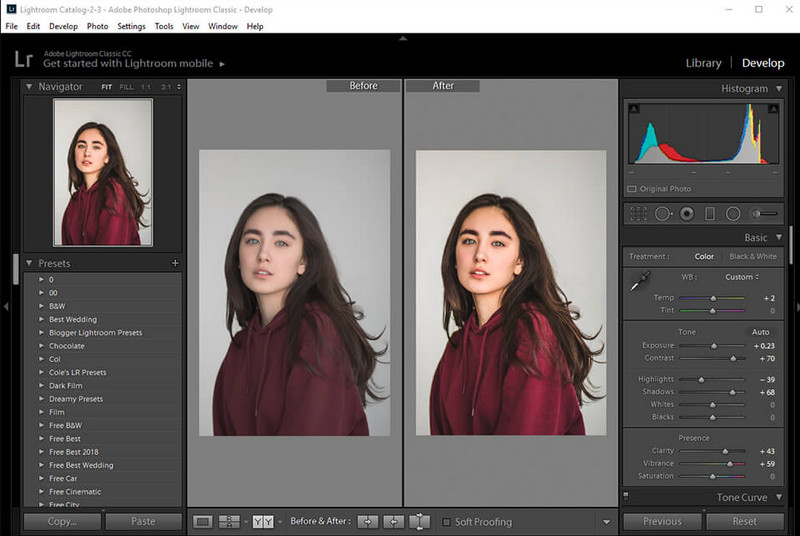
मान लीजिए आपको Photoshop से भी ज़्यादा आसान तरीके से दाग-धब्बे हटाने का उपाय चाहिए। तो आपको Adobe की दूसरी इमेज प्रोडक्ट का इस्तेमाल करना चाहिए। Adobe Lightroom, अगर हम इसकी तुलना Adobe Photoshop से करें, तो यह एक हल्का‑फुल्का दाग-धब्बे हटाने वाला फोटो एडिटर है। भले ही यह टूल Photoshop जितना कॉम्पैक्ट न हो, लेकिन दाग-धब्बे हटाने में इसकी विशेषज्ञता अब भी शीर्ष स्तर की है। इस सॉफ्टवेयर के ज़रिए आप अपनी इमेज के लिए ज़्यादा सेटिंग्स और विकल्पों पर काम कर सकते हैं और उन्हें रॉ फ़ाइल से भी बेहतर बना सकते हैं। फोटो एडिटिंग के अलावा आप इसमें अपनी इमेज को व्यवस्थित भी कर सकते हैं। अगर आप इस टूल को खरीदते हैं, तो आपके डिवाइस में एक ही सॉफ्टवेयर के अंदर कई सुविधाएँ एक साथ मिल जाती हैं।.
पेशेवरों
- फोटोशॉप सीखने की तुलना में इसका उपयोग करना सीखना अधिक सरल है।
- यह हल्का छवि संपादक है जिसे आप अपने डिवाइस पर डाउनलोड कर सकते हैं।
- यह प्रीसेट के एक बड़े आधार का समर्थन करता है जो फोटोशॉप में उपलब्ध नहीं है।
- एक नि: शुल्क परीक्षण समर्थित है।
विपक्ष
- यदि आप इसका लाभ उठाते हैं तो ऐप महंगा हो सकता है।
- आपको सख्त सिस्टम आवश्यकताओं का पालन करना होगा।
piZap
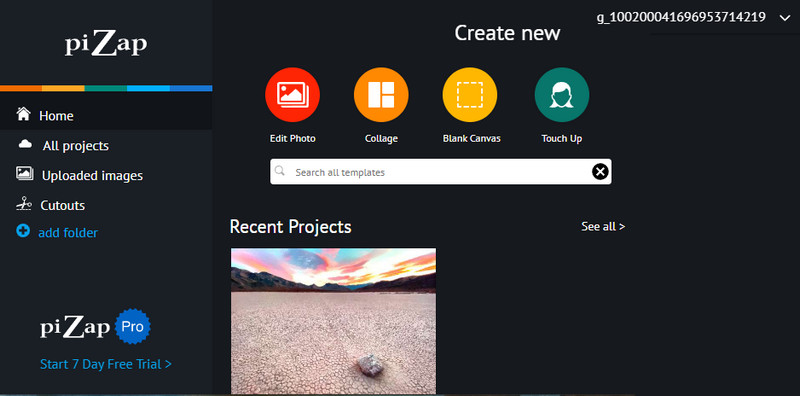
Pizap एक और ऑनलाइन फोटो एडिटर है जो दाग-धब्बे हटाने में आपकी इमेज से जुड़ी समस्या में मदद कर सकता है। इस टूल की मदद से आप दागदार फोटो को इसकी सुविधाओं के द्वारा रेशमी मुलायम बना सकते हैं। यह ऑनलाइन टूल उन फीचर्स से भरा हुआ है जो इमेज अपलोड करते ही उन्हें बेहतर रूप में बदल सकते हैं। आपकी फोटो एडिटिंग के लिए ज़रूरी लगभग हर चीज़ यहाँ मौजूद है, जैसे बेसिक एडजस्टमेंट, फिल्टर्स, ग्राफ़िक्स, स्टिकर्स और बहुत कुछ। टूल का इस्तेमाल करने से पहले आपको एक अकाउंट बनाना होगा या अपने मौजूदा अकाउंट से लॉग इन करना होगा। साथ ही, इसे इस्तेमाल करते समय कुछ विज्ञापन भी दिखाई देंगे, और अगर आपने प्रो वर्ज़न नहीं खरीदा है तो आप इमेज को उच्च गुणवत्ता में एक्सपोर्ट नहीं कर पाएँगे।.
पेशेवरों
- आप जैसा चाहें रचनात्मक हो सकते हैं।
- छवियों को समायोजित करने के लिए आप एकाधिक प्रीसेट का उपयोग कर सकते हैं।
- यह उपयोग करने के लिए स्वतंत्र है।
विपक्ष
- अन्य फ़िल्टर मुफ़्त संस्करण पर उपलब्ध नहीं हैं; 7-दिवसीय परीक्षण की सदस्यता लेना या उसका उपयोग करना काम करेगा।
- मुफ़्त संस्करण उच्च-गुणवत्ता वाली छवियों के निर्यात का समर्थन नहीं करता है।
भाग 2। आईफोन और एंड्रॉइड के लिए सर्वश्रेष्ठ फोटो ब्लेमिश रिमूवर आपको डाउनलोड करना होगा
फेस ब्लेमिश रिमूवर - एंड्रॉइड के लिए स्मूथ स्किनिंग एंड ब्यूटीफुल फेस
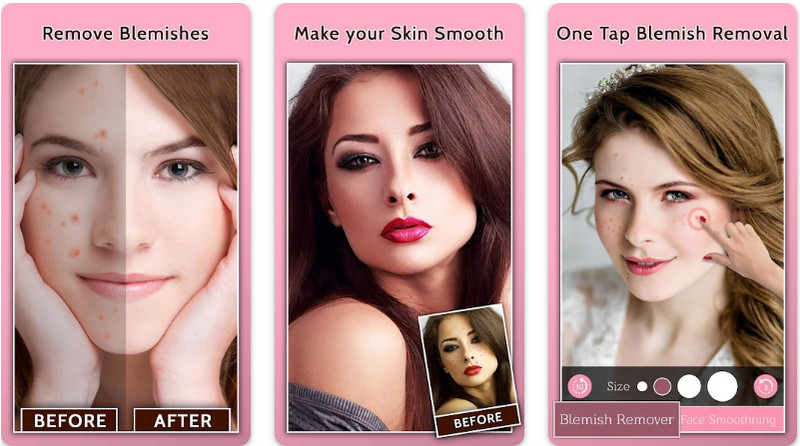
Face Blemish Remover एक मुफ़्त फोटो दाग-धब्बा हटाने वाला ऐप है जिसे आप एंड्रॉइड पर डाउनलोड कर सकते हैं। इस ऐप में कुछ ही सेटिंग्स के ज़रिए आप बेदाग त्वचा पा सकते हैं। अगर आप इस ऐप का इस्तेमाल करते हैं, तो आपके पास बिना दाग-धब्बों और मुंहासों वाली फोटो होगी। साथ ही, आप इसमें मौजूद फिल्टर की मदद से अपनी त्वचा को और भी खूबसूरत और मुलायम बना सकते हैं, जैसे आपके पसंदीदा स्टार की त्वचा होती है। हालांकि, इसके अन्य फीचर्स इस्तेमाल करने से पहले आपको इन‑ऐप परचेज़ लेना होगा, और अगर आपने विज्ञापन हटाने के लिए भुगतान नहीं किया तो आपको ads दिखाई देंगे। इसके बावजूद, यह एक बेहतरीन ऐप है जो आपको एक मिनट से भी कम समय में और खूबसूरत दिखने में मदद कर सकता है।.
पेशेवरों
- छवियों पर दोषों को दूर करने के लिए Android उपकरणों पर डाउनलोड करने के लिए नि: शुल्क।
- अतिरिक्त मेकअप फिल्टर यहां उपलब्ध हैं।
- किसी दोष को दूर करने के लिए आपके द्वारा चुने गए फ़िल्टर स्वचालित रूप से जोड़ें।
विपक्ष
- विज्ञापन इस ऐप को परेशान कर रहे हैं।
- पूर्ण सुविधाएँ और एक प्रीमियम संस्करण खरीदने की आवश्यकता है।
आईओएस के लिए ब्लेमिश एडिटर पिंपल रिमूवर 4+
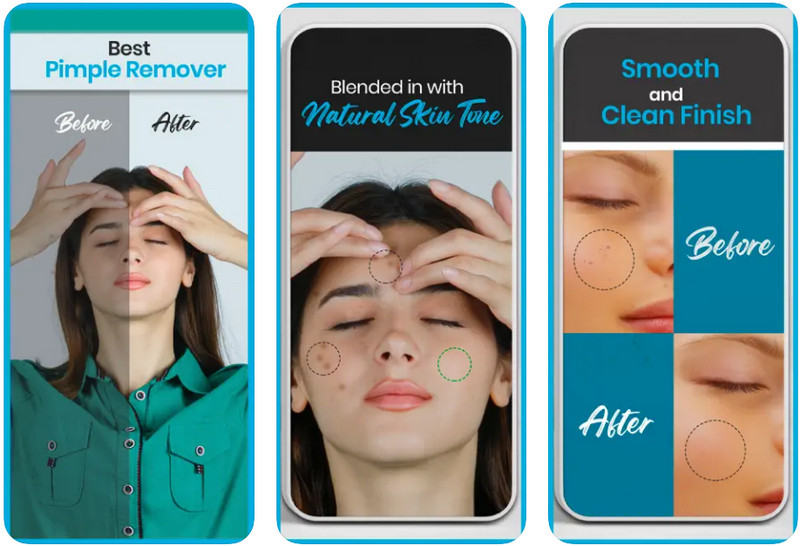
Blemish Editor Pimple Remover 4+ iPhone फोटो से दाग-धब्बे हटाने के लिए एक मुफ़्त ऐप है। यह ऐप बहुउद्देशीय इमेज एडिटिंग फीचर्स सपोर्ट करता है जिन्हें आप अपनी फोटो पर इस्तेमाल कर सकते हैं। यह ऐप आपकी इमेज पर मौजूद दाग-धब्बे हटाकर उन्हें ज़्यादा मुलायम और आकर्षक दिखाने में काफ़ी प्रभावी है। इसका GUI सीधा‑सपाट है और यह अपना काम अच्छे से कर देता है। हालांकि टूल इस्तेमाल करने में आसान है, लेकिन इसके फीचर्स सीमित हैं। दाग-धब्बे हटाने के अलावा यह टूल और कोई अतिरिक्त सुविधा नहीं देता।.
पेशेवरों
- सरल जीयूआई, और यह उपयोगकर्ता के अनुकूल है।
- इन-ऐप खरीदारी के बिना डाउनलोड करने के लिए नि: शुल्क।
- इसके फ़िल्टर समर्थित के साथ अपनी त्वचा को चिकना बनाएं।
विपक्ष
- छवि संपादन के लिए सीमित सुविधाएँ।
- आईपैड पर अनुपलब्ध।
अधिक पढ़ें:
अपनी इमेज से B612 वॉटरमार्क कैसे हटाएँ
WOW Slider वॉटरमार्क मुफ़्त में कैसे हटाएँ
भाग 3। फोटो ब्लेमिश रिमूवर पर अक्सर पूछे जाने वाले प्रश्न
ऑनलाइन दोषों को दूर करने के लिए मैं सबसे अच्छा ऐप कौन सा उपयोग कर सकता हूं?
FVC फ्री वॉटरमार्क रिमूवर सबसे इष्टतम ब्लेमिश रिमूवर है जो आपकी छवियों पर दोषों को हटाने में मदद कर सकता है और तुरंत परिणाम देता है। अगर आपको इसके बारे में और भी जानकारी चाहिए तो भाग 1 पढ़िए।
क्या मुझे अपने चित्र पर धब्बे हटाने की आवश्यकता है?
कुछ लोगों को विश्वास होगा यदि वे अपनी छवियों के दोषों को हटा दें और उन्हें वेब पर पोस्ट कर दें। इसलिए, यदि आप अपनी छवि के दोषों को हटाना चाहते हैं, तो आप हमारे द्वारा ऊपर जोड़े गए ऐप्स का उपयोग कर सकते हैं।
दाग-धब्बों को दूर करने का सबसे अच्छा तरीका क्या है?
इंटरनेट पर बहुत अधिक संदर्भ देने के बजाय आपको जिन दवाओं की आवश्यकता हो सकती है, उन्हें जानने के लिए आप अपने चिकित्सक से सलाह ले सकते हैं या सलाह ले सकते हैं। या, यदि आप नहीं चाहते हैं, तो आप इस आलेख में हमारे द्वारा जोड़े गए दोष हटानेवाला का उपयोग कर सकते हैं; यह जानने के लिए उन्हें अच्छी तरह से पढ़ें कि कौन सा उपकरण आपकी आवश्यकताओं के अनुरूप होगा।
निष्कर्ष
आत्मविश्वासी होना आपको सबसे ज्यादा चाहिए! अब जब आप जान गए हैं कि आप कौन-से दोषपूर्ण फोटो रिमूवर का उपयोग कर सकते हैं, तो अब आप किसी एक को चुनेंगे। हम आशा करते हैं कि हमने प्रत्येक पर की गई समीक्षा से आपको यह जानने में मदद मिली कि संपादन के लिए कौन-सा उपकरण आपकी आवश्यकताओं के अनुरूप होगा। यदि इस लेख ने आपको यह जानने में मदद की है कि उपयोग करने के लिए कौन से उपकरण हैं, तो कृपया हमें नीचे एक दर दें।
-
 निम्न-रिज़ॉल्यूशन छवि को उच्च-रिज़ॉल्यूशन ऑनलाइन में कैसे बदलें
 यदि आप कम-रिज़ॉल्यूशन वाली छवियों को ऑनलाइन उच्च-रिज़ॉल्यूशन वाली छवियों में बदलना सीखना चाहते हैं, तो यह लेख आपके लिए है। कैसे जानने के लिए पूरा पढ़ें।
-
 शूटप्रूफ वॉटरमार्क हटाने के आसान तरीके
 इन आसान तरीकों को अपनाकर शूटप्रूफ वॉटरमार्क हटाएं। अपनी छवि से शूटप्रूफ वॉटरमार्क को आसानी से हटाने के लिए इन अद्भुत वॉटरमार्क रिमूवर का उपयोग करें।
-
 बैंडिकैम वॉटरमार्क को आसानी से कैसे हटाएं [3 प्रभावी तरीके]
 बैंडिकैम वॉटरमार्क कैसे हटाएं? उपकरणों के साथ, हम यहां जोड़ते हैं, आप जानेंगे कि इससे प्रभावी ढंग से कैसे निपटें!
