


 Video Converter Ultimate
 Snimač zaslona
 Video popravak
Upoznajte 7 najboljih aplikacija za pojačavanje glasnoće koje možete koristiti na svom stolnom računalu i telefonima
Nije li iritantno kada je glasnoća videa toliko niska da se, čak i ako je pojačate na maksimum, ništa ne promijeni? Postoji nekoliko razloga zašto je razina zvuka pala. Umjesto da se živcirate zbog videa, zašto ne biste pokušali upotrijebiti pojačivač kako biste zvuk učinili glasnijim i čišćim. Danas je vaš sretan dan jer vam predstavljamo različite pojačivače glasnoće među kojima možete birati. Sve alate predstavljene ovdje koristio je autor ovog članka, kako bi iznio činjenice o alatima ovisno o platformi koju trenutno koristite. Krenimo, dakle, u naš vodič kroz različite pojačivače zvuka koje možete koristiti na Windowsu, Macu, iPhoneima i Androidu.

Dio 1. 4 najboljih pojačivača glasnoće za Windows PC, Mac i Online
1. Video Converter Ultimate
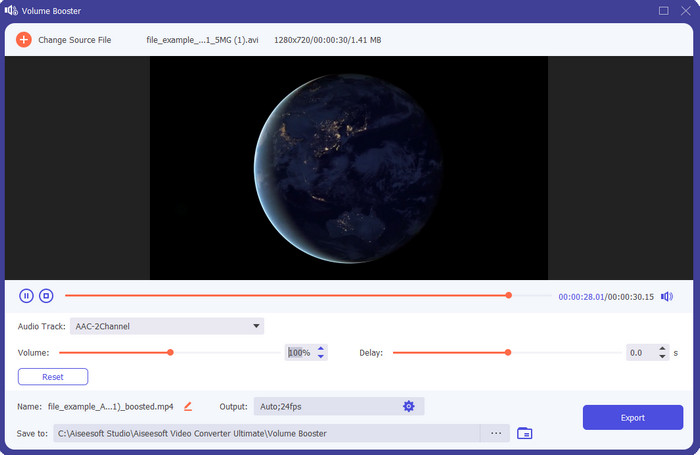
Ako tražite najbolju aplikaciju za pojačavanje glasnoće, onda bi Video Converter Ultimate trebao biti upravo to. Ovaj alat može poboljšati kvalitetu zvuka, a da ne ošteti vaše zvučnike. Dakle, ako njime pojačate glasnoću, ne biste trebali očekivati krčanje u zvučnicima. Štoviše, ako imate problem s niskokvalitetnim zvukom, ovim ga alatom možete poboljšati. Čak i ako niste profesionalac, i dalje možete bez problema pojačati zvuk uz pomoć ovog alata. I ne samo to, ovaj softver ima mnogo značajki koje bi vam se mogle svidjeti ako ga preuzmete. Za razliku od ostalih pojačivača zvuka na popisu, ovaj alat nudi mnogo mogućnosti poboljšanja kako bi vaš zvuk zvučao što bolje. Također, ako imate problem sa zakašnjenjem zvuka, možete iskoristiti i tu funkciju. Iskreno, ovo je fenomenalan alat na ovom popisu, ako bismo ih sve uspoređivali. Dakle, ako želite iskusiti puni doživljaj 8D ili 16D zvuka, preuzmite ovaj alat odmah.
Besplatno preuzimanjeZa Windows 7 ili novijiSigurno preuzimanje
Besplatno preuzimanjeZa MacOS 10.7 ili novijiSigurno preuzimanje
Pros
- Automatski izvršite podešavanje ekvilajzera i unaprijed postavljenih postavki kako biste olakšali i poboljšali svoj posao.
- Konačni izlaz zvuka postao je puno bolji nego prije i bez uništavanja sluha ili čak zvučnika.
- Vrlo je intuitivno da to mogu učiniti čak i korisnici koji nemaju iskustva s pojačavanjem.
Protiv
- Dostupan je samo na desktopu i nema verziju za telefon.
- Kupite prije nego što mu pristupite, ali nije tako skupo.
2.VLC Media Player
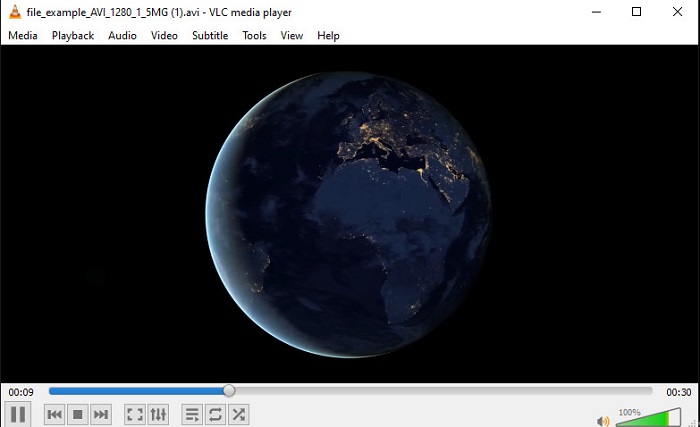
VLC Media Player jedan je od najboljih medijskih reproduktora koje možete preuzeti s interneta. Ovaj alat već ima ugrađeni besplatni pojačivač glasnoće u svom sučelju, a zvuk se može pojačati do 125% posto, ako želite. Međutim, ovaj alat za rad na računalu ne prati koliko snažan zvuk vaši zvučnici mogu podnijeti. To znači da, ako pretjerate s reprodukcijom zvuka na maksimalnoj razini, postoji mogućnost da će zvučnici s vremenom početi blago krčati, osobito oni ugrađeni. No ovaj je alat jedina aplikacija ovdje koja je istodobno i pojačivač i reproduktor. Dakle, ako želite istodobno gledati i pojačavati zvuk, pokušajte upotrijebiti ovaj alat. Iako podiže glasnoću, ne može vam jamčiti izvrsnu kvalitetu zvuka jer samo povećavate jačinu zvuka.
Pros
- Ugrađen audio pojačivač.
- Pojačajte svoj zvuk do 125% da bi zvučao glasnije.
- Besplatno preuzimanje na PC ili Mac.
Protiv
- Alat nema ugrađeni ekvilajzer za poboljšanje kvalitete zvuka.
- Ne prati koliko bi vaš zvuk trebao biti glasan.
Povezano:
Kako popraviti problem kada VLC ne može reproducirati MKV datoteke
Kako popraviti problem kada VLC ne reproducira DVD
3. Bum 3D
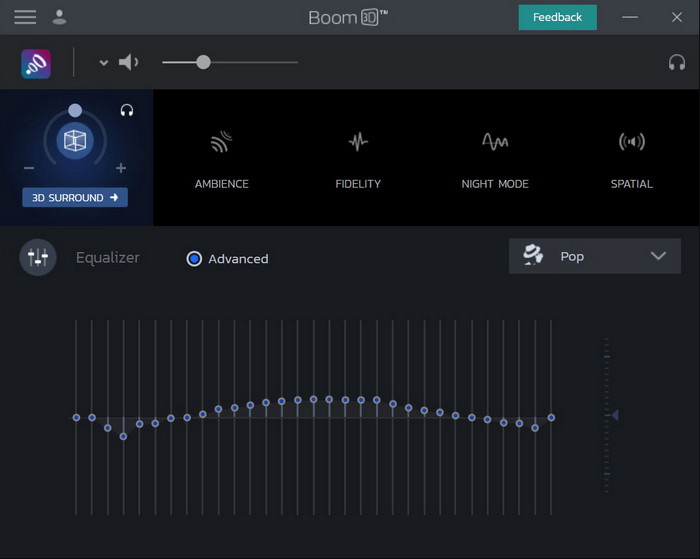
Boom 3D jedan je od najnaprednijih alata za poboljšanje zvuka. Ovaj pojačivač glasnoće za Windows 10 i Mac nudi mnogo različitih poboljšivača koje možete koristiti. Također, možete ručno podešavati ekvalizator i presete, dok je u Video Converter Ultimateu to već automatski podešeno za vas. Iako alat izgleda impresivno, postoje i nedostaci kada ga počnete koristiti. Posebno za početnike: ovaj alat zahtijeva određeno podešavanje, odnosno prilično je zahtjevan za nekoga tko tek počinje. Ipak, učenje kako se koristi oduzet će vam dosta vremena, ali će se trud isplatiti.
Pros
- Ručno poništite ekvilajzer i unaprijed postavljene postavke.
- Nije potreban internet za pristup alatu.
- Izvrstan je za korištenje od strane profesionalaca koji žele imati kvalitetan zvuk.
Protiv
- Nije najbolji izbor za početnike koji nemaju pojma što su ekvilajzeri i presetovi.
- Potrebno je puno vremena da proučite kako koristiti ovaj alat.
4. Pojačavač glasnoće
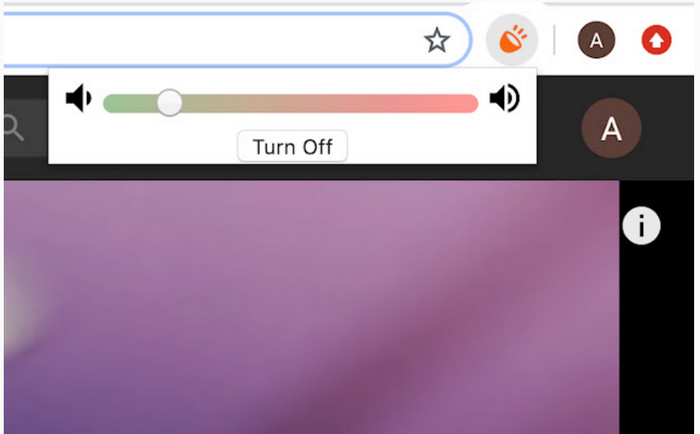
Volume Booster je Chrome proširenje za pojačavanje glasnoće kojem možete lako pristupiti ako imate pristup internetu. Ovaj alat može koristiti svatko besplatno, a usto je i siguran jer dolazi iz Chrome trgovine. Ako se odlučite koristiti ga, možete očekivati snažno pojačavanje zvuka koji želite slušati. Međutim, ovo Chrome proširenje ne možete koristiti izvan samog Chromea. Dakle, ako želite slušati zvuk koji ste spremili na disk, ovim ga alatom ne možete pojačati. Osim toga, kada smo pokušali pojačati zvuk na maksimum, čuli smo određeno krčanje, pa kako biste to izbjegli, svakako ga držite na granici umjerenog pojačanja.
Pros
- Alat je siguran jer je produžetak kroma.
- Prilagođen korisniku.
Protiv
- Ne može se koristiti izvan kroma.
- Čut će se pucketanje zvuka ako ga okrenete na maksimum.
- Ne podržava ekvilajzere.
Dio 2. 3 najbolje aplikacije za pojačavanje glasnoće za iPhone i Android
1. Volume Booster – Equalizer FX
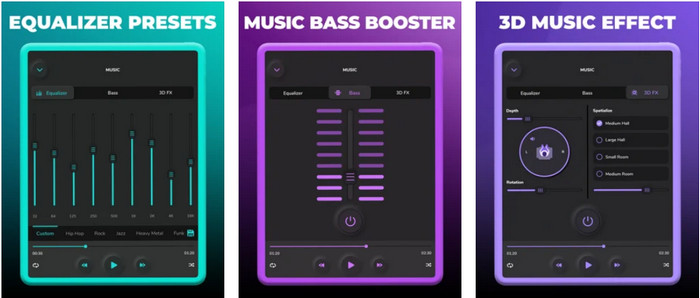
Volume Booster – Equalizer FX gura maksimalnu granicu glasnoće vašeg iPhonea kako bi proizveo glasan i bolji zvuk. Ovaj pojačivač glasnoće za iPhone koristi mnogo iOS korisnika kako bi sami prilagodili ekvalizaciju zvuka. Aplikacija već ima solidnu ocjenu od 3,9 zvjezdica. Nije ni loša ni vrhunska. Također, ovaj alat ne može pojačavati zvuk kod online streaminga, a oglasi ozbiljno narušavaju doživljaj korištenja. Osim toga, i dalje se javljaju rušenja aplikacije te razni bugovi i drugi problemi. Ipak, ako želite pojačati bas na iPhoneu, ovo je aplikacija koju svakako vrijedi isprobati.
Pros
- To je dobar pojačivač za korisnike iPhonea.
- Možete izvršiti osnovno izjednačavanje i podešavanje zvuka.
Protiv
- Uglavnom se alat ruši.
- Ima ograničenje gdje možete koristiti pojačavanje zvuka.
2.AmpMe – sinkronizacija zvučnika i glazbe
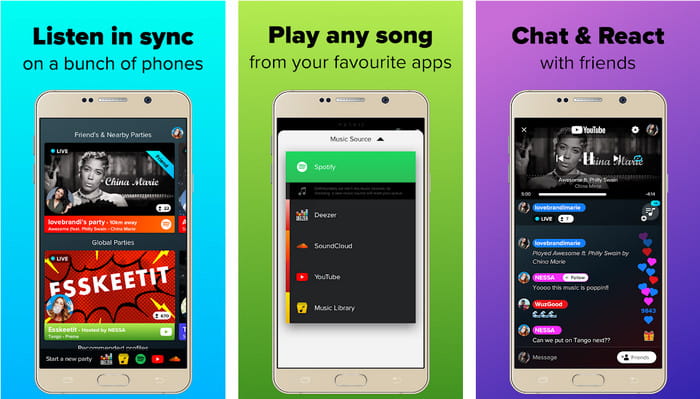
AmpMe - Speaker & Music Sync je odlična aplikacija za pojačavanje zvuka, namijenjena Android uređajima. Ovo je više od običnog pojačivača, jer možete biti domaćin i puštati vlastitu playlistu ili se pridružiti live zabavi unutar aplikacije. Jednostavnije rečeno, uz ovu aplikaciju možete komunicirati s drugima dok istovremeno slušate glazbu i dopisujete se. Iako je alat impresivan, i dalje ćete naići na određene bugove i rušenja tijekom korištenja. Također, neki korisnici imaju problema s dodavanjem glazbe na svoje playliste, što je prilično frustrirajuće. Aplikacijom je i pomalo teško upravljati, osobito ako ne poznajete sve njezine funkcije. No, sveukupni dojam je da je vrlo dobra za Android korisnike.
Pros
- Možete biti svoj DJ uz AmpMe i podijeliti ga s drugim ljudima u blizini pomoću iste aplikacije.
- Slušajte i razgovarajte u isto vrijeme.
- Proizvodi visokokvalitetan zvuk.
Protiv
- Pretplata je prevelika za plaćanje ako želite ići jeftinije.
- Teško je otkazati pretplatu čak i kada ste izbrisali račun.
- Ponekad kada se pridružite zabavi uživo, aplikacija će se automatski isključiti.
3. Pojačavač glasnoće GOODEV
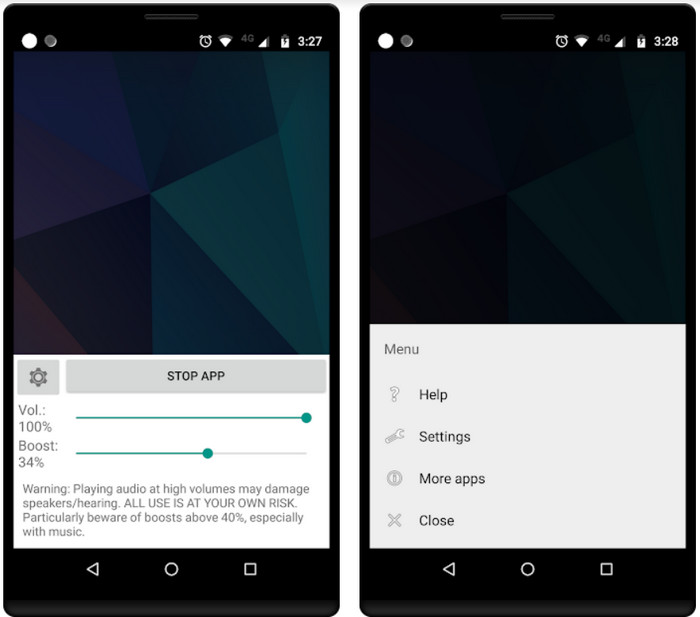
Volume Booster GOODEV ima jednostavno sučelje kojim je lako upravljati. Ovaj pojačivač glasnoće već je od korisnika dobio odličnu ocjenu od 4,4 zvjezdice. Mnogi u recenzijama navode da je alat izvrstan u onome za što je namijenjen. No, trenutačno se događaju određena rušenja tijekom korištenja, a većinom se događa da alat više uopće ne pojačava zvuk, čak ni kada ga pokrenete. Kako biste ga ponovno aktivirali, morate restartati telefon ili ponovo otvoriti aplikaciju, čime se problem privremeno rješava.
Pros
- Lako razumljiv audio pojačivač koji se lako može preuzeti na vaš Android mobilni telefon.
- Prilagođen korisniku.
Protiv
- Oglasi se prikazuju niotkuda.
- Većinu vremena aplikacija se sama ruši bez nepoznatog razloga.
- Stara verzija ove aplikacije puno je bolja od ažurirane verzije.
Dio 3. Koji je najbolji pojačivač volumena
Ovdje je prikazana usporedna tablica kako biste usporedili koje su značajke alata koje možete koristiti s alatom koji drugi alat nema.
| Značajka alata / s | Video Converter Ultimate | VLC Media Player | Boom 3D | Pojačavač glasnoće | Volume Booster – Equalizer FX | AmpMe – sinkronizacija zvučnika i glazbe | Pojačavač glasnoće GOODEV |
| Audio pojačivači |  | | | | | | |
| Audio Enhancer | |  | | | | | |
| Značajka sinkronizacije zvuka i videa | | | | | | | |
| User Friendly | | | | | | | |
| Podržane platforme | Alat za radnu površinu | Alat za radnu površinu | Alat za radnu površinu | Alat za proširenje za Chrome | Alat koji se temelji na iOS-u koji se može preuzeti | Alat za Android koji se može preuzeti | Alat za Android koji se može preuzeti |
| Raspon cijena | 1 mjesec: $25,00 Doživotna licenca: $55.20 Vijek trajanja licence za više korisnika/5 računala: $119.00 | Besplatno preuzimanje | $11.99 i $23.99 | Besplatno | 3 do 20 $ | $0,99 – $99,99 po artiklu | Besplatno |
Dio 4. Često postavljana pitanja o Volume Boosteru
Oštećuje li pojačavanje glasnoće zvuka sluh?
Zapravo da. Pogotovo ako koristite slušalice ili slušalice i stavite jačinu zvuka na maksimum, a zatim dodajte pojačalo glasnoće. Zatim očekujte da će vaš sluh dugoročno polako uništavati. Dakle, možete to izbjeći. Naš prijedlog je da ga morate ograničiti na srednje ili nisko i ne ići na maksimum.
Koji su drugi nedostaci pojačanja zvuka na zvučnicima?
Koristimo audio pojačivač kako bismo puno bolje čuli zvuk ako su zvukovi tihi. Ali malo ste znali da zvučnici također imaju Hertzovu granicu za koju su sposobni. Što je veći hertz, to možete biti glasniji, ali na nekim ugrađenim zvučnicima ne mogu podnijeti super glasan zvuk. Dakle, postoje šanse da će zvučnik pucketati što znači da zvučnik ne može upravljati zvukom.
Koje su razlike između basa i visokih tonova zvučnika?
Ova dva su najpoznatija ugrađena zvučnika, ali imaju svoju svrhu zašto su u zvučnicima. Što se tiče basa, može podnijeti niske frekvencije zvuka i ne može podnijeti visoke frekvencije, također je specijaliziran za to da osjetimo bum glazbe. Dok se visoki tonovi fokusiraju na visoke frekvencije koje bas ne može podnijeti.
Zaključak
Za kraj, više ne morate slušati loš zvuk ako ga pojačate uz pomoć pojačivača glasnoće na PC-ju, Macu, online i na mobilnim uređajima. Alati predstavljeni ovdje izvrsni su za svakoga tko želi iskusiti novu razinu doživljaja glazbe. No postoji jedan alat koji svojim korisnicima uvelike pojednostavljuje i poboljšava pojačavanje zvuka. Dakle, umjesto da učite kako podešavati ekvalizator i postavke, Video Converter Ultimate to je već učinio za vas. A da biste se sami uvjerili koliko je ovaj alat dobar, isprobajte ga i preuzmite na svoj uređaj.
-
 Kako besplatno dodati audio i glazbu u videozapise na računalu / telefonu
 Ovaj članak prikazuje 4 jednostavna načina za besplatno dodavanje zvuka u videozapis. Bez obzira koji audio zapis želite dodati u svoj videozapis, ovdje možete dobiti zadovoljavajuće rezultate.
-
 Nepristrani Cinch Review Audio Recorder i najbolja alternativa
 Cinch Audio Recorder najbolji je način za preuzimanje glazbe s web lokacija za streaming. Samo saznajte više o nepristranom pregledu i najboljoj alternativi iz članka.
-
 Izvodljivi načini kako možete snimiti zvuk pomoću VLC playera
 Naučite najbolje načine snimanja zvuka pomoću VLC playera i drugih praktičnih alata čitajući članak.
