


 Video Converter Ultimate
 Snimač zaslona
 Video popravak
3 različita načina za transformaciju MPG datoteka u MOV na radnoj površini ili na mreži
Pretvaranje formata je ključno, osobito kada govorimo o kompatibilnosti i namjeni formata. Poput MPG‑a, ovaj format pohranjuje podatke s DVD‑ova, kao što su ispreplitanje metapodataka, zvuk i video. No ako ovaj format izdvojite (rippate) s DVD‑a i pokušate ga reproducirati u QuickTimeu ili urediti u iMovieju, datoteku nećete moći prenijeti jer format nije podržan. Međutim, svoj .mpg možete pretvoriti u podržani format kao što je MOV. U ovom ćemo članku navesti neke od najboljih programa pomoću kojih možete besplatno na Macu pretvoriti MPG u MOV, i to bez narušavanja kvalitete.

Dio 1. Kako pretvoriti MPG u MOV na Mac i Windows
Prvi na popisu je crème-de-la-crème svih pretvarača koje možete upotrijebiti i uz pomoć kojih možete naučiti kako pretvoriti MPG u MOV na Macu ili računalu. FVC Video Converter Ultimate pruža najvišu kvalitetu i najbržu konverziju, koju možete obaviti za manje od jedne minute. Štoviše, preuzmite ga ako nemate iskustva s pretvaranjem datoteka i ne želite da vam prvi pokušaj bude razočaranje. No ako ste tip korisnika koji želi dodavati posebne efekte, rezati, spajati i raditi još više, pogledajte Toolbox (alatni skup) ovog pretvarača. Osim toga, ako tražite pouzdan i jednostavan program s kojim odmah postižete izvanredan rezultat, slijedite upute u nastavku.
Korak 1. Besplatno preuzmite pretvarač MPG u MOV na svoj Mac ili računalo. Nakon toga instalirajte datoteku i brzo prođite kroz početno podešavanje.
Besplatno preuzimanjeZa Windows 7 ili novijiSigurno preuzimanje
Besplatno preuzimanjeZa MacOS 10.7 ili novijiSigurno preuzimanje
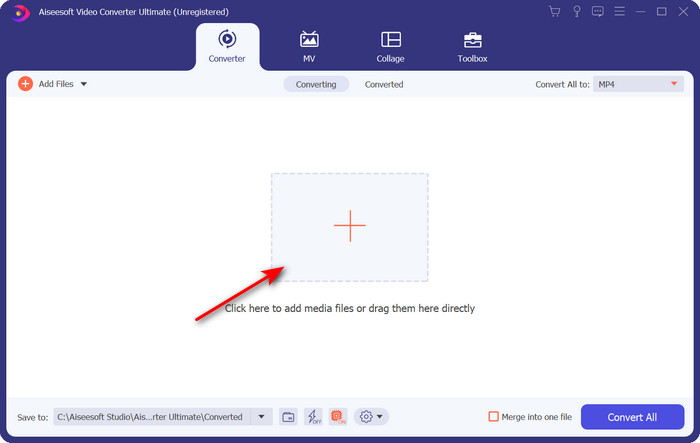
Korak 2. Za umetanje datoteke kliknite znak + koji se nalazi u sredini sučelja. Pronađite .mpg datoteku u mapi koja će se prikazati, zatim kliknite Otvori i nastavite.
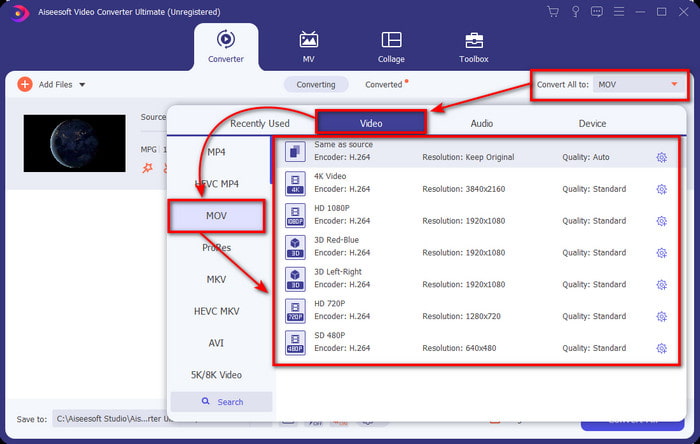
Korak 3. Pritisnite padajući izbornik i odaberite format MOV ili bilo koji drugi format dostupan na popisu.
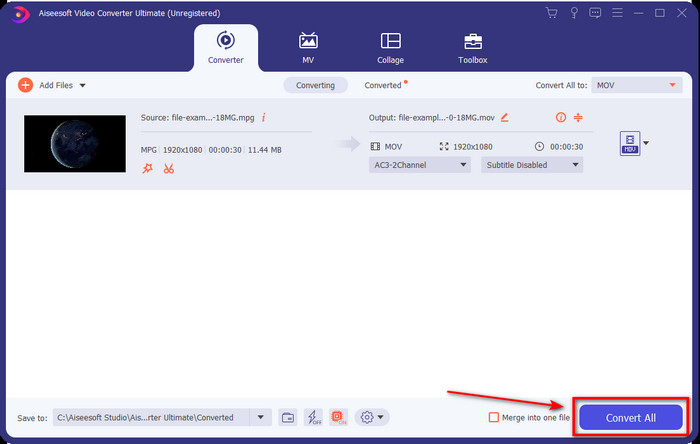
Korak 4. Kada ste spremni započeti proces pretvaranja, kliknite Convert All (Pretvori sve).
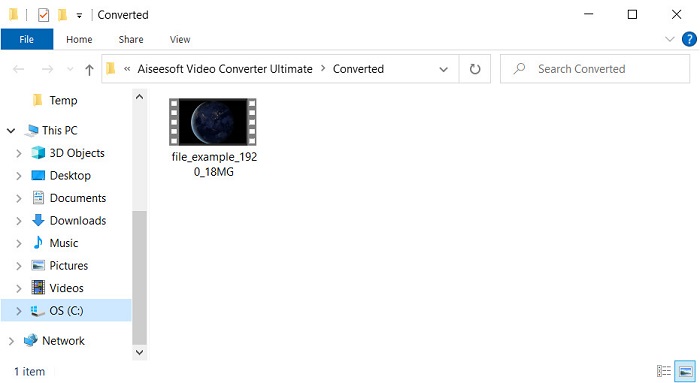
Korak 5. Vaša .mov datoteka bit će spremna nakon nekoliko sekundi, a ako se mapa pojavi na zaslonu, kliknite prvu datoteku da biste je pogledali ili uredili na svom Apple uređaju.
Dio 2. Pretvorite MPG u MOV koristeći Quicktime
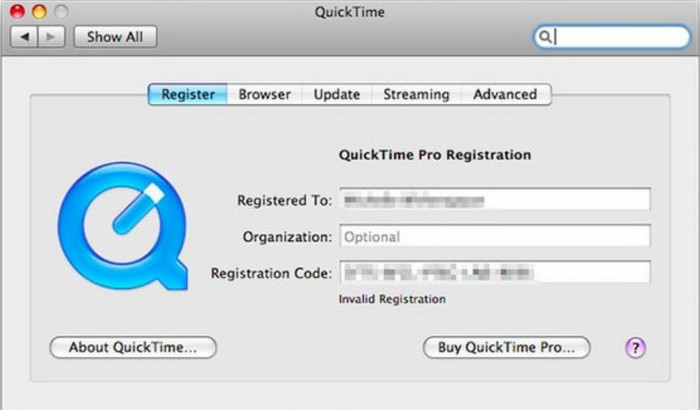
QuickTime Player je izvorni multimedijski reproduktor napravljen za Apple uređaje, koji može reproducirati gotovo bilo koji video i audio format. No jeste li znali da ga možete koristiti i kao pretvarač? Ipak, pretvarač koji ovaj alat nudi nije toliko razrađen kao prvi spomenuti pretvarač. Ipak, ako imate Apple uređaj i želite pretvoriti MPG u MOV pomoću QuickTime Playera, slijedite korake u nastavku.
Korak 1. Otvorite QuickTime Player na svom Macu, kliknite File, zatim kliknite Open File, pronađite .mkv datoteku u mapi i pritisnite Open.
Korak 2. Ponovno kliknite File, ali sada kliknite Export As i odaberite dostupnu rezoluciju s popisa.
Korak 3. Da biste započeli pretvaranje datoteke u QuickTimeu, kliknite Save.
Dio 3. Pretvorite MPG u MOV pomoću besplatnog online pretvarača MPG u MOV
Želite li saznati koji je najbolji besplatni internetski pretvarač MPG u MOV ako ne želite riskirati preuzimanje softvera? Onda je FVC Free Video Converter Online pravi izbor. Jednostavan je, dostupan u svim preglednicima, bez zlonamjernog softvera i pouzdan internetski alat. Sve što jedan jednostavan pretvarač treba imati ovdje je dostupno. Nadalje, ovaj softver podržava brojne medijske formate i pretvara bez prijave na račun. Želite upotrijebiti ovaj alat? Onda slijedite jednostavne korake.
Korak 1. Kliknite ovu poveznicu da biste otišli na službenu web-stranicu FVC Free Video Converter Online.
Korak 2. Kada ste na web-sučelju, kliknite Add Files to Convert. Pronađite .mpg datoteku koju želite pretvoriti u mapi, zatim pritisnite Open.
Preuzmite desktop verziju za skupno pretvaranje datoteka.
Korak 3. Nakon učitavanja datoteke odaberite MOV format u podizborniku.
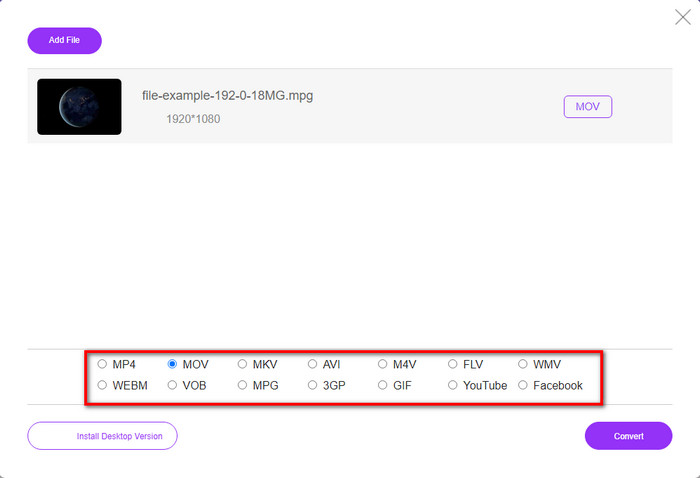
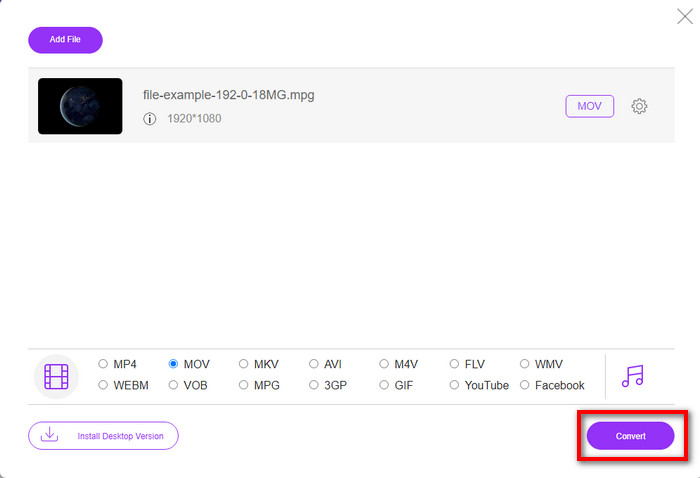
Korak 4. Budući da ste već kliknuli MOV, sada je preuzmite klikom na Convert.
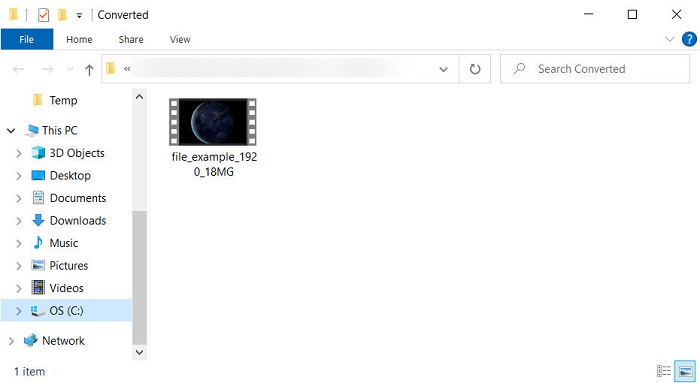
Korak 5. Nakon pretvaranja, pojavit će se mapa s .mov datotekom.
Dio 4. Opsežno znanje o MPG u MOV i zašto ga trebamo pretvoriti
MPG je dobro poznati medijski format koji koristi MPEG kao digitalni standardni video format. Ova vrsta datoteke obično koristi MPEG-1 i MPEG-2 kao koder medijskih datoteka. Koristi ova dva kompresora kako bi podržao svaki nedostatak kompresora, posebno za pohranjivanje video zapisa veće rezolucije. Kao što je ranije rečeno, ovaj format može sadržavati tri elementa: audio, video i metapodatke u jednom streamu za bržu distribuciju filmova na webu.
Ali MOV može pohraniti visokokvalitetni video i kristalno čist zvuk koji se obično koristi za uređivanje videa. Za razliku od MPG-a, ovaj multipleksni medijski format može pratiti različite medijske podatke kao što su video, audio i titlovi. Ali koder i dekoder ovog formata koji se obično koristi je MPEG-4.
Bilo bi najbolje da svoj MPG pretvorite u MOV jer kada prenesete datoteku na Apple uređaje, neće se reproducirati na Quicktimeu niti uređivati na iMovie. Iako Quicktime Player i iMovie podržavaju MPEG-1 i MPEG-4, ostali MPEG-ovi, poput MPEG-2 koji koristi .mpg, nisu podržani. Da bi bila kompatibilna na Apple uređajima razlog je zašto trebate pretvoriti datoteku u MOV.
MPG u odnosu na MOV
Izradila ga je Moving Picture Experts Group (MPEG), MPG je uobičajeni digitalni video format za pohranjivanje video, audio i metapodataka. Vrlo je koristan pri stvaranju filmova za dijeljenje na internetu. Te datoteke u MPG-u obično sadrže MPEG-1 ili MPEG-2 video/audio kompresiju.
MOV format može se koristiti za pohranjivanje filma, TV emisije, kratkog videoisječka ili kućnog filma. Zapravo se sprema u QuickTime File Format (QTFF), koji je uveo Apple 1991. MOV datoteke se često koriste kada ljudi žele spremiti video visoke kvalitete.
Dio 5. Često postavljana pitanja o MPG i MOV pretvorbi
Koliko bi vremena trebalo da se pretvori u MPG?
Dva su čimbenika koja mogu utjecati na vaš proces pretvorbe. Prvo, ako koristite mrežni pretvarač, to će ovisiti o tome koliko vam je internet brz. Ovaj proces bi trajao dulje u usporedbi s drugim ne-baziranim pretvaračem. I posljednje, što je veća veličina datoteke, to će duže trajati njezino pretvaranje. Dakle, ako je veličina vaše .mpg datoteke velika, obično biste čekali da završi.
Mogu li reproducirati .mpg datoteke na VLC-u?
VLC je jedan od glavnih media playera koji možete preuzeti na sve uređaje za reprodukciju videozapisa u formatu koji se ne može reproducirati na vašem izvornom media playeru. Ovdje također možete reproducirati sve MPEG-1, MPEG-2, MPEG-3 i MPEG-4 formate.
Utječe li kompresija MPG na kvalitetu?
Komprimiranje datoteke ne bi smjelo utjecati na kvalitetu jer ste je samo smanjili. No ako svoju .mpg datoteku previše komprimirate, njezina će se kvaliteta donekle promijeniti. Kako biste to izbjegli, trebali biste pročitati ovih top 7 video kompresora koje možete koristiti.
Zaključak
Da ponovimo sve gore spomenute detaljne informacije, možete pretvoriti svoj MPG u MOV ako želite koristiti video na Apple uređajima. Iako softver poput Quicktimea i iMovie podržava MPEG-1 i MPEG-4, MPEG-2 i MPEG-3 ipak nisu podržani. Dakle, kako biste ga učinili kompatibilnim na vašim Apple uređajima, idealno ga je pretvoriti. Svi ovdje spomenuti alati vrlo su učinkoviti i jednostavni za korištenje ako pretvorite datoteku.
-
 FLV u MPG - Kako pretvoriti FLV u MPG na Macu, PC-u i besplatno putem Interneta
 Kako pretvoriti FLV u MPEG? Mogu li besplatno pretvoriti FLV u MPG? Ovaj post dijeli 3 besplatna video pretvarača koji će vam pomoći pretvoriti FLV u MPG bez gubitka kvalitete.
-
 Kako pretvoriti MPG u GIF format [online i offline]
 Želite izraziti puno bolju emociju? Tada morate umjesto toga koristiti GIF. Ovaj će vas zapis naučiti kako pretvoriti MPG datoteku u GIF kako biste se puno bolje izrazili.
-
 [2022] Vrući izbori MPG u AVI konverter koji će vam pomoći da pretvorite MPG u AVI
 Jeste li se ikada zapitali o pretvaranju MPG-a u AVI video datoteku samo da biste je reproducirali na svom video playeru? Ovdje je najbolji članak koji možete pronaći i koji govori o gore navedenom problemu.

