


 Video Converter Ultimate
 Snimač zaslona
 Video popravak
123rf Sredstva za uklanjanje vodenog žiga - recenzije, prednosti i mane te alternativa
123RF je web-mjesto za licenciranje bez naknade za skladištenje slika, snimaka i zvuka na mreži. Nudi mnoge pristupačne fotografije bez naknade, koje mnogi ljudi kupuju. 123RF je tvrtka koja ima tisuće do milijune fotografija za preuzimanje.
123RF je tvrtka koja posluje više od 15 godina. Ima i mobilnu aplikaciju dostupnu na većini poznatih mobilnih uređaja. Mobilna aplikacija omogućuje pretraživanje biblioteke, izradu lightboxova i korištenje nekih naprednih tehnoloških alata. 123RF nudi brojne izvrsne i visokokvalitetne slike koje možete preuzeti. Međutim, kada preuzmete fotografije s 123RF‑a, one sadrže iritantan vodeni žig. Ako želite ukloniti 123RF vodene žigove sa svoje fotografije, pročitajte ovaj članak. Na kraju članka saznat ćete koji je najbolji 123RF uklanjač vodenog žiga.

Dio 1. Recenzije Ultimate 123rf odstranjivača vodenog žiga
Mnogi programi za uklanjanje vodenih žigova dostupni su za preuzimanje na vaš uređaj ili korištenje na mreži. No, nisu svi jednostavni za korištenje i imaju izvrsne značajke za uređivanje. Dakle, ako želite znati koji je najbolji alat za uklanjanje vodenih žigova, pročitajte ovaj dio.
Vodeni žig Remover.io
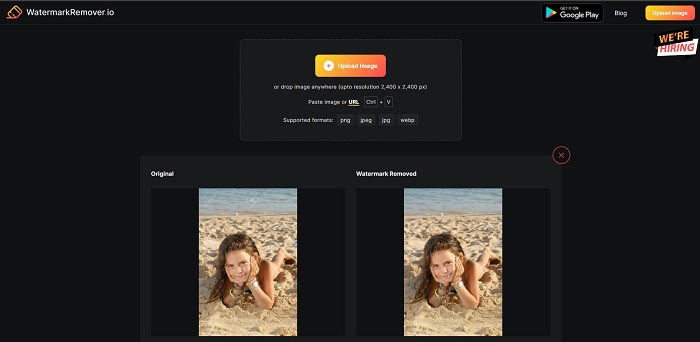
Watermark Remover.io je internetski 123RF uklanjač vodenog žiga koji je popularan na internetu. Mnogi ljudi koriste ovaj alat jer je praktičan za upotrebu. Osim toga, podržava najčešće formate slika, uključujući PNG, JPEG, JPG, WEBP i druge. Također može obrađivati slike veličine do 2400 x 2400 px. Ne morate se brinuti ni za sigurnost svojih podataka jer je ovaj mrežni alat 100% siguran za korištenje. Još je impresivnije to što će, nakon što učitate željenu 123RF sliku, automatski ukloniti sve vodene žigove ugrađene u vašu fotografiju.
Pros
- Ima intuitivno korisničko sučelje.
- Besplatno je za korištenje.
- Ne sadrži dosadne oglase.
- Sučelje za brzu obradu.
Protiv
- Ovisi o internetu.
Watermark Remover.net
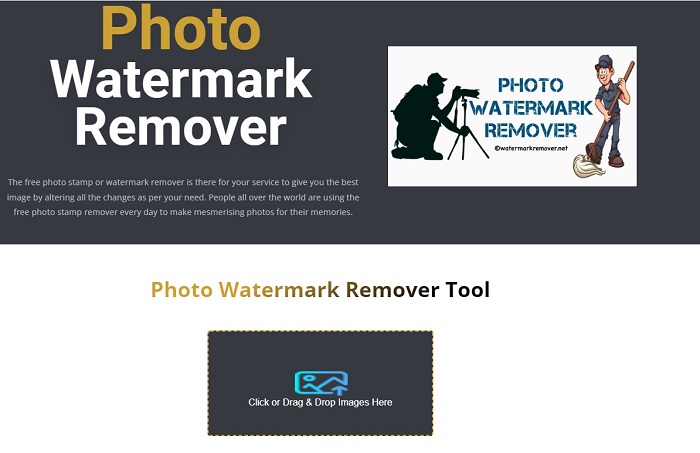
Watermark Remover.net je još jedan mrežni uklanjač vodenog žiga kojem možete pristupiti besplatno. Ima jednostavno sučelje, slično prethodnom alatu, što ga čini pogodnim za početnike. Učinkovit je alat za uklanjanje 123RF vodenih žigova s vaših 123RF slika. Osim toga, omogućuje uklanjanje bilo koje vrste vodenog žiga (teksta, logotipa ili slike) s vaše slike. Još impresivnije je to što vam ovaj mrežni alat omogućuje skupno uklanjanje vodenih žigova s vaših slika. Nadalje, proizvodi visokokvalitetne slike čak i nakon uklanjanja vodenog žiga.
Pros
- To je alat jednostavan za korištenje.
- Vraća fotografiju iz izvornog formata.
- Dostupno na svim web preglednicima, kao što su Google, Firefox i Safari.
Protiv
- Sadrži uznemirujuće oglase.
- Ima spor proces učitavanja.
Bitwar stručnjak za vodeni žig
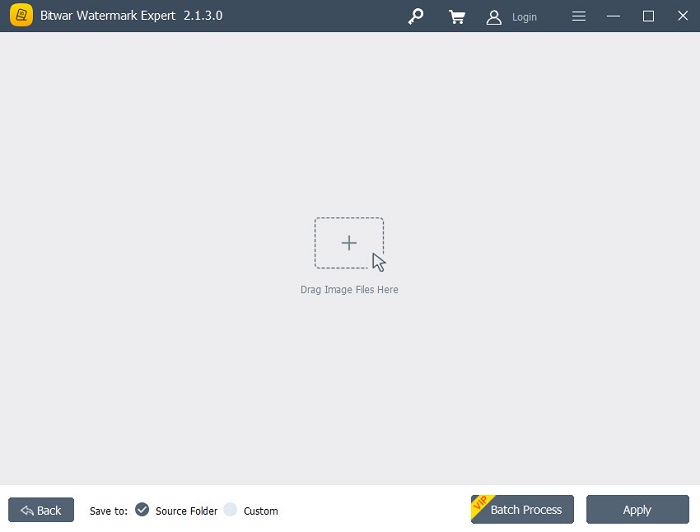
Bitwar Watermark Expert je izvanmrežni uklanjač vodenog žiga koji mnogi koriste kao prvi izbor. Ne uklanja samo vodene žigove sa slika, već možete i dodavati vodene žigove te ih uklanjati i na svojim videozapisima. Također, nećete imati problema s preuzimanjem ove aplikacije jer je besplatna i jednostavna za preuzimanje. Nadalje, možete ukloniti bilo koje neželjene objekte na svojim slikama, poput datumske oznake, logotipa ili drugih slika. Ima i izvrsnu funkciju retuširanja starih fotografija, kojom možete ukloniti ogrebotine i nedostatke sa starih slika. Isprobajte ovaj izvrstan uklanjač vodenog žiga ako želite 123RF slike bez vodenog žiga.
Pros
- Ima jednostavno korisničko sučelje.
- Nudi skupnu obradu za uklanjanje vodenih žigova.
- Podržava najpoznatije slikovne i video formate.
- Besplatno je za preuzimanje.
Protiv
- Dostupan je samo u sustavu Windows.
iMyFone Mark Go
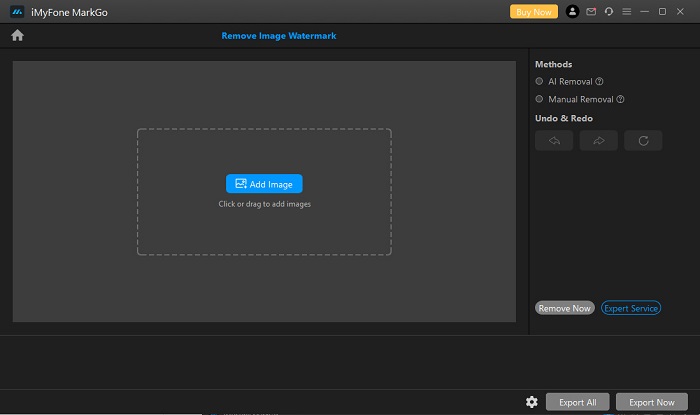
iMyFone Mark Go je aplikacija za preuzimanje koja može ukloniti logotip i tekstualni vodeni žig s vaše 123RF slike. Koristi AI postupak uklanjanja kako bi otkrila vodene žigove na slici i automatski ih uklonila. Ima i ručni način uklanjanja, u kojem sami možete uklanjati vodene žigove sa slike. Osim toga, sadrži mnoge značajke koje možete koristiti, kao što su uklanjač pozadine, uklanjač vodenog žiga s videa te dodavanje vodenih žigova na video ili sliku. Možete ga preuzeti za Windows i Mac.
Pros
- Ima čisto i intuitivno korisničko sučelje.
- Može automatski otkriti vodeni žig i ukloniti ga.
- Ima značajku skupne obrade.
- Proizvodi visokokvalitetne rezultate.
Protiv
- Najprije kupite aplikaciju prije nego što pristupite njezinim značajkama.
Dio 2. Najbolji 123rf alat za uklanjanje vodenog žiga na mreži
Korištenje postupka uklanjanja umjetnom inteligencijom ponekad ostavlja zamućen trag na vašoj slici, pa je učinkovitije ukloniti vodene žigove sa slike ručno. I pretpostavimo da niste zadovoljni značajkama i mogućnostima gore navedenih alata za uklanjanje vodenih žigova. U tom slučaju imamo još jedan alat koji mnogi profesionalci koriste za uklanjanje bilo koje vrste vodenih žigova. Neprestano čitajte da biste saznali ovaj vrhunski alat i kako možete imati 123rf sliku bez vodenog žiga.
FVC Free Watermark Remover je web‑temeljeni uklanjač vodenog žiga koji je popularan među korisnicima koji traže takav alat. Ovaj mrežni uklanjač vodenog žiga lako uklanja 123RF vodeni žig sa vaše slike. Također je vrlo jednostavan za korištenje, zbog čega je prikladan i za manje iskusne korisnike. Nadalje, podržava većinu standardnih formata slika, uključujući PNG, JPG, JPEG, BMP, WEBP i druge. Ne morate brinuti o izlaznom formatu jer vašu sliku sprema u istom formatu. Za razliku od drugih alata za uklanjanje vodenih žigova, ovaj vam alat omogućuje da mišem nacrtate poligonalni obris ili obris u obliku lasom kako biste označili područje vodenog žiga na slici.
Pros
- Ima jednostavno korisničko sučelje.
- Ne zahtijeva da se prijavite.
- Siguran je i besplatan za korištenje
- Ne sadrži uznemirujuće oglase.
- Dostupno na svim web preglednicima, kao što su Google, Mozilla Firefox i Safari.
Protiv
- Ovisno je o internetu.
Kako ukloniti 123rf vodeni žig na FVC Free Watermark Removeru:
Korak 1. U preglednik koji koristite upišite FVC Free Watermark Remover.
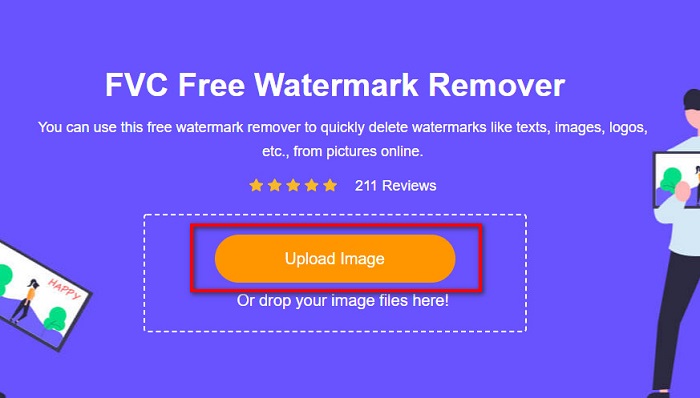
Korak 2. Kliknite gumb Upload Image na glavnom sučelju kako biste učitali svoju 123RF sliku.
Korak 3. Zatim odaberite alat za uklanjanje koji želite koristiti za uklanjanje vodenog žiga. Možete birati između opcija Polygonal, Lasso ili Brush.
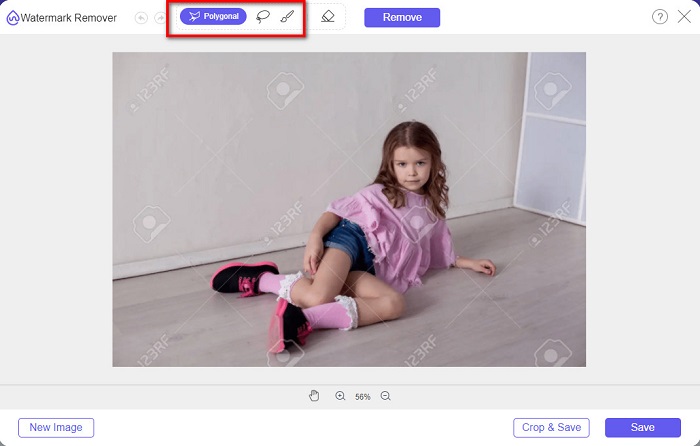
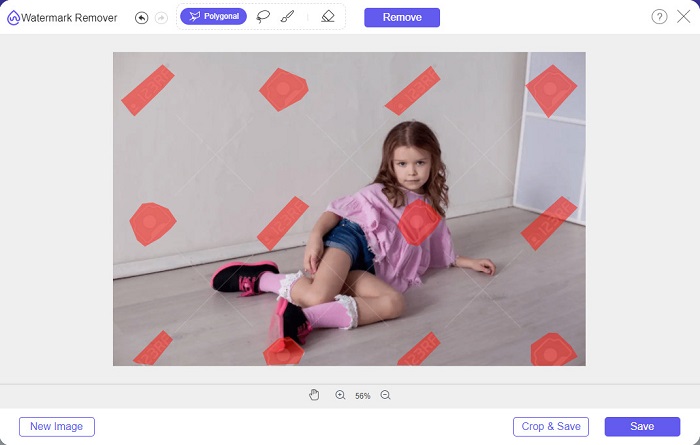
Korak 4. Zatim označite vodene žigove na svojoj slici.
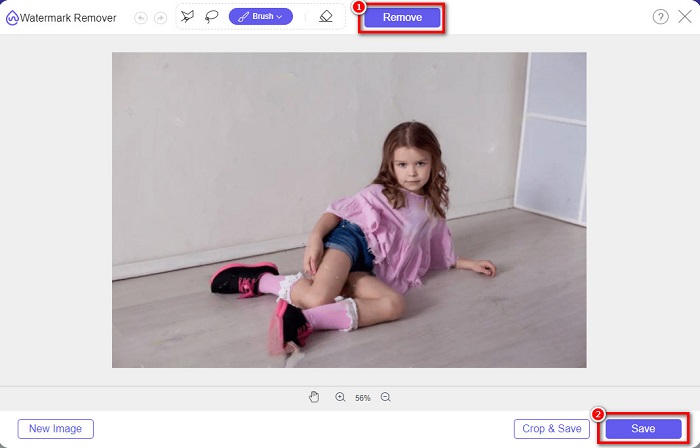
Korak 5. Na kraju kliknite gumb Remove kako biste uklonili odabrane vodene žigove sa slike. Vidjet ćete da su vodeni žigovi uklonjeni, a zatim kliknite gumb Save da biste spremili sliku.
Povezan sa:
Izvanredni Photobucket Watermark Remover online i offline
Što je vodeni žig na videu i kako ga dodati ili ukloniti
Dio 3. Često postavljana pitanja o 123rf alatima za uklanjanje vodenih žigova
Možete li ukloniti vodene žigove bez da ih zamutite?
Da. Možete koristiti FVC Free Watermark Remover za uklanjanje bilo kakvih vodenih žigova bez ostavljanja zamućenih tragova na slici.
Možemo li ukloniti vodene žigove s videozapisa?
Naravno. Postoji mnoštvo softverskih aplikacija koje možete koristiti za uklanjanje vodenih žigova (teksta, logotipa i slika) na svojim videozapisima. Postoji popularna aplikacija pod nazivom FVC Video Converter Ultimate, koja vam omogućuje jednostavno uklanjanje vodenih žigova s videozapisa.
Uklanja li Adobe Photoshop 123rf vodene žigove?
Da. Adobe Photoshop može profesionalno ukloniti sve vodene žigove na vašoj slici ili videu.
Zaključak
Gore navedeni 123RF uklanjači vodenog žiga izvrsni su alati za uklanjanje 123RF vodenog žiga sa vaše slike. Bez obzira koji od njih odabrali, lako možete ukloniti 123RF vodeni žig. Ako pak želite besplatan pretvarač kojem možete jednostavno pristupiti, koristite FVC Free Watermark Remover.
-
 Vodič o tome što je vodeni žig na fotografiji [Ažurirano 2022.]
 Što je vodeni žig na fotografiji? Trebamo li dodati jednu? Kako to možemo ukloniti? Sve što će vam trebati nalazi se ovdje pa nastavite čitati ovaj blog.
-
 Kako jednostavno ukloniti vodeni žig s Wondershare DVD Creatora
 Ovaj članak pokriva informacije o tome kako ukloniti vodeni žig s Wondershare DVD Creator. Da biste dobili sve potrebne informacije, ovo morate pročitati.
-
 Jednostavno uklonite vodeni žig iz PDF-a jednostavnim koracima
 Uklonite vodeni žig iz PDF-a slijedeći ove jednostavne korake. Naučite kako jednostavno ukloniti vodene žigove iz PDF datoteke pomoću ovih nevjerojatnih alata.
