


 Video Converter Ultimate
 Snimač zaslona
 Video popravak
Najbolji trikovi o tome kako ukloniti Snapchat tekst sa snimke zaslona
Do you want to know how to remove Snapchat text from the screenshot? You are in the right place. This post will give you the easiest methods you can do to remove Snapchat text from your photos and videos. These methods are straightforward to follow, perfect, and suitable for non-professional users. If you are interested in these easy methods, you must stop what you are doing right now and focus on reading this informative article.

Dio 1: Kako ukloniti Snapchat tekst i opise sa slika
The best thing you must do to remove a Snapchat text from a photo is to use a watermark remover. This way, you can remove any elements from your photos, such as texts, logos, watermarks, etc. If you are looking for an excellent and reliable tool, then you can use the FVC Free Watermark Remover. It can help you delete Snapchat text from pictures online instantly. You can understand this application easily with a friendly user interface, detailed guide, and simple buttons.
Nadalje, FVC Free Watermark Remover podržava često korištene ulazne i izlazne slikovne formate, kao što su PNG, JPG, JPEG, BMP i drugi. Osim toga, ovaj je alat dostupan na Windows 7,8,10,11 i macOS 10.7 iznad. Na kraju, ova aplikacija obećava jamstvo privatnosti svakog korisnika, tako da ne morate brinuti o svojim slikama ili informacijama. Ako želite ukloniti Snapchat tekst sa svojih fotografija, slijedite jednostavan vodič u nastavku.
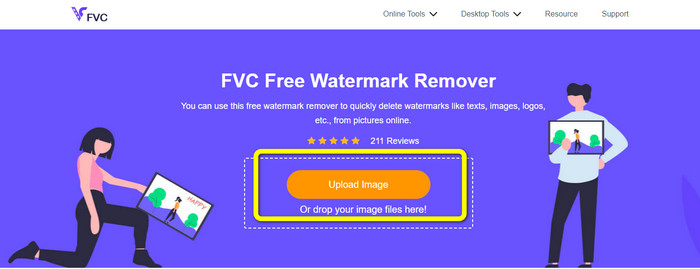
Step 1: You must go to the FVC Free Watermark Remover Website. Click the Upload Image button and add your photo with a Snapchat text you want to remove.
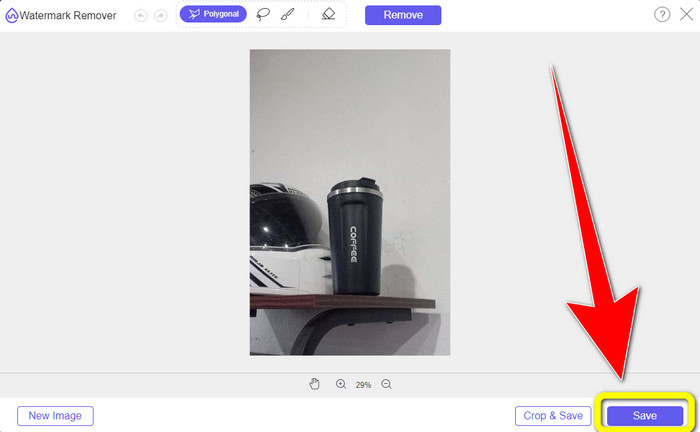
Step 2: After you attach your photo, you can use the watermark remover options: the polygonal tools, the lasso tool, and the brush tool.
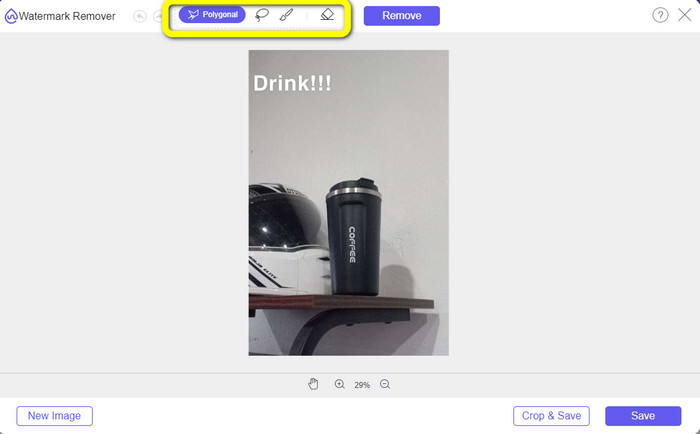
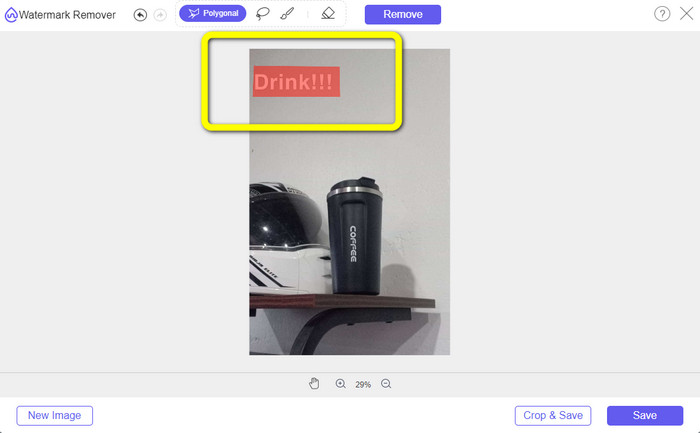
Step 3: Using these tools, you can highlight the text you want to remove.
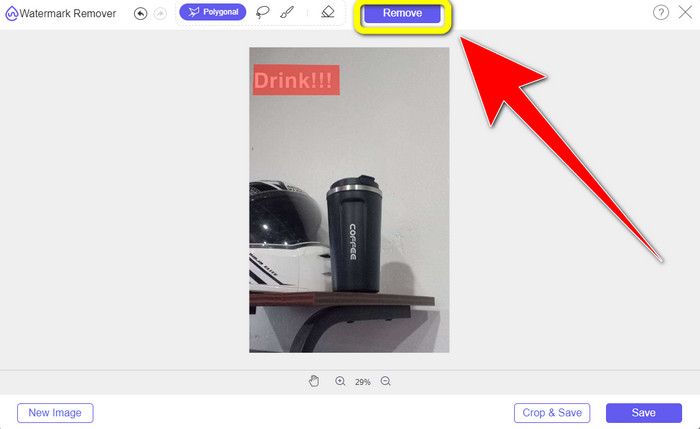
Step 4: When you are done highlighting the text from your photo, you can click the Remove button to eliminate the text from your photo. After that, wait for the removal process.
Step 5: After removing the text from your photo, you can now click the Save button to download your photo without text.
Dio 2: Kako ukloniti Snapchat tekst iz videa
After removing a Snapchat text from your photo, we can also help you to learn how to remove a Snapchat text from your video. In this part, the best application you must use is the Video Converter Ultimate. This application can help remove unnecessary objects from your videos, such as text, watermarks, logos, etc. You can also use it to remove the text in two easy ways: using the video watermark remover tool and using the video cropper tool. If the Snapchat text is on the corner or edge of your video, then you can use the video cropper tool. And if the text is in the middle part of the video, then you can use the video watermark remover tool.
Nadalje, ova aplikacija ima razne alate za uređivanje u kojima možete uživati, poput pojačivača videozapisa, kompresora videozapisa, preokreta videozapisa, dodavanja i uklanjanja vodenog žiga, trimera videozapisa, uređaja za izrezivanje, rotatora, GIF makera i još mnogo toga. Također podržava brojne formate video datoteka, kao što su MP4, FLV, MKV, MOV, itd. Također, ovu aplikaciju možete koristiti na svom Macu i Windowsu, što je zgodno za korisnike. Ako želite ukloniti Snapchat tekst sa svojih videozapisa na dva jednostavna načina, morate slijediti jednostavne korake u nastavku.
Korištenje funkcije uklanjanja vodenog žiga s videozapisa
Step 1: Download the Video Converter Ultimate on your Windows or Mac computer. Run the application after the installation process.
Besplatno preuzimanjeZa Windows 7 ili novijiSigurno preuzimanje
Besplatno preuzimanjeZa MacOS 10.7 ili novijiSigurno preuzimanje
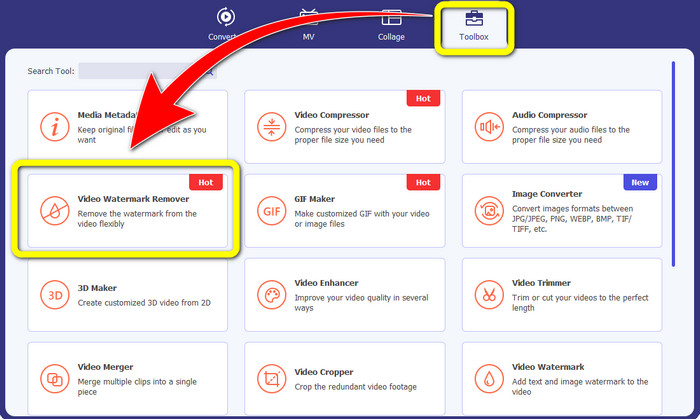
Step 2: After that, there are four options on the upper part of the interface. Click the Toolbox panel and select the Video Watermark Remover tool.
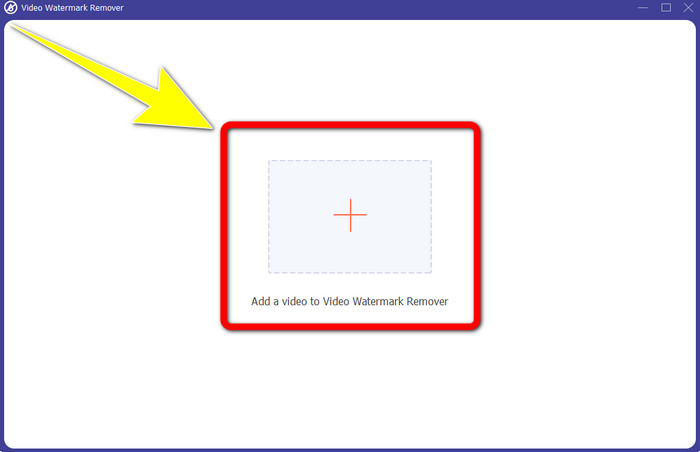
Step 3: After that, another window will pop up on your screen. Click the + icon and insert your video with Snapchat text..
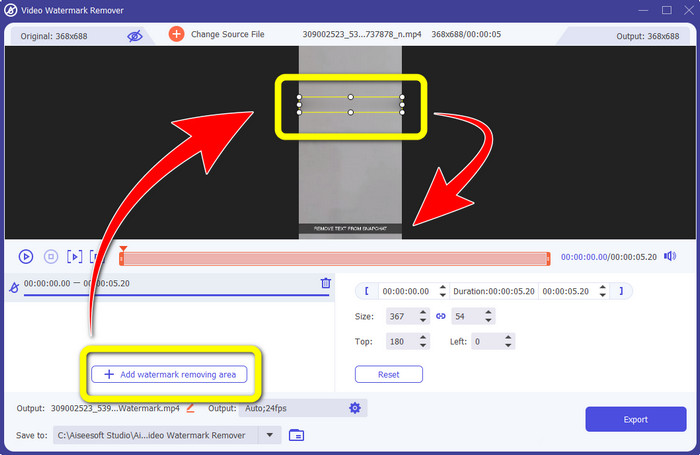
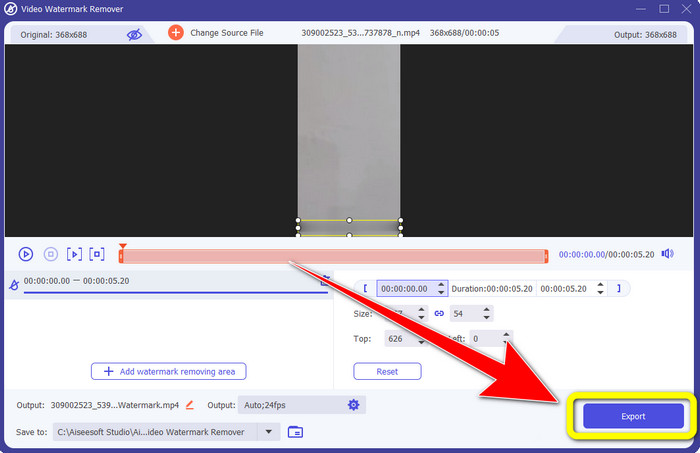
Step 4: When you are done inserting your video, click the Add Watermark Removing Area function. A mini box will appear on your video, then drag it to cover the Snapchat text.
Step 5: After dragging the mini box into the Snapchat text, you can see that the text is already gone. Click the Export button to save your video entirely.
Korištenje funkcije Video Cropper
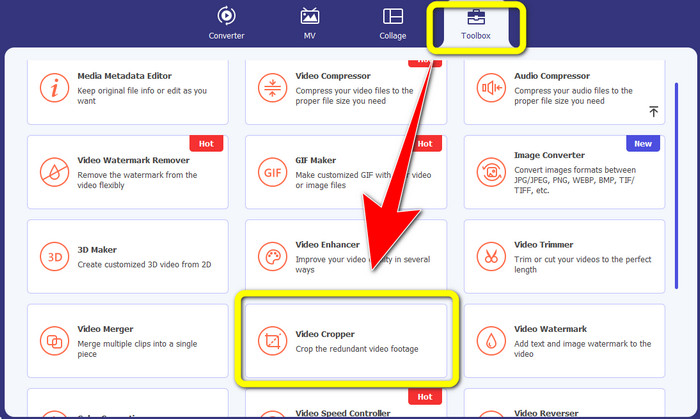
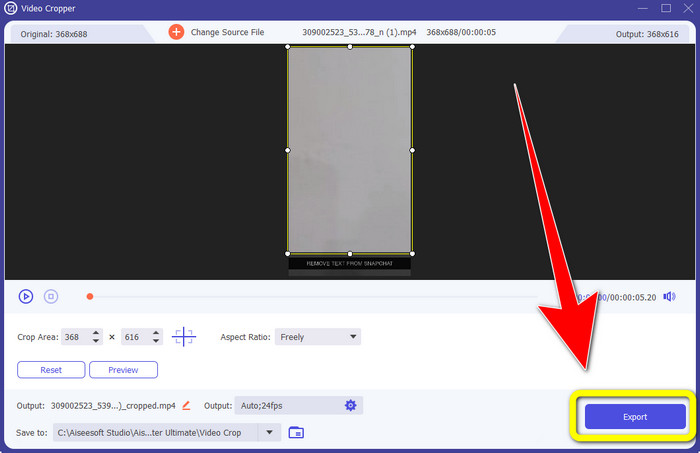
Step 1: Launch the Video Converter Ultimate on your computer. Select the Toolbox panel and go to the Video Cropper tool.
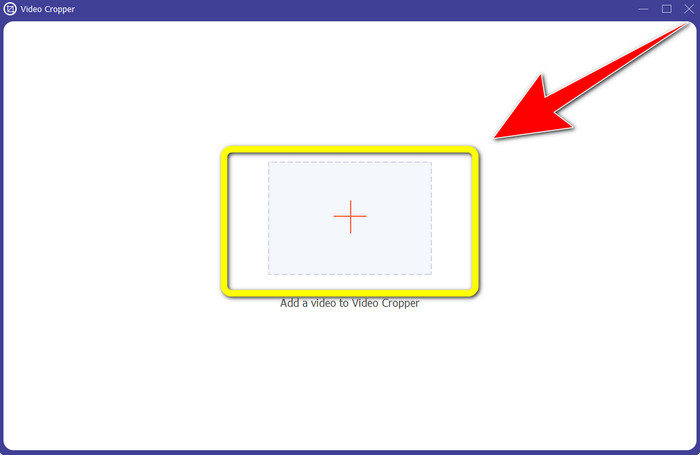
Step 2: After clicking the Video Cropper tool, expect another interface to appear on your screen. Click the + button to import your video with a Snapchat text you want to remove.
Step 3: In this part, you can crop your video to remove the Snapchat text by using your mouse to drag the border line. You can cut the edges of your video.
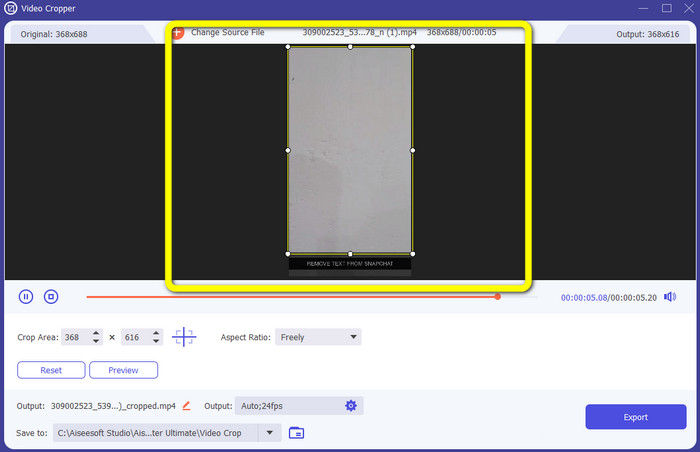
Step 4: You can already click the Export button to save your video without a Snapchat text for your last and final step.
Dio 3: Često postavljana pitanja o uklanjanju Snapchat teksta s fotografija i videozapisa
Mogu li također ukloniti Snapchat tekst s fotografija pomoću svog telefona?
Da, možeš. Možete koristiti mnoge aplikacije s alatom za uklanjanje vodenog žiga, kao što su PicLab, Photo Retouch-Object Removal, Airbrush itd.
Mogu li ukloniti Snapchat tekst sa svoje fotografije bez gubitka kvalitete slike?
If you don’t want to lose the quality of your photo after removing the Snapchat text, then you must use the FVC Free Watermark Remover. After the removal process, you can still get the original quality of your images.
Kako mogu isključiti Snapchat titlove?
Snapchat titlove ručno učitava izdavač, što omogućuje poboljšanu točnost opisa. Prekidač govornog oblačića na dnu zaslona može se koristiti za uključivanje ili isključivanje titlova.
Koja je najbolja aplikacija s alatom za uklanjanje vodenog žiga koju mogu koristiti za svoju radnu površinu?
If you are looking for an application, you can use the Video Converter Ultimate. This application lets you remove watermarks from your videos effortlessly. In addition, it has many features you can enjoy.
Što je vodeni žig na fotografiji ili videu?
Vodeni žigovi su potpisi, logotipi i tekstovi koje možete vidjeti na fotografiji ili videu. Drugim ljudima samo govori tko je stvarni vlasnik slika ili videozapisa. Vodeni žig je jedan od najboljih načina da zaštitite fotografiju i promovirate neki naziv proizvoda.
Zaključak
As you can see, the best way to remove the Snapchat text from your photos and videos is to use an excellent application with a watermark remover. This article shows you how to remove Snapchat text from photos by utilizing the FVC Free Watermark Remover. Also, it shows how to remove Snapchat text from videos using the Video Converter Ultimate, which has two remarkable ways, such as using a video watermark remover tool and a video cropper tool.
-
 Kako ukloniti logotip s videa pomoću programa Windows Movie Maker
 Ako želite naučiti o uklanjanju logotipa s videozapisa pomoću programa Windows Movie Maker i drugih alternativnih načina, pročitajte ovaj članak. Imamo jednostavne načine za vas.
-
 Kako bez napora ukloniti logotip VideoScribe s videa
 Ne morate se više brinuti o uklanjanju logotipa VideoScribe sa svojih videozapisa. Ovaj članak će dati metode bez problema. Pročitajte ovaj post da biste saznali više
-
 Najbrži način za uklanjanje logotipa s videa u programu Adobe Premiere Pro
 Isprobajte ove jednostavne i najbrže načine za uklanjanje logotipa s videozapisa u programu Adobe Premiere Pro. Ovaj članak će vam ponuditi najbolje načine na koje možete pokušati koristiti svoj uređaj.
