


 Video Converter Ultimate
 Snimač zaslona
 Video popravak
Nabavite ultimativne postupke o tome kako pretvoriti NEF u JPG
Prilikom fotografiranja uvijek želimo sačuvati nezaboravne trenutke iz svog života u slikama najbolje kvalitete. Zato ljudi kupuju izvrsne fotoaparate koji nude odlične rezultate. Ipak, najbolju kvalitetu možete postići spremanjem neobrađene (raw) slike. No to može donijeti mnoge probleme. NEF označava Nikon Electronic Format. Nikon, jedan od najpopularnijih proizvođača fotoaparata, koristi formate za neobrađene slike. Ponekad ne možete pregledati te datoteke na računalu. Potreban je profesionalni program, koji je često skup i težak za korištenje. U takvoj situaciji najbolje je rješenje pretvoriti NEF datoteke u univerzalni format slike, kao što je JPG. Fleksibilnost ovog formata omogućit će vam pregled fotografija na gotovo svakom uređaju. Istovremeno, može uštedjeti prostor za pohranu. Ako želite pretvoriti svoje datoteke u JPG format, pročitajte ovaj vodič i upoznajte najbolje pretvarače za NEF u JPG koje možete koristiti.

Dio 1. NEF protiv JPG
| Format datoteke | NEF | JPG / JPEG |
| Proširenje naziva datoteke | .nef | .jpg / .jpeg |
| Puno ime | Nikon elektronički format | Zajednička skupina stručnjaka za fotografiju |
| Razvijen od | Nikon | Zajednička skupina stručnjaka za fotografiju |
| Opis | Datoteke Nikon Raw Image poznate su kao NEF datoteke. Kao i druge RAW slikovne datoteke, NEF datoteke spremaju sve informacije koje je kamera snimila prije obrade. Uključuje metapodatke poput modela fotoaparata i objektiva. NEF fotografije nude nevjerojatno visoku kvalitetu slike. | Zajednička skupina fotografskih stručnjaka stvorila je JPG formatu kasnih 1980. Također uključuje pohranjivanje slika na digitalne fotoaparate i druge alate za reprodukciju. JPEG datoteke koriste metodu kompresije s gubitkom za do 24-bitnu boju i više prostora za pohranu slika. |
| Kompresija | Izgubljeno | Izgubljeno |
| Povezani programi/preglednici | Adobe Lightroom IrfanView Graphic Viewer Adobe Photoshop ViewNX 2 Pics.io | IrfanView Graphic Viewer Photos Program Paint Adobe Photoshop Google Chrome Internet Explorer Microsoft Edge Mozilla Firefox |
Dio 2. Kako pretvoriti NEF u JPG na webu
Kako pretvoriti NEF u JPG na Safeimageconverteru
Upotrijebite Safeimageconverter za brzo mrežno pretvaranje slike iz formata JPF u NEF. Ovim jednostavnim internetskim alatom lako možete promijeniti format datoteke. Pretvarač slika je besplatan, dostupan na internetu i ne zahtijeva instalaciju, tako da ga možete koristiti koliko god često želite, a da ništa ne platite. Potrebno je samo da prenesete izvornu datoteku u ovaj alat kako biste dobili pretvorenu slikovnu datoteku u NEF formatu. Također, alat je vrlo koristan i omogućuje nam da uštedimo dragocjeno vrijeme. Možemo brzo i jednostavno pretvoriti iz jpg u NEF format. Datoteke možete pretvoriti izravno u pregledniku. Međutim, tijekom pretvaranja slikovnih datoteka na zaslonu se pojavljuje mnogo ometajućih oglasa. Također, u nekim slučajevima internetski alat prikazuje pogreške nakon procesa pretvorbe. Preporučuje se i internetska veza prilikom korištenja ovog mrežnog alata.
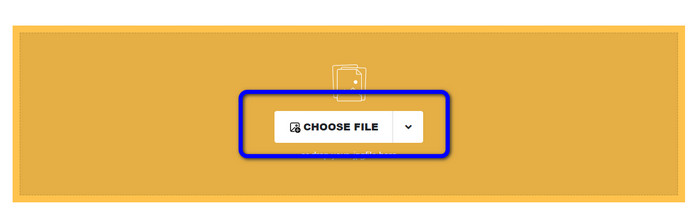
Korak 1. Idite na web-stranicu Safeimageconverter. Zatim kliknite gumb Choose File kako biste učitali NEF datoteku koju želite pretvoriti.
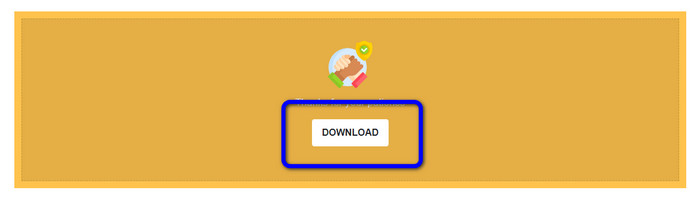
Korak 2. Nakon učitavanja, pretvarač slika automatski će pretvoriti slikovnu datoteku. Nakon procesa pretvorbe kliknite gumb Download. Na taj način možete spremiti pretvorenu sliku na svoje računalo.
Dio 3. Praktična metoda za pretvaranje NEF-a u JPG na Macu i Windowsima
Ako više volite koristiti Windows ili Mac za pretvaranje NEF u JPG, upotrijebite Photoshop. Adobe Photoshop nije dobar samo za uređivanje slika. Pouzdan je i kada je riječ o pretvaranju raznih datoteka, uključujući NEF. Osim toga, u Photoshopu možete serijski pretvarati NEF u JPG. Također ima brz proces pretvorbe, što ga čini savršenim za sve korisnike. Štoviše, ovaj izvanmrežni program može zadržati kvalitetu vaših slika. Na taj način, nakon pretvaranja datoteka, osigurat će da fotografija i dalje ima zadovoljavajuću kvalitetu. Međutim, Adobe Photoshop nije besplatan 100%. Morate kupiti pretplatnički paket da biste koristili program. Nudi samo 7-dnevnu probnu verziju. Osim toga, postupak instalacije je prilično kompliciran.
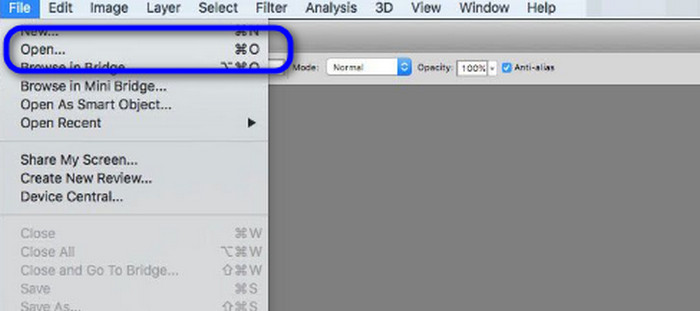
Korak 1. Preuzmite Adobe Photoshop na svoje računalo. Zatim, nakon instaliranja programa, pokrenite ga kako biste vidjeli sučelje. Nakon toga idite u izbornik File i odaberite Open kako biste umetnuli NEF slikovnu datoteku.
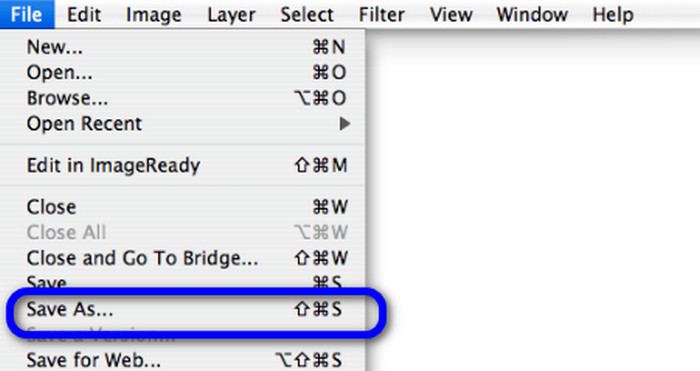
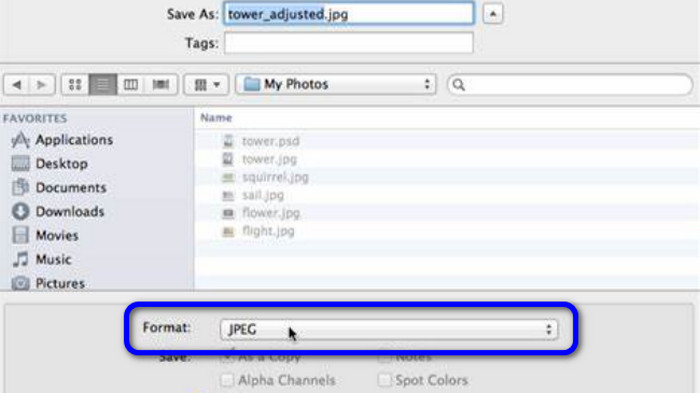
Korak 2. Nakon što umetnete NEF sliku u sučelje, ponovno idite u izbornik File i odaberite opciju Save as.
Korak 3. Zatim iz opcije formata odaberite JPG i kliknite Save.
Dio 4. Preporučeni pretvarač slika
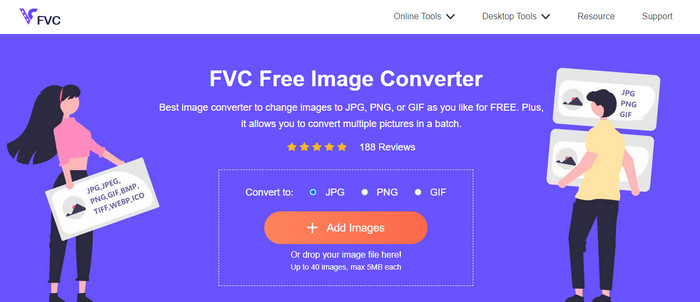
U ovom dijelu, ako tražite još jedan pretvarač slika za mrežno pretvaranje drugih formata slika, FVC Free Image Converter nudi vam najbolje rješenje. Ovaj mrežni pretvarač slika može lako pretvoriti razne formate. FVC Free Image Converter podržava JPG, PNG, GIF, BMP, TIFF i druge formate. Također, pretvaraču slika možete pristupiti u različitim preglednicima, kao što su Google, Explorer, Edge, Firefox i drugi. Osim toga, proces pretvorbe možete završiti u samo nekoliko sekundi, što ga čini praktičnim za sve korisnike. Također možete prenijeti više slika u ovaj mrežni alat. Zahvaljujući funkciji serijske pretvorbe, možete prenijeti do 40 slika istovremeno. Dodatno, pri preuzimanju pretvorenih slika možete ih preuzeti jednim klikom.
Dio 5. Često postavljana pitanja o pretvaranju NEF-a u JPG
1. Je li moguće pretvoriti JPG u NEF?
Nažalost, ne možete pretvoriti JPG datoteku u NEF. To je zato što je NEF stvarna snimka snimljena Nikonovim fotoaparatom. NEF format se koristi kad god fotograf koristi Nikon fotoaparat i učitava digitalne datoteke.
2. Kako otvoriti NEF datoteku?
Datoteku NEF možete jednostavno otvoriti ako imate pravi kodek na svom Windowsu. Međutim, ako ne možete otvoriti NEF datoteku, potrebna vam je pomoć programa za preuzimanje. Možete koristiti Microsoft Camera Codec Pack, Adobe Photoshop, Irfan View, GIMP itd.
3. Zašto biste trebali pretvoriti iz NEF u JPG?
Neophodno je pretvoriti NEF u JPG jer neki programi i uređivači slika ne podržavaju NEF datoteke. Također, NEF ima veliku veličinu datoteke koja zauzima previše prostora za pohranu na uređaju. Dakle, najbolji izbor je pretvoriti NEF datoteku u JPG.
Zaključak
NEF datoteke mogu vam ponuditi slike visoke kvalitete. Međutim, neki preglednici i programi ne podržavaju ovu datoteku, što je frustrirajuće. Srećom, u tekstu je ponuđeno izvrsno rješenje za pretvaranje NEF u JPG. Osim toga, tekst vas je upoznao s još jednim mrežnim pretvaračem slika koji možete koristiti za pretvaranje drugih formata slika, a to je FVC Free Image Converter. Ovaj mrežni pretvarač možete koristiti za pretvaranje raznih formata slika.
-
 4 pouzdana pristupa za jednostavno pretvaranje JFIF-a u JPG
 Ovaj vodič će vam reći sve o pretvaranju JFIF u JPG online i offline. Ako želite naučiti najučinkovitije metode, odmah pročitajte ovaj post!
-
 Kako pretvoriti GIF u JPG bez gubitka kvalitete
 Pročitajte i saznajte najučinkovitije metode za profesionalnu pretvorbu GIF-a u JPG. Naučit ćete pretvarati slikovne datoteke pomoću vodiča za savršene pretvarače slika
-
 Postupci koji se lako prate za pretvaranje slika u vektor
 Ovdje su neki od izvanrednih načina kako vektorizirati sliku. Osim toga, dobit ćete dovoljno znanja o pretvaraču slika koji možete koristiti.
