


 Video Converter Ultimate
 Snimač zaslona
 Video popravak
5 najboljih besplatnih M4A igrača za reprodukciju M4A datoteka na Androidu i računalu
Ne možete izravno otvoriti M4A datoteke na svom Android telefonu? Tražite dobar M4A player za Android ili računalo?
M4A je Appleov audio format koji se može izravno reproducirati na Mac ili iOS uređajima poput iPhonea, iPada i iPoda. Kao format zvuka bez gubitaka, M4A je bolji od MP3‑a u pogledu stupnja kompresije i kvalitete zvuka. Međutim, Android i Windows Media Player ne podržavaju M4A.

Dakle, potrebno vam je M4A player za reprodukciju M4A zvuka na vašem Android telefonu ili Windows računalu. Ovdje vam želimo preporučiti 5 besplatnih M4A playera. Možete provjeriti ključne značajke svakog M4A playera i zatim odabrati onaj koji vam najviše odgovara.
Dio 1. Najbolji besplatni M4A Player za računalo - FVC besplatni video uređaj
FVC Free Video Player je vrlo popularan softver za reprodukciju videa i zvuka koji vam može pomoći reproducirati razne M4A datoteke i na Macu i na Windows računalu. Osim M4A, u velikoj mjeri podržava sve često korištene video i audio formate, uključujući MP4, MOV, AVI, MKV, FLV, RMVB, AAC, AC3, MP3, ALAC, FLAC i druge.
Besplatno preuzimanjeZa Windows 7 ili novijiSigurno preuzimanje
Besplatno preuzimanjeZa MacOS 10.7 ili novijiSigurno preuzimanje
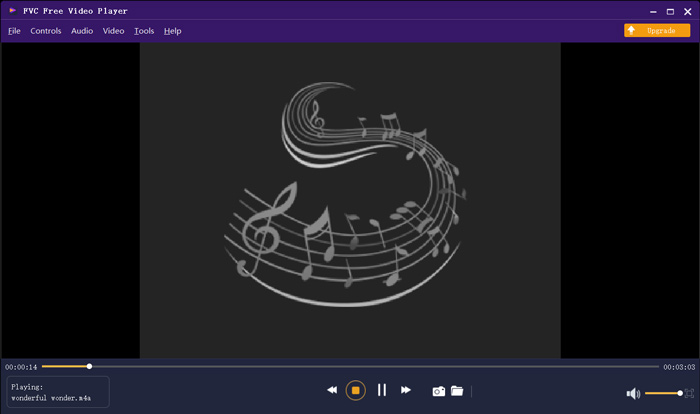
Ovaj besplatni M4A uređaj dizajniran je s najnovijim tehnologijama dekodiranja zvuka kao što su Dolby, DTS, AAC i TrueHD. Možete dobiti izvrstan zvučni efekt za uživanje u M4A datotekama. Kada želite reproducirati M4A datoteke na računalu, možete prijeći na službenu stranicu ovog besplatnog M4A playera u bilo kojem pregledniku poput IE, Chromea, Firefoxa ili Safarija.
Dio 2. Besplatna aplikacija za Android M4A Player - VLC za Android
VLC Media Player je besplatan i otvorenog koda alat za reprodukciju medijskih datoteka koji vam omogućuje jednostavnu reprodukciju M4A datoteka. Nudi različite verzije kako biste mogli reproducirati sve vrste medijskih datoteka na računalu, Android i iOS uređajima. Kada želite reproducirati M4A zvuk na svom Android telefonu, možete otići u Google Play i besplatno instalirati aplikaciju VLC for Android.
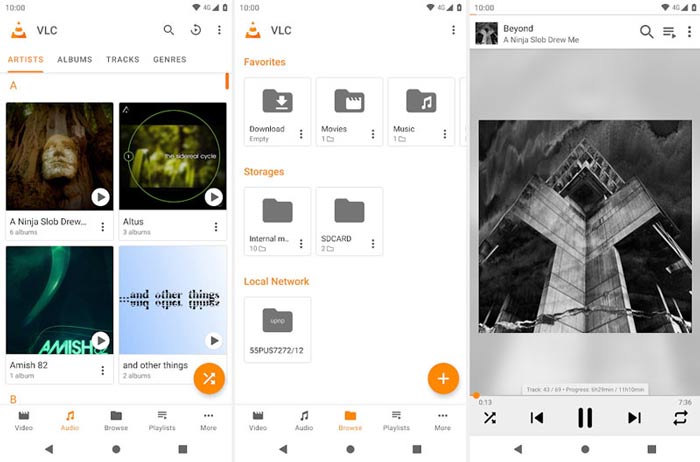
Ova besplatna aplikacija M4A playera za Android može reproducirati video i audio datoteke u bilo kojem popularnom formatu poput MP4, MOV, AVI, MP3, M4A, AAC i drugih. Može brzo skenirati i pronaći sve M4A datoteke na vašem uređaju, čak i SD karticu. VLC media player može biti dobar izbor želite li igrati M4A na Androidu ili Windows računalu.
Dio 3. Zadani M4A Player za Mac i PC - iTunes
iTunes vam je vjerojatno poznata aplikacija ako ste iOS ili Mac korisnik. Trebali biste znati da su sve glazbene i audio datoteke koje kupite putem iTunesa u M4A formatu. iTunes može biti zadani M4A player za Mac. iTunes također nudi Windows verziju za reprodukciju M4A datoteka na računalu. iTunes nije dobro rješenje za upravljanje iOS podacima, ali može poslužiti kao besplatan M4A player i za Mac i za Windows računalo.
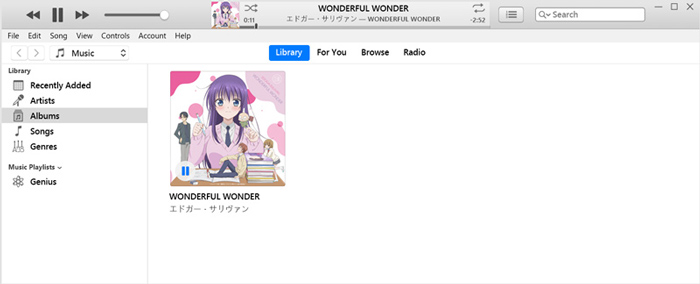
iTunes vam omogućuje izravnu kupnju i slušanje glazbe M4A iz iTunes trgovine. Za lokalne datoteke M4A možete ih povući i spustiti na iTunes za reprodukciju. Samo odaberite zvuk M4A i jednostavno kliknite ikonu Reproduciraj da biste započeli reprodukciju.
Dio 4. M4A Player za Android i Windows - KMPlayer
KMPlayer je jedna od najpopularnijih aplikacija za reprodukciju glazbe koja vam može pomoći da bez problema reproducirate M4A datoteke. Nudi i računalne i mobilne aplikacije za reprodukciju M4A zvuka. Kao besplatan M4A player, ne prikazuje oglase koji bi prekidali vašu M4A reprodukciju. Osim M4A, KMPlayer je kompatibilan s mnogim 4K, HD videozapisima i formatima zvuka bez gubitaka.
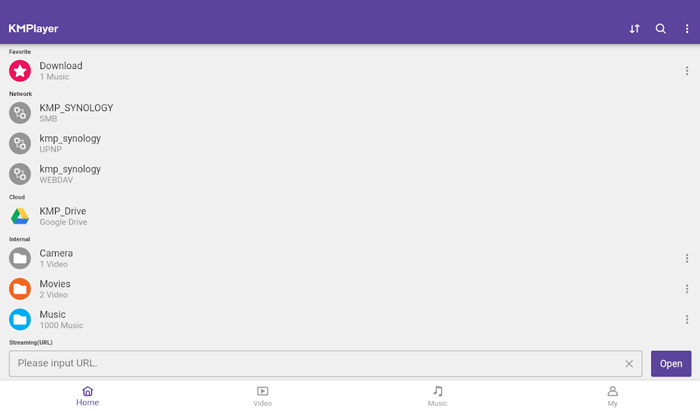
KMPlayer pruža jednostavan način za stvaranje glazbenih i filmskih popisa za reprodukciju. Kao moćna aplikacija M4A playera omogućuje vam reprodukciju glazbe i sadržaja M4A pohranjenih na Google disku. Dizajniran je s izvrsnom značajkom pretraživanja za lako pronalaženje glazbe i videozapisa koji vam se sviđaju.
Dio 5. Online M4A Player - TimeStretch Player
TimeStretch Player je jednostavan internetski audio player koji vam može pomoći reproducirati M4A zvuk u visokoj kvaliteti. Podržava mnoge audio formate, uključujući MP3, M4A i OGG. Kao mrežni M4A audio player, dizajniran je s preglednim, jednostavnim sučeljem. Dovoljno je da kliknete Open Track kako biste učitali svoju M4A datoteku za reprodukciju.
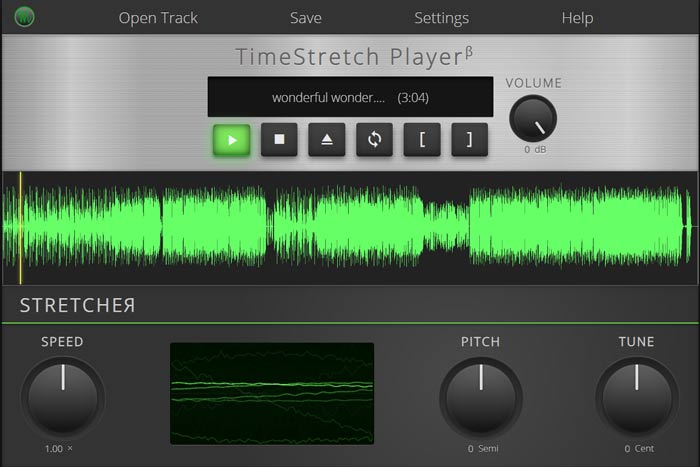
Za reprodukciju M4A, dobivate potpune kontrole. Možete slobodno prilagoditi brzinu, visinu tona, glasnoću i melodiju prema svojim potrebama. Osim značajke reprodukcije, ovaj mrežni M4A uređaj omogućuje vam i pretvaranje audio datoteka u popularni format poput MP3-a.
Dio 6. Česta pitanja o M4A Playeru
Pitanje 1. Ima li iPhone ugrađenu aplikaciju za reprodukciju M4A?
M4A je izvorni audio format za Apple uređaje. Datoteku M4A možete izravno otvoriti s aplikacijom Music na svom iPhoneu.
Pitanje 2. Kako besplatno pretvoriti M4A u MP3?
Kada želite pretvoriti M4A u MP3, možete se osloniti na popularan softver za pretvorbu zvuka, Free Online Audio Converter. Omogućuje vam pretvaranje zvuka iz M4A u MP3 bez ikakvog gubitka kvalitete zvuka.
Pitanje 3. Je li M4A dobre kvalitete?
Da. Kao audio format bez gubitaka, M4A s ALAC kodekom može ponuditi visoku kvalitetu zvuka. Može pružiti bolju kvalitetu zvuka od MP3-a uz istu brzinu prijenosa.
Zaključak
Kao korisnik Windowsa ili Androida, možete se susresti s problemom da se M4A ne može reproducirati. Nakon čitanja ovog članka, možete dobiti 5 najboljih besplatnih M4A playera kako biste uživali u svojoj M4A glazbi u visokoj kvaliteti. Ako imate neku bolju preporuku za M4A player, podijelite je u komentaru s ostalim čitateljima.
-
 Kako pretvoriti M4A u MP3 s 4 besplatna audio pretvarača
 Ne možete reproducirati M4A i trebate ga pretvoriti u MP3? Postoji li neki besplatan način za mrežno pretvaranje M4A u MP3? Ovaj post dijeli 4 besplatna načina da vam pomognu pretvoriti M4A u MP3 pomoću iTunesa, mrežnih i profesionalnih audio pretvarača.
-
 Preuzimanje MP3 playera - 10 najboljih besplatnih MP3 glazbenih playera 2021
 Koji je najbolji MP3 glazbeni uređaj? Kako mogu staviti glazbu na MP3 uređaj? Kako natjerati MP3 glazbeni uređaj za preuzimanje? Ovaj vam post daje detaljan pregled 10 najboljih besplatnih MP3 playera za Windows PC i Mac.
-
 Nabavite svoj najbolji MP4 uređaj za reprodukciju MP4 datoteka s visokom vizualnom kvalitetom
 Pročitajte i nabavite svoj najbolji MP4 uređaj iz preporuka 10 najnovijeg softvera MP4 video uređaja. Možete reproducirati MP4 video datoteke na sustavima Windows i Mac bez zastoja.
