


 Video Converter Ultimate
 Snimač zaslona
 Video popravak
Koji je najbolji konverter za pretvaranje MP3 u WAV
MP3 je dobro poznat audio format diljem svijeta. Zapravo, to je zadani format za spremanje i snimanje audio datoteka. Iako ovaj format koristi mnogo ljudi, postoji još mnogo drugih formata koji proizvode kvalitetniji zvuk od MP3‑ja, kao što je WAV. Dakle, ako želite znati kako pretvoriti MP3 u WAV kako biste još više uživali u slušanju glazbe ili vlastitih snimki, morate držati korak, jer bi ovo mogla biti duža „utrka”. Bez daljnjeg odugovlačenja, krenimo.

Dio 1. Kako pretvoriti MP3 u WAV na Windows i Mac s detaljnim koracima
1. FVC Video Converter Ultimate
Želite li znati kako pretvoriti MP3 u WAV na Macu i PC‑ju uz visoku kvalitetu zvuka? Onda je FVC Video Converter Ultimate pravi izbor. Osim toga, brz je u konverziji poput SSC Tuatare i ujedno siguran. Pretvorite koliko god datoteka želite istovremeno, jer ovdje nema ograničenja broja medijskih datoteka za konverziju. Ne samo to, ovim alatom možete stvarati i MV‑ove, kolaže i koristiti druge funkcije. Ako želite naučiti kako ga koristiti, slijedite ove korake i započnimo proces pretvorbe.
Korak 1. Odaberite koristite li PC ili Mac i zatim kliknite gumb za preuzimanje. Instalirajte alat, slijedite čarobnjak za postavljanje, a zatim kliknite „Finish” kako biste spremili promjene.
Besplatno preuzimanjeZa Windows 7 ili novijiSigurno preuzimanje
Besplatno preuzimanjeZa MacOS 10.7 ili novijiSigurno preuzimanje
Korak 2. Nakon instalacije kliknite Add Files kako biste umetnuli MP3 zvučnu datoteku koju želite pretvoriti. Ako imate više od dvije audio datoteke, bolje ih je jednostavno povući i ispustiti u sučelje.
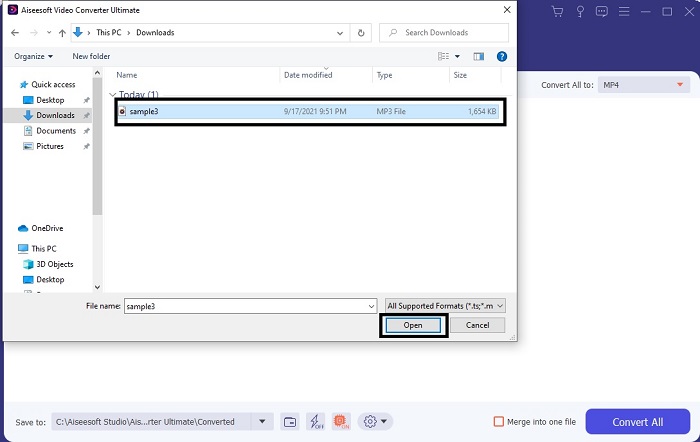
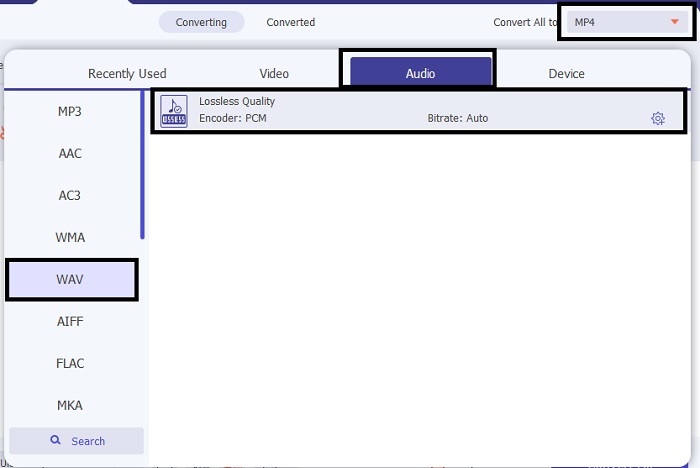
Korak 3. Promijenite MP3 u WAV ili u bilo koji drugi audio format koji želite u podizborniku.
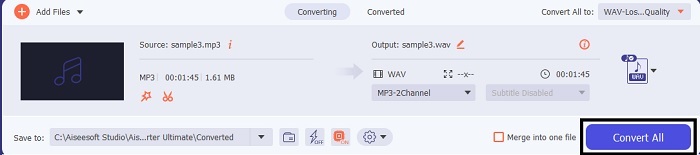
Korak 4. Ako je sve već podešeno, kliknite Convert All kako biste pokrenuli konverziju.
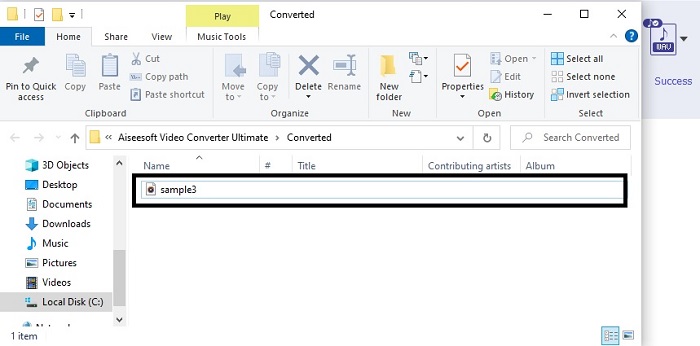
Korak 5. Nakon što je konverzija gotova, upravitelj datoteka automatski će se otvoriti na vašem zaslonu. Kliknite na pretvorenu audio datoteku i uživajte u slušanju njezine nove verzije. Dodatno, ako vam je zvuk malo tih, idite na alatnu traku i pronađite Audio Booster kako biste dobili čišći i bolji zvuk.
2. iTunes
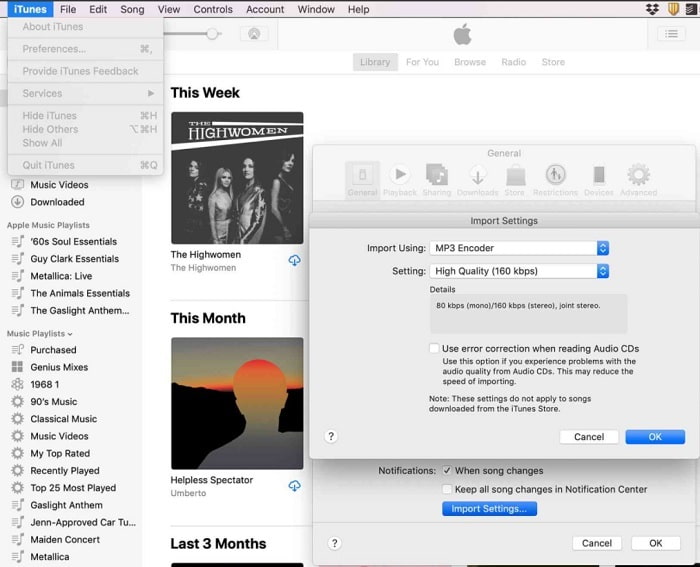
iTunes se naširoko koristi za reprodukciju glazbe na Macu i iOS uređajima. Ali jeste li znali da u njemu možete pretvoriti MP3 u WAV? Odgovor je da. Reprodukcija i konverzija sve su u ovom alatu, ali mu se ne može pristupiti na Androidu i Windowsu jer je zadani Appleov medijski reproduktor. Dakle, ako nemate Appleov uređaj, i dalje možete obaviti konverziju uz pomoć alata FVC Video Converter Ultimate. No ako ga imate, svakako vrijedi koristiti iTunes i slijediti sljedeće korake.
Korak 1. Otvorite softver na svom uređaju.
Korak 2. Odaberite MP3 audio datoteku koju želite pretvoriti.
Korak 3. Nakon toga kliknite Convert i pričekajte dok se postupak ne dovrši.
Dio 2. Top 5 najboljih besplatnih online MP3 u WAV pretvarači na webu
1. FVC besplatni audio pretvarač
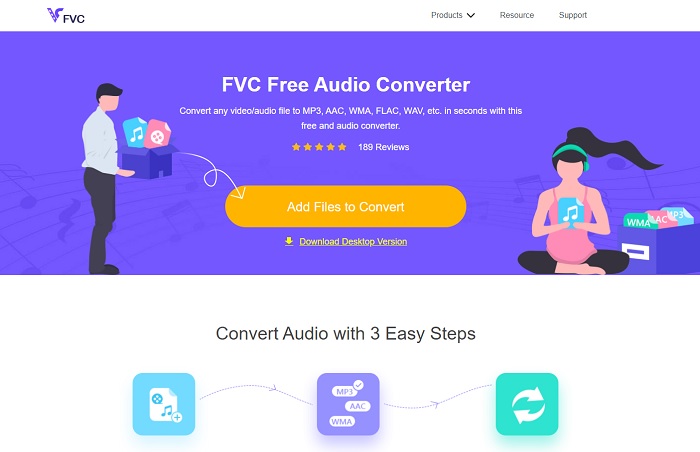
FVC Free Audio Converter najbolji je MP3 u WAV pretvarač online. Jer ima iste manje funkcije koje vam može ponuditi i FVC Video Converter Ultimate. Stoga ne očekujte ništa manje dok koristite ovaj alat, iako ključne premium značajke ovdje nisu dostupne jer je potpuno besplatan. Ako ga želite isprobati, možete kliknuti hipervezu pripremljenu baš za vas. Dakle, prije svega, krenimo s time kako koristiti ovaj web‑bazirani pretvarač.
Korak 1. Da biste pristupili alatu, morate kliknuti ovu poveznicu.
Korak 2. Kliknite Add Files to Convert kako biste pokrenuli alat.
Preuzmite desktop verziju za skupno pretvaranje datoteka.
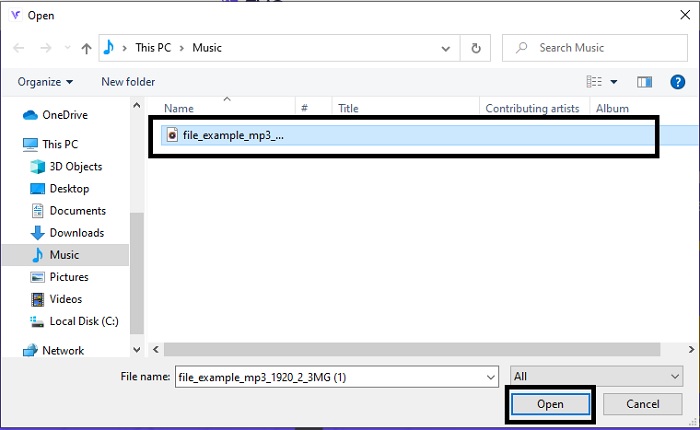
Korak 3. Nakon pokretanja alata, odaberite MP3 datoteku koju želite pretvoriti i kliknite Open.
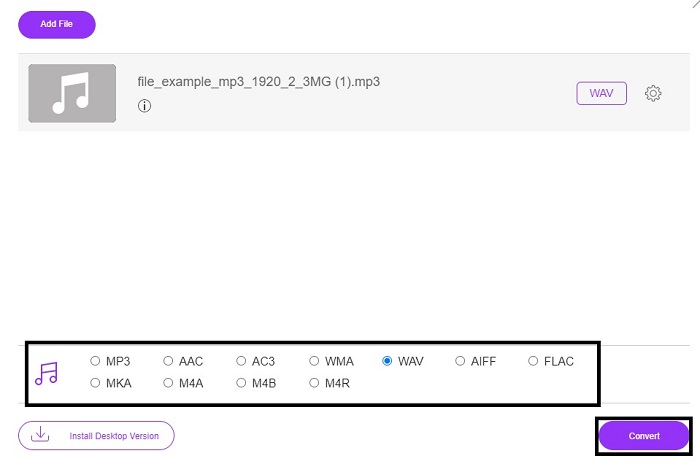
Korak 4. Odaberite željeni format ispod, a zatim kliknite Convert kako biste pokrenuli postupak.
Korak 5. Trebat će samo nekoliko minuta, a nakon što je konverzija gotova, kliknite folder kako biste pronašli datoteku koju ste upravo pretvorili.
2. Cloud Convert
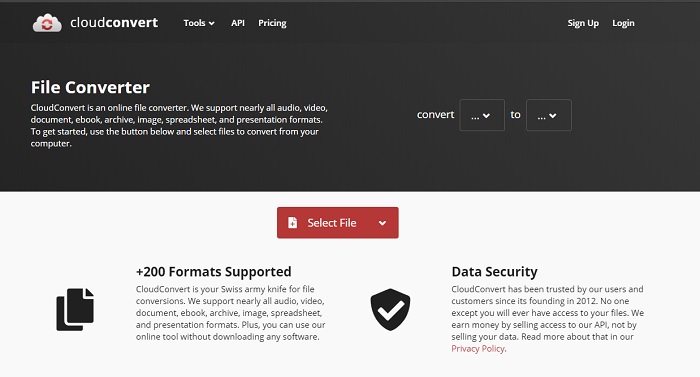
Još jedan alat kojem možete pristupiti putem weba je Cloud Convert za pretvorbu u novi format. Smatra se jednim od najboljih na tržištu kada govorimo o konverziji, ali ne možete podešavati ili mijenjati bitrate, fps i kodeke. No, ako želite pretvarati tekstualne datoteke u novi format, ovaj je alat svakako vrijedan isprobavanja.
3. Convertio
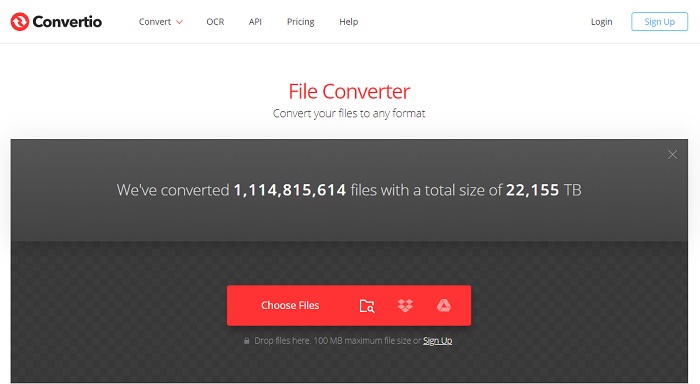
Baš kao i Cloud Convert, Convertio je također napravljen da bude besplatan. Kad je riječ o konverziji, nudi snažnu kompresiju i pretvorbu. Ovaj alat koristi mnogo korisnika jer je upute lako slijediti i vrlo je jednostavan za uporabu. Iako alatu možete pristupiti na webu, glavna web‑stranica ima mnogo oglasa u sučelju, što može biti pomalo iritantno, osobito ako ne želite da vas se ometa tijekom konverzije.
4. Online-pretvori
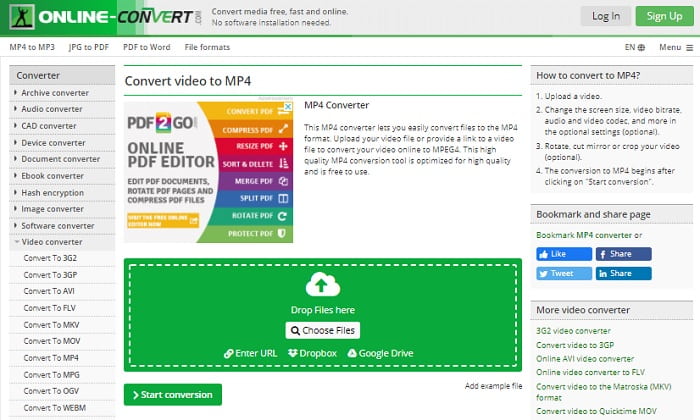
Ovaj alat nudi puno mogućnosti za pretvorbu i ujedno je vrlo informativan. Online-Convert pruža napredne funkcije pomoću kojih možete prilagoditi bitrate, rezoluciju i kanale. Ako ste početnik u konverziji, ovaj alat mogao bi vam se činiti pomalo zahtjevnim za korištenje. Također, kada učitate datoteku u web‑sučelje, morate pričekati da se obradi. Osim toga, postoji ograničenje veličine datoteke za konverziju od samo 100 MB, pa ako želite pretvarati veći broj datoteka, morate kupiti premium verziju alata i tako ukloniti i oglase.
5. 123 Apps- Audio Converter
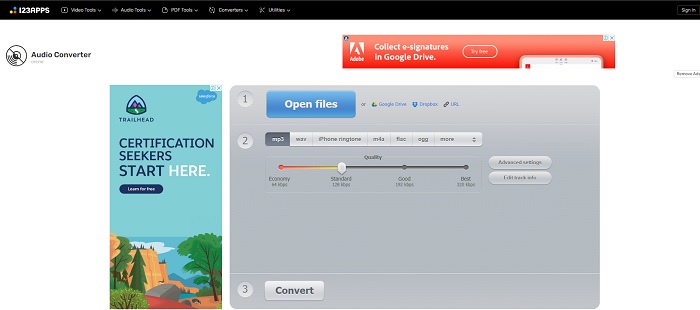
U ovom web‑alatu možete obaviti konverziju učinkovito i djelotvorno. Iako podržava samo tri audio formata, 123 Apps - Audio Converter jedan je od najjednostavnijih alata. Samo otvorite alat, umetnite datoteku, odaberite format i pretvorite – jednostavno kao to. No nedostatak ovog alata jest to što postoje izvješća da nakon konverzije kvaliteta zvuka može biti niža.
Dio 3. Tablica usporedbe pretvarača na popisu
Naučite razlike svakog alata i usporedimo ih u skladu s tim.
| Značajke | FVC Video Converter Ultimate | iTunes | FVC besplatni audio pretvarač | Cloud Convert | Convertio | Online-pretvori | 123 Apps- Audio Converter |
| Audio pretvarač |  | | | | | | |
| Značajke uređivanja | |  | | | | | |
| Promjena brzine prijenosa, Fps, rezolucije ili slično | | | | | | | |
| Program podržan | Alat temeljen na radnoj površini | Zadani alat za radnu površinu | Web temeljen alat | Web temeljen alat | Web temeljen alat | Web temeljen alat | Web temeljen alat |
| Podržan operativni sustav | Dostupno u svim OS | Samo Appleov podržani proizvod | Dostupno u svim OS | Dostupno u svim OS | Dostupno u svim OS | Dostupno u svim OS | Dostupno u svim OS |
| Raspon cijena | Za 1 mjesec: $25.00 Za godinu dana: $31.20 Za doživotnu licencu: $55.20 | Za uklanjanje oglasa: $10 mjesečno $15 mjesečno za šesteročlanu obitelj $5 mjesečno za studente | Besplatno | Besplatno | Besplatno | Za dodatnih 8 GB: Mjesečna pretplata $70 USD naplaćuje se mjesečno Godišnja pretplata $672 USD | Besplatno |
MP3 u odnosu na WAV
Format MP3 objavio je 1993. godine Moving Picture Experts Group (MPEG). Bio je to standard za pohranjivanje glazbe jer je mogao komprimirati audio na mnogo manju veličinu od drugih nekomprimiranih formata. Danas se još uvijek široko koristi, posebno za distribuciju audiozapisa na internetu.
WAV, također poznat kao WAVE format, temelji se na formatu datoteke za razmjenu resursa (RIFF). Razvili su ga Microsoft i IBM zajedno početkom 1990-ih. To je opcija za spremanje sirovog, nekomprimiranog zvuka u sustavu Microsoft Windows. Stoga se WAV datoteke češće reproduciraju na Windows računalima.
Dio 4. Često postavljana pitanja o MP3 u WAV
Što je značenje WAV-a?
WAV znači audio datoteke valnog oblika; to je nekomprimirani format bez gubitaka.
Koji je veći u veličini datoteke? MP3 ili WAV?
Iako oba formata pohranjuju audio datoteke, WAV je mnogo veći od MP3‑ja. U nekim slučajevima može biti i do 15 puta veći jer je nekomprimiran. Možete kliknuti ovdje kako biste naučili kako pretvoriti WAV u MP3.
Gdje mogu snimiti WAV?
Za snimanje biste trebali koristiti neusporediv alat na webu. Pogotovo zato što je ovaj format nekomprimiran, pa morate paziti da ne izgubite podatke tijekom snimanja. A budući da je tako, FVC Screen Recorder je nenadmašan WAV snimač. Može i snimati i uređivati kako bi vaš konačni rezultat bio bolji i vizualno i zvučno. Da biste saznali više, morate preuzeti softver na svoj disk.
Zaključak
Kako se utrka bliži kraju, sada nam je jasnije da postoji jedan pobjednik. Već samim time što nabavite ovaj alat osjećat ćete se kao kralj svijeta snimanja. FVC Video Converter Ultimate odrađuje većinu poslova koje drugi snimači ne mogu. Ako imate problema sa snimanjem videa, zvuka ili igranja igara, dobit ćete prednost ako odaberete pravi alat. Uložite sve na FVC Video Converter Ultimate i dođite do lake pobjede.
Besplatno preuzimanjeZa Windows 7 ili novijiSigurno preuzimanje
Besplatno preuzimanjeZa MacOS 10.7 ili novijiSigurno preuzimanje
-
 Kako besplatno pretvoriti MP4 u WAV na stolnom računalu ili na mreži [2021]
 Teško se trudite pretvoriti MP4 u WAV? Ne znate koji vam pretvarač može savršeno pomoći u tome, a da ne platite ni novčića? Pročitajte ovaj post i dobit ćete odgovore na sva vaša pitanja.
-
 WAV Player - 5 najboljih aplikacija za WAV Player za Android, iPhone, PC i Mac
 Kako reproducirati WAV datoteke na Android telefonu? Koji igrač može igrati WAV? Ovaj post dijeli 5 najboljih besplatnih WAV playera za Android, iPhone, Mac i PC.
-
 FLV u WAV - Pretvorite FLV u WAV Online besplatno i na Mac / PC-u
 Kako mogu pretvoriti FLV datoteku? Može li VLC pretvoriti YouTube FLV u WAV? Ovaj post govori o 3 besplatna načina za pretvaranje FLV u WAV bez gubitka kvalitete.

