


 Video Converter Ultimate
 Snimač zaslona
 Video popravak
FLV u WMA Converter - Kako besplatno izvući WMA audio iz FLV videa
Kada preuzmete Flash video datoteke s web stranice YouTube, možete pretvoriti FLV u WMA audio bez gubitaka. WMA (Windows Media Audio) je niz audio kodeka i odgovarajućih formata audio kodiranja koji je razvio Microsoft. WMA audio podržava višekanalni zvuk i zvuk visoke razlučivosti. Iz ovog ćete članka naučiti 2 metode za pretvaranje FLV videozapisa u WMA audio na sustavima Windows i Mac.

Dio 1. Najbolji način za besplatno izdvajanje WMA zvuka iz FLV-a
FVC Free FLV Converter je besplatan, jednostavan i brz pretvarač FLV u WMA koji podržava skupno pretvaranje FLV datoteka u WMA na Windowsu i Macu. U međuvremenu, FLV videozapise možete pretvoriti i u druge video i audio formate poput HD MP4, AVI, WMV, MKV, 3GP, MP3, AAC, AC3 itd. Uz ugrađenu funkciju uređivanja, možete besplatno uređivati metapodatke u WMA formatu.

FVC Free FLV Converter
145000+ preuzimanja- Pretvori FLV u WMA na Windowsima 10/8/7 / Vista / XP i Mac OS X.
- Sažimanje, spajanje, dodavanje tema i uređivanje metapodataka WMA datoteke.
- Dodajte posebne teme u svoje FLV datoteke, poput praznika, obitelji, rođendana.
- Skupno pretvorite FLV u WMA, MP3, AAC, FLAC, M4R, OGG, WAV.
Besplatno preuzimanjeZa Windows 7 ili novijiSigurno preuzimanje
Besplatno preuzimanjeZa MacOS 10.7 ili novijiSigurno preuzimanje
Korak 1. Dodajte FLV datoteku
Nakon što besplatno preuzmete FVC Free FLV Converter, možete instalirati i pokrenuti program na svom računalu. Kliknite gumb Add File(s) za uvoz Flash video datoteke. Također možete povući i ispustiti više FLV datoteka u program odjednom.

Korak 2. Uredite FLV datoteku
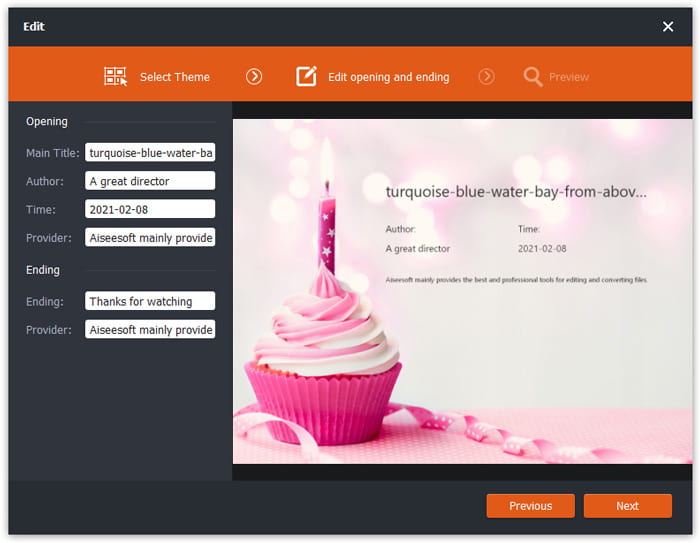
Kliknite gumb Edit kako biste započeli uređivanje FLV datoteke. Možete odabrati određenu temu, urediti podatke kao što su naslov, autor, vrijeme na početku i završetku.
Korak 3. Postavite WMA kao izlaz
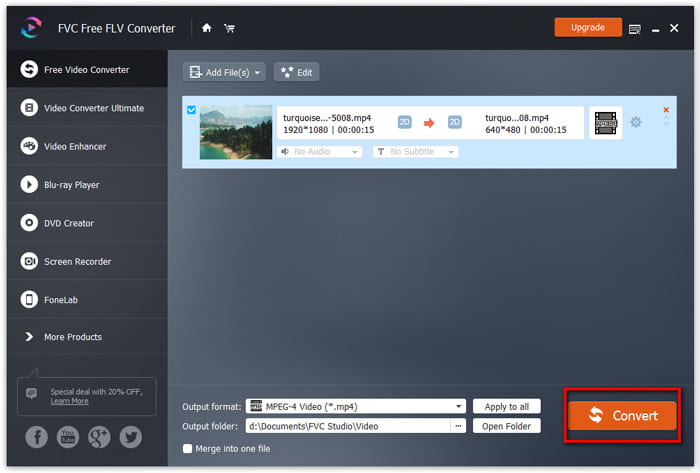
Zatim idite na područje Output format i upišite WMA u polje za pretraživanje. Ovdje možete odabrati WMA - Windows Media Audio (*.wma) kao izlazni format.

Korak 4. Pretvorite FLV u WMA
Idite u područje Output folder i odaberite odredište na koje će se spremiti WMA datoteka. Možete kliknuti gumb Convert kako biste besplatno započeli pretvaranje FLV u WMA audio datoteku.
Dio 2. Kako besplatno pretvoriti FLV u WMA Online
Ako vam je dosta preuzimanja softverskih paketa, možete isprobati FVC Free Audio Converter. To je snažan web‑bazirani pretvarač FLV u WMA koji pomaže pretvoriti bilo koju popularnu video/audio datoteku u WMA, MP3, AAC, FLAC, WAV itd. Možete detaljno naučiti kako pretvoriti FLV u WMA pomoću FVC Free Audio Convertera.
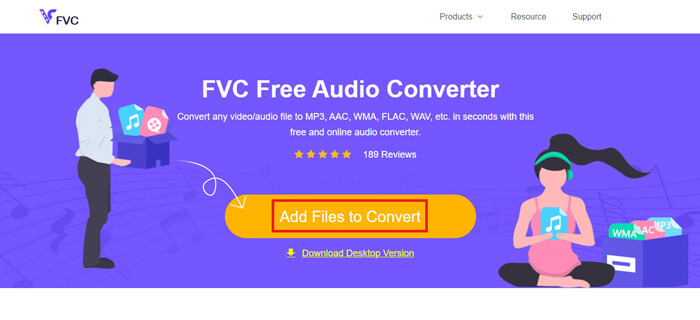
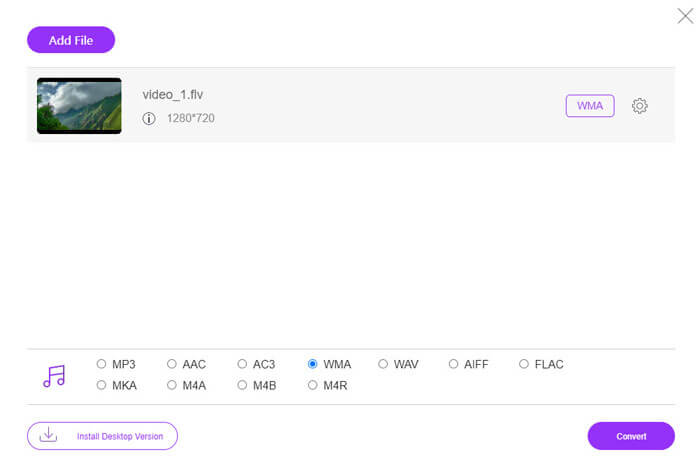
Korak 1. Posjetite službenu web stranicu FVC Free Audio Convertera (https://www.free-videoconverter.net/free-audio-converter/). Kliknite gumb Add Files to Convert kako biste preuzeli i instalirali pokretač. Zatim možete učitati FLV datoteke s lokalnog računala.
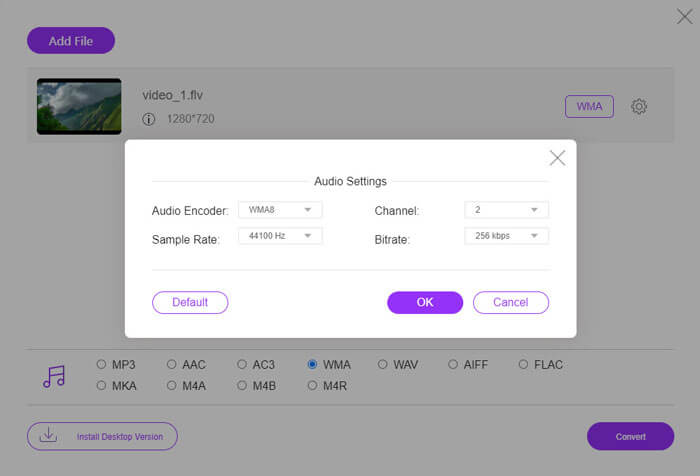
Korak 2. Označite WMA na dnu i postavite ga kao izlazni format. Ako želite prilagoditi dodatne postavke, možete kliknuti ikonu zupčanika za podešavanje audio kôdeka, kanala, frekvencije uzorkovanja i bitratea. Kliknite gumb OK za spremanje promjena.
Korak 3. Na kraju možete kliknuti gumb Convert kako biste započeli besplatnu online konverziju svoje FLV datoteke u WMA.
Dio 3. Česta pitanja o pretvaranju FLV u WMA
Što je FLV datoteka i kako je mogu reproducirati?
FLV je format Flash video datoteke koji je razvio Adobe. Može pohraniti video, audio, tekst, indeks i još mnogo toga. Windows Media Player i QuickTime ne podržavaju FLV, tako da za otvaranje FLV-a, poput VLC-a, morate koristiti media player treće strane.
Za što se koristi WMA format?
WMA je audio format s gubitkom koji je stvorio Microsoft kako bi se natjecao s MP3-om. WMA se uglavnom koristi za streaming internetske glazbe. WMA datoteka s nastavkom .wma je Windows Media Audio. To može savršeno podržati Windows Media Player.
Postoji li neki WMA glazbeni uređaj?
Da. Postoje WMA glazbeni reproduktori koje možete odabrati, poput FVC Free Video Playera, KMPlayera, Elmedia Video Playera, Macgo Free Mac Media Playera, VOX Music Playera, VLC Media Playera, GOM Media Playera, foobar2000, AIMP‑a, Samsung Music itd.
Zaključak
U ovom smo članku uglavnom govorili o dva besplatna načina pretvorbe FLV video zapisa u WMA na Windows 10 PC i Mac. Nadam se da će vam sva ova rješenja pomoći u rješavanju vašeg problema. Sljedeći put kada preuzmete flash videozapise s web stranice, možete isprobati FVC Free FLV Converter za pretvorbu FLV video zapisa u WMA, MP3, AAC, MP4, AVI, VOB itd.
-
 FLV u WAV - Pretvorite FLV u WAV Online besplatno i na Mac / PC-u
 Kako mogu pretvoriti FLV datoteku? Može li VLC pretvoriti YouTube FLV u WAV? Ovaj post govori o 3 besplatna načina za pretvaranje FLV u WAV bez gubitka kvalitete.
-
 2 jednostavna načina za pretvaranje MOV datoteka u FLV na sustavu Windows / Mac
 Kako besplatno pretvoriti MOV u FLV? Ovdje su najbolji video pretvarači na stolnim računalima i na mreži za pretvorbu vaše MOV datoteke u FLV u nekoliko sekundi bez plaćanja i jedne lipe.
-
 Kako pretvoriti WMA u MP3 na Mac / Windows / Online
 Je li moguće pretvoriti WMA u MP3 s Windows Media Playerom? Kako pretvoriti WMA u MP3 besplatno? Ovaj post dijeli 4 jednostavne metode koje će vam pomoći da napravite audio pretvorbu iz WMA u MP3 na Mac, Windows PC i online.
