


 Video Converter Ultimate
 Snimač zaslona
 Video popravak
Učinkoviti načini za izradu HD fotografija na mreži i na Androidu [Kompletan vodič]
Je li to čudo? Je li magija? Pa, nije, i možete napraviti HD fotografije odmah bez korištenja Adobe Photoshopa ili bilo kojeg profesionalnog softvera na vašem uređaju. Informacije u ovom članku mogle bi vaše slike pretvoriti u visoku razlučivost s najboljim pojačivačima koje smo pronašli na webu i vašim Android uređajima. Možda će biti nemoguće nositi se s ovim zadatkom, osobito za one koji nemaju iskustva u ovoj situaciji. Ipak, ne biste se trebali brinuti ako biste slijedili ovaj vodič.

Dio 1. Kako napraviti HD fotografiju bez profesionalnog alata na webu besplatno [Izbor urednika]
1. način. Kako napraviti HD fotografiju povećanjem veličine slika [Najbolji izbor uređivača]
FVC Free Image Upscaler moćan je alat za povećavanje fotografija koji možete koristiti za povećanje broja piksela na slici i pretvaranje u HD. Ovaj mrežni alat za upscale ima umjetnu inteligenciju koja može prepoznati nedostatke na vašoj slici i odmah ih poboljšati bez potrebe za podešavanjem mnogo opcija. Osim toga, sliku možete povećati 2x, 4x, 6x i 8x bez rastezanja slike koju ovdje učitate. Želite li znati tajnu kako od fotografije napraviti HD uz pomoć ovog alata? Slijedite korake koje smo naveli u nastavku.
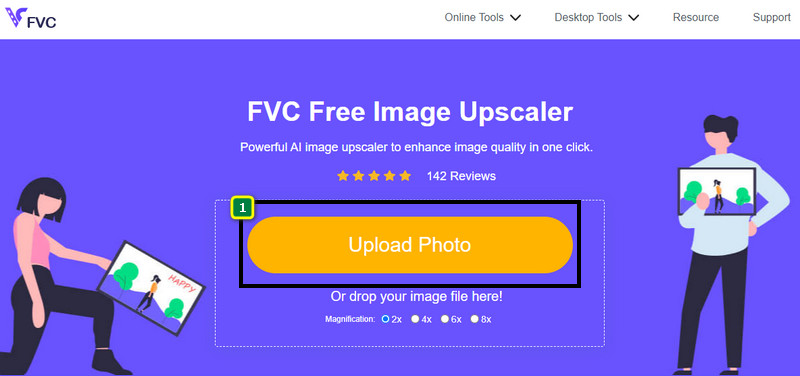
Korak 1. Otvorite mrežni alat za povećavanje slike klikom na ovu poveznicu. Ona će vas odvesti na službenu web-stranicu i ne trebate brinuti jer je sigurna u svakom pregledniku koji trenutno koristite ili preferirate.
Korak 2. Kliknite Upload Photo da biste dodali sliku slabije kvalitete koju želite pretvoriti u HD. Ima funkciju povlačenja i ispuštanja za dodavanje slike, ako je želite koristiti.
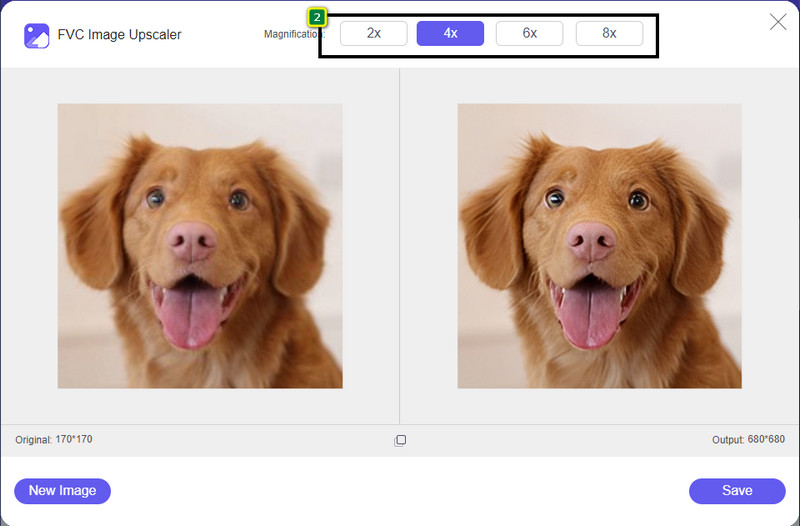
Korak 3. Pričekajte da alat obradi sliku, a zatim odaberite povećanje koje želite primijeniti na svoju sliku i ona će se pretvoriti u HD.
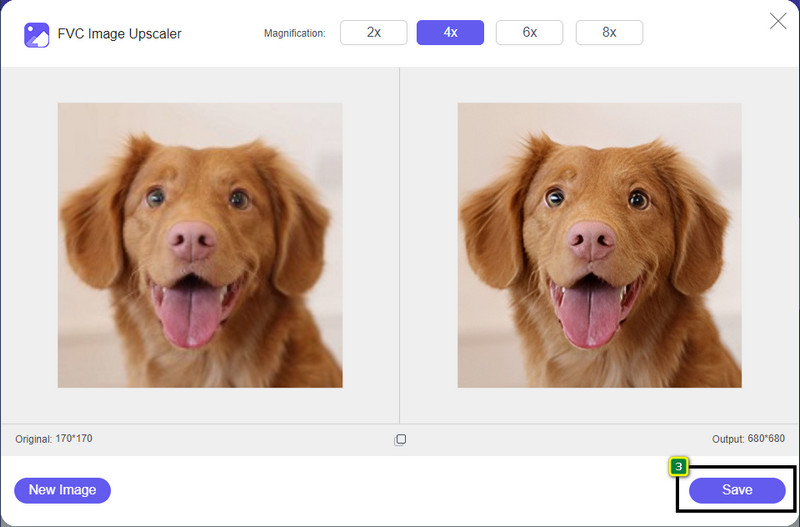
Korak 4. Sada možete spremiti sliku koju ste ovdje povećali klikom na gumb Save na donjem dijelu sučelja. HD slika će se spremiti u mapu na vašem disku; možete je otvoriti i provjeriti rezultat.
2. način. Kako napraviti HD sliku pretvaranjem slika
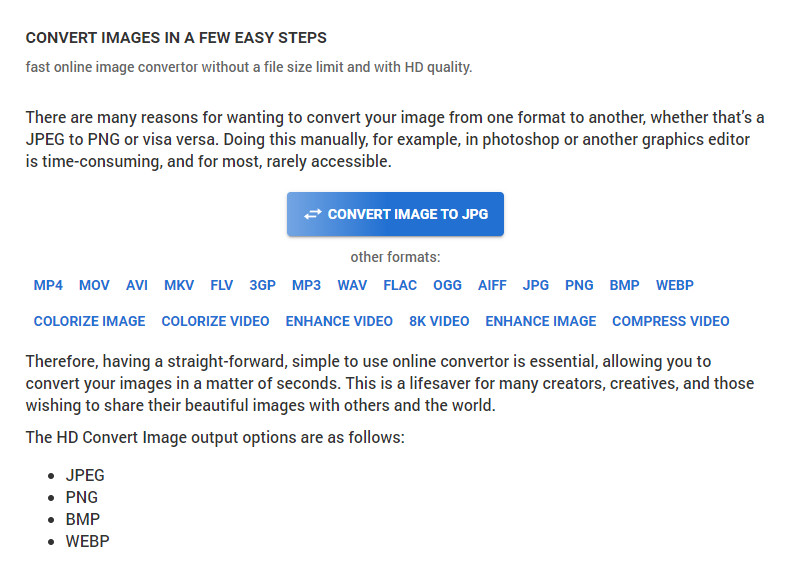
Iako HDconvert.com može učiniti vašu sliku visoke kvalitete, postupak ide drugim putem. S ovim alatom možete sliku loše kvalitete pretvoriti u HD tako da je ovdje učitate i promijenite neke opcije kako biste postigli željenu rezoluciju. Ne možemo sakriti činjenicu da sliku koju učitate može pretvoriti u JPG, PNG, BMP ili WebP, dok istovremeno mijenja kvalitetu vaše slike. Osim toga, možete podesiti neke napredne opcije na svojoj slici, kao što je promjena veličine, ili ih možete preskočiti ako ih ne želite primijeniti. Međutim, morat ćete kupiti premium verziju kako biste dobili visoku kvalitetu slike. Zanima vas kako ovaj alat radi? Ako da, nastavite čitati kako biste saznali kako učiniti da fotografija izgleda još više HD.
Korak 1. Otvorite službenu web-stranicu ovog konvertera, kliknite Convert Image to JPG, then Select Files kako biste učitali sliku koju želite pretvoriti u HD.
Korak 2. Odaberite format slike koji želite primijeniti na svoju sliku i kliknite Next.
Korak 3. Promijenite kvalitetu slike podešavanjem klizača na željeni postotak ili 100% i pritisnite Next.
Korak 4. Pritisnite Convert File kako biste izvezli sliku koju ovdje pretvarate u HD.
3. način. Kako napraviti HD sliku poboljšavajući sliku
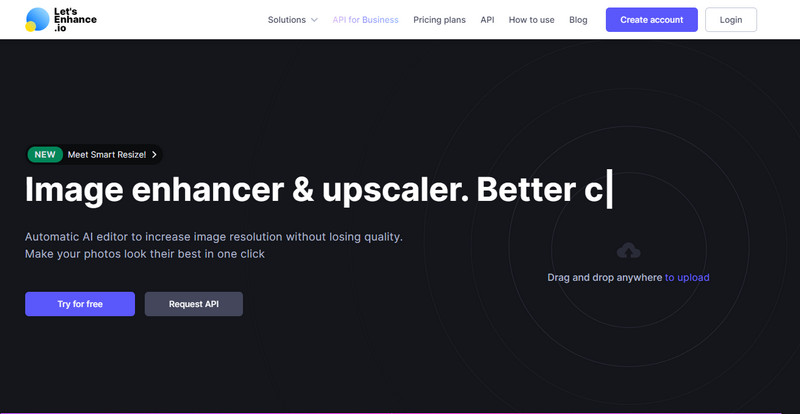
Let's Enhance.io može vam pomoći poboljšati fotografiju na računalu na bolju kvalitetu, poput HD-a. Nećete imati problema s poboljšavanjem slike u HD ako koristite ovaj alat. Za razliku od prvog alata, prije nego što možete koristiti njegovu besplatnu verziju, morat ćete se ovdje prijaviti postojećim računom ili ovdje izraditi novi račun. Iako je prijava obavezna, možete biti sigurni da mu je učinkovitost jednaka onome što možete postići u drugim programima za radnu površinu koji poboljšavaju slike. Dakle, ako želite koristiti ovaj pojačivač kvalitete fotografija u HD, možete pročitati navedene korake u nastavku dok ga isprobavamo kako bismo vam pokazali kako ga koristiti.
Korak 1. Otvorite svoj web-preglednik, potražite naziv alata i kliknite poveznicu koja će se prikazati u rezultatima.
Korak 2. Pritisnite ikonu upload kako biste dodali sliku koju želite poboljšati u HD.
Korak 3. U odjeljku „operation” promijenite postavke koje želite kako biste svoju sliku pretvorili u visoku rezoluciju.
Korak 4. Nakon prilagodbi kliknite Start Processing kako biste obradili sliku slabe kvalitete u HD.
Korak 5. Pritisnite ikonu download kako biste preuzeli fotografiju koju ste ovdje poboljšali.
Dio 2. Kako napraviti HD fotografiju na Androidu s PicsArtom
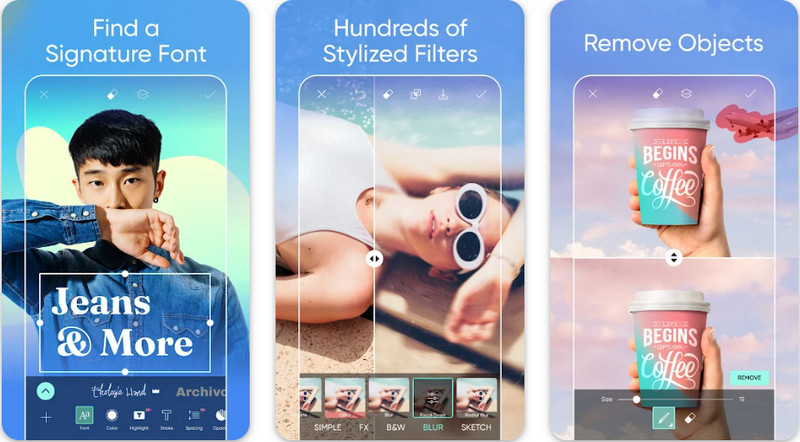
Za korisnike Androida koji trebaju svoju sliku pretvoriti u HD, možete pokušati preuzeti PicsArt s Trgovine Play. To je rješenje za mnoge korisnike zbog različitih mogućnosti uređivanja koje možete primijeniti na svoju sliku i učiniti da izgleda bolje od svoje izvorne verzije. Iako vam ova aplikacija može mnogo toga ponuditi, besplatna verzija ostavlja vodeni žig na konačnom proizvodu. Ako vam se vodeni žig ne sviđa, morat ćete kupiti premium verziju. Sve u svemu, aplikacija je naš izbor kada je riječ o tome da slika postane jasna i HD. Dakle, ako želite postići visoku kvalitetu slike na svom Android uređaju, ne možete pogriješiti s ovom aplikacijom. Kopirajte vodič u nastavku o tome kako u PicsArtu napraviti fotografiju u HD-u.
Korak 1. Preuzmite aplikaciju iz Trgovine Play i pokrenite je.
Korak 2. Kliknite ikonu + kako biste u galeriji odabrali sliku koju želite pretvoriti u HD.
Korak 3. Dodirnite Effects i odaberite HDR; prilagodite opcije kako biste svoju sliku pretvorili u HD, a zatim pritisnite ikonu check.
Korak 4. Na vrhu zaslona telefona kliknite ikonu download kako biste spremili HD sliku u svoju galeriju. Da biste promijenili razlučivost fotografije na iPhoneu, kliknite ovdje za više pojedinosti.
Dio 3. Često postavljana pitanja o tome kako napraviti HD sliku
Povećava li slika u HD formatu veličinu datoteke?
Apsolutno! Veličina slike koja nije HD i HD imaju različite veličine datoteka. HD ima više podataka o pikselima koji vam mogu predstaviti detaljnu sliku, a njegova je veličina i veća od slike koja nije HD.
Je li pretvaranje 4k slike u HD loš izbor?
Možda se čini da jest, ali ako želite uštedjeti prostor za pohranu, možete pretvoriti 4k slike u HD, a njihove vizualne razlike u kvaliteti nisu velike. Možete uživati u svojoj 4k slici iako je postala HD.
Zašto sliku trebam napraviti HD?
Pretvaranje vaše slike u HD može vašu sliku učiniti detaljnijom i privlačnijom za oko u usporedbi s onima koje to nisu. Dakle, ako želite poboljšati sliku u HD, trebat će vam alat za povećavanje veličine piksela na slici kako bi HD oživio.
Zaključak
Nevjerojatno zar ne? Možete napraviti HD fotografije na različite načine koje ovdje dodajemo bez pomoći profesionalnog softvera kao što je Adobe Photoshop. Kopirajte korake u alat po svom izboru i poboljšajte svoju sliku niske kvalitete u bolju kao što je HD.
-
 Učinite iPhone razlučivost fotografija boljom s vrhunskim poboljšačima
 Želite li poboljšati rezoluciju fotografija iPhonea? Pa, u ovom članku pokrivamo najbolje alate koje možete koristiti i druge trikove koje morate znati!
-
 Obnova starih fotografija online i offline [Jednostavni koraci]
 Želite obnoviti staru fotografiju? Uz ove alate, znat ćete postupak restauracije starih fotografija. Pročitajte ovaj post kako biste naučili najjednostavnije metode.
-
 7 najboljih poboljšivača piksela za sve web preglednike koje morate koristiti
 Ako želite znati koje najbolje pojačivače piksela možete koristiti, bolje pogledajte ovaj post. Ovaj članak navodi sedam najboljih pojačivača foto piksela za sve web preglednike.
