


 Video Converter Ultimate
 Snimač zaslona
 Video popravak
Naučite kako ukloniti vodeni žig B612 sa svojih slika
B612 ili kamera B612 je aplikacija za uređivanje fotografija i videozapisa koju koristi mnogo milenijalaca. Poznata je kamera-aplikacija jer nudi mnogo funkcija. Osim toga, poznata je kao jedna od najpopularnijih selfie kamera dostupnih na PlayStoreu. Također je jednostavna za korištenje: možete potražiti filter koji želite i lako snimiti fotografiju. Međutim, svaki put kada snimite selfie ili video pomoću kamere B612, na vašoj fotografiji ili videu ostaje vodeni žig. Dakle, ako želite ukloniti taj dosadni vodeni žig sa svojih fotografija, imamo najbolja rješenja za vas. U nastavku ćete naučiti kako ukloniti B612 vodene žigove sa svojih slika.

Dio 1. 5 metoda za uklanjanje vodenog žiga B612 sa slika
B612 ostavlja vodeni žig na vašoj slici jer žele promovirati svoju aplikaciju drugim ljudima. Također sprječava korisnike da kopiraju ili posjeduju sliku koju proizvodi B612. Međutim, mnogi ljudi žele ukloniti vodeni žig sa svojih selfija ili videa. Stoga pažljivo pročitajte ovaj dio ako želite naučiti kako ukloniti vodeni žig B612.
FVC besplatno uklanjanje vodenih žigova
FVC Free Watermark Remover jedan je od poznatih internetskih alata za uklanjanje vodenih žigova kojem možete pristupiti na svim web-preglednicima, poput Googlea, Firefoxa i Safarija. Zbog jednostavnog korisničkog sučelja mnogi početnici radije koriste ovaj alat. Osim toga, podržava mnoge formate slika, kao što su PNG, JPG, JPEG, BMP i drugi. Također se ne morate brinuti za sigurnost svojih podataka jer jamči zaštitu vaše privatnosti. Štoviše, potpuno je besplatan za korištenje. Također možete koristiti alate za označavanje (poligonalni, laso i kist) kako biste uklonili vodeni žig sa svojih slika. Dakle, ako želite imati B612 sliku bez vodenog žiga, slijedite korake u nastavku.
Kako ukloniti vodeni žig B612 sa svoje slike:
Korak 1. Otvorite svoj preglednik i u tražilicu upišite FVC Free Watermark Remover. Također možete izravno otići na njihovu stranicu klikom na priloženu poveznicu.
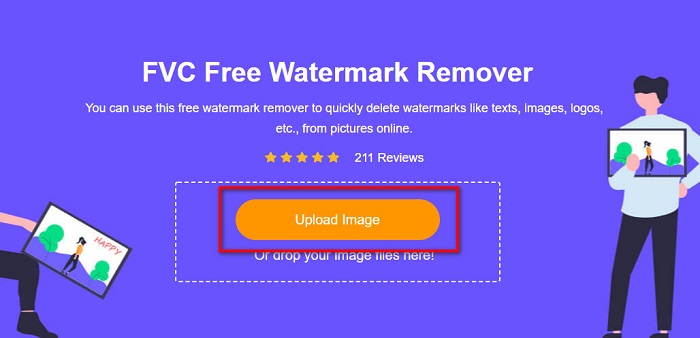
Korak 2. Na glavnom sučelju softvera kliknite gumb Upload Image. Pojavit će se mape vašeg uređaja u kojima ćete odabrati svoju B612 sliku.
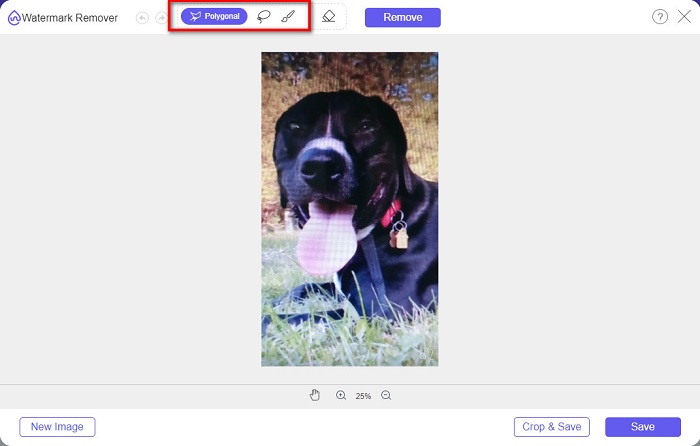
Korak 3. Nakon učitavanja slike odaberite selection tool koji želite koristiti za uklanjanje vodenog žiga na svojoj B612 slici. Možete birati između poligonalnog alata, lasa ili kista.
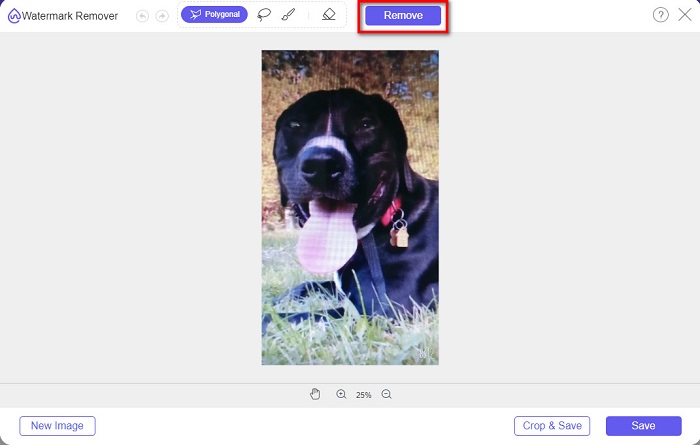
Korak 4. Zatim označite vodeni žig na svojoj slici. Obično je B612 vodeni žig smješten u donjem desnom kutu slike. Zatim kliknite gumb Remove.
Korak 5. Kliknite gumb Save kako biste spremili izlaznu sliku na svoj uređaj. I to je to! Vidjet ćete da na vašoj slici više nema B612 vodenog žiga.
Uklanjanje vodenog žiga
Watermark Remover je također internetski alat za uklanjanje vodenih žigova koji vam omogućuje da lako uklonite B612 vodeni žig sa svoje fotografije. Zbog jednostavnog korisničkog sučelja ovaj je alat lako koristiti. Osim toga, ima i opciju za uklanjanje vodenih žigova s vaših videozapisa. Ovaj alat je također učinkovit u uklanjanju neželjenih objekata s fotografije. I možete ga koristiti kao Fiverr watermark remover. Međutim, sadrži oglase koji vas mogu ometati.
Korak 1. U pretraživaču potražite Watermark Remover i idite na njihovu glavnu stranicu. Zatim na glavnom sučelju odaberite opciju Photo Watermark Remover.
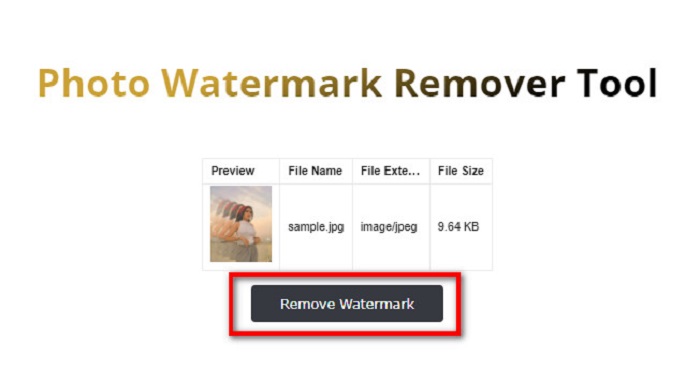
Korak 2. Zatim kliknite ikonu za prijenos kako biste uvezli svoju B612 sliku. Pričekajte da se slika učita, a zatim kliknite gumb Remove Watermark.
Korak 3. Pojavit će se captcha kartica koja će zahtijevati da instalirate jednu aplikaciju. Nakon toga vidjet ćete da je vodeni žig na vašoj slici uklonjen.
FotoSmiješno
Još jedan internetski alat za uklanjanje vodenih žigova koji svakako trebate isprobati je PhotoFunny watermark remover. PhotoFunny je popularan online alat koji lako uklanja bilo koji vodeni žig s vaših slika, uključujući i B612 vodeni žig. Također podržava najpoznatije formate slika, kao što su PNG, JPEG i JPG. Nedostatak je što, kada vam je internetska veza spora, proces učitavanja bude spor i oduzima previše vremena. Ipak, mnogi ljudi i dalje koriste ovaj alat za uklanjanje vodenih žigova sa slika.
Kako ukloniti vodeni žig B612 pomoću programa za uklanjanje vodenog žiga PhotoFunny:
Korak 1. U pregledniku potražite PhotoFunny watermark remover, zatim idite na njihovu glavnu stranicu.
Korak 2. Na glavnom sučelju kliknite gumb Upload Photo. Zatim ćete biti preusmjereni na novo sučelje.
Korak 3. Zatim označite gumb Select Image kako biste učitali B612 sliku s koje želite ukloniti vodeni žig.
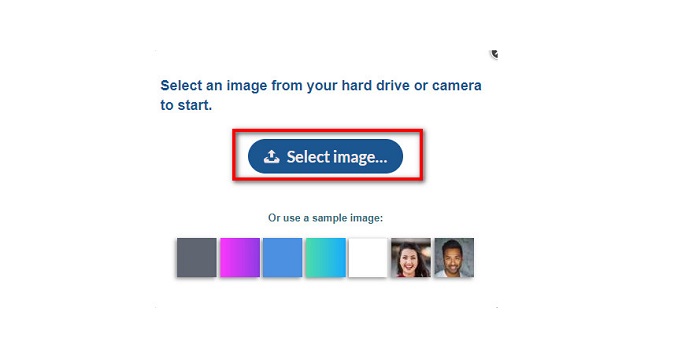
Korak 4. Nakon učitavanja slike kliknite gumb Next kako biste uklonili vodeni žig sa svoje slike.
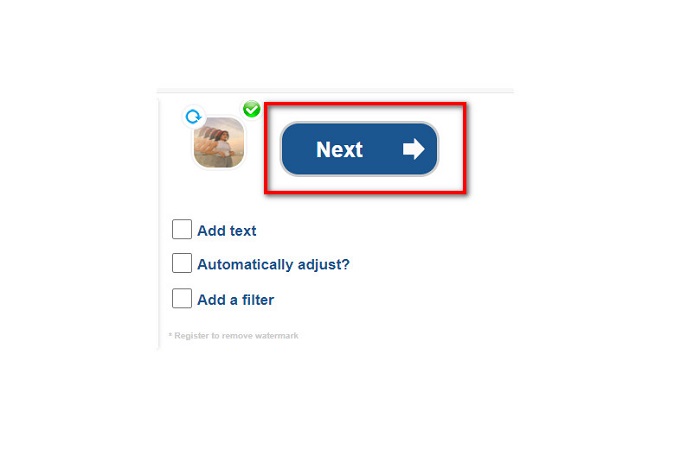
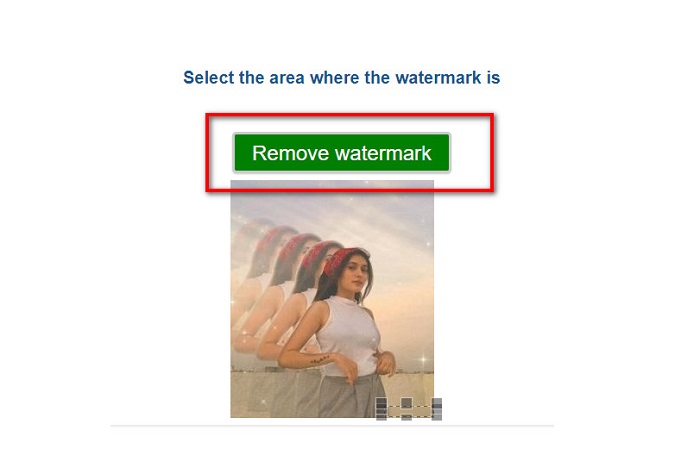
Korak 5. Na sljedećem sučelju softvera vidjet ćete pregled svoje slike, a zatim kliknite gumb Next Step. Zatim postavite područje za uklanjanje preko B612 vodenog žiga. Kliknite Remove Watermark da završite postupak.
Vodeni žig Remover.io
Watermark Remover.io je još jedan internetski alat koji morate isprobati. Ovaj internetski alat za uklanjanje vodenih žigova ima jednostavno sučelje, što ga čini prikladnim za korisnike svih razina. Također podržava najstandardnije formate slika, poput PNG, JPEG, JPG i WEBP. Nadalje, možete mu pristupiti na gotovo svim web-preglednicima, uključujući Google i Firefox. Jedna od prednosti ovog online alata je njegov proces predviđanja područja. Dakle, nakon što učitate sliku, on će automatski ukloniti vodeni žig s vaše slike. Međutim, ponekad ne prepoznaje vodene žigove koji su premali.
Kako ukloniti vodeni žig B612 pomoću Watermark Remover.io:
Korak 1. U pregledniku potražite Watermark Remover.io. Zatim na rezultirajućoj stranici idite na njihovu glavnu stranicu. Zatim na glavnom sučelju kliknite gumb Upload Image.
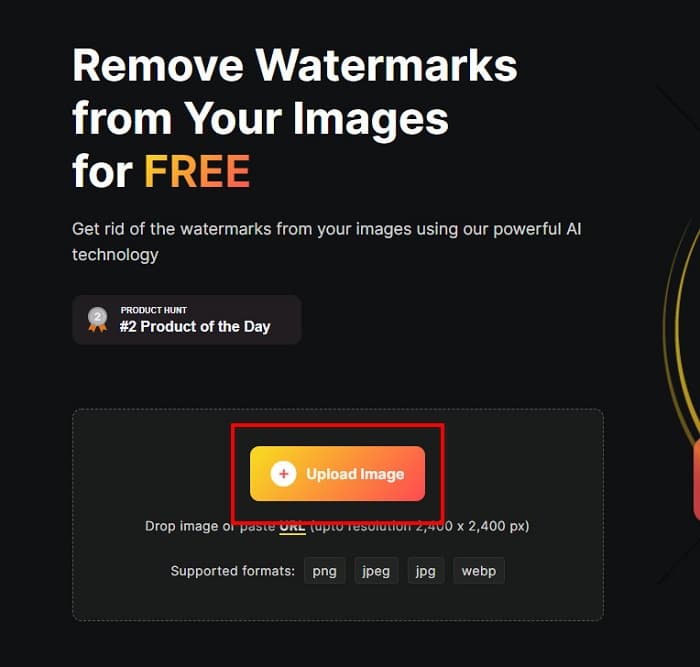
Korak 2. Na zaslonu će se otvoriti nova kartica u kojoj ćete odabrati B612 sliku koju želite učitati, a zatim kliknuti Open.
Korak 3. Zatim će Watermark Remover.io automatski ukloniti vodeni žig s vaše slike. Kliknite gumb Download Image kako biste spremili izlaznu sliku na svoj uređaj.
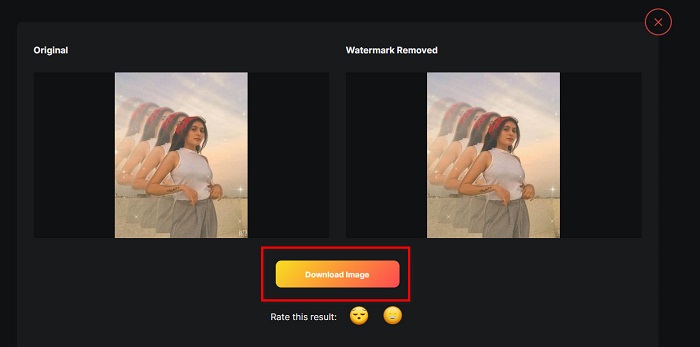
I to je sve! Koristeći gore navedene izvrsne alate za uklanjanje vodenih žigova, možete bez napora ukloniti B612 vodeni žig sa svoje slike. Kliknite ovdje kako biste saznali kako ukloniti Coub vodene žigove.
Dio 2. Često postavljana pitanja o uklanjanju vodenog žiga B612
Možete li ukloniti vodene žigove B612 na videozapisima B612?
Da. Možete ukloniti B612 vodene žigove sa svojih videozapisa. Neke aplikacije omogućuju vam jednostavno uklanjanje vodenih žigova s videozapisa, poput FVC Video Converter Ultimate, koji koristi mnogo profesionalaca.
Kako pohraniti sliku na B612?
B612 ne sprema automatski slike u vašu galeriju. Pritisnite download icon kako biste spremili sliku u svoju galeriju. Ovaj postupak također pomaže u uštedi prostora na vašem uređaju.
Mogu li ukloniti logotipe online?
Srećom, mrežni alati omogućuju uklanjanje bilo kojeg vodenog žiga (logotipa, teksta, slike) s fotografije. Jedan od alata koji se najviše preporučuje je FVC Free Watermark Remover.
Zaključak
Navedene metode iznad pomoći će vam da brzo uklonite B612 vodene žigove. Dakle, na vama je da odlučite koja je od njih vrijedna korištenja. Ali ako želite najpreporučivaniji i najlakši online alat, koristite FVC Free Watermark Remover.
-
 Jednostavni načini za uklanjanje vodenog žiga sa maturalnih slika
 Želite znati najbolje načine za uklanjanje vodenih žigova sa slika mature? Čitajući ovaj članak, moći ćete znati kako lako ukloniti vodene žigove na slikama diploma.
-
 Kako ukloniti Lomotif vodeni žig pomoću ovih sjajnih alata
 Želite li naučiti kako ukloniti Lomotif vodeni žig iz svog videa? Pročitajte ovaj članak da biste saznali koje su najizvrsnije metode za uklanjanje na mreži i izvan mreže.
-
 Kako ukloniti turiste s fotografija pomoću alata za uklanjanje vodenih žigova
 Kako ukloniti turiste s fotografija? Ako želite naučiti kako ukloniti neželjene stvari sa svoje fotografije, ovi će vam alati pomoći. Pročitajte ovaj članak da biste saznali više.
