


 Video Converter Ultimate
 Snimač zaslona
 Video popravak
Vrhunski OGV u MOV Converter za pretvaranje OGV datoteka na Macu
Jedan od najboljih „lossy” video formata koji se često koristi za pohranu video sadržaja na web stranicama je OGV. Ovaj format ima gotovo istu strukturu kao OGG datoteke, ali sadrži video zapis. Iako ovaj format može pohranjivati medijske datoteke i prenositi ih putem interneta, još uvijek nema široku podršku među multimedijskim reproduktorima i uređivačima. Kako biste format uskladili sa standardima video reproduktora ili uređivača na Macu, morate OGV datoteke pretvoriti u prihvaćeni format kao što je MOV. Srećom, u nastavku navodimo korake koje lako možete slijediti da biste pretvorili OGV u MOV bez promjene kvalitete.

Dio 1. Pretvorite OGV u MOV na Macu s najboljim pretvaračem OGV u MOV
Želite saznati koji je najbolji OGV u MOV pretvarač na Macu? Ako je to ono što tražite, tada upotrijebite FVC Video Converter Ultimate. Zašto? Zato što je to izvanredan pretvarač koji možete koristiti kako biste kodiranje i dekodiranje OGV datoteka učinili jednostavnim poput 1-2-3. Također, konverziju možete završiti za manje od minute ili čak nekoliko sekundi u usporedbi s drugim mrežnim i izvanmrežnim pretvaračima.
Ne samo to, možete uređivati svoj video, spajati ih, izrađivati GIF-ove, ubrzavati videe ili ih usporavati i još mnogo toga. Bez sumnje, ovo je izvanredan pretvarač koji je već pomogao mnogim korisnicima, a sljedeći ste vi. Kako bismo riješili vaš problem, prijeđimo na vodič o tome kako koristiti ovaj pretvarač.
Korak 1. Da biste koristili ovaj alat na svom Macu, najprije ga morate preuzeti, a zatim instalirati. Nakon tog postupka pojavit će se prozor dobrodošlice, pa kliknite Start Now.
Besplatno preuzimanjeZa Windows 7 ili novijiSigurno preuzimanje
Besplatno preuzimanjeZa MacOS 10.7 ili novijiSigurno preuzimanje
Korak 2. Prenesite svoju .ogv datoteku ovdje, zatim je pronađite u mapi klikom na Add Files ili +.
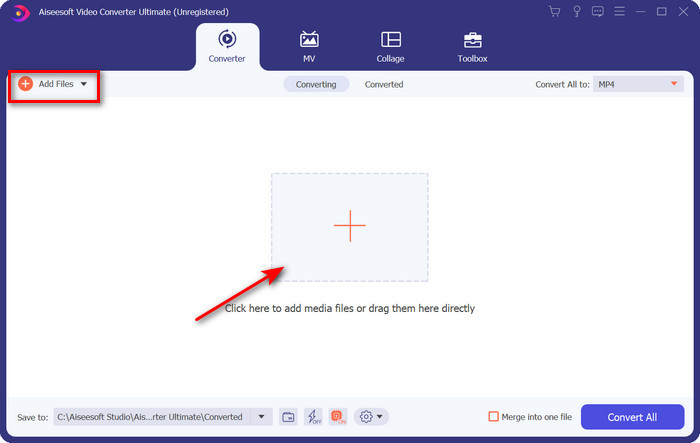
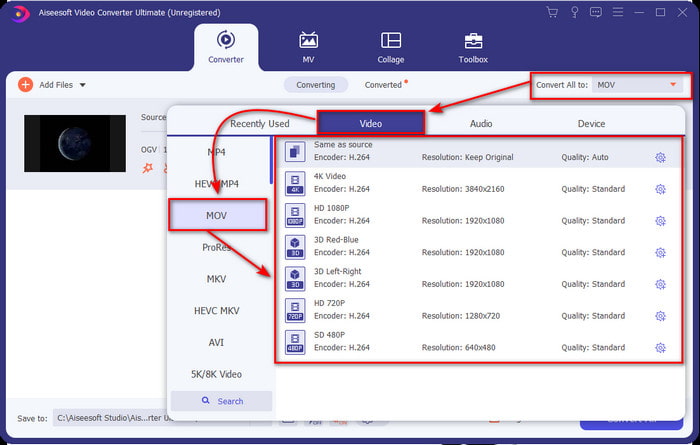
Korak 3. Nakon učitavanja datoteke morate promijeniti format u MOV pod stavkom Convert All.
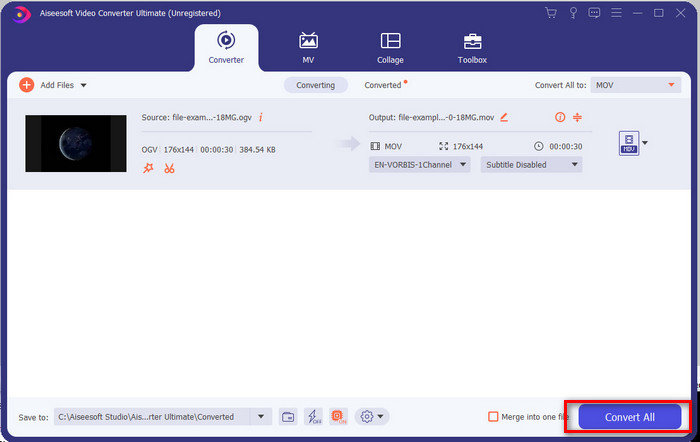
Korak 4. Pokrenite postupak pretvaranja klikom na gumb Convert All.
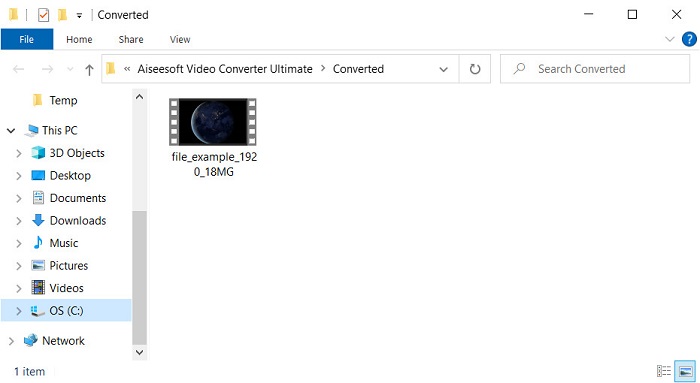
Korak 5. Kada je pretvaranje OGV u MOV završeno, pojavit će se nova mapa u kojoj se nalazi vaša datoteka. Sada možete slobodno kliknuti na datoteku kako biste je gledali ili uređivali medijski zapis u novom MOV formatu.
Pros
- Konverter sljedeće razine koji možete koristiti na Macu ili čak na PC-u.
- Napredne značajke kao što su uređivanje, spajanje, rezanje, izrezivanje i još mnogo toga nalaze se u Toolboxu.
- Povoljan izbor za korisnike koji uvijek obavljaju pretvorbu zbog male težine ovog softvera.
- Skupno konvertirajte svoj OGV, MOV, AVI, MKV, MP4, još 200+ formata ovdje.
Protiv
- Platite za korištenje softvera.
Dio 2. Pretvorite OGV u MOV Online s besplatnim i jednostavnim pretvaračem
Ne želite se zamarati preuzimanjem, instalacijom i podešavanjem pretvarača? Onda pokušajte koristiti ovaj mrežni OGV u MOV pretvarač dostupan u svim tražilicama. FVC Free Video Converter Online je inovativni mrežni video pretvarač koji se koristi za pretvaranje nepodržanog formata u format koji se može reproducirati. Mnogi internetski korisnici već uživaju u ukupnim performansama ovog web alata. Osim toga, ovaj alat ne zahtijeva registraciju prije upotrebe niti prikazuje dosadne oglase na web-mjestu koji bi prekidali konverziju. Međutim, ne možete ga koristiti ako nemate internetsku vezu. Dakle, ako želite promijeniti svoj uobičajeni pretvarač, upotrijebite ovaj i slijedite korake u nastavku.
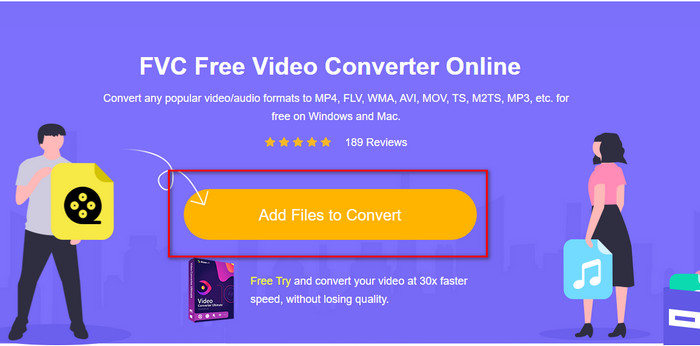
Korak 1. Kliknite ovaj FVC Free Video Converter Online kako biste otišli na web-mjesto ovog web alata.
Korak 2. Na web sučelju kliknite Add Files to Convert, a zatim će se pojaviti mapa u kojoj možete pronaći OGV datoteku te kliknite Open.
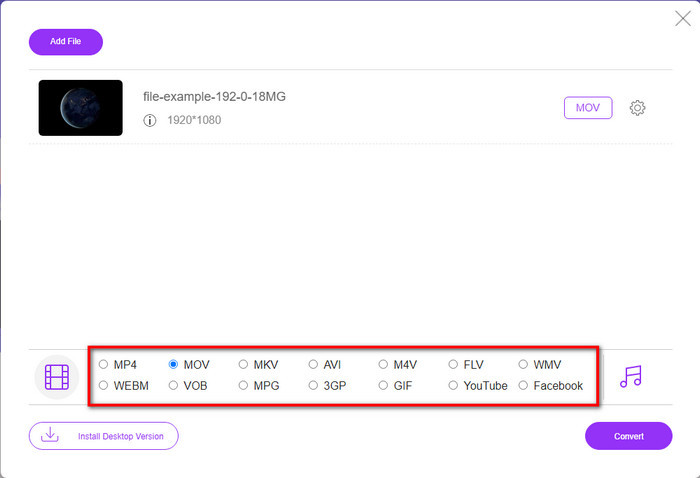
Korak 3. Odaberite format MOV ispod ili bilo koji drugi format koji želite za konačni izlaz.
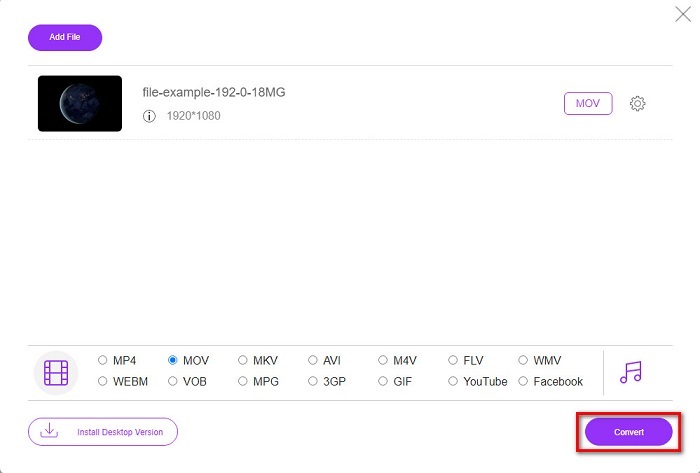
Korak 4. Označite Convert kako biste započeli postupak pretvaranja.
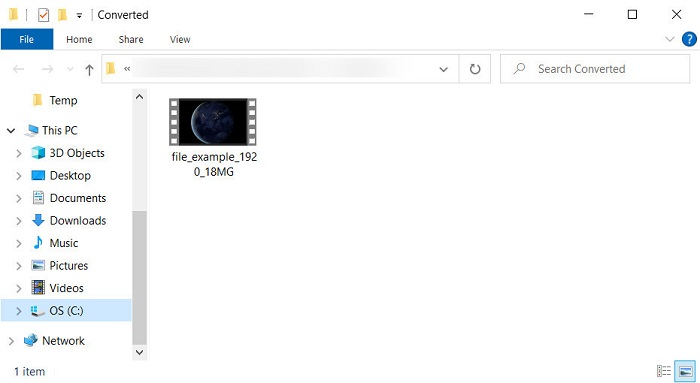
Korak 5. Nakon pretvaranja pojavit će se File Explorer; tamo će biti datoteka koju ste pretvorili, kliknite je kako biste je pogledali.
Pros
- Podržava format srednjeg raspona i kompatibilan sa svim web preglednicima.
- Besplatno za korištenje i nije potrebna registracija.
- Dosadni oglasi se ne prikazuju u web alatu i tijekom konverzije.
Protiv
- Ovisna o internetu.
- Ne podržava skupnu pretvorbu.
Dio 3. OGV protiv MOV
OGV je format multimedijske datoteke koji koristi više kodeka kao što su Theora, Dirac ili Daala za HTML 5 video oznake. Ali kada ga koristite na HTML-u, naziva se .ogg iako datoteka sadrži video sadržaj. Budući da se nalazi na web-mjestu, reproducirati ga na zadanom media playeru je izazov zbog jedinstvene strukture formata i više kodeka. Ali ako želite dodati izvrstan vizualni i audio na svoju web stranicu, ovo je obavezna upotreba.
MOV je format koji je napravio Apple za pohranu više zapisa i medijskih podataka uz očuvanje kvalitete zvuka, videa i titlova. Također, možete sinkronizirati medijske zapise koji su kodirani u MPEG-4 ili s drugim kodecima. Iako je format za Quicktime, još uvijek ga možete reproducirati na Windows Media Playeru jer je podržan.
Da sve završimo, ako želite umetnuti video i audio na svoju web stranicu i prenijeti podatke brže, idite s OGV. Ali ako prvo želite urediti video i reproducirati ga na svom Macu, nemojte koristiti OGV jer nije podržan. Umjesto toga, koristite MOV jer je kompatibilan sa svim Apple uređajima, bilo da se radi o Macu, iPhoneu, iPodu ili iPadu. Pretvaranje vašeg OGV-a u MOV neophodno je da biste imali kompatibilnost na Quicktime playeru, iMovieu ili s drugim alatima koje možete pronaći na Appleu.
Dio 4. Često postavljana pitanja o pretvorbi OGV u MOV
Mogu li komprimirati OGV?
Komprimiranje datoteke je potrebno osobito ako ih želite slati e-poštom, jer je slanje medijskih datoteka ovdje ograničeno. Dakle, ako želite smanjiti veličinu svoje datoteke, pročitajte ovaj članak kako biste saznali kako komprimirati OGV datoteke.
Podržava li VLC OGV datoteke za reprodukciju?
Iako je svrha ovog formata da bude na HTML 5 oznaci, još uvijek možete koristiti VLC player za gledanje preuzetih OGV datoteka. Ali jeste li znali da postoje druge VLC alternative koje možete koristiti za reprodukciju ovog formata? Ako želite znati koje su alternative za media player za VLC, kliknite ovu vezu.
Hoće li se kvaliteta OGV-a promijeniti nakon pretvorbe?
Nakon pretvorbe OGV datoteke, kvaliteta bi trebala ostati ista kao izvorna. Ali možete povećati ili smanjiti brzinu videa uz pomoć FVC Video Converter Ultimate. Za razliku od drugih pretvarača koji ne omogućuju manipuliranje kvalitetom prema vašoj želji. Također, možete ga postaviti na 1080 ili 4k ako želite za video visoke razlučivosti.
Zaključak
Kao rezultat nalaza, konverzija preuzete OGV datoteke je neophodna prije nego što možete igrati ili uređivati. Ovaj put u vašim je rukama da odaberete koji ćete način koristiti i pretvoriti svoje OGV datoteke u MOV. Za kratak rezime, ako želite besplatno i bez smetnji pretvoriti datoteke na mreži, upotrijebite FVC Free Video Converter Online. Međutim, ako želite doživjeti nove visine pretvorbe, morate preuzeti FVC Video Converter Ultimate. Odaberite najbolji pretvarač koji će vam pomoći u problemu s OGV formatom.
-
 4 načina za besplatno pretvaranje DivX u MOV [online i offline]
 Borite li se s ograničenjima DivX-a ili nemate media player za pristup videozapisima u ovom formatu? Ako ga želite pretvoriti u MOV format, nastavite čitati ovaj članak kako biste popunili praznine.
-
 Besplatni pretvarač M4V u MOV – Kako pretvoriti M4V u MOV
 Ako vaš media player ne podržava M4V, jeste li ikada imali problema s gledanjem filma na svom iPhoneu? Glavna tema ovog članka je pretvaranje u MOV video datoteku.
-
 3 učinkovite metode u pretvaranju MPEG-a u MOV [Offline & Online]
 Jeste li umorni od pronalaženja media playera za reprodukciju vašeg MPEG video formata? Pokušajte ga pretvoriti u druge formate koji će se vjerojatno reproducirati, osobito na Macu, na primjer, MOV video format. Pročitajte ovaj članak da biste saznali više.
