


 Video Converter Ultimate
 Snimač zaslona
 Video popravak
Najbolji OGG snimač glasa pomaže snimati OGG na svim platformama
OGG je najbolji audio format datoteke u usporedbi s MP3‑jem. Ovaj otvoreni audio format održava Xiph.org. Ovu vrstu formata koristi gaming industrija kao svoj audio format, jer zvuči bolje i omogućuje znatno jaču kompresiju datoteka. Međutim, korisnicima može biti nezgodan jer ga neki snimači ne podržavaju budući da je standardni audio format MP3. Donji popis prikazuje najbolje OGG snimače koji podržavaju ovaj format. Ako želite detaljnije korake i informacije, pažljivo pročitajte opis značajki različitih alata kako biste pronašli onaj koji najbolje odgovara vašim potrebama kao korisniku, a možda ubuduće i kao njihovom kupcu.

Dio 1. Najbolji softver OGG snimača za PC i Mac korisnike
Na popisu u nastavku su najbolji OGG snimači koji su dostupni u svim različitim funkcijama s koracima i informacijama.
FVC besplatni snimač zvuka

Alat specijaliziran za snimanje u audio formatu. FVC Free Audio Recorder poznat je kao najbolji internetski alat koji možete pronaći na webu. Ovaj open-source alat može vam pomoći da snimate audio zapise koje vam trebaju bilo gdje gdje imate pristup internetu. Također je dobar izbor kao vaš OGG snimač. Kako bismo pružili detaljnije informacije o ovom izvrsnom alatu, nastavite čitati i slijedite korake za snimanje zvuka.
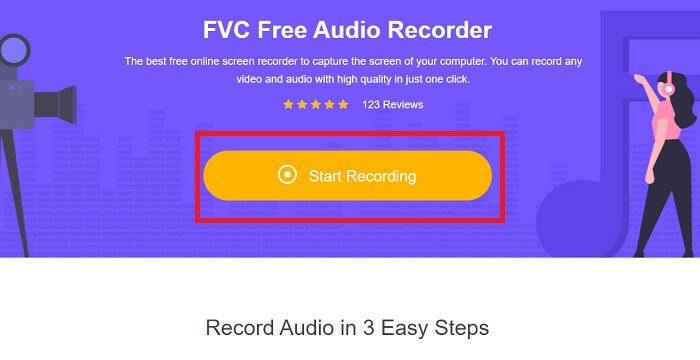
Korak 1. Kliknite ovaj link kako biste otvorili web-stranicu alata. Kliknite Start Recording i pokrenite alat.
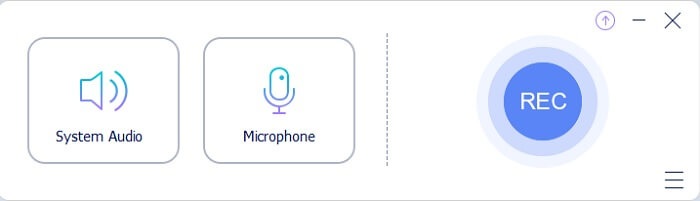
Korak 2. Na zaslonu će se pojaviti plutajuća alatna traka poput ove.
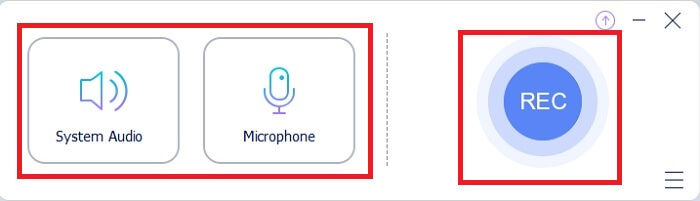
Korak 3. Uključite Speaker kako biste dodali zvuk sustava i Mic kako biste dodali svoj glas. Kliknite okruglu tipku za početak snimanja.
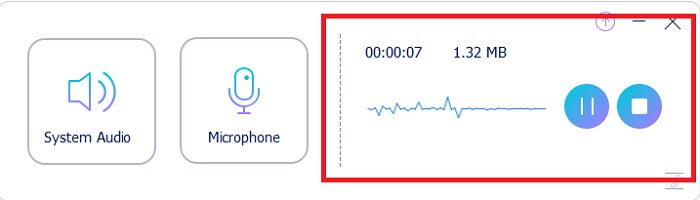
Korak 4. Nakon što kliknete gumb za snimanje, pojavit će se ovaj prikaz, što znači da je snimanje već započelo.
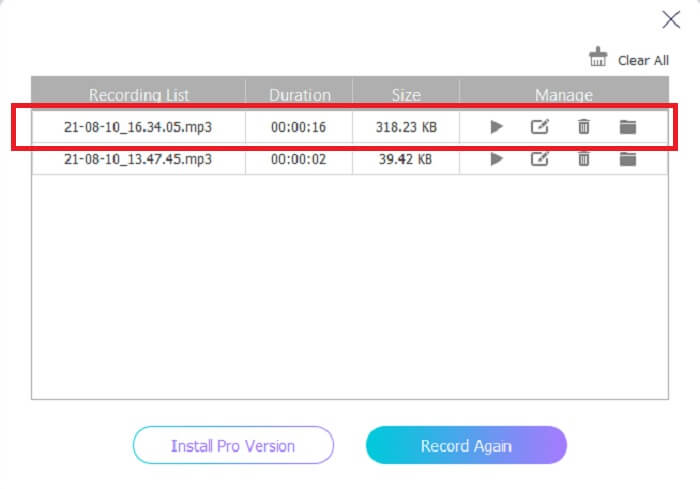
Korak 5. Kada završite sa snimanjem, kliknite gumb Stop i snimka će se automatski spremiti na vaš uređaj. Na zaslonu će se prikazati povijest vaših snimaka. Uživajte u svom snimljenom materijalu u najboljoj kvaliteti.
Pros
- Jednostavan za korištenje zbog svojih uputa na mjestu.
- Proizvodi komprimirani audio format tako da je također pogodan za pohranu.
- Otvorenog koda tako da je dostupan svima koji žele koristiti alat.
Protiv
- Potrebna mu je internetska veza prije nego što ga možete koristiti.
- Nema poništavanje buke kao premium.
Dio 2. Ostali korisni OGG snimači za sve operativne sustave
1. Snimač zaslona FVC
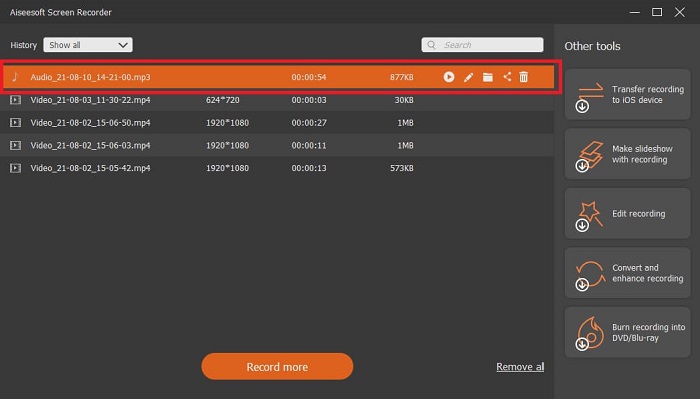
Ako mislite da je gornji alat pametan, da bismo vam dali konkretniji primjer: ako je Galileo Galilei otac moderne znanosti, onda je ovaj alat otac modernog sustava snimanja. FVC Screen Recorder je najbolji snimač, bilo da se radi o audio ili video formatu. Omogućuje vam vrhunski rezultat, a da se pritom uopće ne morate mučiti s korištenjem samog alata. Za razliku od drugih alata, ovaj je programiran tako da korisniku pruži najbolje moguće iskustvo. Dakle, ako ste jedan od korisnika kojima je teško snimati zvuk, slijedite jednostavne korake u nastavku i pažljivo ih pratite.
Korak 1. Preuzmite alat u skladu sa specifikacijama svog operacijskog sustava. Preuzimanje i instalacija trajat će samo nekoliko sekundi. Promijenite Preference prema vlastitim željama i kliknite Finish za nastavak.
Besplatno preuzimanjeZa Windows 7 ili novijiSigurno preuzimanje
Besplatno preuzimanjeZa MacOS 10.7 ili novijiSigurno preuzimanje
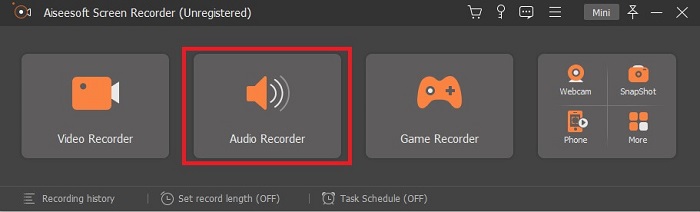
Korak 2. Na alatnoj traci kliknite Audio Recorder.
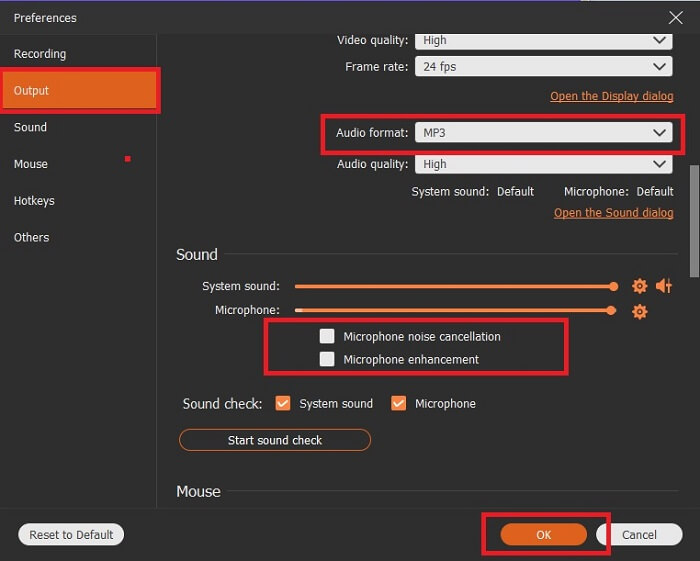
Korak 3. Pronađite ikonu Gear kako biste podesili druge opcije. Otvorite Output i promijenite ga u MP3, WMA format ili neki drugi format koji želite. Pomaknite kotačić miša prema dolje kako biste pregledali mogućnosti. Druge opcije koje možete koristiti tijekom snimanja uključuju Noise cancelling i Microphone enhancement. Kliknite OK za nastavak.
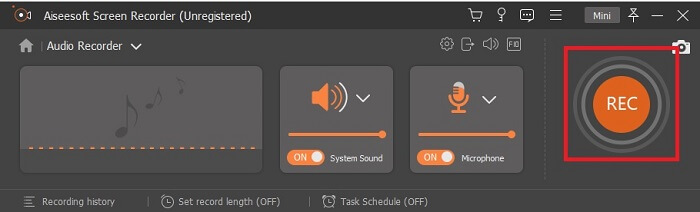
Korak 4. Nakon što ste podesili postavke, na alatnoj traci uključite Speaker i Microphone kako biste zvuk dodali u svoju snimku. Nakon toga kliknite okruglu tipku za početak snimanja.
Korak 5. Ako želite završiti snimanje, kliknite kvadratnu tipku za zaustavljanje. Kliknite Save i Next za nastavak. Zatim reproducirajte svoj OGG snimač glasa na bilo kojoj medijskoj platformi.
Pros
- Možete snimati bilo kada bilo gdje s ovim alatom s kristalno čistim zvukom.
- Pruža izvrsno iskustvo za korisnika koji već koristi ovaj alat.
- Sve-u-jednom snimanje.
Protiv
- Plaćanje za korištenje.
- Potrebno mu je 2,4 MB vaše pohrane.
2. Screencast-O-Matic
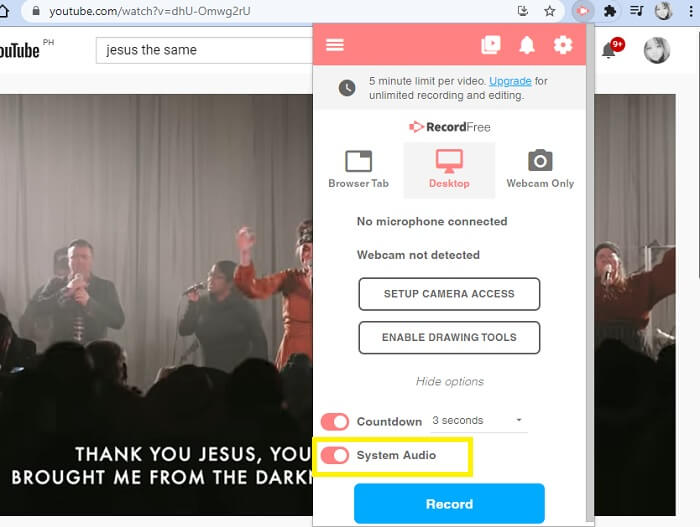
Još jedan najbolji alat za snimanje zaslona koji će obaviti posao. Screencast-O-Matic jedan je od najboljih alata koje ćete pronaći na webu. To čini vaše snimanje jednostavnim i učinkovitim. Također ima svoj online alat ako posjetite internetsku stranicu, ali će trebati minutu ili dvije da proces završi sam online alat. Dakle, ako niste ljubitelj čekanja u redu onda ovo nije najbolji izbor za vas. Ali ako volite čekati onda se isplati do kraja.
Pros
- Lakši je za korištenje od Camtazije.
- Radite kao organizacija umjesto kao pojedinac sa sigurnosnom lozinkom.
- Vrlo zanimljiv i u redu je snimač.
Protiv
- Sučelje alata je na mjestu, ali je jednobojno pa očekujte da je blage boje što ga čini manje zanimljivim za korištenje.
- Omogućuje korisniku snimanje maksimalno 15 minuta u besplatnoj verziji.
3. ShareX
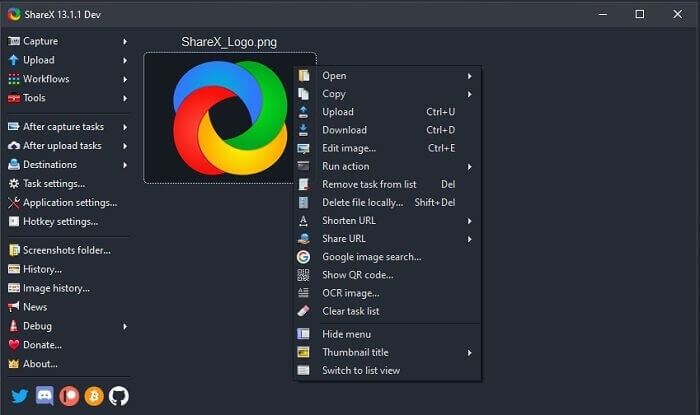
Jedan od alata na koji možete naići na webu dok tražite snimač zaslona. Dostupan je samo za Windows OS. To znači da, ako ste Mac ili Linux korisnik, ovaj alat neće raditi na vašem operacijskom sustavu jer ne podržava te programe. Share se lako može svrstati u top 20 najboljih snimača zaslona dostupnih na internetu jer podržava više od 80 odredišta na koja možete poslati konačni rezultat.
Pros
- Prilagodljiv alat.
- Po potrebi pruža vlastite alate za uređivanje.
- Promijenite tipke prečaca kako bi snimanje bilo što jednostavnije.
Protiv
- Izuzetno za nekoga ko je novi u ovom alatu. Muka je naučiti koristiti ovaj alat.
- Nije dostupno za korisnike Maca.
Dio 3. Usporedna tablica
| Značajka/e | FVC besplatni snimač zvuka | Snimač zaslona FVC | Screencast-O-Matic | ShareX |
| Audio snimanje |  | | | |
| Poništavanje buke |  | | | |
| Poboljšanje mikrofona | | | | |
| Složenost alata | Upute za online snimanje na mjestu. | Jednostavan za korištenje jer je već naznačeno u alatu koja je svrha i kako se izvodi. | To je alat jednostavan za korištenje s manje detalja. | Složenost alata je teško za novog korisnika. |
| Dostupne platforme | Svi operativni sustavi. | Svi operativni sustavi. | Windows PC, Mac i Chromebook. | Windows 7 SP1 ili noviji. |
| Dostupni audio format | MP3 i OGG | MP3, WMA, AAC, M4A, FLAC, OGG, Opus i još mnogo toga. | Nije moguće zasebno snimiti zvuk. | MP3 i WAV |
| Raspon cijena | Besplatan online alat | Za 1 mjesec: $25.00 Za godinu dana: $31.20 Za doživotnu licencu: $55.20 | Ima besplatnu verziju. Za premium solo. Deluxe $1,65/mjesečno Premijer $4,00/mjesečno Za timske planove. Možete postaviti team deluxe ili team premier. | besplatni program otvorenog koda. |
Dio 4. Često postavljana pitanja o OGG snimaču
Kako napraviti OGG datoteku sa snimačem zvuka?
Koristite audio snimač kao na popisu iznad. Za detaljnije informacije pročitajte gornji članak za informacije i korake o tome kako snimati s audio izlaznim formatom za OGG.
Koji je najbolji audio format? MP3 ili OGG?
OGG je najbolji format audio datoteke. Ali korisnici obično koriste MP3 jer je standardniji od OGG-a. Ipak, OGG sadrži metapodatke s manje prostora za pohranu i najbolji audio izlaz, na primjer ime izvođača i podatke o zapisu.
Zašto se moj OGG format ne može reproducirati u mom media playeru?
Neki medijski playeri ne podržavaju ovu vrstu formata. Zato možete koristiti FVC Free Online Video Converter kao svoj konverter. On će korisniku omogućiti da pretvori OGG datoteku u MP3 ili neki drugi audio format koji želite, kako bi se mogao reproducirati. Ili možete koristiti FVC Free Video Player ili druge OGG playere za reprodukciju ove vrste formata, jer ovaj alat podržava gotovo sve različite vrste audio‑video formata.
Zaključak
Na kraju rasprave, stekli ste novo znanje samo čitajući ga i odabirući alat koji odgovara vašim zahtjevima. Različiti izbori navedeni su u ovom članku s koracima i nekim informacijama o alatu. Samo slijedite korake i dajte vremena da ga pročitate kako biste ga razumjeli. Morate birati mudro.
No, kao primjer, FVC Screen Recorder u potpunosti odgovara zahtjevima korisnika. Kao korisnik trebate prije svega odrediti svoje potrebe i želje u vezi sa snimačem. Na primjer, treba li snimač biti jednostavan za korištenje, najbolji za snimanje zvuka, dostupan na gotovo svim platformama, ako se plaća – treba biti povoljan, a izlazna kvaliteta vrhunska. Sve navedeno nalazi se u programu FVC Screen Recorder. Ne zadovoljavajte se manjim jer zaslužujete više.
-
 Snagit 2025 recenzija – prednosti, mane i najbolja alternativa
 Koja je najbolja alternativa Snagitu? Postoji li alat za hvatanje zaslona poput Snagita? Ovaj će post pregledati Snagit i podijeliti najbolju alternativu Snagitu za snimanje zaslona.
-
 Snimanje zaslona QuickTime - snimite videozapis sa zvukom na Macu i računalu
 Zaslon za snimanje sa zvukom na Macu dobro dođe. Ugrađeni uređaj QuickTime Player to može učiniti. Pročitajte njegov post i znajte kako snimiti zaslon sa zvukom na Macu i PC-u.
-
 Recenzija DU Recorder 2025: Sigurnost&Cijena&Funkcije&Uporaba&Ocjene
 DU Recorder je snimač zaslona i zvuka za iPhone i Android. Je li vrijedno preuzimanja? Da li je sigurno? Pročitajte cjeloviti pregled da biste vidjeli je li aplikacija prikladna za vas.
