


 Video Converter Ultimate
 Snimač zaslona
 Video popravak
Najbrži načini za pretvaranje FLAC i WAV (izvanmrežno/mrežno)
Free Lossless Audio Codec, poznat kao FLAC, audio je format datoteke koji uvelike nalikuje MP3-u. Korisnicima pruža izvrsnu kvalitetu zvuka, a pritom zauzima relativno malo prostora na disku. Osim toga, ova vrsta formata je bez gubitaka, što znači da se velik dio vaših audio podataka zadržava unatoč procesu kompresije. S druge strane, postoje situacije kada trebate pretvoriti FLAC datoteke u neki drugi format, poput WAV-a, ako želite svoju zvučnu reprodukciju dovesti do optimalne i vrhunske kvalitete. Trebate li birati između njih dvaju? U nastavku saznajte kako možete imati oboje uz pomoć najboljih alata za pretvorbu FLAC u WAV dostupnih na tržištu.

Dio 1. Pretvorite FLAC i WAV izvan mreže
Video Converter Ultimate vrhunski je alat za pretvorbu datoteka u bilo koji audio format, uključujući WAV i FLAC. Ovaj program nudi funkciju skupne pretvorbe koja vam omogućuje da u jednom potezu konvertirate čitavu kolekciju audio datoteka. Štoviše, možete maksimalno povećati kvalitetu svake pjesme na kojoj radite, budući da program korisnicima dopušta podešavanje izlaznih tehničkih parametara, kao što su frekvencija uzorkovanja i bitrate. Ako želite skupno pretvarati WAV u FLAC ili obrnuto, pročitajte kratki vodič koji smo pripremili u nastavku.
Korak 1. Pokrenite program na svom uređaju odabirom odgovarajuće tipke Besplatno preuzimanje u nastavku. Zatim slijedite upute na zaslonu kako biste pokrenuli program. Nakon instalacije lako ćete se snaći u njegovom sučelju.
Besplatno preuzimanjeZa Windows 7 ili novijiSigurno preuzimanje
Besplatno preuzimanjeZa MacOS 10.7 ili novijiSigurno preuzimanje
Korak 2. Pritisnite ikonu Dodaj na glavnom zaslonu i uvezite audio datoteku na kojoj želite raditi. Nakon toga bit ćete preusmjereni na pregled uvezene datoteke. Možete učitati i cijelu mapu ako želite pretvarati datoteke u većoj količini. U svojem direktoriju odaberite mapu koja sadrži sve potrebne audio datoteke.
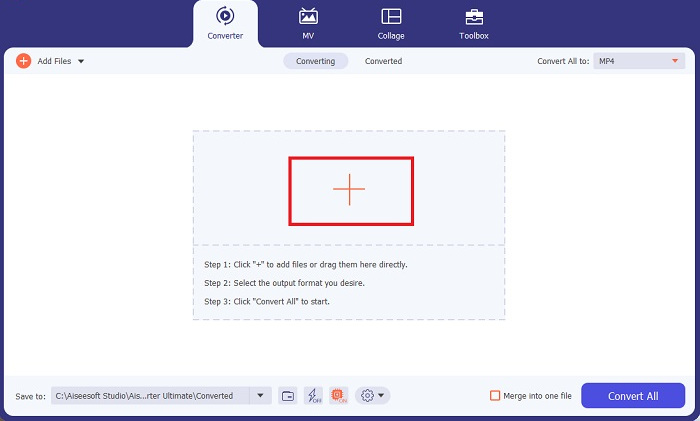
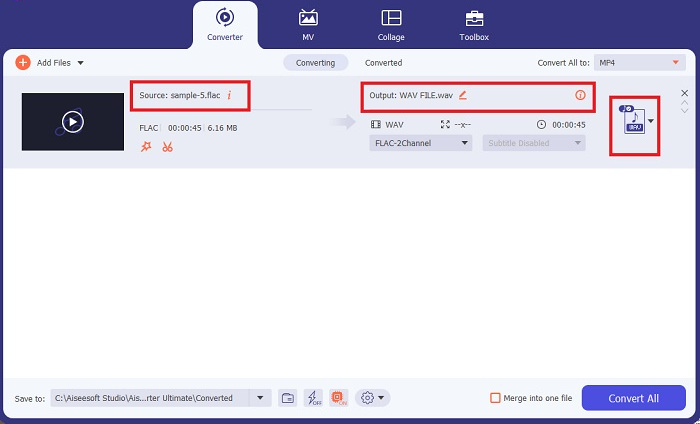
Korak 3. Sada možete promijeniti izlazni format klikom na gumb Converter pri vrhu zaslona programa. Odatle odaberite WAV na kartici Audio Output. Istodobno možete prilagoditi frekvenciju uzorkovanja i bitrate izlazne datoteke kako bi odgovarali željenoj kvaliteti.
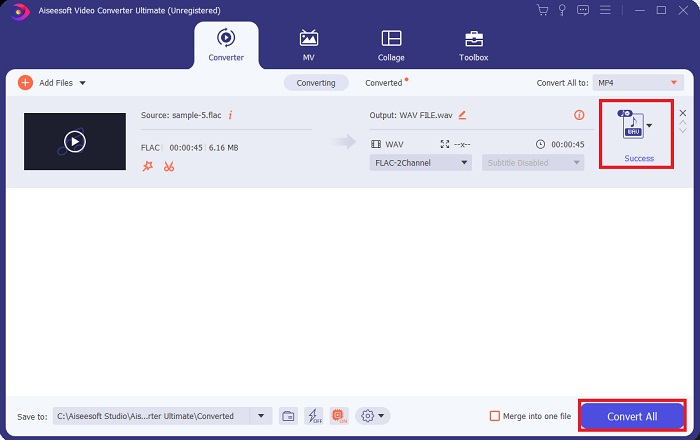
Korak 4. Za završni korak pokrenite proces pretvorbe klikom na gumb Convert All pri dnu. Nakon toga će program automatski otvoriti izlaznu mapu kako biste mogli provjeriti novi format svoje datoteke.
Pros
- Može serijski pretvoriti FLAC u WAV format audio datoteke.
- Program dobro radi i s Windows i s Mac OS-om.
- Ima veliku brzinu pretvorbe.
Protiv
- Zahtijeva plaćenu pretplatu nakon besplatnog probnog razdoblja.
- Program ne radi na Linux OS uređajima.
Dio 2. Pretvorite FLAC u WAV ili WAV u FLAC na mreži
Iako vam tražilica može prikazati mnoštvo internetskih pretvarača FLAC u WAV ili WAV u FLAC, evo što možete učiniti da si olakšate posao. Free Audio Converter Online izvrstan je izbor ako se želite osloboditi potrebe za instalacijom programa na računalo. Ovaj mrežni pretvarač radi besprijekorno, pružajući sigurnost i zaštitu vaših osobnih podataka dok obavlja pretvorbu. Štoviše, možete iskoristiti i njegovu funkciju skupne pretvorbe, gotovo kao da koristite desktop program.
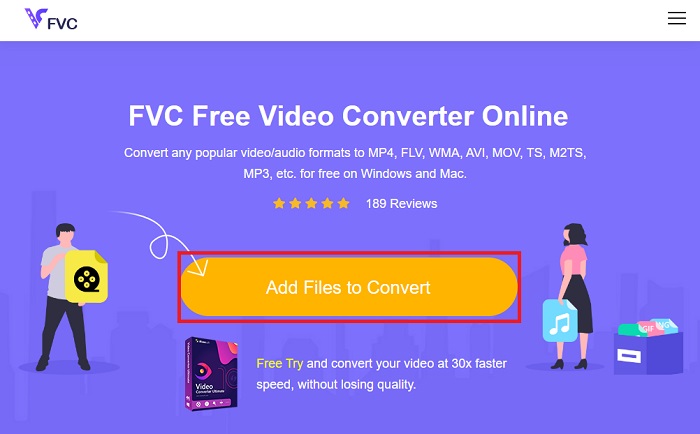
Korak 1. Kliknite gornju poveznicu kako biste došli na glavnu stranicu Free Online Video Convertera. Na glavnom zaslonu odaberite Add Files to Convert i učitajte svoju audio datoteku.
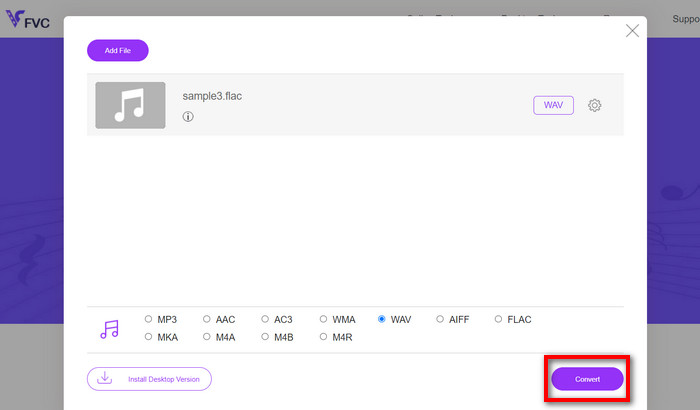
Korak 2. Pregled vaše izvorne datoteke prikazat će se na zaslonu. Na istom panelu pomaknite se niže i odaberite željeni izlazni format.
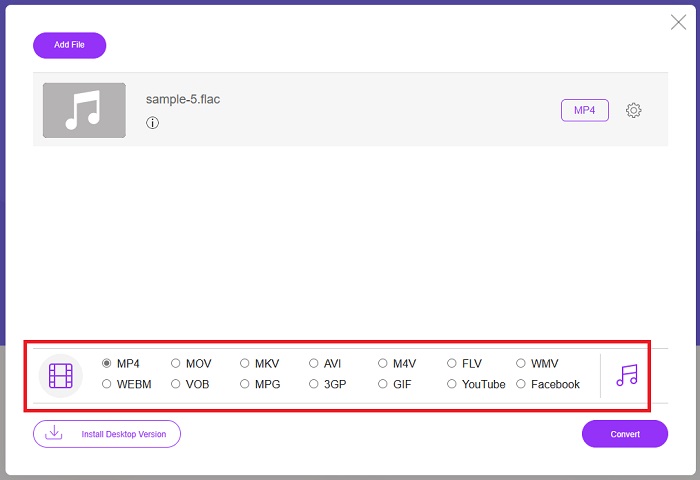
Korak 3. Pritisnite gumb Convert kako biste promijenili FLAC u WAV format. Ako želite pretvoriti neku drugu datoteku, ponovite ovaj vodič od početka.
Pros
- Radi na svim tražilicama kao što su Google Chrome, Safari, Firefox itd.
- Nudi razne popularne formate audio datoteka poput MP3, AAC i WMA.
- Korisnici mogu uživati u neograničenim pretvorbama po danu.
Protiv
- Brzina konverzije ovisi o snazi internetske veze.
Daljnje čitanje:
Pretvorba FLAC u MP3 radi očuvanja kvalitete zvuka
Jednostavni koraci za pretvorbu WAV u OGG za optimalnu veličinu audio datoteka
Dio 3. Često postavljana pitanja o pretvorbi FLAC i WAV
Hoće li pretvaranje datoteke iz FLAC u WAV smanjiti kvalitetu?
Pretvaranje audio datoteka iz FLAC u WAV neće smanjiti kvalitetu budući da je njihova razlučivost nekomprimirana. Međutim, pretpostavimo da pretvorite datoteku iz WAV u FLAC. U tom slučaju možete primijetiti male promjene, posebno za one čije su uši dosta detaljne. Ako vam je potrebna pomoć u odlučivanju koji ćete zadržati, ovdje je dio perspektive koji možete pogledati; FLAC audio formati dobar su izbor za pohranjivanje gomile pjesama, dok su WAV datoteke veće, ali prikladne za uređivanje zvuka.
Je li WAV audio format najviše rezolucije?
WAV je skraćenica Waveform Audio File Format koju su razvili IBM i Microsoft. Ovaj se format smatra formatom najviše rezolucije u digitalnoj glazbenoj industriji jer sadrži sirove i beskompromisne audio frekvencije.
Koji je najbolji mrežni pretvarač FLAC u WAV?
Bez sumnje, FVC Free Online Video Converter je najbolji besplatni online pretvarač FLAC u WAV. Ne trebate steći tehničku sposobnost da transformirate video i audio datoteke pomoću softvera. Može učinkovito obaviti vaš posao jer je jednostavan za korištenje i ima neusporedivu brzinu pretvorbe. Štoviše, ovaj online program nudi, ako ne sve, ali većinu popularnih audio formata koje poznajemo.
Zaključak
Pretvorba se može odvijati u oba smjera, iz FLAC u WAV i iz WAV u FLAC. Budući da su oba formata datoteka danas vrlo raširena u digitalnoj glazbi, odabir onoga koji ćete koristiti može ovisiti o zadatku za koji su vam potrebni. Uz gore navedene alate, možete u svakom trenutku prelaziti s jednog formata na drugi. Slijedite gore opisane korake kako biste promijenili FLAC u WAV ili WAV u FLAC i ne biste trebali naići na poteškoće.
-
 Saznajte kako pretvoriti MP3 u WAV format
 Želite li znati kako pretvoriti MP3 u WAV? Odredite koji od alata proizvodi najbolju pretvorbu koju možete dobiti.
-
 WAV Player - 5 najboljih aplikacija za WAV Player za Android, iPhone, PC i Mac
 Kako reproducirati WAV datoteke na Android telefonu? Koji igrač može igrati WAV? Ovaj post dijeli 5 najboljih besplatnih WAV playera za Android, iPhone, Mac i PC.
-
 3 najbolja uređivača FLAC metapodataka na Macu i Windowsu [ažurirano 2023.]
 Želite li promijeniti FLAC metapodatke? U tom slučaju morate pročitati ovaj članak jer pružamo dovoljno znanja o najnovijem uređivaču metapodataka FLAC koji možete koristiti.
