


 Video Converter Ultimate
 Snimač zaslona
 Video popravak
Saznajte koji su pretvarači koji se lako koriste za pretvaranje DivX u AVI
DivX i AVI nisu konkurenti jedan drugome, iako se oba povezuju s video datotekama, između njih postoji mnogo razlika. Primjerice, DivX se koristi za komprimiranje spremnika dugih videozapisa i smanjivanje njihove veličine koliko je moguće, bez gubitka kvalitete samog videa. AVI je, međutim, jedan od primjera video spremnika koji možete koristiti za pohranu videozapisa visoke razlučivosti, ali u većoj veličini datoteke. Sada kada imamo kratku pozadinu o ova dva formata, možemo zaroniti dublje kako bismo ih bolje razumjeli i naučili kako besplatno pretvoriti DivX u AVI nastavljajući čitati ovaj članak.
Dio 1. DivX protiv AVI
Kao što je ranije rečeno, DivX i AVI zapravo nisu sami sebi konkurenti jer se mogu koristiti i u jednoj ili drugoj datoteci. Osim toga, DivX je kompresor datoteka koji je razvio sam DivX, Inc. Ovaj kompresor je vlasnički i kaže se da je sljedeća generacija DVD-a za iznajmljivanje videa. Ali sada je DivX ugašen zbog neuspjelog pokušaja zamjene DVD-a. Ali sada još uvijek možete pristupiti alatu i gledati ga u nekim starim media playerima koji podržavaju vrstu kompresije koju DivX pruža.
AVI je format medijske datoteke koji služi kao spremnik za bilo koju video i audio datoteku s različitim kodecima. Ovaj je format razvio Microsoft kako bi se koristio za reprodukciju bilo kojeg video ili audio streama. Krajem 1992. AVI je nastao kako bi pružio napredniji i 'futuristički' video i audio namijenjen isključivo operativnim sustavima Windows. No danas AVI možete koristiti i na Macu, Linuxu pa čak i na mobilnim telefonima. Ipak, postoji još jedna stvar u kojoj se AVI format nije značajno poboljšao, a to su kompresija i veličina datoteke.
DivX
◆ Kompresori koji se koriste za smanjenje veličine datoteke spremnika, a da pritom ne dotiču njegovu kvalitetu.
◆ To je vlasnički kompresor tvrtke DivX Inc.
◆ Rečeno je da je to bolja verzija DVD-a, ali nije uspio u svom pokušaju.
◆ Većina novih medija playera danas ne podržava DivX.
AVI
◆ Poznat je kao jedan od revolucioniranih video i audio spremnika u ovom modernom dobu.
◆ Ovaj format je podržan na većini platformi i softvera.
◆ Nema podržanu točnu kompresiju jer je bez gubitaka.
A sada kada znamo razliku između njih, sada je pravo vrijeme da upoznate DivX u AVI pretvarač online i offline koji možete koristiti za gledanje DivX datoteke.
Dio 2. 4 najboljih pretvarača i naučite kako pretvoriti DivX u AVI
Vrh 1. FVC Video Converter Ultimate
Ako vam je problem pretvaranje DivX datoteka, onda bi FVC Video Converter Ultimate mogao biti pravo rješenje. Za razliku od mnogih drugih pretvarača, ovaj je softver tijekom godina znatno unaprijeđen i postao je jedan od najistaknutijih pretvarača. Osim što je među najboljima, nudi i jedan od najbržih procesa pretvorbe zahvaljujući hardverskom ubrzanju i brzoj konverziji. Zbog ugrađenih funkcija lako se našao na vrhu. Iako je riječ o plaćenom alatu, nećete morati izdvojiti mnogo novca za njegovo korištenje. Dakle, ako želite naučiti kako pretvoriti DivX u AVI na Macu ili PC‑ju, slijedite korake u nastavku dok ga isprobavamo i sami.
Korak 1. Prije svega, prije nego što uopće možete koristiti ovaj alat, morate ga prvo preuzeti na svoj disk. Zatim ga instalirajte, obavite početno podešavanje i kliknite Start Now za nastavak.
Besplatno preuzimanjeZa Windows 7 ili novijiSigurno preuzimanje
Besplatno preuzimanjeZa MacOS 10.7 ili novijiSigurno preuzimanje
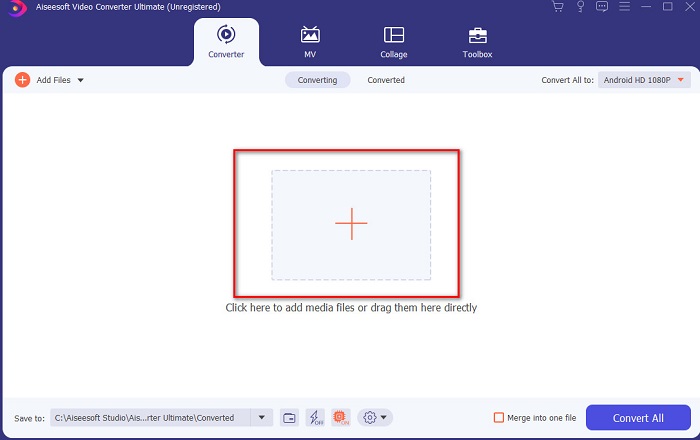
Korak 2. Pokrenite alat za nastavak rada, nakon čega će se prikazati ovakvo sučelje. U srednjem dijelu kliknite gumb +, pronađite DivX datoteku koju želite umetnuti i zatim kliknite Open.
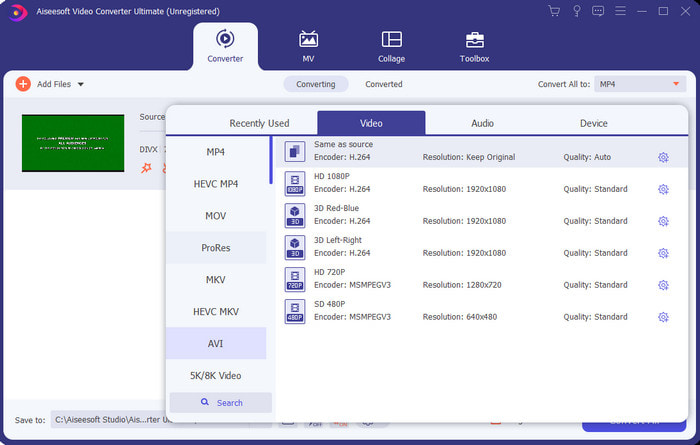
Korak 3. Da biste promijenili DivX u AVI, kliknite Convert All to i pronađite format AVI te ga odaberite.
Korak 4. Za pokretanje procesa pretvorbe kliknite Convert All i pričekajte da se postupak dovrši.
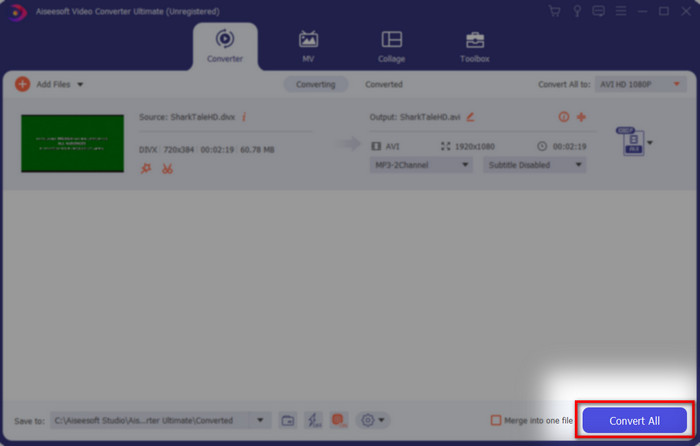
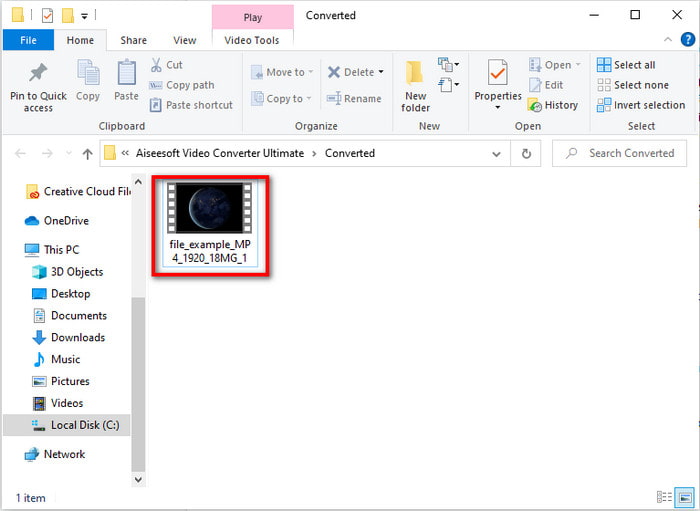
Korak 5. Pričekajte da se proces pretvorbe dovrši. Kada je gotov, na zaslonu će se pojaviti mapa s pretvorenom datotekom; kliknite je da biste je otvorili, pogledali video i uživali.
Vrh 2. Freemake Video Converter
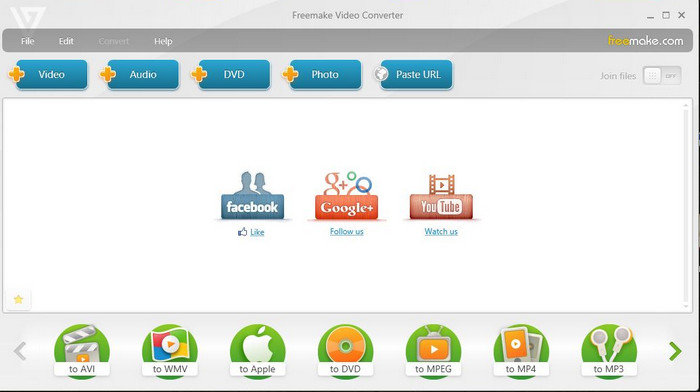
Još jedan program koji možete preuzeti i koristiti za pretvaranje formata je Freemake Video Converter. Ovaj je alat već mnogim korisnicima pomogao pretvoriti bilo koju medijsku datoteku u novi format. Također se široko smatra jednim od najboljih programa koje možete preuzeti i na koje se možete osloniti. Iako je alat odličan, i dalje mu nedostaje podrška za neke formate, a sam proces pretvorbe je vrlo spor. Razlog je to što alat nema hardversko ubrzanje kao FVC Video Converter Ultimate. Stoga, ako želite besplatno pretvoriti DivX u AVI, ovo bi mogao biti alat kojem ćete pribjeći.
Pros
- Besplatno preuzimanje bilo kojeg softvera.
- Izgled je jednostavan.
Protiv
- Nema hardversko ubrzanje.
- Neki formati ovdje nisu podržani.
Vrh 3. FVC besplatni video pretvarač
Što ako želite pretvoriti medijsku datoteku u novi format, ali ništa ne želite preuzimati? Tada je FVC Free Video Converter tu da vam pomogne. Za razliku od prethodna dva alata, ovom alatu možete pristupiti bez preuzimanja. Iako je softver besplatan za korištenje, i dalje ne podržava neke formate. Također, imate ograničen izbor formata u koje možete pretvarati. Ipak, proces pretvorbe je znatno brži nego kod Freemake Video Convertera. Dakle, ako želite znati kako online pretvoriti DivX u AVI, slijedite korake u nastavku.
Korak 1. Idite na glavnu web-stranicu alata FVC Free Video Converter klikom na ovu poveznicu.
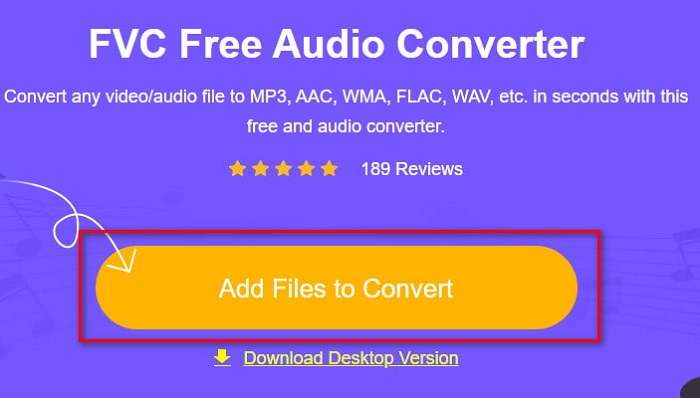
Korak 2. Pritisnite Add Files to Convert kako biste preuzeli pokretač ako ga koristite prvi put. Ako je pokretač već instaliran, ponovno kliknite Add Files to Convert, pronađite datoteku u mapi, označite je i pritisnite Open.
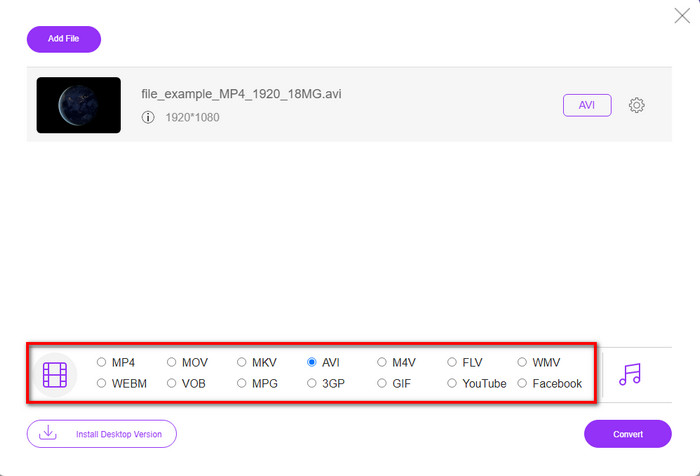
Korak 3. Odaberite AVI format među ponuđenim opcijama ili neki drugi format u koji želite pretvoriti datoteku.
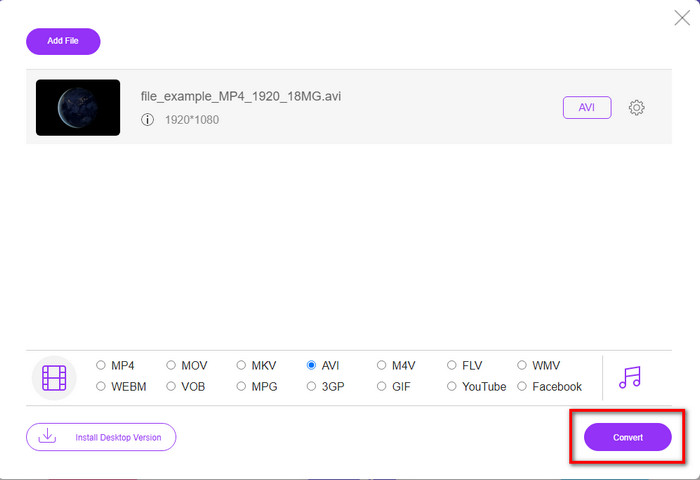
Korak 4. Kada završite s odabirom formata, vrijeme je da ga spremite na svoj disk klikom na Convert.
Korak 5. Kada je proces dovršen, pričekajte da se na zaslonu pojavi mapa s datotekom. Otvorite datoteku klikom na nju i pogledajte pretvorenu medijsku datoteku.
Top 4. Online-Convert.com
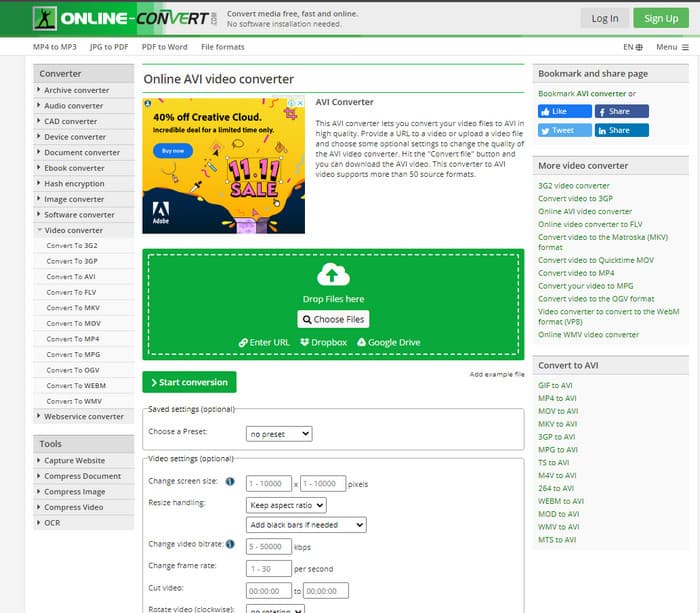
Još jedan mrežni alat koji možete koristiti za pretvaranje bilo koje medijske datoteke je Online-Convert.com. Kao i kod većine online alata, ovaj pretvarač podržava relativno mali broj formata. Međutim, ima ugrađene postavke za prilagodbu videa koje možete koristiti, ali njima je teško rukovati, osobito ako nemate prethodnog znanja. Osim toga, učitavanje i preuzimanje datoteka ovdje je vrlo sporo u usporedbi s FVC Free Video Converterom.
Pros
- Besplatan pristup na webu.
- Sučelje alata je sjajno i ima malo ili nimalo oglasa.
- Proces pretvorbe ovisit će o internetskoj povezanosti.
Protiv
- Ne može se pristupiti bez interneta.
- Proces uvoza i izvoza će potrajati dosta vremena u usporedbi s drugim alatima.
Dio 3. Koji je najbolji za pretvaranje DivX u AVI?
| Značajka/e | FVC Video Converter Ultimate | Freemake Video Converter | FVC besplatni video pretvarač | Online-Convert.com |
| Pretvori video i audio |  | | | |
| Skupna konverzija | |  | | |
| Hardversko ubrzanje | | | | |
| Programski Alat | Alat za radnu površinu | Alat za radnu površinu | Web temeljen alat | Web temeljen alat |
| Mrežna povezanost | Nije Obavezno | Nije Obavezno | Potreban | Potreban |
Dio 4. Često postavljana pitanja o DivX u AVI pretvaračima
Koje je bolje? DivX i XviD?
DivX je dobro poznati vlasnički kodek za video i audio datoteku spremnika, a također je specijaliziran za kopiranje datoteke na disku uz komprimiranje bez gubitka kvalitete. Dok je XviD završna verzija DivX-a i nešto je puno bolji od DivX-a. Također, nije vlasnički što znači da ga svatko može koristiti kad god ili što god želite.
Što su kodeci?
Kodek se koristi za komprimiranje datoteke i distribuciju bilo koje audio i video datoteke mnogo brže unutar manje veličine datoteke. Također, koristi se za dekompresiju datoteke koja je povezana s navedenim kodekom za otvaranje komprimirane datoteke koju ste napravili bez uništavanja njezine vjerodostojnosti.
Da biste imali manju veličinu datoteke, je li idealno komprimirati ili pretvoriti?
Ako želite zadržati kvalitetu videa, a pritom ga učiniti manjim, idealno je komprimirati ga uz pomoć ove poveznice. No ako želite još jednostavniji način, razmislite o pretvaranju videa u MP4 čitanjem ovog članka kako biste saznali kako to učiniti.
Zaključak
Na kraju ovog članka sada nam je lakše razumjeti što je DivX, a što AVI. Također smo vam predstavili 4 korisna alata kojima možete reproducirati svoju DivX datoteku tako da je pretvorite u AVI format. Stoga, ako želite doživjeti stopostotni uspjeh, koristite FVC Video Converter Ultimate kako biste si ga zajamčili.
Besplatno preuzimanjeZa Windows 7 ili novijiSigurno preuzimanje
Besplatno preuzimanjeZa MacOS 10.7 ili novijiSigurno preuzimanje
-
 [Besplatno i na mreži] 7 načina za pretvaranje MTS-a u AVI na Mac/Windows računalu
 Kako s lakoćom pretvoriti MTS u AVI? U ovom ćete vodiču pronaći 7 besplatnih i jednostavnih načina za pretvorbu MTS datoteka u AVI na sustavu Windows ili Mac bez gubitka kvalitete.
-
 Vodič za pretvaranje MP4 u AVI datoteke sa 7 besplatnih video pretvarača
 Želite li dobiti sve besplatne načine za pretvaranje AVI u MP4 video? Ne biste trebali propustiti ovaj članak. Evo 7 načina za besplatno pretvaranje AVI datoteka u MP4 na Windows, Mac, iPhone, Android i na mreži.
-
 3 jednostavne metode za pretvorbu FLV u AVI na radnoj površini i na mreži
 Evo tri načina koji će vam pomoći da učinkovito pretvorite svoje FLV video datoteke u AVI format u sustavu Windows i Mac, tako da ih možete gledati u visokoj kvaliteti.
