


 Video Converter Ultimate
 Snimač zaslona
 Video popravak
2 brza i jednostavna načina za pretvaranje M2TS u AVI s navedenim koracima
Kako ulazimo sve dublje u budućnost, mnogi formati više nemaju dovoljnu podršku, poput M2TS‑a. Ovaj format još uvijek koristi stari Blu-ray Audio Video kontejner koji za prijenos osnovnog toka koristi MPEG‑2. Tom formatu ne možete pristupiti na nekim uređajima poput iPhonea, iPoda, pa čak ni Androida, jer ne mogu pročitati njegovu strukturu. Međutim, ako još uvijek imate datoteke s ovim nastavkom i želite ih gledati, preporučujemo da format pretvorite u AVI. Stoga, sada ćemo istražiti koji je način bolji da vam pomogne u naumu da konvertirate M2TS. Štoviše, ako nastavite čitati ovaj tekst, naučit ćete kako pretvoriti M2TS u AVI format online ili offline.

Dio 1. M2TS protiv AVI
Kao što smo ranije objasnili, M2TS datoteke su nekada bile spremnik na Blu-rayu koji podržava različite video zapise, audio i drugi stream u jednom spremniku. Također, ako je ekstenzija vaše datoteke na vašem Blu-rayu ili AVCHD-u u ovom formatu, očekujte da je njegova kvaliteta izvrsna. Iako ovaj format datoteke radi dobro, podrška koju dobiva na nekim media playerima i dalje je slaba. Drugi je da kada želite reproducirati ovu vrstu proširenja datoteke, trebat će vam plug-in-play, kodek i neke komponente za gledanje videa u ovom formatu. Za razliku od ako je ekstenzija vaše datoteke .avi. Ovaj format stječe obožavatelje na cijelom webu zbog dobre kvalitete videa koji ovaj format može sadržavati. Međutim, veličina datoteke je veliki problem jer nema odgovarajući kodek za smanjenje veličine datoteke. Ali ako usporedimo M2TS i AVI, oba su izvrsna. Ipak, podrške su različite, a fleksibilnost AVI formata vam može donijeti.
Dio 2. Prvi način je pretvoriti M2TS u AVI na mreži s najjednostavnijim web alatom
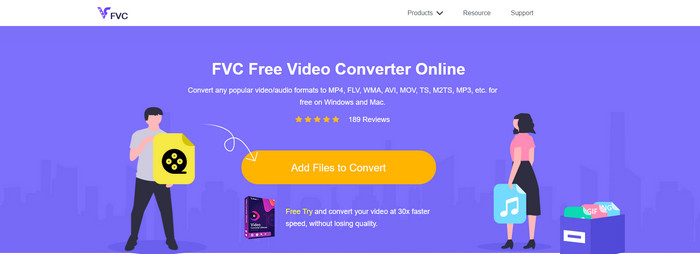
Možda se pitate možete li besplatno pretvoriti M2TS u AVI; ako je tako, tada je za vas namijenjen FVC Free Video Converter. Ovaj web‑alat jedan je od najboljih internetskih konvertera koje možete pronaći. Štoviše, ako imate problem s konverzijom formata, ovo je također rješenje za to: možete promijeniti bitrate, rezoluciju i broj sličica u sekundi. Iako alat podržava srednji raspon različitih formata, još uvijek nema napredne funkcije kojima biste završni rezultat učinili iznimnim kao što to može učiniti FVC Video Converter Ultimate. Ipak, ako ne želite platiti, a imate internetsku vezu, ovo bi trebao biti vaš izbor za pretvaranje formata u novu verziju.
Pros
- Nije potreban softver za preuzimanje jer mu se može pristupiti na webu.
- Podržava srednje vrste formata koje možete odabrati.
- Besplatno i bez oglasa na sučelju web stranice.
Protiv
- Potrebna mu je internetska veza da bi mu mogao pristupiti.
- Neki formati ovdje nisu podržani i ima ograničenu podršku za format.
Koraci za korištenje online konvertera na webu
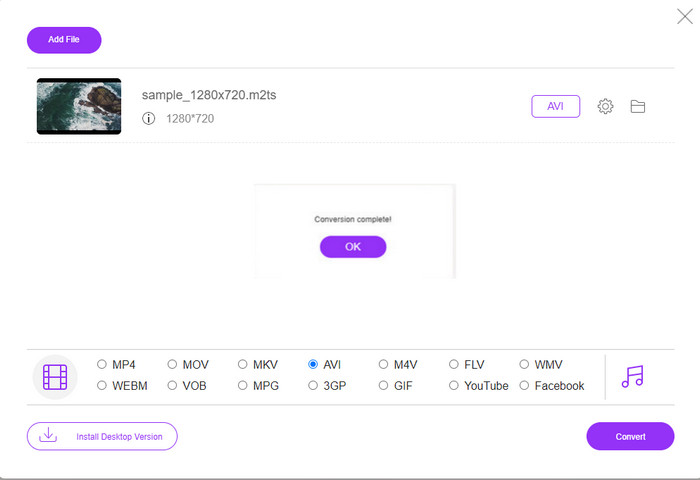
Korak 1. Kliknite ovu poveznicu da biste otvorili glavnu stranicu online konvertera – ne morate brinuti, poveznica je sigurna za pristup jer smo je i sami isprobali.
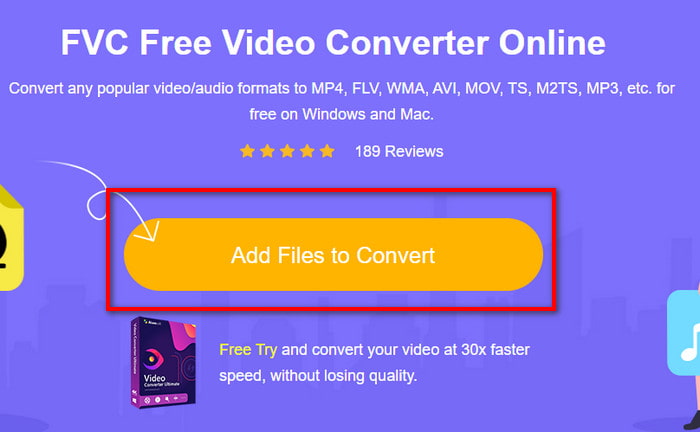
Korak 2. Zatim kliknite Add Files to Convert i na ekranu će se prikazati mapa; odaberite datoteku s nastavkom .m2ts i kliknite Open.
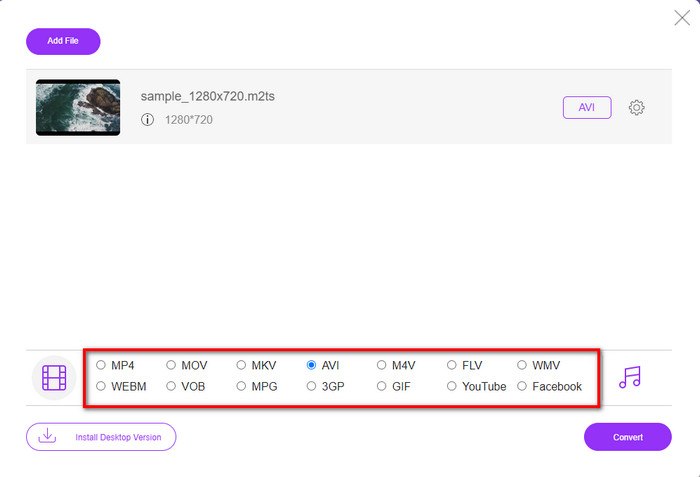
Korak 3. Nakon umetanja datoteke, na zaslonu će se prikazati sučelje s dostupnim opcijama formata pri dnu; s popisa odaberite AVI format.
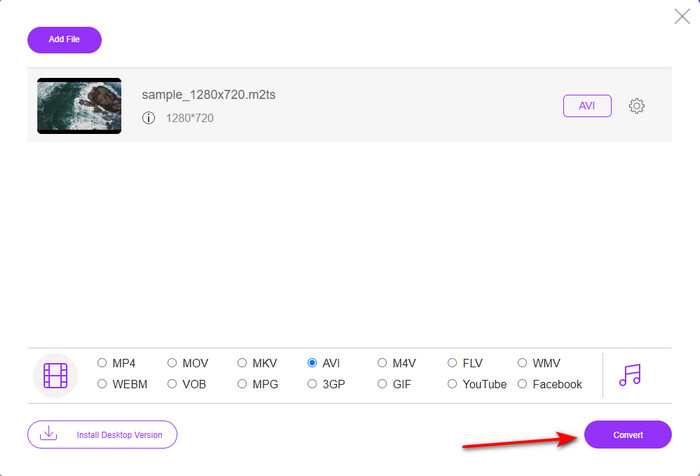
Korak 4. Kada ste odabrali format, kliknite Convert da biste započeli pretvaranje formata u AVI.
Korak 5. Pretvaranje formata trajat će otprilike minutu; zatim će se otvoriti mapa s konvertiranom datotekom koju ste upravo izradili.
Dio 3. Drugi način je korištenje vrhunskog alata za pretvaranje M2TS u AVI izvan mreže
Ako želite alat koji radi znatno bolje od dostupnih online ili offline konvertera, tada je FVC Video Converter Ultimate savršen alat za vas. Ovaj program izvrsno obavlja razne zadatke, bilo da je riječ o uređivanju, izradi GIF‑ova, promjeni formata, pojačavanju glasnoće i još mnogo toga. Mnoge napredne, ali pojednostavljene funkcije već su ugrađene u ovaj softver kako bi korisnicima omogućio najbolji mogući rezultat. Da, istina je – trebate postati korisnik (kupac) prije nego što dobijete pristup ovom ultimativnom alatu. No ne trebate očajavati, jer nije skup, a radi znatno bolje od drugih konvertera. Također, ovaj alat podržava sve poznate formate i zasigurno podržava format datoteka koje koriste vaš uređaj ili računalo. Štoviše, ako želite iskusiti najbolji proces konverzije, slijedite navedene korak‑po‑korak upute za korištenje ovog M2TS u AVI konvertera.
Pros
- Podržava puno naprednijih značajki koje biste voljeli koristiti.
- Može pretvoriti datoteku u roku od nekoliko sekundi zbog hardverskog ubrzanja i brze pretvorbe koji ovaj alat pruža.
- Dostupan na svim platformama i podržava sve formate.
Protiv
- Da biste pristupili alatu, morat ćete platiti.
- Najprije ga je potrebno preuzeti na disk vašeg računala.
Koraci za pretvaranje M2TS video formata u AVI format offline
Korak 1. Preuzmite softver za svoju platformu klikom na gumb za preuzimanje ispod. Zatim ga instalirajte, obavite početno podešavanje i otvorite alat.
Besplatno preuzimanjeZa Windows 7 ili novijiSigurno preuzimanje
Besplatno preuzimanjeZa MacOS 10.7 ili novijiSigurno preuzimanje
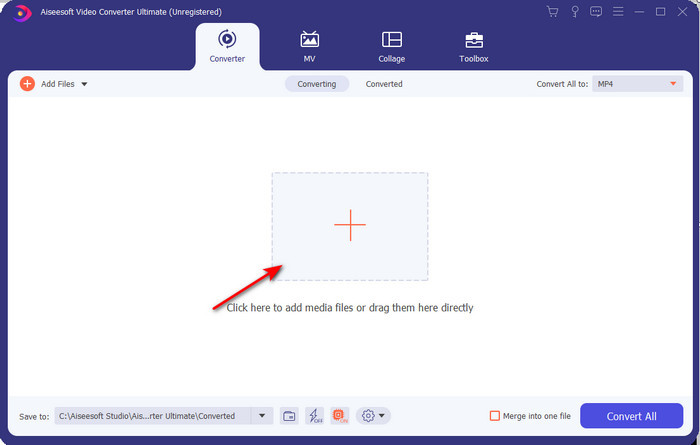
Korak 2. Pokrenite softver, kliknite gumb + da biste smjestili .m2ts datoteku iz mape i kliknite Open.
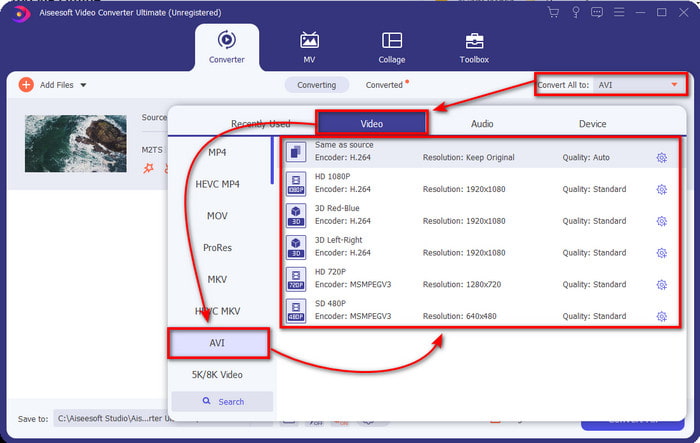
Korak 3. Sada ćete u gornjem desnom dijelu sučelja vidjeti izbornik Convert All to; kliknite ga. Nakon toga pojavit će se podizbornik, u kojem na popisu pronađite format AVI.
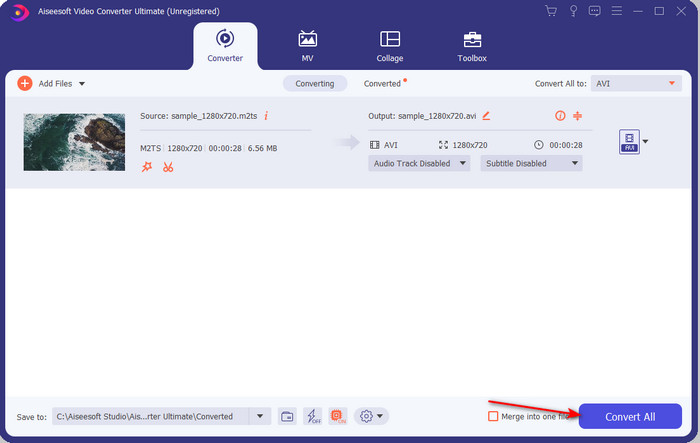
Korak 4. Kada odaberete format, pokrenimo konverziju klikom na Convert All.
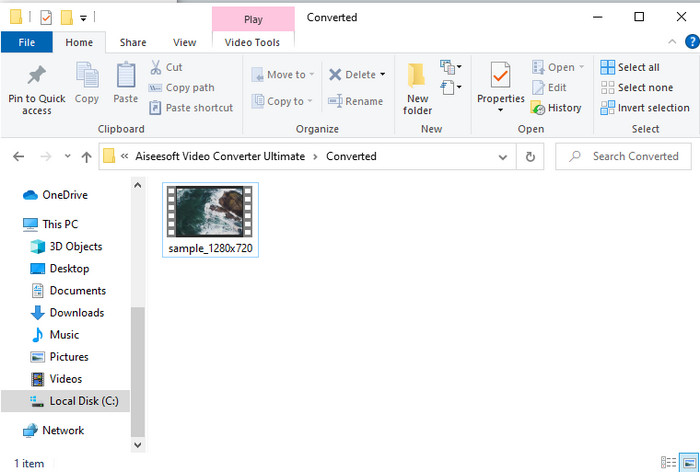
Korak 5. Kada je pretvaranje završeno, na zaslonu će se pojaviti mapa; zatim kliknite na datoteku kako biste pogledali konvertiranu .m2ts datoteku.
Dio 4. Često postavljana pitanja o M2TS i AVI
Nakon pretvorbe M2TS u AVI, ostaje li kvaliteta?
Nakon pretvorbe M2TS-a u AVI treba zadržati kvalitetu videa. Međutim, postoji mogućnost da će se kvaliteta promijeniti ako postavite kvalitetu izlaza na srednju ili nisku. To se može izbjeći ako ga postavite na 1080 ili 4k, ali će veličina datoteke biti veća u usporedbi s onima niske kvalitete.
Zašto ne mogu igrati M2TS na svom Windows Media Playeru?
Postoji jedan razlog zašto ne možete reproducirati datoteku s nastavkom .m2ts, a taj je razlog to što nije podržana. Dakle, ako i dalje želite gledati svoju .m2ts datoteku, nužno ju je pretvoriti ili pronaći neki drugi multimedijski reproduktor treće strane koji može reproducirati M2TS datoteke.
Jesu li MTS i M2TS različiti?
Ako bismo trebali usporediti ova dva formata, ne biste trebali očekivati neku osobitu razliku. Oba koriste AVCHD video format koji vašu video snimku pohranjuje u što je moguće višoj kvaliteti. Za više informacija o MTS i M2TS datotekama pročitajte članak Što je razlika između MTS i M2TS.
Zaključak
Zajedno smo sada pronašli različite tehnike kako pretvoriti vašu M2TS datoteku u AVI. Dok smo istraživali svaki alat pojedinačno, otkrili smo da FVC Video Converter Ultimate ima dobre rezultate u pretvaranju datoteka. Dakle, na kraju predlažemo da preuzmete fenomenalni pretvarač za lakšu konverziju i doživite najbrži proces pretvorbe ikada.
-
 Kako pretvoriti M2TS u MKV besplatno i na mreži
 Želite li pretvoriti M2TS u MKV uz zadržavanje izvorne kvalitete? Ovaj vam post prikazuje besplatne i mrežne metode za promjenu M2TS u MKV bez gubitaka.
-
 [2021] Top 6 besplatnih i online načina za pretvaranje M2TS u MP3
 Može li se M2TS datoteka pretvoriti u MP3? U ovom smo postu nabrojali 6 najboljih besplatnih i mrežnih načina koji će vam pomoći pretvoriti M2TS u MP3, AAC, AIFF i druge audio formate.
-
 Kako pretvoriti M2TS u MOV besplatno [online i offline]
 Trebate pretvoriti M2TS u MOV za reprodukciju video datoteka na velikom broju playera i platformi? Ovaj će vam članak pomoći pronaći najbolju mrežnu / izvanmrežnu metodu za pretvaranje M2TS u MOV na Windowsima / Macima.
