


 Video Converter Ultimate
 Snimač zaslona
 Video popravak
Potpuni pregled o tome kako pretvoriti SWF datoteku u AVI pomoću 5 pretvarača
Format koji je nastao zajedničkim radom ShockWave Flasha i Adobea je SWF. Ovaj format je osmišljen za pohranu i reproduciranje video animacija u Flash Playeru ili na webu uz pomoć Flash dodataka. Međutim, animirane videozapise u SWF formatu vrlo je teško gledati, jer nijedan drugi medijski reproduktor osim Flash Playera ne podržava ovaj format. U tom slučaju morate pronaći pretvarač kako biste .swf datoteku mogli gledati na svom računalu. Stoga vam u nastavku predstavljamo pretvarače koje možete koristiti za pretvaranje SWF u AVI online i offline.
Dio 1. SWF vs AVI: koji je bolji?
Ranije smo objasnili neke od podataka koje smo prikupili tijekom našeg istraživanja o SWF datotekama. Ali jeste li znali da ova datoteka koristi vektor, a ne piksel? Da bismo to bolje razumjeli, zadubimo se dublje u to. Pikseli su maleni okviri koji se prikazuju na vašem zaslonu. U osnovi, sav ovaj mali kvadrat ima različite boje i svi su spojeni zajedno kako bi stvorili vizual. Međutim, vektori koriste matematičke jednadžbe za izračunavanje oblika koji će se pojaviti na vašem zaslonu. Dakle, ako pokušamo gledati SWF videozapise, očekujte puno bolju vizualnu kvalitetu od bilo kojeg formata.
AVI je jedan od poznatih formata datoteka koji ima veliku veličinu datoteke u usporedbi s drugim formatima. A glavni razlog zašto je veličina datoteke AVI velika je samo zato što nije komprimirana. A budući da je nekomprimiran, očekujte da će datoteka zadržati kvalitetu, ali u puno većoj veličini.
Jedini razlog zbog kojeg ćete morati naučiti kako pretvoriti SWF datoteku u AVI jest gledati video koji je još uvijek pod ekstenzijom datoteke .swf. Nadalje, već sada činimo vaše pretraživanje mnogo lakšim nego ikad jer prikupljamo različite alate koje možete odabrati. Također, svi navedeni alati u nastavku pružaju izvrsnu konverziju koja će vam doslovno pomoći u rješavanju ovog problema.
Dio 2. 5 najboljih pretvarača SWF u AVI dostupnih na stolnim računalima i webu
1. FVC Video Converter Ultimate
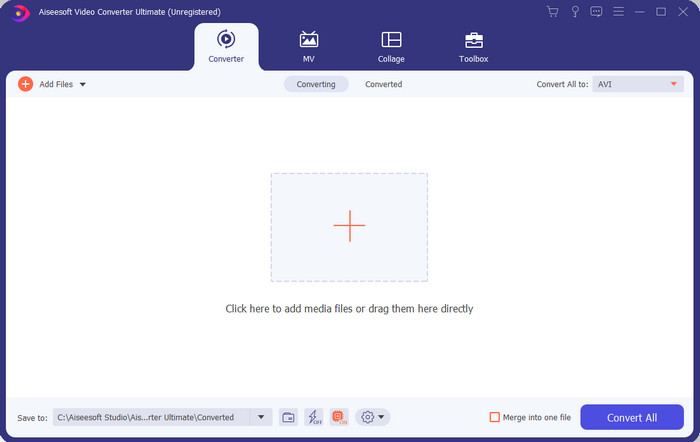
Ako tražite vrhunski softver koji trebate koristiti za pretvaranje .swf datoteka, onda je FVC Video Converter Ultimate pravi izbor. Ne bi bio na prvom mjestu da softver ne pruža izvanrednu konverziju. Također, podržava više od 200 formata, i onih koje poznajete i onih koje možda ne poznajete. Za razliku od pretvarača navedenih u nastavku, ovaj se uvelike razlikuje po sučelju, funkcionalnosti, naprednim značajkama, dostupnosti i još mnogo toga. Ako tražite izvrstan pretvarač, recite sebi da je potraga završena jer ste ga pronašli. Štoviše, ako još uvijek niste uvjereni u ovaj alat, sami ga isprobajte preuzimanjem ovog najboljeg besplatnog SWF u AVI pretvarača.
Pros
- Podržava hardversko ubrzanje i brzu konverziju za pretvaranje u tren oka.
- Širok raspon podržanih formata medijskih datoteka.
- Značajke uređivanja dostupne su nakon podmirenja plaćanja.
- Skupna pretvorba može se lako izvesti.
Protiv
- Morate prvo platiti prije nego što ga možete koristiti, ali je vrlo jeftin.
- Najprije se mora preuzeti na vaš disk.
2. VLC Media Player
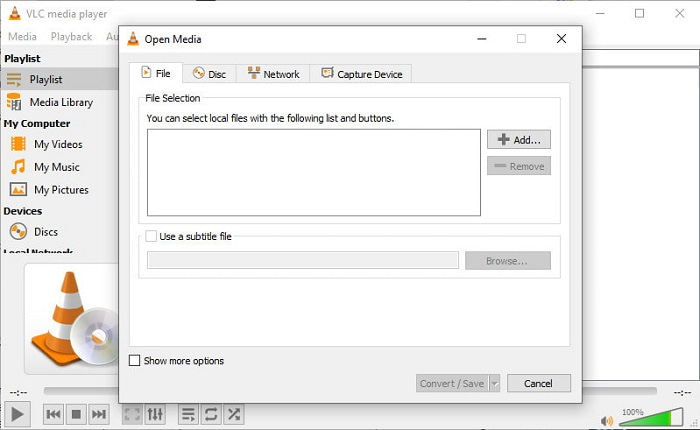
Ovaj medijski reproduktor ima skrivenu značajku koju ćete sigurno poželjeti koristiti. VLC Media Player se ne koristi samo kao medijski reproduktor, već nudi i funkciju pretvaranja. Ipak, broj formata koje podržava ugrađeni pretvarač vrlo je ograničen i ne možete podesiti rezoluciju. Također, proces pretvaranja formata ovdje će vam zasigurno zadati više muke nego drugi pretvarači. No, ako ga ipak želite isprobati i koristiti kao besplatni SWF u AVI pretvarač, preuzmite ovaj medijski reproduktor.
Pros
- Uz media player ima ugrađeni pretvarač.
- Besplatno preuzimanje na bilo kojoj platformi.
- Sigurno je za preuzimanje, a zaštićen je i proces pretvaranja.
Protiv
- Podržan je manji format od ostalih pretvarača dostupnih na ovom popisu.
- Proces pretvorbe potrebno je puno učiniti prije nego što izvršite pretvorbu.
3. Convertio
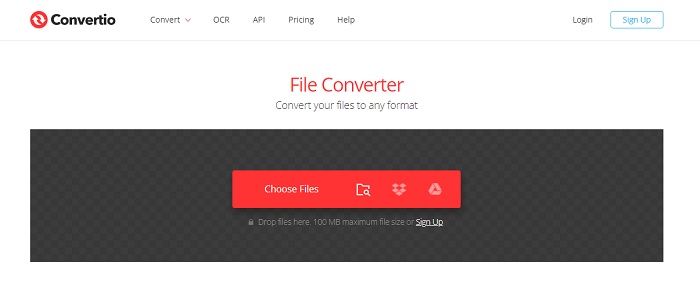
Ako želite pretvoriti SWF u AVI online, isprobajte Convertio, jer nudi jednostavnu i učinkovitu konverziju. Ovaj web‑alat je siguran za korištenje, a sve datoteke koje se konvertiraju ovim alatom bit će izbrisane s web‑mjesta. Još jedna sjajna značajka ovog alata je mogućnost grupnog (batch) pretvaranja ako se prijavite. Ipak, postupak učitavanja i preuzimanja datoteka zasigurno će vam oduzeti dosta vremena, što može biti pomalo nezgodno za korisnike. Ako ne želite potrošiti ni lipe na konverziju, pokušajte koristiti ovaj alat.
Pros
- Nije potrebno preuzimati softver na svoj pogon prije nego što ga možete koristiti.
- Podržava srednju razinu formata između kojih možete birati.
- 2 formata datoteka u isto vrijeme mogu se pretvoriti.
Protiv
- Prijenos i preuzimanje datoteke nakon pretvorbe oduzelo bi vam puno vremena.
- Zavisan od interneta, što znači da ako je vaš internet spor onda očekuje dugo vremena.
4. OnlineConvertFree.com
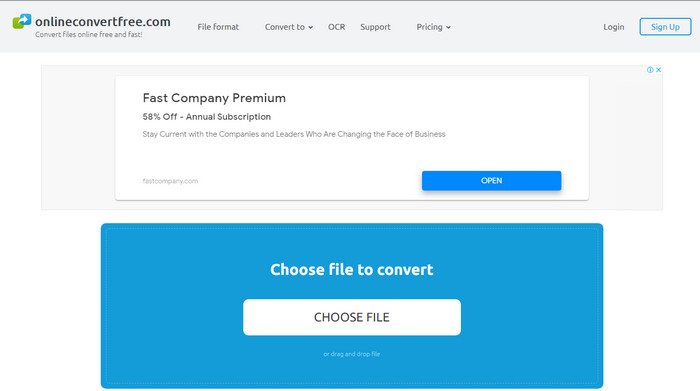
Još jedan online video pretvarač za SWF u AVI koji možete koristiti je OnlineConvertFree.com. Ako je jednostavnost vrlina, onda bi ovo trebao biti vaš izbor za posao pretvaranja. Za razliku od prvog spomenutog online alata, ovaj je mnogo jednostavniji, ali podržava manje formata između kojih možete birati. Također, u ovom je online softveru ograničena veličina datoteke. Dakle, ako je vaša datoteka veća od 20 MB, računajte na to da je nećete moći koristiti u ovom alatu. Ipak, ako želite koristiti ovaj servis za pretvaranje datoteka i pritom ne trošiti mnogo, poslužite se njime.
Pros
- Pristup je slobodan.
- Ovaj se pretvarač može koristiti ako imate internetsku vezu.
- Sveukupno sučelje izgleda uredno.
Protiv
- Ne može se pristupiti ako internet nije dostupan.
- Oglasi ubijaju web stranicu.
Dio 3. 5 koraka kako pretvoriti SWF u AVI na FVC Video Converter Ultimate
Ovdje su detaljni koraci o tome kako koristiti FVC Video Converter Ultimate. Svi navedeni koraci ovdje će vam jamčiti jednostavno, a opet fenomenalno iskustvo.
Korak 1. Najprije morate preuzeti alat na tvrdi disk računala, bilo da je riječ o PC‑ju ili Macu. Zatim instalirajte softver na disk, jednostavno prođite kroz postavke instalacije i kliknite Start Now.
Besplatno preuzimanjeZa Windows 7 ili novijiSigurno preuzimanje
Besplatno preuzimanjeZa MacOS 10.7 ili novijiSigurno preuzimanje
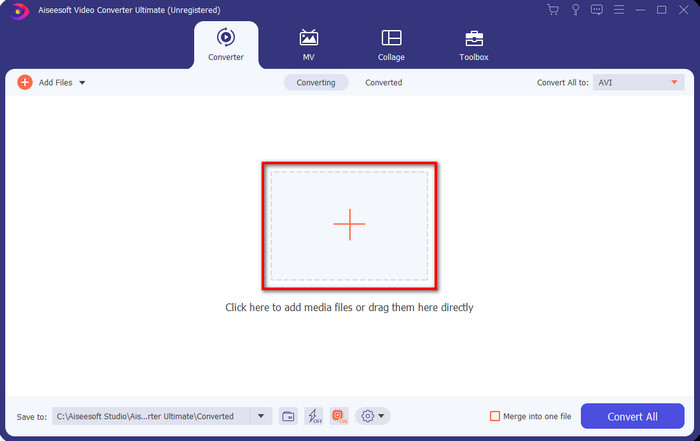
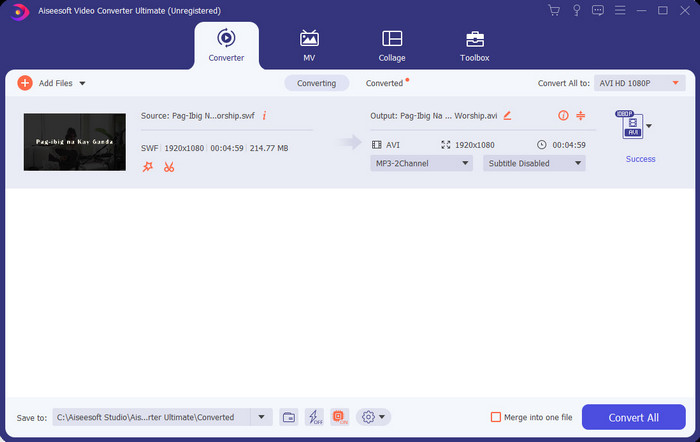
Korak 2. Otvorite softver koji ste instalirali na disk, zatim kliknite gumb + i pronađite datoteku u mapi koja će se pojaviti. Pritisnite Open za nastavak.
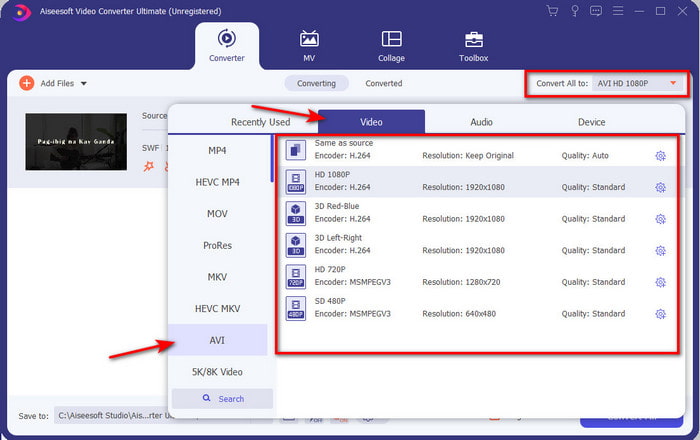
Korak 3. Kako biste SWF datoteku promijenili u AVI format, kliknite gumb padajućeg izbornika (drop‑down) i odaberite AVI format, a zatim odaberite rezoluciju.
Korak 4. Kada završite s odabirom formata, kliknite Convert All kako bi proces pretvaranja započeo.
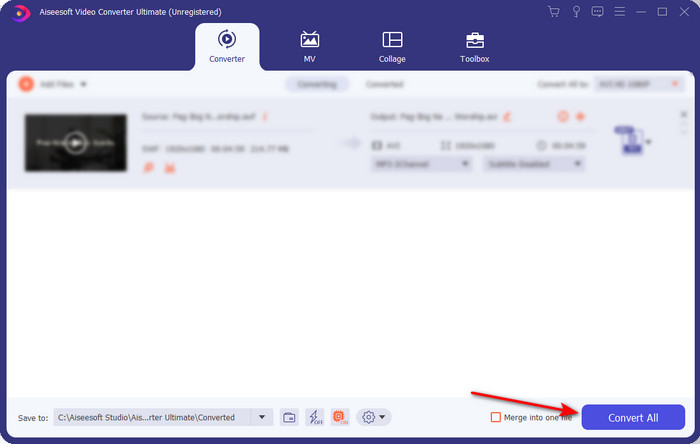
Korak 5. Nakon što je konverzija završena, pojavit će se mapa s pretvorenom datotekom. Kliknite novu AVI datoteku kako biste je pogledali i kasnije po potrebi premjestili.
Dio 4. Često postavljana pitanja o SWF-u i AVI-ju
Mogu li reproducirati SWF na drugim media playerima?
Definitivno ne, jer .swf format nije podržan u vašem medijskom reproduktoru čak ni ako koristite aplikaciju treće strane. Najbolje rješenje da biste reproducirali .swf jest da ga pretvorite u neki drugi format. No, ako ga ne želite pretvarati, morate koristiti Flash Player kako biste reproducirali SWF format datoteke.
Je li .swf manji po veličini?
Apsolutno da, osim što je male veličine, učitava se i puno brže u usporedbi s drugim formatima, kao i zbog same strukture formata. Možete pokušati komprimirati SWF datoteke pomoću video kompresora ako su prevelike.
Može li moja SWF datoteka prilagoditi prozirnost?
Pa, možete ga postaviti da bude transparentan ako želite ili ne ako ne želite. Također, možete dodati alfa kanal s bojom na zaslonu ili nijansama sive kako biste ga postavili kao prozirni.
Zaključak
Dok završavamo ovaj članak, već smo saznali što je SWF i njegovu drugu svrhu. Također, saznali smo da ne možete koristiti .swf datoteku ako ne koristite Flash Player i osim toga ne možete je reproducirati. Dakle, sada je najbolje rješenje za reprodukciju SWF datoteke pretvoriti je u novi format kao što je AVI. Štoviše, svi gore spomenuti alati obavljaju svoj posao kao pretvarač. Ali ne postoji alat koji nudi puno brže i lakše rješenje od FVC Video Converter Ultimate.
-
 SWF u MP4: Besplatno Pretvorite SWF u MP4 na mreži i na računalu
 Kako otvoriti SWF datoteku bez Adobe Flash Player-a? Uzmite besplatni top 3 SWF u MP4 pretvarač da biste besplatno promijenili SWF u MP4 na mreži i na PC-u / Mac-u u 3 koraka.
-
 [2 rješenja] Kako jednostavno i besplatno pretvoriti SWF u GIF datoteke
 Ako ne uspijete izvesti GIF format putem softvera Flash, prvo možete pokušati spremiti datoteke u SWF formatu. Tada iz ovog članka možete naučiti 2 jednostavna načina pretvorbe SWF-a u GIF datoteke.
-
 Izvrstan izbor za pretvaranje MKV -a u AVI format
 Naučite kako pretvoriti MKV video zapise jednostavnim koracima koji su dostupni isključivo za vas. Želite li znati kako? Zatim kliknite ovu vezu da saznate više.
