


 Video Converter Ultimate
 Snimač zaslona
 Video popravak
Pojednostavljeni vodič o tome kako pretvoriti TRP u WMV pomoću Pro Convertera
Imate poteškoća s TRP datotekama jer ih ne možete otvoriti u svom medijskom reproduktoru ili uređivaču? Mnogi internetski korisnici također imaju problema s rukovanjem TRP datotekama. Ako ste i vi među njima, predlažemo da ostanete s nama i pročitate ovaj članak u kojem detaljnije govorimo o TRP formatu. Također, kako biste riješili problem s ovim formatom, preporučujemo da ga pretvorite u WMV, osobito ako ga želite reproducirati na Windowsu. Pa što još čekate? Krenimo na detalje u nastavku i vidimo kako pretvoriti TRP u WMV.

Dio 1. Pretvorite TRP u WMV uz Video Converter Ultimate
Želite znati kako pretvoriti TRP u WMV pomoću vrhunskog profesionalnog alata? Ako je tako, upotrijebite FVC Video Converter Ultimate da to postignete. Prije nego što krenemo i naučimo kako pretvoriti vaš TRP, moramo se upoznati s ovim konverterom. Ovaj konverter nudi jednostavan i brz postupak pretvorbe koji već vole milijuni korisnika. Štoviše, može pretvoriti vašu TRP datoteku u WMV, AMV, MKV, AVI ili bilo koji drugi željeni format. Osim toga, ovdje možete raditi i napredno uređivanje. Želite imati potpuni pregled funkcija ovog alata? Zatim nastavite čitati u nastavku.

FVC Video Converter Ultimate
5.689.200++ preuzimanja- Podržava pretvaranje TRP-a u WMV, AVI, MP4, MOV, MKV iu 200+ dostupnih formata.
- Jednostavan je za korištenje i ima ugrađenu ultrabrzu pretvorbu za brže transkodiranje.
- Nema ograničenja za pretvaranje, a njegova skupna pretvorba radi dobro.
- Napredne značajke uređivanja nalaze se u Toolboxu.
Besplatno preuzimanjeZa Windows 7 ili novijiSigurno preuzimanje
Besplatno preuzimanjeZa MacOS 10.7 ili novijiSigurno preuzimanje
Bez ikakvog odgađanja, počnimo koristiti ovaj A1 pretvarač slijedeći korake u nastavku.
Korak 1. Preuzmite FVC Video Converter Ultimate na svoj disk klikom na gumb za preuzimanje prikazan ispod. Slijedite upute za instalaciju, a zatim pokrenite alat.
Besplatno preuzimanjeZa Windows 7 ili novijiSigurno preuzimanje
Besplatno preuzimanjeZa MacOS 10.7 ili novijiSigurno preuzimanje
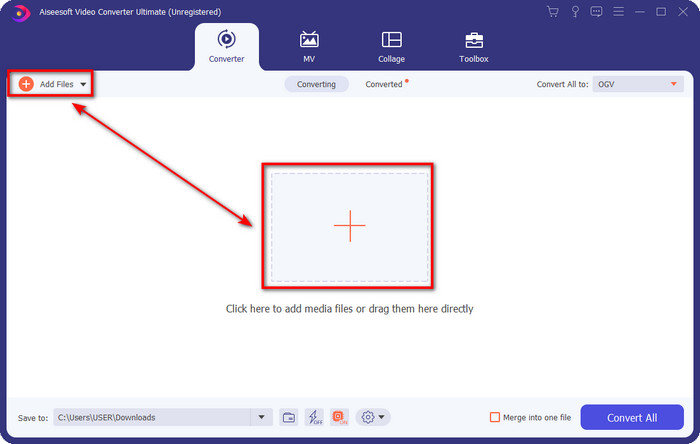
Korak 2. Na početnoj stranici konvertera kliknite Add Files u gornjem lijevom dijelu sučelja. Zatim u mapi koja će se otvoriti potražite TRP datoteku koju želite pretvoriti i pritisnite Open za nastavak.
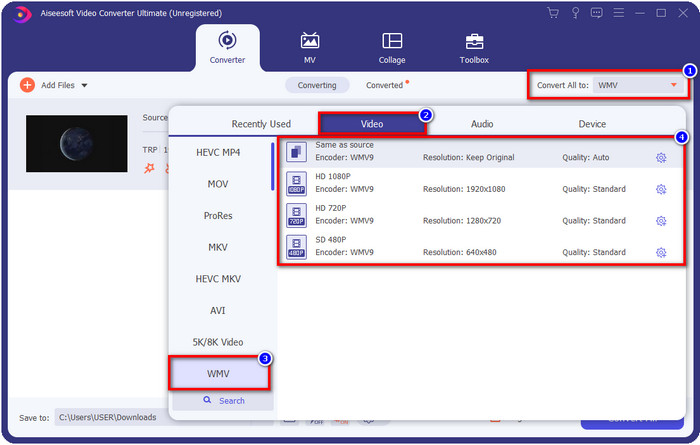
Korak 3. Kada učitate datoteku, sada trebate promijeniti format u WMV klikom na gumb Convert All to. Vidjet ćete da svaki dostupni format ima pojedinačne karakteristike koje možete odabrati s popisa.
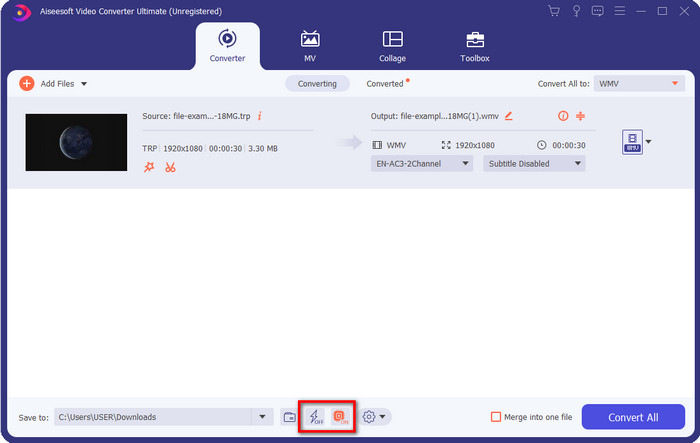
Neobavezno. Želite li uživati u brzoj pretvorbi o kojoj smo govorili? Možete kliknuti Ultrafast Conversion i Hardware Acceleration ispod i aktivirati ih kako biste je omogućili.
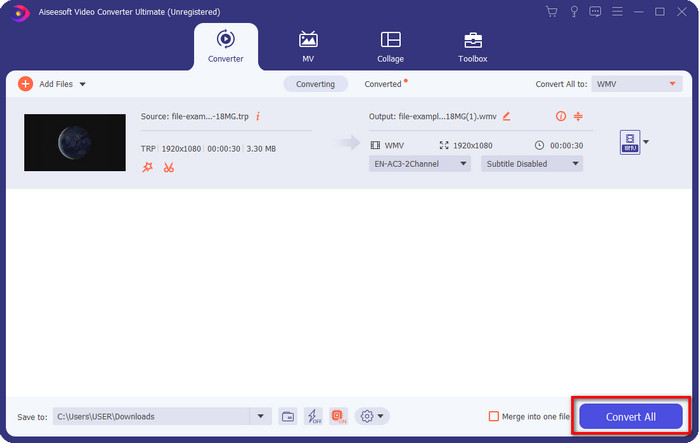
Korak 4. Pokrenite proces pretvorbe klikom na gumb Convert All u donjem desnom dijelu.
Dio 2. Pretvorite TRP u WMV Online
Na internetu je dostupno mnogo konvertera za pretvaranje TRP u WMV. Ipak, FVC Free Video Converter Online je najbolji i profesionalni online konverter. Ovaj konverter je besplatan i nije potrebno ništa preuzimati da biste ga koristili. Već je mnogim internetskim korisnicima pomogao riješiti problem pretvaranja TRP u WMV, AVI, MP4 i MOV. No ovaj konverter ne podržava toliko formata kao FVC Video Converter Ultimate i nema funkcije uređivanja. Dakle, ako želite znati kako koristiti ovaj konverter, slijedite korake u nastavku.
Korak 1. Kliknite ovu poveznicu kako biste otvorili glavni FVC Free Video Converter Online.
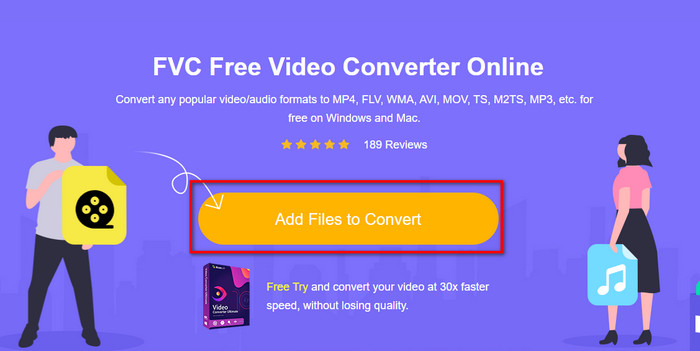
Korak 2. Pritisnite gumb Add Files to Convert i na radnoj površini će se otvoriti mapa. Pronađite TRP datoteku koju želite pretvoriti i kliknite Open.
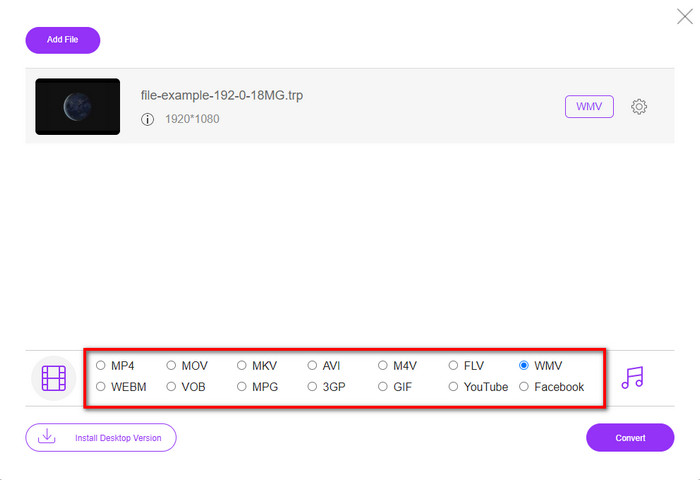
Korak 3. Nakon učitavanja TRP datoteke kliknite format WMV na popisu postavki ispod.
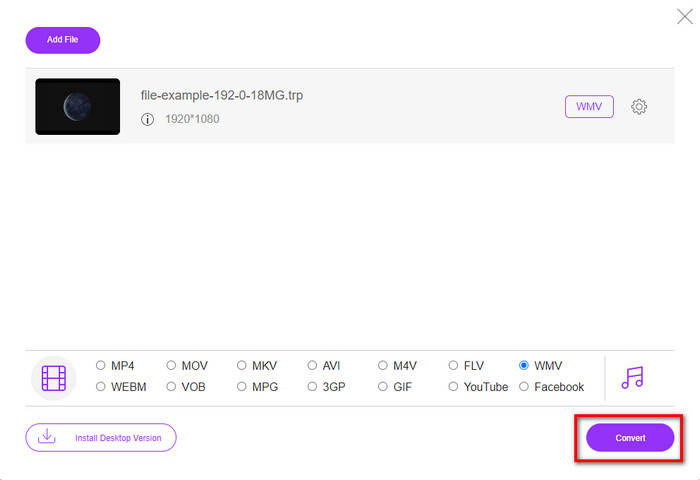
Korak 4. Započnite proces pretvorbe klikom na Convert; datoteka će se nakon završetka automatski spremiti na vaš disk.
Dio 3. Koja je razlika između TRP-a i WMV-a
Iako su ova dva formata izvrsna za online streaming, TRP i WMV i dalje imaju različite strukture i upotrebu. Također, njihov se kodek daleko razlikuje jedan od drugog. Dakle, sada, ako želite saznati detaljnije i dublje informacije o TRP datotekama i WMV-u, morate nastaviti i pročitati informacije u nastavku.
TRP sadrži medijsku datoteku visoke razlučivosti kodiranu u MPEG-2 Part 1 transportni format. Ovaj je format poznat po multipleksiranju streamova koji mogu reproducirati sinkronizirani medijski sadržaj. Također, ovaj format je često na DVB ili digitalnom video emitiranju radi ispravljanja pogrešaka koji ovaj format pruža. Štoviše, podaci koje TRP koristi razlikuju se od H.264 za video i AC3 za audio. U ovom trenutku TRP format ne dobiva veliku podršku, osobito u većini multimedijskih playera u sustavu Windows.
S druge strane, WMV ima niz video kodeka s različitim namjenama za kodiranje datoteke. Microsoft je predstavio ovaj format kako bi se natjecao s RM formatom u online streamingu sadržaja. A sada je format nadograđen u WMV9, koji se aktivira ako video rezolucija medijskog sadržaja prelazi 300.000 piksela. Nadograđena verzija ovog formata prilagođena HD DVD i Blu-ray diskovima.
Da pojednostavimo, TRP se mora pretvoriti u WMV zbog problema s kompatibilnošću pri reprodukciji preko Windowsa. Iako su TRP i WMV izvrstan izbor za online streaming i dalje ako želite gledati svoj TRP u sustavu Windows, morat ćete ga učiniti kompatibilnim. Iz tog razloga, gore spomenuti alati spremni su vam pomoći kada trebate pretvoriti TRP u WMV.
Dio 4. Često postavljana pitanja o pretvorbi TRP u WMV
Mogu li koristiti TRP na Macu?
Ovaj format možete koristiti ako preuzmete medijski reproduktor ili uređivač treće strane koji podržava ovu vrstu formata. Međutim, postoji ograničen broj Mac aplikacija koje podržavaju ovu vrstu formata. No imamo ideju kako možete koristiti svoju TRP datoteku bez preuzimanja aplikacije treće strane. Želite znati više? Ako je tako, možete kliknuti ovu poveznicu i pročitati kako pretvoriti TRP u MOV.
Je li sigurno koristiti mrežni TRP pretvarač?
Da, možete koristiti online konverter kako biste svoj TRP pretvorili u format koji želite. Ali nisu svi online konverteri vrijedni korištenja jer većina alata ima zlonamjerne probleme. Stoga, kako biste izbjegli ovaj problem, predlažemo da odaberete siguran alat poput FVC Free Video Converter Online. Za razliku od tipičnih konvertera, ovaj alat je daleko od svih tih problema jer je zajamčeno siguran i bez zlonamjernog softvera.
Što trebam učiniti da se moja .trp datoteka može reproducirati?
Prema nekim istraživanjima, ekstenziju datoteke možete promijeniti u .ts ili .mpg kako biste je učinili kompatibilnom s drugim aplikacijama za stolna računala. Ali jamstvo za uspjeh u tome nije 100%. Međutim, možete pretvoriti .trp datoteku u željeni format kako biste je učinili kompatibilnom. Umjesto da gubite vrijeme na mijenjanje ekstenzije datoteke i neuspjeh mnogo puta, morate je pretvoriti kako biste uštedjeli vrijeme i uživali u gledanju ili uređivanju videa.
Zaključak
Na kraju smo ustanovili da TRP treba pretvoriti u WMV format ako ga želite učiniti pristupačnim na Windowsu. Iako možete preuzeti aplikaciju treće strane za reprodukciju ili uređivanje TRP datoteke, ipak postoji samo mali broj aplikacija koje podržavaju ovaj format. Umjesto da idete metodom pokušaja i pogrešaka, zašto ga jednostavno ne pretvorite u WMV? Sada je na vama da odlučite na koji ćete se konverter osloniti. No mi vam toplo preporučujemo da odaberete FVC Video Converter Ultimate. Iz jednog jednostavnog razloga: nudi jednostavnost i savršen proces pretvorbe koji ćete iskusiti.
-
 Najlakši vodič o tome kako pretvoriti TRP u AVI na Windows i Mac
 Možda niste upoznati s TRP video formatom i pitate se kako ćete pretvoriti TRP u AVI? Pročitajte ovaj članak nadalje da biste saznali pojedinosti koje se tiču problema.
-
 Pretvorite TRP u FLV uz najlakše offline i online metode
 Želite li brzo i bez muke pretvoriti svoju TRP video datoteku u FLV? Pročitajte ovaj članak kako biste dobili najbolji softver i online uslugu koja najbolje odgovara situaciji.
-
 Top 3 načina za pretvaranje FLV u WMV na Windowsima i Macima
 Tražite li najbolji način za pretvorbu FLV-a u WMV bez gubitka kvalitete na računalu ili Macu? Imate sreće jer ovdje dijelimo tri metode za lagano obavljanje posla.
