


 Video Converter Ultimate
 Snimač zaslona
 Video popravak
5 najboljih alata koje možete koristiti za glatko ubrzavanje videozapisa na svim platformama
Ubrzavanje videozapisa vrlo je korisno osobito ako želite gledati video u bržem pokretu nego što je uobičajeno. Također, ako želite ubrzati video, to će skratiti trajanje datoteke i često smanjiti njezinu veličinu u odnosu na izvorni videozapis. Ipak, ubrzavanje videa ima i nedostatke – ako je brzina prevelika, video se možda neće moći reproducirati. Kako biste izbjegli taj problem, predstavljamo različite alate između kojih možete birati. Sve izjave koje ćete pročitati u nastavku temelje se na činjenicama i već su isprobane prije pisanja ovog članka. Sada istražimo različite alate navedene u nastavku kako bismo otkrili koji su najbolji programi za Windows, Mac i Linux.

Dio 1. 3 Najbolji softver za ubrzanje videa u sustavu Windows
1. Video Converter Ultimate
Ako vam je problem ubrzavanje ili usporavanje videa, postoji jedno rješenje: Video Converter Ultimate. Ovaj softver spreman je učiniti vaš video bržim nego prije ili ga usporiti ako to želite. Osim toga, kvaliteta izlaznog videa koji izvezete neće se smanjiti niti će biti prebačena na znatno nižu razinu. Dakle, ako ovdje umetnete 1080p ili 4K UHD video, očekujte da se kvaliteta neće promijeniti iako mijenjate brzinu. A sada, ako želite znati kako ubrzati video pomoću Video Converter Ultimatea, slijedite korake navedene u nastavku. Dodatno, ovdje ne možete pregledavati 4x i 8x brzinu, ali tu brzinu ipak možete postići nakon izvoza, bez narušavanja kvalitete.
Koraci kako ubrzati video uz pomoć programa Video Converter Ultimate:
Korak 1. Prije svega, kliknite gumb za preuzimanje u nastavku kako biste odabrali želite li verziju za PC ili Mac. Zatim je instalirajte i po želji promijenite postavke instalacije, pa kliknite Finish (Završi) da biste spremili promjene.
Besplatno preuzimanjeZa Windows 7 ili novijiSigurno preuzimanje
Besplatno preuzimanjeZa MacOS 10.7 ili novijiSigurno preuzimanje
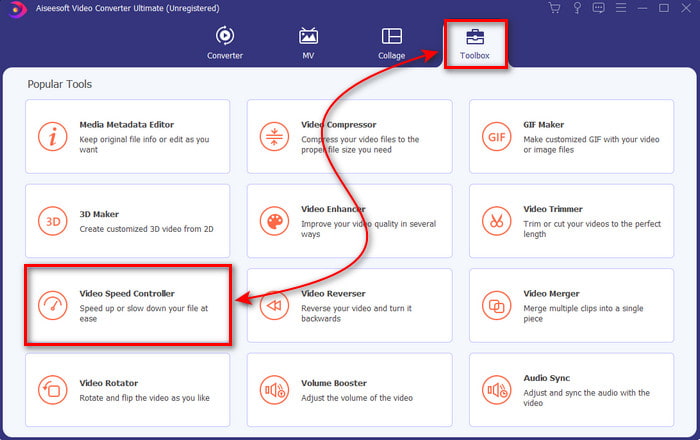
Korak 2. Idite na Toolbox (kutiju s alatima) i pronađite Video Speed Controller, zatim ga kliknite.
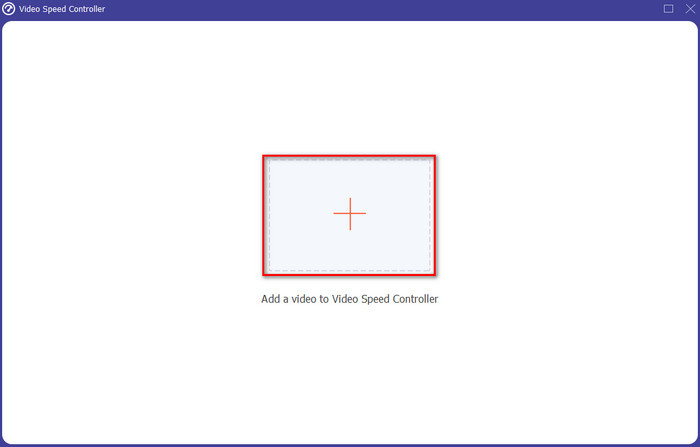
Korak 3. Kliknite znak + da biste umetnuli video datoteku koju želite ubrzati i kliknite Open (Otvori) za nastavak.
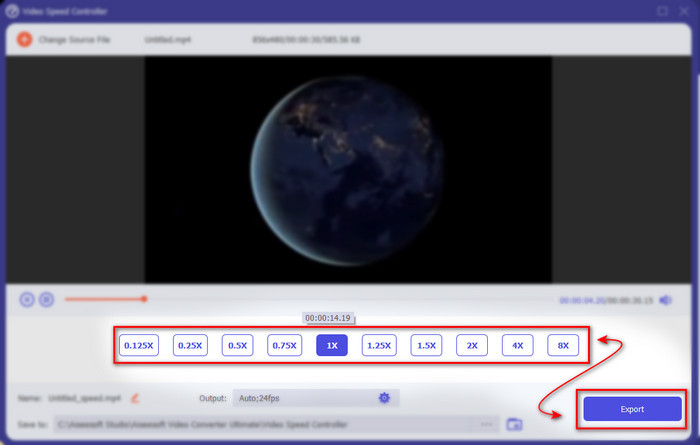
Korak 4. Na sučelju odaberite opcije brzine ovisno o tome želite li usporiti ili ubrzati video. Pregled je dostupan samo do 2x brzine. Zatim, da biste spremili ubrzani video, kliknite gumb Export (Izvezi).
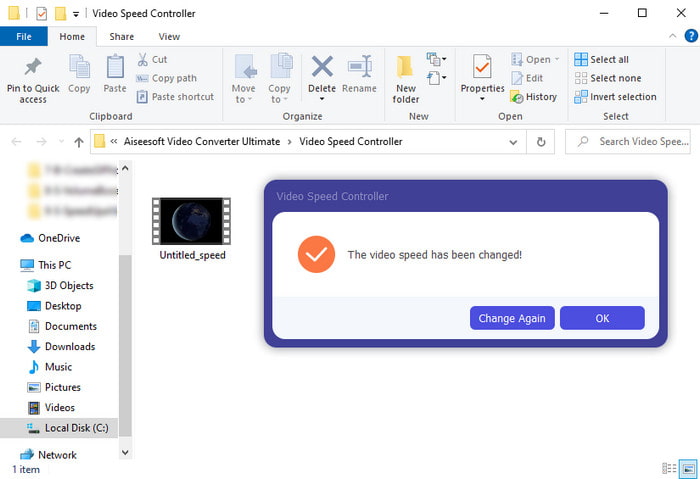
Korak 5. Pričekajte nekoliko minuta da se izvoz dovrši, a kada je datoteka gotova, pojavit će se mapa s ubrzanim videom. Kliknite na video kako biste pogledali ubrzanu verziju svog zapisa.
Pros
- Napredne i futurističke značajke uređivanja već su predstavljene u Video Converter Ultimate.
- Alat je jednostavan za korištenje, ali rezultat je impresivan.
- Sučelje alata već je impresivnije od ostalih ovdje predstavljenih alata.
Protiv
- Plaća se ali nije tako skupo.
- Prije nego što možete koristiti ovaj alat, morat ćete ga prvo preuzeti.
2. Adobe Premiere Pro
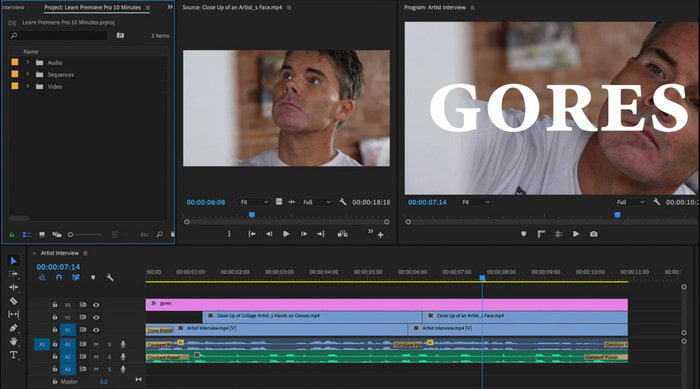
Adobe Premiere Pro jedan je od najboljih video urednika koje možete koristiti. Ovaj Adobeov alat često je prvi izbor jer vam omogućuje gotovo sve što poželite u uređivanju i izradi profesionalnog videa. Međutim, ovaj je program znatno skuplji od Video Converter Ultimatea i nije osobito prilagođen početnicima. Umjesto da odmah počnete uređivati nakon pokretanja programa, morat ćete prvo potražiti upute kako ubrzati video u Premiereu. Također, krivulja učenja za ovaj alat nešto je složenija nego što biste očekivali, jer ćete morati gledati YouTube upute i čitati priručnike o korištenju ovog programa.
Pros
- Jedan od najboljih alata koji su koristili profesionalci.
- Alat može raditi teške video uređivanje.
- Sučelje izgleda elegantnije i urednije od drugog alata.
Protiv
- Adobe Premier Pro je doslovno precijenjen.
- Krivulja učenja ovog alata će potrajati neko vrijeme prije nego što ga možete u potpunosti koristiti.
3.FFmpeg
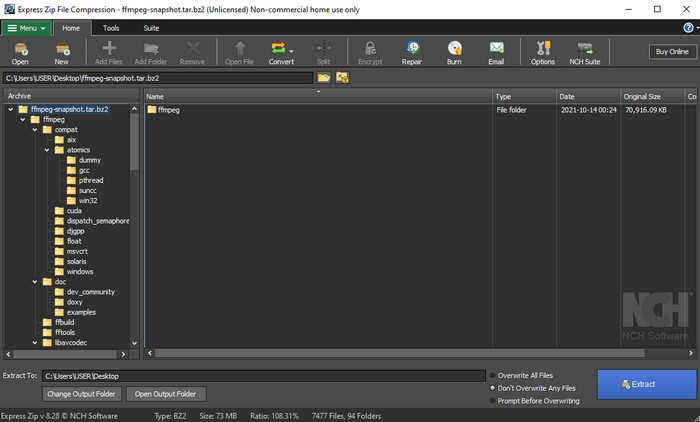
FFmpeg jedan je od alata poznatih kao vodeći multimedijski okvir. Ovaj je program zapravo švicarski nožić za obradu videa, zvuka, streamova i drugih multimedijskih datoteka koje su vam potrebne. Iako je alat višenamjenski, potrebna su mu određena poboljšanja. Primjerice, sučelje programa FFmpeg trebalo bi biti pojednostavljeno. Kao i Adobe Premiere, ovaj je alat težak za početnike jer je njegovo sučelje prilično zahtjevno. Sve u svemu, ubrzavanje videa u FFmpeg-u moguće je ako proučite kako se alat koristi. Ako uložite mnogo vremena u učenje rada s njim, vjerojatno će vam se isplatiti, ali to je dugotrajan proces.
Pros
- Riječ je o softverskom projektu otvorenog koda.
- Podržava široku paletu kodeka.
- Izvrstan izbor za svakog profesionalca koji želi učinkovitu značajku za uređivanje.
Protiv
- Nije najbolji izbor za početnike da sami izvrše.
- Podržava mali raspon križnih platformi.
- Njegovo sučelje je ogromno da njime rukuju neprofesionalci.
Dio 2. 2 najboljeg Mac softvera za ubrzavanje videa
1.QuickTime Player
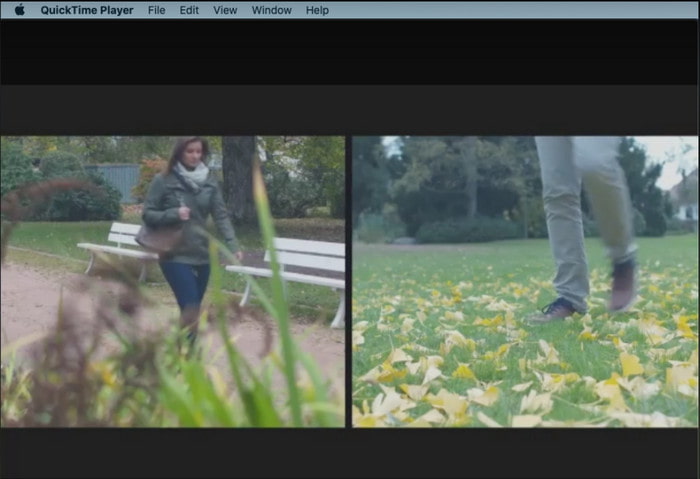
Naučiti kako ubrzati video u QuickTimeu jednostavno je kao jedan-dva-tri. Nema potrebe za preuzimanjem programa jer je već predinstaliran na svakom Mac računalu. Znamo da je QuickTime Player izradio Apple Inc. kao izvorni multimedijski reproduktor za sve Mac korisnike. Iako alat ima ugrađene opcije za ubrzavanje i usporavanje, morat ćete ih podešavati ručno, što traži malo više truda. Ipak, ukupno sučelje je uredno i vrlo dobro, bolje nego kod VLC-a, ali QuickTime je dostupan samo na Appleovim uređajima i ne postoji QuickTime Player za Windows.
Pros
- Alat nije potrebno preuzimati jer je već unaprijed instaliran.
- Internetska veza nije potrebna ako želite koristiti alat.
- Gledajte i jednostavno ga proslijeđujte uz pomoć ovog alata.
Protiv
- Nema dostupnih verzija ovog alata za Windows.
- Ručno napravite ubrzanje gore i dolje.
- Ne podržava široki medijski format.
2.Open Shot
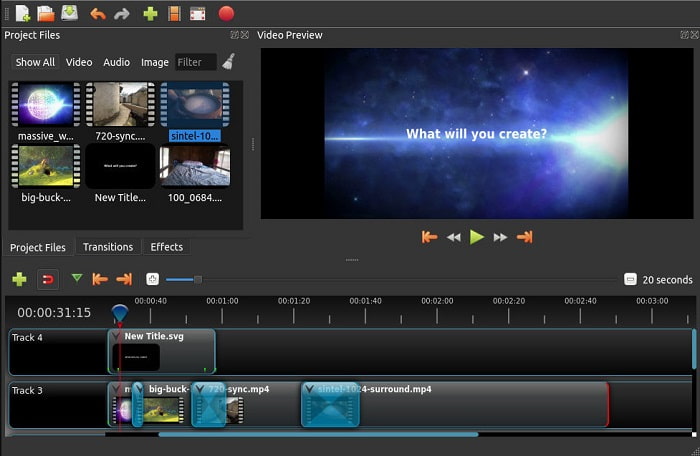
Open Shot jedan je od najboljih programa za uređivanje videa koje možete koristiti, osobito na Macu. Iako alat postoji i za Windows, verzija za Mac smatra se boljom. Također, uz pomoć programa Open Shot možete učinkovito ubrzati video. Štoviše, alat je besplatan za sve koji nemaju dovoljno samopouzdanja za korištenje složenih programa s naprednim funkcijama. U osnovi, ovaj program nudi neke temeljne mogućnosti uređivanja koje biste mogli poželjeti koristiti. Ipak, pojedine funkcije još treba dodati ili nadograditi.
Pros
- Ima mogućnost spremanja vašeg konačnog video izlaza u druge formate koje želite.
- Videozapisi se mogu jednostavno uređivati uz pomoć dostupnih značajki alata.
- Dolazi s vrlo intuitivnim uputama za početnike koje treba slijediti. Dakle, ako želite naučiti kako ubrzati video Windows 10, Mac ili Linux ovo je odličan izbor.
Protiv
- Nije najbolji izbor za korisnike koji žele imati nevjerojatan izlaz jer mu nedostaju neke od naprednih značajki.
- Ponekad se alat ruši zbog opterećenja koje uređujete ili ponekad zbog nepoznatih razloga.
- Nije najbolji izbor za profesionalca koji želi imati najbolje.
Dio 3. Često postavljana pitanja o tome kako ubrzati video Windows i Mac
Mogu li ubrzati dio na svojim videozapisima?
Apsolutno da. Možete izrezati jedan isječak iz videa, ubrzati ga, a zatim ga spojiti s drugim videom kako biste dobili potpuno novi video ubrzane reprodukcije. Na primjer, ako imate AVI datoteku koju želite ubrzati, možete slijediti gore navedene korake, a kada završite, možete je spojiti pomoću najboljeg AVI spajača na ovoj poveznici.
Koja brzina vam najbolje odgovara; 2x, 4x ili 8x?
Ako gledate film, ubrzavanje videa na 4x i više bit će teško pratiti jer video postaje toliko brz da ga ljudsko oko ne može pratiti. Stoga je idealno film reproducirati na 2x brzini ako ga želite gledati brže, a da ga i dalje možete bez problema pratiti. Klikom na ovu poveznicu otvorit ćete novi članak i saznati kako ubrzati video do 2x brže.
Kako usporiti video tutorial za brzo premotavanje?
Ako je video koji ste preuzeli ili konvertirali prebrz, možete ga gledati usporeno pomoću članka 5 najboljih playera za usporenu reprodukciju videa. Posjetite odmah taj članak kako biste naučili kako usporiti videozapise.
Zaključak
Da zaključimo, sada nam je lakše razumjeti da možete jednostavno ubrzati videozapise uz pomoć gore predstavljenog alata. Svi alati mogu povećati brzinu videozapisa ili je usporiti. Štoviše, postoji jedan alat koji dokazuje da ne može imati odgođeni video čak i ako povećate brzinu videozapisa. A taj alat je fenomenalan uređivač Video Converter Ultimate, ovaj softver je jednostavan za korištenje, najbolji izbor za profesionalce i početnike, ima puno naprednih značajki koje možete birati i još mnogo toga. Dakle, nemojte se odlučiti za a-okay alat ako možete imati najbolji, kao što je Video Converter Ultimate.
-
 Windows Media Player ne reproducira MP4? 5 učinkovitih načina da se to popravi
 Reprodukcija MP4-a u Windows Media Playeru nije uspjela? Saznajte više o razlozima i konačnim rješenjima za reprodukciju MP4-a u sustavu Windows Media Player na računalu sa sustavom Windows 10.
-
 [Detaljan vodič] Kako popraviti video s Google diska koji se ne reproducira na računalu
 Videozapisi na Google disku ne reproduciraju se s pogreškom "Došlo je do problema s reprodukcijom ovog videozapisa". To može biti uzrokovano samim Google diskom ili problemima s hromom. Ovaj će članak detaljno predstaviti 6 rješenja.
-
 Kako popraviti Windows Media Player koji ne radi s videozapisima ili zvukom
 Windows Media Player odjednom ne radi sa ili bez ikakvog upita za pogrešku? To je možda uzrokovano mnogim razlozima, a u ovom članku postoje 4 načina za rješavanje ovog problema.
