


 Video Converter Ultimate
 Perekam Layar
 Perbaikan Video
Dalam Ulasan Mendetail Tentang 5 Aplikasi Amplifier Suara yang Dapat Diakses
Semua orang di seluruh jagat raya menyukai musik, baik itu pop, metal, rock, jazz, dan lain sebagainya. Namun, tidak semua speaker mampu menghasilkan keluaran suara yang begitu baik hingga membuat bulu kuduk merinding. Selain itu, membeli amplifier bisa menghabiskan lebih dari seratus dolar, atau bahkan lebih dari seribu dolar. Bukankah itu mahal? Namun kita bisa menghindari pengeluaran besar jika mencoba menggunakan amplifier terbaik yang tersedia di berbagai platform ini. Dan sekarang, jika Anda ingin menggunakan aplikasi penguat suara, cobalah membaca daftar di bawah ini yang biayanya jauh di bawah nominal di atas namun tetap mampu memberikan efek penguatan yang hebat.

Bagian 1. Amplifier Suara Fenomenal Tersedia di PC & Mac
Jika Anda ingin mendapatkan efek 8D atau 16D tanpa harus mengeluarkan banyak uang untuk peralatan penguat suara, cobalah gunakan Video Converter Ultimate. Berbeda dengan peralatan amplifier pada umumnya, dengan alat ini Anda mengeluarkan biaya lebih sedikit dan tidak perlu melakukan penyetelan rumit atau membaca buku manual tebal untuk memahaminya. Selain itu, software desktop ini sangat baik untuk meningkatkan kualitas video, audio, GIF, dan lainnya. Meskipun berbayar, alat ini tetap nyaman digunakan tanpa komplikasi, serta menyediakan fitur-fitur canggih yang dapat Anda terapkan dengan mudah pada video dan audio. Jadi, jika Anda ingin tahu cara menggunakannya, Anda harus mengikuti langkah-langkah yang disediakan di bawah ini.
Langkah-langkah Menggunakan Volume Booster di Video Converter Ultimate:
Langkah 1. Pertama-tama, unduh software ini ke drive PC atau Mac Anda. Lalu instal di komputer dan lakukan pengaturan awal yang sederhana secara manual.
Unduh GratisUntuk Windows 7 atau yang lebih baruUnduhan Aman
Unduh GratisUntuk MacOS 10.7 atau yang lebih baruUnduhan Aman
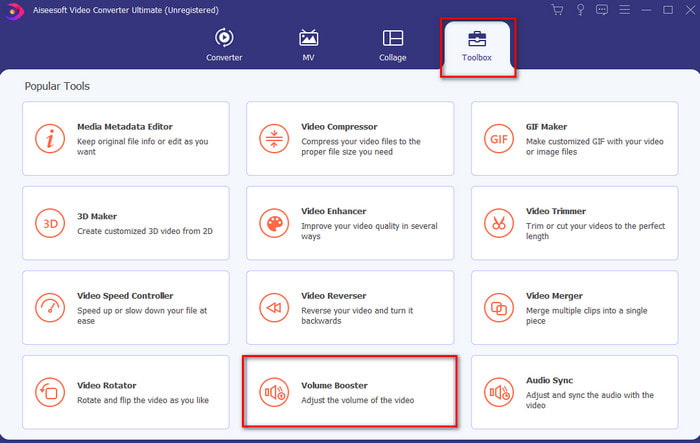
Langkah 2. Di bawah bagian Toolbox, klik Volume Booster.
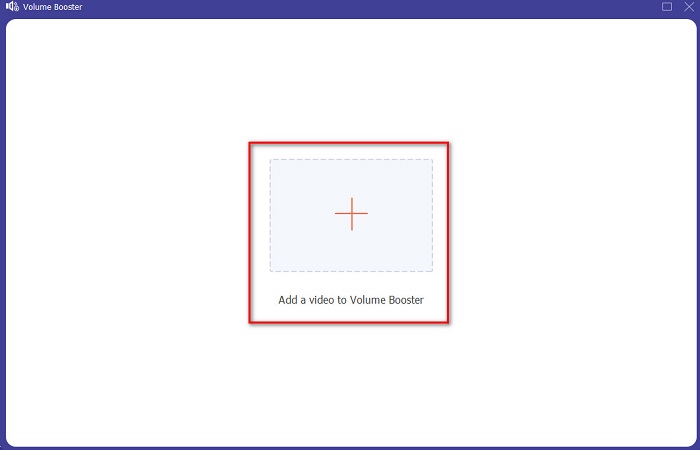
Langkah 3. Klik tombol + untuk memilih file yang ingin Anda perkuat suaranya. Lalu tekan Open untuk melanjutkan.
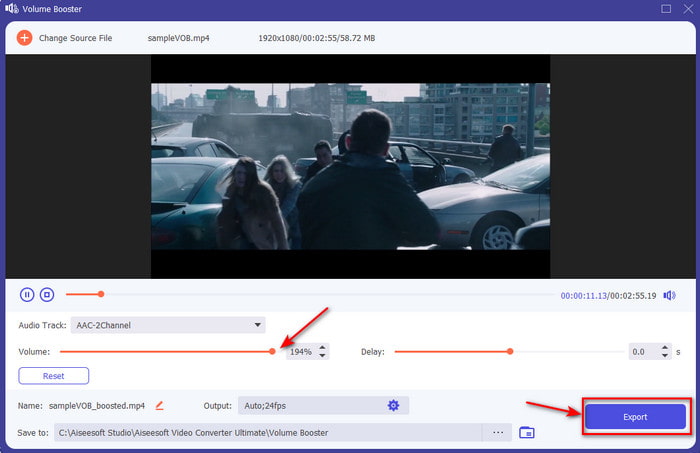
Langkah 4. Pada antarmuka, Anda sekarang dapat menyeret volume slider untuk membuat suara lebih keras dan jernih. Jika penyesuaian audio sudah selesai, klik Export.
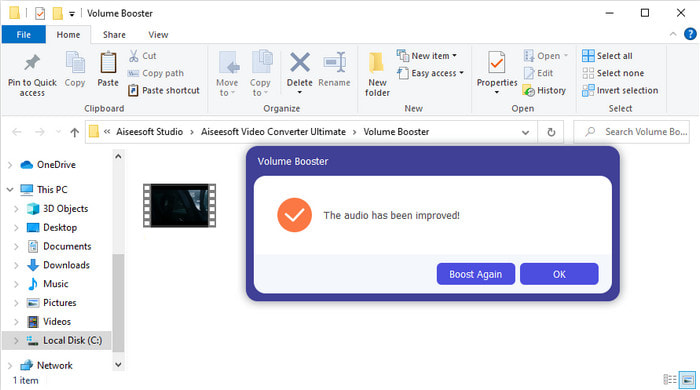
Langkah 5. Tunggu beberapa detik hingga proses selesai, dan setelah selesai, manajer file akan muncul di layar Anda dengan file yang sudah diperkuat. Klik file tersebut untuk mendengarkannya.
Pro
- Software ini mudah digunakan dan dapat membuat audio Anda terdengar fenomenal.
- Kinerja perangkat lunak sangat dihargai oleh pelanggannya.
- Ini tersedia dan siap untuk diunduh di PC dan Mac.
Kontra
- Perangkat lunak ini tidak mendukung perangkat seluler.
- Alat ini berbayar tetapi tidak terlalu mahal dibandingkan dengan alat desktop lainnya.
Terkait:
Cara Menaikkan Volume Video MP4
Cara Memperbaiki Audio Delay di VLC
Bagian 2. 4 Aplikasi Penguat Suara Terbaik yang Tersedia di Ponsel iOS dan Android
1. Peningkatan Volume – Penguat Suara 4+ (iOS)
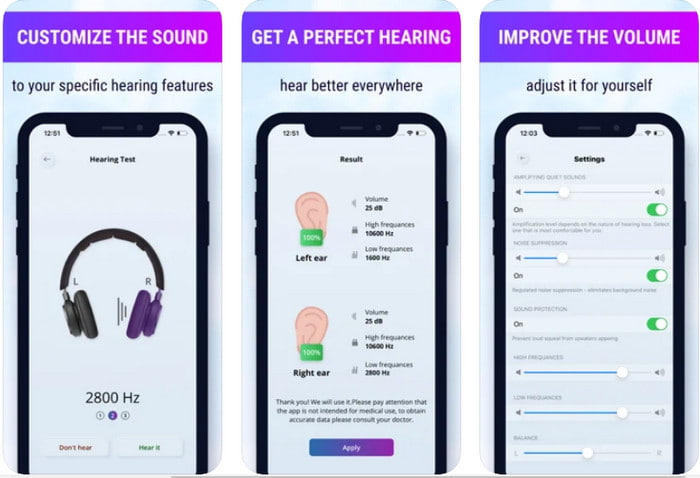
Pengguna iOS dapat dengan mudah mengunduh Volume Boost- Sound Amplifier 4+ secara gratis. Aplikasi ini dapat memperkuat suara dengan mudah tanpa repot berkat penyesuaian otomatis, namun Anda juga bisa mengubahnya secara manual. Selain itu, aplikasi ini cukup baik digunakan sebagai amplifier, namun tidak berfungsi dengan speaker Bluetooth dan earbud atau AirPods. Anda juga kemungkinan akan sering mengalami crash dan iklan yang tidak bisa dihindari saat membuka aplikasi. Walaupun dapat diunduh secara gratis, tetap ada pembelian dalam aplikasi untuk menghilangkan iklan dan membuka fungsi-fungsi lainnya.
Pro
- Gratis untuk diunduh di perangkat iOS apa pun.
- Perkuat audio speaker Anda dengan mudah hingga 30db.
- Antarmuka dan pengaturan yang intuitif.
Kontra
- Mengalami banyak crash, macet, dan bug masih ada di aplikasi ini.
- Iklan banyak yang harus dihindari.
2. Penguat Volume Ekstra - pengeras suara keras (Android)
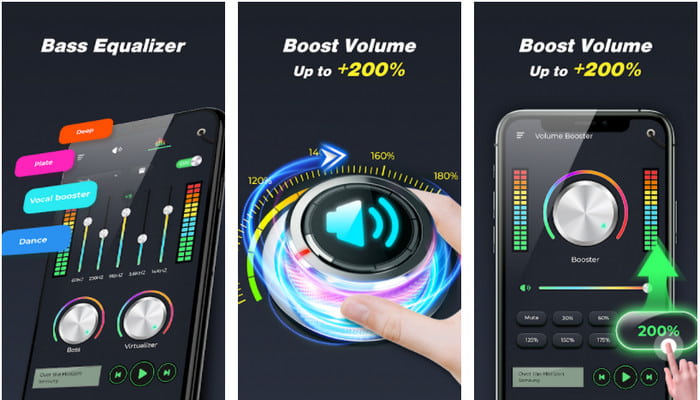
Jika pengguna iOS memiliki penguat suara di ponsel, pengguna Android juga seharusnya memiliki sesuatu seperti Extra Volume Booster. Banyak pengguna yang sudah puas dengan performa aplikasi ini karena sangat baik dalam memperkuat dan meng-boost suara. Namun, ketika Anda membuka aplikasi ini, semua suara yang dihasilkan ponsel Anda seperti nada dering panggilan, alarm, notifikasi, dan lain-lain akan ikut diperkuat. Artinya, tidak ada pengaturan terpisah untuk tiap jenis suara tersebut. Meskipun alat ini gratis, kualitasnya masih dinilai lebih baik dibanding banyak aplikasi berbayar di Android maupun iOS. Namun, jika Anda memaksimalkan volumenya sampai 200%, bersiaplah dengan risiko kerusakan pada speaker bawaan atau speaker Bluetooth yang tidak sanggup menahan volume setinggi itu.
Pro
- Versi amplifier yang disederhanakan dapat Anda unduh di perangkat Android.
- Meskipun antarmuka aplikasi tidak banyak, itu bagus.
- Penguatan dan peningkatan yang berbeda tersedia di aplikasi ini.
Kontra
- Berharap untuk menemukan iklan yang tak terhitung jumlahnya saat menggunakan aplikasi.
- Saat menggunakan alat ini ada kemungkinan CPU atau telepon akan memanas.
3. Peningkatan Speaker: Penguat Volume & Penguat Suara 3D (Android)
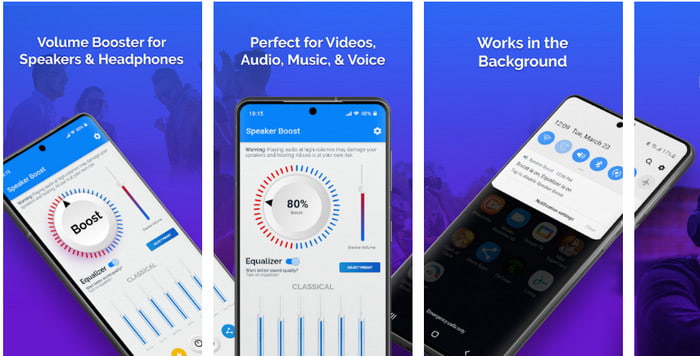
Aplikasi Android lain yang bisa Anda gunakan dan mampu menghasilkan efek penguat suara surround yang bagus adalah Speaker Boost. Sama seperti Extra Volume Booster, aplikasi ini sangat tepat guna dan jauh lebih mudah digunakan bahkan bagi pemula. Anda juga bisa mengunduh alat ini secara gratis, namun tersedia pembelian dalam aplikasi yang mungkin ingin Anda miliki, misalnya untuk menghapus iklan yang mengganggu dan lain-lain. Walaupun terlihat cukup layak digunakan, pembelian dalam aplikasi di alat ini bisa menghabiskan banyak uang dibanding software lain dalam daftar ini. Kekhawatiran lain yang dirasakan banyak pengguna adalah aplikasi ini tetap berjalan di balik ad-blocker dan ada kemungkinan aplikasi ini mengandung spyware.
Pro
- On-point untuk meningkatkan suara dengan mudah namun kuat untuk digunakan.
- Unduh alat ini secara gratis tanpa kerumitan dalam memperkuat suara.
- Lakukan penggantian manual pada equalizer.
Kontra
- Alat ini tidak lengkap yang pada dasarnya berarti sedang dalam percobaan.
- Ketika Anda meningkatkan suara, ada beberapa distorsi yang akan Anda dengar.
4. Boom: Penguat Bass & Equalizer 4+ (iOS)
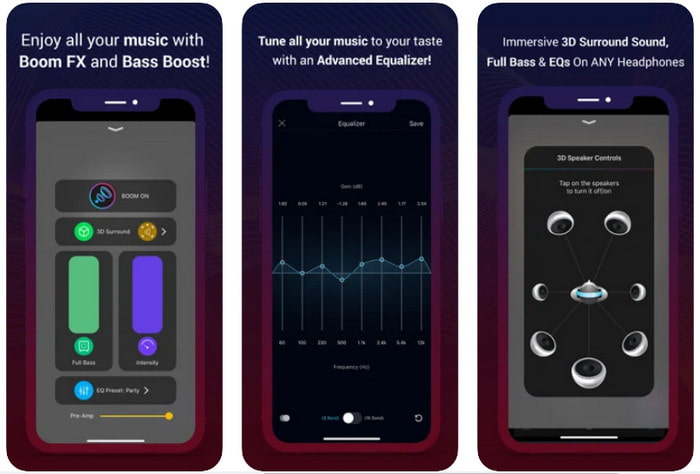
Jika Anda mencari aplikasi penguat suara yang lebih canggih, maka Boom: Bass Booster adalah pilihan yang bagus. Namun, aplikasi ini hanya tersedia di perangkat iOS dan tidak dapat Anda temukan di perangkat Android. Sejauh ini, alat ini sudah banyak mendapat pujian dari pengguna, tetapi ada beberapa format yang tidak didukung untuk diperkuat. Selain itu, saat menggunakannya, bersiaplah menghadapi beberapa bug dan crash. Aplikasi ini juga cukup membingungkan bagi pengguna baru. Walaupun kinerjanya terbilang lumayan, aplikasi ini tetap perlu ditingkatkan agar menjadi lebih baik.
Pro
- Beberapa fitur lanjutan tersedia di sini.
- Amplifier portabel dapat Anda gunakan dengan mudah.
- Aplikasi ini menerima 4,1 bintang dari 5 bintang.
Kontra
- Bukan pilihan terbaik untuk pemula karena struktur antarmuka yang membingungkan.
- Sebagian besar format audio tidak didukung untuk diperkuat dengan aplikasi ini.
- Masalah bug dan penundaan masih terjadi dengan aplikasi.
Bagian 3. FAQ tentang Amplifier Suara
Apa itu db?
Db berarti desibel dan ini adalah satuan pengukuran untuk menyatakan kenyaringan atau kekuatan gelombang suara. Selain itu, dengan bantuan desibel kita dapat dengan mudah menentukan suara apa yang aman untuk kita dengar dalam waktu yang lama. Dan semua 85 desibel di bawah ini sangat aman untuk didengar.
Apa kerugian dari suara keras?
Sangat umum bagi kita bahwa ketika kita terkena suara keras, pendengaran bisa rusak. Tapi tahukah Anda bahwa hal ini dapat mengakibatkan mual, sakit kepala, stres, kelelahan dan banyak lagi. Jadi, jika Anda akan menggunakan amplifier maka gunakan dengan benar dan jangan berlebihan untuk menghindari efek berbahaya yang tak terhindarkan.
Mengapa saya mendengar beberapa retakan pada speaker saya?
Masalah ini sangat biasa terjadi pada speaker dengan hertz yang sangat terbatas yang dapat ditangani. Jadi, jika Anda meningkatkan audio, pastikan speaker dapat menanganinya. Dan jika Anda mendengar beberapa retakan maka Anda harus segera menurunkan suaranya. Namun, jika Anda mendengar beberapa retakan bahkan jika Anda menurunkan suaranya, maka itu sudah terlambat.
Kesimpulan
Semua aplikasi dan software yang dipaparkan di sini cukup bagus digunakan sebagai amplifier. Meskipun program-program di atas memiliki beberapa perbedaan, fungsi utamanya serupa. Namun, jika Anda mencari penguat suara terbaik untuk PC dan Mac, maka Video Converter Ultimate adalah jawabannya. Sebab, ia menyediakan fitur-fitur canggih yang fenomenal dan mudah digunakan. Jadi, jika Anda masih bertanya-tanya apakah ini pilihan terbaik, unduh dulu ke drive komputer Anda dan ikuti langkah-langkah yang telah dijelaskan di atas.
Unduh GratisUntuk Windows 7 atau yang lebih baruUnduhan Aman
Unduh GratisUntuk MacOS 10.7 atau yang lebih baruUnduhan Aman
-
 [Mudah] Cara Memperbaiki Audio dan Video yang Tidak Sinkron
 Misalkan Anda akan menjadwalkan streaming untuk besok, tetapi saat Anda memeriksa penyiapan, audio dan video tidak sinkron. Baca artikel ini bagi Anda untuk mempelajari lebih lanjut tentang masalah ini.
-
 7 Langkah Mudah Cara Memperbaiki Masalah Keterlambatan Audio OBS [Terpecahkan]
 Apakah Anda kesulitan untuk menonton klip video Anda setelah merekam karena penundaan audio saat menggunakan OBS Studio? Baca artikel di bawah ini untuk mempelajari cara memperbaiki audio yang tidak sinkron secara efektif.
-
 Cara Menambahkan Audio dan Musik ke Video secara Gratis di Komputer / Telepon Anda
 Artikel ini menunjukkan 4 cara mudah untuk menambahkan audio ke video secara gratis. Tidak peduli trek audio mana yang ingin Anda tambahkan ke video Anda, Anda bisa mendapatkan hasil yang memuaskan di sini.
